

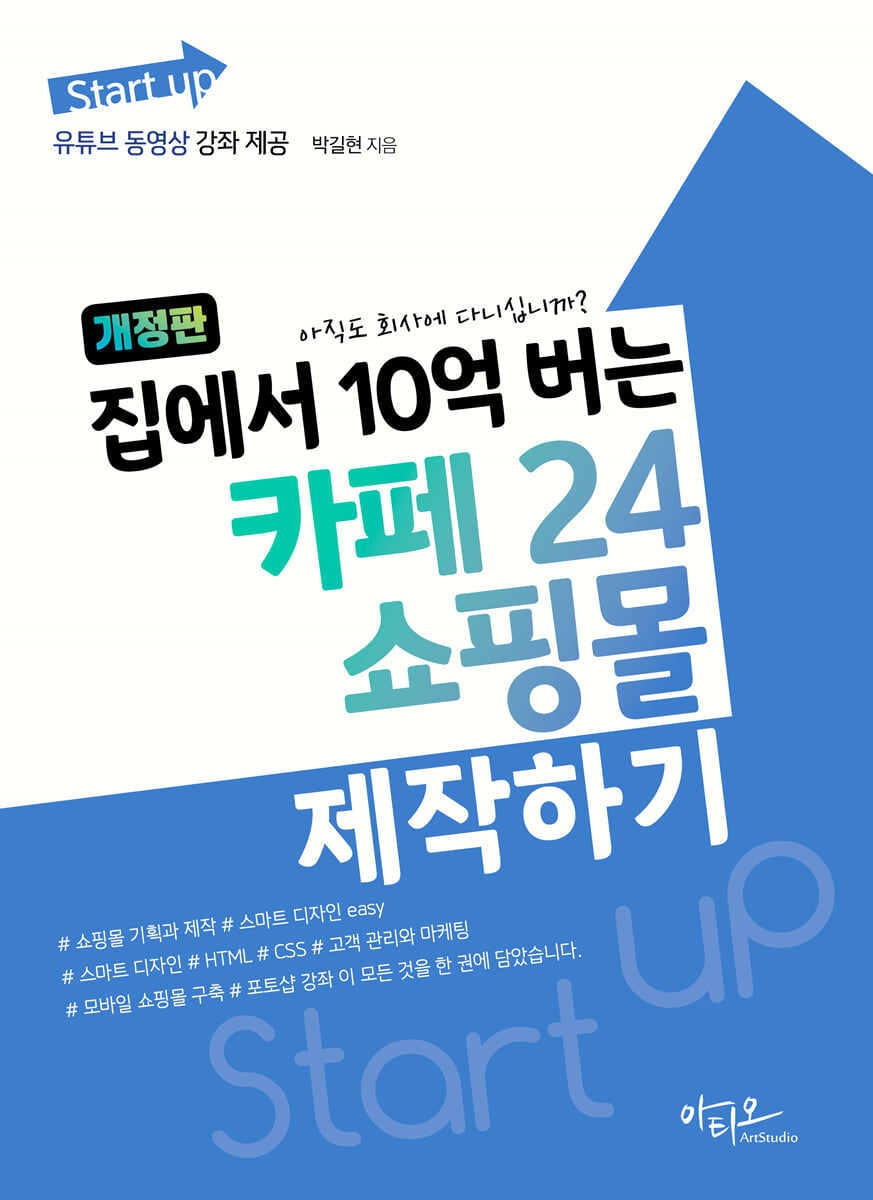
Create a Cafe24 shopping mall that earns 1 billion won from home
 |
Description
Book Introduction
This revised edition, which became a bestseller after receiving much love after its publication, contains the know-how to build a shopping mall and handle everything from customer management to product display and design in one stop, based on questions received from students who wanted to start a shopping mall and materials collected while running lectures, YouTube, and blogs at Cafe24 for a long time. Additionally, the author provides additional lectures not covered in the book through YouTube, blog, and Instagram. |
- You can preview some of the book's contents.
Preview
index
Step 1: Why create a Cafe24 shopping mall?
1.
Types of shopping malls
2.
Advantages of Creating a Cafe24 Shopping Mall
3.
What should I do before creating a shopping mall?
Step 2: Want to make a billion dollars? Start by planning your shopping mall well!
1.
Benchmarking competitor shopping malls
2.
Shopping mall design planning
3.
Product detail page planning and production method
Step 3: Sign up for Cafe24 membership and create a shopping mall.
1.
Sign up for Cafe24
2.
Log in to the Cafe24 administrator page
Step 4: Manage My Shopping Mall Store
1.
Enter shopping mall information
2.
Connecting a domain
3.
Set Terms of Use
4.
Set up delivery information, exchange/refund information, etc.
5.
Setting up your shopping mall operation method
6.
Setting up the identity verification service
7.
Set up savings
8.
Setting product search keywords
9.
Setting up your shopping mall's search engine optimization
10.
Manage Payments
11.
Manage your shipments
Step 5: Change your shopping mall design with Smart Design Easy.
1.
Learn about design management
2.
Learn about the Smart Design Easy Edit Window
3.
Change your smart design with Easy Shopping Mall
Step 6: Change your shopping mall design with Smart Design
1.
Smart Design Management
2.
Designing the main page of a shopping mall
3.
Understanding Smart Design
4.
Understanding the structure of shopping mall pages
5.
Understanding Smart Design HTML
6.
Displaying a banner on a shopping mall
7.
Create a new page
8. Modifying the design using CSS
9.
Setting up design features
Step 7: Registering and Displaying Products
1.
Create a category
2.
Register a general product
3.
Simple product registration
4.
Register a set product
5.
Bulk registering products in Excel
6.
Manage Products
7.
Managing Main Products
8.
Setting up product information display
9.
Managing special exhibitions
Step 8: Customer Management and Bulletin Board Management
1.
Setting up membership registration items
2.
Set membership level
3.
Check member information
4.
Setting up automatic email sending
5.
Managing the bulletin board
Step 9: Order Management and Promotion
- Order management
1.
Manage before deposit
2.
Manage delivery preparation
3.
Manage during delivery
4.
Check delivery completion
5.
Manage Exchanges
6.
Managing Returns
7.
Manage Refunds
- Promotion
1.
Managing Customer Benefits
2.
Managing Coupons
3. Managing SNS
Step 10: Building a Mobile Shopping Mall
1.
Setting up the mobile shopping mall
2.
Designing a Mobile Shopping Mall
supplement.
Shopping Mall Core Photoshop Tutorial
1.
Photoshop Retouching to Make Your Products Stand Out
2.
Resize images at once using actions
3.
Easily create a representative image for your shopping mall
1.
Types of shopping malls
2.
Advantages of Creating a Cafe24 Shopping Mall
3.
What should I do before creating a shopping mall?
Step 2: Want to make a billion dollars? Start by planning your shopping mall well!
1.
Benchmarking competitor shopping malls
2.
Shopping mall design planning
3.
Product detail page planning and production method
Step 3: Sign up for Cafe24 membership and create a shopping mall.
1.
Sign up for Cafe24
2.
Log in to the Cafe24 administrator page
Step 4: Manage My Shopping Mall Store
1.
Enter shopping mall information
2.
Connecting a domain
3.
Set Terms of Use
4.
Set up delivery information, exchange/refund information, etc.
5.
Setting up your shopping mall operation method
6.
Setting up the identity verification service
7.
Set up savings
8.
Setting product search keywords
9.
Setting up your shopping mall's search engine optimization
10.
Manage Payments
11.
Manage your shipments
Step 5: Change your shopping mall design with Smart Design Easy.
1.
Learn about design management
2.
Learn about the Smart Design Easy Edit Window
3.
Change your smart design with Easy Shopping Mall
Step 6: Change your shopping mall design with Smart Design
1.
Smart Design Management
2.
Designing the main page of a shopping mall
3.
Understanding Smart Design
4.
Understanding the structure of shopping mall pages
5.
Understanding Smart Design HTML
6.
Displaying a banner on a shopping mall
7.
Create a new page
8. Modifying the design using CSS
9.
Setting up design features
Step 7: Registering and Displaying Products
1.
Create a category
2.
Register a general product
3.
Simple product registration
4.
Register a set product
5.
Bulk registering products in Excel
6.
Manage Products
7.
Managing Main Products
8.
Setting up product information display
9.
Managing special exhibitions
Step 8: Customer Management and Bulletin Board Management
1.
Setting up membership registration items
2.
Set membership level
3.
Check member information
4.
Setting up automatic email sending
5.
Managing the bulletin board
Step 9: Order Management and Promotion
- Order management
1.
Manage before deposit
2.
Manage delivery preparation
3.
Manage during delivery
4.
Check delivery completion
5.
Manage Exchanges
6.
Managing Returns
7.
Manage Refunds
- Promotion
1.
Managing Customer Benefits
2.
Managing Coupons
3. Managing SNS
Step 10: Building a Mobile Shopping Mall
1.
Setting up the mobile shopping mall
2.
Designing a Mobile Shopping Mall
supplement.
Shopping Mall Core Photoshop Tutorial
1.
Photoshop Retouching to Make Your Products Stand Out
2.
Resize images at once using actions
3.
Easily create a representative image for your shopping mall
Detailed image

Publisher's Review
The Startup series is designed to provide a variety of information on new one-person startups in an era where anyone can create content and be active through various internet platforms such as YouTube, shopping malls, Instagram, blogs, Facebook, and Twitter, and to provide the foundation for proper planning, production, marketing, and profit generation as an individual creator.
GOODS SPECIFICS
- Date of issue: April 10, 2023
- Page count, weight, size: 416 pages | 836g | 188*257*18mm
- ISBN13: 9791192991054
- ISBN10: 1192991052
You may also like
카테고리
korean


korean

![GQ KOREA Mark (Monthly): December [2025]](http://librairie.coreenne.fr/cdn/shop/files/8ef265dbbfbf186523ed75ba7319009d.jpg?v=1765340328&width=3840)


