

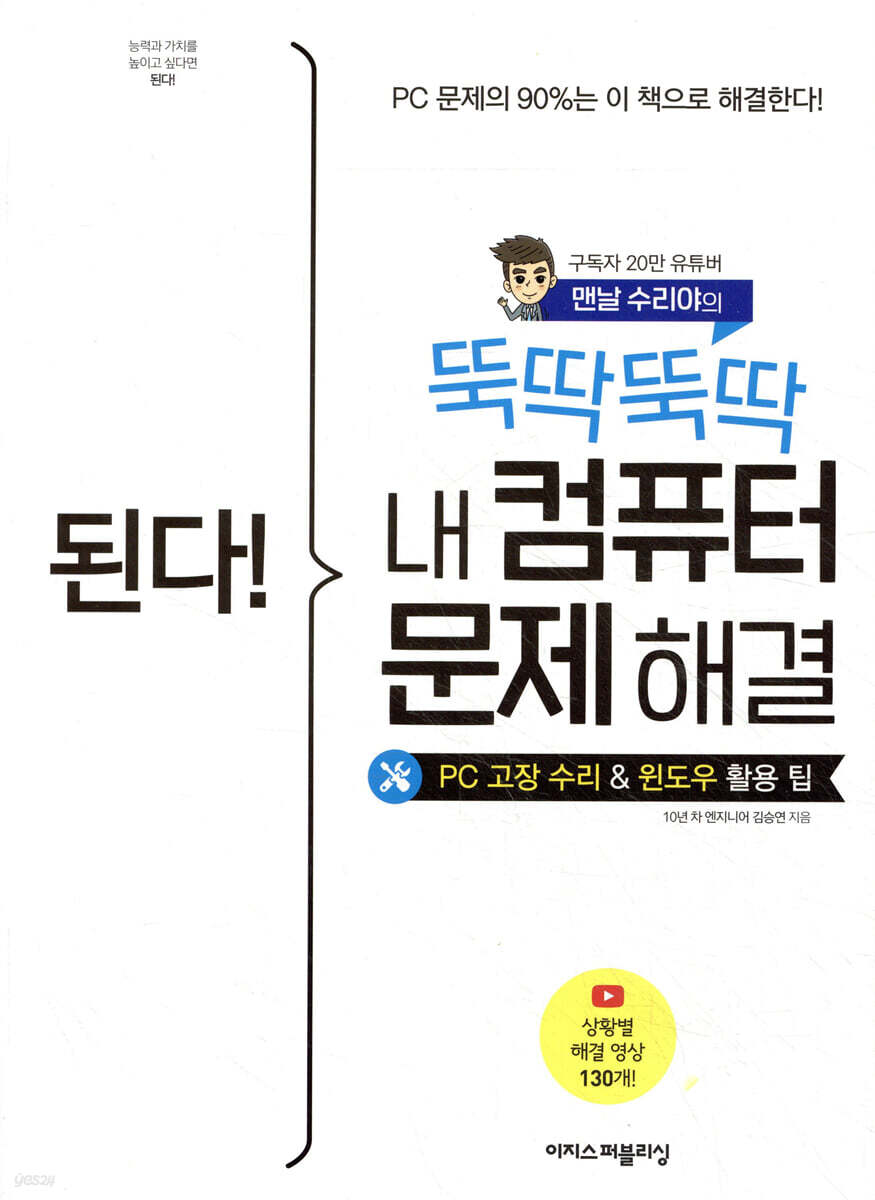
It works! Tick tock, tick tock, my computer problem is solved.
 |
Description
Book Introduction
90% of PC problems are solved with this book! PC Repair & Windows Utilization Tips Book by YouTuber "Mannal Suriya," with 200,000 subscribers What should you do if you encounter a computer problem? Most people will contact the computer manufacturer's customer service center, a nearby computer repair shop, or their workplace's IT team. What if you could solve these inconveniences yourself, without relying on others, and even better, help others? For those who dream this small dream, PC repair YouTuber "Mannal Suri-ya" has written "It Works! Solve Your Computer Problems in a Tick Tock." The author of 'I Repair Every Day', Seungyeon Kim, has put all of his experience as an IT team leader at a large corporation, managing thousands of computers, and the know-how he has accumulated through his PC repair YouTube channel into this book. It covers everything from when your computer suddenly won't turn on, when the internet is slow, to when you format Windows on your own. It also covers essential features and settings for work, as well as PC maintenance tips for those who want to keep their PC running for a long time. In addition, we have prepared situation-specific troubleshooting videos to help you with repairs. The video lectures prepared in this way amount to a whopping 130! Thanks to these already popular YouTube lectures, many people have been recognized as computer experts at work! If you want to learn PC repair and maintenance techniques that have garnered 200,000 subscribers, this book is a must-read! |
- You can preview some of the book's contents.
Preview
index
Getting Started / Getting to Know Your Computer
00-1 Roles and functions of major computer components
00-2 Check your computer's specifications and performance
First Yard / Tick-Tock! A Guide to PC Repairing on Your Own
Chapter 1: How to Fix Frequent PC Problems
01-1 When there is no Internet connection at all
01-2 When the Internet is connected but slow
01-3 When you cannot access a specific site or the screen is broken
01-4 When your computer is slow
01-5 When the screen does not appear on the monitor
01-6 When the main unit does not turn on or turns off midway
01-7 When an error occurs when booting the computer Ⅰ (blue screen)
01-8 When an error occurs when booting the computer Ⅱ (black screen)
01-9 When there is no computer sound
01-10 When the printer does not print
Chapter 2: How to Solve PC Inconveniences Everyone Experiences at Least Once
02-1 When you don't remember your password
02-2 When your computer is running low on storage space
02-3 When booting or shutting down is slow due to Windows Update
02-4 Removing the warning window that appears when booting Windows or running a program
02-5 When the keyboard input response is not fast or is slow
02-6 When using the mouse click or wheel button, double-clicking or moving too fast or slow
02-7 When the laptop is overheating and making a lot of noise
02-8 Three Useful Laptop Tips You Should Know
Second Yard / Windows Optimization & Tips for Managing Your PC
Chapter 3: PC Setup Guide for Beginners
03-1 Connecting to the Internet
03-2 Connecting two monitors
03-3 Convenient settings once you do it
Chapter 4: PC Tips for Leaving Work on Time
04-1 Capturing Windows Screen
04-2 Managing Folders and Files Effectively
04-3 Setting up an intuitive Windows taskbar
04-4 Essential Windows shortcuts to get off work an hour earlier
04-5 Effective Backup Methods
04-6 Creating a Real-Time Shared Folder
Chapter 5: Secret Tips to Protect Your Privacy
05-1 Essential when you're away! Lock your computer screen in 1 second.
05-2 Hide recently executed file and folder names
05-3 Hide specific files and search results
05-4 Clearing recent searches and site access history on the Internet
05-5 Quickly switching between Windows screens
Chapter 6: Browser Tips for Faster Internet Operations
06-1 Browser Core Shortcuts
06-2 Setting the default browser
06-3 Change the Internet address bar search results to Naver or Google
06-4 When right-clicking and dragging do not work on certain sites
Third Yard / Challenge! The Shortcut to Becoming a Computer Expert
Chapter 7: Installing and Resetting Windows 10
07-1 Things to check before installing and resetting Windows 10
07-2 Upgrade from Windows 7 to Windows 10 for free
07-3 Installing Windows 10 via USB
07-4 Using the Windows 10 Reset Feature
Chapter 8: Understanding Computer Upgrades
08-1 Types of HDDs and SSDs and Things to Consider When Purchasing
08-2 RAM Types and Purchasing Tips
08-3 Types of internal and external graphics cards and purchasing tips
08-4 Types of Power Supplies and Purchasing Tips
Chapter 9 Upgrading Your Desktop Computer
09-1 Replace HDD with SSD and install additional
09-2 Replacing and expanding RAM
09-3 Replacing the Power Supply
09-4 Replacing the graphics card and installing the driver
Chapter 10: Upgrading Your Laptop
10-1 Replace HDD with SSD and install additional
10-2 Replacing RAM and Installing Additional Components
Chapter 11 Frequently Asked Questions About Windows Installation and Upgrades
11-1 When replacing an HDD with an SSD, can't I just clone it?
I installed Windows on an 11-2 SSD, but it boots from the existing HDD.
11-3 After installing Windows, the D drive is not visible.
11-4 After upgrading the graphics card, an error screen appears and the computer does not boot.
After upgrading to 11-5, the monitor screen does not appear.
11-6 Every time I boot, the operating system selection screen appears.
Search
00-1 Roles and functions of major computer components
00-2 Check your computer's specifications and performance
First Yard / Tick-Tock! A Guide to PC Repairing on Your Own
Chapter 1: How to Fix Frequent PC Problems
01-1 When there is no Internet connection at all
01-2 When the Internet is connected but slow
01-3 When you cannot access a specific site or the screen is broken
01-4 When your computer is slow
01-5 When the screen does not appear on the monitor
01-6 When the main unit does not turn on or turns off midway
01-7 When an error occurs when booting the computer Ⅰ (blue screen)
01-8 When an error occurs when booting the computer Ⅱ (black screen)
01-9 When there is no computer sound
01-10 When the printer does not print
Chapter 2: How to Solve PC Inconveniences Everyone Experiences at Least Once
02-1 When you don't remember your password
02-2 When your computer is running low on storage space
02-3 When booting or shutting down is slow due to Windows Update
02-4 Removing the warning window that appears when booting Windows or running a program
02-5 When the keyboard input response is not fast or is slow
02-6 When using the mouse click or wheel button, double-clicking or moving too fast or slow
02-7 When the laptop is overheating and making a lot of noise
02-8 Three Useful Laptop Tips You Should Know
Second Yard / Windows Optimization & Tips for Managing Your PC
Chapter 3: PC Setup Guide for Beginners
03-1 Connecting to the Internet
03-2 Connecting two monitors
03-3 Convenient settings once you do it
Chapter 4: PC Tips for Leaving Work on Time
04-1 Capturing Windows Screen
04-2 Managing Folders and Files Effectively
04-3 Setting up an intuitive Windows taskbar
04-4 Essential Windows shortcuts to get off work an hour earlier
04-5 Effective Backup Methods
04-6 Creating a Real-Time Shared Folder
Chapter 5: Secret Tips to Protect Your Privacy
05-1 Essential when you're away! Lock your computer screen in 1 second.
05-2 Hide recently executed file and folder names
05-3 Hide specific files and search results
05-4 Clearing recent searches and site access history on the Internet
05-5 Quickly switching between Windows screens
Chapter 6: Browser Tips for Faster Internet Operations
06-1 Browser Core Shortcuts
06-2 Setting the default browser
06-3 Change the Internet address bar search results to Naver or Google
06-4 When right-clicking and dragging do not work on certain sites
Third Yard / Challenge! The Shortcut to Becoming a Computer Expert
Chapter 7: Installing and Resetting Windows 10
07-1 Things to check before installing and resetting Windows 10
07-2 Upgrade from Windows 7 to Windows 10 for free
07-3 Installing Windows 10 via USB
07-4 Using the Windows 10 Reset Feature
Chapter 8: Understanding Computer Upgrades
08-1 Types of HDDs and SSDs and Things to Consider When Purchasing
08-2 RAM Types and Purchasing Tips
08-3 Types of internal and external graphics cards and purchasing tips
08-4 Types of Power Supplies and Purchasing Tips
Chapter 9 Upgrading Your Desktop Computer
09-1 Replace HDD with SSD and install additional
09-2 Replacing and expanding RAM
09-3 Replacing the Power Supply
09-4 Replacing the graphics card and installing the driver
Chapter 10: Upgrading Your Laptop
10-1 Replace HDD with SSD and install additional
10-2 Replacing RAM and Installing Additional Components
Chapter 11 Frequently Asked Questions About Windows Installation and Upgrades
11-1 When replacing an HDD with an SSD, can't I just clone it?
I installed Windows on an 11-2 SSD, but it boots from the existing HDD.
11-3 After installing Windows, the D drive is not visible.
11-4 After upgrading the graphics card, an error screen appears and the computer does not boot.
After upgrading to 11-5, the monitor screen does not appear.
11-6 Every time I boot, the operating system selection screen appears.
Search
Detailed image

Publisher's Review
This book is perfect for these people!
- Students who want to fix their own computers
- An office worker who wants to help with computers at work
- IT team members who want to be taught to solve problems on their own
- Self-employed person who wants to fix broken computers at work
Once you know it, you'll use it for the rest of your life!
PC troubleshooting tips welcomed by anyone, anywhere, anytime!
Computers are an essential part of our lives.
Whether it's doing schoolwork or doing work, I can't do anything without a computer.
What if such an important computer breaks down? Here's a book for anyone struggling with a broken computer.
With just one book, "Solve My Computer Problems in a Tick Tock Tick Tick," even computer illiterate people and elementary school students can solve most PC problems on their own.
This is because the author has compiled the PC repair methods he experienced while working as an IT engineer for 10 years into the simplest possible way.
In addition, by answering tens of thousands of questions posted on the author's YouTube and Naver Cafe, he prioritized and addressed the most difficult and frequently occurring issues.
Developing PC troubleshooting skills benefits everyone!
Now, through this book, you too can become someone who helps others!
While Excel and PPT skills are limited to personal work, PC problem-solving skills can help coworkers, superiors, and even those around you.
It can also reduce company-wide repair costs and work losses, earning recognition from team leaders and even the CEO.
Furthermore, if you build an IT infrastructure with a simple setup and contribute to company productivity, it will have a positive impact on your personnel performance evaluation.
It also greatly benefits interpersonal relationships, as you can help family, friends, and even acquaintances. PC problem-solving skills benefit not only yourself but everyone.
Develop PC problem-solving skills that benefit everyone through "Solve My Computer Problems in a Tick-Tock-Tick-Tock"!
From Windows shortcuts to hardware setup tips!
We'll even tell you some 'Windows tips' that will help office workers get off work earlier!
People who are praised for their work at work also show outstanding computer skills.
So, "It's possible! Solve my computer problems in a snap" contains not only PC troubleshooting methods but also "computer Windows usage tips" that are useful to everyone.
In particular, this content prioritizes functions that office workers must know.
We introduce everything from key shortcuts to speed up your work to Windows and hardware setup methods.
If you master all the know-how in this book, you'll not only improve your work efficiency, but you'll even be able to get off work faster!
These tips are based on Windows 10, the most widely used operating system in companies today.
Information about the latest version, Windows 11, can be found by visiting the 'Mannal Suriya' cafe run by the author.
Until the day when every computer illiterate person in the world becomes an IT team leader!
130 easy-to-understand video lectures, even if you don't know anything about computers!
You can just read "Solve My Computer Problems in a Tick-Tock-Tick-Tick", but for those who want to learn along with the video, we've prepared "Situation-Specific Solution Videos."
The author himself shot and edited a whopping 130 videos! You can access them via QR codes in the book or on YouTube.
Don't worry alone, let's worry together!
With 200,000 subscribers, visit the "Mannal Suriya" YouTube channel and cafe to solve your problems!
Are you stuck while following the exercises? Or have questions you can't resolve? There's a place to ask questions to resolve these frustrations.
Visit the 'Mannal Suriya' cafe, run by the author himself.
You can hear the author's kind answers and feel the power of collective intelligence that comes from participating together.
Suriya Cafe: cafe.naver.com/msooriya
And you can meet people studying with books at the 'Do it! Study Room' Naver Cafe run by Aegis Publishing.
If you complete the 'Do it! Study Group', you'll even get a free book!
Doit! Study Room: cafe.naver.com/doitstudyroom
[Recommended Review]
I am so touched that I am leaving a message of thanks using my real name.
- Mr. Lee**
Exactly what I wanted! Thank you so much~ - k**
Ah… how simple it was… I’m just amazed! - Na**
It's magic! It was solved in one go! - Jeong**
That's a great effort.
I feel bad just trying to use it.
- g**
- Students who want to fix their own computers
- An office worker who wants to help with computers at work
- IT team members who want to be taught to solve problems on their own
- Self-employed person who wants to fix broken computers at work
Once you know it, you'll use it for the rest of your life!
PC troubleshooting tips welcomed by anyone, anywhere, anytime!
Computers are an essential part of our lives.
Whether it's doing schoolwork or doing work, I can't do anything without a computer.
What if such an important computer breaks down? Here's a book for anyone struggling with a broken computer.
With just one book, "Solve My Computer Problems in a Tick Tock Tick Tick," even computer illiterate people and elementary school students can solve most PC problems on their own.
This is because the author has compiled the PC repair methods he experienced while working as an IT engineer for 10 years into the simplest possible way.
In addition, by answering tens of thousands of questions posted on the author's YouTube and Naver Cafe, he prioritized and addressed the most difficult and frequently occurring issues.
Developing PC troubleshooting skills benefits everyone!
Now, through this book, you too can become someone who helps others!
While Excel and PPT skills are limited to personal work, PC problem-solving skills can help coworkers, superiors, and even those around you.
It can also reduce company-wide repair costs and work losses, earning recognition from team leaders and even the CEO.
Furthermore, if you build an IT infrastructure with a simple setup and contribute to company productivity, it will have a positive impact on your personnel performance evaluation.
It also greatly benefits interpersonal relationships, as you can help family, friends, and even acquaintances. PC problem-solving skills benefit not only yourself but everyone.
Develop PC problem-solving skills that benefit everyone through "Solve My Computer Problems in a Tick-Tock-Tick-Tock"!
From Windows shortcuts to hardware setup tips!
We'll even tell you some 'Windows tips' that will help office workers get off work earlier!
People who are praised for their work at work also show outstanding computer skills.
So, "It's possible! Solve my computer problems in a snap" contains not only PC troubleshooting methods but also "computer Windows usage tips" that are useful to everyone.
In particular, this content prioritizes functions that office workers must know.
We introduce everything from key shortcuts to speed up your work to Windows and hardware setup methods.
If you master all the know-how in this book, you'll not only improve your work efficiency, but you'll even be able to get off work faster!
These tips are based on Windows 10, the most widely used operating system in companies today.
Information about the latest version, Windows 11, can be found by visiting the 'Mannal Suriya' cafe run by the author.
Until the day when every computer illiterate person in the world becomes an IT team leader!
130 easy-to-understand video lectures, even if you don't know anything about computers!
You can just read "Solve My Computer Problems in a Tick-Tock-Tick-Tick", but for those who want to learn along with the video, we've prepared "Situation-Specific Solution Videos."
The author himself shot and edited a whopping 130 videos! You can access them via QR codes in the book or on YouTube.
Don't worry alone, let's worry together!
With 200,000 subscribers, visit the "Mannal Suriya" YouTube channel and cafe to solve your problems!
Are you stuck while following the exercises? Or have questions you can't resolve? There's a place to ask questions to resolve these frustrations.
Visit the 'Mannal Suriya' cafe, run by the author himself.
You can hear the author's kind answers and feel the power of collective intelligence that comes from participating together.
Suriya Cafe: cafe.naver.com/msooriya
And you can meet people studying with books at the 'Do it! Study Room' Naver Cafe run by Aegis Publishing.
If you complete the 'Do it! Study Group', you'll even get a free book!
Doit! Study Room: cafe.naver.com/doitstudyroom
[Recommended Review]
I am so touched that I am leaving a message of thanks using my real name.
- Mr. Lee**
Exactly what I wanted! Thank you so much~ - k**
Ah… how simple it was… I’m just amazed! - Na**
It's magic! It was solved in one go! - Jeong**
That's a great effort.
I feel bad just trying to use it.
- g**
GOODS SPECIFICS
- Date of issue: August 16, 2022
- Page count, weight, size: 352 pages | 736g | 188*257*16mm
- ISBN13: 9791163033929
You may also like
카테고리
korean


korean

![GQ KOREA Mark (Monthly): December [2025]](http://librairie.coreenne.fr/cdn/shop/files/8ef265dbbfbf186523ed75ba7319009d.jpg?v=1765340328&width=3840)


