

Developing Practical Generative AI Apps with Amazon Bedrock
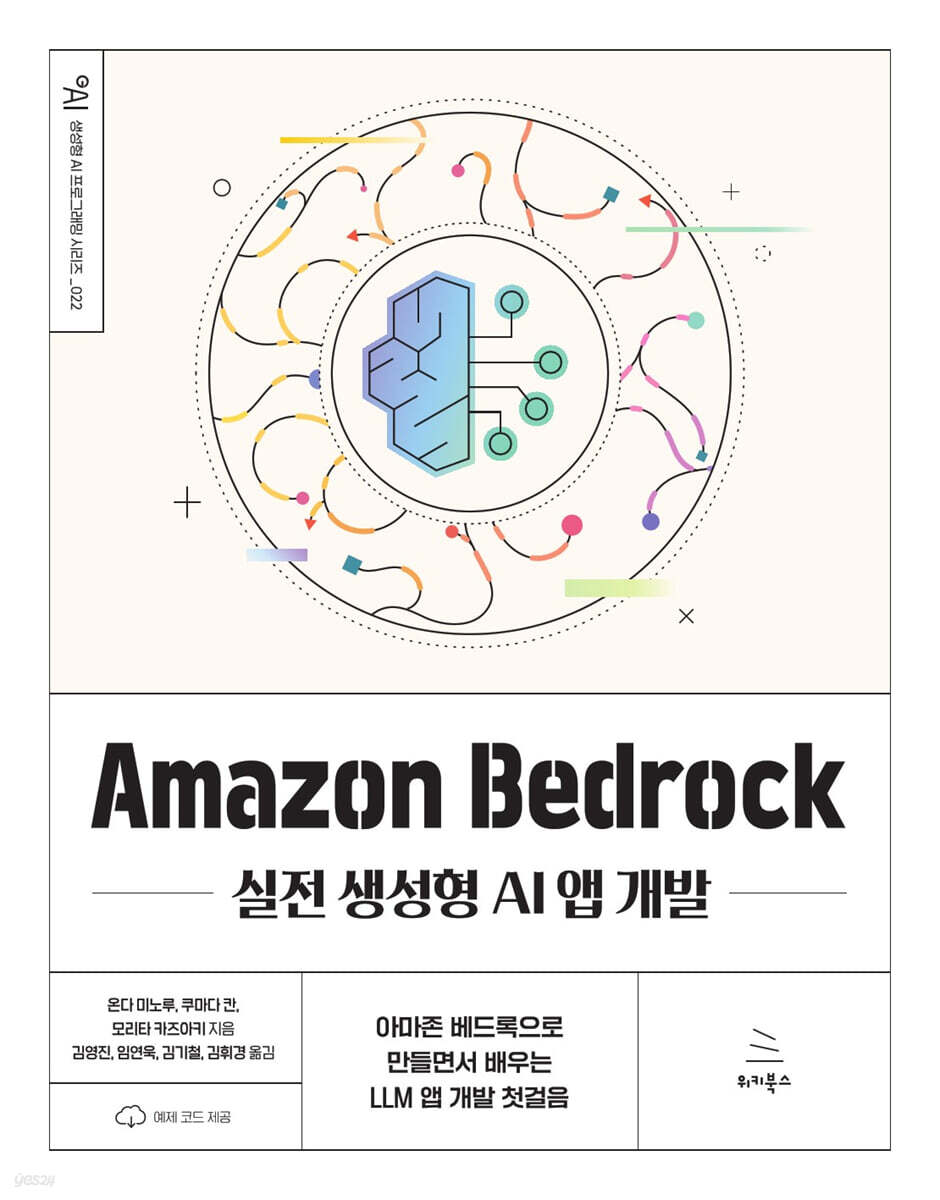 |
Description
Book Introduction
◎ Master the core of generative AI application development in the cloud era. Amazon Bedrock is AWS's powerful and flexible Foundation Model service. This book contains everything you need to design and build real-world generative AI applications using Amazon Bedrock. Starting with basic AI knowledge, we'll guide you step-by-step through setting up the Bedrock environment, using various models, and implementing applications that can be applied to real-world businesses. ◎ From prompt engineering to real-world deployment, this hands-on, practical guide is ready for immediate use! Beyond simple theory, it focuses on practical exercises and examples that can be immediately applied in the field. It delves into prompt engineering techniques for optimal output, including advanced architecture implementation methods like RAG (Retrieval Augmented Generation). Additionally, it provides comprehensive deployment and management know-how for stable operation and expansion of developed AI applications, providing readers with practical assistance in building production-level services. ◎ In the AI era, bridge the technological gap and strengthen your competitiveness. This book is a must-read for any developer or planner looking to compete in the field of generative AI. Master the standards for next-generation AI application development with a powerful tool called Amazon Bedrock, and clearly demonstrate how to transform complex LLMs into business value. Through this book, I hope you will stand at the forefront of generative AI innovation and become a leading expert in future technologies. |
- You can preview some of the book's contents.
Preview
index
▣ Chapter 1: Basics and Trends of Generative AI 1.1 What is 'Generative AI'? __1.1.1 The Position of Artificial Intelligence (AI) and Generative AI __1.1.2 What is a 'Model' in Generative AI __1.1.3 Basic Knowledge about 'Models' 1.2 Famous Generative AI Products __1.2.1 ChatGPT __1.2.2 Stable Diffusion __1.2.3 GitHub Copilot 1.3 Providing APIs for Generative AI and Deploying them in the Cloud __1.3.1 APIs for Generative AI Models __1.3.2 APIs for Generative AI Models Provided in the Cloud ▣ Chapter 2: Introduction to Amazon Bedrock 2.1 What is Amazon Bedrock? __2.1.1 Advantages of Bedrock __2.1.2 Supported AWS Regions __2.1.3 Bedrock Model Usage Fees 2.2 Why Choose AWS's Bedrock? __2.2.1 (1) Most of AWS's strengths can be utilized __2.2.2 (2) Wide availability of the latest models provided by various companies __2.2.3 (3) High convenience of application development __2.2.4 (4) Enterprise-level security and governance provided 2.3 Generative AI models available in Bedrock __2.3.1 Types of models __2.3.2 Bedrock's recommended models 2.4 Anthropic's generative AI model __2.4.1 Characteristics of Anthropic's model __2.4.2 Claude 3 series 2.5 Cohere's generative AI model __2.5.1 Cohere's model characteristics __2.5.2 Command R series __2.5.3 Embed English / Multilingual 2.6 Stability AI's generative AI model __2.6.1 Stability AI's model characteristics __2.6.2 Stable Diffusion 3.5 Large 2.7 Amazon's Generative AI Models __2.7.1 Characteristics of Amazon Models __2.7.2 Amazon Nova Recognition Model __2.7.3 Amazon Nova Creative Content Generation Model 2.8 Meta's Generative AI Model __2.8.1 Characteristics of Meta Model __2.8.2 Llama 3.3 2.9 Mistral AI's Generative AI Model __2.9.1 Characteristics of Mistral AI's Model __2.9.2 Mistral Large2 / Small 2.10 AI21 Labs' Generative AI Model __2.10.1 Characteristics of AI21 Labs' Model __2.10.2 Jamba 1.5 Large 2.11 [Hands-on] Using Bedrock in Practice __2.11.1 How to Create in a GUI Environment through Playground __2.11.2 How to Send Each Model API Request Using the AWS SDK ▣ Chapter 03: How to Develop Generative AI Applications 3.1 What is a Prompt __3.1.1 How to Write a Prompt __3.1.2 Types of prompts 3.2 What is a token? __3.2.1 Splitting a string into tokens __3.2.2 How to count the number of tokens 3.3 What is prompt engineering? __3.3.1 Guidelines for prompt engineering __3.3.2 Activating a model __3.3.3 Setting a clear task __3.3.4 Providing documentation __3.3.5 Setting specific instructions __3.3.6 Providing examples __3.3.7 Inducing step-by-step thinking __3.3.8 Other prompt engineering techniques 3.4 Major frameworks used to develop generative AI apps __3.4.1 Utilizing generative AI frameworks __3.4.2 LangChain __3.4.3 Streamlit 3.5 Developing generative AI apps using LangChain and Streamlit __3.5.1 Preparing the development environment __3.5.2 [Step 1] Implementing LangChain __3.5.3 [Step 2] Outputting a stream __3.5.4 [Step 3] Integrating Streamlit __3.5.5 [Step 4] Implementing continuous chat conversations __3.5.6 [Step 5] Maintaining chat history 3.6 Developing a generative AI app that runs on AWS Lambda __3.6.1 Generative AI app using AWS Lambda __3.6.2 Use cases __3.6.3 Configuring the development environment __3.6.4 Implementation details __3.6.5 Creating a Lambda layer __3.6.6 Creating a Lambda function 3.7 Other frameworks used to develop generative AI apps __3.7.1 LlamaIndex __3.7.2 Gradio __3.7.3 Chainlit __3.7.4 Dify __3.7.5 LiteLLM ▣ Chapter 04: Let's create an in-house document search RAG application 4.1 What is RAG? __4.1.1 Characteristics and use cases of RAG __4.1.2 'Embedding' that enables semantic search __4.1.3 Implementation example of RAG architecture 4.2 [Hands-on] Let's implement RAG with knowledge base __4.2.1 Structure of knowledge base __4.2.2 Overview of RAG application development using knowledge base __4.2.3 Creating an S3 bucket __4.2.4 Creating a knowledge base __4.2.5 Activating a model __4.2.6 Checking the knowledge base's independent operation __4.2.7 Implementing a front-end __4.2.8 Running a RAG application __4.2.9 How to delete unnecessary resources __4.2.10 Generative AI model supporting the knowledge base __4.2.11 Setting up queries for the knowledge base __4.2.12 Usage fees for the knowledge base 4.3 Introduction to search target services for RAG __4.3.1 List of services introduced in this section __4.3.2 Amazon OpenSearch Service (Vector DB/AWS Service) __4.3.3 Amazon OpenSearch Serverless (Vector DB/AWS Service) __4.3.4 Amazon Aurora & Amazon RDS (Vector DB/AWS Service) __4.3.5 Amazon DocumentDB (Vector DB/AWS Service) __4.3.6 Amazon MemoryDB for Redis (Vector DB/AWS Service) __4.3.7 Pinecone (Vector DB/AWS Marketplace Product) __4.3.8 Redis Enterprise Cloud (Vector DB/AWS Marketplace Product) __4.3.9 MongoDB Atlas (Vector DB/AWS Marketplace Product) __4.3.10 Amazon Kendra (Other/AWS Service) __4.3.11 Amazon DynamoDB (Other/AWS Service) __4.3.12 Amazon S3 (Other/AWS Service) 4.4 Recommended RAG Architecture Example __4.4.1 Try it out & Low-cost operation __4.4.2 Answer quality 4.4.3 Emphasis on connectivity with data sources 4.5 How to improve the response quality of RAG __4.5.1 Adjusting chunk size __4.5.2 Adding metadata __4.5.3 Rerank __4.5.4 RAG fusion __4.5.5 Rewrite-Retrieve-Read __4.5.6 HyDE(Hypothetical Document Embeddings) __4.5.7 Other new methods 4.6 Evaluation tools for RAG applications __4.6.1 Ragas __4.6.2 LangSmith __4.6.3 Langfuse ▣ Chapter 05: Creating a convenient autonomous AI agent 5.1 What is an AI agent __5.1.1 AI agent using tools __5.1.2 What is 'ReAct', an advanced AI agent implementation method? __5.1.3 Open source AI agent __5.1.4 Use cases of AI agents 5.2 [Hands-on] Implementing AI agents in LangChain __5.2.1 Preparation __5.2.2 Hands-on ① AI agents using tools __5.2.3 Hands-on ② ReAct agent 5.3 What is Agents for Amazon Bedrock? __5.3.1 Overview of Agents for Amazon Bedrock __5.3.2 Structure of Agents __5.3.3 Details of Agents __5.3.4 Supported models and regions __5.3.5 Agents usage fees 5.4 [Hands-on] Let's create an AI agent with Agents __5.4.1 Overview of the AI agent developed in this chapter __5.4.2 Activating the model __5.4.3 Preparing Pinecone __5.4.4 Creating an S3 bucket __5.4.5 Creating a knowledge base __5.4.6 Creating a Lambda layer __5.4.7 Create Agents __5.4.8 Add a Workgroup __5.4.9 Configure a Lambda Function __5.4.10 Add a Knowledge Base __5.4.11 Create an Alias __5.4.12 Verify the Action __5.4.13 Show Traces __5.4.14 Change the Orchestration Strategy ▣ Chapter 6: Using Bedrock Features 6.1 Customizing Models __6.1.1 What is a Custom Model __6.1.2 Fine-tuning __6.1.3 Continuous Pre-training __6.1.4 Importing a Custom Model 6.2 Safeguards __6.2.1 What is a Safeguard __6.2.2 Watermark Detection __6.2.3 Guardrails 6.3 Evaluation and Deployment __6.3.1 Model Evaluation __6.3.2 Provisioned Throughput 6.4 Other Bedrock Features __6.4.1 Batch Inference __6.4.2 Amazon Bedrock in SageMaker Unified Studio ▣ Chapter 7: Integration of Bedrock with various AWS services 7.1 Integration with Amazon CloudWatch __7.1.1 CloudWatch overview __7.1.2 CloudWatch Metrics __7.1.3 CloudWatch Logs 7.2 Integration with AWS CloudTrail __7.2.1 CloudTrail overview __7.2.2 Management events and data events 7.3 Integration with AWS PrivateLink __7.3.1 PrivateLink overview __7.3.2 Network design for generative AI apps 7.4 Integration with AWS CloudFormation __7.4.1 CloudFormation overview 7.5 Integration with other AWS services __7.5.1 Amazon Aurora __7.5.2 Amazon CodeCatalyst __7.5.3 Amazon Lex __7.5.4 Amazon Transcribe __7.5.5 Amazon Connect ▣ Chapter 8: Let's develop a generative AI app with low code 8.1 AWS Step Functions and prompts Chaining __8.1.1 What is Step Functions __8.1.2 Types of integration __8.1.3 What is prompt chaining __8.1.4 How to use Workflow Studio __8.1.5 Reference values and built-in functions using JSONata syntax 8.2 [Hands-on] Developing a generative AI app using Bedrock and Step Functions __8.2.1 Preparing the development environment __8.2.2 Hands-on overview __8.2.3 【Step 1】 Importing posts about Bedrock __8.2.4 【Step 2】 Summarizing the main points of each imported post __8.2.5 Running the created task test __8.2.6 【Step 3】 Writing a self-introduction and catchphrase __8.2.7 【Step 4】 Converting the created content to Markdown format __8.2.8 [Step 5] Creating a thumbnail image __8.2.9 Running the completed state machine __8.2.10 Creating a confirmation screen ▣ Chapter 9: Introduction to Generative AI-related services other than Bedrock 9.1 AWS's Generative AI Stack __9.1.1 Types of AWS Generative AI Stack __9.1.2 Amazon Q 9.2 If you want to use generative AI as an application __9.2.1 PartyRock __9.2.2 AWS HealthScribe 9.3 If you need training and inference infrastructure for generative AI models __9.3.1 Amazon SageMaker __9.3.2 Amazon SageMaker JumpStart __9.3.3 Amazon SageMaker Canvas __9.3.4 AWS's own designed chips 9.4 [Hands-on] Developing an Amazon Q Business Application __9.4.1 Preparing documents to use in RAG __9.4.2 Creating an AWS IAM Identity Center __9.4.3 Creating a user to log in to the Amazon Q Business application __9.4.4 Creating an Amazon Q Business application __9.4.5 Verifying the operation of the Amazon Q Business application __9.4.6 Setting Amazon Q Business application options __9.4.7 Hands-on environment deletion ▣ Chapter 10: Bedrock use cases 10.1 Miridi case __10.1.1 Introduction to Miridi __10.1.2 AI presentation creation function __10.1.3 Architecture of Miridi Canvas __10.1.4 Service performance and future plans 10.2 Today's House case __10.2.1 Introduction to Today's House __10.2.2 Introduction to the Oh Butler project __10.2.3 Architecture of Oh Butler __10.2.4 Service performance and future plans 10.3 AgentSoft (Happy Campus) case __10.3.1 Introduction to AgentSoft __10.3.2 Introduction to EasyAI service __10.3.3 Introduction to EasyAI functions __10.3.4 EasyAI architecture __10.3.5 Service performance and future plans ▣ Chapter 11: Catch up on the latest information 11.1 AWS official materials __11.1.1 Official documentation __11.1.2 AWS What's New __11.1.3 AWS Blog __11.1.4 GitHub Public Data __11.1.5 AWS Innovate 11.2 Technical Community and Information Collection Platform __11.2.1 AWSKRUG (AWS Korea User Group) __11.2.2 Qiita (Japanese Developer Site) __11.2.3 X (formerly Twitter) __11.2.4 Discord __11.2.5 LinkedIn ▣ Appendix 1: AWS Account Creation Procedure Creating an AWS Account Setting Up MFA (Multi-Factor Authentication) ▣ Appendix 2: IAM User Creation Procedure Creating a New IAM User Creating MFA (Multi-Factor Authentication) ▣ Appendix 3: Hands-on Environment Configuration
Detailed image
.jpg)
GOODS SPECIFICS
- Date of issue: November 25, 2025
- Page count, weight, size: 576 pages | 188*240*24mm
- ISBN13: 9791158396367
You may also like
카테고리
korean


korean

![GQ KOREA Mark (Monthly): December [2025]](http://librairie.coreenne.fr/cdn/shop/files/8ef265dbbfbf186523ed75ba7319009d.jpg?v=1765340328&width=3840)


