

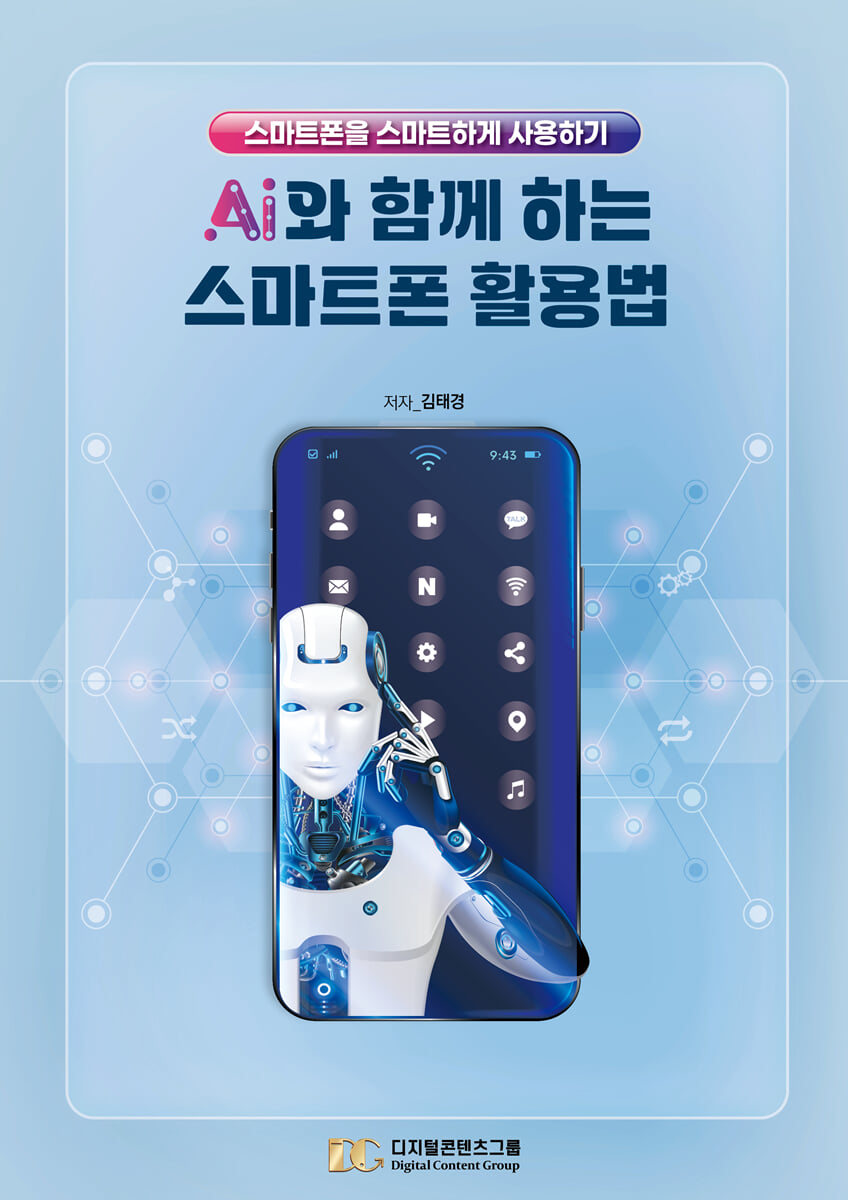
How to Use Your Smartphone with AI
 |
Description
Book Introduction
Smartphones: A Reliable Friend for Seniors
51.68 million citizens of the Republic of Korea!
Number of mobile phone subscribers: 56.93 million!
This book is a smartphone usage guide designed for active seniors and the silver generation in Korea.
Digital Contents Group has been providing smartphone education to seniors for 16 years, and has identified the features they need most and reflected them in this book.
It is produced in 12-point A4 size font, making it easy to read for active seniors and the silver generation.
This essential basic book is perfect for active seniors and seniors new to smartphones, and it's also a useful training tool for smartphone instructors.
Additionally, various related books, including intermediate and advanced smartphone books, are also being published.
Digital Content Group has been providing specialized smartphone training since 2010, and has trained over 5,000 smartphone instructors, actively working across the country.
This book is also based on the educational experiences of these leaders.
51.68 million citizens of the Republic of Korea!
Number of mobile phone subscribers: 56.93 million!
This book is a smartphone usage guide designed for active seniors and the silver generation in Korea.
Digital Contents Group has been providing smartphone education to seniors for 16 years, and has identified the features they need most and reflected them in this book.
It is produced in 12-point A4 size font, making it easy to read for active seniors and the silver generation.
This essential basic book is perfect for active seniors and seniors new to smartphones, and it's also a useful training tool for smartphone instructors.
Additionally, various related books, including intermediate and advanced smartphone books, are also being published.
Digital Content Group has been providing specialized smartphone training since 2010, and has trained over 5,000 smartphone instructors, actively working across the country.
This book is also based on the educational experiences of these leaders.
- You can preview some of the book's contents.
Preview
index
Using basic smartphone functions
● Why we need to learn and master the use of smartphones in the era of the 4th Industrial Revolution
● Smartphone Overview
● Find out information about your smartphone's operating system, manufacturer, carrier, and device.
● Turning the smartphone screen and power on and off
● Understanding the shapes of the main buttons and icons on your smartphone
● Learn the names of each part of your smartphone
● Learn how to use your smartphone
● Smartphone screen configuration (lock screen, home screen, app screen)
● Status notification bar - Icon description
● Check the notification window and quick settings window
● Change sound/vibration/silent
● Adjust the screen auto-off time
● Connecting to a network using WI-FI
● Using and blocking mobile data
● Adjusting the screen font size
● Check and secure storage space
● Check recently running apps
Optimizing your smartphone with device care
- Optimizing your smartphone device
- Add the Device Care widget to your home screen
● Use of contact information
- Add contacts and use favorites - Use recent history
- Add a group
● Edit screen page
- Adding and deleting homepages
- Change the order of the home screen and change the homepage
● Managing folders
- Create a folder
● Using Widgets
- Direct dialing and magnifying glass
Utilize basic smartphone apps
● Using the clock app (alarm)
● Text message
- Record voice and check the saved voice file
- Send quick voice text (when there is no quick voice shortcut)
- Send text messages by voice (Samsung ONEUI 5.1 version)
- Send text messages by voice (Samsung ONEUI 6.1 version)
● How to set up the camera
- Quick launch of camera
● Options for each shooting mode in the camera app
● How to use the photo editor
● Snapseed
● Check photos and videos in the gallery and create albums
● Create an album in the gallery
● Editing photos in the gallery
● Trash can
● Favorites function
● Setting up a Gmail account
● Using the Google Play Store
● Using Google Assistant
● Listen to Google Assistant News
● How to use Google Lens properly
Using KakaoTalk
- Set up KakaoTalk Friends tab - Edit my profile
- Manage your friends list - Explore the full settings menu
- Explore the Chat tab menu - Create a chat room folder
- Start a new chat - Create a team chat
- Secret Chat - Chat Room Settings
- Learn about the Now Tab - Create a group chat room
- Create an open profile - Have a 1:1 voice chat
- Check voice talk content - Use group voice talk
- Make a 1:1 FaceTalk (video call) - Make a group FaceTalk (group video call)
- Send voice messages in chat rooms - Correct spelling
- Automatic text translation - Edit and delete chat room messages
- Bookmark important content - Send emoticons in chat rooms
- Send photos and videos in chat rooms - Save and check photos and videos you've sent and received
- Free up storage space - Leave the chat room
- Send location - Send money
- Make a payment - Talk Cloud
- Shopping (gifting)
YouTube and video editing
● How to use the YouTube app properly
- Block YouTube ads - Use Incognito mode
- Account switching and YouTube settings
● Play YouTube without ads - Brave Browser
● How to use the Naver app properly
● How to use the Naver MYBOX app properly
● Create great card news
- Geulgram - Geulpangpang
● Download music and videos on your smartphone
- Stellar Browser
● Create your own touching video letter
- Slide message
● Create your own life movie - an easy-to-follow video editing app
- CapCut
● Using an image synthesis app
- Photofunnia
● The most used camera app by photographers
- Picnic (an app optimized for landscape photography)
Kiosks and other useful apps
1.
Order Burger King
2.
Book Korail tickets
3.
Movie Ticket Reservation (CGV - Non-member Reservation)
4.
Finding a hospital or pharmacy on a holiday (providing emergency medical information)
5.
Using Kakao Taxi
6.
Using delivery apps (such as Baemin)
7.
Shopping (E-Mart, Naver App Shopping)
8.
Order at E-Mart Mall
9. Kiosk site where you can view QR code video
- KTX train reservation - KTX reservation cancellation
- Unmanned Civil Service Issuance Machine - Order Baskin-Robbins 31
- Order KFC - Order McDonald's
- Order Burger King - Order EDIYA Drink
- Using Nonghyup ATMs - Using unmanned stores
How to choose a smartphone, plan, and insurance
● Use useful apps
- You don't need a karaoke room with just a smartphone (Karaoke Terminator)
- LED display board
- Introducing useful apps that you should definitely know and use.
● Digital crime prevention apps that seniors must know and use
- There's nothing like this in the world!
- Digital crime
- Examples of mobile crimes
- Safety tips for preventing mobile crime
● Ai Chat GPT is not difficult!
- What is AI?
- Starting ChatGPT on your smartphone
- AI recommendation site
● Introduction to useful sites
● Why we need to learn and master the use of smartphones in the era of the 4th Industrial Revolution
● Smartphone Overview
● Find out information about your smartphone's operating system, manufacturer, carrier, and device.
● Turning the smartphone screen and power on and off
● Understanding the shapes of the main buttons and icons on your smartphone
● Learn the names of each part of your smartphone
● Learn how to use your smartphone
● Smartphone screen configuration (lock screen, home screen, app screen)
● Status notification bar - Icon description
● Check the notification window and quick settings window
● Change sound/vibration/silent
● Adjust the screen auto-off time
● Connecting to a network using WI-FI
● Using and blocking mobile data
● Adjusting the screen font size
● Check and secure storage space
● Check recently running apps
Optimizing your smartphone with device care
- Optimizing your smartphone device
- Add the Device Care widget to your home screen
● Use of contact information
- Add contacts and use favorites - Use recent history
- Add a group
● Edit screen page
- Adding and deleting homepages
- Change the order of the home screen and change the homepage
● Managing folders
- Create a folder
● Using Widgets
- Direct dialing and magnifying glass
Utilize basic smartphone apps
● Using the clock app (alarm)
● Text message
- Record voice and check the saved voice file
- Send quick voice text (when there is no quick voice shortcut)
- Send text messages by voice (Samsung ONEUI 5.1 version)
- Send text messages by voice (Samsung ONEUI 6.1 version)
● How to set up the camera
- Quick launch of camera
● Options for each shooting mode in the camera app
● How to use the photo editor
● Snapseed
● Check photos and videos in the gallery and create albums
● Create an album in the gallery
● Editing photos in the gallery
● Trash can
● Favorites function
● Setting up a Gmail account
● Using the Google Play Store
● Using Google Assistant
● Listen to Google Assistant News
● How to use Google Lens properly
Using KakaoTalk
- Set up KakaoTalk Friends tab - Edit my profile
- Manage your friends list - Explore the full settings menu
- Explore the Chat tab menu - Create a chat room folder
- Start a new chat - Create a team chat
- Secret Chat - Chat Room Settings
- Learn about the Now Tab - Create a group chat room
- Create an open profile - Have a 1:1 voice chat
- Check voice talk content - Use group voice talk
- Make a 1:1 FaceTalk (video call) - Make a group FaceTalk (group video call)
- Send voice messages in chat rooms - Correct spelling
- Automatic text translation - Edit and delete chat room messages
- Bookmark important content - Send emoticons in chat rooms
- Send photos and videos in chat rooms - Save and check photos and videos you've sent and received
- Free up storage space - Leave the chat room
- Send location - Send money
- Make a payment - Talk Cloud
- Shopping (gifting)
YouTube and video editing
● How to use the YouTube app properly
- Block YouTube ads - Use Incognito mode
- Account switching and YouTube settings
● Play YouTube without ads - Brave Browser
● How to use the Naver app properly
● How to use the Naver MYBOX app properly
● Create great card news
- Geulgram - Geulpangpang
● Download music and videos on your smartphone
- Stellar Browser
● Create your own touching video letter
- Slide message
● Create your own life movie - an easy-to-follow video editing app
- CapCut
● Using an image synthesis app
- Photofunnia
● The most used camera app by photographers
- Picnic (an app optimized for landscape photography)
Kiosks and other useful apps
1.
Order Burger King
2.
Book Korail tickets
3.
Movie Ticket Reservation (CGV - Non-member Reservation)
4.
Finding a hospital or pharmacy on a holiday (providing emergency medical information)
5.
Using Kakao Taxi
6.
Using delivery apps (such as Baemin)
7.
Shopping (E-Mart, Naver App Shopping)
8.
Order at E-Mart Mall
9. Kiosk site where you can view QR code video
- KTX train reservation - KTX reservation cancellation
- Unmanned Civil Service Issuance Machine - Order Baskin-Robbins 31
- Order KFC - Order McDonald's
- Order Burger King - Order EDIYA Drink
- Using Nonghyup ATMs - Using unmanned stores
How to choose a smartphone, plan, and insurance
● Use useful apps
- You don't need a karaoke room with just a smartphone (Karaoke Terminator)
- LED display board
- Introducing useful apps that you should definitely know and use.
● Digital crime prevention apps that seniors must know and use
- There's nothing like this in the world!
- Digital crime
- Examples of mobile crimes
- Safety tips for preventing mobile crime
● Ai Chat GPT is not difficult!
- What is AI?
- Starting ChatGPT on your smartphone
- AI recommendation site
● Introduction to useful sites
Detailed image

Publisher's Review
The digital world begins at your fingertips!
- A Senior's Happy Daily Life, Opened with a Smartphone -
This book is a comprehensive guide to using smartphones for active seniors and the silver generation.
It provides step-by-step explanations of everything from basic smartphone overviews for beginners to advanced features, making it easy for even seniors unfamiliar with the digital environment to adapt.
This book reflects the latest features and interfaces to keep pace with the ongoing updates and changes in smartphones.
As screen layouts and button arrangements continue to change, and new operating system and app features are added, we've added detailed explanations to ensure you can use the latest smartphones without confusion.
First, it emphasizes the importance of smartphone use in the era of the Fourth Industrial Revolution and reminds us of the need for learning.
Additionally, it provides basic information such as the smartphone's operating system, manufacturer, and carrier, and explains in detail the device's basic operation, screen layout, and the roles of major buttons and icons, so that even beginners can easily understand and use it.
It provides information on how to maintain performance and use the device efficiently, such as device optimization and storage space management, and also includes personalized settings such as contact management, screen editing, folder management, and widget utilization, so even areas that seniors usually find difficult are explained in a friendly manner.
In particular, it covers a wealth of photography-related content, from basic camera shooting techniques to utilizing the latest photo editing apps, helping you capture more vivid memories in your daily life.
Additionally, we've designed it to be more efficient and convenient by reflecting the latest features of frequently used apps such as Google services, KakaoTalk, and YouTube.
Reflecting the recently revamped KakaoTalk design and menu structure, we've covered in detail how to use Talk Cloud, profile management, chat room settings, and more according to the changed interface.
We've visually explained the changes to screen layout and feature locations since the latest update, helping seniors use KakaoTalk without confusion in new environments.
In addition, we've included practical information reflecting the latest trends, including how to use kiosks, how to utilize the AI chatbot ChatGPT, and digital crime prevention apps.
This helps seniors navigate the various digital environments they may encounter.
This book is the ultimate guide for active seniors and the silver generation to confidently use their smartphones.
It provides comprehensive explanations of everything from basic to advanced features, and practical tips that can be applied directly to real-life situations, making it a great help to readers who have difficulty using smartphones.
- A Senior's Happy Daily Life, Opened with a Smartphone -
This book is a comprehensive guide to using smartphones for active seniors and the silver generation.
It provides step-by-step explanations of everything from basic smartphone overviews for beginners to advanced features, making it easy for even seniors unfamiliar with the digital environment to adapt.
This book reflects the latest features and interfaces to keep pace with the ongoing updates and changes in smartphones.
As screen layouts and button arrangements continue to change, and new operating system and app features are added, we've added detailed explanations to ensure you can use the latest smartphones without confusion.
First, it emphasizes the importance of smartphone use in the era of the Fourth Industrial Revolution and reminds us of the need for learning.
Additionally, it provides basic information such as the smartphone's operating system, manufacturer, and carrier, and explains in detail the device's basic operation, screen layout, and the roles of major buttons and icons, so that even beginners can easily understand and use it.
It provides information on how to maintain performance and use the device efficiently, such as device optimization and storage space management, and also includes personalized settings such as contact management, screen editing, folder management, and widget utilization, so even areas that seniors usually find difficult are explained in a friendly manner.
In particular, it covers a wealth of photography-related content, from basic camera shooting techniques to utilizing the latest photo editing apps, helping you capture more vivid memories in your daily life.
Additionally, we've designed it to be more efficient and convenient by reflecting the latest features of frequently used apps such as Google services, KakaoTalk, and YouTube.
Reflecting the recently revamped KakaoTalk design and menu structure, we've covered in detail how to use Talk Cloud, profile management, chat room settings, and more according to the changed interface.
We've visually explained the changes to screen layout and feature locations since the latest update, helping seniors use KakaoTalk without confusion in new environments.
In addition, we've included practical information reflecting the latest trends, including how to use kiosks, how to utilize the AI chatbot ChatGPT, and digital crime prevention apps.
This helps seniors navigate the various digital environments they may encounter.
This book is the ultimate guide for active seniors and the silver generation to confidently use their smartphones.
It provides comprehensive explanations of everything from basic to advanced features, and practical tips that can be applied directly to real-life situations, making it a great help to readers who have difficulty using smartphones.
GOODS SPECIFICS
- Date of issue: November 21, 2025
- Page count, weight, size: 256 pages | 210*297*20mm
- ISBN13: 9791194642367
- ISBN10: 1194642365
You may also like
카테고리
korean


korean

![GQ KOREA Mark (Monthly): December [2025]](http://librairie.coreenne.fr/cdn/shop/files/8ef265dbbfbf186523ed75ba7319009d.jpg?v=1765340328&width=3840)


