

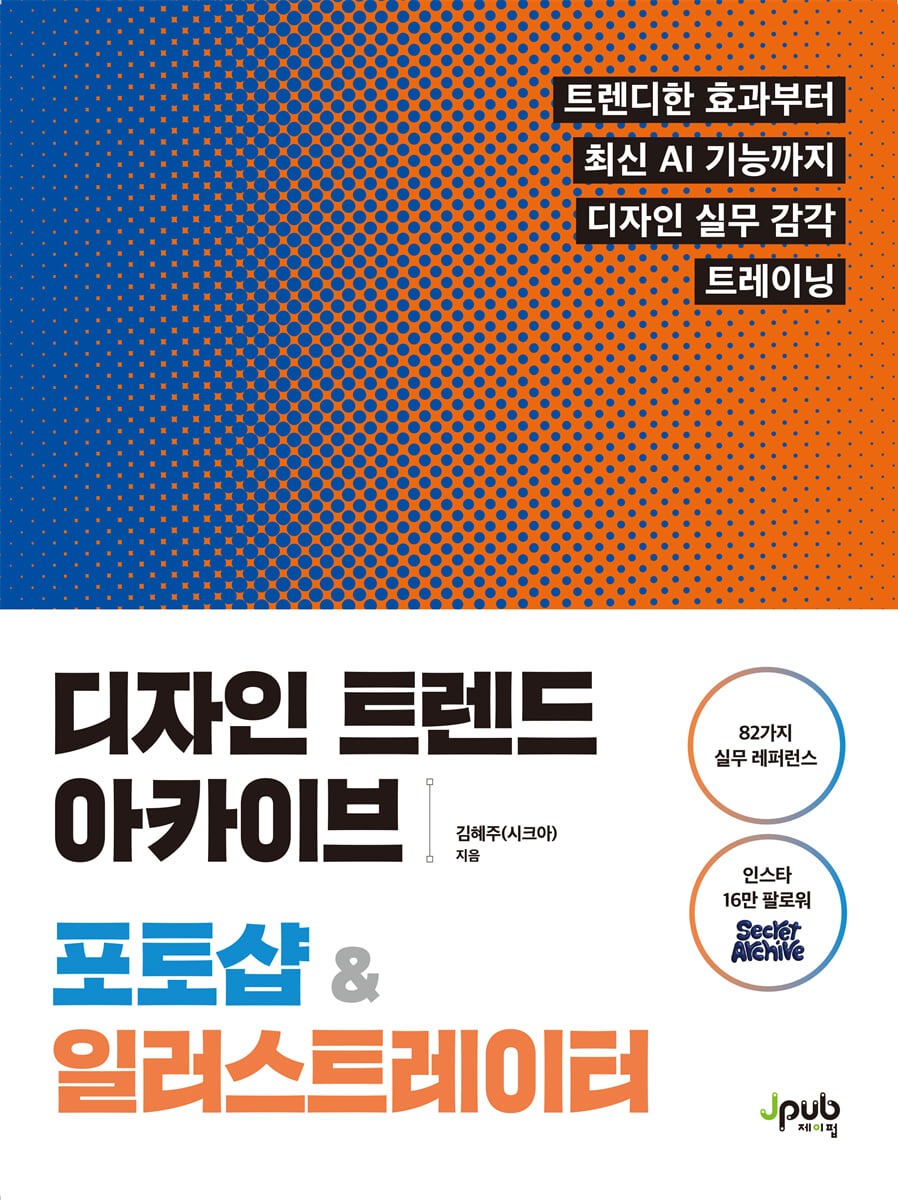
Design Trend Archive Photoshop & Illustrator
 |
Description
Book Introduction
Photoshop & Illustrator Practical Design A to Z for Immediate Application in Practice
There are many designers who use Photoshop and Illustrator, but not many of them can convince with their results.
This book minimizes simple functional explanations and teaches you how to improve the completeness of your designs through examples that can be applied directly in practice.
You can learn the know-how to create sensitive results with only basic tools, and develop practical skills by following various styles of work such as layout, typography, correction, and composition one by one.
Create your own design using the secret design recipes from 'Secret Archive' chosen by 160,000 Instagram followers.
There are many designers who use Photoshop and Illustrator, but not many of them can convince with their results.
This book minimizes simple functional explanations and teaches you how to improve the completeness of your designs through examples that can be applied directly in practice.
You can learn the know-how to create sensitive results with only basic tools, and develop practical skills by following various styles of work such as layout, typography, correction, and composition one by one.
Create your own design using the secret design recipes from 'Secret Archive' chosen by 160,000 Instagram followers.
- You can preview some of the book's contents.
Preview
index
Entering
Structure of this book
Download fonts from Adobe Fonts
CHAPTER 1: Photoshop Design Archives: Adding Sense to Images
1.
Create a super-easy mockup in just 3 minutes
2.
Creating a mockup that captures perspective
3.
Create natural composites with one click
4.
Create premium shadows for immediate practical use
5.
Easily remove backgrounds from complex images
6.
Create stylish product posters with three selection tools.
7.
Make a tilted image look like it was scanned
8.
Easily and quickly erase unnecessary parts from images
9.
Naturally correct skin blemishes
10.
Creating Sensational Patterns
11.
Create natural, smooth skin with one click
12.
Restore old, damaged black and white photos to color
13.
Add lighting to create a cinematic feel for your characters.
14.
Create a Pop Art-inspired cocktail image using a light brush.
15.
Creating Surreal Portraits with Cloud Brushes
16.
Create a delicious-looking burger with a smoke brush
17.
Create a refreshing summer cocktail with a water splash brush.
18.
Creating photos with a fresh, analog feel
19.
Vintage retouching techniques to make your photos look like film
20.
Creating a dreamy pictorial style
21.
Change the color of clothing that contrasts greatly with the background
22.
Change the color of clothing that has little contrast with the background
23.
Creating a Vintage Poster with a Touch of Emotion Using Halftones
24.
Create a stylish character poster using line halftones.
25.
Creating a Hipster Cover Style with Street Inspiration
26.
Creating a Blue-Tone Cyber Mood Poster
27.
Creating a typography-centric poster with a splash of color
28.
Creating a feeling of speed
29.
Creating a realistic T-shirt mockup, even with wrinkles
30.
Realistically creating a transparent vinyl texture
31.
Creating a duotone poster that captures the rough rhythm of indie music.
32.
Create engravings to add depth to text
33.
Create luxurious details with a three-dimensional relief effect
34.
Creating Future City Posters with Generative AI
35.
Create product mockups without taking photos with generative AI.
36.
Create a collage-style album cover with generative fill
37.
Quick and easy! Create sensational beauty photo retouching.
38.
Create a sensational artwork poster
CHAPTER 2: An Illustration Design Archive That Adds a Little Difference
1.
Pen Tool Basics: Starting with Straight Lines and Dragging
2.
Edit similar objects at once
3.
Creating a Sensational Logo with Just Line Thickness
4.
Smooth out broken lines
5.
Creating sensory 2D shapes
6.
Mastering the Crop Tool
7.
Two ways to smooth out rough edges
8.
Create bold and stylish text stickers
9.
Create cute and voluminous stickers
10.
Making Retro Round Stamp Stickers
11.
Resize multiple objects at once
12.
Create a circular text poster that adds rhythm to your design.
13.
Creating simple, informative text
14.
Create a flexible, free-flowing text poster
15.
Create sensational word art with unique typography.
16.
Creating practical icons with basic objects
17.
Emotional gradient lettering with a three-dimensional feel
18.
Creating three-dimensional text art with vivid colors
19.
Creating captivating three-dimensional typography art
20.
Creating a 3D logo using basic shapes
21.
Creating Isometric Product Artwork
22.
Creating realistic, natural product artwork
23.
Create colorful and voluminous emojis
24.
Create cute illustrations that look like they were drawn with a pencil
25.
Filling the illustration sensibility with the feeling of drawing full of handcrafted flavor
26.
Create your own handwritten typography
27.
Color complex areas quickly
28.
Create various shapes by combining or dividing overlapping shapes
29.
Creating a futuristic text logo combining curves and straight lines.
30.
Creating sensory illustrations using only intersecting flows
31.
Creating sensory artwork using only intersecting flows
32.
Create hand-stamped, stamp-style artwork
33.
Create your own design and use it over and over again
34.
Increase poster density with a single halftone layer
35.
A vintage poster with a classic feel, completed with halftones.
36.
Create a rich, deep mood with grain effects
37.
A Spoonful of 8-Bit Mood: Creating a Pixel-Like Typographic Poster
38.
Shiny silver chrome, metallic chrome effect
39.
Automatically align text based on image shape
40.
From logos to mockups, brand design is completed naturally.
41.
Creating artwork with added clarity and depth
42.
Perfect for branding! Design an emotional logo with generative AI.
43.
Turn simple sketches into advanced illustrations with generative AI.
44.
Complete package design with AI
CHAPTER 3: Design Note Archive: Developing Your Own Design Sense
1.
The importance of font combinations
2.
The importance of color combinations
3.
10 Design Principles You Can't Miss
4.
A cut that brings the design concept to life
5.
A spoonful of inspiration to complete your design
Search
Structure of this book
Download fonts from Adobe Fonts
CHAPTER 1: Photoshop Design Archives: Adding Sense to Images
1.
Create a super-easy mockup in just 3 minutes
2.
Creating a mockup that captures perspective
3.
Create natural composites with one click
4.
Create premium shadows for immediate practical use
5.
Easily remove backgrounds from complex images
6.
Create stylish product posters with three selection tools.
7.
Make a tilted image look like it was scanned
8.
Easily and quickly erase unnecessary parts from images
9.
Naturally correct skin blemishes
10.
Creating Sensational Patterns
11.
Create natural, smooth skin with one click
12.
Restore old, damaged black and white photos to color
13.
Add lighting to create a cinematic feel for your characters.
14.
Create a Pop Art-inspired cocktail image using a light brush.
15.
Creating Surreal Portraits with Cloud Brushes
16.
Create a delicious-looking burger with a smoke brush
17.
Create a refreshing summer cocktail with a water splash brush.
18.
Creating photos with a fresh, analog feel
19.
Vintage retouching techniques to make your photos look like film
20.
Creating a dreamy pictorial style
21.
Change the color of clothing that contrasts greatly with the background
22.
Change the color of clothing that has little contrast with the background
23.
Creating a Vintage Poster with a Touch of Emotion Using Halftones
24.
Create a stylish character poster using line halftones.
25.
Creating a Hipster Cover Style with Street Inspiration
26.
Creating a Blue-Tone Cyber Mood Poster
27.
Creating a typography-centric poster with a splash of color
28.
Creating a feeling of speed
29.
Creating a realistic T-shirt mockup, even with wrinkles
30.
Realistically creating a transparent vinyl texture
31.
Creating a duotone poster that captures the rough rhythm of indie music.
32.
Create engravings to add depth to text
33.
Create luxurious details with a three-dimensional relief effect
34.
Creating Future City Posters with Generative AI
35.
Create product mockups without taking photos with generative AI.
36.
Create a collage-style album cover with generative fill
37.
Quick and easy! Create sensational beauty photo retouching.
38.
Create a sensational artwork poster
CHAPTER 2: An Illustration Design Archive That Adds a Little Difference
1.
Pen Tool Basics: Starting with Straight Lines and Dragging
2.
Edit similar objects at once
3.
Creating a Sensational Logo with Just Line Thickness
4.
Smooth out broken lines
5.
Creating sensory 2D shapes
6.
Mastering the Crop Tool
7.
Two ways to smooth out rough edges
8.
Create bold and stylish text stickers
9.
Create cute and voluminous stickers
10.
Making Retro Round Stamp Stickers
11.
Resize multiple objects at once
12.
Create a circular text poster that adds rhythm to your design.
13.
Creating simple, informative text
14.
Create a flexible, free-flowing text poster
15.
Create sensational word art with unique typography.
16.
Creating practical icons with basic objects
17.
Emotional gradient lettering with a three-dimensional feel
18.
Creating three-dimensional text art with vivid colors
19.
Creating captivating three-dimensional typography art
20.
Creating a 3D logo using basic shapes
21.
Creating Isometric Product Artwork
22.
Creating realistic, natural product artwork
23.
Create colorful and voluminous emojis
24.
Create cute illustrations that look like they were drawn with a pencil
25.
Filling the illustration sensibility with the feeling of drawing full of handcrafted flavor
26.
Create your own handwritten typography
27.
Color complex areas quickly
28.
Create various shapes by combining or dividing overlapping shapes
29.
Creating a futuristic text logo combining curves and straight lines.
30.
Creating sensory illustrations using only intersecting flows
31.
Creating sensory artwork using only intersecting flows
32.
Create hand-stamped, stamp-style artwork
33.
Create your own design and use it over and over again
34.
Increase poster density with a single halftone layer
35.
A vintage poster with a classic feel, completed with halftones.
36.
Create a rich, deep mood with grain effects
37.
A Spoonful of 8-Bit Mood: Creating a Pixel-Like Typographic Poster
38.
Shiny silver chrome, metallic chrome effect
39.
Automatically align text based on image shape
40.
From logos to mockups, brand design is completed naturally.
41.
Creating artwork with added clarity and depth
42.
Perfect for branding! Design an emotional logo with generative AI.
43.
Turn simple sketches into advanced illustrations with generative AI.
44.
Complete package design with AI
CHAPTER 3: Design Note Archive: Developing Your Own Design Sense
1.
The importance of font combinations
2.
The importance of color combinations
3.
10 Design Principles You Can't Miss
4.
A cut that brings the design concept to life
5.
A spoonful of inspiration to complete your design
Search
Detailed image

Publisher's Review
It contains practical design know-how from ‘Secret Archive’.
82 Photoshop & Illustrator Practice Examples
If you're a designer who feels frustrated by constantly being stuck in a similar style, take note! This book is a practical guide for designers who want to create trendy results but don't know where to start.
By following the effects, compositions, and styles frequently used in your work, one by one, with examples as the focus, you can immediately apply them to your design work, which was previously quite difficult.
Containing 82 trendy examples, it's perfect to keep on your desk and refer to whenever you need to refresh your design sense.
A treasure trove of design proven by word of mouth.
'Secret Archive' already has 160,000 followers
Secret Archive, which has consistently introduced hip and trendy designs, is already a familiar name to designers looking for sensible practical references.
This book not only features works posted on Instagram, but also contains practical examples personally designed by the author to help readers utilize basic tools to their full potential and develop their design sense.
Let's develop a "sense that goes beyond tools" based on examples that fully reflect the experience we've gained through collaborations with over 30 domestic and international brands and monthly practical Photoshop & Illustrator classes.
Target audience
■ Designers who want to develop their design sense
■ Designers who need design tips they can use quickly
■ Design job seekers preparing portfolios
■ Students learning design for the first time
■ Instructor in charge of design education
82 Photoshop & Illustrator Practice Examples
If you're a designer who feels frustrated by constantly being stuck in a similar style, take note! This book is a practical guide for designers who want to create trendy results but don't know where to start.
By following the effects, compositions, and styles frequently used in your work, one by one, with examples as the focus, you can immediately apply them to your design work, which was previously quite difficult.
Containing 82 trendy examples, it's perfect to keep on your desk and refer to whenever you need to refresh your design sense.
A treasure trove of design proven by word of mouth.
'Secret Archive' already has 160,000 followers
Secret Archive, which has consistently introduced hip and trendy designs, is already a familiar name to designers looking for sensible practical references.
This book not only features works posted on Instagram, but also contains practical examples personally designed by the author to help readers utilize basic tools to their full potential and develop their design sense.
Let's develop a "sense that goes beyond tools" based on examples that fully reflect the experience we've gained through collaborations with over 30 domestic and international brands and monthly practical Photoshop & Illustrator classes.
Target audience
■ Designers who want to develop their design sense
■ Designers who need design tips they can use quickly
■ Design job seekers preparing portfolios
■ Students learning design for the first time
■ Instructor in charge of design education
GOODS SPECIFICS
- Date of issue: July 24, 2025
- Page count, weight, size: 372 pages | 188*245*19mm
- ISBN13: 9791194587569
You may also like
카테고리
korean


korean

![GQ KOREA Mark (Monthly): December [2025]](http://librairie.coreenne.fr/cdn/shop/files/8ef265dbbfbf186523ed75ba7319009d.jpg?v=1765340328&width=3840)


