

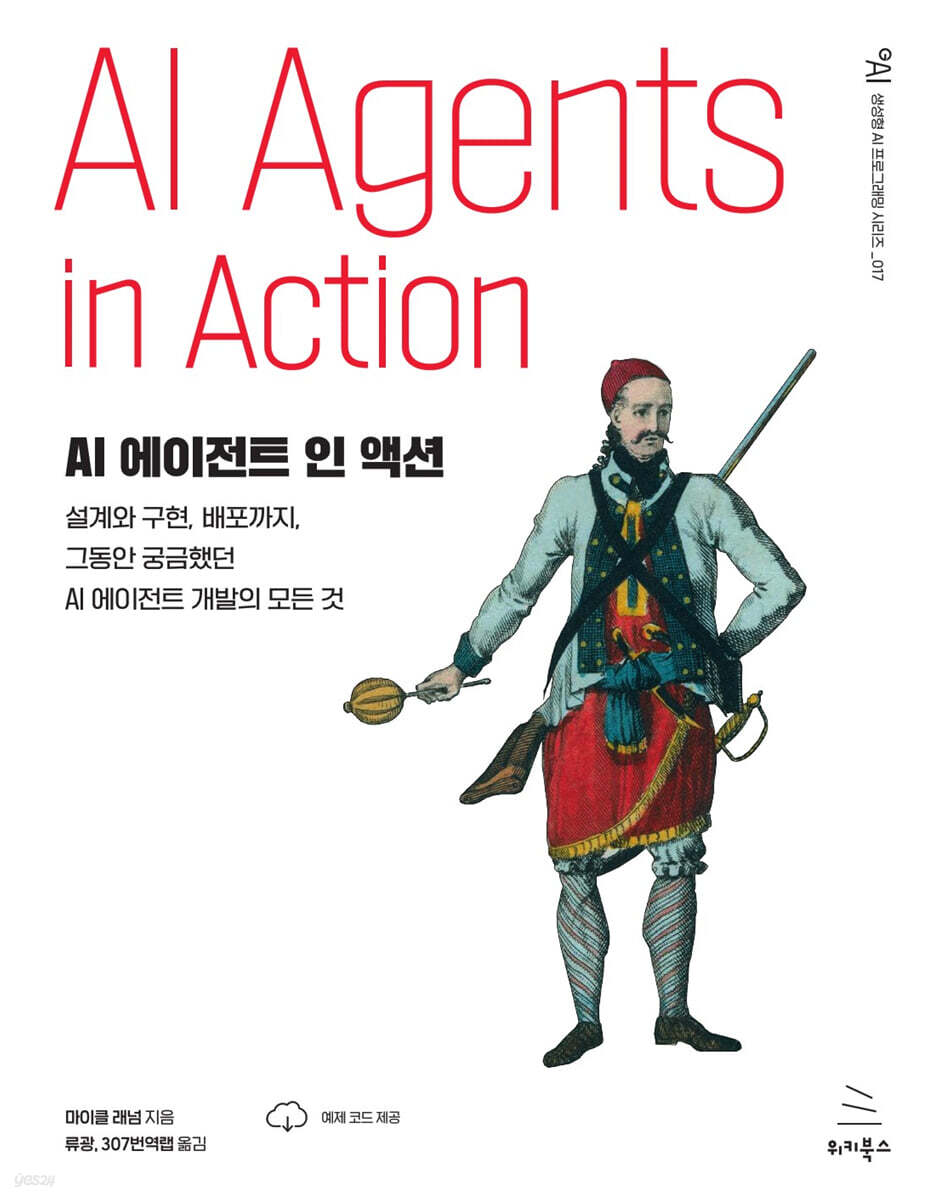
AI Agent in Action
 |
Description
Book Introduction
Easily create LLM-based autonomous agents and intelligent assistants tailored to your business and personal needs!
Most production-grade AI systems involve complex interactions between users, AI models, and diverse data sources.
For a system to function properly, these interactions must be well coordinated.
Autonomous AI agents collect and organize these interactions and use them internally for information processing, decision-making, and learning.
This book presents how to create AI agents with such capabilities and how to connect multiple AI agents to build multi-agent systems.
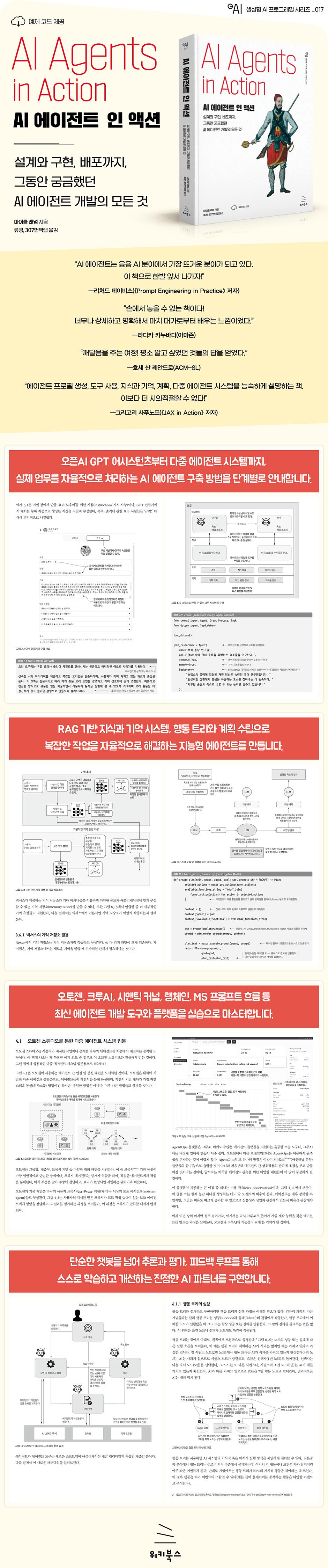
In this book, "AI Agents in Action," you'll learn how to build production-ready assistants, multi-agent systems, and autonomous agents. You'll master essential agent components, including RAG-based knowledge and memory, reasoning, and planning, and create multi-agent applications that use software tools, autonomously plan tasks, and improve themselves through feedback.
You will also learn how to use cutting-edge tools like the OpenAI Assistant API, GPT Nexus, Langchain, MS Prompt Flow, AutoGen, and CrewAI through various practical examples.
Most production-grade AI systems involve complex interactions between users, AI models, and diverse data sources.
For a system to function properly, these interactions must be well coordinated.
Autonomous AI agents collect and organize these interactions and use them internally for information processing, decision-making, and learning.
This book presents how to create AI agents with such capabilities and how to connect multiple AI agents to build multi-agent systems.
In this book, "AI Agents in Action," you'll learn how to build production-ready assistants, multi-agent systems, and autonomous agents. You'll master essential agent components, including RAG-based knowledge and memory, reasoning, and planning, and create multi-agent applications that use software tools, autonomously plan tasks, and improve themselves through feedback.
You will also learn how to use cutting-edge tools like the OpenAI Assistant API, GPT Nexus, Langchain, MS Prompt Flow, AutoGen, and CrewAI through various practical examples.
- You can preview some of the book's contents.
Preview
index
▣ Chapter 1: Agents and Their Ecosystems
1.1 Definition of Agent
1.2 Agent Components
1.3 Why Agents Are Getting Attention
1.4 The World Inside the AI Interface
1.5 Beginning your journey into the world of AI agents
summation
▣ Chapter 2: Demonstrating the Power of LLM
2.1 Working with the OpenAI API
__2.1.1 Connecting to the Conversation Completion Model
__2.1.2 Understanding Requests and Responses
2.2 Exploring and Leveraging Open Source LLMs Using LM Studio
__2.2.1 Installing and Running LM Studio
__2.2.2 Serving LLM locally with LM Studio
2.3 LLM Prompting through Prompt Engineering
__2.3.1 Detailed query
__2.3.2 Persona Adoption
__2.3.3 Using delimiters
__2.3.4 Step Specification
__2.3.5 Example Tactics
__2.3.6 Specifying output length
2.4 Choosing the LLM that best suits your specific needs
2.5 Practice Problems
summation
▣ Chapter 3: Using the GPT Assistant
3.1 Exploring OpenAI Assistants with ChatGPT
3.2 Creating a GPT that acts as a data scientist
3.3 Customizing GPT and Adding Custom Actions
__3.3.1 Creating an Assistant to Help Build Assistants
__3.3.2 Connecting Custom Actions to Assistants
3.4 Expanding Assistant Knowledge Using File Uploads
__3.4.1 Creating an 'Easy Calculus' GPT
__3.4.2 Added knowledge retrieval and reference capabilities using file uploads
3.5 GPT Post
__3.5.1 Expensive GPT Assistant
__3.5.2 Understanding the Economics of GPT
__3.5.3 GPT Publishing and Sharing
3.6 Practice Problems
summation
▣ Chapter 4: Examining Multi-Agent Systems
4.1 Introduction to Multi-Agent Systems through AutoGen Studio
__4.1.1 AutoGen Studio Installation and Usage
__4.1.2 Adding Skills in Autogen Studio
4.2 Using the AutoGen Library
__4.2.1 Autogen Installation and Utilization
__4.2.2 Added a critique agent to improve code output
__4.2.3 Understanding Autogen Cache
4.3 Group Chat Using Agents and Autogen
4.4 Building an Agent Crew Using Crew AI
__4.4.1 Creating a 'Wacky' Agent Crew with Crew AI
__4.4.2 Observing agent operation using AgentOps
4.5 Coding Agents Revisited with CrewAI
4.6 Practice Problems
summation
▣ Chapter 5: Strengthening Agent Functions through Actions
5.1 Definition of Agent Behavior
5.2 Defining and Executing OpenAI Functions
__5.2.1 Add function to LLM API call
__5.2.2 Execution of function call behavior
5.3 Introducing the Semantic Kernel
__5.3.1 Getting Started with SK Semantic Functions
__5.3.2 Semantic Functions and Context Variables
5.4 Synergy between semantic functions and native functions
__5.4.1 Creating and Registering Semantic Skills/Plugins
__5.4.2 Applying native functions
__5.4.3 Embedding native functions into semantic functions
5.5 Semantic Kernel as an Interactive Service Agent
__5.5.1 Building a Semantic GPT Interface
__5.5.2 Semantic Service Testing
__5.5.3 Interactive Chat Using the Semantic Service Layer
5.6 Creating a Semantic Service Considering LLM's Semantic Understanding Ability
5.7 Practice Problems
summation
▣ Chapter 6: Building an Autonomous Assistant
6.1 Introduction to the Behavior Tree
__6.1.1 Executing the Behavior Tree
__6.1.2 Advantages of Behavior Trees
__6.1.3 Implementing a Behavior Tree Using Python and py_trees
6.2 Explore the GPT Assistants Playground
__6.2.1 Installing and Running the Playground
__6.2.2 Using and Creating Custom Behaviors
__6.2.3 Installing the Assistants Database
__6.2.4 To make the assistant run code locally
__6.2.5 Investigating Assistant Processes Using Logs
6.3 Introduction to Agent-Based Behavior Trees (ABTs)
__6.3.1 Managing Assistants as Assistants
__6.3.2 Creating a Coding Challenge ABT
__6.3.3 Comparison of Conversational AI Systems with Other Methods
__6.3.4 Posting YouTube videos to Twitter (now X)
__6.3.5 Required Twitter (now X) settings
6.4 Building a Conversational Autonomous Multi-Agent System
6.5 Building an ABT using a back chain
6.6 Practice Problems
summation
▣ Chapter 7: Building and Utilizing an Agent Platform
7.1 Introducing Nexus: Not Just Another Platform
Running __7.1.1 Nexus
__7.1.2 Nexus Development Mode
7.2 Introducing Streamlet for Chat Application Development
__7.2.1 Creating a Streamlet Chat Application
__7.2.2 Creating a Streaming Chat Application
7.3 Developing Agent Profiles and Personas
7.4 Agent Engine that Drives Agents
7.5 Giving Agents Actions and Tools
7.6 Practice Problems
summation
▣ Chapter 8: Agent's Memory and Knowledge
8.1 The Meaning and Importance of Search in AI Applications
8.2 Basic Principles of RAG
8.3 Details of semantic search and document indexing
__8.3.1 Application of vector similarity search
__8.3.2 Similarity Search with Vector Databases
__8.3.3 Understanding Document Embedding
__8.3.4 Document Embedding Search Using Chroma DB
8.4 Building RAG using Langchain
__8.4.1 Document Splitting and Loading Using Lang Chain
__8.4.2 Token-unit document splitting using Langchain
8.5 Applying RAG to Building Agent Knowledge
8.6 Memory Implementation in Agent-Type Systems
__8.6.1 Using Nexus's memory storage
__8.6.2 Semantic memory and its applications
8.7 Compression of Memory and Knowledge
8.8 Practice Problems
summation
▣ Chapter 9: Effective Agent Prompting Using Prompt Flow
9.1 Why Systematic Prompt Engineering is Needed
9.2 Understanding Agent Profiles and Personas
9.3 Setting up the initial prompt flow
__9.3.1 Getting Started
__9.3.2 Creating a profile with a Jinja2 template
__9.3.3 Deploying the Prompt Flow API
9.4 Profile Evaluation: Rubrics and Grounding
9.5 Rubrics and Grounding
9.6 Grounding Assessment Using the LLM Profile
9.7 Comparing Multiple Profiles: Getting the Perfect Profile
__9.7.1 Parsing LLM Evaluation Output
__9.7.2 Batch execution of prompt flow
__9.7.3 Creating a Grounding Evaluation Flow
9.8 Practice Problems
summation
▣ Chapter 10: Agent Reasoning and Evaluation
10.1 Understanding Direct Solution Prompting
__10.1.1 Question and Answer Prompting
__10.1.2 Few-shot prompting
__10.1.3 Generality Extraction Using Zero-Shot Prompting
10.2 Prompt Engineering and Inference
__10.2.1 Incident Chain Prompting
__10.2.2 Zero-shot CoT prompting
__10.2.3 Step-by-step prompt chaining
10.3 Using Assessments for Consistent Answers
__10.3.1 Evaluation of Self-Consistency Prompting
__10.3.2 Evaluation of Thought Tree Prompting
10.4 Practice Problems
summation
▣ Chapter 11: Agent Planning and Feedback
11.1 Planning: Essential Tools for Every Agent/Assistant
11.2 Sequential Planning Process
11.3 Building a Sequential Planner
11.4 Step-by-Step Planner Review: OpenAI's Inference-Specific Model
11.5 The Uses and Applications of Planning, Inference, Evaluation, and Feedback in Assistant and Agent-Type Systems
__11.5.1 Purpose and Use of the Plan
__11.5.2 Uses and Usage of Inference
__11.5.3 Purpose and usage of evaluation
__11.5.4 Uses and Usage of Feedback
11.6 Practice Problems
summation
▣ Appendix A: Utilizing OpenAI LLM
A.1 Creating an OpenAI Account and Key
A.2 Azure OpenAI Studio API Key and Distribution
▣ Appendix B: Python Development Environment
B.1 Download the example code
B.2 Installing Python
B.3 Installing and Setting Up VS Code
B.4 Installing VS Code Extensions for Python Development
B.5 Creating a New Python Environment with VS Code
B.6 Using Containers (Docker) with the Dev Containers Extension
1.1 Definition of Agent
1.2 Agent Components
1.3 Why Agents Are Getting Attention
1.4 The World Inside the AI Interface
1.5 Beginning your journey into the world of AI agents
summation
▣ Chapter 2: Demonstrating the Power of LLM
2.1 Working with the OpenAI API
__2.1.1 Connecting to the Conversation Completion Model
__2.1.2 Understanding Requests and Responses
2.2 Exploring and Leveraging Open Source LLMs Using LM Studio
__2.2.1 Installing and Running LM Studio
__2.2.2 Serving LLM locally with LM Studio
2.3 LLM Prompting through Prompt Engineering
__2.3.1 Detailed query
__2.3.2 Persona Adoption
__2.3.3 Using delimiters
__2.3.4 Step Specification
__2.3.5 Example Tactics
__2.3.6 Specifying output length
2.4 Choosing the LLM that best suits your specific needs
2.5 Practice Problems
summation
▣ Chapter 3: Using the GPT Assistant
3.1 Exploring OpenAI Assistants with ChatGPT
3.2 Creating a GPT that acts as a data scientist
3.3 Customizing GPT and Adding Custom Actions
__3.3.1 Creating an Assistant to Help Build Assistants
__3.3.2 Connecting Custom Actions to Assistants
3.4 Expanding Assistant Knowledge Using File Uploads
__3.4.1 Creating an 'Easy Calculus' GPT
__3.4.2 Added knowledge retrieval and reference capabilities using file uploads
3.5 GPT Post
__3.5.1 Expensive GPT Assistant
__3.5.2 Understanding the Economics of GPT
__3.5.3 GPT Publishing and Sharing
3.6 Practice Problems
summation
▣ Chapter 4: Examining Multi-Agent Systems
4.1 Introduction to Multi-Agent Systems through AutoGen Studio
__4.1.1 AutoGen Studio Installation and Usage
__4.1.2 Adding Skills in Autogen Studio
4.2 Using the AutoGen Library
__4.2.1 Autogen Installation and Utilization
__4.2.2 Added a critique agent to improve code output
__4.2.3 Understanding Autogen Cache
4.3 Group Chat Using Agents and Autogen
4.4 Building an Agent Crew Using Crew AI
__4.4.1 Creating a 'Wacky' Agent Crew with Crew AI
__4.4.2 Observing agent operation using AgentOps
4.5 Coding Agents Revisited with CrewAI
4.6 Practice Problems
summation
▣ Chapter 5: Strengthening Agent Functions through Actions
5.1 Definition of Agent Behavior
5.2 Defining and Executing OpenAI Functions
__5.2.1 Add function to LLM API call
__5.2.2 Execution of function call behavior
5.3 Introducing the Semantic Kernel
__5.3.1 Getting Started with SK Semantic Functions
__5.3.2 Semantic Functions and Context Variables
5.4 Synergy between semantic functions and native functions
__5.4.1 Creating and Registering Semantic Skills/Plugins
__5.4.2 Applying native functions
__5.4.3 Embedding native functions into semantic functions
5.5 Semantic Kernel as an Interactive Service Agent
__5.5.1 Building a Semantic GPT Interface
__5.5.2 Semantic Service Testing
__5.5.3 Interactive Chat Using the Semantic Service Layer
5.6 Creating a Semantic Service Considering LLM's Semantic Understanding Ability
5.7 Practice Problems
summation
▣ Chapter 6: Building an Autonomous Assistant
6.1 Introduction to the Behavior Tree
__6.1.1 Executing the Behavior Tree
__6.1.2 Advantages of Behavior Trees
__6.1.3 Implementing a Behavior Tree Using Python and py_trees
6.2 Explore the GPT Assistants Playground
__6.2.1 Installing and Running the Playground
__6.2.2 Using and Creating Custom Behaviors
__6.2.3 Installing the Assistants Database
__6.2.4 To make the assistant run code locally
__6.2.5 Investigating Assistant Processes Using Logs
6.3 Introduction to Agent-Based Behavior Trees (ABTs)
__6.3.1 Managing Assistants as Assistants
__6.3.2 Creating a Coding Challenge ABT
__6.3.3 Comparison of Conversational AI Systems with Other Methods
__6.3.4 Posting YouTube videos to Twitter (now X)
__6.3.5 Required Twitter (now X) settings
6.4 Building a Conversational Autonomous Multi-Agent System
6.5 Building an ABT using a back chain
6.6 Practice Problems
summation
▣ Chapter 7: Building and Utilizing an Agent Platform
7.1 Introducing Nexus: Not Just Another Platform
Running __7.1.1 Nexus
__7.1.2 Nexus Development Mode
7.2 Introducing Streamlet for Chat Application Development
__7.2.1 Creating a Streamlet Chat Application
__7.2.2 Creating a Streaming Chat Application
7.3 Developing Agent Profiles and Personas
7.4 Agent Engine that Drives Agents
7.5 Giving Agents Actions and Tools
7.6 Practice Problems
summation
▣ Chapter 8: Agent's Memory and Knowledge
8.1 The Meaning and Importance of Search in AI Applications
8.2 Basic Principles of RAG
8.3 Details of semantic search and document indexing
__8.3.1 Application of vector similarity search
__8.3.2 Similarity Search with Vector Databases
__8.3.3 Understanding Document Embedding
__8.3.4 Document Embedding Search Using Chroma DB
8.4 Building RAG using Langchain
__8.4.1 Document Splitting and Loading Using Lang Chain
__8.4.2 Token-unit document splitting using Langchain
8.5 Applying RAG to Building Agent Knowledge
8.6 Memory Implementation in Agent-Type Systems
__8.6.1 Using Nexus's memory storage
__8.6.2 Semantic memory and its applications
8.7 Compression of Memory and Knowledge
8.8 Practice Problems
summation
▣ Chapter 9: Effective Agent Prompting Using Prompt Flow
9.1 Why Systematic Prompt Engineering is Needed
9.2 Understanding Agent Profiles and Personas
9.3 Setting up the initial prompt flow
__9.3.1 Getting Started
__9.3.2 Creating a profile with a Jinja2 template
__9.3.3 Deploying the Prompt Flow API
9.4 Profile Evaluation: Rubrics and Grounding
9.5 Rubrics and Grounding
9.6 Grounding Assessment Using the LLM Profile
9.7 Comparing Multiple Profiles: Getting the Perfect Profile
__9.7.1 Parsing LLM Evaluation Output
__9.7.2 Batch execution of prompt flow
__9.7.3 Creating a Grounding Evaluation Flow
9.8 Practice Problems
summation
▣ Chapter 10: Agent Reasoning and Evaluation
10.1 Understanding Direct Solution Prompting
__10.1.1 Question and Answer Prompting
__10.1.2 Few-shot prompting
__10.1.3 Generality Extraction Using Zero-Shot Prompting
10.2 Prompt Engineering and Inference
__10.2.1 Incident Chain Prompting
__10.2.2 Zero-shot CoT prompting
__10.2.3 Step-by-step prompt chaining
10.3 Using Assessments for Consistent Answers
__10.3.1 Evaluation of Self-Consistency Prompting
__10.3.2 Evaluation of Thought Tree Prompting
10.4 Practice Problems
summation
▣ Chapter 11: Agent Planning and Feedback
11.1 Planning: Essential Tools for Every Agent/Assistant
11.2 Sequential Planning Process
11.3 Building a Sequential Planner
11.4 Step-by-Step Planner Review: OpenAI's Inference-Specific Model
11.5 The Uses and Applications of Planning, Inference, Evaluation, and Feedback in Assistant and Agent-Type Systems
__11.5.1 Purpose and Use of the Plan
__11.5.2 Uses and Usage of Inference
__11.5.3 Purpose and usage of evaluation
__11.5.4 Uses and Usage of Feedback
11.6 Practice Problems
summation
▣ Appendix A: Utilizing OpenAI LLM
A.1 Creating an OpenAI Account and Key
A.2 Azure OpenAI Studio API Key and Distribution
▣ Appendix B: Python Development Environment
B.1 Download the example code
B.2 Installing Python
B.3 Installing and Setting Up VS Code
B.4 Installing VS Code Extensions for Python Development
B.5 Creating a New Python Environment with VS Code
B.6 Using Containers (Docker) with the Dev Containers Extension
Detailed image
Publisher's Review
★ What this book covers ★
◎ Understand and implement AI agent behavior patterns
◎ Design and deploy intelligent agents that can actually be operated.
◎ Using the OpenAI Assistants API and complementary tools
◎ Implementing a robust knowledge management and memory system
◎ Creating self-improving agents through feedback loops
◎ Configuring a collaborative multi-agent system
◎ Enhance your agents with voice and vision capabilities
◎ Understand and implement AI agent behavior patterns
◎ Design and deploy intelligent agents that can actually be operated.
◎ Using the OpenAI Assistants API and complementary tools
◎ Implementing a robust knowledge management and memory system
◎ Creating self-improving agents through feedback loops
◎ Configuring a collaborative multi-agent system
◎ Enhance your agents with voice and vision capabilities
GOODS SPECIFICS
- Date of issue: July 10, 2025
- Page count, weight, size: 380 pages | 188*240*16mm
- ISBN13: 9791158396176
You may also like
카테고리
korean


korean

![GQ KOREA Mark (Monthly): December [2025]](http://librairie.coreenne.fr/cdn/shop/files/8ef265dbbfbf186523ed75ba7319009d.jpg?v=1765340328&width=3840)


