

Google Classroom Lesson Recipes
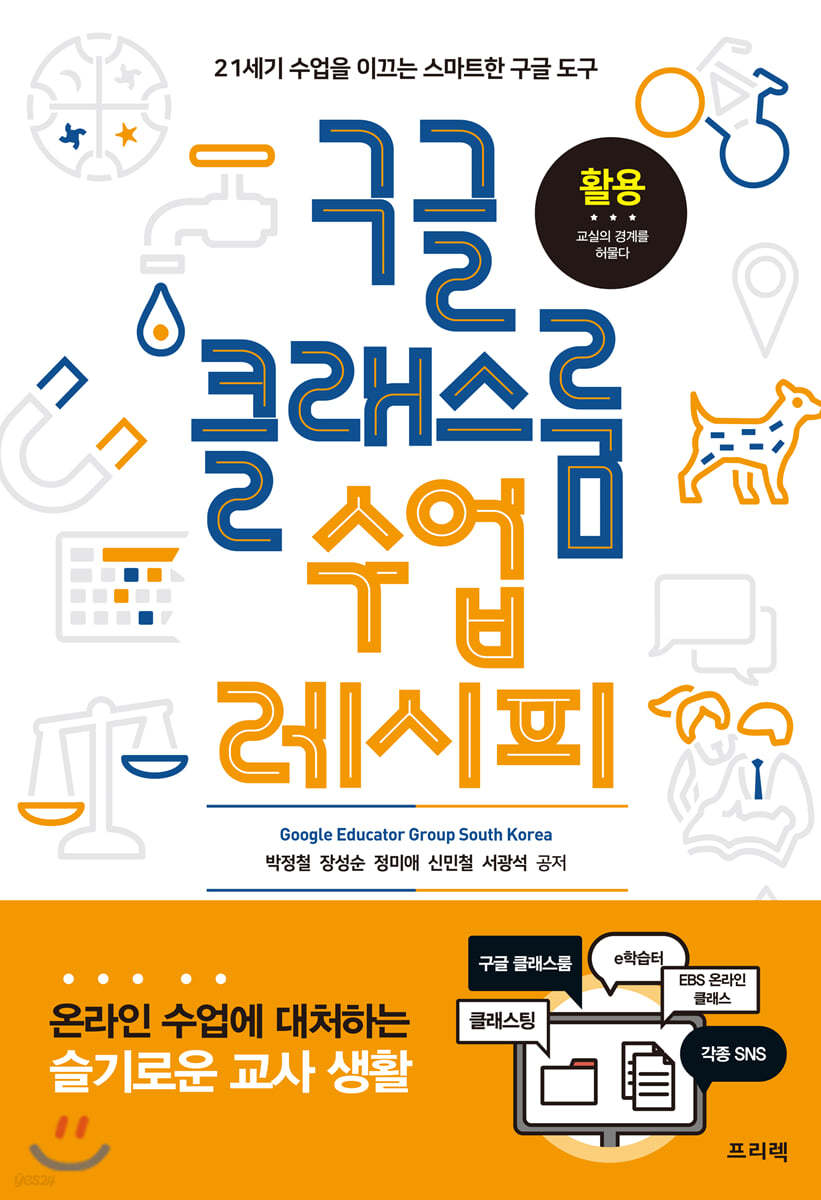 |
Description
Book Introduction
The Beginning of Smart Online Classes Using Google Tools
Google Classroom, a diverse learning environment that goes beyond the blackboard and into online learning!
Have you introduced Google Classroom and gathered your students, but are wondering what to do and how to do it? Worry no more.
"Google Classroom Class Recipes" is a book that presents practical class utilization methods for Google's G Suite for Education (Google Classroom), a representative online class. It presents actual class cases utilizing various Google tools such as YouTube, Google Forms, Google Maps/Earth, and Google Arts & Culture, and suggests 'recipes' to make classes more enjoyable.
Google tools can be used not only in Google Classroom but also in other learning management systems (LMS), so each teacher or class can use them in a unique way.
The biggest advantage of Google Classroom is that you can use Google tools to your heart's content.
You can conduct integrated classes with various subjects, from editing and uploading video lectures using YouTube to geography education using Google Maps and art education using Google Arts & Culture and Google Music Lab.
With Google Classroom, which breaks down classroom boundaries, we can start and utilize smart education too!
Google Classroom, a diverse learning environment that goes beyond the blackboard and into online learning!
Have you introduced Google Classroom and gathered your students, but are wondering what to do and how to do it? Worry no more.
"Google Classroom Class Recipes" is a book that presents practical class utilization methods for Google's G Suite for Education (Google Classroom), a representative online class. It presents actual class cases utilizing various Google tools such as YouTube, Google Forms, Google Maps/Earth, and Google Arts & Culture, and suggests 'recipes' to make classes more enjoyable.
Google tools can be used not only in Google Classroom but also in other learning management systems (LMS), so each teacher or class can use them in a unique way.
The biggest advantage of Google Classroom is that you can use Google tools to your heart's content.
You can conduct integrated classes with various subjects, from editing and uploading video lectures using YouTube to geography education using Google Maps and art education using Google Arts & Culture and Google Music Lab.
With Google Classroom, which breaks down classroom boundaries, we can start and utilize smart education too!
- You can preview some of the book's contents.
Preview
index
Before entering
About the Author
Chapter 01.
You're teaching with Google?
A.
Introducing G Suite for Business
B.
G Suite for Government
C.
Finally, G Suite for Education
Chapter 02.
Flipping the classroom is the best way to learn - Flipping Learning
A.
What is flipped learning?
B.
Flip Learning Strategy
C.
Flip Running Recipe
Chapter 03.
My own studio, YouTube Creator Studio
A.
What is YouTube Creator Studio?
B.
YouTube recipes
Chapter 04.
Google Forms
A.
What is Google Forms?
B.
Google Forms Recipe
Chapter 05.
Creating a Different Class with Google Arts & Culture
A.
What is Google Arts & Culture?
B.
Enter Google Arts & Culture
C.
Google Arts & Culture Recipes
Chapter 06.
A Google-esque music course
A.
Main dish, Google Chrome Music Lab
B.
Special sauce, music recipe
C.
Applied Recipe: AI Doremi Project
Chapter 07.
Google Maps is a treasure map
A.
Google Maps and Google Earth
B.
Google Maps? Earth Recipe
Chapter 08.
Google Expedition
A.
Google Expedition, #lovewhereyoulive
B.
Bio Blitz
C.
Google Local Guides
D.
Google Earth Outreach
F.
Google Expedition Recipes
Chapter 09.
Google Sites
A.
Google Sites Integration Tool
B.
Teacher/Student Portfolio
C.
Class homepage
D.
Online classroom
E.
Google Plus
Chapter 10.
Get Google Expert Certification
A.
Sure-Winning Study Method
B.
How to conduct the test
Author's Note
About the Author
Chapter 01.
You're teaching with Google?
A.
Introducing G Suite for Business
B.
G Suite for Government
C.
Finally, G Suite for Education
Chapter 02.
Flipping the classroom is the best way to learn - Flipping Learning
A.
What is flipped learning?
B.
Flip Learning Strategy
C.
Flip Running Recipe
Chapter 03.
My own studio, YouTube Creator Studio
A.
What is YouTube Creator Studio?
B.
YouTube recipes
Chapter 04.
Google Forms
A.
What is Google Forms?
B.
Google Forms Recipe
Chapter 05.
Creating a Different Class with Google Arts & Culture
A.
What is Google Arts & Culture?
B.
Enter Google Arts & Culture
C.
Google Arts & Culture Recipes
Chapter 06.
A Google-esque music course
A.
Main dish, Google Chrome Music Lab
B.
Special sauce, music recipe
C.
Applied Recipe: AI Doremi Project
Chapter 07.
Google Maps is a treasure map
A.
Google Maps and Google Earth
B.
Google Maps? Earth Recipe
Chapter 08.
Google Expedition
A.
Google Expedition, #lovewhereyoulive
B.
Bio Blitz
C.
Google Local Guides
D.
Google Earth Outreach
F.
Google Expedition Recipes
Chapter 09.
Google Sites
A.
Google Sites Integration Tool
B.
Teacher/Student Portfolio
C.
Class homepage
D.
Online classroom
E.
Google Plus
Chapter 10.
Get Google Expert Certification
A.
Sure-Winning Study Method
B.
How to conduct the test
Author's Note
Detailed image

Publisher's Review
Go beyond the classroom with smart Google tools!
Online classes, unfamiliar? Don't worry.
You can bring your classes to life by utilizing various Google tools.
The authors, who are Google Certified Educators and current teachers, demonstrate how to utilize a variety of Google tools, including YouTube, Google Forms, and Google Maps, and offer practical examples, offering ideas on how to incorporate them into your classes.
Google tools can be used not only in Google Classroom, but also in all learning management systems (LMS), including Classting, e-Learning, and EBS Online Class.
We hope you'll energize your classes with smart Google tools and join us in creating the future of smart education.
● Please get more information and get your questions answered at the Google Educator Group South Korea (www.facebook.com/groups/gegsouthkorea), which is run by the authors.
Online classes, unfamiliar? Don't worry.
You can bring your classes to life by utilizing various Google tools.
The authors, who are Google Certified Educators and current teachers, demonstrate how to utilize a variety of Google tools, including YouTube, Google Forms, and Google Maps, and offer practical examples, offering ideas on how to incorporate them into your classes.
Google tools can be used not only in Google Classroom, but also in all learning management systems (LMS), including Classting, e-Learning, and EBS Online Class.
We hope you'll energize your classes with smart Google tools and join us in creating the future of smart education.
● Please get more information and get your questions answered at the Google Educator Group South Korea (www.facebook.com/groups/gegsouthkorea), which is run by the authors.
GOODS SPECIFICS
- Date of publication: April 27, 2020
- Page count, weight, size: 496 pages | 153*224*30mm
- ISBN13: 9788965402701
- ISBN10: 8965402700
You may also like
카테고리
korean


korean

![GQ KOREA Mark (Monthly): December [2025]](http://librairie.coreenne.fr/cdn/shop/files/8ef265dbbfbf186523ed75ba7319009d.jpg?v=1765340328&width=3840)


