

Catch up on the amazing Desmos activities
 |
Description
Book Introduction
In online classes due to COVID-19, most teaching methods would have been “video + assignment classes, real-time interactive classes.”
However, no matter how much real-time interactive classes are conducted, it is impossible to know whether students are listening to the class or how much they understand, and the learning gap among students has become a major problem.
Many of these problems can be solved by conducting classes using Desmos activities.
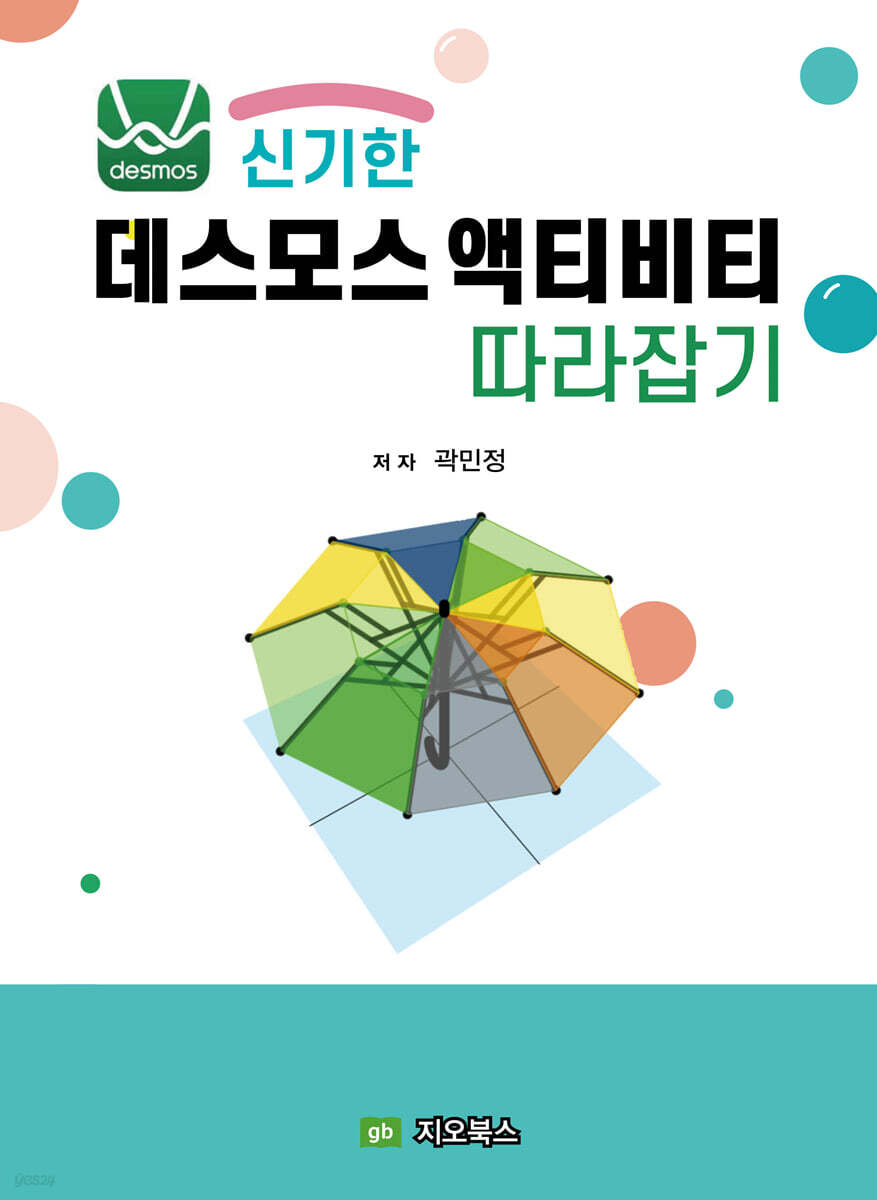
『Catching Up on the Magical Desmos Activities』 is a book that helps teachers use Desmos more freely.
It is composed of hands-on content that allows you to create parts of six activities, and you will be able to naturally learn how to use graphs and CL (operation layers) by following along.
However, no matter how much real-time interactive classes are conducted, it is impossible to know whether students are listening to the class or how much they understand, and the learning gap among students has become a major problem.
Many of these problems can be solved by conducting classes using Desmos activities.
『Catching Up on the Magical Desmos Activities』 is a book that helps teachers use Desmos more freely.
It is composed of hands-on content that allows you to create parts of six activities, and you will be able to naturally learn how to use graphs and CL (operation layers) by following along.
index
Ⅰ.
Desmos
1.
Desmos ·········································································································································· 9
go.
The History and Meaning of Desmos ············································································································ 11
me.
Desmos Membership Registration ················································································································· 12
all.
Desmos Teacher Homepage Structure ····························································································· 13
1) Change language settings ··································································································· 13
2) Checking the Desmos experimental features ······································································································ 14
3) Activity Exploration ·········································································································· 14
4) Custom Activities ········································································································· 16
la.
For use in activity classes ···················································································· 16
1) Connecting students ···························································································································· 16
2) How to use the dashboard ···························································································································· 18
mind.
Translating Activities ·································································································· 19
bar.
Create a new activity ············································································································ 20
1) Browse the activity creation page ············································································· 21
2) Rolling the marbles ···································································································································· 22
3) Card Sorting ··············································································································· 22
4) Graphing Calculator ···················································································································· 22
Ⅱ.
How to Use the Graphing Calculator
go.
Saving and Pasting Graphs ······································································································ 25
1) Saving the graph ······················································································································ 25
2) Copy and paste the graph ················································································· 26
me.
Expressing points ················································································································ 27
1) Creating a point that can be adjusted with a slider using a variable ················ 27
2) Changing the point style ················································································ 28
3) Expressing multiple points as a list ································································································ 30
〈Practice Problem 1〉 ·································································································································· 31
all.
Adding Color ························································································································· 32
〈Practice Problem 2〉 ·································································································································· 33
la.
Representing Polygons ···································································································· 33
1) Using the polygon function ······································································································ 33
2) Expressing the area of a rectangle that changes depending on a variable ················································ 34
〈Practice Problem 3〉 ················································································································································· 35
mind.
Expressing line segments ························································································································· 36
1) Expressing line segments with the polygon function ·························································································· 36
〈Practice Problem 4〉 ················································································································································· 37
2) Expressing line segments using parameters ······························································ 37
〈Practice Problem 5〉 ·································································································································· 38
bar.
Expressing a circle ············································································································· 38
1) Expressing a circle on the xy coordinate plane ······························································· 38
2) Expressing a circle using a polar coordinate equation ································································································· 38
3) Expressing a circle using parameter t ································································· 39
〈Practice Problem 6〉 ·································································································································· 39
buy.
Conditional Functions ······················································································································ 40
1) Representing a graph in a limited area ··········································································· 40
2) Expressing three functions with conditions as one function ·········································· 41
ah.
Using various functions ········································································································· 42
1) mod function ················································································································· 42
2) Floor function ················································································································ 43
3) min function ······························································································································· 43
〈Practice Problem 7〉 ································································································································· 43
〈Practice Problem 8〉 ································································································································· 44
〈Practice Problem 9〉 ·································································································································· 44
Ⅲ.
Buttons and graphs
go.
Catching Up with the “Click Wars” ······································································································································ 47
1) Navigating the Action Buttons ··············································································································· 47
2) How to use pressCount ········································································································· 49
3) Create a rectangle whose height increases by 0.2 each time the button is clicked ··················· 51
4) Expressing the number of clicks ········································································································· 52
5) Disable the button 5 seconds after clicking ······························· 54
6) Change the label of the button ······························································································· 57
7) Reflect the number of times the two buttons are clicked on the rectangle height ······································ 57
me.
Catch up on “Area of a Rectangle and Its Inverse Proportion” ·················································· 59
1) Create a rectangle with a constant area of 36 ···························································· 59
2) The interior of the rectangle filled by the variable ····························································· 61
3) Connecting variables and timeSincePress .......................................................................... 63
4) Entering sentences that change depending on conditions with when, otherwise ············· 63
5) Reset button function with resetOnChange ································································· 67
6) Conditioning labels ································································································ 67
Ⅳ.
Formula input field and graph
go.
Catching Up with the “Target” ································································ 71
1) Navigating the formula input field ·································································································································· 71
2) How to use parseOrderedPair ··················································· 73
3) Target Making ····························································································································· 75
4) Display the ordered pairs entered in the formula input field as dots on the graph screen ··············· 76
5) How to use correct, readOnly ·············································································· 78
me.
Catch up with “Let’s Float with Balloons” ················································································ 80
1) Uploading to the Balloon Image Graph ······················································································ 81
2) A function whose corresponding value is a sequence list ··············································································· 82
3) Understanding the location of the center of the balloon image ·································································· 83
4) Rotating the image ··············································································································· 86
5) Point the end of the balloon toward the origin ································································ 87
6) Determine the number of balloons by receiving the numbers in the formula input window ········································ 90
7) When you press submit in the formula input field, the balloon goes up ··························· 92
V.
Paint and graphs
go.
Catching Up with the Turtle Race ································································································· 96
1) Creating a Running Competition Background on a Graph ·································································· 96
2) Displaying a character moving on a lane ············································································· 97
3) Creating a graph screen video ·························································································· 98
4) Connecting the drawing on the drawing board and the character's movement ................................................................. 99
5) Connecting the character's movements by color ············································································· 102
6) Expressing a moving turtle ······························································································· 103
me.
Catch up on “Drawing Similar Figures” ······························································· 108
1) Using currentX and currentY ············································································ 108
2) How to use currentStroke ································································································· 109
3) Comparison of currentStroke and sketch ································································································· 111
4) Making the picture colors look different ······························································· 112
5) Expressing a mechanical device that draws similar figures ························································ 114
supplement
〈Appendix 1: Practice Problem Answers〉 ··················································································· 118
〈Appendix 2: Graphing Calculator Data Guide〉 ········································································· 125
〈Appendix 3: Information on Activity Creation〉 ·········································································· 126
Desmos
1.
Desmos ·········································································································································· 9
go.
The History and Meaning of Desmos ············································································································ 11
me.
Desmos Membership Registration ················································································································· 12
all.
Desmos Teacher Homepage Structure ····························································································· 13
1) Change language settings ··································································································· 13
2) Checking the Desmos experimental features ······································································································ 14
3) Activity Exploration ·········································································································· 14
4) Custom Activities ········································································································· 16
la.
For use in activity classes ···················································································· 16
1) Connecting students ···························································································································· 16
2) How to use the dashboard ···························································································································· 18
mind.
Translating Activities ·································································································· 19
bar.
Create a new activity ············································································································ 20
1) Browse the activity creation page ············································································· 21
2) Rolling the marbles ···································································································································· 22
3) Card Sorting ··············································································································· 22
4) Graphing Calculator ···················································································································· 22
Ⅱ.
How to Use the Graphing Calculator
go.
Saving and Pasting Graphs ······································································································ 25
1) Saving the graph ······················································································································ 25
2) Copy and paste the graph ················································································· 26
me.
Expressing points ················································································································ 27
1) Creating a point that can be adjusted with a slider using a variable ················ 27
2) Changing the point style ················································································ 28
3) Expressing multiple points as a list ································································································ 30
〈Practice Problem 1〉 ·································································································································· 31
all.
Adding Color ························································································································· 32
〈Practice Problem 2〉 ·································································································································· 33
la.
Representing Polygons ···································································································· 33
1) Using the polygon function ······································································································ 33
2) Expressing the area of a rectangle that changes depending on a variable ················································ 34
〈Practice Problem 3〉 ················································································································································· 35
mind.
Expressing line segments ························································································································· 36
1) Expressing line segments with the polygon function ·························································································· 36
〈Practice Problem 4〉 ················································································································································· 37
2) Expressing line segments using parameters ······························································ 37
〈Practice Problem 5〉 ·································································································································· 38
bar.
Expressing a circle ············································································································· 38
1) Expressing a circle on the xy coordinate plane ······························································· 38
2) Expressing a circle using a polar coordinate equation ································································································· 38
3) Expressing a circle using parameter t ································································· 39
〈Practice Problem 6〉 ·································································································································· 39
buy.
Conditional Functions ······················································································································ 40
1) Representing a graph in a limited area ··········································································· 40
2) Expressing three functions with conditions as one function ·········································· 41
ah.
Using various functions ········································································································· 42
1) mod function ················································································································· 42
2) Floor function ················································································································ 43
3) min function ······························································································································· 43
〈Practice Problem 7〉 ································································································································· 43
〈Practice Problem 8〉 ································································································································· 44
〈Practice Problem 9〉 ·································································································································· 44
Ⅲ.
Buttons and graphs
go.
Catching Up with the “Click Wars” ······································································································································ 47
1) Navigating the Action Buttons ··············································································································· 47
2) How to use pressCount ········································································································· 49
3) Create a rectangle whose height increases by 0.2 each time the button is clicked ··················· 51
4) Expressing the number of clicks ········································································································· 52
5) Disable the button 5 seconds after clicking ······························· 54
6) Change the label of the button ······························································································· 57
7) Reflect the number of times the two buttons are clicked on the rectangle height ······································ 57
me.
Catch up on “Area of a Rectangle and Its Inverse Proportion” ·················································· 59
1) Create a rectangle with a constant area of 36 ···························································· 59
2) The interior of the rectangle filled by the variable ····························································· 61
3) Connecting variables and timeSincePress .......................................................................... 63
4) Entering sentences that change depending on conditions with when, otherwise ············· 63
5) Reset button function with resetOnChange ································································· 67
6) Conditioning labels ································································································ 67
Ⅳ.
Formula input field and graph
go.
Catching Up with the “Target” ································································ 71
1) Navigating the formula input field ·································································································································· 71
2) How to use parseOrderedPair ··················································· 73
3) Target Making ····························································································································· 75
4) Display the ordered pairs entered in the formula input field as dots on the graph screen ··············· 76
5) How to use correct, readOnly ·············································································· 78
me.
Catch up with “Let’s Float with Balloons” ················································································ 80
1) Uploading to the Balloon Image Graph ······················································································ 81
2) A function whose corresponding value is a sequence list ··············································································· 82
3) Understanding the location of the center of the balloon image ·································································· 83
4) Rotating the image ··············································································································· 86
5) Point the end of the balloon toward the origin ································································ 87
6) Determine the number of balloons by receiving the numbers in the formula input window ········································ 90
7) When you press submit in the formula input field, the balloon goes up ··························· 92
V.
Paint and graphs
go.
Catching Up with the Turtle Race ································································································· 96
1) Creating a Running Competition Background on a Graph ·································································· 96
2) Displaying a character moving on a lane ············································································· 97
3) Creating a graph screen video ·························································································· 98
4) Connecting the drawing on the drawing board and the character's movement ................................................................. 99
5) Connecting the character's movements by color ············································································· 102
6) Expressing a moving turtle ······························································································· 103
me.
Catch up on “Drawing Similar Figures” ······························································· 108
1) Using currentX and currentY ············································································ 108
2) How to use currentStroke ································································································· 109
3) Comparison of currentStroke and sketch ································································································· 111
4) Making the picture colors look different ······························································· 112
5) Expressing a mechanical device that draws similar figures ························································ 114
supplement
〈Appendix 1: Practice Problem Answers〉 ··················································································· 118
〈Appendix 2: Graphing Calculator Data Guide〉 ········································································· 125
〈Appendix 3: Information on Activity Creation〉 ·········································································· 126
Publisher's Review
A well-structured Desmos activity is a gift for busy teachers, making it easy to deliver quality lessons.
I first encountered an activity called Water Line in a lecture at the 2018 International Conference on Mathematics Education, and it was truly shocking.
I found myself writing down my own insights from the interesting class material, individual exploration activities, appropriate questions, and experiences, which I thought were an ideal example of a class.
I also fell in love with Desmos in early September of last year when I learned about its teacher dashboard, which is optimized for classroom use, and its activity creation feature that links to coding.
There are tremendous benefits to using the Teacher Dashboard when implementing activities in your classes.
You can control the pace of the class, see what all connected students are writing, give individual feedback, and even conduct the entire class while keeping everyone focused, as if you were writing on a blackboard.
In online classes due to COVID-19, most teaching methods would have been “video + assignment classes, real-time interactive classes.”
However, no matter how much real-time interactive teaching is provided, it is impossible to know whether students are listening to the class or understanding it to some extent, and the learning gap between students has become a major problem.
Many of these problems can be solved by conducting classes using Desmos activities.
Desmos activities have many advantages, whether applied to online or face-to-face classes.
The following is a collection of feedback from teachers who are members of the professional learning community 'Using Desmos in Classes' operating in Gyeongnam after applying Desmos activities to actual face-to-face classes.
『I taught a linear function class in the computer lab with “Cat Ribbon Design,” but the students were doing something else.
There wasn't any.
Because the answers they wrote all appeared on the large screen in front of them.
Looking at the answers students wrote helped me understand their achievement level, which was helpful when teaching them.
『The students who participated in the experience of learning quadratic functions and marbles using smartphones, studying coordinates by finding the center of a target, measuring angles with a clinometer, and trigonometry had a great time.
Many students said they enjoyed solving interesting problems and would like to continue taking classes with Desmos.
『I taught a class for high school students using a not-at-all-fancy activity called “Graphs of Functions and Symmetry.”
I used the tablets provided at school.
Even if the activity wasn't flashy, just a good question would get the students gathered around and discussing.
『I felt like I had thought about and discussed the lesson design with the teacher by using activities that were the result of the teachers' efforts.』
However, when teaching a class utilizing activities, you might wonder, "Who created this kind of material and how?" Could I create it myself?
Fortunately, there are many good materials produced overseas, and many of them have been translated into Korean by the Desmos localization translation team.
I think it would be best to use the Desmos activity that has already been created at first.
As you use it, you will naturally want to reflect your own class intentions into existing activities and implement class ideas into activities. At that point, you can open the activity editing window.
The main reason for writing this book is to help teachers use Desmos more freely.
It is composed of hands-on content that allows you to create parts of six activities, and I think you will be able to naturally learn how to use graphs and CL (operation layers) by following along.
Through this, I hope that more activities that are perfectly suited to our country's classroom culture will be developed and shared, creating more opportunities to easily conduct good classes.
Also, while studying graphs for editing and creating activities, I learned that anything that can be drawn can also be expressed as a formula, and I witnessed scenes where determinants were used in unexpected places, and discovered the principles by which various animations are controlled by formulas.
This process was a wonderful experience that gave me more insight into how mathematics is applied.
Students who enjoy mathematics will also find this book helpful for in-depth mathematical study using graphing calculators.
I first encountered an activity called Water Line in a lecture at the 2018 International Conference on Mathematics Education, and it was truly shocking.
I found myself writing down my own insights from the interesting class material, individual exploration activities, appropriate questions, and experiences, which I thought were an ideal example of a class.
I also fell in love with Desmos in early September of last year when I learned about its teacher dashboard, which is optimized for classroom use, and its activity creation feature that links to coding.
There are tremendous benefits to using the Teacher Dashboard when implementing activities in your classes.
You can control the pace of the class, see what all connected students are writing, give individual feedback, and even conduct the entire class while keeping everyone focused, as if you were writing on a blackboard.
In online classes due to COVID-19, most teaching methods would have been “video + assignment classes, real-time interactive classes.”
However, no matter how much real-time interactive teaching is provided, it is impossible to know whether students are listening to the class or understanding it to some extent, and the learning gap between students has become a major problem.
Many of these problems can be solved by conducting classes using Desmos activities.
Desmos activities have many advantages, whether applied to online or face-to-face classes.
The following is a collection of feedback from teachers who are members of the professional learning community 'Using Desmos in Classes' operating in Gyeongnam after applying Desmos activities to actual face-to-face classes.
『I taught a linear function class in the computer lab with “Cat Ribbon Design,” but the students were doing something else.
There wasn't any.
Because the answers they wrote all appeared on the large screen in front of them.
Looking at the answers students wrote helped me understand their achievement level, which was helpful when teaching them.
『The students who participated in the experience of learning quadratic functions and marbles using smartphones, studying coordinates by finding the center of a target, measuring angles with a clinometer, and trigonometry had a great time.
Many students said they enjoyed solving interesting problems and would like to continue taking classes with Desmos.
『I taught a class for high school students using a not-at-all-fancy activity called “Graphs of Functions and Symmetry.”
I used the tablets provided at school.
Even if the activity wasn't flashy, just a good question would get the students gathered around and discussing.
『I felt like I had thought about and discussed the lesson design with the teacher by using activities that were the result of the teachers' efforts.』
However, when teaching a class utilizing activities, you might wonder, "Who created this kind of material and how?" Could I create it myself?
Fortunately, there are many good materials produced overseas, and many of them have been translated into Korean by the Desmos localization translation team.
I think it would be best to use the Desmos activity that has already been created at first.
As you use it, you will naturally want to reflect your own class intentions into existing activities and implement class ideas into activities. At that point, you can open the activity editing window.
The main reason for writing this book is to help teachers use Desmos more freely.
It is composed of hands-on content that allows you to create parts of six activities, and I think you will be able to naturally learn how to use graphs and CL (operation layers) by following along.
Through this, I hope that more activities that are perfectly suited to our country's classroom culture will be developed and shared, creating more opportunities to easily conduct good classes.
Also, while studying graphs for editing and creating activities, I learned that anything that can be drawn can also be expressed as a formula, and I witnessed scenes where determinants were used in unexpected places, and discovered the principles by which various animations are controlled by formulas.
This process was a wonderful experience that gave me more insight into how mathematics is applied.
Students who enjoy mathematics will also find this book helpful for in-depth mathematical study using graphing calculators.
GOODS SPECIFICS
- Publication date: October 15, 2021
- Page count, weight, size: 128 pages | 188*257*20mm
- ISBN13: 9791191346169
- ISBN10: 1191346161
You may also like
카테고리
korean


korean

![GQ KOREA Mark (Monthly): December [2025]](http://librairie.coreenne.fr/cdn/shop/files/8ef265dbbfbf186523ed75ba7319009d.jpg?v=1765340328&width=3840)


