

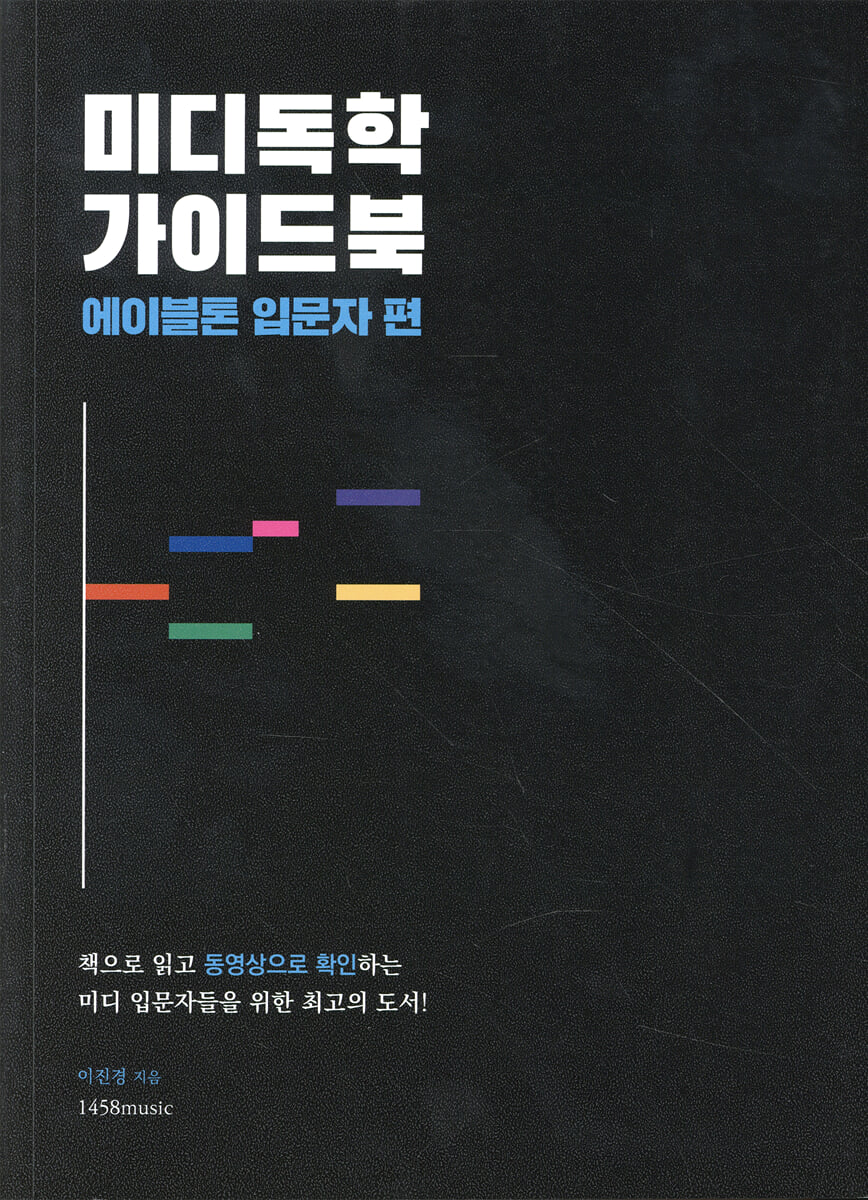
MIDI Self-Study Guidebook
 |
Description
Book Introduction
A book that changes the paradigm of MIDI teaching materials has been published! 'Midi Self-Study Guidebook_Ableton Beginner' is a textbook that helps you get started with MIDI using Ableton Live, as the title suggests. It abandons the complex and difficult dictionary-style structure of the past and is designed to help you understand the MIDI expression method in a very easy way, then copy the practice songs created by the author. In particular, the author's know-how, gained through many years of active experience in composing popular music and teaching MIDI in the field, is incorporated throughout the book, providing various work tips that cannot be found in manuals. Above all, we have carefully considered even the parts that are somewhat complicated to explain by providing video lectures and project files, even those that cannot be explained in the textbook. I am confident that this book will provide a true opportunity for self-study of MIDI for those new to Ableton Live. (You can watch the video lectures after signing up for membership at 1458class.com.) |
index
Step 01.
Preparing to compose MIDI
01.
What is Ableton Live, DAW, MIDI, and Sequencing?
02. Equipment required for MIDI work
03.
Connecting an Audio Interface (Audio Device Settings)
04.
Installing the sound pack
Step 02.
Understanding MIDI music concepts
01.
Expressing negative length
02.
Set the length of the cells displayed in a word
03.
Expressing joints as numbers
04.
Expressing pitch
05.
Expressing codes (chords)
06.
Creating a change code
07.
Understanding Drum Playing
08.
Expressing drum playing
Step 03.
Ableton Operation Practice
01.
Starting in landscape mode (arrangement view)
02.
Understanding the Start Screen
03.
Speed and beat settings
04.
Expressing two or more instruments: What is a track?
05.
Audio tracks and MIDI tracks
06.
Virtual instrument settings
07.
Zoom in and out of the track, move left and right
08.
Insert marker, play, control bar
09.
Section for mixing and mastering
10.
In/Out Section
11.
Mixer section
Step 04.
Entering MIDI notes
01.
Clips and Clip View
02.
Convenient features of Clip View
03.
Try out chords with a virtual piano
04.
Creating Appropriate Voicing (Moving MIDI Notes)
05.
Enter velocity
06.
Making drum beats
07.
Add groove with velocity adjustment
08.
Creating drum fills
09.
Easily print various codes
Step 05.
Copy Ballad
01.
Calculating how to develop the song
02.
The Four Rules of Arrangement
03.
Tap the drum rhythm
04.
Piano Harmony Recording
05.
Applying a sustain pedal effect (using an envelope)
06.
Entering Mars with the Master Keyboard (Keyboard)
07.
Correcting MIDI Notes with Quantize
08.
Base stamping
09.
Show locator (show song form)
10.
Set the project name and save it
Step 06.
Build up
01.
The Four Laws of Build-Up
02.
Building up drum patterns
03.
Building up piano harmony
04.
Building up the base
Step 07.
Recording and Post-Production
01.
Setting up audio for recording
02.
Setting up the microphone
03.
Preparing to Record in Ableton Live
04.
Create and record Take Lane
05.
Editing recording files
06.
Mixing and Mastering
07.
Add audio effects using the return track
08.
How to extract the master track as audio
09.
Things to prepare when requesting a mixing engineer
10.
Registering a sound source
Bonus Track Loop Music Track Analysis
01.
What is loop music?
02.
Verse arrangement analysis
03.
Pre-chorus arrangement analysis
04.
Chorus arrangement analysis
Conclusion 01.
How to save files for collaboration
Conclusion 02.
Exercises to improve your MIDI composition skills
Preparing to compose MIDI
01.
What is Ableton Live, DAW, MIDI, and Sequencing?
02. Equipment required for MIDI work
03.
Connecting an Audio Interface (Audio Device Settings)
04.
Installing the sound pack
Step 02.
Understanding MIDI music concepts
01.
Expressing negative length
02.
Set the length of the cells displayed in a word
03.
Expressing joints as numbers
04.
Expressing pitch
05.
Expressing codes (chords)
06.
Creating a change code
07.
Understanding Drum Playing
08.
Expressing drum playing
Step 03.
Ableton Operation Practice
01.
Starting in landscape mode (arrangement view)
02.
Understanding the Start Screen
03.
Speed and beat settings
04.
Expressing two or more instruments: What is a track?
05.
Audio tracks and MIDI tracks
06.
Virtual instrument settings
07.
Zoom in and out of the track, move left and right
08.
Insert marker, play, control bar
09.
Section for mixing and mastering
10.
In/Out Section
11.
Mixer section
Step 04.
Entering MIDI notes
01.
Clips and Clip View
02.
Convenient features of Clip View
03.
Try out chords with a virtual piano
04.
Creating Appropriate Voicing (Moving MIDI Notes)
05.
Enter velocity
06.
Making drum beats
07.
Add groove with velocity adjustment
08.
Creating drum fills
09.
Easily print various codes
Step 05.
Copy Ballad
01.
Calculating how to develop the song
02.
The Four Rules of Arrangement
03.
Tap the drum rhythm
04.
Piano Harmony Recording
05.
Applying a sustain pedal effect (using an envelope)
06.
Entering Mars with the Master Keyboard (Keyboard)
07.
Correcting MIDI Notes with Quantize
08.
Base stamping
09.
Show locator (show song form)
10.
Set the project name and save it
Step 06.
Build up
01.
The Four Laws of Build-Up
02.
Building up drum patterns
03.
Building up piano harmony
04.
Building up the base
Step 07.
Recording and Post-Production
01.
Setting up audio for recording
02.
Setting up the microphone
03.
Preparing to Record in Ableton Live
04.
Create and record Take Lane
05.
Editing recording files
06.
Mixing and Mastering
07.
Add audio effects using the return track
08.
How to extract the master track as audio
09.
Things to prepare when requesting a mixing engineer
10.
Registering a sound source
Bonus Track Loop Music Track Analysis
01.
What is loop music?
02.
Verse arrangement analysis
03.
Pre-chorus arrangement analysis
04.
Chorus arrangement analysis
Conclusion 01.
How to save files for collaboration
Conclusion 02.
Exercises to improve your MIDI composition skills
Detailed image

Into the book
This book is not a dictionary-style book that simply explains the functions of MIDI programs, but rather is designed to allow you to follow along with actual example songs.
If you've been turning your MIDI program on and off until now, I'm confident that just by practicing a little bit every day following the book, you'll soon understand MIDI composition and be able to create your own music.
---p.12
MIDI simply converts the music symbols we commonly see into numbers and displays them.
In fact, music and mathematics are very closely related fields.
So it works very well with computers too.
What you will learn in this step is how to express the basic materials of composition, such as the length and pitch of notes (notes), the number of measures to input notes, chords, and basic drum techniques, in MIDI.
Although the boxes and numbers appear frequently, if you understand the basic concepts, you will be able to use Ableton Live much more easily.
---p.22
The fastest and most effective way for beginners to build their MIDI skills is to practice copying other people's accompaniments into MIDI.
These exercises allow you to practice not only MIDI techniques, but also basic composition skills such as instrumentation and chord progressions according to genre.
---p.84
Professional composers each have their own plan when arranging.
The more the song's structure develops into the chorus, the richer it becomes.
We call this a build-up.
There are countless ways to build up, including changing keys, introducing new rhythms, etc.
The tips I'm introducing now are designed to be beginner-friendly while maintaining the basic structure of the original arrangement.
The example song Drawing You also built up the Chorus using the same method.
First, like with the rules of arrangement, access the QR code and listen to the mp3 file.
---p.111
Since you've already covered the concepts of MIDI composition, how Ableton Live works, arrangement, and build-up, this video will explain the part-by-part arrangement, unlike the previous content where I just copied the example song.
Therefore, please be sure to refer to the project files and the video link with the QR code.
If you've been turning your MIDI program on and off until now, I'm confident that just by practicing a little bit every day following the book, you'll soon understand MIDI composition and be able to create your own music.
---p.12
MIDI simply converts the music symbols we commonly see into numbers and displays them.
In fact, music and mathematics are very closely related fields.
So it works very well with computers too.
What you will learn in this step is how to express the basic materials of composition, such as the length and pitch of notes (notes), the number of measures to input notes, chords, and basic drum techniques, in MIDI.
Although the boxes and numbers appear frequently, if you understand the basic concepts, you will be able to use Ableton Live much more easily.
---p.22
The fastest and most effective way for beginners to build their MIDI skills is to practice copying other people's accompaniments into MIDI.
These exercises allow you to practice not only MIDI techniques, but also basic composition skills such as instrumentation and chord progressions according to genre.
---p.84
Professional composers each have their own plan when arranging.
The more the song's structure develops into the chorus, the richer it becomes.
We call this a build-up.
There are countless ways to build up, including changing keys, introducing new rhythms, etc.
The tips I'm introducing now are designed to be beginner-friendly while maintaining the basic structure of the original arrangement.
The example song Drawing You also built up the Chorus using the same method.
First, like with the rules of arrangement, access the QR code and listen to the mp3 file.
---p.111
Since you've already covered the concepts of MIDI composition, how Ableton Live works, arrangement, and build-up, this video will explain the part-by-part arrangement, unlike the previous content where I just copied the example song.
Therefore, please be sure to refer to the project files and the video link with the QR code.
---p.146
Publisher's Review
The 'Midi Self-Study Guidebook' is a book with a different approach from previous MIDI textbooks.
This textbook was created after analyzing why people find MIDI difficult and why they give up on learning MIDI from books, and after much trial and error, we found the optimal method.
Beyond simply showing you the features of a DAW, it is designed to help you create real music with MIDI.
For parts that are difficult to explain on paper, you can watch video lectures, and project files for example songs included in the book are provided so that you can analyze the songs yourself and improve your skills.
From MIDI terminology, program and equipment setup, core features for work, copying sample songs, recording, and post-production, this book covers everything you need to know to get started with MIDI in Ableton Live.
Author's Note
This book is designed to help you naturally learn MIDI concepts and functions by following along with the sample songs I composed.
Try to study consistently by following the book for 30 minutes a day.
That habit will build up and become your compass and courage that says, "I can do it."
I am confident that starting with the 'Midi Self-Study Guidebook' will help you understand MIDI and draw a picture of how to learn music on your own.
This textbook was created after analyzing why people find MIDI difficult and why they give up on learning MIDI from books, and after much trial and error, we found the optimal method.
Beyond simply showing you the features of a DAW, it is designed to help you create real music with MIDI.
For parts that are difficult to explain on paper, you can watch video lectures, and project files for example songs included in the book are provided so that you can analyze the songs yourself and improve your skills.
From MIDI terminology, program and equipment setup, core features for work, copying sample songs, recording, and post-production, this book covers everything you need to know to get started with MIDI in Ableton Live.
Author's Note
This book is designed to help you naturally learn MIDI concepts and functions by following along with the sample songs I composed.
Try to study consistently by following the book for 30 minutes a day.
That habit will build up and become your compass and courage that says, "I can do it."
I am confident that starting with the 'Midi Self-Study Guidebook' will help you understand MIDI and draw a picture of how to learn music on your own.
GOODS SPECIFICS
- Date of issue: March 17, 2023
- Page count, weight, size: 156 pages | 428g | 185*254*9mm
- ISBN13: 9791189598433
- ISBN10: 1189598434
You may also like
카테고리
korean


korean

![GQ KOREA Mark (Monthly): December [2025]](http://librairie.coreenne.fr/cdn/shop/files/8ef265dbbfbf186523ed75ba7319009d.jpg?v=1765340328&width=3840)


