

Build ChatGPT and LLM systems quickly and easily with Azure OpenAI.
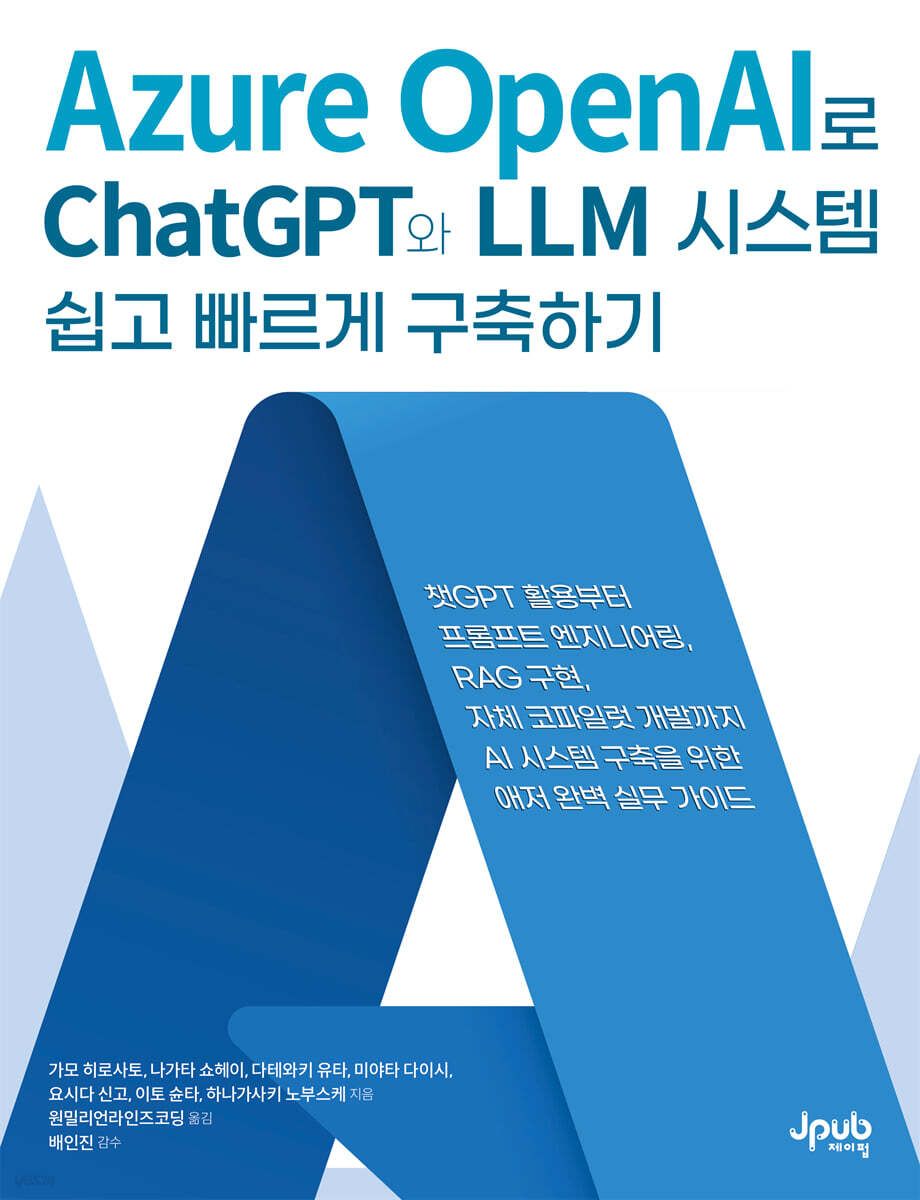 |
Description
Book Introduction
How to Build an Efficient AI System: Step-by-Step Instructions
At the center of rapidly advancing AI technology is Microsoft Azure OpenAI.
This book is a practical guide that guides you step-by-step from introduction to optimization of generative AI and ChatGPT models so that you can immediately apply them in practice.
You can learn not only theory but also practical application methods by building an in-house document search system using ChatGPT-based RAG on Azure and a copilot application equipped with LLM.
We also cover governance and responsible AI implementation required for leveraging Azure OpenAI.
This book will help you easily build AI systems and learn useful techniques and know-how that can be immediately applied to your work.
At the center of rapidly advancing AI technology is Microsoft Azure OpenAI.
This book is a practical guide that guides you step-by-step from introduction to optimization of generative AI and ChatGPT models so that you can immediately apply them in practice.
You can learn not only theory but also practical application methods by building an in-house document search system using ChatGPT-based RAG on Azure and a copilot application equipped with LLM.
We also cover governance and responsible AI implementation required for leveraging Azure OpenAI.
This book will help you easily build AI systems and learn useful techniques and know-how that can be immediately applied to your work.
- You can preview some of the book's contents.
Preview
index
About the Author/Translator/Editor xi
Translator's Preface xiv
Recommendation xvi
Beta Reader Review xix
Beginning xxiii
Acknowledgments xxiv
About this book xxv
PART I: Leveraging ChatGPT on Microsoft Azure
CHAPTER 1: Generative AI and ChatGPT 3
1.1 The Impact of Generative AI and ChatGPT 3
__1.1.1 The dawn of the AI era 3
__1.1.2 5 Tasks to Which ChatGPT Can Be Applied
[COLUMN] Open Interpreter 9
__1.1.3 10 Things to Note When Using ChatGPT
1.2 Structure of ChatGPT 10
__1.2.1 Differences from existing chatbots 10
__1.2.2 What is GPT 11
__1.2.3 How to generate human-preferred sentences: RLHF 13
__1.2.4 The Birth of ChatGPT 13
1.3 Conclusion 14
CHAPTER 2: PROMPT ENGINEERING 15
2.1 What is Prompt Engineering? 15
2.2 Basic Writing 16
__2.2.1 Give specific instructions 16
__2.2.2 Specifying an Exit 17
__2.2.3 Assigning Roles 18
__2.2.4 Specifying input/output examples 19
[COLUMN] Zero-Shot and Few-Shot Learning 20
__2.2.5 Structuring Prompts 20
2.3 Chain of Thought 21
[COLUMN] Performance Differences Between GPT-3.5 Turbo and GPT-4 23
2.4 Other Techniques 24
2.5 Finish 25
CHAPTER 3 Azure OpenAI Service 26
3.1 What is Azure OpenAI Service 26
__3.1.1 Differences between OpenAI's API service and Azure OpenAI Service 27
__3.1.2 Azure OpenAI Overview 29
3.2 Getting Started with Azure OpenAI 30
__3.2.1 Azure OpenAI Access Request 30
__3.2.2 Resource Creation 31
__3.2.3 Deploying the GPT Model 35
3.3 Developing ChatGPT Applications in Chat Playground 39
__3.3.1 Settings 40
__3.3.2 Chat Session 42
[COLUMN] Where Does Chat Playground Work? 44
__3.3.3 Deploying a Chat Application 44
[COLUMN] Source Code 47 of a Web Application Deployed in Playground
3.4 Considerations 47
__3.4.1 Cost Issues 47
__3.4.2 Quotas and Limits 48
3.5 Finish 50
PART II: Implementing an In-House Document Search System Using RAG
CHAPTER 4 RAG Overview and Design 53
4.1 Problems and Solutions with ChatGPT 53
4.2 RAG is 55
4.3 Search System 57
4.4 Azure AI Search 58
__4.4.1 Index Creation 60
__4.4.2 Document Search 67
4.5 Orchestrator 71
__4.5.1 Azure OpenAI on your data 72
__4.5.2 Azure Machine Learning Prompt Flow 73
__4.5.3 Self-implementation 74
4.6 Azure OpenAI on your data 74
__4.6.1 Data Source 75
__4.6.2 How to use 75
4.7 Azure Machine Learning Prompt Flow 81
__4.7.1 How to use 82
[COLUMN] What is Azure Machine Learning 91
4.8 LLM 91
4.9 Azure OpenAI API 92
__4.9.1 Chat Completions API 92
__4.9.2 Embeddings API 97
4.10 Final 98
[COLUMN] RAG vs.
Fine Tuning 98
CHAPTER 5 RAG Implementation and Evaluation 100
5.1 Architecture 100
5.2 Implementing In-House Document Search 105
__5.2.1 List of Azure services to use and their rates 105
__5.2.2 Setting up a local development environment 106
__5.2.3 Running in a Local Environment 110
__5.2.4 Deploying Local Changes to App Service 112
__5.2.5 Changing the Preferences File 112
__5.2.6 Additional Document Indexing 112
__5.2.7 Asking the Real Question 112
__5.2.8 Feature Introduction 113
5.3 Save Chat History 116
__5.3.1 Example of implementing chat history storage 117
__5.3.2 Checking chat history stored in Cosmos DB 119
5.4 Search Function 119
__5.4.1 Vector Search 120
[COLUMN] The Importance of Chunking 122
__5.4.2 Hybrid Search 123
__5.4.3 Semantic Hybrid Search 124
[COLUMN] Which search mode produces the best results? 126
[COLUMN] Customizing Point 126
5.5 Automating Data Collection 127
5.6 RAG Evaluation and Improvement 129
5.7 Search Accuracy Evaluation 130
__5.7.1 Basic Evaluation Indicators 130
__5.7.2 Ranking-Based Evaluation Criteria 131
5.8 Generation Accuracy Evaluation 132
__5.8.1 Relevance Assessment 133
__5.8.2 Consistency Evaluation 134
__5.8.3 Similarity Evaluation 135
[COLUMN] How to Improve the Accuracy of RAG Responses 135
5.9 Finish 136
PART III Implementing an LLM Application Using the Copilot Stack
CHAPTER 6 AI Orchestration 139
6.1 What is a Copilot Stack? 139
__6.1.1 Layer 1: Copilot Frontend 140
__6.1.2 Layer 2: AI Orchestration 140
__6.1.3 Tier 3: Foundation Model 141
6.2 AI Orchestration and Agents 141
__6.2.1 Reasoning & Acting 141
__6.2.2 Planning & Execution 145
[COLUMN] Langchain 146
[COLUMN] Semantic Kernel 147
__6.2.3 Running the plugin 148
6.3 Architecture and Implementation for Developing Your Own Copilot 150
__6.3.1 Implementing the Tool Selection (ReAct) Function 150
__6.3.2 Using in the Chat UI 152
__6.3.3 Implementing the ChatGPT Plugin 156
__6.3.4 Implementing Streaming Output 160
6.4 Finish 160
[COLUMN] The Rise of Azure AI Studio 161
CHAPTER 7: FOUNDATION MODELS AND AI INFRASTRUCTURE 162
7.1 Defining the Foundation Model and AI Infrastructure 162
7.2 Hostable Models 163
__7.2.1 GPT-3.5 and GPT-4 163
[COLUMN] GPT-4 Turbo 166
[COLUMN] GPT-4o and o1 166
__7.2.2 Fine Tuning 166
[COLUMN] Fine-Tuning GPT-4 169
7.3 Public Model 169
__7.3.1 Model Type 171
__7.3.2 Model Size and Compression Method 172
__7.3.3 Model Hosting 177
[COLUMN] Azure AI Foundry Model Catalog 179
7.4 Finish 180
[COLUMN] OSS and Machine Learning Models 180
CHAPTER 8 Copilot Frontend 182
8.1 Defining User Experience 182
__8.1.1 Usability 182
__8.1.2 Stop and Regenerate Buttons 183
__8.1.3 Implementation with Cache Considerations 184
8.2 Dealing with Inaccurate Responses in LLM 185
__8.2.1 Accuracy 185
__8.2.2 Transparency (Citation of Information Sources) 185
__8.2.3 Streaming Processing for UX Improvement 186
__8.2.4 Directly Processing Streaming Output from OpenAI Endpoints 186
__8.2.5 Handling the response of a Flask application in stream format 187
8.3 References for UX Improvement 194
[COLUMN] Interfaces Beyond Chat 195
8.4 Final 196
PART IV GOVERNANCE AND RESPONSIBLE AI
CHAPTER 9 GOVERNANCE 199
9.1 What is a common base? 199
9.2 Common Base Architecture 201
__9.2.1 List of Azure services to use and their rates 201
__9.2.2 Deployment 202
9.3 Authentication and Authorization 208
__9.3.1 Authentication and Authorization Processing Flow 208
__9.3.2 Running the Example Code 209
[COLUMN] API Management Subscription Key 215
[COLUMN] Allowing Azure OpenAI API Access to Specific Users Only 216
9.4 Log Consolidation 217
9.5 Billing 219
9.6 Call Limit 221
9.7 Closed Network 221
9.8 Load Balancing 223
__9.8.1 Using Application Gateway 226
[COLUMN] Precautions When Using Application Gateway Load Balancing in a Production Environment 228
__9.8.2 Using API Management 230
9.9 Final 231
CHAPTER 10: Responsible AI 232
10.1 Microsoft's Commitment to Responsible AI 232
10.2 Responsible Application of AI 234
10.3 Content Filter 235
10.4 Data Handling 240
10.5 Finish 241
APPENDIX A Setting up an environment to run the example code 242
A.1 Installing Python 242
__A.1.1 Installation Instructions (Windows) 243
A.2 Installing Git 244
__A.2.1 Installation Instructions (Windows) 244
A.3 Installing the Azure Developer CLI 247
__A.3.1 Installation Instructions (Windows) 247
__A.3.2 Installation Instructions (Linux) 248
__A.3.3 Installation Instructions (macOS) 248
A.4 Installing Node.js 249
__A.4.1 Installation Instructions (Windows) 249
A.5 Installing PowerShell (Windows Only) 251
__A.5.1 Installation Method 251
APPENDIX B Structure of ChatGPT 255
B.1 The Rise of Transformers 256
__B.1.1 Attention 256
__B.1.2 seq2seq 257
__B.1.3 Attention introduced in seq2seq 258
__B.1.4 Attention Computation Processing 259
__B.1.5 Transformer Structure 260
__B.1.6 Advantages of Transformers 262
__B.1.7 Transformer Limitations 262
B.2 Performance Improvement through Scaling and Pre-training of Language Models 263
__B.2.1 Evolution of Transformer Encoder Series Models 264
__B.2.2 Evolution of Transformer Decoder Series Models 265
__B.2.3 Scaling Law 266
B.3 Language model tuned to favorable responses 266
[COLUMN] Public Model 269
In conclusion 270
Search 272
Translator's Preface xiv
Recommendation xvi
Beta Reader Review xix
Beginning xxiii
Acknowledgments xxiv
About this book xxv
PART I: Leveraging ChatGPT on Microsoft Azure
CHAPTER 1: Generative AI and ChatGPT 3
1.1 The Impact of Generative AI and ChatGPT 3
__1.1.1 The dawn of the AI era 3
__1.1.2 5 Tasks to Which ChatGPT Can Be Applied
[COLUMN] Open Interpreter 9
__1.1.3 10 Things to Note When Using ChatGPT
1.2 Structure of ChatGPT 10
__1.2.1 Differences from existing chatbots 10
__1.2.2 What is GPT 11
__1.2.3 How to generate human-preferred sentences: RLHF 13
__1.2.4 The Birth of ChatGPT 13
1.3 Conclusion 14
CHAPTER 2: PROMPT ENGINEERING 15
2.1 What is Prompt Engineering? 15
2.2 Basic Writing 16
__2.2.1 Give specific instructions 16
__2.2.2 Specifying an Exit 17
__2.2.3 Assigning Roles 18
__2.2.4 Specifying input/output examples 19
[COLUMN] Zero-Shot and Few-Shot Learning 20
__2.2.5 Structuring Prompts 20
2.3 Chain of Thought 21
[COLUMN] Performance Differences Between GPT-3.5 Turbo and GPT-4 23
2.4 Other Techniques 24
2.5 Finish 25
CHAPTER 3 Azure OpenAI Service 26
3.1 What is Azure OpenAI Service 26
__3.1.1 Differences between OpenAI's API service and Azure OpenAI Service 27
__3.1.2 Azure OpenAI Overview 29
3.2 Getting Started with Azure OpenAI 30
__3.2.1 Azure OpenAI Access Request 30
__3.2.2 Resource Creation 31
__3.2.3 Deploying the GPT Model 35
3.3 Developing ChatGPT Applications in Chat Playground 39
__3.3.1 Settings 40
__3.3.2 Chat Session 42
[COLUMN] Where Does Chat Playground Work? 44
__3.3.3 Deploying a Chat Application 44
[COLUMN] Source Code 47 of a Web Application Deployed in Playground
3.4 Considerations 47
__3.4.1 Cost Issues 47
__3.4.2 Quotas and Limits 48
3.5 Finish 50
PART II: Implementing an In-House Document Search System Using RAG
CHAPTER 4 RAG Overview and Design 53
4.1 Problems and Solutions with ChatGPT 53
4.2 RAG is 55
4.3 Search System 57
4.4 Azure AI Search 58
__4.4.1 Index Creation 60
__4.4.2 Document Search 67
4.5 Orchestrator 71
__4.5.1 Azure OpenAI on your data 72
__4.5.2 Azure Machine Learning Prompt Flow 73
__4.5.3 Self-implementation 74
4.6 Azure OpenAI on your data 74
__4.6.1 Data Source 75
__4.6.2 How to use 75
4.7 Azure Machine Learning Prompt Flow 81
__4.7.1 How to use 82
[COLUMN] What is Azure Machine Learning 91
4.8 LLM 91
4.9 Azure OpenAI API 92
__4.9.1 Chat Completions API 92
__4.9.2 Embeddings API 97
4.10 Final 98
[COLUMN] RAG vs.
Fine Tuning 98
CHAPTER 5 RAG Implementation and Evaluation 100
5.1 Architecture 100
5.2 Implementing In-House Document Search 105
__5.2.1 List of Azure services to use and their rates 105
__5.2.2 Setting up a local development environment 106
__5.2.3 Running in a Local Environment 110
__5.2.4 Deploying Local Changes to App Service 112
__5.2.5 Changing the Preferences File 112
__5.2.6 Additional Document Indexing 112
__5.2.7 Asking the Real Question 112
__5.2.8 Feature Introduction 113
5.3 Save Chat History 116
__5.3.1 Example of implementing chat history storage 117
__5.3.2 Checking chat history stored in Cosmos DB 119
5.4 Search Function 119
__5.4.1 Vector Search 120
[COLUMN] The Importance of Chunking 122
__5.4.2 Hybrid Search 123
__5.4.3 Semantic Hybrid Search 124
[COLUMN] Which search mode produces the best results? 126
[COLUMN] Customizing Point 126
5.5 Automating Data Collection 127
5.6 RAG Evaluation and Improvement 129
5.7 Search Accuracy Evaluation 130
__5.7.1 Basic Evaluation Indicators 130
__5.7.2 Ranking-Based Evaluation Criteria 131
5.8 Generation Accuracy Evaluation 132
__5.8.1 Relevance Assessment 133
__5.8.2 Consistency Evaluation 134
__5.8.3 Similarity Evaluation 135
[COLUMN] How to Improve the Accuracy of RAG Responses 135
5.9 Finish 136
PART III Implementing an LLM Application Using the Copilot Stack
CHAPTER 6 AI Orchestration 139
6.1 What is a Copilot Stack? 139
__6.1.1 Layer 1: Copilot Frontend 140
__6.1.2 Layer 2: AI Orchestration 140
__6.1.3 Tier 3: Foundation Model 141
6.2 AI Orchestration and Agents 141
__6.2.1 Reasoning & Acting 141
__6.2.2 Planning & Execution 145
[COLUMN] Langchain 146
[COLUMN] Semantic Kernel 147
__6.2.3 Running the plugin 148
6.3 Architecture and Implementation for Developing Your Own Copilot 150
__6.3.1 Implementing the Tool Selection (ReAct) Function 150
__6.3.2 Using in the Chat UI 152
__6.3.3 Implementing the ChatGPT Plugin 156
__6.3.4 Implementing Streaming Output 160
6.4 Finish 160
[COLUMN] The Rise of Azure AI Studio 161
CHAPTER 7: FOUNDATION MODELS AND AI INFRASTRUCTURE 162
7.1 Defining the Foundation Model and AI Infrastructure 162
7.2 Hostable Models 163
__7.2.1 GPT-3.5 and GPT-4 163
[COLUMN] GPT-4 Turbo 166
[COLUMN] GPT-4o and o1 166
__7.2.2 Fine Tuning 166
[COLUMN] Fine-Tuning GPT-4 169
7.3 Public Model 169
__7.3.1 Model Type 171
__7.3.2 Model Size and Compression Method 172
__7.3.3 Model Hosting 177
[COLUMN] Azure AI Foundry Model Catalog 179
7.4 Finish 180
[COLUMN] OSS and Machine Learning Models 180
CHAPTER 8 Copilot Frontend 182
8.1 Defining User Experience 182
__8.1.1 Usability 182
__8.1.2 Stop and Regenerate Buttons 183
__8.1.3 Implementation with Cache Considerations 184
8.2 Dealing with Inaccurate Responses in LLM 185
__8.2.1 Accuracy 185
__8.2.2 Transparency (Citation of Information Sources) 185
__8.2.3 Streaming Processing for UX Improvement 186
__8.2.4 Directly Processing Streaming Output from OpenAI Endpoints 186
__8.2.5 Handling the response of a Flask application in stream format 187
8.3 References for UX Improvement 194
[COLUMN] Interfaces Beyond Chat 195
8.4 Final 196
PART IV GOVERNANCE AND RESPONSIBLE AI
CHAPTER 9 GOVERNANCE 199
9.1 What is a common base? 199
9.2 Common Base Architecture 201
__9.2.1 List of Azure services to use and their rates 201
__9.2.2 Deployment 202
9.3 Authentication and Authorization 208
__9.3.1 Authentication and Authorization Processing Flow 208
__9.3.2 Running the Example Code 209
[COLUMN] API Management Subscription Key 215
[COLUMN] Allowing Azure OpenAI API Access to Specific Users Only 216
9.4 Log Consolidation 217
9.5 Billing 219
9.6 Call Limit 221
9.7 Closed Network 221
9.8 Load Balancing 223
__9.8.1 Using Application Gateway 226
[COLUMN] Precautions When Using Application Gateway Load Balancing in a Production Environment 228
__9.8.2 Using API Management 230
9.9 Final 231
CHAPTER 10: Responsible AI 232
10.1 Microsoft's Commitment to Responsible AI 232
10.2 Responsible Application of AI 234
10.3 Content Filter 235
10.4 Data Handling 240
10.5 Finish 241
APPENDIX A Setting up an environment to run the example code 242
A.1 Installing Python 242
__A.1.1 Installation Instructions (Windows) 243
A.2 Installing Git 244
__A.2.1 Installation Instructions (Windows) 244
A.3 Installing the Azure Developer CLI 247
__A.3.1 Installation Instructions (Windows) 247
__A.3.2 Installation Instructions (Linux) 248
__A.3.3 Installation Instructions (macOS) 248
A.4 Installing Node.js 249
__A.4.1 Installation Instructions (Windows) 249
A.5 Installing PowerShell (Windows Only) 251
__A.5.1 Installation Method 251
APPENDIX B Structure of ChatGPT 255
B.1 The Rise of Transformers 256
__B.1.1 Attention 256
__B.1.2 seq2seq 257
__B.1.3 Attention introduced in seq2seq 258
__B.1.4 Attention Computation Processing 259
__B.1.5 Transformer Structure 260
__B.1.6 Advantages of Transformers 262
__B.1.7 Transformer Limitations 262
B.2 Performance Improvement through Scaling and Pre-training of Language Models 263
__B.2.1 Evolution of Transformer Encoder Series Models 264
__B.2.2 Evolution of Transformer Decoder Series Models 265
__B.2.3 Scaling Law 266
B.3 Language model tuned to favorable responses 266
[COLUMN] Public Model 269
In conclusion 270
Search 272
Detailed image
.jpg)
Into the book
When solving complex problems with ChatGPT, a method called chain of thought (CoT) is useful.
This is a method to derive more accurate responses by inducing step-by-step inference in LLM.
When solving complex or computational problems, if you guide the model through the problem-solving process step by step, you can accurately draw conclusions about the problem to be solved later.
(...) Additionally, simply adding the phrase 'let's think step by step' to the prompt can increase the accuracy of responses.
This method is useful because it allows you to instruct students to draw conclusions through step-by-step reasoning without having to specify specific steps.
--- pp.21-22
System messages and parameters set in the chat playground can be distributed to a web application (hereinafter referred to as a web application).
You can deploy using Azure App Service, a PaaS (platform as a service) that hosts web applications, by clicking [Deploy] in the upper right corner of the playground and selecting [...as a web app] (Figure 3-25).
(...) Enter the information to create the resources of the web application and click the [Deploy] button to complete the deployment.
If you check the 'Enable chat history in web app' option and deploy, the chat history will be stored in Azure Cosmos DB (Figure 3-26).
--- pp.44-45
When developing an LLM system fails to improve work efficiency, you can consider tuning the parameters of the LLM using a large amount of training data.
This method is called fine-tuning and can be applied to models like Azure OpenAI's GPT-3.5 Turbo.
To fine-tune a model, you need to prepare training data that pairs prompts for specific tasks with ideal answers.
One thing to note is that fine tuning is not suitable for memorizing knowledge or logic.
Fine tuning is suitable for adjusting output formats or increasing the efficiency of specific tasks.
--- p.98
The most common cause of poor accuracy in RAG responses is that the documents that form the basis of the response are not retrieved.
As the number of documents registered in the search system increases, the inclusion of irrelevant documents in search results is also a major cause of lower response accuracy.
/ When this problem occurs, the most efficient solution is to create an index for the search system by dividing it according to the use case.
For example, if you create an index with a large category such as 'internal documents', unrelated documents will also be searched, but if you create an index by use case, such as 'personnel manual', you can limit the search scope.
--- p.135
AI infrastructure refers to the computing resources that host the foundation model.
Representative examples include GPU-equipped computing resources and load balancers for hosting custom-built, specialized models or open-source LLMs. API-based foundation models, such as Azure OpenAI Service, which provides LLMs, or Azure AI Services, which offer various specialized models, inherently hide the AI infrastructure, eliminating the need for infrastructure setup.
Azure AI Services, as an exception, have the ability to scale up/scale out on their own using containers, so you can set up your AI infrastructure yourself and use scale up/out directly.
--- p.163
Azure OpenAI can collect monitoring data and issue alerts by integrating with Azure Monitor, just like other Azure services.
However, Azure OpenAI's standard monitoring format does not allow the content of prompts or the generated results to be output to logs.
In this case, if you enable API Management's diagnostic log to output the request (prompt) and response (generated result) contents to Log Analytics, Blob Storage, or Azure Event Hubs, the prompt and generated result will be output as logs.
/ The deployed API Management already has diagnostic logs enabled and is set to output to the Log Analytics workspace and storage account (Blob Storage) (Figure 9-19).
However, in the current state, the contents of the prompt or the creation results are not output to the log.
This is a method to derive more accurate responses by inducing step-by-step inference in LLM.
When solving complex or computational problems, if you guide the model through the problem-solving process step by step, you can accurately draw conclusions about the problem to be solved later.
(...) Additionally, simply adding the phrase 'let's think step by step' to the prompt can increase the accuracy of responses.
This method is useful because it allows you to instruct students to draw conclusions through step-by-step reasoning without having to specify specific steps.
--- pp.21-22
System messages and parameters set in the chat playground can be distributed to a web application (hereinafter referred to as a web application).
You can deploy using Azure App Service, a PaaS (platform as a service) that hosts web applications, by clicking [Deploy] in the upper right corner of the playground and selecting [...as a web app] (Figure 3-25).
(...) Enter the information to create the resources of the web application and click the [Deploy] button to complete the deployment.
If you check the 'Enable chat history in web app' option and deploy, the chat history will be stored in Azure Cosmos DB (Figure 3-26).
--- pp.44-45
When developing an LLM system fails to improve work efficiency, you can consider tuning the parameters of the LLM using a large amount of training data.
This method is called fine-tuning and can be applied to models like Azure OpenAI's GPT-3.5 Turbo.
To fine-tune a model, you need to prepare training data that pairs prompts for specific tasks with ideal answers.
One thing to note is that fine tuning is not suitable for memorizing knowledge or logic.
Fine tuning is suitable for adjusting output formats or increasing the efficiency of specific tasks.
--- p.98
The most common cause of poor accuracy in RAG responses is that the documents that form the basis of the response are not retrieved.
As the number of documents registered in the search system increases, the inclusion of irrelevant documents in search results is also a major cause of lower response accuracy.
/ When this problem occurs, the most efficient solution is to create an index for the search system by dividing it according to the use case.
For example, if you create an index with a large category such as 'internal documents', unrelated documents will also be searched, but if you create an index by use case, such as 'personnel manual', you can limit the search scope.
--- p.135
AI infrastructure refers to the computing resources that host the foundation model.
Representative examples include GPU-equipped computing resources and load balancers for hosting custom-built, specialized models or open-source LLMs. API-based foundation models, such as Azure OpenAI Service, which provides LLMs, or Azure AI Services, which offer various specialized models, inherently hide the AI infrastructure, eliminating the need for infrastructure setup.
Azure AI Services, as an exception, have the ability to scale up/scale out on their own using containers, so you can set up your AI infrastructure yourself and use scale up/out directly.
--- p.163
Azure OpenAI can collect monitoring data and issue alerts by integrating with Azure Monitor, just like other Azure services.
However, Azure OpenAI's standard monitoring format does not allow the content of prompts or the generated results to be output to logs.
In this case, if you enable API Management's diagnostic log to output the request (prompt) and response (generated result) contents to Log Analytics, Blob Storage, or Azure Event Hubs, the prompt and generated result will be output as logs.
/ The deployed API Management already has diagnostic logs enabled and is set to output to the Log Analytics workspace and storage account (Blob Storage) (Figure 9-19).
However, in the current state, the contents of the prompt or the creation results are not output to the log.
--- p.217
Publisher's Review
How to Use Azure OpenAI Service to Simplify AI System Development
The rapid proliferation of generative AI is driving a demand for the ability to go beyond simple use of AI to directly build and optimize it.
This book is Korea's first guide that covers how to directly develop and apply generative AI services using Azure OpenAI Service, systematically guiding the effective application of AI models.
Part 1 explains the basic concepts and structure of LLM, such as ChatGPT and generative AI.
You can build a ChatGPT application using Azure AI Foundry and learn prompt engineering techniques to fine-tune the model's responses.
Part 2 walks you through the process of building a RAG-based system that uses AI to search and summarize documents, and explores how to effectively leverage Azure services to develop it.
Part 3 covers the Copilot stack, AI orchestration, foundation model, AI infrastructure, and Copilot frontend required for Copilot development.
Part 4 discusses governance and responsible AI required for the development and operation of LLM applications.
It covers authentication and security settings, API call limits, cost optimization strategies, and responsible AI operations.
Finally, the appendix examines how to build an execution environment for example code and the structure of ChatGPT.
The process of applying AI technology in practice is still not easy.
Azure OpenAI enables you to develop and optimize generative AI models more efficiently.
With just this book, you can learn step-by-step, from the basic concepts of AI models to the development of actual applications.
Azure OpenAI guides you through the most practical ways to leverage AI.
Target audience
● DX Manager: A manager who plans AI-based digital transformation strategies and promotes their introduction within the company.
● AI Operations and Governance Manager: IT manager responsible for managing security, authentication, cost, and governance of Azure OpenAI services.
● Solution Architect: A planner responsible for planning and designing architecture for products and services utilizing AI.
Cloud Engineer: An engineer who deploys, operates, and optimizes the performance of AI applications in an Azure environment.
Key Contents
● Basic concepts of generative AI and ChatGPT
How to use Azure OpenAI Service
● Prompt engineering techniques and applications
● Building an in-house document search system using Azure AI Search and RAG
ChatGPT, developing co-pilot applications using Langchain
● Guide to Responsible Use of AI
The rapid proliferation of generative AI is driving a demand for the ability to go beyond simple use of AI to directly build and optimize it.
This book is Korea's first guide that covers how to directly develop and apply generative AI services using Azure OpenAI Service, systematically guiding the effective application of AI models.
Part 1 explains the basic concepts and structure of LLM, such as ChatGPT and generative AI.
You can build a ChatGPT application using Azure AI Foundry and learn prompt engineering techniques to fine-tune the model's responses.
Part 2 walks you through the process of building a RAG-based system that uses AI to search and summarize documents, and explores how to effectively leverage Azure services to develop it.
Part 3 covers the Copilot stack, AI orchestration, foundation model, AI infrastructure, and Copilot frontend required for Copilot development.
Part 4 discusses governance and responsible AI required for the development and operation of LLM applications.
It covers authentication and security settings, API call limits, cost optimization strategies, and responsible AI operations.
Finally, the appendix examines how to build an execution environment for example code and the structure of ChatGPT.
The process of applying AI technology in practice is still not easy.
Azure OpenAI enables you to develop and optimize generative AI models more efficiently.
With just this book, you can learn step-by-step, from the basic concepts of AI models to the development of actual applications.
Azure OpenAI guides you through the most practical ways to leverage AI.
Target audience
● DX Manager: A manager who plans AI-based digital transformation strategies and promotes their introduction within the company.
● AI Operations and Governance Manager: IT manager responsible for managing security, authentication, cost, and governance of Azure OpenAI services.
● Solution Architect: A planner responsible for planning and designing architecture for products and services utilizing AI.
Cloud Engineer: An engineer who deploys, operates, and optimizes the performance of AI applications in an Azure environment.
Key Contents
● Basic concepts of generative AI and ChatGPT
How to use Azure OpenAI Service
● Prompt engineering techniques and applications
● Building an in-house document search system using Azure AI Search and RAG
ChatGPT, developing co-pilot applications using Langchain
● Guide to Responsible Use of AI
GOODS SPECIFICS
- Date of issue: March 17, 2025
- Page count, weight, size: 304 pages | 732g | 188*245*19mm
- ISBN13: 9791194587033
You may also like
카테고리
korean


korean

![GQ KOREA Mark (Monthly): December [2025]](http://librairie.coreenne.fr/cdn/shop/files/8ef265dbbfbf186523ed75ba7319009d.jpg?v=1765340328&width=3840)


