

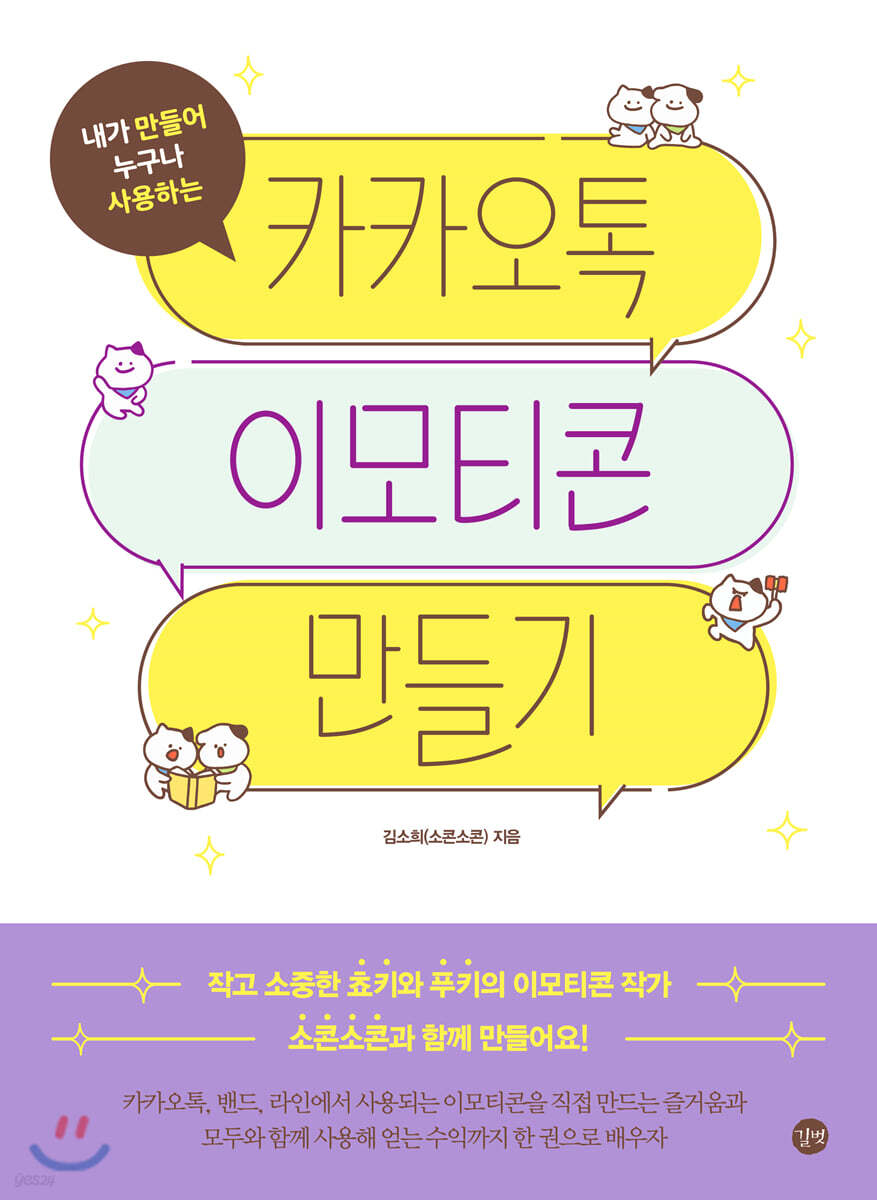
Creating KakaoTalk emoticons
 |
Description
Book Introduction
Emoticons, the small pleasures we use every day
Let's make it with 'Sokonsokon'!
Starting with [Bonggu who knows the mood], [Choki~ So small and precious], [Pookie~ So cute], and more, the emoticon creator 'Sokonsokon', who released various emoticons, contains the know-how of making emoticons in 'Making KakaoTalk Emoticons'. It explains the commercialization process from planning emoticons to sketching, making, proposing, and getting approval.
Even without formal training in drawing, you can develop everyday ideas into emoticons.
Let's challenge ourselves to create our own emoticons, which have become an essential part of online communication, and make them available for everyone to use.
- You can preview some of the book's contents.
Preview
index
Preview
Emoticon Q&A
A glance at the work process
PART 00: Getting to Know Emoticons
Chapter 01: Getting to Know Emoticons
STEP 1 What is an emoticon?
STEP 2 Uses of emoticons
STEP 3: The Growing Emoticon Market
PART 01 Preparing emoticons
Chapter 01: Learn about emoticon supplies
STEP 1 Find the tablet that's right for you
STEP 2: Find the right emoji creator for you
Chapter 02 Researching and Gathering Data
STEP 1 Characteristics of each emoticon platform
STEP 2: Identifying Popular Emojis
STEP 3 Different types of emoticons
STEP 4 Reference Site
PART 02 Planning Emoticons
Chapter 01 Developing Ideas
STEP 1: Finding Ideas from Experience
STEP 2: Observe the people and pets around you
STEP 3 Applying the Trend
STEP 4: Develop your ideas by doodling
Chapter 02: Understanding Emoticon Planning
STEP 1 Characteristics of Mobile Emoticons
STEP 2 Emoticon Planning Checklist
STEP 3: Decide on a concept
STEP 4: Set a clear target
STEP 5: Choose an emoticon title
Organizing Practice Note Ideas
PART 03 Character Setting
Chapter 01 Creating a Character
STEP 1: Choose your materials
STEP 2 Various character appearances
STEP 3: Setting up your character
STEP 4: Creating Character Guidelines
Chapter 02 Character Directing
STEP 1: Create an expression
STEP 2: Producing props
STEP 3 Using letters
STEP 4 Sub-characters
Practice Notes: Drawing Characters
PART 04 Creating a Storyboard
Chapter 01 Thinking of 24 Messages
STEP 1 Think about expressing emotions and situations
STEP 2: Thinking about a concept message
STEP 3: Expressing Character Personality
STEP 4: Configure interactively
Chapter 02 Sketching
STEP 1: Explore the Efficient Sketching Steps
STEP 2 Sketch on paper
STEP 3 Sketching with iPad Photoshop
STEP 4: Designing the Movement
Designing a Practice Note Message
PART 05 Working with the frozen emoji
Chapter 01 Preparing for Photoshop
STEP 1: Explore Photoshop
STEP 2: Learn about frequently used tools
STEP 3 Create a new file
STEP 4 Basic shortcuts to speed up your work
Chapter 02: Process of creating a frozen emoticon
STEP 1: Draw a sketch
STEP 2 Setting up the brush
STEP 3: Draw emojis with a brush
STEP 4 Coloring the Emoji
STEP 5: Insert emoji text
STEP 6: Saving emoticons
Practice Notes: Drawing a Stopped Emoji
PART 06 Working with animated emoticons
Chapter 01 The Secret to Vivid Animation
STEP 1 Basic Principles of Animation
STEP 2: Motion of letters
STEP 3 Effect Cycle
STEP 4: Drawing frequently used gestures
Chapter 02 Creating animated emoticons
STEP 1: Learn the work order
STEP 2 Learn how to transform frames
STEP 3 Setting up the timeline
STEP 4 Creating an Animated Emoticon
STEP 5 Save
Practice Notes: Drawing Moving Emoticon Frames
PART 07 Suggestion
Chapter 01 Proposing to various platforms
STEP 1 Kakao Emoticon Studio
STEP 2 Band Sticker Shop
STEP 3 Naver OGQ Market
STEP 4 Mojito
STEP 5 line
Chapter 02 Understanding the Commercialization Process
STEP 1 Kakao Emoticon Commercialization Process
STEP 2 Band Emoticon Commercialization Process
PART 08 Working as a Writer
Chapter 01 Promoting Your Work
STEP 1: Create an emoticon promotional video with Photoshop
STEP 2 Promote through various social media platforms
Chapter 02 Continuing as a Writer
STEP 1 Registering character copyright
STEP 2: Communicate with the emoticon creator
Detailed image

Publisher's Review
If only there was a 'story'
Emoticons that anyone can make!
Anyone can easily create emoticons as long as they can convey a 'story', even if they have no formal training in drawing.
"Making KakaoTalk Emoticons" teaches you how to discover various materials encountered in everyday life, develop ideas, and plan them into emoticons.
You can learn the know-how of emoticon creator 'Sokonsokon', who has 10 types of emoticons, from the process of creating emoticons for various platforms such as KakaoTalk, Band, and Line, from proposal to approval, all in one book.
With emoticon artist 'Sokonsokon'
How to create emoticons used in KakaoTalk, Line, and Band!
Let's learn the emoticon-making know-how of emoticon creator 'Sokonsokon', who released various emoticons such as [Bonggu who knows the mood], [Choki~ So small and precious], and [Pookie~ So cute], and create our own emoticons to use with everyone.
Everything will be revealed, from how to suggest emoticons for each platform, which is the most curious thing for those who are trying to create emoticons, to the commercialization process that leads to their release after approval.
Well-made emoticons can become character products and generate quite a bit of revenue through goods, collaborations, etc.
Let's create emoticons that anyone can use every day with the mindset of 'It's my turn next!' and the joy of drawing.
GOODS SPECIFICS
- Date of issue: September 18, 2020
- Page count, weight, size: 336 pages | 720g | 188*257*14mm
- ISBN13: 9791165212698
- ISBN10: 1165212692
You may also like
카테고리
korean


korean


