

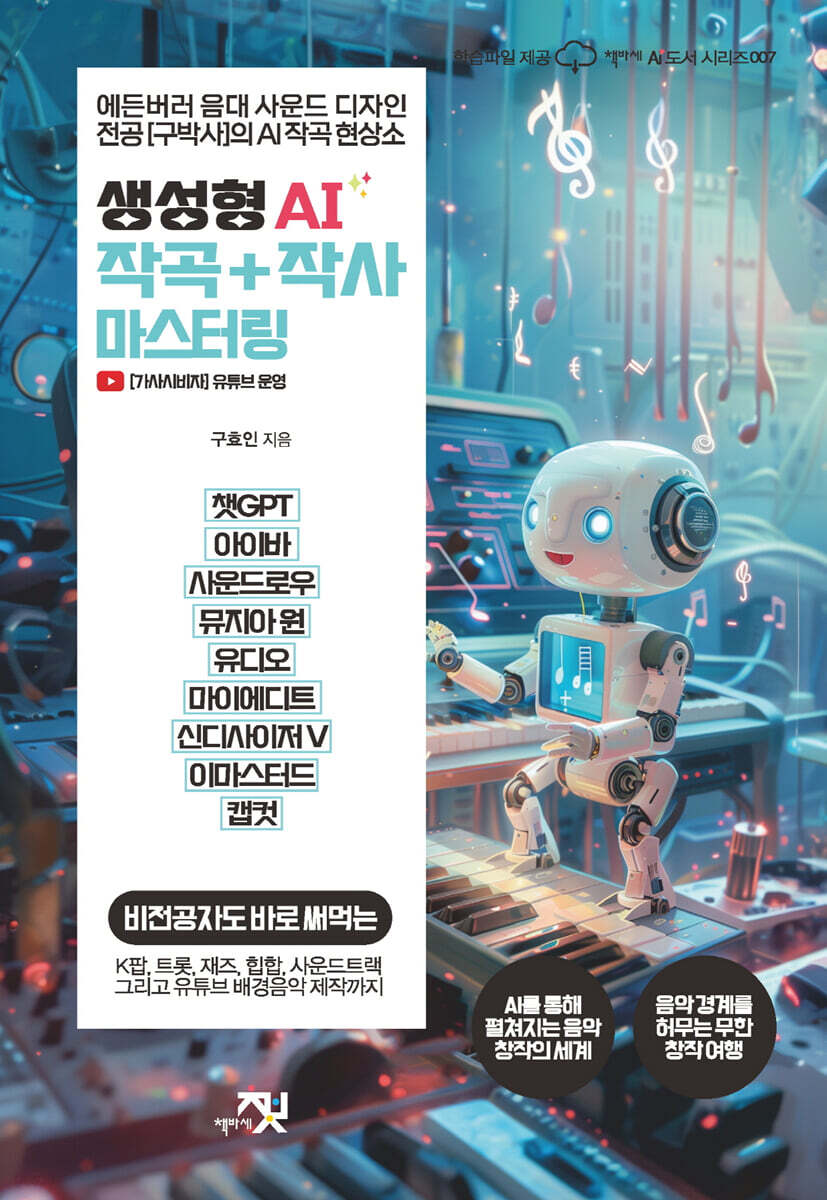
Generative AI Composition + Lyrics Mastering
 |
Description
Book Introduction
An innovative guidebook that opens new horizons in AI-powered music creation! This book presents a method that covers the entire process of music creation, from composition and lyrics to sound source utilization, using leading generative AI technologies such as ChatGPT, iBa, Soundlow, Musia One, MyEdit, Synthesizer V, and eMaster. It provides practical tips and insights that anyone, from music novice to expert, can easily follow, and explores the infinite possibilities of music creation with AI. Now, through this book, I hope you will expand the boundaries of musical creation and prepare to share your unique sound with the world. |
- You can preview some of the book's contents.
Preview
index
prolog
How to use learning materials
Glossary of Terms in the Book (AI & Composition)
00 How to Compose Music Easily (Warm-up)
00-1 10 minutes to complete, from composition to lyrics and beats
Super-easy music composition with Suno
Generating Lyrics in ChatGPT: Maximizing Suno's Utilization
Download the generated song
How to Use ChatGPT to Get Great Lyrics
Check out the highly useful paid version of Suno
00-2 What AI composition programs are there?
AIVA
Soundraw
Musia One
Udio
Super-easy composition using Udio
01 Start composing
01-1 Understanding General Composition Programs
About MIDI
About DAW
01-2 Why Compose with Artificial Intelligence (AI)
Continuous increase in creativity and innovation
Self-driving music production
Better collaboration and integration
Data-driven predictions and music trend analysis
01-3 Concept and Advantages of AI Composition
Compensating for lack of creativity
Overcoming learning and experience gaps
Save time and money
Personalized music experience
Real-time feedback and corrections
Interaction and Learning
Diversity of musical styles
01-4 Music Fundamentals for Non-Majors
Note
Solfege
Major key & Minor key
Chord
Melody
Instrument (Chord)
02 Create a super-easy song with Aibaro
02-1 Installing and Using iBa
Explore the main menu (functions) of Aiba
Using Create Track: Creating a Song Using From a Style
Using Create Track: Creating a Song Using From a Chord Progression
Using Create Track: Creating a Song Step by Step
02-2 Arrange the created song in detail
Add an instrument configuration
Setting the beat
02-3 Setting a song style with Style Designer
Creating a Soundtrack Genre: Practicing Different Styles
Check out the iBa plan
03 Creating a song with SoundLow
03-1 Installing and Using SoundLow
Explore Soundlow's main menu (functions)
Composing with SoundLow: Creating a Pop Genre
Check out Soundlow's plans
04 Composing and arranging using Musia One
04-1 Installing and Using Musia One
Explore the main menu (functions) of Musia One
04-2 Creating a Tropical House Genre Song
Explore the Musia plugin
Check out Musia One's rates
05 Voice synthesis using Synthesizer V
05-1 Installing and Learning How to Use Synthesizer V
Set the song to be applied to your voice
Write lyrics (Korean)
06 Sound Mixing and Mastering
06-1 Understanding Sound Mixing
The importance of mixing
06-2 Understanding Mastering
The Importance of Mastering
06-3 Mastering Using Artificial Intelligence (AI)
Mastering using iMaster
View the eMaster plan: Download
07 Practical song production and use of sound sources
07-1 Creating music of various genres
Making Jazz Music: Using Iva
Making Hip-Hop Music: Using SoundRow
Creating Soundtracks (for Movies, Games, and BGM): Using Musia One
How to set up chord progression and specify parts for non-majors
Making Trot: Using Musia One
Creating YouTube Background Music: Using Udio
07-2 Reviewing the most frequently used key codes
Major chord
minor chord
Seventh chords
Major scale
minor scale
07-3 Using the produced sound source
About AI sound source copyright
Installing and learning how to use MyEdit
Check out MyEdit's pricing plans
Create images and background music with MyEdit
Creating a visualizer with Capcut
Creating an album jacket using MyEdit
AI Tools for Better Album Cover Design
Epilogue
Detailed image

GOODS SPECIFICS
- Date of issue: May 24, 2024
- Page count, weight, size: 224 pages | 331g | 153*218*11mm
- ISBN13: 9791194000006
- ISBN10: 1194000002
You may also like
카테고리
korean


korean


