

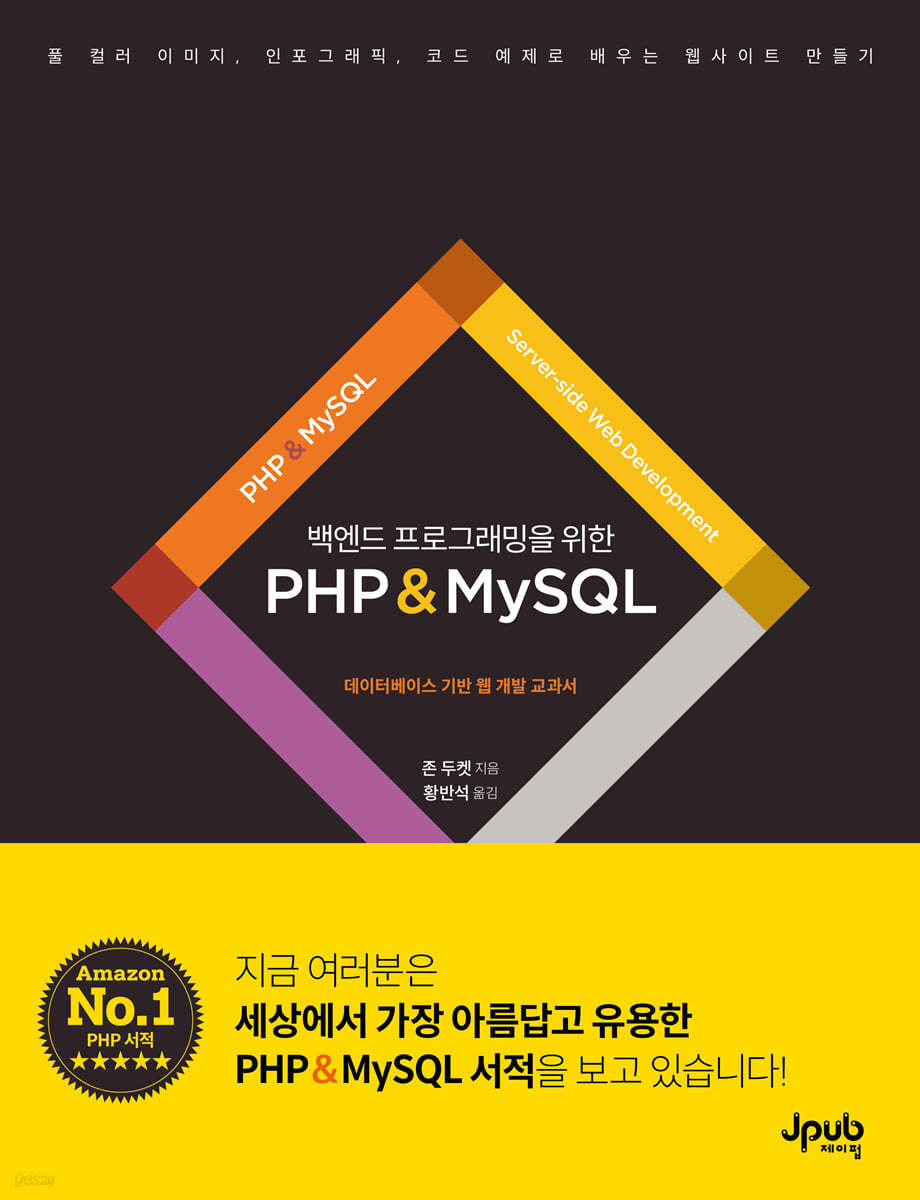
PHP & MySQL for backend programming
 |
Description
Book Introduction
Now let's study programming beautifully and elegantly.
Say goodbye to boring and difficult programming books.
Let's study programming with gorgeous and beautiful images.
Learn how to create a website with full-color images that are easy to follow, simple code, and, above all, beautiful to look at.
The author has applied the same visual breakdown of code and concepts as his previous works, which were world-class IT bestsellers, to PHP, creating another masterpiece.
This guide will guide you through the entire process of creating a website based on a MySQL database using PHP, allowing you to learn in a fun and hands-on manner how to sign up, create and edit content, upload images, manage profiles, and use comments and likes.
Say goodbye to boring and difficult programming books.
Let's study programming with gorgeous and beautiful images.
Learn how to create a website with full-color images that are easy to follow, simple code, and, above all, beautiful to look at.
The author has applied the same visual breakdown of code and concepts as his previous works, which were world-class IT bestsellers, to PHP, creating another masterpiece.
This guide will guide you through the entire process of creating a website based on a MySQL database using PHP, allowing you to learn in a fun and hands-on manner how to sign up, create and edit content, upload images, manage profiles, and use comments and likes.
- You can preview some of the book's contents.
Preview
index
Translator's Preface v
Beta Reader Review vii
Starting with 1
PART I BASIC PROGRAMMING COMMANDS 17
Installing the software / Downloading sample code / How to mix HTML and PHP code in a PHP page / How PHP sends text and HTML to the browser / Writing content to a page / Comments / Adding comments to code
Chapter 1 Variables, Expressions, and Operators 29
Variables / Creating and accessing variables / How to name variables / Scalar (basic) data types / Updating variable values / Arrays / Associative arrays / Creating and accessing associative arrays / Indexed arrays / Creating and accessing indexed arrays / Storing arrays within arrays / Multidimensional arrays / Shorthand notation for echo / Using shorthand notation for echo / Expressions and operators / Arithmetic operators / Using arithmetic operators / String operators / Concatenating strings / Comparison operators / Logical operators / Using comparison operators / Using logical operators / Type juggling: Converting data types / Basic PHP pages / Processing and printing data / Summary
Chapter 2 Control Structures 67
Conditional Statements / Curly Braces Form Code Blocks / Structure of Conditional Statements / Using the if Statement / Ternary Operator / Using the Ternary Operator / if...
Using the elseif statement / Using the switch statement / Using the match expression / Loops / While loop / Using the while loop / Do…while loop / Using the do…while loop / For loop / Using the for loop with three expressions / Using the for loop / Foreach loop / Looping through keys and values / Repeating code using include files / Including and requiring files / Creating include files / Using include files / Examples / Summary
Chapter 3 Functions 103
Using functions / Defining and calling functions / Basic functions / Code is not always executed in order / Retrieving data from functions / Functions that return values / Defining functions that require information / Calling functions that require information / Functions that use parameters / Naming functions / Scope / Demo of scope / Global and static variables / Accessing variables outside the function / Functions and complex data types / Receiving and returning multiple values / Declaring arguments and return types / Using type declarations / Enabling strict typing / Using strict typing / Multiple return statements / Using multiple return statements in functions / Optional parameters and default values / Using default values for parameters / Designated arguments / Using designated arguments / Approaches to writing functions / Why use functions? / Documenting functions / Examples / Summary
Chapter 4 Objects & Classes 143
Website as a Model / Properties & Methods / Object Data Types / Classes are Templates for Object Creation / How to Create and Use Objects / Classes: Templates for Objects / Creating Objects Using Classes / Accessing and Updating Properties / Using Objects and Properties / Defining and Calling Methods / Using Object Methods / Constructor Methods / Using Classes and Constructors / Visibility of Properties and Methods / Using Getters and Setters / Storing Arrays as Properties of Objects / Using Arrays as Properties of Objects / Storing Objects as Properties of Objects / Using Objects as Properties of Objects / Advantages of Using Objects / Examples / Summary
PART II DYNAMIC WEB PAGES 177
HTTP requests and responses / How to send data using HTTP GET and POST / How to send data with links or forms / Securing data exchanged with the server / Encoding schemes / Built-in toolkit of the PHP interpreter / Superglobal arrays / Data in the $_SERVER superglobal array / Built-in functions to display variable data / Displaying the contents of variables / Error messages / Example error messages / Settings and options for the PHP interpreter / Viewing settings for the PHP interpreter / Changing interpreter settings: php.ini / Changing server settings: .htaccess
Chapter 5 Built-in Functions 201
Checking the length of uppercase and lowercase letters / Converting case and counting characters / Finding characters in a string / Checking characters in a string / Removing and replacing characters / Replacing characters in a string / Multibyte string functions / Using multibyte string functions / Regular expressions / Regular expression functions / Using regular expressions / Working with numbers / Numeric functions / Working with arrays / Array functions / Adding and removing items from an array / Array update functions / Sorting an array (changing the order) / Array sort functions / Constants / Using constants / Adding or updating HTTP headers / Redirecting users using HTTP headers / Data about files and deleting files / Getting file information / Summary
Chapter 6 Retrieving Data from the Browser 231
Four steps to collecting and using data / Receiving data via HTTP GET / Selecting content using query strings / Handling missing data in a superglobal array / Selecting content using query strings / Validating data / Validating query string data / Displaying an error page if data is missing / Sending visitors to an error page / Escaping results / The dangers of not escaping / Escaping reserved HTML characters / Escaping user-supplied content / How form data is sent to the server / Retrieving form data / How to receive form data / How to check if a form was submitted / Checking if a form was submitted / Validating numbers / Checking if numbers are valid / Validating text length / Checking text length / Validating data using regular expressions / Validating password length / Select boxes and radio buttons / Validating options / How to check if a checkbox is checked / Validating checkboxes / Validating multiple values / Validating forms / Collecting data using filter functions / Using filter functions to collect data / Validation filters / Using filters to check for a single value / Collecting values using filters / Filters to validate multiple inputs / Validating multiple inputs with filters / Filter functions that work with variables / Validating data in variables / Validating filters, flags, and options / Removing filters / Applying removal filters to variables / Validating forms using filters / Summary
Chapter 7 Images & Files 285
Uploading files from the browser / Receiving files from the server / Checking if a file was uploaded / Moving a file to its destination / Moving uploaded files / Resolving file names and duplicate files / Checking file size and file type / Verifying file uploads / Resizing images / Crop images / Editing images using extensions / Resizing images using GD / Resizing and cropping with Imagick / Summary
Chapter 8 Date & Time 309
Date format / Time format / Specifying date and time using strings / Unix timestamp / Date built-in functions and time built-in functions / Date functions / Objects representing date and time / DateTime object / Updating the date and time of a DateTime object / How to set the date and time in a DateTime object / Representing intervals using DateInterval / DateInterval object / Recurring events using DatePeriod / DatePeriod object / Managing time zones using DateTimeZone / DateTimeZone object / Summary
Chapter 9 Cookies & Sessions 329
What are cookies? / How to create and access cookies / Setting and accessing cookies / Cookie security / Controlling cookie settings / What are sessions? / How to create and access sessions / Storing and accessing data in sessions / Session lifespan / Basic login system / How to require users to log in to view pages / Summary
Chapter 10 Error Handling 349
Controlling how PHP errors are displayed / Understanding error messages / Levels and types of errors / Syntax errors / Fatal errors / Non-fatal errors (warnings or notices) / Debugging: Tracking down errors / Activating your site / Error handling functions / Non-fatal error handling functions / Exceptions / Handling exceptions with try…catch / Default exception handling functions / Handling exceptions using try…catch / Raising custom exceptions / Catching different exception types / Default errors and exception handling / How to display web server errors / Summary
PART III DATABASE-BASED WEBSITES 381
Introduction to the sample website / How relational databases store data / Data types in a database / Avoiding data duplication in a database / Using phpMyAdmin for MySQL operations / Using phpMyAdmin to manage databases / Setting up a sample database / Touring a sample database / Creating database user accounts
Chapter 11 Structured Query Language 397
Retrieving data from a database / Returning specific rows from a table / Using comparison operators in SQL / Retrieving results with LIKE and wildcards / Searching on values / Controlling the order of rows in a result set / Sorting results / Counting and grouping results / Counting the number of matching results / Limiting and skipping results / Limiting the number of matching results / Using JOIN to retrieve data from two tables / How JOIN behaves when data is missing / Retrieving data from multiple tables / Using multiple JOINs / Aliases / Using aliases for column names / Joining columns & replacing NULL / CONCAT and COALESCE / Article queries for an example CMS / Adding data to a database / Updating data in a database / Deleting data from a database / Uniqueness constraints / Foreign key constraints / Summary
Chapter 12 Retrieving & Displaying Data from a Database 433
Connecting to a database / Database connections can be placed in include files / How one PHP file can display different data / Retrieving data using SQL queries / Retrieving one row of data from a database / Checking if a query returned data / Retrieving multiple rows of data from a database / Looping to retrieve one row of data at a time / Using mutable data in SQL queries / Displaying different data on the same page / Binding values to SQL queries / Binding integers to SQL queries / Displaying multiple pages using a single file / Displaying the correct page using query strings / Displaying database data in an HTML page / Specifying the data format used in an HTML page / Functions that execute SQL statements / Custom PDO functions without parameters / Custom PDO functions with parameters / How to run an entire site with just a few PHP files / Header and footer files / Home page / Category pages / Article pages / Members pages / Creating a search function / Search pages / Retrieving data as objects / Setting fetch mode to retrieve objects / Retrieving data in objects using classes / Creating objects using existing classes / Summary
Chapter 13 Updating Data in a Database 483
Adding data to a table / Updating data in a table / Deleting data from a table / Retrieving the ID of a new row of data / Finding out how many rows have changed / Preventing duplicate values in a column / Creating a web page to edit database data / Creating, updating, and deleting categories / Creating and updating data / Retrieving and validating category data / Saving category data / Forms for creating or editing category data / Deleting categories / Creating and editing articles / Transactions: Multiple SQL statements / Articles: Setting up a page (Part A) / Articles: Retrieving and validating data (Part B) / Articles: Saving changes (Part C) / Articles: Forms/messages (Part D) / Deleting articles / Summary
PART IV EXTENDING THE SAMPLE APPLICATION 521
Absolute and relative paths / File structure and the document root / Configuration files / Bootstrap files / How variables store data
Chapter 14: Refactoring & Dependency Injection 533
Using objects for database operations / Database objects / Container objects / CMS container objects / Database classes / Category classes / Creating, updating, and deleting categories / Retrieving article data / Using CMS objects / Code refactoring methods / Class autoloading / Validation classes using static methods / Summary
Chapter 15: Namespaces & Libraries 557
Creating a namespace / Using code in a namespace / Using namespaces in CMS classes / Importing code into a namespace / Importing classes into the current namespace / How to use libraries / Using packages with Composer / Packagist: Directory of packages / Installing packages with Composer / Managing packages with Composer / HTML Purifier: Allowing HTML content / Adding HTML Purifier to your CMS / TWIG: A template engine / Using the TWIG object to render templates / TWIG options / Global variables and extensions / Using BOOTSTRAP to create TWIG objects / Updating PHP pages / PHP files that fetch and render data / Accessing data in TWIG templates / Displaying data in TWIG templates / Using conditions in TWIG templates / Using loops in TWIG templates / How to structure template files / Parent and child category templates / Article summary templates / Article templates / Sending emails using PHPMailer / Setting up a connection to an SMTP server / Creating and sending emails / Classes that create and send emails / Using the Email class / Summary
Chapter 16 Membership 603
Updating the database / Registering users / Password hashing / Generating and verifying hashed passwords / Registering new members (Part 1) / Registering new members (Part 2) / Logging in and personalization / Logging in (Part 1) / Logging in (Part 2) / Using sessions to store user data / Personalizing the navigation bar / Adding options to a member's profile page / Restricting access to admin pages / Email link to update the database and token / Storing tokens in the database / Requesting a password reset / Resetting a password / Summary
Chapter 17: Adding Features 633
SEO-friendly URLs / Updated file structure / Implementing SEO-friendly URLs / URL rewriting / Updating URLs / Handling requests / Generating SEO names / Saving SEO names / Displaying pages with SEO-friendly names / Planning new features / Saving comments / Saving likes / Displaying summaries with like & comment counts / Adding and removing likes / Adding comments to articles / Updating article page templates / Summary
Search 663
Beta Reader Review vii
Starting with 1
PART I BASIC PROGRAMMING COMMANDS 17
Installing the software / Downloading sample code / How to mix HTML and PHP code in a PHP page / How PHP sends text and HTML to the browser / Writing content to a page / Comments / Adding comments to code
Chapter 1 Variables, Expressions, and Operators 29
Variables / Creating and accessing variables / How to name variables / Scalar (basic) data types / Updating variable values / Arrays / Associative arrays / Creating and accessing associative arrays / Indexed arrays / Creating and accessing indexed arrays / Storing arrays within arrays / Multidimensional arrays / Shorthand notation for echo / Using shorthand notation for echo / Expressions and operators / Arithmetic operators / Using arithmetic operators / String operators / Concatenating strings / Comparison operators / Logical operators / Using comparison operators / Using logical operators / Type juggling: Converting data types / Basic PHP pages / Processing and printing data / Summary
Chapter 2 Control Structures 67
Conditional Statements / Curly Braces Form Code Blocks / Structure of Conditional Statements / Using the if Statement / Ternary Operator / Using the Ternary Operator / if...
Using the elseif statement / Using the switch statement / Using the match expression / Loops / While loop / Using the while loop / Do…while loop / Using the do…while loop / For loop / Using the for loop with three expressions / Using the for loop / Foreach loop / Looping through keys and values / Repeating code using include files / Including and requiring files / Creating include files / Using include files / Examples / Summary
Chapter 3 Functions 103
Using functions / Defining and calling functions / Basic functions / Code is not always executed in order / Retrieving data from functions / Functions that return values / Defining functions that require information / Calling functions that require information / Functions that use parameters / Naming functions / Scope / Demo of scope / Global and static variables / Accessing variables outside the function / Functions and complex data types / Receiving and returning multiple values / Declaring arguments and return types / Using type declarations / Enabling strict typing / Using strict typing / Multiple return statements / Using multiple return statements in functions / Optional parameters and default values / Using default values for parameters / Designated arguments / Using designated arguments / Approaches to writing functions / Why use functions? / Documenting functions / Examples / Summary
Chapter 4 Objects & Classes 143
Website as a Model / Properties & Methods / Object Data Types / Classes are Templates for Object Creation / How to Create and Use Objects / Classes: Templates for Objects / Creating Objects Using Classes / Accessing and Updating Properties / Using Objects and Properties / Defining and Calling Methods / Using Object Methods / Constructor Methods / Using Classes and Constructors / Visibility of Properties and Methods / Using Getters and Setters / Storing Arrays as Properties of Objects / Using Arrays as Properties of Objects / Storing Objects as Properties of Objects / Using Objects as Properties of Objects / Advantages of Using Objects / Examples / Summary
PART II DYNAMIC WEB PAGES 177
HTTP requests and responses / How to send data using HTTP GET and POST / How to send data with links or forms / Securing data exchanged with the server / Encoding schemes / Built-in toolkit of the PHP interpreter / Superglobal arrays / Data in the $_SERVER superglobal array / Built-in functions to display variable data / Displaying the contents of variables / Error messages / Example error messages / Settings and options for the PHP interpreter / Viewing settings for the PHP interpreter / Changing interpreter settings: php.ini / Changing server settings: .htaccess
Chapter 5 Built-in Functions 201
Checking the length of uppercase and lowercase letters / Converting case and counting characters / Finding characters in a string / Checking characters in a string / Removing and replacing characters / Replacing characters in a string / Multibyte string functions / Using multibyte string functions / Regular expressions / Regular expression functions / Using regular expressions / Working with numbers / Numeric functions / Working with arrays / Array functions / Adding and removing items from an array / Array update functions / Sorting an array (changing the order) / Array sort functions / Constants / Using constants / Adding or updating HTTP headers / Redirecting users using HTTP headers / Data about files and deleting files / Getting file information / Summary
Chapter 6 Retrieving Data from the Browser 231
Four steps to collecting and using data / Receiving data via HTTP GET / Selecting content using query strings / Handling missing data in a superglobal array / Selecting content using query strings / Validating data / Validating query string data / Displaying an error page if data is missing / Sending visitors to an error page / Escaping results / The dangers of not escaping / Escaping reserved HTML characters / Escaping user-supplied content / How form data is sent to the server / Retrieving form data / How to receive form data / How to check if a form was submitted / Checking if a form was submitted / Validating numbers / Checking if numbers are valid / Validating text length / Checking text length / Validating data using regular expressions / Validating password length / Select boxes and radio buttons / Validating options / How to check if a checkbox is checked / Validating checkboxes / Validating multiple values / Validating forms / Collecting data using filter functions / Using filter functions to collect data / Validation filters / Using filters to check for a single value / Collecting values using filters / Filters to validate multiple inputs / Validating multiple inputs with filters / Filter functions that work with variables / Validating data in variables / Validating filters, flags, and options / Removing filters / Applying removal filters to variables / Validating forms using filters / Summary
Chapter 7 Images & Files 285
Uploading files from the browser / Receiving files from the server / Checking if a file was uploaded / Moving a file to its destination / Moving uploaded files / Resolving file names and duplicate files / Checking file size and file type / Verifying file uploads / Resizing images / Crop images / Editing images using extensions / Resizing images using GD / Resizing and cropping with Imagick / Summary
Chapter 8 Date & Time 309
Date format / Time format / Specifying date and time using strings / Unix timestamp / Date built-in functions and time built-in functions / Date functions / Objects representing date and time / DateTime object / Updating the date and time of a DateTime object / How to set the date and time in a DateTime object / Representing intervals using DateInterval / DateInterval object / Recurring events using DatePeriod / DatePeriod object / Managing time zones using DateTimeZone / DateTimeZone object / Summary
Chapter 9 Cookies & Sessions 329
What are cookies? / How to create and access cookies / Setting and accessing cookies / Cookie security / Controlling cookie settings / What are sessions? / How to create and access sessions / Storing and accessing data in sessions / Session lifespan / Basic login system / How to require users to log in to view pages / Summary
Chapter 10 Error Handling 349
Controlling how PHP errors are displayed / Understanding error messages / Levels and types of errors / Syntax errors / Fatal errors / Non-fatal errors (warnings or notices) / Debugging: Tracking down errors / Activating your site / Error handling functions / Non-fatal error handling functions / Exceptions / Handling exceptions with try…catch / Default exception handling functions / Handling exceptions using try…catch / Raising custom exceptions / Catching different exception types / Default errors and exception handling / How to display web server errors / Summary
PART III DATABASE-BASED WEBSITES 381
Introduction to the sample website / How relational databases store data / Data types in a database / Avoiding data duplication in a database / Using phpMyAdmin for MySQL operations / Using phpMyAdmin to manage databases / Setting up a sample database / Touring a sample database / Creating database user accounts
Chapter 11 Structured Query Language 397
Retrieving data from a database / Returning specific rows from a table / Using comparison operators in SQL / Retrieving results with LIKE and wildcards / Searching on values / Controlling the order of rows in a result set / Sorting results / Counting and grouping results / Counting the number of matching results / Limiting and skipping results / Limiting the number of matching results / Using JOIN to retrieve data from two tables / How JOIN behaves when data is missing / Retrieving data from multiple tables / Using multiple JOINs / Aliases / Using aliases for column names / Joining columns & replacing NULL / CONCAT and COALESCE / Article queries for an example CMS / Adding data to a database / Updating data in a database / Deleting data from a database / Uniqueness constraints / Foreign key constraints / Summary
Chapter 12 Retrieving & Displaying Data from a Database 433
Connecting to a database / Database connections can be placed in include files / How one PHP file can display different data / Retrieving data using SQL queries / Retrieving one row of data from a database / Checking if a query returned data / Retrieving multiple rows of data from a database / Looping to retrieve one row of data at a time / Using mutable data in SQL queries / Displaying different data on the same page / Binding values to SQL queries / Binding integers to SQL queries / Displaying multiple pages using a single file / Displaying the correct page using query strings / Displaying database data in an HTML page / Specifying the data format used in an HTML page / Functions that execute SQL statements / Custom PDO functions without parameters / Custom PDO functions with parameters / How to run an entire site with just a few PHP files / Header and footer files / Home page / Category pages / Article pages / Members pages / Creating a search function / Search pages / Retrieving data as objects / Setting fetch mode to retrieve objects / Retrieving data in objects using classes / Creating objects using existing classes / Summary
Chapter 13 Updating Data in a Database 483
Adding data to a table / Updating data in a table / Deleting data from a table / Retrieving the ID of a new row of data / Finding out how many rows have changed / Preventing duplicate values in a column / Creating a web page to edit database data / Creating, updating, and deleting categories / Creating and updating data / Retrieving and validating category data / Saving category data / Forms for creating or editing category data / Deleting categories / Creating and editing articles / Transactions: Multiple SQL statements / Articles: Setting up a page (Part A) / Articles: Retrieving and validating data (Part B) / Articles: Saving changes (Part C) / Articles: Forms/messages (Part D) / Deleting articles / Summary
PART IV EXTENDING THE SAMPLE APPLICATION 521
Absolute and relative paths / File structure and the document root / Configuration files / Bootstrap files / How variables store data
Chapter 14: Refactoring & Dependency Injection 533
Using objects for database operations / Database objects / Container objects / CMS container objects / Database classes / Category classes / Creating, updating, and deleting categories / Retrieving article data / Using CMS objects / Code refactoring methods / Class autoloading / Validation classes using static methods / Summary
Chapter 15: Namespaces & Libraries 557
Creating a namespace / Using code in a namespace / Using namespaces in CMS classes / Importing code into a namespace / Importing classes into the current namespace / How to use libraries / Using packages with Composer / Packagist: Directory of packages / Installing packages with Composer / Managing packages with Composer / HTML Purifier: Allowing HTML content / Adding HTML Purifier to your CMS / TWIG: A template engine / Using the TWIG object to render templates / TWIG options / Global variables and extensions / Using BOOTSTRAP to create TWIG objects / Updating PHP pages / PHP files that fetch and render data / Accessing data in TWIG templates / Displaying data in TWIG templates / Using conditions in TWIG templates / Using loops in TWIG templates / How to structure template files / Parent and child category templates / Article summary templates / Article templates / Sending emails using PHPMailer / Setting up a connection to an SMTP server / Creating and sending emails / Classes that create and send emails / Using the Email class / Summary
Chapter 16 Membership 603
Updating the database / Registering users / Password hashing / Generating and verifying hashed passwords / Registering new members (Part 1) / Registering new members (Part 2) / Logging in and personalization / Logging in (Part 1) / Logging in (Part 2) / Using sessions to store user data / Personalizing the navigation bar / Adding options to a member's profile page / Restricting access to admin pages / Email link to update the database and token / Storing tokens in the database / Requesting a password reset / Resetting a password / Summary
Chapter 17: Adding Features 633
SEO-friendly URLs / Updated file structure / Implementing SEO-friendly URLs / URL rewriting / Updating URLs / Handling requests / Generating SEO names / Saving SEO names / Displaying pages with SEO-friendly names / Planning new features / Saving comments / Saving likes / Displaying summaries with like & comment counts / Adding and removing likes / Adding comments to articles / Updating article page templates / Summary
Search 663
Detailed image

Into the book
PHP is a programming language designed to run on web servers, allowing the server to generate an HTML page in response to a user's request for a web page.
This means that HTML pages can be tailored to individual users.
(...) PHP is designed to work with databases like MySQL, which can store data such as the content of the pages your site displays, the products your site sells, and details about your users.
In this book, you will learn how to use PHP to create web pages that allow users to update data stored in a database.
--- p.2
The PHP file creates an HTML page that informs visitors about discounts available when purchasing multiple boxes of candy.
You can see that it does the following:
ㆍ Store information in variables and arrays.
ㆍ Use concatenation operators to combine text in variables to create a personalized greeting for your visitors.
ㆍ Uses arithmetic operators to perform calculations that determine the price to be printed on the page.
ㆍ The new value created by the PHP interpreter is output to the HTML content of the page.
Additionally, when you update the values stored in variables, the page automatically reflects the new products and prices.
--- p.63
Websites often need to display multiple items of the same type.
News sites publish many news articles, stores sell many products, and sites that allow users to sign up have many members.
Each of these can be represented in code using objects. PHP uses something called a class, which is a template for creating an object that represents a type of thing.
For example, you could create one class to represent a product and another class to represent a member.
Each object created using a class is automatically granted the properties and methods defined in that class.
--- p.144
In this chapter, we'll look at how visitors register as members of your site.
Then, it displays a personalized page that is visible only to logged-in members.
(...) To learn how to do this, this chapter is divided into three parts.
ㆍ Membership registration on the site: A method of collecting and storing information necessary to identify individual members of the site in a database.
Login and page personalization: How to enable members to log in, how to create pages tailored to individual members, and how to create member-only pages.
ㆍ Updating the database without requiring the user to log in: How to update the database without requiring the user to log in first, for example, when a password needs to be updated.
This involves addressing a new set of security requirements.
--- p.604
So far in this book, the URL for each page on the sample site has been the path to the PHP file that should be executed.
If the page had to fetch data from a database, the ID of the data was specified in the query string.
Most websites use URLs that are more descriptive and SEO-friendly than file paths.
When a visitor requests such a descriptive URL, the site converts the URL into a file path and tells that file what data to display.
This is a technique called URL rewriting.
--- p.636
When a user logs in, the Like icon on the article page becomes a link.
This linked file checks if the user liked the article, and adds a like if they didn't.
If you liked it, unlike it.
For this, a method of the Like class is called.
This means that HTML pages can be tailored to individual users.
(...) PHP is designed to work with databases like MySQL, which can store data such as the content of the pages your site displays, the products your site sells, and details about your users.
In this book, you will learn how to use PHP to create web pages that allow users to update data stored in a database.
--- p.2
The PHP file creates an HTML page that informs visitors about discounts available when purchasing multiple boxes of candy.
You can see that it does the following:
ㆍ Store information in variables and arrays.
ㆍ Use concatenation operators to combine text in variables to create a personalized greeting for your visitors.
ㆍ Uses arithmetic operators to perform calculations that determine the price to be printed on the page.
ㆍ The new value created by the PHP interpreter is output to the HTML content of the page.
Additionally, when you update the values stored in variables, the page automatically reflects the new products and prices.
--- p.63
Websites often need to display multiple items of the same type.
News sites publish many news articles, stores sell many products, and sites that allow users to sign up have many members.
Each of these can be represented in code using objects. PHP uses something called a class, which is a template for creating an object that represents a type of thing.
For example, you could create one class to represent a product and another class to represent a member.
Each object created using a class is automatically granted the properties and methods defined in that class.
--- p.144
In this chapter, we'll look at how visitors register as members of your site.
Then, it displays a personalized page that is visible only to logged-in members.
(...) To learn how to do this, this chapter is divided into three parts.
ㆍ Membership registration on the site: A method of collecting and storing information necessary to identify individual members of the site in a database.
Login and page personalization: How to enable members to log in, how to create pages tailored to individual members, and how to create member-only pages.
ㆍ Updating the database without requiring the user to log in: How to update the database without requiring the user to log in first, for example, when a password needs to be updated.
This involves addressing a new set of security requirements.
--- p.604
So far in this book, the URL for each page on the sample site has been the path to the PHP file that should be executed.
If the page had to fetch data from a database, the ID of the data was specified in the query string.
Most websites use URLs that are more descriptive and SEO-friendly than file paths.
When a visitor requests such a descriptive URL, the site converts the URL into a file path and tells that file what data to display.
This is a technique called URL rewriting.
--- p.636
When a user logs in, the Like icon on the article page becomes a link.
This linked file checks if the user liked the article, and adds a like if they didn't.
If you liked it, unlike it.
For this, a method of the Like class is called.
--- p.654
Publisher's Review
The magic of visualizing programming concepts so they stick in your head
When you open a programming book, you are greeted by a torrent of complex codes filled with symbols and characters.
Each piece of code must have some meaning, but it's not easy to know how to distinguish them.
This book was created to beautifully resolve such beginner difficulties.
It's colorful and fun to look at in full-color pages, and the code is visually separated to make it easy to understand right away.
If you follow along step by step, you will be able to read and write PHP and create your own website.
PHP is a constantly updated programming language used by some of the world's best websites, including Facebook, Wikipedia, and WordPress.
This book is designed for beginners who are new to PHP, starting with basic programming commands and moving on to a step-by-step introduction. After learning the basic PHP commands, you'll explore how to create dynamic web pages using PHP.
Next, you'll learn how to create and manage a database using MySQL to build a database-driven website.
And based on what you've learned, you'll learn how to build a website and add features like membership, likes, and comments to it, as well as how to find and use PHP classes shared in the PHP community.
The author wrote a programming book while pondering 'a better way to study.'
We've designed it to visualize complex programming concepts so readers can grasp and understand the meaning at a glance.
These efforts were also well-received in previous works, and were even praised as "the most beautiful programming book in the world."
Complete your website with this beautifully structured yet informative book.
Key Contents
- Reading and writing PHP code
- Store data in a MySQL database
- Create a site that adapts its web pages to the visitor.
- Building a content management system (CMS) and social network
- Implementation of membership registration and login functions
- Add comment and like features
When you open a programming book, you are greeted by a torrent of complex codes filled with symbols and characters.
Each piece of code must have some meaning, but it's not easy to know how to distinguish them.
This book was created to beautifully resolve such beginner difficulties.
It's colorful and fun to look at in full-color pages, and the code is visually separated to make it easy to understand right away.
If you follow along step by step, you will be able to read and write PHP and create your own website.
PHP is a constantly updated programming language used by some of the world's best websites, including Facebook, Wikipedia, and WordPress.
This book is designed for beginners who are new to PHP, starting with basic programming commands and moving on to a step-by-step introduction. After learning the basic PHP commands, you'll explore how to create dynamic web pages using PHP.
Next, you'll learn how to create and manage a database using MySQL to build a database-driven website.
And based on what you've learned, you'll learn how to build a website and add features like membership, likes, and comments to it, as well as how to find and use PHP classes shared in the PHP community.
The author wrote a programming book while pondering 'a better way to study.'
We've designed it to visualize complex programming concepts so readers can grasp and understand the meaning at a glance.
These efforts were also well-received in previous works, and were even praised as "the most beautiful programming book in the world."
Complete your website with this beautifully structured yet informative book.
Key Contents
- Reading and writing PHP code
- Store data in a MySQL database
- Create a site that adapts its web pages to the visitor.
- Building a content management system (CMS) and social network
- Implementation of membership registration and login functions
- Add comment and like features
GOODS SPECIFICS
- Date of issue: April 17, 2023
- Page count, weight, size: 680 pages | 188*245*28mm
- ISBN13: 9791192469836
- ISBN10: 1192469836
You may also like
카테고리
korean


korean

![GQ KOREA Mark (Monthly): December [2025]](http://librairie.coreenne.fr/cdn/shop/files/8ef265dbbfbf186523ed75ba7319009d.jpg?v=1765340328&width=3840)


