

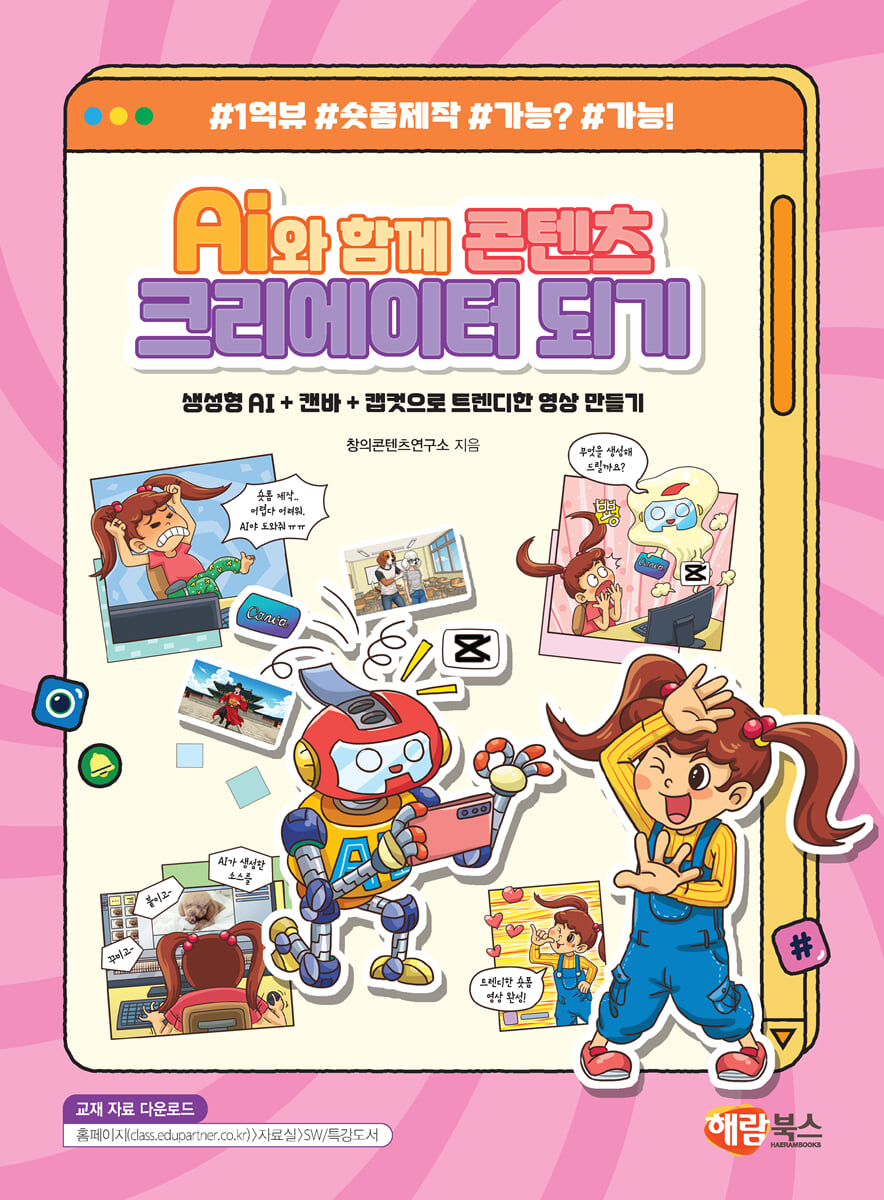
Become a content creator with AI
 |
Description
Book Introduction
I can make a short-form video with 100 million views!
Create trendy short-form content with generative AI tools and Canva & Capcut!
“Even elementary school students can become short-form content creators!”
This textbook covers how to easily and enjoyably create short-form content (TikTok, Shorts, Reels) using generative AI tools and design and video editing tools.
This course is designed to help you first understand the AI ethics that are essential to using a generative AI platform, then create image and video sources to use in short-form production using Google's generative AI tools (Gemini, Whisk), and then create trendy short-form content using the graphic tool 'Canva' and the video editing tool 'Capcut'.
Create trendy short-form content with generative AI tools and Canva & Capcut!
“Even elementary school students can become short-form content creators!”
This textbook covers how to easily and enjoyably create short-form content (TikTok, Shorts, Reels) using generative AI tools and design and video editing tools.
This course is designed to help you first understand the AI ethics that are essential to using a generative AI platform, then create image and video sources to use in short-form production using Google's generative AI tools (Gemini, Whisk), and then create trendy short-form content using the graphic tool 'Canva' and the video editing tool 'Capcut'.
index
Stage 01 Creating a Short-Form Story
Clip 00 Generative AI and Artificial Intelligence Ethics
· Learn what generative AI is.
· Learn about artificial intelligence ethics.
· Learn about new careers related to artificial intelligence.
Clip 01 Understanding Short Form
· Learn about the concept and pros and cons of short-form.
· Learn about the types of short forms.
· Check out interesting short-form content.
Clip 02 Let's play with Gemini!
· Learn about Gemini, a generative AI.
· Check the screen configuration of Gemini.
· Freely change the style of the image.
· Edit images freely.
Clip 03 Customizing Your Own Avatar
· Learn about prompts.
· Create my avatar by entering the prompt.
· Upload images to apply costumes and props to your avatar.
· Change the composition of your avatar in various ways.
Chapter 04 Creating a Birthday Card
· Combine multiple images to create one image.
· Delete unnecessary parts from the image.
· Add new elements to the image.
· Insert and decorate text into images.
Clip 05 Creating a 4-cut webtoon image
· Write a prompt to create a 4-panel webtoon.
· Create a webtoon image by entering the prompt you created.
· Save the created webtoon image.
Clip 06: Creating a Cafeteria Short Form
· Download background music to use in your short-form videos.
· Create a 4-cut webtoon page using PowerPoint.
· Insert background music and save the webtoon as a video.
Stage 02: Focus! Create a short-form ad.
Clip 07 Creating a Pyong Chicken Commercial Scene
· Use Gemini to create a storyboard for your restaurant advertisement.
· Create a restaurant advertisement storyboard using Gemini.
· Check the screen configuration of the whiskey.
· Create ad scenes to use in short-form videos using Whisk.
Clip 08: Completing the Pyong Chicken Commercial
· Check the screen configuration of the canvas.
· Add a page and upload an image file.
· Decorate your pages by applying animations and inserting elements and text.
· Complete your short-form video by inserting background music and sound effects into the page.
Clip 09: Completing the Cosmetics Commercial Scene
· Use Gemini to create a storyboard for a cosmetics advertisement.
· Create a cosmetic advertising storyboard using Gemini.
· Create ad scenes to use in short-form videos using Whisk.
Clip 10: Complete the Cosmetics Commercial
· Add a page and upload an image file.
· Decorate your pages by applying animations and inserting elements and text.
· Complete your short-form video by inserting background music and AI voice.
Clip 11: Creating a Car Commercial Scene
· Use Gemini to create a storyboard for your car commercial.
· Create a car advertising storyboard using Gemini.
· Create ad scenes to use in short-form videos using Whisk.
Clip 12: Complete the car commercial
· Generate background music using Breve AI.
· Add a page and upload an image file.
· Decorate your pages by applying animations and inserting elements and text.
· Complete your short-form video by adding background music and sound effects.
Stage 03: Hot Hot! Creating a Short-Form Meme
Clip 13: Kkosunnae Lesson! Creating a Scene
· Create a storyboard for the short-form lesson.
· Create scene images by uploading images to Whisk.
· Apply animation to scene images.
· Download the generated animation.
Clip 14: Kkosunnae Lesson! Perfecting the Short Form
· Run CapCut and check the screen configuration.
· Add video files to the CapCut timeline.
· Change the aspect ratio and size of the video.
· Add subtitles and audio to your video.
Clip 15: Creating a Meal Sequence Scene
· Create a storyboard for a short-form meal ranking meme.
· Create scene images by uploading images to Whisk.
· Apply animation to scene images.
· Download the generated animation.
Clip 16: Complete the short form meal sequence
· Add video files to the CapCut timeline.
· Apply transition effects to the video.
· Apply subtitles and sound effects to your videos.
· Import external files and apply background music to the video.
Clip 17 Creating the Han River Cat Scene
· Create a storyboard for the Han River cat meme short form.
· Create scene images by uploading images to Whisk.
· Apply animation to scene images.
· Download the generated animation.
Clip 18: Making a short form of the Han River cat
· Add a video file to the CapCut track.
· Add subtitles to your video.
· Add audio to your video by loading external files.
· Change the speed of the voice.
Stage 04 Creating a Short-Form Challenge
Clip 19: Jump! Creating a Challenge Scene
· Identify reference images to use for your subject and scene.
· Write prompts to create the required scenes.
· Create and save the required scenes in Whisk.
· Write lines that fit the scene.
Clip 20 Jump! Complete the challenge
· Add video and audio files to the CapCut track.
· Apply transition effects to the video.
· Add subtitles and audio to your video.
· Apply background music using the recording function.
Clip 21: Creating a No Roots Challenge Scene
· Identify reference images to use for your subject and scene.
· Write prompts to create the required scenes.
· Create and save the required scenes in Whisk.
· Write lines that fit the scene.
Clip 22: Complete the No Roots! Challenge
· Add video and audio files to the CapCut track.
· Add subtitles and audio to your video.
· Complete your short-form video by adding background music.
Clip 23 Creating a Transition Challenge Scene
· Identify reference images to use for your subject and scene.
· Write prompts to create the required scenes.
· Create and save the required scenes in Whisk.
· Write lines that fit the scene.
Complete the Clip 24 Transition Challenge
· Add video and audio files to the CapCut track.
· Add transition effects to your video.
· Add subtitles and audio to your video.
· Complete your short-form video by adding background music.
Clip 00 Generative AI and Artificial Intelligence Ethics
· Learn what generative AI is.
· Learn about artificial intelligence ethics.
· Learn about new careers related to artificial intelligence.
Clip 01 Understanding Short Form
· Learn about the concept and pros and cons of short-form.
· Learn about the types of short forms.
· Check out interesting short-form content.
Clip 02 Let's play with Gemini!
· Learn about Gemini, a generative AI.
· Check the screen configuration of Gemini.
· Freely change the style of the image.
· Edit images freely.
Clip 03 Customizing Your Own Avatar
· Learn about prompts.
· Create my avatar by entering the prompt.
· Upload images to apply costumes and props to your avatar.
· Change the composition of your avatar in various ways.
Chapter 04 Creating a Birthday Card
· Combine multiple images to create one image.
· Delete unnecessary parts from the image.
· Add new elements to the image.
· Insert and decorate text into images.
Clip 05 Creating a 4-cut webtoon image
· Write a prompt to create a 4-panel webtoon.
· Create a webtoon image by entering the prompt you created.
· Save the created webtoon image.
Clip 06: Creating a Cafeteria Short Form
· Download background music to use in your short-form videos.
· Create a 4-cut webtoon page using PowerPoint.
· Insert background music and save the webtoon as a video.
Stage 02: Focus! Create a short-form ad.
Clip 07 Creating a Pyong Chicken Commercial Scene
· Use Gemini to create a storyboard for your restaurant advertisement.
· Create a restaurant advertisement storyboard using Gemini.
· Check the screen configuration of the whiskey.
· Create ad scenes to use in short-form videos using Whisk.
Clip 08: Completing the Pyong Chicken Commercial
· Check the screen configuration of the canvas.
· Add a page and upload an image file.
· Decorate your pages by applying animations and inserting elements and text.
· Complete your short-form video by inserting background music and sound effects into the page.
Clip 09: Completing the Cosmetics Commercial Scene
· Use Gemini to create a storyboard for a cosmetics advertisement.
· Create a cosmetic advertising storyboard using Gemini.
· Create ad scenes to use in short-form videos using Whisk.
Clip 10: Complete the Cosmetics Commercial
· Add a page and upload an image file.
· Decorate your pages by applying animations and inserting elements and text.
· Complete your short-form video by inserting background music and AI voice.
Clip 11: Creating a Car Commercial Scene
· Use Gemini to create a storyboard for your car commercial.
· Create a car advertising storyboard using Gemini.
· Create ad scenes to use in short-form videos using Whisk.
Clip 12: Complete the car commercial
· Generate background music using Breve AI.
· Add a page and upload an image file.
· Decorate your pages by applying animations and inserting elements and text.
· Complete your short-form video by adding background music and sound effects.
Stage 03: Hot Hot! Creating a Short-Form Meme
Clip 13: Kkosunnae Lesson! Creating a Scene
· Create a storyboard for the short-form lesson.
· Create scene images by uploading images to Whisk.
· Apply animation to scene images.
· Download the generated animation.
Clip 14: Kkosunnae Lesson! Perfecting the Short Form
· Run CapCut and check the screen configuration.
· Add video files to the CapCut timeline.
· Change the aspect ratio and size of the video.
· Add subtitles and audio to your video.
Clip 15: Creating a Meal Sequence Scene
· Create a storyboard for a short-form meal ranking meme.
· Create scene images by uploading images to Whisk.
· Apply animation to scene images.
· Download the generated animation.
Clip 16: Complete the short form meal sequence
· Add video files to the CapCut timeline.
· Apply transition effects to the video.
· Apply subtitles and sound effects to your videos.
· Import external files and apply background music to the video.
Clip 17 Creating the Han River Cat Scene
· Create a storyboard for the Han River cat meme short form.
· Create scene images by uploading images to Whisk.
· Apply animation to scene images.
· Download the generated animation.
Clip 18: Making a short form of the Han River cat
· Add a video file to the CapCut track.
· Add subtitles to your video.
· Add audio to your video by loading external files.
· Change the speed of the voice.
Stage 04 Creating a Short-Form Challenge
Clip 19: Jump! Creating a Challenge Scene
· Identify reference images to use for your subject and scene.
· Write prompts to create the required scenes.
· Create and save the required scenes in Whisk.
· Write lines that fit the scene.
Clip 20 Jump! Complete the challenge
· Add video and audio files to the CapCut track.
· Apply transition effects to the video.
· Add subtitles and audio to your video.
· Apply background music using the recording function.
Clip 21: Creating a No Roots Challenge Scene
· Identify reference images to use for your subject and scene.
· Write prompts to create the required scenes.
· Create and save the required scenes in Whisk.
· Write lines that fit the scene.
Clip 22: Complete the No Roots! Challenge
· Add video and audio files to the CapCut track.
· Add subtitles and audio to your video.
· Complete your short-form video by adding background music.
Clip 23 Creating a Transition Challenge Scene
· Identify reference images to use for your subject and scene.
· Write prompts to create the required scenes.
· Create and save the required scenes in Whisk.
· Write lines that fit the scene.
Complete the Clip 24 Transition Challenge
· Add video and audio files to the CapCut track.
· Add transition effects to your video.
· Add subtitles and audio to your video.
· Complete your short-form video by adding background music.
GOODS SPECIFICS
- Date of issue: November 20, 2025
- Page count, weight, size: 224 pages | 210*285*20mm
- ISBN13: 9791165712440
- ISBN10: 116571244X
- KC Certification: Certification Type: Conformity Confirmation
You may also like
카테고리
korean


korean

![GQ KOREA Mark (Monthly): December [2025]](http://librairie.coreenne.fr/cdn/shop/files/8ef265dbbfbf186523ed75ba7319009d.jpg?v=1765340328&width=3840)


