

Nano Banana
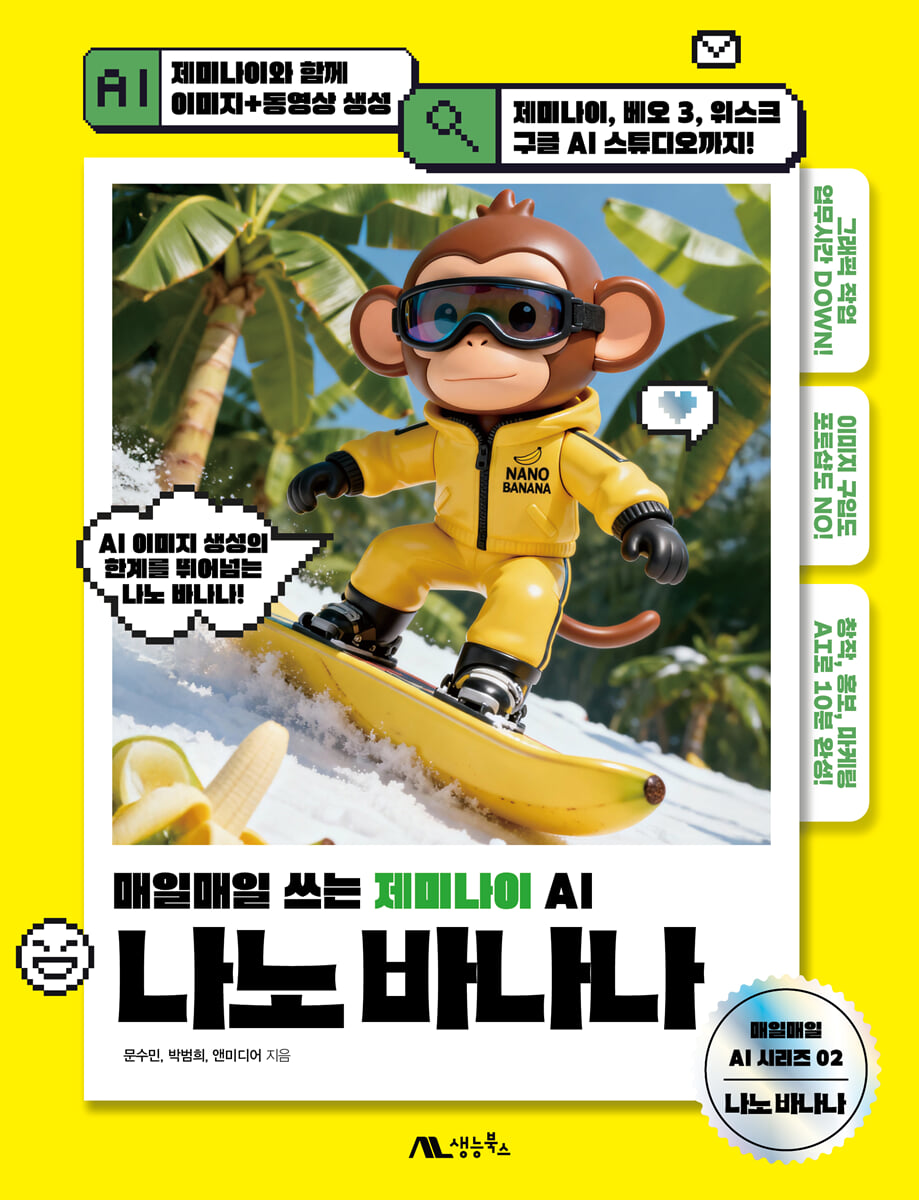 |
Description
Book Introduction
A game changer in image and video creation, advertising, and AI content creation!
Gemini & Nano Banana
Have you ever felt frustrated by the fact that the face of the same character changed every time you created an image? Have you ever spent hours trying to change just one specific part of a character in a complex background?
NANO BANANA has finally become a reality through Gemini.
Nano Banana is a new generation tool that breaks through the limitations of existing image AI.
Now, you can create higher-quality work than professional designers by simply writing a Korean prompt, without the need for difficult editing tools like Photoshop.
Gemini and Nano Banana's AI capabilities precisely understand the user's intent and perfectly implement the results the creator desires.
This book is designed to help you learn about nano bananas in the easiest and most practical way possible.
From basic Gemini prompt writing to advanced applications that can be used on-site with Nano Banana AI, this guide provides step-by-step instructions, along with examples and practical know-how in various image and video fields.
Gemini & Nano Banana
Have you ever felt frustrated by the fact that the face of the same character changed every time you created an image? Have you ever spent hours trying to change just one specific part of a character in a complex background?
NANO BANANA has finally become a reality through Gemini.
Nano Banana is a new generation tool that breaks through the limitations of existing image AI.
Now, you can create higher-quality work than professional designers by simply writing a Korean prompt, without the need for difficult editing tools like Photoshop.
Gemini and Nano Banana's AI capabilities precisely understand the user's intent and perfectly implement the results the creator desires.
This book is designed to help you learn about nano bananas in the easiest and most practical way possible.
From basic Gemini prompt writing to advanced applications that can be used on-site with Nano Banana AI, this guide provides step-by-step instructions, along with examples and practical know-how in various image and video fields.
- You can preview some of the book's contents.
Preview
index
PART 01 Basics for Proper Use of Nano Banana
LESSON 01: Getting Started with Google's Image AI, Nano Banana
_ 01 I'm curious about Nano Banana!
_ 02 Maintaining near-perfect character consistency
_ 03 Principle of creating different backgrounds while maintaining the character
_ 04 Natural image synthesis and editing like a photo
_ 05 Precise image function that understands information retrieval and user needs
_ 06 Excellent accessibility that anyone can easily use
_ 07 The created image can be immediately converted into a video.
LESSON 02: 10 Tips for Writing Nano Banana Prompts
_ 01 Create the basic skeleton of the prompt _ Write the subject, action, and background
_ 02 Use the skill of subtraction _ Remove distracting or ambiguous keywords
_ 03 Describe, add specific details _ Describe the image using adjectives
_ 04 Convey difficult questions visually _ Add file function for difficult questions
_ 05 The first prompt is important _ The order of words governs the result
_ 06 Specify the desired screen ratio _ The chat window is a work window
_ 07 Create a consistent image _ Utilizing the special features of nano bananas
_ 08 Artistic results come from style _ Using intuitive and powerful styles
_ 09 The power of directing, giving lighting and color _ Expressing atmosphere and emotion in the image
_ 10 Specify the point of view with the subject _ Use composition and angles
LESSON 03 Lighting to create an image with the desired atmosphere
_ 01 A strong impression of daylight
_ 02 Fill light that brings out the three-dimensional effect
_ 03 Background light that expresses the silhouette of a person
_ 04 Frontal light with a comfortable impression
_ 05 Side light that expresses a dramatic atmosphere
_ 06 Backlighting that creates a strong contrast effect
_ 07 Warm Light
_ 08 Cold Light
LESSON 04 Camera Shot Prompts to Determine Image Composition
_ 01 Wide Shot
_ 02 Waist Shot
_ 03 Bust Shot
_ 04 First-person point of view shot (POV)
_ 05 Selfie Shot
_ 06 Drone Camera Shot
_ 07 Over-the-Shoulder Shot
_ 08 Close-Up Shot
_ 09 Extreme Close-Up Shot
_ 10 High-Angle Shot
_ 11 Low-Angle Shot
_ 12 Crane Shot
_ 13 Dutch-Angle Shot
PART 02 Creating, Editing, and Compositing Images with Nano Banana
LESSON 01: From Free Gemini to Subscription
_ 01 Run Gemini for free
_ 02 Subscribing and Canceling Gemini
LESSON 02: Getting to Know the Gemini Main Screen
LESSON 03 Prompt input window for creating images and videos
LESSON 04: Turn your photos into pictorials! Change character costumes and backgrounds.
_ 01 Removing parts while maintaining the character
_ 02 Changing character costumes and backgrounds
_ 03 Adding a palm tree image to the generated image
LESSON 05: Correcting partial saturation and duotones like in an advertisement photo
_ 01 Adjusting the saturation of a specific area
_ 02 Color Reduce the color to emphasize the mood and character
LESSON 06: Creating a Seasonal Campaign Background While Maintaining Characters
_ 01 Change the background in the image according to the season
_ 02 Change the costume to match the seasonal background
LESSON 07: Turning a Side Photo into a Front-On ID Photo
_ 01 Modify the side face to the front face
_ 02 Editing a snapshot into an ID photo
LESSON 08: Perfect Costume Fitting! Change into the Specified Outfit
_ 01 Upload an image and change into various outfits
LESSON 09 Combining Multiple Images into One Image
_ 01 Upload the image to be synthesized
_ 02 Writing a prompt to compose an image
LESSON 10: Synthesize characters by transforming the movements of different characters, just like in a drama.
_ 01 Composite a person using each person's photo
_ 02 Creating a friendly scene
LESSON 11: Modify your hand pose to your desired pose with a simple hand drawing.
_ 01 Modifying character movements with hand drawings
_ 02 Recreate the image in figure form
LESSON 12: Getting Variety from Flat Photos with Camera Composition
_ 01 Creating an image with the basic camera composition
_ 02 Creating an image with an applied camera composition
LESSON 13 Duplicating the Same Character on One Image
_ 01 Adding a character while maintaining an existing character
LESSON 14 Before & After: Skin Retouching and Changing Expressions
_ 01 Correcting skin troubles
_ 02 Changing the character's expression
LESSON 15: Creating a Portrait Image Appropriate to Your Desired Age
_ 01 Change the character from childhood to old age
LESSON 16: Synthesizing Hotspot Travel Locations Using Google Maps
_ 01 Saving Google Maps as Images
_ 02 Synthesizing Google Maps images with people
LESSON 17 Creating an Image with Your Desired Aspect Ratio
_ 01 Create a short-form image with a 9:16 ratio
_ 02 Creating a YouTube image with a 16:9 ratio
LESSON 18: Creating Images by Analyzing by Year
_ 01 Create images by year
LESSON 19: Combining Appearance and Information to Create Image Synthesis
_ 01 Synthesizing different breeds
LESSON 20: Face Off! Composite a Person Using a Face
_ 01 Swapping different character faces
_ 02 Composite character background
LESSON 21 Freely separate and synthesize images!
_ 01 Create an image that separates the character, costume, and props
_ 02 Get costume and prop information from Gemini
_ 03 Creating a Fashion Book Mockup Image
PART 03 Nano Banana Design Skills That Don't Require Photoshop
LESSON 01: Extracting Photos and Creating an Illustration Logo
_ 01 Create a logo using the extracted image
_ 02 Edit the logo and synthesize the image
LESSON 02 Creating promotional images using product photos
_ 01 Synthesizing a person to fit the product photo
_ 02 Creating an advertisement cut
LESSON 03: The Power of Detail! Creating Photos and Flyers for Social Media Promotion
_ 01 Setting up a promotional person
_ 02 Creating promotional signs and text
_ 03 Creating a flyer mockup image
LESSON 04: Designing an Eco-bag Using Typography
_ 01 Fill the text image with the desired color
_ 02 Creating an eco-bag with colored text images
LESSON 05: Creating an Eye-Catching Pop-Up Ad Image
_ 01 Synthesizing products and advertising backgrounds
_ 02 Enter advertising text and create coupon images
LESSON 06: Creating a Horizontal Advertising Banner in the Form of a Letter Design
_ 01 Specifying the banner ratio and background color
_ 02 Enter advertising text with prompt
_ 03 Creating typography images and button icons
_ 04 Variing text and background colors
LESSON 07: Creating a Character Design Sheet with a Pet Photo
_ 01 Characterize the photo and change the background
_ 02 Create a character design sheet
LESSON 08: Creating Various Character Emoticons
_ 01 Expressing various facial expressions
_ 02 Creating emoticons with various movements
_ 03 Creating character decoration items
LESSON 09: Disassemble and assemble freely! Creating advertising images
_ 01 Create an exploded view to show the product's components
_ 02 Complete the disassembled product to create an advertising image
LESSON 10: Creating Images of Parts, Names, and Information
_ 01 Creating and converting exploded views
_ 02 Marking part names with guide lines
LESSON 11: Create a step-by-step interior design in your desired style
_ 01 Arranging basic furniture
_ 02 Applying interior style
LESSON 12: Creating a Casual Game Title from Game Concept
_ 01 Get game ideas from Gemini
_ 02 Separating characters from the generated image
_ 03 Creating a game title
LESSON 13: Creating Goods with Game Package Design Characters
_ 01 Creating a figure using a character
_ 02 Creating a figure package
PART 04: From Images to Videos! Practical Content Creation
LESSON 01: Camera Composition Prompts to Improve AI Video Quality
_ 01 The Power of Camera Composition Prompts
_ 02 Video concept and camera shot examples
LESSON 02: Video Basics: Creating Videos with Camera Shots
_ 01 Writing a Camera Shot Prompt
LESSON 03 Adding sound effects and voice actors to your video
_ 01 Enter attached image and sound prompt
LESSON 04: Creating a UI and Infographic Profile Cover
_ 01 Create a profile cover
_ 02 Creating a profile cover video
LESSON 05: Creating a Video with Gemini While Preserving Characters and Scenes
_ 01 Creating source images for video scenes
_ 02 Create a video based on the source image
LESSON 06: Creating 3D Images with Google Earth and Gemini
_ 01 Capturing a screenshot of a building in Google Earth
_ 02 Creating 3D images with Gemini
LESSON 07 3D Modeling Images with Mesh AI
_ 01 Generating 3D from 2D images in mesh
_ 02 Automatically completing textures
_ 03 Load and check with Windows 3D Viewer
LESSON 08: Like a 3D scanner! Create a reference image to create a 3D character.
_ 01 Planning an animation scene
_ 02 Creating detailed main characters
_ 03 Creating a background image
_ 04 Create the same background from a different angle
LESSON 09: From Images to Videos, Create Animations with Whisk
_ 01 Creating images for storyboards
_ 02 Creating a scene using whiskey
_ 03 Making the generated scene into a video
LESSON 10: Merge the created video into one using CapCut
_ 01 Loading video to Capcut web version
_ 02 Applying screen transition effects
LESSON 11: Creating a Cooking Video Using Recipes and Ingredient Sources
_ 01 Using Nano Bananas in Google AI Studio
_ 02 Making a meal kit using ingredients
LESSON 12: Creating Detailed Videos in Google AI Studio
_ 01 Creating a video in Google AI Studio
_ 02 Creating a camera-directed video
LESSON 01: Getting Started with Google's Image AI, Nano Banana
_ 01 I'm curious about Nano Banana!
_ 02 Maintaining near-perfect character consistency
_ 03 Principle of creating different backgrounds while maintaining the character
_ 04 Natural image synthesis and editing like a photo
_ 05 Precise image function that understands information retrieval and user needs
_ 06 Excellent accessibility that anyone can easily use
_ 07 The created image can be immediately converted into a video.
LESSON 02: 10 Tips for Writing Nano Banana Prompts
_ 01 Create the basic skeleton of the prompt _ Write the subject, action, and background
_ 02 Use the skill of subtraction _ Remove distracting or ambiguous keywords
_ 03 Describe, add specific details _ Describe the image using adjectives
_ 04 Convey difficult questions visually _ Add file function for difficult questions
_ 05 The first prompt is important _ The order of words governs the result
_ 06 Specify the desired screen ratio _ The chat window is a work window
_ 07 Create a consistent image _ Utilizing the special features of nano bananas
_ 08 Artistic results come from style _ Using intuitive and powerful styles
_ 09 The power of directing, giving lighting and color _ Expressing atmosphere and emotion in the image
_ 10 Specify the point of view with the subject _ Use composition and angles
LESSON 03 Lighting to create an image with the desired atmosphere
_ 01 A strong impression of daylight
_ 02 Fill light that brings out the three-dimensional effect
_ 03 Background light that expresses the silhouette of a person
_ 04 Frontal light with a comfortable impression
_ 05 Side light that expresses a dramatic atmosphere
_ 06 Backlighting that creates a strong contrast effect
_ 07 Warm Light
_ 08 Cold Light
LESSON 04 Camera Shot Prompts to Determine Image Composition
_ 01 Wide Shot
_ 02 Waist Shot
_ 03 Bust Shot
_ 04 First-person point of view shot (POV)
_ 05 Selfie Shot
_ 06 Drone Camera Shot
_ 07 Over-the-Shoulder Shot
_ 08 Close-Up Shot
_ 09 Extreme Close-Up Shot
_ 10 High-Angle Shot
_ 11 Low-Angle Shot
_ 12 Crane Shot
_ 13 Dutch-Angle Shot
PART 02 Creating, Editing, and Compositing Images with Nano Banana
LESSON 01: From Free Gemini to Subscription
_ 01 Run Gemini for free
_ 02 Subscribing and Canceling Gemini
LESSON 02: Getting to Know the Gemini Main Screen
LESSON 03 Prompt input window for creating images and videos
LESSON 04: Turn your photos into pictorials! Change character costumes and backgrounds.
_ 01 Removing parts while maintaining the character
_ 02 Changing character costumes and backgrounds
_ 03 Adding a palm tree image to the generated image
LESSON 05: Correcting partial saturation and duotones like in an advertisement photo
_ 01 Adjusting the saturation of a specific area
_ 02 Color Reduce the color to emphasize the mood and character
LESSON 06: Creating a Seasonal Campaign Background While Maintaining Characters
_ 01 Change the background in the image according to the season
_ 02 Change the costume to match the seasonal background
LESSON 07: Turning a Side Photo into a Front-On ID Photo
_ 01 Modify the side face to the front face
_ 02 Editing a snapshot into an ID photo
LESSON 08: Perfect Costume Fitting! Change into the Specified Outfit
_ 01 Upload an image and change into various outfits
LESSON 09 Combining Multiple Images into One Image
_ 01 Upload the image to be synthesized
_ 02 Writing a prompt to compose an image
LESSON 10: Synthesize characters by transforming the movements of different characters, just like in a drama.
_ 01 Composite a person using each person's photo
_ 02 Creating a friendly scene
LESSON 11: Modify your hand pose to your desired pose with a simple hand drawing.
_ 01 Modifying character movements with hand drawings
_ 02 Recreate the image in figure form
LESSON 12: Getting Variety from Flat Photos with Camera Composition
_ 01 Creating an image with the basic camera composition
_ 02 Creating an image with an applied camera composition
LESSON 13 Duplicating the Same Character on One Image
_ 01 Adding a character while maintaining an existing character
LESSON 14 Before & After: Skin Retouching and Changing Expressions
_ 01 Correcting skin troubles
_ 02 Changing the character's expression
LESSON 15: Creating a Portrait Image Appropriate to Your Desired Age
_ 01 Change the character from childhood to old age
LESSON 16: Synthesizing Hotspot Travel Locations Using Google Maps
_ 01 Saving Google Maps as Images
_ 02 Synthesizing Google Maps images with people
LESSON 17 Creating an Image with Your Desired Aspect Ratio
_ 01 Create a short-form image with a 9:16 ratio
_ 02 Creating a YouTube image with a 16:9 ratio
LESSON 18: Creating Images by Analyzing by Year
_ 01 Create images by year
LESSON 19: Combining Appearance and Information to Create Image Synthesis
_ 01 Synthesizing different breeds
LESSON 20: Face Off! Composite a Person Using a Face
_ 01 Swapping different character faces
_ 02 Composite character background
LESSON 21 Freely separate and synthesize images!
_ 01 Create an image that separates the character, costume, and props
_ 02 Get costume and prop information from Gemini
_ 03 Creating a Fashion Book Mockup Image
PART 03 Nano Banana Design Skills That Don't Require Photoshop
LESSON 01: Extracting Photos and Creating an Illustration Logo
_ 01 Create a logo using the extracted image
_ 02 Edit the logo and synthesize the image
LESSON 02 Creating promotional images using product photos
_ 01 Synthesizing a person to fit the product photo
_ 02 Creating an advertisement cut
LESSON 03: The Power of Detail! Creating Photos and Flyers for Social Media Promotion
_ 01 Setting up a promotional person
_ 02 Creating promotional signs and text
_ 03 Creating a flyer mockup image
LESSON 04: Designing an Eco-bag Using Typography
_ 01 Fill the text image with the desired color
_ 02 Creating an eco-bag with colored text images
LESSON 05: Creating an Eye-Catching Pop-Up Ad Image
_ 01 Synthesizing products and advertising backgrounds
_ 02 Enter advertising text and create coupon images
LESSON 06: Creating a Horizontal Advertising Banner in the Form of a Letter Design
_ 01 Specifying the banner ratio and background color
_ 02 Enter advertising text with prompt
_ 03 Creating typography images and button icons
_ 04 Variing text and background colors
LESSON 07: Creating a Character Design Sheet with a Pet Photo
_ 01 Characterize the photo and change the background
_ 02 Create a character design sheet
LESSON 08: Creating Various Character Emoticons
_ 01 Expressing various facial expressions
_ 02 Creating emoticons with various movements
_ 03 Creating character decoration items
LESSON 09: Disassemble and assemble freely! Creating advertising images
_ 01 Create an exploded view to show the product's components
_ 02 Complete the disassembled product to create an advertising image
LESSON 10: Creating Images of Parts, Names, and Information
_ 01 Creating and converting exploded views
_ 02 Marking part names with guide lines
LESSON 11: Create a step-by-step interior design in your desired style
_ 01 Arranging basic furniture
_ 02 Applying interior style
LESSON 12: Creating a Casual Game Title from Game Concept
_ 01 Get game ideas from Gemini
_ 02 Separating characters from the generated image
_ 03 Creating a game title
LESSON 13: Creating Goods with Game Package Design Characters
_ 01 Creating a figure using a character
_ 02 Creating a figure package
PART 04: From Images to Videos! Practical Content Creation
LESSON 01: Camera Composition Prompts to Improve AI Video Quality
_ 01 The Power of Camera Composition Prompts
_ 02 Video concept and camera shot examples
LESSON 02: Video Basics: Creating Videos with Camera Shots
_ 01 Writing a Camera Shot Prompt
LESSON 03 Adding sound effects and voice actors to your video
_ 01 Enter attached image and sound prompt
LESSON 04: Creating a UI and Infographic Profile Cover
_ 01 Create a profile cover
_ 02 Creating a profile cover video
LESSON 05: Creating a Video with Gemini While Preserving Characters and Scenes
_ 01 Creating source images for video scenes
_ 02 Create a video based on the source image
LESSON 06: Creating 3D Images with Google Earth and Gemini
_ 01 Capturing a screenshot of a building in Google Earth
_ 02 Creating 3D images with Gemini
LESSON 07 3D Modeling Images with Mesh AI
_ 01 Generating 3D from 2D images in mesh
_ 02 Automatically completing textures
_ 03 Load and check with Windows 3D Viewer
LESSON 08: Like a 3D scanner! Create a reference image to create a 3D character.
_ 01 Planning an animation scene
_ 02 Creating detailed main characters
_ 03 Creating a background image
_ 04 Create the same background from a different angle
LESSON 09: From Images to Videos, Create Animations with Whisk
_ 01 Creating images for storyboards
_ 02 Creating a scene using whiskey
_ 03 Making the generated scene into a video
LESSON 10: Merge the created video into one using CapCut
_ 01 Loading video to Capcut web version
_ 02 Applying screen transition effects
LESSON 11: Creating a Cooking Video Using Recipes and Ingredient Sources
_ 01 Using Nano Bananas in Google AI Studio
_ 02 Making a meal kit using ingredients
LESSON 12: Creating Detailed Videos in Google AI Studio
_ 01 Creating a video in Google AI Studio
_ 02 Creating a camera-directed video
Detailed image

GOODS SPECIFICS
- Date of issue: November 10, 2025
- Page count, weight, size: 312 pages | 714g | 180*235*14mm
- ISBN13: 9791194630357
- ISBN10: 1194630359
You may also like
카테고리
korean


korean

![GQ KOREA Mark (Monthly): December [2025]](http://librairie.coreenne.fr/cdn/shop/files/8ef265dbbfbf186523ed75ba7319009d.jpg?v=1765340328&width=3840)


