

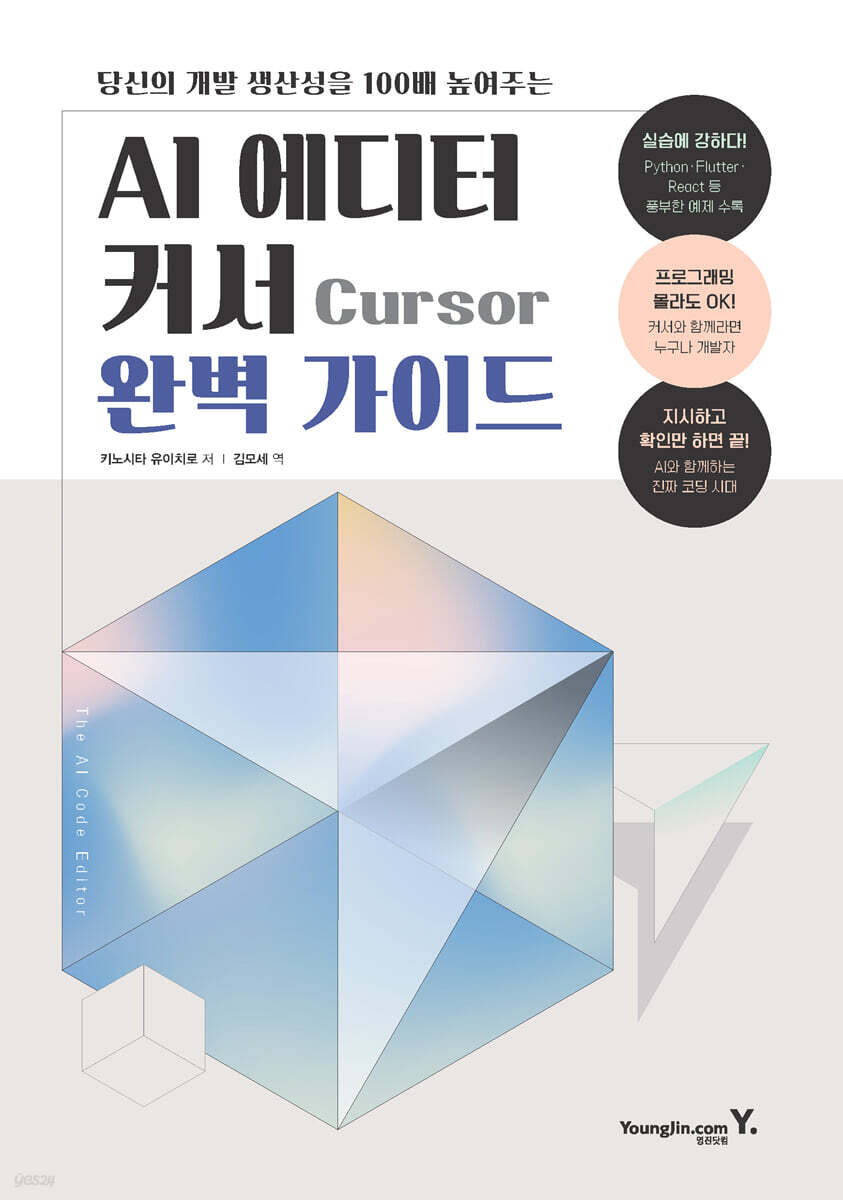
The Complete Guide to AI Editor Cursor
 |
Description
Book Introduction
A new way to program: Cursor, an AI code editor that creates code just by speaking.
The common sense of programming is changing.
The emergence of generative AI is fundamentally changing the paradigm of software development, and now we have entered an era where programs can be created using only natural language, without having to learn a programming language.
"The Complete Guide to AI Editor Cursor" introduces the new trend of AI-based programming, focusing on Cursor, the AI code editor at the center of such changes.
Cursor is an innovative tool that helps create, edit, and debug code using only natural language commands, opening up new development possibilities for both beginners and experienced developers.
This book covers everything from the basics of using Cursors to tips for writing prompts and practical examples using various programming languages, making it easy for anyone to learn how to code and collaborate with AI.
Even readers unfamiliar with programming can naturally learn the fundamental principles of programming by experiencing natural language-based code generation, while existing developers can gain insight into efficient and creative development methods using AI.
It includes use cases for various languages, including Python, JavaScript (React), Go, Swift, Dart (Flutter), and shell commands, so it can be applied directly to practical work.
This book is aimed at a wide range of readers, from beginners in programming to experienced developers, professional engineers, and even non-developers. It will serve as a practical guide to new development environments and collaboration methods suited to the AI era. The easiest way to enter the world of AI-native programming is with Cursor.
The common sense of programming is changing.
The emergence of generative AI is fundamentally changing the paradigm of software development, and now we have entered an era where programs can be created using only natural language, without having to learn a programming language.
"The Complete Guide to AI Editor Cursor" introduces the new trend of AI-based programming, focusing on Cursor, the AI code editor at the center of such changes.
Cursor is an innovative tool that helps create, edit, and debug code using only natural language commands, opening up new development possibilities for both beginners and experienced developers.
This book covers everything from the basics of using Cursors to tips for writing prompts and practical examples using various programming languages, making it easy for anyone to learn how to code and collaborate with AI.
Even readers unfamiliar with programming can naturally learn the fundamental principles of programming by experiencing natural language-based code generation, while existing developers can gain insight into efficient and creative development methods using AI.
It includes use cases for various languages, including Python, JavaScript (React), Go, Swift, Dart (Flutter), and shell commands, so it can be applied directly to practical work.
This book is aimed at a wide range of readers, from beginners in programming to experienced developers, professional engineers, and even non-developers. It will serve as a practical guide to new development environments and collaboration methods suited to the AI era. The easiest way to enter the world of AI-native programming is with Cursor.
- You can preview some of the book's contents.
Preview
index
Chapter 1: Introduction to Cursors
1.1 Cursor Overview
1.2 Cursor Rate Plan
1.3 Cursor Installation
ㆍInstallation procedure on Windows
ㆍInstallation procedure on macOS
1.4 Cursor Default Settings
ㆍSettings when first running
ㆍKoreanization
Chapter 2 Cursor Basic Operations
ㆍEnter
2.1 Basic Operation Practice - Python
ㆍPython environment settings
Tic-Tac-Toe CLI application
ㆍTic-tac-toe GUI application
2.2 Basic Operation Practice - JavaScript (React)
ㆍNode.js installation
ㆍWeb application using React
2.3 For those who are new to programming
Chapter 3 Cursor Function Description
ㆍEnter
3.1 Chat
ㆍHeader menu
ㆍVarious Chat Modes
ㆍAI model
ㆍTools
ㆍSymbol reference
ㆍ「image」button
ㆍ「Send」button
ㆍ「Apply」button
ㆍ「Reapply」button
ㆍ「Copy」button
3.2 Context
ㆍCodebase Indexing
ㆍRules for AI
ㆍMCP
3.3 Cmd K
ㆍExecution order
How to use
ㆍSymbol reference
ㆍEdit Selection
ㆍEdit Full File
ㆍquick question
ㆍAdd a follow-up
3.4 Terminal Cmd K
ㆍExecution/Operation Sequence
3.5 Cursor Tab
ㆍCursor Tab Settings Screen
Chapter 4 Cursor Settings
ㆍEnter
4.1 General
ㆍPreferences
ㆍPrivacy
4.2 Chat
ㆍChat
ㆍContext
ㆍApplying Changes
ㆍAuto-Run
ㆍInline Editing & Terminal
4.3 Tab
4.4 Models
4.5 Tools & Integrations
ㆍIntegrations
ㆍMCP Tools
4.6 Rules
ㆍMemories
ㆍProject Rules and User Rules
4.7 Indexing & Docs
ㆍCodebase
ㆍDocs
4.8 Network
4.9 Beta
Chapter 5: Practical Examples of Prompt Programs
ㆍEnter
5.1 System information display command
5.2 Resize images at once and save them to a different folder
ㆍInstallation of dependent libraries
5.3 Batch convert image formats and save with changed file names
ㆍInstallation of dependent libraries
5.4 Combining PDF Files
ㆍInstallation of dependent libraries
5.5 Combining Text Files
5.6 Extracting and Saving Error Lines from Log Files
5.7 Validating CSV File Data
ㆍInstallation of dependent libraries
5.8 Batch converting character encodings of large files
ㆍInstallation of dependent libraries
5.9 Converting the generated command into a shell script
5.10 Unifying date formats with regular expressions
ㆍCSV data before conversion
ㆍConversion order
ㆍInstallation of dependent libraries
5.11 Converting a CLI Tic-Tac-Toe Python Program to Golang
ㆍGo Installation
ㆍCode conversion order
5.12 PyGame Othello Game
ㆍPyGame installation
ㆍProgram writing
5.13 Try Web Scraping
ㆍCheck the information items to be extracted
ㆍProgram writing order
ㆍInstallation of dependent libraries
5.14 Working with SQL Databases and Aggregating
ㆍEnvironmental preparation
ㆍCheck SQLite installation
ㆍInstalling the SQLite3 Editor extension
ㆍCreating a database and table
ㆍCreating and registering sample data
ㆍData aggregation
5.15 Developing iOS Applications (Swift)
ㆍDevelopment environment settings
ㆍDevelopment sequence using Cursor
5.16 Developing Android Applications (Flutter)
ㆍDevelopment environment settings
ㆍCreate a new project
ㆍCreating an app based on specifications
Chapter 6 Cursor Development Techniques
6.1 Prompt Techniques
ㆍPrompt Engineering
Tips for writing prompts specialized for programming
Tips for writing prompts specialized for screen (UI) design
ㆍReverse prompting
ㆍExplain with images
ㆍScope of use of symbol references
Programming knowledge
6.2 Code Protection
ㆍCheck changes before "Accept"
ㆍLimitations on the scope of change
ㆍDivision of modules (files)
ㆍVersion management using Git
ㆍRevert to previous step and restore codebase
6.3 Tips
Automatically remove trailing whitespace when saving files
ㆍRepeatedly sending the same prompt
ㆍPrompt to present code for only the changed parts
ㆍCmd K conversion of markup language and tag language
6.4 Final: Will AI Make Programmers Obsolete?
1.1 Cursor Overview
1.2 Cursor Rate Plan
1.3 Cursor Installation
ㆍInstallation procedure on Windows
ㆍInstallation procedure on macOS
1.4 Cursor Default Settings
ㆍSettings when first running
ㆍKoreanization
Chapter 2 Cursor Basic Operations
ㆍEnter
2.1 Basic Operation Practice - Python
ㆍPython environment settings
Tic-Tac-Toe CLI application
ㆍTic-tac-toe GUI application
2.2 Basic Operation Practice - JavaScript (React)
ㆍNode.js installation
ㆍWeb application using React
2.3 For those who are new to programming
Chapter 3 Cursor Function Description
ㆍEnter
3.1 Chat
ㆍHeader menu
ㆍVarious Chat Modes
ㆍAI model
ㆍTools
ㆍSymbol reference
ㆍ「image」button
ㆍ「Send」button
ㆍ「Apply」button
ㆍ「Reapply」button
ㆍ「Copy」button
3.2 Context
ㆍCodebase Indexing
ㆍRules for AI
ㆍMCP
3.3 Cmd K
ㆍExecution order
How to use
ㆍSymbol reference
ㆍEdit Selection
ㆍEdit Full File
ㆍquick question
ㆍAdd a follow-up
3.4 Terminal Cmd K
ㆍExecution/Operation Sequence
3.5 Cursor Tab
ㆍCursor Tab Settings Screen
Chapter 4 Cursor Settings
ㆍEnter
4.1 General
ㆍPreferences
ㆍPrivacy
4.2 Chat
ㆍChat
ㆍContext
ㆍApplying Changes
ㆍAuto-Run
ㆍInline Editing & Terminal
4.3 Tab
4.4 Models
4.5 Tools & Integrations
ㆍIntegrations
ㆍMCP Tools
4.6 Rules
ㆍMemories
ㆍProject Rules and User Rules
4.7 Indexing & Docs
ㆍCodebase
ㆍDocs
4.8 Network
4.9 Beta
Chapter 5: Practical Examples of Prompt Programs
ㆍEnter
5.1 System information display command
5.2 Resize images at once and save them to a different folder
ㆍInstallation of dependent libraries
5.3 Batch convert image formats and save with changed file names
ㆍInstallation of dependent libraries
5.4 Combining PDF Files
ㆍInstallation of dependent libraries
5.5 Combining Text Files
5.6 Extracting and Saving Error Lines from Log Files
5.7 Validating CSV File Data
ㆍInstallation of dependent libraries
5.8 Batch converting character encodings of large files
ㆍInstallation of dependent libraries
5.9 Converting the generated command into a shell script
5.10 Unifying date formats with regular expressions
ㆍCSV data before conversion
ㆍConversion order
ㆍInstallation of dependent libraries
5.11 Converting a CLI Tic-Tac-Toe Python Program to Golang
ㆍGo Installation
ㆍCode conversion order
5.12 PyGame Othello Game
ㆍPyGame installation
ㆍProgram writing
5.13 Try Web Scraping
ㆍCheck the information items to be extracted
ㆍProgram writing order
ㆍInstallation of dependent libraries
5.14 Working with SQL Databases and Aggregating
ㆍEnvironmental preparation
ㆍCheck SQLite installation
ㆍInstalling the SQLite3 Editor extension
ㆍCreating a database and table
ㆍCreating and registering sample data
ㆍData aggregation
5.15 Developing iOS Applications (Swift)
ㆍDevelopment environment settings
ㆍDevelopment sequence using Cursor
5.16 Developing Android Applications (Flutter)
ㆍDevelopment environment settings
ㆍCreate a new project
ㆍCreating an app based on specifications
Chapter 6 Cursor Development Techniques
6.1 Prompt Techniques
ㆍPrompt Engineering
Tips for writing prompts specialized for programming
Tips for writing prompts specialized for screen (UI) design
ㆍReverse prompting
ㆍExplain with images
ㆍScope of use of symbol references
Programming knowledge
6.2 Code Protection
ㆍCheck changes before "Accept"
ㆍLimitations on the scope of change
ㆍDivision of modules (files)
ㆍVersion management using Git
ㆍRevert to previous step and restore codebase
6.3 Tips
Automatically remove trailing whitespace when saving files
ㆍRepeatedly sending the same prompt
ㆍPrompt to present code for only the changed parts
ㆍCmd K conversion of markup language and tag language
6.4 Final: Will AI Make Programmers Obsolete?
Detailed image

GOODS SPECIFICS
- Date of issue: July 7, 2025
- Page count, weight, size: 288 pages | 498g | 148*210*18mm
- ISBN13: 9788931480498
- ISBN10: 8931480490
You may also like
카테고리
korean


korean

![ELLE 엘르 A형 (여성월간) : 1월 [2026]](http://librairie.coreenne.fr/cdn/shop/files/3b70e1cf77cf67d6da56e0eb041901e8.jpg?v=1767265322&width=3840)


