

Premiere Pro + Sora with AI
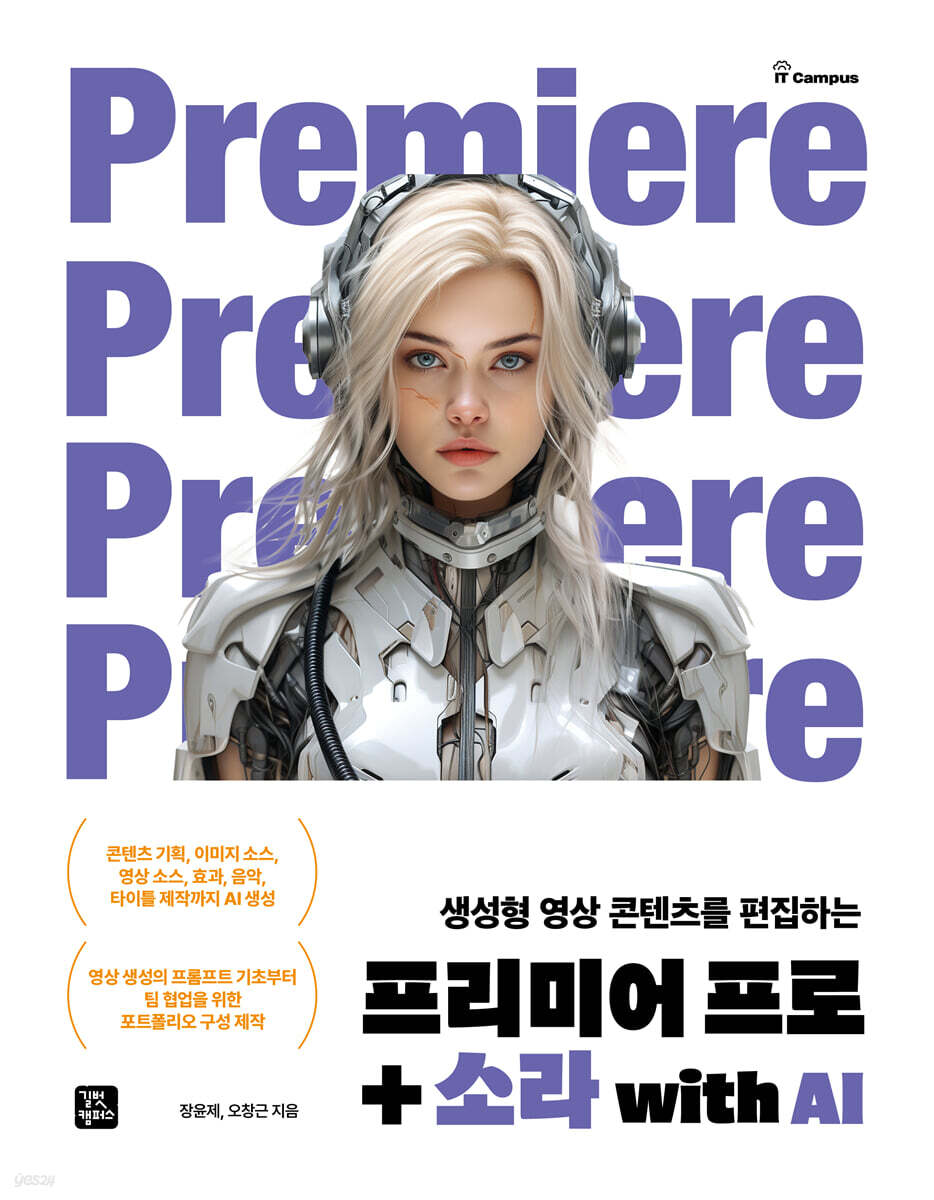 |
Description
Book Introduction
AI-generated content planning, image sources, video sources, effects, music, and title production.
From the basics of video creation prompts to creating a portfolio for team project collaboration.
The advent of generative AI is bringing about significant changes across the entire content creation landscape. While concerns have been raised about the negative impact of AI, AI is already being utilized as a valuable reference in education and industry.
In particular, the recent emergence of Sora, a powerful video creation tool, is once again revolutionizing the field of video production, and this will also change the capabilities required of video designers in the field.
To effectively respond to these changes, learning methods related to media production must also shift in new directions.
This book will serve as a fundamental guide to understanding the changes brought about by AI and preparing for the future content creation environment.
From the basics of video creation prompts to creating a portfolio for team project collaboration.
The advent of generative AI is bringing about significant changes across the entire content creation landscape. While concerns have been raised about the negative impact of AI, AI is already being utilized as a valuable reference in education and industry.
In particular, the recent emergence of Sora, a powerful video creation tool, is once again revolutionizing the field of video production, and this will also change the capabilities required of video designers in the field.
To effectively respond to these changes, learning methods related to media production must also shift in new directions.
This book will serve as a fundamental guide to understanding the changes brought about by AI and preparing for the future content creation environment.
- You can preview some of the book's contents.
Preview
index
WEEK 01 The Beginning of Generative AI Video Production, Sora
1.1 Characteristics of video generation AI
The potential of AI image generation
Various AI image generation models
1.2 World Model and Sora
Key elements of the world model
Applications of the world model
The Advantages and Limitations of Global Model-Based AI
Success stories of world models
How Sora works using the world model
1.3 Sora's characteristics
Sora's main advantages
The changes in video production brought about by Sora
Limitations of Sora's creation video
The skills needed in the AI video era
1.4 Understanding Sora Prompts
Tips for Writing Effective Prompts
1.5 How to write a Sora prompt and examples
Specify video format
Character Information
Camera direction
Lighting and color
Prompt Element Synthesis
1.6 Specifications and standards for video production
Resolution
Aspect ratio
Frame rate
Color format and depth
Video codecs and formats
Audio specifications
Practice Problem 049
WEEK 02 Video Creation Using Sora
2.1 Practice basic image creation
Creating Cinematic Scenes with ChatGPT
Plan and create the scene you want specifically
Editing parts of a video using Remix
2.2 Creating a video using images
Creating Images and Prompts with ChatGPT
Deleting unnecessary parts with Re-cut's Split
Deleting unnecessary parts with Re-cut's Slip
2.3 Change the style with presets and repeat naturally with Loop 068
2.4 Blending Videos Naturally
Switch to Transition
2.5 Creating a video with Sora's storyboard
Practice problems
WEEK 03 Understanding the Premiere Pro Interface
3.1 Installing Premiere Pro
3.2 Getting Started with Premiere Pro
3.3 Premiere Pro interface and panels
Full screen configuration
Project Panel Group
Source Monitor Panel Group
Timeline panel
Program Monitor Panel
Properties panel
3.4 Premiere Pro's workspace
Home Area
Import Workspace
Export Workspace
Editing workspace
Practice problems
WEEK 04 Basic Functions for Video Editing
4.1 Video Editing Basics
Basic cut editing
Video screen transition function
Reframe the video
Video output
4.2 Creating a sequence and importing media in native format
4.3 Understanding Cut Editing and Timeline Operations
Editing cuts with the crop tool
Editing Cuts Using Shortcuts and Tools
Delete video clips by removing or extracting them
Editing clips by adjusting their position using the push and slide tools
Editing cuts using gap closing
4.4 Applying Basic Transitions
4.5 Understanding Nest, Unlink, and Proxy Features
Combine multiple clips into one using Nest
Unlink a clip by unlinking it
Understanding Proxy Functionality
4.6 Applying Auto Reframe to Smartly Change the Screen Aspect Ratio
4.7 Outputting videos in various formats
Output in H.264 format
Output using media encoder
Practice problems
WEEK 05 Practical Video Editing Techniques
5.1 Practical video editing using AI technology
Video editing process using AI technology
Key cut editing techniques
Efficient cut editing function
5.2 Cross-editing using the Source Monitor
Insert a video
Overwrite video
5.3 Extending the length of insufficient video
5.4 Multi-camera editing
5.5 Processing Source Clips
Adjust position, size, and opacity
Adjusting the position and size of images using video and images
Understanding Keyframes
5.6 Creating a Split Screen
Creating a split screen
Creating a 4-split screen
Applying keyframes
Practice problems
WEEK 06 Audio Editing
6.1 Audio Technology and Specifications
Audio file specifications
Audio technical specifications
Premiere Pro Audio Optimization
6.2 Creating Music in Express
6.3 Adjusting the volume of an audio clip
6.4 Recording narration using voice-over recording
6.5 Using Auditions
Practice problems
WEEK 07 Expressing speed and rhythm in video
7.1 Speed and rhythm of the video
Video speed
The rhythm of the video
7.2 Change video speed with speed/duration
Change speed/duration quickly
Change speed/duration slowly
Reverse playback
7.3 Adjusting the speed of a video segment and applying time remapping
Setting the time remapping application range
Gradually speed up/slow down the speed graph
7.4 Applying Frame Blending to Express Step Printing Effects
7.5 Transforming still images with AI to create videos
Extracting still images
Change your outfit with Photoshop's AI feature
Editing a video with different clothes
7.6 Editing to Music Using Markers
Practice problems
WEEK 08 Title Design
8.1 Video and Text
The role of text in video
Considerations when designing text
8.2 Designing the Main Title
Add and configure text
Add text and style it
8.3 Creating a responsive subtitle bar that grows with the text length
Generating AI Graphics with Firefly
Creating a subtitle bar using shapes
Adding graphic images
Creating a responsive subtitle bar
8.4 Creating Rolling Subtitles Using Motion Graphics Techniques
Setting up subtitle animation with keyframes
Expressing acceleration and deceleration with graph settings
8.5 Creating entertainment-style subtitles using typing animation
Designing Gradient Subtitles
Creating typing animations
Setting up a light effect animation using a text mask
8.6 Using the voice recognition automatic captioning feature
Convert speech to text
Edit subtitles and style text
Practice problems
WEEK 09 Compositing using masks and track mattes
9.1 Understanding Masks and Track Mats
mask
track mat
Difference between a mask and a track mat
9.2 Creating a PIP video using the basic mask function
9.3 Making text appear behind a subject
Creating a Free Draw Mask
Creating mask keyframes
9.4 Mosaicing Moving Areas with Mask Tracking
9.5 Inserting a video into text using the Track Matte key
9.6 Creating Animations with Track Matte Keys
Distribute, place, and apply track mat keys
Applying Blur Effects and Setting Animations
9.7 Transitioning with Track Matte Keys
9.8 Create a double exposure effect with the Track Matte Key
Practice problems
WEEK 10 Applying various video compositions and effects
10.1 Compositing Techniques Using Keying
Video effects
10.2 Compositing with various keying effects
Applying compositing techniques with color keys
Applying the Ultra Key Synthesis Technique
10.3 Compositing with the Corner Fixing Effect
10.4 Creating a Holographic Effect with Blend Modes
Setting blend modes and adding graphic templates
Setting up animations for holographic-style graphics
10.5 Applying a Glitch and Saving It as a Preset
10.6 Creating a VHS Analog Effect
10.7 Creating a highlight effect using flash
Applying a color transformation effect
Applying a flash effect
Practice problems
WEEK 11 Team Project Collaboration, Assets, Cloud, Social Media Output
11.1 Starting a Team Project in Premiere Pro
Invite to a team project
Accepting a team project
Share and edit media files
11.2 Team Collaboration with Frame.io Features
11.3 Using Stock Assets
Import media files stored in the library
Download files from stock and marketplace
11.4 Outputting files to industry standards
Print to social media standards
Output files to production specifications
Practice problems
WEEK 12 Color Correction and Color Grading Techniques
12.1 Color Adjustment Techniques
12.2 Color Correction with Basic Functions
12.3 Controlling Curves and Attributes with Precision Color Correction Techniques
12.4 Changing the color of only a specific part
12.5 Setting the style using LUT
Expressing the style of colorful images
Expressing a retro style
12.6 How to make your face look brighter
Correcting Bright Skin with HSL Assist
Natural Skin Retouching with Gaussian Blur
12.7 Applying color matching to different images
Practice problems
WEEK 13: From AI video creation to editing, project and portfolio production
13.1 Creating Movie Trailer-Style Content Videos with AI
13.2 Planning a movie trailer-style content video
Identifying video planning elements
13.3 Creating a movie trailer-style video
Use prompts to create footage that fits the scene
Change the video to Sora's Remix
Creating Videos with Sora's Blend
Generating AI-based graphics
13.4 Editing movie trailer footage
Edit the overall cut
Setting up screen transitions
Adjust the speed of the video
13.5 Configuring Movie Trailer Captions and Titles
Insert captions
Creating Text Animations with After Effects
Composing a title
13.6 Adding effects that fit the scene
How to create a letterbox
Expressing a shaky camera effect
Practice problems
Search
1.1 Characteristics of video generation AI
The potential of AI image generation
Various AI image generation models
1.2 World Model and Sora
Key elements of the world model
Applications of the world model
The Advantages and Limitations of Global Model-Based AI
Success stories of world models
How Sora works using the world model
1.3 Sora's characteristics
Sora's main advantages
The changes in video production brought about by Sora
Limitations of Sora's creation video
The skills needed in the AI video era
1.4 Understanding Sora Prompts
Tips for Writing Effective Prompts
1.5 How to write a Sora prompt and examples
Specify video format
Character Information
Camera direction
Lighting and color
Prompt Element Synthesis
1.6 Specifications and standards for video production
Resolution
Aspect ratio
Frame rate
Color format and depth
Video codecs and formats
Audio specifications
Practice Problem 049
WEEK 02 Video Creation Using Sora
2.1 Practice basic image creation
Creating Cinematic Scenes with ChatGPT
Plan and create the scene you want specifically
Editing parts of a video using Remix
2.2 Creating a video using images
Creating Images and Prompts with ChatGPT
Deleting unnecessary parts with Re-cut's Split
Deleting unnecessary parts with Re-cut's Slip
2.3 Change the style with presets and repeat naturally with Loop 068
2.4 Blending Videos Naturally
Switch to Transition
2.5 Creating a video with Sora's storyboard
Practice problems
WEEK 03 Understanding the Premiere Pro Interface
3.1 Installing Premiere Pro
3.2 Getting Started with Premiere Pro
3.3 Premiere Pro interface and panels
Full screen configuration
Project Panel Group
Source Monitor Panel Group
Timeline panel
Program Monitor Panel
Properties panel
3.4 Premiere Pro's workspace
Home Area
Import Workspace
Export Workspace
Editing workspace
Practice problems
WEEK 04 Basic Functions for Video Editing
4.1 Video Editing Basics
Basic cut editing
Video screen transition function
Reframe the video
Video output
4.2 Creating a sequence and importing media in native format
4.3 Understanding Cut Editing and Timeline Operations
Editing cuts with the crop tool
Editing Cuts Using Shortcuts and Tools
Delete video clips by removing or extracting them
Editing clips by adjusting their position using the push and slide tools
Editing cuts using gap closing
4.4 Applying Basic Transitions
4.5 Understanding Nest, Unlink, and Proxy Features
Combine multiple clips into one using Nest
Unlink a clip by unlinking it
Understanding Proxy Functionality
4.6 Applying Auto Reframe to Smartly Change the Screen Aspect Ratio
4.7 Outputting videos in various formats
Output in H.264 format
Output using media encoder
Practice problems
WEEK 05 Practical Video Editing Techniques
5.1 Practical video editing using AI technology
Video editing process using AI technology
Key cut editing techniques
Efficient cut editing function
5.2 Cross-editing using the Source Monitor
Insert a video
Overwrite video
5.3 Extending the length of insufficient video
5.4 Multi-camera editing
5.5 Processing Source Clips
Adjust position, size, and opacity
Adjusting the position and size of images using video and images
Understanding Keyframes
5.6 Creating a Split Screen
Creating a split screen
Creating a 4-split screen
Applying keyframes
Practice problems
WEEK 06 Audio Editing
6.1 Audio Technology and Specifications
Audio file specifications
Audio technical specifications
Premiere Pro Audio Optimization
6.2 Creating Music in Express
6.3 Adjusting the volume of an audio clip
6.4 Recording narration using voice-over recording
6.5 Using Auditions
Practice problems
WEEK 07 Expressing speed and rhythm in video
7.1 Speed and rhythm of the video
Video speed
The rhythm of the video
7.2 Change video speed with speed/duration
Change speed/duration quickly
Change speed/duration slowly
Reverse playback
7.3 Adjusting the speed of a video segment and applying time remapping
Setting the time remapping application range
Gradually speed up/slow down the speed graph
7.4 Applying Frame Blending to Express Step Printing Effects
7.5 Transforming still images with AI to create videos
Extracting still images
Change your outfit with Photoshop's AI feature
Editing a video with different clothes
7.6 Editing to Music Using Markers
Practice problems
WEEK 08 Title Design
8.1 Video and Text
The role of text in video
Considerations when designing text
8.2 Designing the Main Title
Add and configure text
Add text and style it
8.3 Creating a responsive subtitle bar that grows with the text length
Generating AI Graphics with Firefly
Creating a subtitle bar using shapes
Adding graphic images
Creating a responsive subtitle bar
8.4 Creating Rolling Subtitles Using Motion Graphics Techniques
Setting up subtitle animation with keyframes
Expressing acceleration and deceleration with graph settings
8.5 Creating entertainment-style subtitles using typing animation
Designing Gradient Subtitles
Creating typing animations
Setting up a light effect animation using a text mask
8.6 Using the voice recognition automatic captioning feature
Convert speech to text
Edit subtitles and style text
Practice problems
WEEK 09 Compositing using masks and track mattes
9.1 Understanding Masks and Track Mats
mask
track mat
Difference between a mask and a track mat
9.2 Creating a PIP video using the basic mask function
9.3 Making text appear behind a subject
Creating a Free Draw Mask
Creating mask keyframes
9.4 Mosaicing Moving Areas with Mask Tracking
9.5 Inserting a video into text using the Track Matte key
9.6 Creating Animations with Track Matte Keys
Distribute, place, and apply track mat keys
Applying Blur Effects and Setting Animations
9.7 Transitioning with Track Matte Keys
9.8 Create a double exposure effect with the Track Matte Key
Practice problems
WEEK 10 Applying various video compositions and effects
10.1 Compositing Techniques Using Keying
Video effects
10.2 Compositing with various keying effects
Applying compositing techniques with color keys
Applying the Ultra Key Synthesis Technique
10.3 Compositing with the Corner Fixing Effect
10.4 Creating a Holographic Effect with Blend Modes
Setting blend modes and adding graphic templates
Setting up animations for holographic-style graphics
10.5 Applying a Glitch and Saving It as a Preset
10.6 Creating a VHS Analog Effect
10.7 Creating a highlight effect using flash
Applying a color transformation effect
Applying a flash effect
Practice problems
WEEK 11 Team Project Collaboration, Assets, Cloud, Social Media Output
11.1 Starting a Team Project in Premiere Pro
Invite to a team project
Accepting a team project
Share and edit media files
11.2 Team Collaboration with Frame.io Features
11.3 Using Stock Assets
Import media files stored in the library
Download files from stock and marketplace
11.4 Outputting files to industry standards
Print to social media standards
Output files to production specifications
Practice problems
WEEK 12 Color Correction and Color Grading Techniques
12.1 Color Adjustment Techniques
12.2 Color Correction with Basic Functions
12.3 Controlling Curves and Attributes with Precision Color Correction Techniques
12.4 Changing the color of only a specific part
12.5 Setting the style using LUT
Expressing the style of colorful images
Expressing a retro style
12.6 How to make your face look brighter
Correcting Bright Skin with HSL Assist
Natural Skin Retouching with Gaussian Blur
12.7 Applying color matching to different images
Practice problems
WEEK 13: From AI video creation to editing, project and portfolio production
13.1 Creating Movie Trailer-Style Content Videos with AI
13.2 Planning a movie trailer-style content video
Identifying video planning elements
13.3 Creating a movie trailer-style video
Use prompts to create footage that fits the scene
Change the video to Sora's Remix
Creating Videos with Sora's Blend
Generating AI-based graphics
13.4 Editing movie trailer footage
Edit the overall cut
Setting up screen transitions
Adjust the speed of the video
13.5 Configuring Movie Trailer Captions and Titles
Insert captions
Creating Text Animations with After Effects
Composing a title
13.6 Adding effects that fit the scene
How to create a letterbox
Expressing a shaky camera effect
Practice problems
Search
Detailed image

Publisher's Review
The easiest and fastest way to create content
Step-by-step generative AI
Premiere Pro + Sora AI!
Sora AI is a powerful video AI model with powerful generative capabilities, capable of producing high-quality cinematic visuals, expressing complex scenes and emotions, and supporting a variety of features including style, ratio, resolution, storyboard, mix, and features.
This book covers how to create prompts to create the video you want, and how to create content using various editing techniques in Premiere Pro, such as cutting, speed adjustment, applying effects, compositing, and design.
From video creation, the foundation of video production, to planning, storyboarding, dialogue composition, effects, music, titles, and trailer portfolio creation, you can implement your ideas more accurately and quickly through practical projects and strengthen your practical skills!
STEP 1: Understanding Sora AI and Prompts
STEP 2 Sora AI Video Creation Practice
STEP 3 Edit the generated video with Premiere Pro
STEP 4: Create a project-based portfolio for team collaboration.
Step-by-step generative AI
Premiere Pro + Sora AI!
Sora AI is a powerful video AI model with powerful generative capabilities, capable of producing high-quality cinematic visuals, expressing complex scenes and emotions, and supporting a variety of features including style, ratio, resolution, storyboard, mix, and features.
This book covers how to create prompts to create the video you want, and how to create content using various editing techniques in Premiere Pro, such as cutting, speed adjustment, applying effects, compositing, and design.
From video creation, the foundation of video production, to planning, storyboarding, dialogue composition, effects, music, titles, and trailer portfolio creation, you can implement your ideas more accurately and quickly through practical projects and strengthen your practical skills!
STEP 1: Understanding Sora AI and Prompts
STEP 2 Sora AI Video Creation Practice
STEP 3 Edit the generated video with Premiere Pro
STEP 4: Create a project-based portfolio for team collaboration.
GOODS SPECIFICS
- Date of issue: March 31, 2025
- Page count, weight, size: 456 pages | 183*235*19mm
- ISBN13: 9791140712908
- ISBN10: 114071290X
You may also like
카테고리
korean


korean

![GQ KOREA Mark (Monthly): December [2025]](http://librairie.coreenne.fr/cdn/shop/files/8ef265dbbfbf186523ed75ba7319009d.jpg?v=1765340328&width=3840)


