

THE Photoshop
 |
Description
Book Introduction
From basic Photoshop features to practical examples and trendy AI-powered workflows!
With 『THE Photoshop』
Photoshop skills that are becoming more and more amazing
More eye-catching design results
Learn the fundamentals of Photoshop to become more solid.
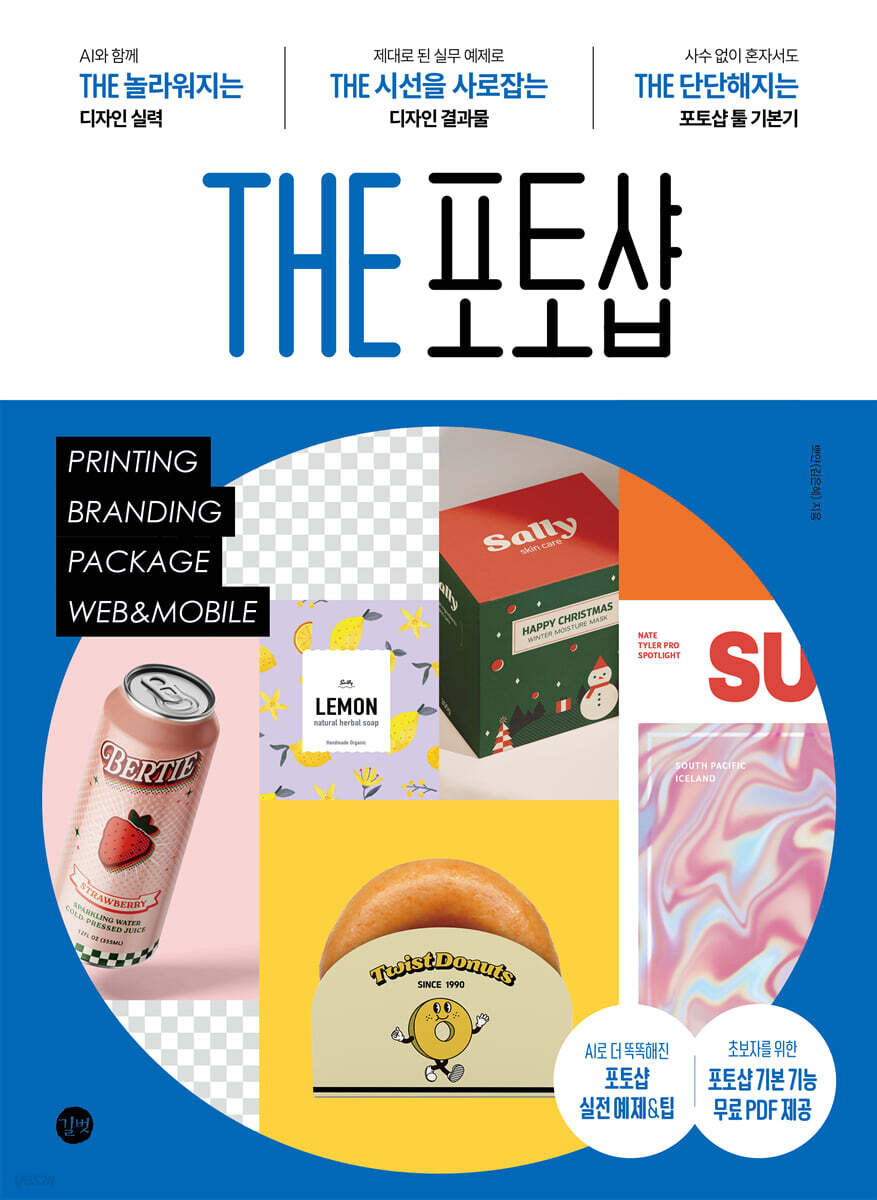
"THE Photoshop," which features design trends and practical examples utilizing AI, is designed to maximize design efficiency by automating repetitive tasks and utilizing AI technology to easily perform image correction and object recognition.
We've also compiled a selection of core examples that can be immediately applied in practice, including print, branding, packaging, web & mobile design, all in one book.
It explains the core tools and functions in a friendly and thorough manner so that even Photoshop beginners can learn the solid fundamentals of Photoshop without a mentor.
Now, even novice designers can create eye-catching design results without having to struggle alone.
With 『THE Photoshop』
Photoshop skills that are becoming more and more amazing
More eye-catching design results
Learn the fundamentals of Photoshop to become more solid.
"THE Photoshop," which features design trends and practical examples utilizing AI, is designed to maximize design efficiency by automating repetitive tasks and utilizing AI technology to easily perform image correction and object recognition.
We've also compiled a selection of core examples that can be immediately applied in practice, including print, branding, packaging, web & mobile design, all in one book.
It explains the core tools and functions in a friendly and thorough manner so that even Photoshop beginners can learn the solid fundamentals of Photoshop without a mentor.
Now, even novice designers can create eye-catching design results without having to struggle alone.
- You can preview some of the book's contents.
Preview
index
PART 1: Photoshop Workspace & Basic Usage
Chapter 1: Essential Features to Know When Starting Out with Photoshop
1.
A look at the Photoshop workspace layout and features.
2.
Explore the tools you need to get the job done
Chapter 2: The Complete Guide to Photoshop Layers
1.
Understanding Layers
2.
Explore the different types of layer styles
3.
Explore the different types of layer blending modes
4.
Explore the different types of adjustment layers
5.
Examining the types of masks applied to layers
PART 2 PRINT DESIGN
Poster 1
[Design Work] Seoul Flower Festival Poster
[Design Memo] Adding Power to Your Designs with Typography
[Key Features] 'Rectangular Selection' Tool | 'Circular Selection' Tool | 'Magic Wand' Tool | 'Quick Selection' Tool | 'Object Selection' Tool
Poster 2
[Design Work] Healing Camp Poster
[Design Memo] Increasing Realism, Reality, and Information Reliability with Photos
[Key Features] Lasso Tool | Polygonal Lasso Tool | Magnetic Lasso Tool | Contextual Taskbar | AI-Generated Image Creation
Menu
[Design work] Restaurant menu
[Design Memo] Using Frames to Organize Neatly
[Key Features] 'Pen' Tool | 'Frame' Tool
Book Cover
[Design Work] Magazine Cover
[Design Memo] Creating a Mysterious Atmosphere with Gradients
[Key Features] 'Gradient' Tool and Shapes | [Gradient Editor] Window | Clipping Mask | Liquify Filter
Card
[Design Work] Congratulations Love Card
[Design Memo] Creating the Right Impression with Image Trimming
[Key Features] 'Crop' Tool | 'Blending Brush' Tool
PART 3 BRANDING & AD DESIGN
BI
[Design Work] Donut Brand Identity Design
[Design Memo] Expressing Identity with Characters and Main Colors
[Key Features] Warp Text (Create Warped Text) | Smart Object Layer
Business Card
[Design Work] Business Card
[Design Memo] Effectively Branding with Associations
[Key Features] Image Size and Canvas Size | [Paths] Panel | Adobe Express
Placard
[Design work] English academy banner
[Design Memo] Complete an intuitive design with icons
[Key Features] Adjustment Layer | [Adjustments] Panel | Converting Text to an Image
Leaflet
[Design Work] 3-Stage Folding Leaflet
[Design Memo] Controlling Dynamics and Adding Rhythm in Layout Design
[Key Features] Specifying Foreground and Background Colors | [Color Picker] Window | 'Paint Bucket' Tool | Rulers and Guides
PART 4 PACKAGE DESIGN
Illustration
[Design Work] Chocolate Package Design with Striking Illustrations
[Design Memo] Expressing Warm Impressions with Illustrations
[Key Features] Brush Tool | Pencil Tool | Brushes Panel | Brush Settings Panel | Load Brush | Register as New Brush | Save as Brush File
Box
[Design Work] Christmas Box Packaging Design
[Design Note] How to Create a Special Impression with Color Combinations
[Key Features] Path Shape Tool | Rectangle Tool | Circle Tool | Triangle Tool | Polygon Tool | Line Tool | Custom Shape Tool | Tool | Path Selection Tool | Direct Selection Tool
Can
[Design Work] Retro-Style Can Package Design
[Design Memo] The allure of retro that invites you to reminisce about the past.
[Key Features] Filter Types and How to Use | Color Halftone Filter
Pattern
[Design Work] Soap Pattern Box Package Design
[Design Memo] Designing Packages Using Patterns
[Key Features] [Patterns] Panel | Pattern Preview | Creating a Pattern | How to Apply a Pattern
PART 5 WEB & MOBILE DESIGN
SNS
[Design Work] SNS Card News
[Design Memo] Ranking Content
[Key Features] Text Tools | [Character] Panel | [Paragraph] Panel | Using Adobe Fonts | Distort Filter
SNS Event Page
[Design Work] Clothing Brand SNS Event Page
[Design Note] Trimming diagonally and boldly
[Key Features] Open a Preset Document | Photoshop Template | Use Adobe Stock
Thumbnail
[Design Work] YouTube Video Thumbnails and Channel Art
[Design Memo] Conveying Emotions and Reinforcing Themes with Color
[Key Features] Remove Tool | Content-Aware Move Tool | Content-Aware Fill | Content-Aware Scale
Advertise
[Design Work] Online Cosmetics Flyer with QR Code
[Design Memo] Emphasizing and Organizing Design Information Through Margins
[Key Features] Modify, Color Range, Focus Area, Transform Selection, Similar, Neural Filter
GIF Poster
[Design Work] Climate Crisis Poster Using GIF Animation Effects
[Design Note] Creating a Symmetrical Layout Facing the Center
[Key Features] Free Transform Box | Levels, Curves, Hue/Saturation | Create GIF Animations Using the [Timeline] Panel
Chapter 1: Essential Features to Know When Starting Out with Photoshop
1.
A look at the Photoshop workspace layout and features.
2.
Explore the tools you need to get the job done
Chapter 2: The Complete Guide to Photoshop Layers
1.
Understanding Layers
2.
Explore the different types of layer styles
3.
Explore the different types of layer blending modes
4.
Explore the different types of adjustment layers
5.
Examining the types of masks applied to layers
PART 2 PRINT DESIGN
Poster 1
[Design Work] Seoul Flower Festival Poster
[Design Memo] Adding Power to Your Designs with Typography
[Key Features] 'Rectangular Selection' Tool | 'Circular Selection' Tool | 'Magic Wand' Tool | 'Quick Selection' Tool | 'Object Selection' Tool
Poster 2
[Design Work] Healing Camp Poster
[Design Memo] Increasing Realism, Reality, and Information Reliability with Photos
[Key Features] Lasso Tool | Polygonal Lasso Tool | Magnetic Lasso Tool | Contextual Taskbar | AI-Generated Image Creation
Menu
[Design work] Restaurant menu
[Design Memo] Using Frames to Organize Neatly
[Key Features] 'Pen' Tool | 'Frame' Tool
Book Cover
[Design Work] Magazine Cover
[Design Memo] Creating a Mysterious Atmosphere with Gradients
[Key Features] 'Gradient' Tool and Shapes | [Gradient Editor] Window | Clipping Mask | Liquify Filter
Card
[Design Work] Congratulations Love Card
[Design Memo] Creating the Right Impression with Image Trimming
[Key Features] 'Crop' Tool | 'Blending Brush' Tool
PART 3 BRANDING & AD DESIGN
BI
[Design Work] Donut Brand Identity Design
[Design Memo] Expressing Identity with Characters and Main Colors
[Key Features] Warp Text (Create Warped Text) | Smart Object Layer
Business Card
[Design Work] Business Card
[Design Memo] Effectively Branding with Associations
[Key Features] Image Size and Canvas Size | [Paths] Panel | Adobe Express
Placard
[Design work] English academy banner
[Design Memo] Complete an intuitive design with icons
[Key Features] Adjustment Layer | [Adjustments] Panel | Converting Text to an Image
Leaflet
[Design Work] 3-Stage Folding Leaflet
[Design Memo] Controlling Dynamics and Adding Rhythm in Layout Design
[Key Features] Specifying Foreground and Background Colors | [Color Picker] Window | 'Paint Bucket' Tool | Rulers and Guides
PART 4 PACKAGE DESIGN
Illustration
[Design Work] Chocolate Package Design with Striking Illustrations
[Design Memo] Expressing Warm Impressions with Illustrations
[Key Features] Brush Tool | Pencil Tool | Brushes Panel | Brush Settings Panel | Load Brush | Register as New Brush | Save as Brush File
Box
[Design Work] Christmas Box Packaging Design
[Design Note] How to Create a Special Impression with Color Combinations
[Key Features] Path Shape Tool | Rectangle Tool | Circle Tool | Triangle Tool | Polygon Tool | Line Tool | Custom Shape Tool | Tool | Path Selection Tool | Direct Selection Tool
Can
[Design Work] Retro-Style Can Package Design
[Design Memo] The allure of retro that invites you to reminisce about the past.
[Key Features] Filter Types and How to Use | Color Halftone Filter
Pattern
[Design Work] Soap Pattern Box Package Design
[Design Memo] Designing Packages Using Patterns
[Key Features] [Patterns] Panel | Pattern Preview | Creating a Pattern | How to Apply a Pattern
PART 5 WEB & MOBILE DESIGN
SNS
[Design Work] SNS Card News
[Design Memo] Ranking Content
[Key Features] Text Tools | [Character] Panel | [Paragraph] Panel | Using Adobe Fonts | Distort Filter
SNS Event Page
[Design Work] Clothing Brand SNS Event Page
[Design Note] Trimming diagonally and boldly
[Key Features] Open a Preset Document | Photoshop Template | Use Adobe Stock
Thumbnail
[Design Work] YouTube Video Thumbnails and Channel Art
[Design Memo] Conveying Emotions and Reinforcing Themes with Color
[Key Features] Remove Tool | Content-Aware Move Tool | Content-Aware Fill | Content-Aware Scale
Advertise
[Design Work] Online Cosmetics Flyer with QR Code
[Design Memo] Emphasizing and Organizing Design Information Through Margins
[Key Features] Modify, Color Range, Focus Area, Transform Selection, Similar, Neural Filter
GIF Poster
[Design Work] Climate Crisis Poster Using GIF Animation Effects
[Design Note] Creating a Symmetrical Layout Facing the Center
[Key Features] Free Transform Box | Levels, Curves, Hue/Saturation | Create GIF Animations Using the [Timeline] Panel
Detailed image

Publisher's Review
THE Amazing Design Skills with AI
Learning AI technologies is essential, as it offers the power to reflect the latest design trends and expand creativity.
It can significantly improve work efficiency by automating repetitive tasks and making it easier to perform things like image correction and object recognition.
THE eye-catching design results with real-world examples
This book contains all the practical examples of work done in a design firm, from print design, branding design, packaging design, to web & mobile design.
From a practitioner's perspective, we've selected only the most essential examples so you can learn essential functions and field skills that can be immediately applied to your design work.
The fundamentals of Photoshop tools that make you strong even without a shooter
Even if you get a job at a design company, there are many times when you have to be careful when asking for advice from your seniors.
But now you don't have to worry about it alone.
In "THE Photoshop," we explain Photoshop tool functions in a more friendly and detailed way than anyone else, so you can easily learn them on your own without the help of a teacher.
Learning AI technologies is essential, as it offers the power to reflect the latest design trends and expand creativity.
It can significantly improve work efficiency by automating repetitive tasks and making it easier to perform things like image correction and object recognition.
THE eye-catching design results with real-world examples
This book contains all the practical examples of work done in a design firm, from print design, branding design, packaging design, to web & mobile design.
From a practitioner's perspective, we've selected only the most essential examples so you can learn essential functions and field skills that can be immediately applied to your design work.
The fundamentals of Photoshop tools that make you strong even without a shooter
Even if you get a job at a design company, there are many times when you have to be careful when asking for advice from your seniors.
But now you don't have to worry about it alone.
In "THE Photoshop," we explain Photoshop tool functions in a more friendly and detailed way than anyone else, so you can easily learn them on your own without the help of a teacher.
GOODS SPECIFICS
- Date of issue: March 10, 2025
- Page count, weight, size: 464 pages | 188*257*19mm
- ISBN13: 9791140712175
You may also like
카테고리
korean


korean

![GQ KOREA Mark (Monthly): December [2025]](http://librairie.coreenne.fr/cdn/shop/files/8ef265dbbfbf186523ed75ba7319009d.jpg?v=1765340328&width=3840)


