

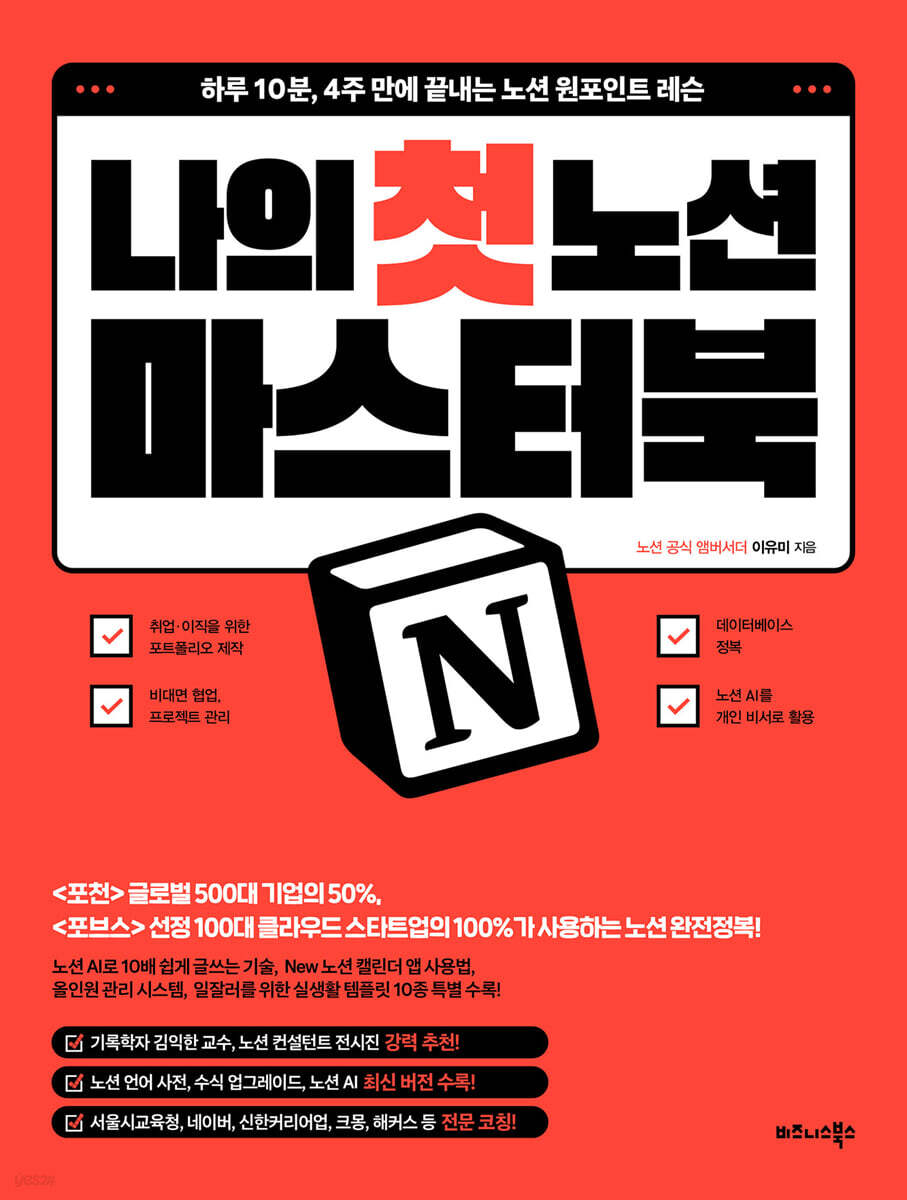
My First Notion Masterbook
 |
Description
Book Introduction
Use Notion AI as your personal assistant, create a portfolio for job hunting and career changes, master databases, and even collaborate remotely and manage projects. Master Notion in just 10 minutes a day, in just 4 weeks! People who consistently achieve what they want have something in common. It's about effectively utilizing the newborn habit system and productivity tools that give wings to life. The author, an official Notion ambassador and Notion template creator, was part of the analog generation a few years ago, obsessed with decorating diaries and shouting, "Writing is a pleasure." However, after accidentally encountering the digital tool Notion, my quality of life and work efficiency increased several times, and I became a professional N-jobber and digital nomad who pursues only the career I want. This book is based on reviews submitted by over 2,000 online and offline students each year, and was designed to be completed quickly in just 10 minutes a day, in just 4 weeks. This book covers not only portfolio creation for employment and career changes, mastering databases, remote collaboration and project management, but also how to utilize Notion AI, a recent global trend, as a personal assistant and advanced Notion skills, helping you build a system for everyday success. Notion is actively used by 50% of the Global 500 companies, 100% of the Forbes Top 100 Cloud Startups, Kakao Style, LG AI Research Center, Carrot Market, Socar, and GS. If you follow this book, recommended by Professor Kim Ik-han, a historian who says that everyday life itself is an experience of growth and accomplishment, and Notion official consultant Jeon Si-jin, step by step, you will find yourself becoming a Notion master before you know it. |
- You can preview some of the book's contents.
Preview
index
Becoming a Record-Making Human with Notion
Prologue: Smart Workers Commute to Work with Notion
CHAPTER 1: Notion: An Essential Tool for Boosting Work Productivity
01 What is Notion?
- Tools to help both individuals and teams develop and grow
02 Why is an all-in-one workspace useful?
- A knowledge management system that brings all data together
- An efficient work management system that collaborates with team members.
03 Applying the work habits of successful people to Notion
- Notion as your second brain
- Record keeping method for self-management
- Increase focus on core tasks
- Establishment and utilization of a collaborative system
- Effective time management techniques
- Developing continuous growth habits
- Build your own success system
04 Master the Secrets of Notion in 4 Weeks!
- Week 1 (STEP 1): Getting familiar with Notion
Save time and increase professionalism with this document creation tool [Universal Notepad]
- Week 2 (STEP 2): Digging into the Database
[Archive] where vast amounts of data are organized and shared in one place.
- Week 3 (STEP 3): Using the Database
[Project Management and Collaboration] to view progress in real time
- Week 4 (4 STEP): Becoming a Notion Master
[Schedule/Task Management System] that manages me systematically
CHAPTER 2: Welcome to the Notion Workspace
01 Getting Started with Notion
- Sign up for Notion
- Download and use
02 Notion Plan
- Learn about Notion's pricing plans
- How to get a discount on the Plus plan
03 Notion's Structure and Three Core Features
- Notion's structure
- Notion's three core features: blocks, pages, and databases.
04 Setting up your Notion workspace
- Try changing the workspace name
- Set the language
Tip 01: Duplicate thousands of Notion templates and set up your home page.
CHAPTER 3: Mastering in 10 Minutes a Day, 4 Weeks
Week 1 (STEP 1): Getting to Know Notion [Universal Note]
- Document creation that saves time and increases professionalism
- Monday: Create a page
- Tuesday: Basic Block and Media Block
- Wednesday: Edit and decorate the page
- Thursday: Advanced Blocks and Embeds
- Friday: Share Pages and Publish to the Web
- Weekend Mission: Create and share 'Contest Winner News'
Tip 02: Creating a Dashboard Using the PARA Taxonomy
Week 2 (STEP 2): Digging into the Database [Archive]
- Organize and share vast amounts of data in one place.
- Monday: Create a database and add properties
- Tuesday: Digging into basic database properties
- Wednesday: View the data you want by filtering, sorting, and grouping.
- Thursday: Adding Linked Databases and Views
- Friday: View 6 databases
- Weekend Mission: Collecting data with Web Clipper
Tip 03: How to Share with Notion on Mobile
Week 3 (STEP 3): Using Databases [Project Management]
- View progress in real time and collaborate
- Monday: Create [Project], [Task] database
- Tuesday: Create [Department], [Team Member Management], and [Document Box] databases.
- Wednesday: Connecting to Database Relational and Rollups
Thursday: Creating a Project Detail Page Template
- Friday: Create and collaborate on a project management system
- Weekend Mission: A dashboard where you can see only your projects and tasks.
Tip 04: Icebreaker with a Team: Create an Avatar and Decorate the Attendance Book
Week 4 (STEP 4): Becoming a Notion Master [All-in-One Management System]
- A schedule and work management system that systematically manages me.
- Monday: Create [Yearly, Monthly Planner]
- Tuesday: [Yearly, Monthly Planner] Create an internal template page
- Wednesday: Create a [Daily Planner] and [Habit Management]
- Thursday: [Schedule Management System] - A glance at everything from annual plans to habits
- Friday: [Work Management System] - A glance at everything from projects to schedule management
- Weekend Mission: Decorate the page with widgets
Workaholic's Tip 05: Double Your Efficiency by Integrating the Notion Calendar App with Google Calendar
CHAPTER 4 Notion Automation: Reduce Costs and Increase Efficiency
01 Understanding Formulas
- What is a Notion formula?
- When is it best to use formulas in Notion?
- The language of formulas you must know
- Formula format
- How to add a formula
- How to write a formula
02 Practice formulas
- Number calculations
- Character format
- Date formulas
- if conditional statement
03 Notion Automation Features That Save Time
- Simultaneous operations with one click, 'Table of Contents' and 'Buttons'
- An automated system that accumulates data in Notion when you enter data in a Google Form.
- Integration with Slack and Notion
Workaholic's Tip 06: Chrome Extensions to Boost Productivity Through Automation
CHAPTER 5: Writing 10x Easier with Notion AI
01 Getting to Know Notion AI
- What is Notion AI?
02 Writing with Notion AI
- Writing with AI
Drafting with AI: social media posts, press releases, pros and cons, emails, and more.
- Create: Summary, Action Items, Translation, Description
- Edit or review: upgrade your writing, improve spelling and grammar, shorten or lengthen your writing, or change your tone.
- Inserting AI blocks: Custom AI blocks
- Know-how to improve accuracy using AI prompts
Case Study: Creating a "Diet App Launch Event" Landing Page with Interactive Notion AI
03 Auto-populate your database with Notion AI
- Text properties
- Selection and multi-select properties
- How to automate tasks by automatically filling in database templates
CHAPTER 6: Notion Portfolio for the Sensitive Smart Worker
01 Pros and Cons of Notion Portfolios
- Hiring Trends and Notion Portfolio
- Types of portfolios and their pros and cons
- How to overcome the shortcomings of Notion portfolios and use them effectively
02 Gathering Notion Portfolio Materials
- Notion portfolio example
03 Planning a Notion Portfolio
Point 4: Creating a Differentiated Portfolio
04 Copying and Creating a Notion Portfolio Template
- Three ways to create a portfolio
- How to find a portfolio template
05 Sharing Your Notion Portfolio
- How to share
- Various ways to share and utilize your portfolio
Tip 07: Connect your Notion portfolio to Upi to create a website.
A Hard Worker's Tip 08 Q&A: Notion is easy once you know how. Check it out when you keep stopping because you don't know how!
supplement
01 Notion Master Checklist
- How to use the Notion Master Checklist
02 Template Collection
- Book body template
- Portfolio template
- Secret Template
03 Notion Language Dictionary and Integration App
- Notion Language Dictionary
- Notion integration app
Epilogue: Leaving work at Notion
Prologue: Smart Workers Commute to Work with Notion
CHAPTER 1: Notion: An Essential Tool for Boosting Work Productivity
01 What is Notion?
- Tools to help both individuals and teams develop and grow
02 Why is an all-in-one workspace useful?
- A knowledge management system that brings all data together
- An efficient work management system that collaborates with team members.
03 Applying the work habits of successful people to Notion
- Notion as your second brain
- Record keeping method for self-management
- Increase focus on core tasks
- Establishment and utilization of a collaborative system
- Effective time management techniques
- Developing continuous growth habits
- Build your own success system
04 Master the Secrets of Notion in 4 Weeks!
- Week 1 (STEP 1): Getting familiar with Notion
Save time and increase professionalism with this document creation tool [Universal Notepad]
- Week 2 (STEP 2): Digging into the Database
[Archive] where vast amounts of data are organized and shared in one place.
- Week 3 (STEP 3): Using the Database
[Project Management and Collaboration] to view progress in real time
- Week 4 (4 STEP): Becoming a Notion Master
[Schedule/Task Management System] that manages me systematically
CHAPTER 2: Welcome to the Notion Workspace
01 Getting Started with Notion
- Sign up for Notion
- Download and use
02 Notion Plan
- Learn about Notion's pricing plans
- How to get a discount on the Plus plan
03 Notion's Structure and Three Core Features
- Notion's structure
- Notion's three core features: blocks, pages, and databases.
04 Setting up your Notion workspace
- Try changing the workspace name
- Set the language
Tip 01: Duplicate thousands of Notion templates and set up your home page.
CHAPTER 3: Mastering in 10 Minutes a Day, 4 Weeks
Week 1 (STEP 1): Getting to Know Notion [Universal Note]
- Document creation that saves time and increases professionalism
- Monday: Create a page
- Tuesday: Basic Block and Media Block
- Wednesday: Edit and decorate the page
- Thursday: Advanced Blocks and Embeds
- Friday: Share Pages and Publish to the Web
- Weekend Mission: Create and share 'Contest Winner News'
Tip 02: Creating a Dashboard Using the PARA Taxonomy
Week 2 (STEP 2): Digging into the Database [Archive]
- Organize and share vast amounts of data in one place.
- Monday: Create a database and add properties
- Tuesday: Digging into basic database properties
- Wednesday: View the data you want by filtering, sorting, and grouping.
- Thursday: Adding Linked Databases and Views
- Friday: View 6 databases
- Weekend Mission: Collecting data with Web Clipper
Tip 03: How to Share with Notion on Mobile
Week 3 (STEP 3): Using Databases [Project Management]
- View progress in real time and collaborate
- Monday: Create [Project], [Task] database
- Tuesday: Create [Department], [Team Member Management], and [Document Box] databases.
- Wednesday: Connecting to Database Relational and Rollups
Thursday: Creating a Project Detail Page Template
- Friday: Create and collaborate on a project management system
- Weekend Mission: A dashboard where you can see only your projects and tasks.
Tip 04: Icebreaker with a Team: Create an Avatar and Decorate the Attendance Book
Week 4 (STEP 4): Becoming a Notion Master [All-in-One Management System]
- A schedule and work management system that systematically manages me.
- Monday: Create [Yearly, Monthly Planner]
- Tuesday: [Yearly, Monthly Planner] Create an internal template page
- Wednesday: Create a [Daily Planner] and [Habit Management]
- Thursday: [Schedule Management System] - A glance at everything from annual plans to habits
- Friday: [Work Management System] - A glance at everything from projects to schedule management
- Weekend Mission: Decorate the page with widgets
Workaholic's Tip 05: Double Your Efficiency by Integrating the Notion Calendar App with Google Calendar
CHAPTER 4 Notion Automation: Reduce Costs and Increase Efficiency
01 Understanding Formulas
- What is a Notion formula?
- When is it best to use formulas in Notion?
- The language of formulas you must know
- Formula format
- How to add a formula
- How to write a formula
02 Practice formulas
- Number calculations
- Character format
- Date formulas
- if conditional statement
03 Notion Automation Features That Save Time
- Simultaneous operations with one click, 'Table of Contents' and 'Buttons'
- An automated system that accumulates data in Notion when you enter data in a Google Form.
- Integration with Slack and Notion
Workaholic's Tip 06: Chrome Extensions to Boost Productivity Through Automation
CHAPTER 5: Writing 10x Easier with Notion AI
01 Getting to Know Notion AI
- What is Notion AI?
02 Writing with Notion AI
- Writing with AI
Drafting with AI: social media posts, press releases, pros and cons, emails, and more.
- Create: Summary, Action Items, Translation, Description
- Edit or review: upgrade your writing, improve spelling and grammar, shorten or lengthen your writing, or change your tone.
- Inserting AI blocks: Custom AI blocks
- Know-how to improve accuracy using AI prompts
Case Study: Creating a "Diet App Launch Event" Landing Page with Interactive Notion AI
03 Auto-populate your database with Notion AI
- Text properties
- Selection and multi-select properties
- How to automate tasks by automatically filling in database templates
CHAPTER 6: Notion Portfolio for the Sensitive Smart Worker
01 Pros and Cons of Notion Portfolios
- Hiring Trends and Notion Portfolio
- Types of portfolios and their pros and cons
- How to overcome the shortcomings of Notion portfolios and use them effectively
02 Gathering Notion Portfolio Materials
- Notion portfolio example
03 Planning a Notion Portfolio
Point 4: Creating a Differentiated Portfolio
04 Copying and Creating a Notion Portfolio Template
- Three ways to create a portfolio
- How to find a portfolio template
05 Sharing Your Notion Portfolio
- How to share
- Various ways to share and utilize your portfolio
Tip 07: Connect your Notion portfolio to Upi to create a website.
A Hard Worker's Tip 08 Q&A: Notion is easy once you know how. Check it out when you keep stopping because you don't know how!
supplement
01 Notion Master Checklist
- How to use the Notion Master Checklist
02 Template Collection
- Book body template
- Portfolio template
- Secret Template
03 Notion Language Dictionary and Integration App
- Notion Language Dictionary
- Notion integration app
Epilogue: Leaving work at Notion
Detailed image

Publisher's Review
〈Pocheon〉 50% of the Global 500 companies,
100% of the top 100 cloud startups selected by Forbes
Completely mastering Notion!
How to use the new Notion Calendar app, a technique that makes writing 10 times easier with Notion AI.
All-in-one management system, featuring 10 special real-life templates for hard workers!
Professor Kim Ik-han, a historian, and Jeon Si-jin, the official consultant for Notion.
Highly recommended!
Notion, a digital habit that improves your quality of life and work efficiency at the same time!
Notion is the ultimate digital tool for centralizing records, sharing databases and pages with others, and granting editing permissions for collaboration.
Recently, it has been upgraded to be used as a personal assistant with AI, and is called the ultimate productivity tool.
It is used for various purposes, including personal schedule management, reading habits, exercise logs, shopping management, financial management, and portfolio creation. For professional purposes, it is used for team work, to-do lists, meeting minutes, and database organization and management, so it is gaining popularity not only among office workers but also among college students and job seekers.
Master Notion completely, taught by Notion's official ambassador!
The author, an official Notion ambassador who advises on Notion updates and promotes Notion around the world, has coached over 2,000 Notion users online and offline.
As a result, I concluded that 10 minutes a day and 4 weeks were enough to complete everything in Notion, and I published this book with supplementary content that can be used appropriately from basic to advanced levels.
In week 1, we'll talk about the beginner's process of getting familiar with Notion.
It starts with document creation that saves time and increases professionalism.
It details how to create pages and blocks, embed them, and publish them on the web.
In the second week, we will complete the database digging.
It involves creating a basic database, adding properties, and quickly finding the data you want through filters, sorting, and grouping.
The second week ends when you complete collecting data using Web Clipper.
Learning techniques for managing projects using databases will be covered in the third week.
Create various databases and complete projects quickly and easily by following the detailed page templates.
The final four weeks will lead to the Notion Mastery Course.
It's about learning how to manage the system all-in-one.
In addition, we create annual and monthly planners and internal template pages, and even build a task management system.
From basic tool use to advanced skills revealed for the first time…
Complete Notion in one book!
This book is packed with information on everything from basic tool usage to advanced skills revealed for the first time, along with a 10-minute-a-day, 4-week program.
Techniques such as writing 10 times easier with Notion AI, how to use the New Notion Calendar app, how to use real-life templates for hard workers, duplicating thousands of templates, creating dashboards using the PARA taxonomy, linking the Notion Calendar app to Google Calendar, and utilizing Chrome extensions are enough to greatly improve the skills of Notion users.
What's more, the QR codes included throughout this book contain numerous templates and Notion Master Checklists created by the author himself, so just using them will feel like you've received a special Notion lesson.
Packed with useful tips to help you upgrade to a professional notioner!
"Can I quickly and easily replicate thousands of templates?", "How do I share with Notion on mobile?", "How do I create avatars and attendance sheets for team collaboration?", "What's the easiest way to connect my portfolio to Upi to create a website?" If you only use the basic and core features, you'll inevitably find yourself wondering about the level-up features.
This book is filled with useful tips and information that has been frequently asked by existing Notion users.
Equipped with all the latest features, including upgraded formulas, Notion AI, and the Notion language dictionary!
Notion can be used like Excel by using various formulas.
So, this book is structured to help you complete Notion formulas in one go, including essential knowledge of the formula language, how to add formulas, how to write formulas, relational properties, and rollups, as well as practice examples of formulas.
Notion also supports AI systems that can be used like a personal assistant, so it provides detailed guidance on how to write prompts and even provides landing page examples.
This book is enough to be called 'My First Notion Master Book' as it includes a 'Notion Language Dictionary' that organizes various terms that you may be curious about when using Notion, so you can master everything about Notion with just this one book.
I highly recommend this to these people!
· Beginners who want to learn Notion quickly and easily
· Office workers who need to create team collaboration pages and achieve results
· Job seekers who create a portfolio and submit their resumes
· College students who want to manage their schedules, lecture notes, and grades effectively.
· Existing Notion users who want to use Notion AI as a personal assistant
100% of the top 100 cloud startups selected by Forbes
Completely mastering Notion!
How to use the new Notion Calendar app, a technique that makes writing 10 times easier with Notion AI.
All-in-one management system, featuring 10 special real-life templates for hard workers!
Professor Kim Ik-han, a historian, and Jeon Si-jin, the official consultant for Notion.
Highly recommended!
Notion, a digital habit that improves your quality of life and work efficiency at the same time!
Notion is the ultimate digital tool for centralizing records, sharing databases and pages with others, and granting editing permissions for collaboration.
Recently, it has been upgraded to be used as a personal assistant with AI, and is called the ultimate productivity tool.
It is used for various purposes, including personal schedule management, reading habits, exercise logs, shopping management, financial management, and portfolio creation. For professional purposes, it is used for team work, to-do lists, meeting minutes, and database organization and management, so it is gaining popularity not only among office workers but also among college students and job seekers.
Master Notion completely, taught by Notion's official ambassador!
The author, an official Notion ambassador who advises on Notion updates and promotes Notion around the world, has coached over 2,000 Notion users online and offline.
As a result, I concluded that 10 minutes a day and 4 weeks were enough to complete everything in Notion, and I published this book with supplementary content that can be used appropriately from basic to advanced levels.
In week 1, we'll talk about the beginner's process of getting familiar with Notion.
It starts with document creation that saves time and increases professionalism.
It details how to create pages and blocks, embed them, and publish them on the web.
In the second week, we will complete the database digging.
It involves creating a basic database, adding properties, and quickly finding the data you want through filters, sorting, and grouping.
The second week ends when you complete collecting data using Web Clipper.
Learning techniques for managing projects using databases will be covered in the third week.
Create various databases and complete projects quickly and easily by following the detailed page templates.
The final four weeks will lead to the Notion Mastery Course.
It's about learning how to manage the system all-in-one.
In addition, we create annual and monthly planners and internal template pages, and even build a task management system.
From basic tool use to advanced skills revealed for the first time…
Complete Notion in one book!
This book is packed with information on everything from basic tool usage to advanced skills revealed for the first time, along with a 10-minute-a-day, 4-week program.
Techniques such as writing 10 times easier with Notion AI, how to use the New Notion Calendar app, how to use real-life templates for hard workers, duplicating thousands of templates, creating dashboards using the PARA taxonomy, linking the Notion Calendar app to Google Calendar, and utilizing Chrome extensions are enough to greatly improve the skills of Notion users.
What's more, the QR codes included throughout this book contain numerous templates and Notion Master Checklists created by the author himself, so just using them will feel like you've received a special Notion lesson.
Packed with useful tips to help you upgrade to a professional notioner!
"Can I quickly and easily replicate thousands of templates?", "How do I share with Notion on mobile?", "How do I create avatars and attendance sheets for team collaboration?", "What's the easiest way to connect my portfolio to Upi to create a website?" If you only use the basic and core features, you'll inevitably find yourself wondering about the level-up features.
This book is filled with useful tips and information that has been frequently asked by existing Notion users.
Equipped with all the latest features, including upgraded formulas, Notion AI, and the Notion language dictionary!
Notion can be used like Excel by using various formulas.
So, this book is structured to help you complete Notion formulas in one go, including essential knowledge of the formula language, how to add formulas, how to write formulas, relational properties, and rollups, as well as practice examples of formulas.
Notion also supports AI systems that can be used like a personal assistant, so it provides detailed guidance on how to write prompts and even provides landing page examples.
This book is enough to be called 'My First Notion Master Book' as it includes a 'Notion Language Dictionary' that organizes various terms that you may be curious about when using Notion, so you can master everything about Notion with just this one book.
I highly recommend this to these people!
· Beginners who want to learn Notion quickly and easily
· Office workers who need to create team collaboration pages and achieve results
· Job seekers who create a portfolio and submit their resumes
· College students who want to manage their schedules, lecture notes, and grades effectively.
· Existing Notion users who want to use Notion AI as a personal assistant
GOODS SPECIFICS
- Date of issue: July 16, 2024
- Page count, weight, size: 340 pages | 698g | 170*225*21mm
- ISBN13: 9791162543801
- ISBN10: 1162543809
You may also like
카테고리
korean


korean

![GQ KOREA Mark (Monthly): December [2025]](http://librairie.coreenne.fr/cdn/shop/files/8ef265dbbfbf186523ed75ba7319009d.jpg?v=1765340328&width=3840)


