

AI video production
 |
Description
Book Introduction
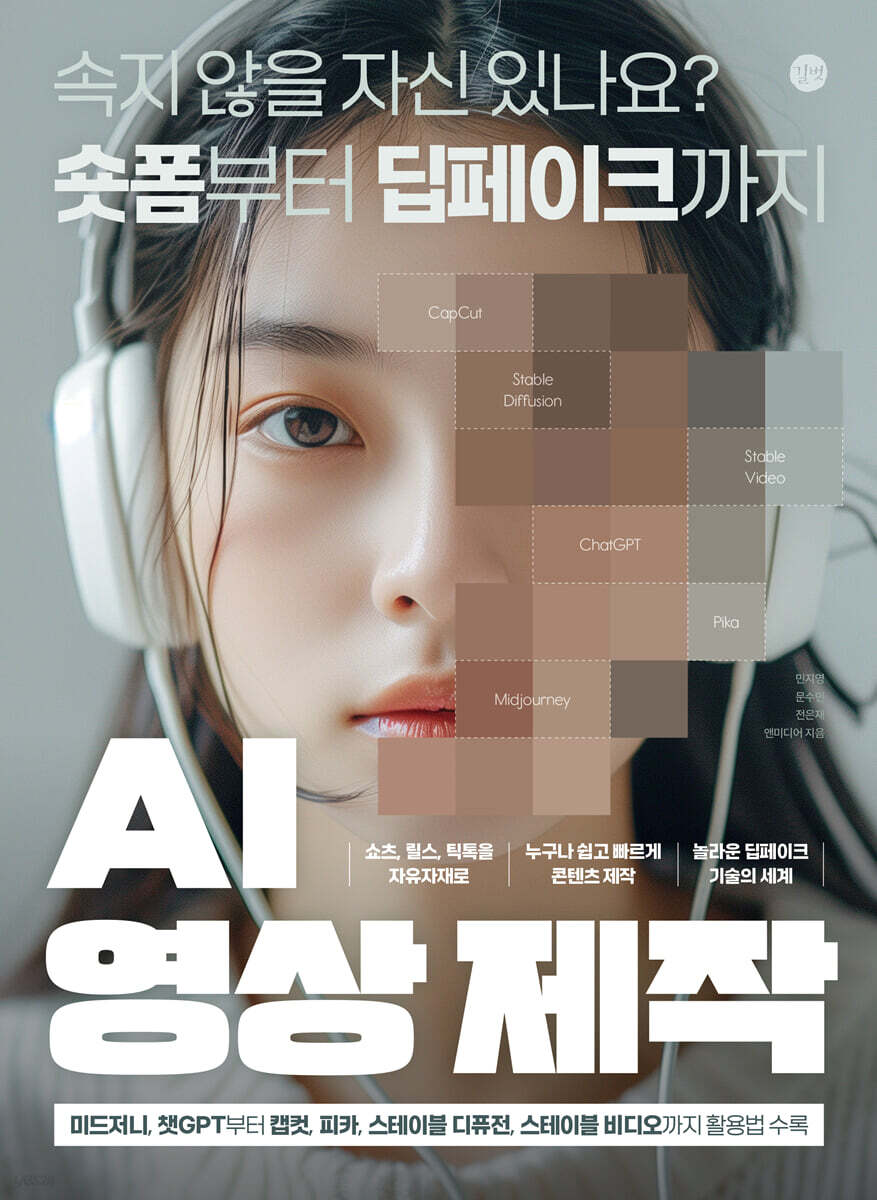
Are you confident you won't be fooled? From short-form to deepfakes. Includes usage instructions for Midjourney, ChatGPT, Capcut, Pikachu, Stable Diffusion, and Stable Video. Shorts, Reels, and TikTok! Anyone can create content quickly and easily! Discover the amazing world of deepfake technology! |
- You can preview some of the book's contents.
Preview
index
PART 1. IT'S SHORT TIME! Creating AI Videos
SECTION 1.
Short-form and generative AI videos, and deepfakes
01 Short-form content for short, quick information delivery
02 Generative AI Meets Video Production
03 Fast, steady, and short-form profits with AI!
ㆍReducing production processes and improving video quality using AI
ㆍPlanning short-form content and working with companies
SECTION 2.
Deepfakes: Videos More Realistic Than Reality
01 Deep Learning + Fake
02 Advances in Useful AI Images: Deepfakes
ㆍCreate AI cover songs with the voice you want to hear.
SECTION 3. Understand the work patterns of AI video production.
01 Storytelling and script writing using ChatGPT
02 Image and video source creation is now done with AI tools!
03 Create subtitle and narration files with audio recording
04 A vessel for video sources! AI video editing
PART 2.
Generate AI videos from blogs, Instagram, and YouTube videos.
SECTION 1.
Video production begins with ChatGPT.
01 Learn about ChatGPT configuration
SECTION 2.
Guidelines for Using Prompts for Video Composition in ChatGPT
01 Provide specific and clear questions and information.
02 Ask questions using simple, direct language and topics.
03 Use guide text to determine the output method.
04 Request detailed, imaginative image creation.
05 Use an extension service platform that fits the topic.
SECTION 3.
Getting Started with Information! Getting Prompt Materials
SECTION 4.
Create the image you want in ChatGPT
SECTION 5.
Convert text to speech and combine it with images
SPECIAL 01 How to Convert Text Prompts to Speech Files for Free
[PROJECT] Convert your blog into a short-form video
SECTION 6.
Creating a blog using ChatGPT
SECTION 7.
Converting blog content into short-form data
SECTION 8.
Setting up your desired short-form video in Video Stew
SECTION 9.
Edit short-form videos with timelines and options
[PROJECT] Converting YouTube Content to Create Short Videos
SECTION 10.
Saving YouTube videos and organizing text data
SECTION 11.
How to make a YouTube video into a short video
SECTION 12.
Retouching People's Faces with Smart Tools
SECTION 13.
Specify the video length, speed, and header to suit your shorts.
SECTION 14.
Uploading Shorts Videos to YouTube from Capcut
SECTION 15. Canva: Easily Create Videos by Combining AI Templates
01 Learn about the uses of Canvas
02 Explore the Canvas interface
[PROJECT] Creating Instagram Reels Videos
SECTION 16.
Choose an Instagram Reels layout that fits your theme.
SECTION 17.
Writing a prompt script and creating a dubbed video
SECTION 18.
Share from Canva to Instagram Reels
PART 3. Creating Animated Webtoons from AI YouTube Avatars
SECTION 1.
The Beginning of a Creative Text-to-Image AI Midjourney
01 Learn about the areas where Midjourney can be used
ㆍMovies and animations
Fashion industry
ㆍDesign and Art
02 Midjourney's Core Interface Overview
03 Add to Midjourney's private server
04 Creating a Midjourney Prompt to Generate Images
ㆍMidjourney's basic text prompt structure
ㆍBasic guide to prompts
ㆍPrompts written concisely using keywords
ㆍPrompt to set the image ratio
How to attach an image to a prompt
05 Determine the details of the result with parameters
ㆍBasic text prompt structure organization
ㆍList of parameters used in Midjourney
06 Midjourney Prompt Example Results
SECTION 2.
Writing Short-Form Content Scripts with ChatGPT
SECTION 3.
Creating AI Avatars Using Midjourney
SECTION 4.
Creating a Speaking AI Avatar with D-ID
SECTION 5.
Create voice recognition subtitles using voice analysis
SECTION 6.
CapCut, an AI video editing tool optimized for short-form videos.
01 Learn about Capcut's core features
ㆍEasy and intuitive interface
ㆍEffects, audio, and free templates provided by Capcut
ㆍEasy to use anywhere
02 Explore the CapCut interface
[PROJECT] Creating a story-driven motion video
SECTION 7.
Describing scenes and writing narration with ChatGPT
SECTION 8.
Creating scene images in 3D animation style
SECTION 9.
Converting images into motion pictures
SECTION 10.
Create a prompt as an audio file
SECTION 11.
Position clips on tracks in playback order
SECTION 12.
Recognize voice and add subtitles
SPECIAL 02 To create a cover image and fill it in a vertically long area in a short-form style
SECTION 13.
Pika, a generative AI optimized for animated webtoons
01 Learn about the areas where Pikachu can be used
ㆍVarious forms of animation
ㆍVideos that require sound
ㆍVideo synthesis and animation size expansion
Creators and short-form content
02 A look at the Pikachu core interface
03 Text-to-Video Workflow: Creating Something from Nothing
ㆍEnter text prompts and apply sound effects
ㆍVideo options to adjust the video size
ㆍMotion control that affects the dynamics of the video
ㆍVideo editing and upscaling
ㆍVideo download
04 Image-to-Video Workflow for Moving Images
Upload image and enter prompt
ㆍCamera that determines the dynamics of the video
05 Video-to-Video Workflow to Change the Style of Your Video
Upload video and enter prompts
[PROJECT] Creating AI-Powered Animated Webtoons
SECTION 14.
Creating a Webtoon Story Using ChatGPT
SECTION 15.
Creating webtoon scenes with characters and characters
SECTION 16.
Impact Motion! Create Webtoon Animations
SECTION 17.
Creating webtoon-style subtitles
SPECIAL 03 To edit an image using Photoshop's AI creation function
PART4.
From deep learning for generative AI video to deepfake video creation!
[PROJECT] Creating Deepfake Videos
SECTION 1.
Loading a video to apply deepfake to from Swapspace
SECTION 2.
Replace a character's face and output the video
[PROJECT] Creating AI Cover Song Videos
SECTION 3.
Sound source with voice and background music
SECTION 4. Converting Voices Using AI Models
SECTION 5.
Create a short-form video of a cover song with a different voice
SECTION 6.
Stable diffusion of AI's diversity from images to videos
01 Learn about the applications of stable diffusion.
ㆍCreating images of various style genres
Stylized animation
ㆍCreating moving images
02 Stable Diffusion AnimateDiff Compy UI
03 Open-source model for stable diffusion, Compy UI
ㆍOpen source of stable diffusion
ㆍNode-based Compy UI
ㆍCompy UI with the core nodes required for AnimateDiff
ㆍDifferences between SD1.5/SDXL/SDXL Lightning versions
04 Examining the Compy UI Node and Interface
ㆍAnimate Deep
ㆍPrompt
Control Net
ㆍFace Detailer
[PROJECT] Creating AI-powered short-form dance videos
SECTION 7.
Installing Compy UI for Node Task Progress
SECTION 8.
Installing Workflow Nodes for Efficient Work
SECTION 9.
Applying the model to obtain the desired images and videos
SECTION 10.
Modify nodes to achieve desired output
PART5.
Practical AI Video Production Guide from a Video Practitioner
SECTION 1: Stable Video: Creating Videos with Prompts
01 Learn about the applications of stable video.
Motion graphics and design
Creators and short-form content
02 Stable Video Core Interface Overview
ㆍText prompt
ㆍImage prompt
03 Workflow of the Stable Video Model
ㆍText-to-Image model workflow
ㆍImage-to-Video model workflow
ㆍHistory that can be modified and regenerated
04 Examining the Text Prompt Style
ㆍStyle list provided by Stable Video
05 Camera Overview of Image-to-Video Models
Camera control options available in Stable Video
ㆍAdvanced detailed options
[PROJECT] Creating Real-Life Travel Videos with AI
SECTION 2.
Making a travel video of Tokyo, Japan, filled with neon signs
SECTION 3.
Making a Hawaiian travel video featuring beaches and palm trees
SECTION 4.
Convert landscape-ratio travel videos into short-form format
SECTION 5.
Adding Subtitles to Your Travel Videos
[PROJECT] Creating a Vivid Cosmetics Commercial
SECTION 6.
Creating a Cosmetics Logo with Luxurious Materials
SECTION 7.
Creating a Cosmetics Advertising Model with Consistent Scenes
SECTION 8.
Creating cosmetics that make a strong impression
SECTION 9.
Creating a logo intro video for a cosmetics advertisement
SECTION 10.
Create videos that make your models stand out using camera motion.
SECTION 11.
Creating product videos that highlight appeal with images
SECTION 12.
Combine individual videos into one and add background music
[PROJECT] Creating a Bakery Commercial Video
SECTION 13.
Arrange the video to fit the plan and story
SECTION 14.
Subtitle design and subtitle insertion for promotional videos
SECTION 15.
Applying screen transitions and split screen
SECTION 16.
Apply audio and output video
[PROJECT] Creating a Generative AI Show Host Video
SECTION 17.
Selecting Virtual Anchors and Writing a Script with ChatGPT
SECTION 18.
Add images and customize your short-form video screen.
SECTION 1.
Short-form and generative AI videos, and deepfakes
01 Short-form content for short, quick information delivery
02 Generative AI Meets Video Production
03 Fast, steady, and short-form profits with AI!
ㆍReducing production processes and improving video quality using AI
ㆍPlanning short-form content and working with companies
SECTION 2.
Deepfakes: Videos More Realistic Than Reality
01 Deep Learning + Fake
02 Advances in Useful AI Images: Deepfakes
ㆍCreate AI cover songs with the voice you want to hear.
SECTION 3. Understand the work patterns of AI video production.
01 Storytelling and script writing using ChatGPT
02 Image and video source creation is now done with AI tools!
03 Create subtitle and narration files with audio recording
04 A vessel for video sources! AI video editing
PART 2.
Generate AI videos from blogs, Instagram, and YouTube videos.
SECTION 1.
Video production begins with ChatGPT.
01 Learn about ChatGPT configuration
SECTION 2.
Guidelines for Using Prompts for Video Composition in ChatGPT
01 Provide specific and clear questions and information.
02 Ask questions using simple, direct language and topics.
03 Use guide text to determine the output method.
04 Request detailed, imaginative image creation.
05 Use an extension service platform that fits the topic.
SECTION 3.
Getting Started with Information! Getting Prompt Materials
SECTION 4.
Create the image you want in ChatGPT
SECTION 5.
Convert text to speech and combine it with images
SPECIAL 01 How to Convert Text Prompts to Speech Files for Free
[PROJECT] Convert your blog into a short-form video
SECTION 6.
Creating a blog using ChatGPT
SECTION 7.
Converting blog content into short-form data
SECTION 8.
Setting up your desired short-form video in Video Stew
SECTION 9.
Edit short-form videos with timelines and options
[PROJECT] Converting YouTube Content to Create Short Videos
SECTION 10.
Saving YouTube videos and organizing text data
SECTION 11.
How to make a YouTube video into a short video
SECTION 12.
Retouching People's Faces with Smart Tools
SECTION 13.
Specify the video length, speed, and header to suit your shorts.
SECTION 14.
Uploading Shorts Videos to YouTube from Capcut
SECTION 15. Canva: Easily Create Videos by Combining AI Templates
01 Learn about the uses of Canvas
02 Explore the Canvas interface
[PROJECT] Creating Instagram Reels Videos
SECTION 16.
Choose an Instagram Reels layout that fits your theme.
SECTION 17.
Writing a prompt script and creating a dubbed video
SECTION 18.
Share from Canva to Instagram Reels
PART 3. Creating Animated Webtoons from AI YouTube Avatars
SECTION 1.
The Beginning of a Creative Text-to-Image AI Midjourney
01 Learn about the areas where Midjourney can be used
ㆍMovies and animations
Fashion industry
ㆍDesign and Art
02 Midjourney's Core Interface Overview
03 Add to Midjourney's private server
04 Creating a Midjourney Prompt to Generate Images
ㆍMidjourney's basic text prompt structure
ㆍBasic guide to prompts
ㆍPrompts written concisely using keywords
ㆍPrompt to set the image ratio
How to attach an image to a prompt
05 Determine the details of the result with parameters
ㆍBasic text prompt structure organization
ㆍList of parameters used in Midjourney
06 Midjourney Prompt Example Results
SECTION 2.
Writing Short-Form Content Scripts with ChatGPT
SECTION 3.
Creating AI Avatars Using Midjourney
SECTION 4.
Creating a Speaking AI Avatar with D-ID
SECTION 5.
Create voice recognition subtitles using voice analysis
SECTION 6.
CapCut, an AI video editing tool optimized for short-form videos.
01 Learn about Capcut's core features
ㆍEasy and intuitive interface
ㆍEffects, audio, and free templates provided by Capcut
ㆍEasy to use anywhere
02 Explore the CapCut interface
[PROJECT] Creating a story-driven motion video
SECTION 7.
Describing scenes and writing narration with ChatGPT
SECTION 8.
Creating scene images in 3D animation style
SECTION 9.
Converting images into motion pictures
SECTION 10.
Create a prompt as an audio file
SECTION 11.
Position clips on tracks in playback order
SECTION 12.
Recognize voice and add subtitles
SPECIAL 02 To create a cover image and fill it in a vertically long area in a short-form style
SECTION 13.
Pika, a generative AI optimized for animated webtoons
01 Learn about the areas where Pikachu can be used
ㆍVarious forms of animation
ㆍVideos that require sound
ㆍVideo synthesis and animation size expansion
Creators and short-form content
02 A look at the Pikachu core interface
03 Text-to-Video Workflow: Creating Something from Nothing
ㆍEnter text prompts and apply sound effects
ㆍVideo options to adjust the video size
ㆍMotion control that affects the dynamics of the video
ㆍVideo editing and upscaling
ㆍVideo download
04 Image-to-Video Workflow for Moving Images
Upload image and enter prompt
ㆍCamera that determines the dynamics of the video
05 Video-to-Video Workflow to Change the Style of Your Video
Upload video and enter prompts
[PROJECT] Creating AI-Powered Animated Webtoons
SECTION 14.
Creating a Webtoon Story Using ChatGPT
SECTION 15.
Creating webtoon scenes with characters and characters
SECTION 16.
Impact Motion! Create Webtoon Animations
SECTION 17.
Creating webtoon-style subtitles
SPECIAL 03 To edit an image using Photoshop's AI creation function
PART4.
From deep learning for generative AI video to deepfake video creation!
[PROJECT] Creating Deepfake Videos
SECTION 1.
Loading a video to apply deepfake to from Swapspace
SECTION 2.
Replace a character's face and output the video
[PROJECT] Creating AI Cover Song Videos
SECTION 3.
Sound source with voice and background music
SECTION 4. Converting Voices Using AI Models
SECTION 5.
Create a short-form video of a cover song with a different voice
SECTION 6.
Stable diffusion of AI's diversity from images to videos
01 Learn about the applications of stable diffusion.
ㆍCreating images of various style genres
Stylized animation
ㆍCreating moving images
02 Stable Diffusion AnimateDiff Compy UI
03 Open-source model for stable diffusion, Compy UI
ㆍOpen source of stable diffusion
ㆍNode-based Compy UI
ㆍCompy UI with the core nodes required for AnimateDiff
ㆍDifferences between SD1.5/SDXL/SDXL Lightning versions
04 Examining the Compy UI Node and Interface
ㆍAnimate Deep
ㆍPrompt
Control Net
ㆍFace Detailer
[PROJECT] Creating AI-powered short-form dance videos
SECTION 7.
Installing Compy UI for Node Task Progress
SECTION 8.
Installing Workflow Nodes for Efficient Work
SECTION 9.
Applying the model to obtain the desired images and videos
SECTION 10.
Modify nodes to achieve desired output
PART5.
Practical AI Video Production Guide from a Video Practitioner
SECTION 1: Stable Video: Creating Videos with Prompts
01 Learn about the applications of stable video.
Motion graphics and design
Creators and short-form content
02 Stable Video Core Interface Overview
ㆍText prompt
ㆍImage prompt
03 Workflow of the Stable Video Model
ㆍText-to-Image model workflow
ㆍImage-to-Video model workflow
ㆍHistory that can be modified and regenerated
04 Examining the Text Prompt Style
ㆍStyle list provided by Stable Video
05 Camera Overview of Image-to-Video Models
Camera control options available in Stable Video
ㆍAdvanced detailed options
[PROJECT] Creating Real-Life Travel Videos with AI
SECTION 2.
Making a travel video of Tokyo, Japan, filled with neon signs
SECTION 3.
Making a Hawaiian travel video featuring beaches and palm trees
SECTION 4.
Convert landscape-ratio travel videos into short-form format
SECTION 5.
Adding Subtitles to Your Travel Videos
[PROJECT] Creating a Vivid Cosmetics Commercial
SECTION 6.
Creating a Cosmetics Logo with Luxurious Materials
SECTION 7.
Creating a Cosmetics Advertising Model with Consistent Scenes
SECTION 8.
Creating cosmetics that make a strong impression
SECTION 9.
Creating a logo intro video for a cosmetics advertisement
SECTION 10.
Create videos that make your models stand out using camera motion.
SECTION 11.
Creating product videos that highlight appeal with images
SECTION 12.
Combine individual videos into one and add background music
[PROJECT] Creating a Bakery Commercial Video
SECTION 13.
Arrange the video to fit the plan and story
SECTION 14.
Subtitle design and subtitle insertion for promotional videos
SECTION 15.
Applying screen transitions and split screen
SECTION 16.
Apply audio and output video
[PROJECT] Creating a Generative AI Show Host Video
SECTION 17.
Selecting Virtual Anchors and Writing a Script with ChatGPT
SECTION 18.
Add images and customize your short-form video screen.
Detailed image

Publisher's Review
From short-form to deepfakes
From commercials, travel videos, and even cover songs.
Practical video & content creation using AI
In the age of digital AI, thanks to the advancement of deepfake technology, it is becoming commonplace to see images created by AI, human voices, songs, and videos that appear realistic.
Already, AI-powered video technologies such as deepfake, AI-based digital humans, and AI-powered video creation and restoration are contributing to enhancing the immersion of movies and dramas and providing a new level of visual experience.
This book introduces how anyone can quickly and easily create amazing deepfake videos using AI on Shorts, Reels, TikTok, short-form videos, and YouTube videos.
Video producers, content creators, and marketers will be able to easily create the video content they need, reducing production time and costs while producing high-quality content.
This book will teach you the practical AI video and short-form content creation know-how.
Shorts, reels, and TikTok at will!
Create and share unique short-form content with short, powerful messages, and generate revenue.
Anyone can create content quickly and easily!
From promotional videos to webtoon animation production, AI video automation saves time and money.
The amazing world of deepfake technology!
Experience the advancement of AI video that blurs the lines between reality and the virtual, from voice covering to AI-synthesized visual effects.
From commercials, travel videos, and even cover songs.
Practical video & content creation using AI
In the age of digital AI, thanks to the advancement of deepfake technology, it is becoming commonplace to see images created by AI, human voices, songs, and videos that appear realistic.
Already, AI-powered video technologies such as deepfake, AI-based digital humans, and AI-powered video creation and restoration are contributing to enhancing the immersion of movies and dramas and providing a new level of visual experience.
This book introduces how anyone can quickly and easily create amazing deepfake videos using AI on Shorts, Reels, TikTok, short-form videos, and YouTube videos.
Video producers, content creators, and marketers will be able to easily create the video content they need, reducing production time and costs while producing high-quality content.
This book will teach you the practical AI video and short-form content creation know-how.
Shorts, reels, and TikTok at will!
Create and share unique short-form content with short, powerful messages, and generate revenue.
Anyone can create content quickly and easily!
From promotional videos to webtoon animation production, AI video automation saves time and money.
The amazing world of deepfake technology!
Experience the advancement of AI video that blurs the lines between reality and the virtual, from voice covering to AI-synthesized visual effects.
GOODS SPECIFICS
- Date of issue: June 28, 2024
- Page count, weight, size: 384 pages | 940g | 188*257*17mm
- ISBN13: 9791140709502
You may also like
카테고리
korean


korean

![GQ KOREA Mark (Monthly): December [2025]](http://librairie.coreenne.fr/cdn/shop/files/8ef265dbbfbf186523ed75ba7319009d.jpg?v=1765340328&width=3840)


