

Second Brain is Obsidian
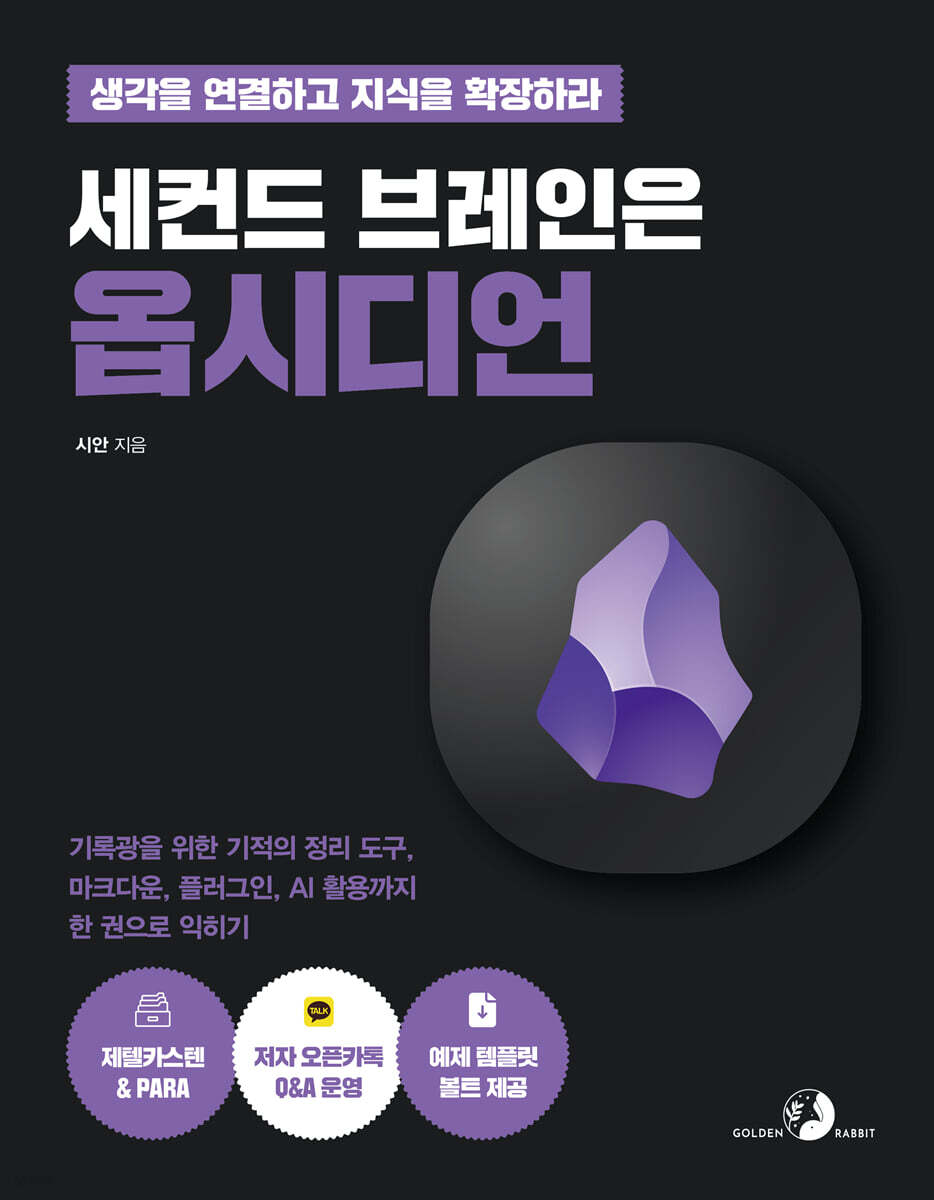 |
Description
Book Introduction
Connect your thoughts and expand your knowledge!
600,000 views! Packed with the know-how of the author of "Cyan," a productive YouTuber.
Get 200% out of Obsidian in just one book, from basic to advanced.
Ideas floating around in my head come to mind for a moment and then quickly disperse.
What if you have a golden idea that just vanishes? If you're worried about that, I recommend Obsidian.
It's a well-known fact that Obsidian is a powerful tool for knowledge management.
However, if there is one thing that hinders the introduction of Obsidian, it is its 'complicated first impression like a spaceship panel'.
For those who are just starting out with Obsidian, the complex menus and features are a barrier that makes it difficult to get started.
So, we've prepared a complete guide to getting the most out of Obsidian.
This book will help you utilize Obsidian to its full potential, from installation for complete beginners to basic setup and advanced features for developers.
It also goes beyond the Obsidian Manual and explains Zettelkasten and PARA, theories for storing and organizing information.
Open the book on one side and the obsidian on the other, and follow along to experience 'what it means to record and organize ideas using obsidian.'
All practical courses are guided with clear capture screens and instructions.
We've also packed in additional helpful information, additional links for in-depth study, and the author's know-how.
We have prepared an example bolt file from the author of the blueprint to make it easier to practice.
By the time you finish reading this book, Obsidian will feel like your own tool, not someone else's.
I hope this book will help you build your second brain.
600,000 views! Packed with the know-how of the author of "Cyan," a productive YouTuber.
Get 200% out of Obsidian in just one book, from basic to advanced.
Ideas floating around in my head come to mind for a moment and then quickly disperse.
What if you have a golden idea that just vanishes? If you're worried about that, I recommend Obsidian.
It's a well-known fact that Obsidian is a powerful tool for knowledge management.
However, if there is one thing that hinders the introduction of Obsidian, it is its 'complicated first impression like a spaceship panel'.
For those who are just starting out with Obsidian, the complex menus and features are a barrier that makes it difficult to get started.
So, we've prepared a complete guide to getting the most out of Obsidian.
This book will help you utilize Obsidian to its full potential, from installation for complete beginners to basic setup and advanced features for developers.
It also goes beyond the Obsidian Manual and explains Zettelkasten and PARA, theories for storing and organizing information.
Open the book on one side and the obsidian on the other, and follow along to experience 'what it means to record and organize ideas using obsidian.'
All practical courses are guided with clear capture screens and instructions.
We've also packed in additional helpful information, additional links for in-depth study, and the author's know-how.
We have prepared an example bolt file from the author of the blueprint to make it easier to practice.
By the time you finish reading this book, Obsidian will feel like your own tool, not someone else's.
I hope this book will help you build your second brain.
- You can preview some of the book's contents.
Preview
index
[Part 01: Getting Started with Obsidian, Step by Step, from the Basics]
Chapter 01 What is Obsidian?
_ [Practice 01] Obsidian helps organize and expand thoughts
_ [Practice 02] Reviewing Rate Plans and Licenses
Chapter 02 Getting Started with Obsidian
_ [Practice 03] Installing Obsidian on PC and Smartphone
_ [Practice 04] [Example 01] The beginning of all thoughts, creating a bolt
_ [Practice 05] Examining the Obsidian Interface
_ [Practice 06] Creating and deleting notes and folders
_ [Practice 07] Managing Notes and Folders
_ [Practice 08] Manipulating tabs
Chapter 03: Learning Basic Markdown Grammar
_ [Practice 09] Emphasizing with title format
_ [Practice 10] Text Decoration
_ [Practice 11] Formatting quotations
_ [Practice 12] Inserting code blocks and inline code
_ [Practice 13] Inserting a list
_ [Practice 14] Dividing sections with horizontal lines
_ [Practice 15] Obsidian's Note Viewing Method
Chapter 04 Obsidian Basic Settings
_ [Practice 16] Setting up the attachment folder
_ [Practice 17] Setting the theme
Chapter 05: Understanding Core Plugins
_ [Practice 18] What is a core plugin?
_ [Practice 19] Creating a Presentation with Obsidian
Chapter 06: Understanding Community Plugins
_ [Practice 20] Community plugins are only necessary!
_ [Practice 21] Managing and Recording Schedules with Obsidian
_ [Practice 22] Using Obsidian Faster with Shortcuts
[Part 02: Connecting and Expanding, Utilizing Obsidian's Core Features]
Chapter 07 Linking Information to Notes
_ [Practice 23] Connecting external and internal links to notes
_ [Practice 24] Attaching link content
_ [Practice 25] Tagging notes
_ [Practice 26] Retrieving a title from another note using an anchor link
_ [Practice 27] Importing content from another note using a block link
_ [Practice 28] Exploring Notes Linked by Backlinks and Outlinks
Chapter 08 Finding the Note You Want with Search
_ [Practice 29] Searching notes
_ [Practice 30] Search know-how to make searching easier
_ [Practice 31] Advanced search for necessary information using regular expressions
Chapter 09 Visualizing Note Connections with Graphs
_ [Practice 32] Visualizing the entire note connection with a graph
_ [Practice 33] Visualizing Current Note Connections with a Local Graph
Chapter 10: Mastering Advanced Markdown Grammar
_ [Practice 34] Creating a table
_ [Practice 35] Emphasizing with callouts
_ [Practice 36] Expressing mathematical symbols and formulas
_ [Practice 37] Adding additional explanations in footnotes
_ [Practice 38] Hiding comments in read mode
Chapter 11: Adding Metadata as Attributes
_ [Practice 39] Creating properties in notes
_ [Practice 40] Creating a Reading Note Form with a Template
Chapter 12: Using Obsidian Anywhere with Synchronization
_ [Practice 41] Synchronizing with the Sync Plugin
_ [Practice 42] Synchronizing with a Cloud Drive Service
_ [Practice 43] Using Community Plugins and Git
Chapter 13: Visualizing Notes with Canvas
_ [Practice 44] Making Canvas and Cards
_ [Practice 45] Operating the Navigation
_ [Practice 46] Connecting and Grouping Cards
_ [Practice 47] Using Canvas Images
Chapter 14: Drawing Diagrams with Excalibur
_ [Practice 48] Getting Started with Excalibur
_ [Practice 49] Drawing and Editing Diagrams
_ [Practice 50] Inserting various information into a diagram
_ [Practice 51] Grouping Related Diagrams
_ [Practice 52] Learn about the advanced features of Excalibur
[Part 03: Managing Knowledge Information with a Productivity Framework]
Chapter 15: PARA: Managing Information and Data Based on Purpose
_ [Practice 53] Easily Understanding the PARA Concept
_ [Practice 54] Four Components of PARA
_ [Practice 55] Features of PARA, flexible note positions
_ [Practice 56] 3 Advantages of PARA
_ [Practice 57] Thinking for a Successful PARA
Chapter 16: Setting up PARA with Obsidian
_ [Practice 58] Importing notes from other note apps using Importer
_ [Practice 59] Building a PARA in Obsidian in 60 Seconds
_ [Practice 60] Viewing the author's PARA
Chapter 17: Zettelkasten: Managing Knowledge and Ideas Through Connections
_ [Practice 61] Why Zettelkasten is Needed: Bottom-Up Knowledge Management
_ [Practice 62] Easily Understanding the Concept of Zettelkasten
_ [Practice 63] Zettelkasten's Two Notes
_ [Practice 64] 5 Steps to Zettelkasten Practice
_ [Practice 65] Thinking for a Successful Zettelkasten
Chapter 18: Building a Zettelkasten with Obsidian
_ [Practice 66] Building a Zettelkasten Folder
_ [Practice 67] Writing Reference Notes
_ [Practice 68] Writing notes for permanent storage
_ [Practice 69] Developing a permanent storage notebook and turning it into a result
_ [Practice 70] Using AI in Zettelkasten with Smart Connections
[Part 04: Using Obsidian's Level-Up Enhancement]
Chapter 19: Customizing Obsidian with HTML and CSS Snippets
_ [Practice 71] Decorating Obsidian with HTML
_ [Practice 72] Decorating Obsidian with CSS Snippets
Chapter 20 Advanced Searching with DataViews
_ [Practice 73] Previewing Data View
_ [Practice 74] Indexing Data
_ [Practice 75] Understanding the Structure of Data Queries
_ [Practice 76] Setting the format for displaying data using query type
_ [Practice 77] Setting up a method to retrieve data using data commands
_ [Practice 78] Expressing desired data with inline DQL and functions
_ [Practice 79] Using Data View
[Chapter 21: Creating a Digital Garden with Publishing]
_ [Practice 80] Subscribe to Publish
_ [Practice 81] Posting Notes
_ [Practice 82] Changing styles
Chapter 01 What is Obsidian?
_ [Practice 01] Obsidian helps organize and expand thoughts
_ [Practice 02] Reviewing Rate Plans and Licenses
Chapter 02 Getting Started with Obsidian
_ [Practice 03] Installing Obsidian on PC and Smartphone
_ [Practice 04] [Example 01] The beginning of all thoughts, creating a bolt
_ [Practice 05] Examining the Obsidian Interface
_ [Practice 06] Creating and deleting notes and folders
_ [Practice 07] Managing Notes and Folders
_ [Practice 08] Manipulating tabs
Chapter 03: Learning Basic Markdown Grammar
_ [Practice 09] Emphasizing with title format
_ [Practice 10] Text Decoration
_ [Practice 11] Formatting quotations
_ [Practice 12] Inserting code blocks and inline code
_ [Practice 13] Inserting a list
_ [Practice 14] Dividing sections with horizontal lines
_ [Practice 15] Obsidian's Note Viewing Method
Chapter 04 Obsidian Basic Settings
_ [Practice 16] Setting up the attachment folder
_ [Practice 17] Setting the theme
Chapter 05: Understanding Core Plugins
_ [Practice 18] What is a core plugin?
_ [Practice 19] Creating a Presentation with Obsidian
Chapter 06: Understanding Community Plugins
_ [Practice 20] Community plugins are only necessary!
_ [Practice 21] Managing and Recording Schedules with Obsidian
_ [Practice 22] Using Obsidian Faster with Shortcuts
[Part 02: Connecting and Expanding, Utilizing Obsidian's Core Features]
Chapter 07 Linking Information to Notes
_ [Practice 23] Connecting external and internal links to notes
_ [Practice 24] Attaching link content
_ [Practice 25] Tagging notes
_ [Practice 26] Retrieving a title from another note using an anchor link
_ [Practice 27] Importing content from another note using a block link
_ [Practice 28] Exploring Notes Linked by Backlinks and Outlinks
Chapter 08 Finding the Note You Want with Search
_ [Practice 29] Searching notes
_ [Practice 30] Search know-how to make searching easier
_ [Practice 31] Advanced search for necessary information using regular expressions
Chapter 09 Visualizing Note Connections with Graphs
_ [Practice 32] Visualizing the entire note connection with a graph
_ [Practice 33] Visualizing Current Note Connections with a Local Graph
Chapter 10: Mastering Advanced Markdown Grammar
_ [Practice 34] Creating a table
_ [Practice 35] Emphasizing with callouts
_ [Practice 36] Expressing mathematical symbols and formulas
_ [Practice 37] Adding additional explanations in footnotes
_ [Practice 38] Hiding comments in read mode
Chapter 11: Adding Metadata as Attributes
_ [Practice 39] Creating properties in notes
_ [Practice 40] Creating a Reading Note Form with a Template
Chapter 12: Using Obsidian Anywhere with Synchronization
_ [Practice 41] Synchronizing with the Sync Plugin
_ [Practice 42] Synchronizing with a Cloud Drive Service
_ [Practice 43] Using Community Plugins and Git
Chapter 13: Visualizing Notes with Canvas
_ [Practice 44] Making Canvas and Cards
_ [Practice 45] Operating the Navigation
_ [Practice 46] Connecting and Grouping Cards
_ [Practice 47] Using Canvas Images
Chapter 14: Drawing Diagrams with Excalibur
_ [Practice 48] Getting Started with Excalibur
_ [Practice 49] Drawing and Editing Diagrams
_ [Practice 50] Inserting various information into a diagram
_ [Practice 51] Grouping Related Diagrams
_ [Practice 52] Learn about the advanced features of Excalibur
[Part 03: Managing Knowledge Information with a Productivity Framework]
Chapter 15: PARA: Managing Information and Data Based on Purpose
_ [Practice 53] Easily Understanding the PARA Concept
_ [Practice 54] Four Components of PARA
_ [Practice 55] Features of PARA, flexible note positions
_ [Practice 56] 3 Advantages of PARA
_ [Practice 57] Thinking for a Successful PARA
Chapter 16: Setting up PARA with Obsidian
_ [Practice 58] Importing notes from other note apps using Importer
_ [Practice 59] Building a PARA in Obsidian in 60 Seconds
_ [Practice 60] Viewing the author's PARA
Chapter 17: Zettelkasten: Managing Knowledge and Ideas Through Connections
_ [Practice 61] Why Zettelkasten is Needed: Bottom-Up Knowledge Management
_ [Practice 62] Easily Understanding the Concept of Zettelkasten
_ [Practice 63] Zettelkasten's Two Notes
_ [Practice 64] 5 Steps to Zettelkasten Practice
_ [Practice 65] Thinking for a Successful Zettelkasten
Chapter 18: Building a Zettelkasten with Obsidian
_ [Practice 66] Building a Zettelkasten Folder
_ [Practice 67] Writing Reference Notes
_ [Practice 68] Writing notes for permanent storage
_ [Practice 69] Developing a permanent storage notebook and turning it into a result
_ [Practice 70] Using AI in Zettelkasten with Smart Connections
[Part 04: Using Obsidian's Level-Up Enhancement]
Chapter 19: Customizing Obsidian with HTML and CSS Snippets
_ [Practice 71] Decorating Obsidian with HTML
_ [Practice 72] Decorating Obsidian with CSS Snippets
Chapter 20 Advanced Searching with DataViews
_ [Practice 73] Previewing Data View
_ [Practice 74] Indexing Data
_ [Practice 75] Understanding the Structure of Data Queries
_ [Practice 76] Setting the format for displaying data using query type
_ [Practice 77] Setting up a method to retrieve data using data commands
_ [Practice 78] Expressing desired data with inline DQL and functions
_ [Practice 79] Using Data View
[Chapter 21: Creating a Digital Garden with Publishing]
_ [Practice 80] Subscribe to Publish
_ [Practice 81] Posting Notes
_ [Practice 82] Changing styles
Detailed image

Publisher's Review
★ Want to upgrade your brain storage? Use Obsidian!
★ We've packed it all in, from an introduction to Obsidian features to theories on how to use them to increase productivity.
Couldn't we upgrade the storage and operational efficiency of our brains, just like we upgrade our computer's capacity? Wouldn't it be great if we could take out the insides of our heads and show them to you? Obsidian makes all of this possible.
The author introduces Obsidian as a tool to help organize and expand thoughts.
This book introduces Obsidian's features, provides the author's vivid explanations of how to use it, and provides tips for recording a wealth of information and organizing personal schedules and tasks.
★ Learn the essential Obsidian features as if you were manipulating a spaceship panel!
★ Create your own records with PARA and Zettelkasten!
Obsidian's first impression is that it looks like a spaceship panel.
A few buttons and windows may seem simple, but they hide a lot of functionality.
First, let's introduce the essential features that will make Obsidian more than just a notepad.
● In 'Part 01 Getting Started with Obsidian from the Basics', we will learn about the introduction and installation of Obsidian, basic components, interface, etc.
● In 'Part 02 Connecting and Expanding, Utilizing Obsidian's Core Features', you will learn Obsidian's core features that combine and connect information, such as graph views, links, and properties.
Now that you've learned the features, you need to know how to utilize them. Create your own note-taking system based on the author's expertise. We'll also teach you how to organize your notes with AI.
● In 'Part 03 Managing Knowledge Information with a Productivity Framework', the author introduces the notable productivity frameworks 'PARA' and 'Zettelkasten' and shows specific ways to utilize them using examples of notes the author himself uses.
The final chapter introduces advanced usage for readers with development knowledge.
● In 'Part 04 Level Up Obsidian Advanced Utilization', you can experience the fun of decorating Obsidian with CSS and HTML, and create a database of Obsidian with DataView.
★ We 1000% support our readers' learning!
★ Study together through the author-run open KakaoTalk chatroom + GitHub + YouTube + blog!
〈Support 1〉 Open KakaoTalk Chat Room
______ open.kakao.com/o/gqF5fNog
〈Support 2〉 GitHub: Example Vault Provided
______ github.com/Sianmin/obsidian-goldenrabbit
〈Support 3〉 Author YouTube
______ youtube.com/@sian-prod
Author's Blog for "Support 4"
______ thinkingsian.com
★ Introducing a learning structure that delivers 200% effectiveness!
This book is packed with hands-on exercises, one-minute tips, and code boxes.
We provide detailed guidance on concepts and practices for 82 topics, allowing you to experience and learn the functions by following along.
We will explain the areas where mistakes are easy to make and the knowledge that is good to know in detail in the 1-minute tips.
After each chapter, review what you've learned with the reminder notes.
Although it may be a bit grand to call it coding, we also introduce Markdown and database query syntax, which may be unfamiliar to readers who are new to coding.
The part explaining the code is marked separately in the code box, so be sure to type it directly into your notes and practice.
You'll get used to it sooner than you think.
★ When you want a reminder, explore the author's example vault!
We provide an example vault containing all the exercises covered in the book + example notes needed for the exercises.
You can download it from the author's GitHub (github.com/Sianmin/obsidian-goldenrabbit).
You can conveniently practice functions that require existing notes, such as search and data views, through this example bolt.
We encourage you to follow the book and build your own Obsidian Vault by setting up features and writing your own code.
However, we provide the same code presented in the book, such as Markdown, CSS, and DataView, in the example bolts, so don't be afraid of the practice being difficult and give it a try.
★ We've packed it all in, from an introduction to Obsidian features to theories on how to use them to increase productivity.
Couldn't we upgrade the storage and operational efficiency of our brains, just like we upgrade our computer's capacity? Wouldn't it be great if we could take out the insides of our heads and show them to you? Obsidian makes all of this possible.
The author introduces Obsidian as a tool to help organize and expand thoughts.
This book introduces Obsidian's features, provides the author's vivid explanations of how to use it, and provides tips for recording a wealth of information and organizing personal schedules and tasks.
★ Learn the essential Obsidian features as if you were manipulating a spaceship panel!
★ Create your own records with PARA and Zettelkasten!
Obsidian's first impression is that it looks like a spaceship panel.
A few buttons and windows may seem simple, but they hide a lot of functionality.
First, let's introduce the essential features that will make Obsidian more than just a notepad.
● In 'Part 01 Getting Started with Obsidian from the Basics', we will learn about the introduction and installation of Obsidian, basic components, interface, etc.
● In 'Part 02 Connecting and Expanding, Utilizing Obsidian's Core Features', you will learn Obsidian's core features that combine and connect information, such as graph views, links, and properties.
Now that you've learned the features, you need to know how to utilize them. Create your own note-taking system based on the author's expertise. We'll also teach you how to organize your notes with AI.
● In 'Part 03 Managing Knowledge Information with a Productivity Framework', the author introduces the notable productivity frameworks 'PARA' and 'Zettelkasten' and shows specific ways to utilize them using examples of notes the author himself uses.
The final chapter introduces advanced usage for readers with development knowledge.
● In 'Part 04 Level Up Obsidian Advanced Utilization', you can experience the fun of decorating Obsidian with CSS and HTML, and create a database of Obsidian with DataView.
★ We 1000% support our readers' learning!
★ Study together through the author-run open KakaoTalk chatroom + GitHub + YouTube + blog!
〈Support 1〉 Open KakaoTalk Chat Room
______ open.kakao.com/o/gqF5fNog
〈Support 2〉 GitHub: Example Vault Provided
______ github.com/Sianmin/obsidian-goldenrabbit
〈Support 3〉 Author YouTube
______ youtube.com/@sian-prod
Author's Blog for "Support 4"
______ thinkingsian.com
★ Introducing a learning structure that delivers 200% effectiveness!
This book is packed with hands-on exercises, one-minute tips, and code boxes.
We provide detailed guidance on concepts and practices for 82 topics, allowing you to experience and learn the functions by following along.
We will explain the areas where mistakes are easy to make and the knowledge that is good to know in detail in the 1-minute tips.
After each chapter, review what you've learned with the reminder notes.
Although it may be a bit grand to call it coding, we also introduce Markdown and database query syntax, which may be unfamiliar to readers who are new to coding.
The part explaining the code is marked separately in the code box, so be sure to type it directly into your notes and practice.
You'll get used to it sooner than you think.
★ When you want a reminder, explore the author's example vault!
We provide an example vault containing all the exercises covered in the book + example notes needed for the exercises.
You can download it from the author's GitHub (github.com/Sianmin/obsidian-goldenrabbit).
You can conveniently practice functions that require existing notes, such as search and data views, through this example bolt.
We encourage you to follow the book and build your own Obsidian Vault by setting up features and writing your own code.
However, we provide the same code presented in the book, such as Markdown, CSS, and DataView, in the example bolts, so don't be afraid of the practice being difficult and give it a try.
GOODS SPECIFICS
- Date of issue: June 14, 2024
- Page count, weight, size: 304 pages | 580g | 183*235*13mm
- ISBN13: 9791191905823
You may also like
카테고리
korean


korean

![GQ KOREA Mark (Monthly): December [2025]](http://librairie.coreenne.fr/cdn/shop/files/8ef265dbbfbf186523ed75ba7319009d.jpg?v=1765340328&width=3840)


