

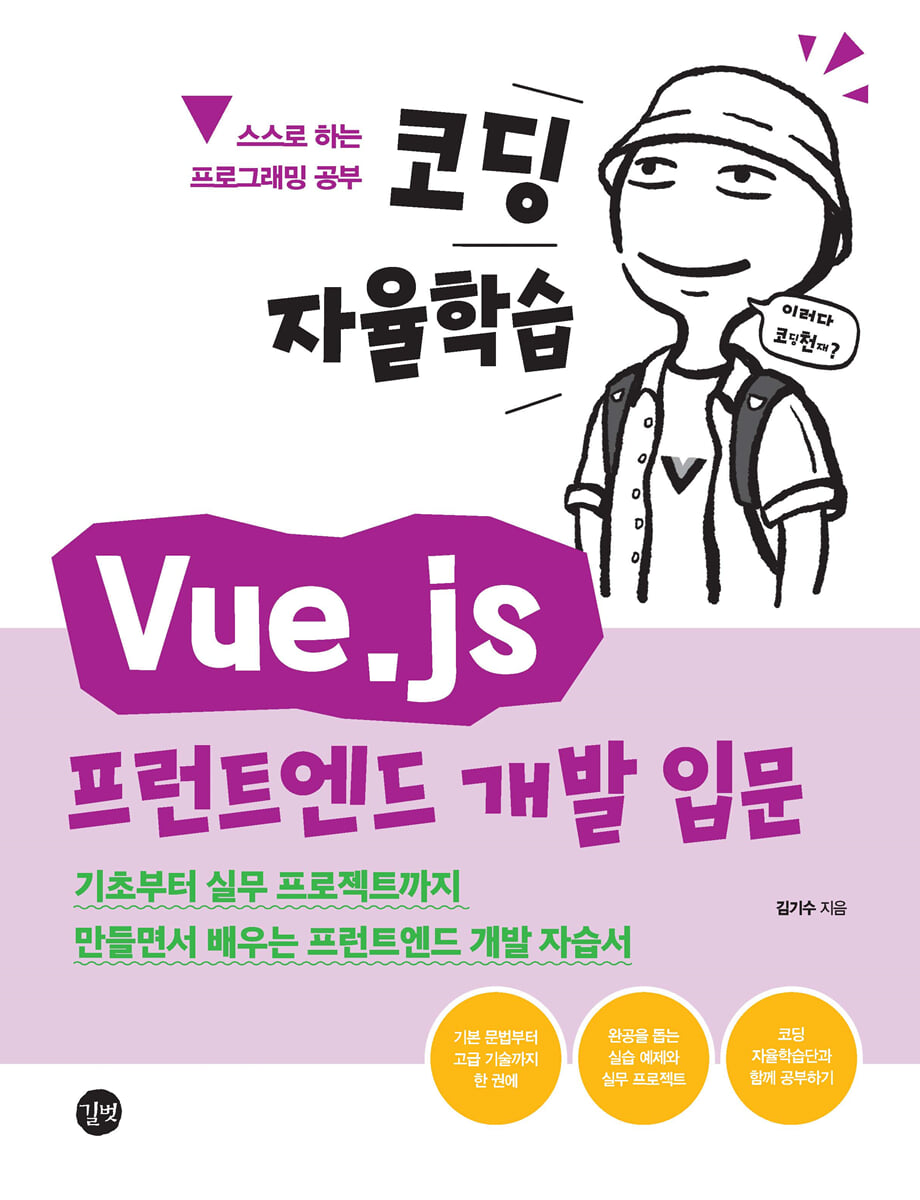
Introduction to Vue.js Front-End Development: Coding Self-Study
 |
Description
Book Introduction
Front-end development! It's easy to get started with Vue.js. This book covers everything from Vue 2's Options API, which allows you to quickly learn views, to Vue 3's Composition API, which allows you to structure your application logic more flexibly and organizedly. Additionally, you can take your web development experience to the next level by learning how to increase the flexibility and efficiency of your applications using routing features, how to efficiently manage component state with Pinia, and how to communicate data using views. Even those who are new to front-end development can easily follow along with this book. In addition to basic examples to help you learn concepts and grammar, it also provides practical examples and challenges to help you check what you've learned in each part. In the final chapter, you will experience front-end development using views by working on the 'Building a Weather Application' project. |
- You can preview some of the book's contents.
Preview
index
Part 1: Learning Vue.js Basics
Chapter 1: Overview of Vue.js
1.1 Viewran
1.2 Background of the birth of View
1.3 Why Use Views?
Chapter 2: Getting Started with Vue.js
2.1 Setting up the development environment
2.2 Creating Your First View Application
Chapter 3: Learning Basic View Grammar
3.1 Basic structure of a view application
3.2 View Application Instance
3.3 Handling basic grammar
3.4 Handling Events
3.5 Handling Forms
3.6 Computed and Observer Properties
3.7 Handling Styles
Chapter 4: Building a Calculator
4.1 Introduction to the Practice Contents
4.2 Setting up the basic structure of the view application
4.3 Configuring the calculator's UI
4.4 Binding data and connecting events
4.5 Implementing Calculator Logic
Chapter 5: Working with Components
5.1 What is a component?
5.2 Defining Components
5.3 Understanding the Component Lifecycle
5.4 Defining Properties and Events for Components
5.5 Handling component data efficiently
5.6 Using Component Slots
Chapter 6: Hands-on: Building a To-Do Management App
6.1 Introduction to the Practice Contents
6.2 Configuring the UI of the To-Do Management App
6.3 Implementing the Functionality of the To-Do Management App
Part 2: Mastering Advanced Vue.js Techniques
Chapter 7: Working with the Composition API
7.1 What is the Composition API?
7.2 Basic Components of the Composition API
7.3 Changes to Component Components in the Composition API
Chapter 8: Using Routing Functions with View Router
8.1 Handling View Routers
8.2 Using Additional Features of the View Router
8.3 Handling Advanced Features of View Routers
Chapter 9: Managing State with Pinia
9.1 What is State Management?
9.2 Preparing to Use Pinia
9.3 Learning Pinia Basic Grammar
9.4 Hands-on: Building a Shopping Cart App with Pinia
Chapter 10: Data Communication
10.1 Concepts to know in data communications
10.2 Creating a Web Server and API with Node.js
10.3 Communicating Data with the Fetch API
10.4 Communicating Data with Axios
Part 3: Completing a Vue.js Project
Chapter 11: Creating a Weather Application
11.1 Explore the Weather Application
11.2 Configuring the Weather Application UI
11.3 Implementing Weather Application Features
11.4 Deploying
11.5 Moving on to Expert
Chapter 12 Appendix: ES6 Essentials
12.1 What is ES6?
12.2 Preparing for Study
12.3 Key ES6 Grammar
Chapter 1: Overview of Vue.js
1.1 Viewran
1.2 Background of the birth of View
1.3 Why Use Views?
Chapter 2: Getting Started with Vue.js
2.1 Setting up the development environment
2.2 Creating Your First View Application
Chapter 3: Learning Basic View Grammar
3.1 Basic structure of a view application
3.2 View Application Instance
3.3 Handling basic grammar
3.4 Handling Events
3.5 Handling Forms
3.6 Computed and Observer Properties
3.7 Handling Styles
Chapter 4: Building a Calculator
4.1 Introduction to the Practice Contents
4.2 Setting up the basic structure of the view application
4.3 Configuring the calculator's UI
4.4 Binding data and connecting events
4.5 Implementing Calculator Logic
Chapter 5: Working with Components
5.1 What is a component?
5.2 Defining Components
5.3 Understanding the Component Lifecycle
5.4 Defining Properties and Events for Components
5.5 Handling component data efficiently
5.6 Using Component Slots
Chapter 6: Hands-on: Building a To-Do Management App
6.1 Introduction to the Practice Contents
6.2 Configuring the UI of the To-Do Management App
6.3 Implementing the Functionality of the To-Do Management App
Part 2: Mastering Advanced Vue.js Techniques
Chapter 7: Working with the Composition API
7.1 What is the Composition API?
7.2 Basic Components of the Composition API
7.3 Changes to Component Components in the Composition API
Chapter 8: Using Routing Functions with View Router
8.1 Handling View Routers
8.2 Using Additional Features of the View Router
8.3 Handling Advanced Features of View Routers
Chapter 9: Managing State with Pinia
9.1 What is State Management?
9.2 Preparing to Use Pinia
9.3 Learning Pinia Basic Grammar
9.4 Hands-on: Building a Shopping Cart App with Pinia
Chapter 10: Data Communication
10.1 Concepts to know in data communications
10.2 Creating a Web Server and API with Node.js
10.3 Communicating Data with the Fetch API
10.4 Communicating Data with Axios
Part 3: Completing a Vue.js Project
Chapter 11: Creating a Weather Application
11.1 Explore the Weather Application
11.2 Configuring the Weather Application UI
11.3 Implementing Weather Application Features
11.4 Deploying
11.5 Moving on to Expert
Chapter 12 Appendix: ES6 Essentials
12.1 What is ES6?
12.2 Preparing for Study
12.3 Key ES6 Grammar
Detailed image

Publisher's Review
[Recommendation]
This book helps beginners learn Vue.js step by step.
Starting with how to install Vue.js, we will explain each grammar with example code.
It consists of concept explanation → example code → execution results, so you can understand the concept and study by running the example code yourself.
I just started learning Vue.js and found it easier to understand than I expected.
This book gave me the confidence to tackle a project with Vue.js.
_Lee Seong-hee
This is a book that is considerate of its readers.
Even someone who has just finished learning JavaScript can easily understand how Vue.js works.
Especially for beginners like me, the problem is not knowing why and in what situations grammar is used, so I liked this book because it explains grammar and events in more detail than the official documentation.
I especially liked the part where it gave tips on why it shouldn't be used in practice.
If you are studying Vue.js or front-end, I recommend starting with this book.
_Jeong Han-min
It gives you a solid grasp of the concepts of Vue.js, so there is no great difficulty in practicing.
To develop programming thinking skills, you need to learn and practice with various examples. This book contains many practice assignments, so if you follow along slowly and carefully, you can finish it in no time.
It is very helpful for beginners because it is structured so that you can study on your own and the explanations are easy to understand.
_Kim Ki-heum
Reading this book helped me understand the overall structure of Vue.js.
Above all, the biggest advantage was that I could start front-end development with just basic knowledge of HTML, CSS, and JavaScript.
The syntax and concepts of Vue.js were explained in a friendly manner, so I had no difficulty understanding the content and was able to follow along easily.
Additionally, I was able to learn how to actually use Vue.js through example code and hands-on exercises.
You can easily learn Vue.js' concise and intuitive syntax and build a solid foundation for front-end development.
This is an ideal book for anyone looking to get started with front-end development.
_An Gyeong-seop
This book helps beginners learn Vue.js step by step.
Starting with how to install Vue.js, we will explain each grammar with example code.
It consists of concept explanation → example code → execution results, so you can understand the concept and study by running the example code yourself.
I just started learning Vue.js and found it easier to understand than I expected.
This book gave me the confidence to tackle a project with Vue.js.
_Lee Seong-hee
This is a book that is considerate of its readers.
Even someone who has just finished learning JavaScript can easily understand how Vue.js works.
Especially for beginners like me, the problem is not knowing why and in what situations grammar is used, so I liked this book because it explains grammar and events in more detail than the official documentation.
I especially liked the part where it gave tips on why it shouldn't be used in practice.
If you are studying Vue.js or front-end, I recommend starting with this book.
_Jeong Han-min
It gives you a solid grasp of the concepts of Vue.js, so there is no great difficulty in practicing.
To develop programming thinking skills, you need to learn and practice with various examples. This book contains many practice assignments, so if you follow along slowly and carefully, you can finish it in no time.
It is very helpful for beginners because it is structured so that you can study on your own and the explanations are easy to understand.
_Kim Ki-heum
Reading this book helped me understand the overall structure of Vue.js.
Above all, the biggest advantage was that I could start front-end development with just basic knowledge of HTML, CSS, and JavaScript.
The syntax and concepts of Vue.js were explained in a friendly manner, so I had no difficulty understanding the content and was able to follow along easily.
Additionally, I was able to learn how to actually use Vue.js through example code and hands-on exercises.
You can easily learn Vue.js' concise and intuitive syntax and build a solid foundation for front-end development.
This is an ideal book for anyone looking to get started with front-end development.
_An Gyeong-seop
GOODS SPECIFICS
- Date of issue: June 10, 2024
- Page count, weight, size: 576 pages | 183*235*24mm
- ISBN13: 9791140713844
You may also like
카테고리
korean


korean

![GQ KOREA Mark (Monthly): December [2025]](http://librairie.coreenne.fr/cdn/shop/files/8ef265dbbfbf186523ed75ba7319009d.jpg?v=1765340328&width=3840)


