

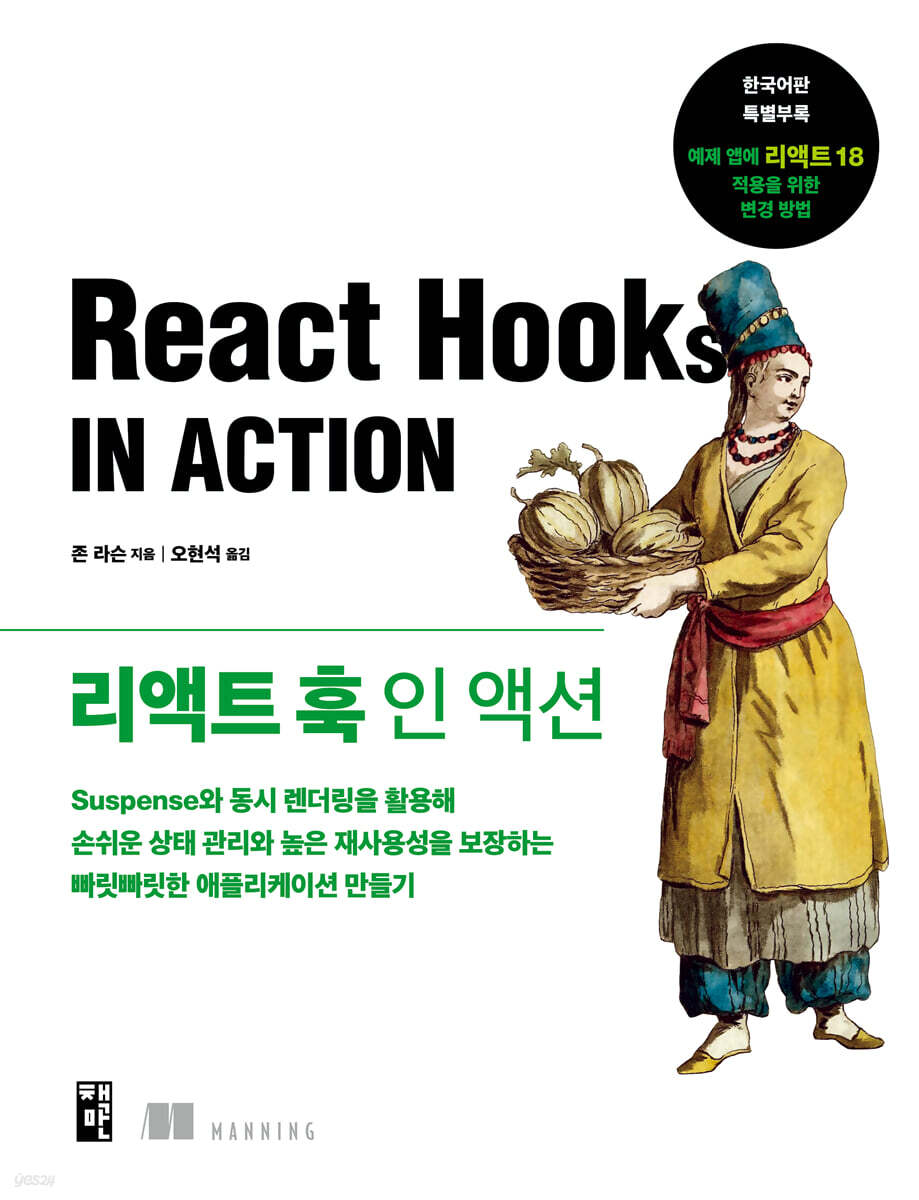
React Hook in Action
 |
Description
Book Introduction
A complete guide to using REACT HOOKs to write systematic and maintainable code!
Let's learn the concepts and uses of React Hooks step by step with abundant sample code and various illustrations!
React Hooks are JavaScript functions designed for reusing and easily sharing functionality between multiple React components. They let you break components into smaller functions, manage state and side effects, and leverage React's features without using classes.
Moreover, you can achieve all these benefits without rearranging your component hierarchy.
This book teaches you how to quickly write reusable React components using hooks.
We'll start by writing component code using hooks, then implement a resource reservation application that demonstrates side-effect management, including local state management, application state management, and data loading.
The special appendix for the Korean edition, "How to Change the Example App to Apply React 18," explains which parts of the original source code need to be changed to conform to React 18.
Let's learn the concepts and uses of React Hooks step by step with abundant sample code and various illustrations!
React Hooks are JavaScript functions designed for reusing and easily sharing functionality between multiple React components. They let you break components into smaller functions, manage state and side effects, and leverage React's features without using classes.
Moreover, you can achieve all these benefits without rearranging your component hierarchy.
This book teaches you how to quickly write reusable React components using hooks.
We'll start by writing component code using hooks, then implement a resource reservation application that demonstrates side-effect management, including local state management, application state management, and data loading.
The special appendix for the Korean edition, "How to Change the Example App to Apply React 18," explains which parts of the original source code need to be changed to conform to React 18.
- You can preview some of the book's contents.
Preview
index
[Part 1] A Complete Guide to React Hooks and Concurrency Mode
Chapter 1: React is Evolving
1.1 What is React?
__1.1.1 Creating UI from Components
__1.1.2 Synchronizing state and UI
__1.1.3 Understanding Component Types
1.2 New features in React
1.3 React hooks can add state to function components.
__1.3.1 Stateful Function Components: Write Less Code, Organize Better
__1.3.2 Custom Hooks: Easier Code Reuse
__1.3.3 Third-party hooks that provide pre-built, well-tested functionality
1.4 Better UX with Concurrent Rendering and Suspense
__1.4.1 Concurrent Rendering
__1.4.2 Suspense
1.5 React's new code release channel
1.6 Target Audience of this Book
Starting with 1.7
1.8 Summary
Chapter 2: Managing Component State with the useState Hook
2.1 Setting up the reservation management app
__2.1.1 Creating an app skeleton with create-react-app
__2.1.2 Modifying four core files
__2.1.3 Adding the database files required by the application
__2.1.4 Creating a page component and UserPicker.js file
2.2 Storing, using, and setting values using useState
__2.2.1 The UI does not change even when a new value is assigned to a variable.
__2.2.2 Calling useState returns a value and an update function.
__2.2.3 Calling the update function replaces the previous value.
__2.2.4 Passing a function to useState with initial values
__2.2.5 Referencing the previous state when setting a new state
2.3 Calling useState multiple times to handle multiple values
__2.3.1 Setting a state using a drop-down list
__2.3.2 Setting status using checkboxes
2.4 Revisiting the Function Component Concept
2.5 Summary
Chapter 3: Managing Component State Using the useReducer Hook
3.1 Updating multiple state values in response to a single event
__3.1.1 Interrupting users with unpredictable state changes
__3.1.2 Maintaining user focus with predictable state changes
3.2 Managing More Complex State with useReducer
__3.2.1 Updating state using predefined actions and reducers
__3.2.2 Creating a Reducer for the BookablesList Component
__3.2.3 Accessing component state and dispatching actions using useReducer
3.3 Creating an initial state using a function
__3.3.1 Introducing the WeekPicker component
__3.3.2 Creating utility functions to handle dates and weeks
__3.3.3 Creating a reducer to manage the component's date
__3.3.4 Passing an initialization function to the useReducer hook
__3.3.5 Changing BookingsPage to Use WeekPicker
3.4 Revisiting the useReducer Concept
3.5 Summary
Chapter 4: Using Side Effects
4.1 Exploring the useEffect API with a Simple Example
__4.1.1 Running side effects after every rendering
__4.1.2 Running effects only when a component is mounted
__4.1.3 Returning a function to clean up side effects
__4.1.4 Controlling when effects are executed by specifying dependencies
__4.1.5 Summary of how to call the useEffect hook
__4.1.6 Call useLayoutEffect to run an effect before the browser redraws the screen.
4.2 Reading data
__4.2.1 Create a new db.json file
__4.2.2 Setting up a JSON server
__4.2.3 Reading data inside the useEffect hook
__4.2.4 Using async and await
4.3 Reading data for use by the BookablesList component
__4.3.1 Examining the data loading process
__4.3.2 Modifying the reducer to manage loading and error states
__4.3.3 Creating a helper function to load data
__4.3.4 Loading Reservable Resources
4.4 Summary
Chapter 5: Managing Component State with the useRef Hook
5.1 How to update state without triggering a re-render
__5.1.1 Comparing useState and useRef when updating state values
__5.1.2 Calling useRef
5.2 Storing the timer ID using a reference object
5.3 Maintaining References to DOM Elements
__5.3.1 Setting focus on an element in response to an event
__5.3.2 Managing text boxes using reference objects
5.4 Summary
Chapter 6: Managing Application State
6.1 Passing shared state to child components
__6.1.1 How a parent passes state to its child by setting its props
__6.1.2 Receiving state from parent component via props
__6.1.3 Receiving an update function as a prop from the parent
6.2 Breaking down components into smaller pieces
__6.2.1 Viewing components as part of a larger app
__6.2.2 Organizing multiple components within a page's UI
__6.2.3 Creating a BookableDetails component
6.3 Sharing state and dispatch with useReducer
__6.3.1 Managing state in the BookablesView component
__6.3.2 Removing Actions from Reducers
__6.3.3 Receiving state and dispatch from the BookablesList component
6.4 Sharing state values and update functions obtained from useState
__6.4.1 Managing selected bookable resources in the BookablesView component
__6.4.2 Passing bookable resources and update functions to the BookablesList component
6.5 Passing a function to useCallback to prevent callback function redefinition
__6.5.1 Relying on functions we pass through props
__6.5.2 Maintaining function identity using the useCallback hook
6.6 Summary
Chapter 7: Managing State with useMemo
7.1 Break the chef's heart by shouting "O, shortcake!"
__7.1.1 Generating Anagrams with Expensive Algorithms
__7.1.2 How to avoid duplicate function calls
7.2 Memoizing expensive function calls with useMemo
7.3 Configuring the Bookings Page Components
__7.3.1 Managing Selected Bookable Resources Using useState
__7.3.2 Managing selected states and reservations using useReducer and useState
7.4 Creating an Efficient Reservation Grid Using useMemo
__7.4.1 Creating a grid of sessions and dates
__7.4.2 Create a query for an existing reservation
__7.4.3 Providing the getBookings data loading function
__7.4.4 Creating a BookingsGrid component and calling useMemo
__7.4.5 Handling response contention when reading data using useEffect
7.5 Summary
Chapter 8: Managing State with the Context API
8.1 When you need state stored very high up in the component tree
__8.1.1 Displaying a guidance message when a page is first loaded
__8.1.2 Displaying reservation information when a visitor selects a reservation
__8.1.3 Showing an Edit button for user-created reservations: Issue
__8.1.4 Showing an Edit button for user-created reservations: Solution
8.2 Using Custom Providers and Multiple Contexts
__8.2.1 Setting an object as a value for a context provider
__8.2.2 Moving state to a custom provider
__8.2.3 Using Multiple Contexts
__8.2.4 Specifying default values for contexts
8.3 Summary
Chapter 9: Creating Custom Hooks
9.1 Extracting features into custom hooks
__9.1.1 Recognizing Shareable Features
__9.1.2 Defining custom hooks outside the component
__9.1.3 Calling a custom hook from a custom hook
9.2 Follow the hook rules
__9.2.1 Calling hooks only at the top level
__9.2.2 Calling hooks only inside React functions
__9.2.3 Using the ESLint plugin to enforce hook rules
9.3 Other custom hook extraction examples
__9.3.1 Getting the window size using the useWindowSize hook
__9.3.2 Setting and reading values using the useLocalStorage hook
9.4 Consuming context values using custom hooks
9.5 Encapsulating data reading with custom hooks
__9.5.1 Creating a useFetch Hook
__9.5.2 Using data, status, and error values returned by useFetch
__9.5.3 Creating a more specialized hook for reading data: useBookings
9.6 Summary
Chapter 10: Using Third-Party Hooks
10.1 Accessing URL State Using React Router
__10.1.1 Setting up the path to be included
__10.1.2 Adding nested routes to the Bookables page
__10.1.3 Accessing URL parameters using the useParams hook
__10.1.4 Navigating using the useNavigate hook
10.2 Getting and Setting Query String Search Parameters
__10.2.1 Retrieving search parameters from the query string
__10.2.2 Setting the query string
10.3 Streamlining Data Reading with React Queries
__10.3.1 Introduction to React Queries
__10.3.2 Making components accessible to the React query client
__10.3.3 Reading data using useQuery
__10.3.4 How to access data in the query cache
__10.3.5 Updating server state using useMutation
10.4 Summary
[Part 2] Loading Components and Data Asynchronously Using Suspense and Error Boundaries
Chapter 11: Splitting Code with Suspense
11.1 Dynamically importing code using the import function
__11.1.1 Setting up a web page to load JavaScript when a button is clicked
__11.1.2 Using Default and Named Exports
__11.1.3 Loading JavaScript using static imports
__11.1.4 Dynamically loading JavaScript by calling the import function
11.2 Dynamically Importing Components Using Lazy and Suspense
__11.2.1 Converting a component to a lazy component using the lazy function
__11.2.2 Specifying fallback content using the Suspense component
__11.2.3 Understanding How Lazy Loading and Suspense Work Together
__11.2.4 Splitting apps by path
11.3 Catching Errors Using Error Boundaries
__11.3.1 Examining error boundary examples provided by the React documentation
__11.3.2 Creating Our Own Error Boundaries
__11.3.3 Recovering from errors
11.4 Summary
Chapter 12: Integrating Data Reading and Suspense
12.1 Data Reading and Suspense
__12.1.1 Upgrading Promises to Include State
__12.1.2 Integrating Suspense Using Promise State
__12.1.3 Reading data as fast as possible
__12.1.4 Reading new data
__12.1.5 Recovering from errors
__12.1.6 Check the React documentation
12.2 How to Use React Queries, Suspense, and Error Boundaries Together
12.3 Loading Images with Suspense
__12.3.1 Providing a Fallback During Image Loading Using React Queries and Suspense
__12.3.2 How to preload images or data using React queries
12.4 Summary
Chapter 13: Practice and Experiment with useTransition, useDeferredValue, and SuspenseList
13.1 Making state transitions smoother
__13.1.1 Avoiding Fallback States with useTransition
__13.1.2 Providing Feedback to the User Using isPending
__13.1.3 Integrating Common Components and Transitions
__13.1.4 Maintaining previous values with useDeferredValue
13.2 Using SuspenseList to Manage Multiple Fallbacks
__13.2.1 Obtaining and displaying data from multiple sources
__13.2.2 Controlling Multiple Fallbacks with SuspenseList
13.3 React 18 and Concurrency Mode
13.4 Summary
Special Appendix for the Korean Edition | Modifying the Sample App to Adapt to React 18
A.1 Change package.json
A.2 Changed the json import part
A.3 Modifying the application startup part
A.4 Remove unstable_
A.5 Routing Related Changes
A.6 SuspenseList Issue Resolution (Workaround)
__A.6.1 How to run the original code as is
Chapter 1: React is Evolving
1.1 What is React?
__1.1.1 Creating UI from Components
__1.1.2 Synchronizing state and UI
__1.1.3 Understanding Component Types
1.2 New features in React
1.3 React hooks can add state to function components.
__1.3.1 Stateful Function Components: Write Less Code, Organize Better
__1.3.2 Custom Hooks: Easier Code Reuse
__1.3.3 Third-party hooks that provide pre-built, well-tested functionality
1.4 Better UX with Concurrent Rendering and Suspense
__1.4.1 Concurrent Rendering
__1.4.2 Suspense
1.5 React's new code release channel
1.6 Target Audience of this Book
Starting with 1.7
1.8 Summary
Chapter 2: Managing Component State with the useState Hook
2.1 Setting up the reservation management app
__2.1.1 Creating an app skeleton with create-react-app
__2.1.2 Modifying four core files
__2.1.3 Adding the database files required by the application
__2.1.4 Creating a page component and UserPicker.js file
2.2 Storing, using, and setting values using useState
__2.2.1 The UI does not change even when a new value is assigned to a variable.
__2.2.2 Calling useState returns a value and an update function.
__2.2.3 Calling the update function replaces the previous value.
__2.2.4 Passing a function to useState with initial values
__2.2.5 Referencing the previous state when setting a new state
2.3 Calling useState multiple times to handle multiple values
__2.3.1 Setting a state using a drop-down list
__2.3.2 Setting status using checkboxes
2.4 Revisiting the Function Component Concept
2.5 Summary
Chapter 3: Managing Component State Using the useReducer Hook
3.1 Updating multiple state values in response to a single event
__3.1.1 Interrupting users with unpredictable state changes
__3.1.2 Maintaining user focus with predictable state changes
3.2 Managing More Complex State with useReducer
__3.2.1 Updating state using predefined actions and reducers
__3.2.2 Creating a Reducer for the BookablesList Component
__3.2.3 Accessing component state and dispatching actions using useReducer
3.3 Creating an initial state using a function
__3.3.1 Introducing the WeekPicker component
__3.3.2 Creating utility functions to handle dates and weeks
__3.3.3 Creating a reducer to manage the component's date
__3.3.4 Passing an initialization function to the useReducer hook
__3.3.5 Changing BookingsPage to Use WeekPicker
3.4 Revisiting the useReducer Concept
3.5 Summary
Chapter 4: Using Side Effects
4.1 Exploring the useEffect API with a Simple Example
__4.1.1 Running side effects after every rendering
__4.1.2 Running effects only when a component is mounted
__4.1.3 Returning a function to clean up side effects
__4.1.4 Controlling when effects are executed by specifying dependencies
__4.1.5 Summary of how to call the useEffect hook
__4.1.6 Call useLayoutEffect to run an effect before the browser redraws the screen.
4.2 Reading data
__4.2.1 Create a new db.json file
__4.2.2 Setting up a JSON server
__4.2.3 Reading data inside the useEffect hook
__4.2.4 Using async and await
4.3 Reading data for use by the BookablesList component
__4.3.1 Examining the data loading process
__4.3.2 Modifying the reducer to manage loading and error states
__4.3.3 Creating a helper function to load data
__4.3.4 Loading Reservable Resources
4.4 Summary
Chapter 5: Managing Component State with the useRef Hook
5.1 How to update state without triggering a re-render
__5.1.1 Comparing useState and useRef when updating state values
__5.1.2 Calling useRef
5.2 Storing the timer ID using a reference object
5.3 Maintaining References to DOM Elements
__5.3.1 Setting focus on an element in response to an event
__5.3.2 Managing text boxes using reference objects
5.4 Summary
Chapter 6: Managing Application State
6.1 Passing shared state to child components
__6.1.1 How a parent passes state to its child by setting its props
__6.1.2 Receiving state from parent component via props
__6.1.3 Receiving an update function as a prop from the parent
6.2 Breaking down components into smaller pieces
__6.2.1 Viewing components as part of a larger app
__6.2.2 Organizing multiple components within a page's UI
__6.2.3 Creating a BookableDetails component
6.3 Sharing state and dispatch with useReducer
__6.3.1 Managing state in the BookablesView component
__6.3.2 Removing Actions from Reducers
__6.3.3 Receiving state and dispatch from the BookablesList component
6.4 Sharing state values and update functions obtained from useState
__6.4.1 Managing selected bookable resources in the BookablesView component
__6.4.2 Passing bookable resources and update functions to the BookablesList component
6.5 Passing a function to useCallback to prevent callback function redefinition
__6.5.1 Relying on functions we pass through props
__6.5.2 Maintaining function identity using the useCallback hook
6.6 Summary
Chapter 7: Managing State with useMemo
7.1 Break the chef's heart by shouting "O, shortcake!"
__7.1.1 Generating Anagrams with Expensive Algorithms
__7.1.2 How to avoid duplicate function calls
7.2 Memoizing expensive function calls with useMemo
7.3 Configuring the Bookings Page Components
__7.3.1 Managing Selected Bookable Resources Using useState
__7.3.2 Managing selected states and reservations using useReducer and useState
7.4 Creating an Efficient Reservation Grid Using useMemo
__7.4.1 Creating a grid of sessions and dates
__7.4.2 Create a query for an existing reservation
__7.4.3 Providing the getBookings data loading function
__7.4.4 Creating a BookingsGrid component and calling useMemo
__7.4.5 Handling response contention when reading data using useEffect
7.5 Summary
Chapter 8: Managing State with the Context API
8.1 When you need state stored very high up in the component tree
__8.1.1 Displaying a guidance message when a page is first loaded
__8.1.2 Displaying reservation information when a visitor selects a reservation
__8.1.3 Showing an Edit button for user-created reservations: Issue
__8.1.4 Showing an Edit button for user-created reservations: Solution
8.2 Using Custom Providers and Multiple Contexts
__8.2.1 Setting an object as a value for a context provider
__8.2.2 Moving state to a custom provider
__8.2.3 Using Multiple Contexts
__8.2.4 Specifying default values for contexts
8.3 Summary
Chapter 9: Creating Custom Hooks
9.1 Extracting features into custom hooks
__9.1.1 Recognizing Shareable Features
__9.1.2 Defining custom hooks outside the component
__9.1.3 Calling a custom hook from a custom hook
9.2 Follow the hook rules
__9.2.1 Calling hooks only at the top level
__9.2.2 Calling hooks only inside React functions
__9.2.3 Using the ESLint plugin to enforce hook rules
9.3 Other custom hook extraction examples
__9.3.1 Getting the window size using the useWindowSize hook
__9.3.2 Setting and reading values using the useLocalStorage hook
9.4 Consuming context values using custom hooks
9.5 Encapsulating data reading with custom hooks
__9.5.1 Creating a useFetch Hook
__9.5.2 Using data, status, and error values returned by useFetch
__9.5.3 Creating a more specialized hook for reading data: useBookings
9.6 Summary
Chapter 10: Using Third-Party Hooks
10.1 Accessing URL State Using React Router
__10.1.1 Setting up the path to be included
__10.1.2 Adding nested routes to the Bookables page
__10.1.3 Accessing URL parameters using the useParams hook
__10.1.4 Navigating using the useNavigate hook
10.2 Getting and Setting Query String Search Parameters
__10.2.1 Retrieving search parameters from the query string
__10.2.2 Setting the query string
10.3 Streamlining Data Reading with React Queries
__10.3.1 Introduction to React Queries
__10.3.2 Making components accessible to the React query client
__10.3.3 Reading data using useQuery
__10.3.4 How to access data in the query cache
__10.3.5 Updating server state using useMutation
10.4 Summary
[Part 2] Loading Components and Data Asynchronously Using Suspense and Error Boundaries
Chapter 11: Splitting Code with Suspense
11.1 Dynamically importing code using the import function
__11.1.1 Setting up a web page to load JavaScript when a button is clicked
__11.1.2 Using Default and Named Exports
__11.1.3 Loading JavaScript using static imports
__11.1.4 Dynamically loading JavaScript by calling the import function
11.2 Dynamically Importing Components Using Lazy and Suspense
__11.2.1 Converting a component to a lazy component using the lazy function
__11.2.2 Specifying fallback content using the Suspense component
__11.2.3 Understanding How Lazy Loading and Suspense Work Together
__11.2.4 Splitting apps by path
11.3 Catching Errors Using Error Boundaries
__11.3.1 Examining error boundary examples provided by the React documentation
__11.3.2 Creating Our Own Error Boundaries
__11.3.3 Recovering from errors
11.4 Summary
Chapter 12: Integrating Data Reading and Suspense
12.1 Data Reading and Suspense
__12.1.1 Upgrading Promises to Include State
__12.1.2 Integrating Suspense Using Promise State
__12.1.3 Reading data as fast as possible
__12.1.4 Reading new data
__12.1.5 Recovering from errors
__12.1.6 Check the React documentation
12.2 How to Use React Queries, Suspense, and Error Boundaries Together
12.3 Loading Images with Suspense
__12.3.1 Providing a Fallback During Image Loading Using React Queries and Suspense
__12.3.2 How to preload images or data using React queries
12.4 Summary
Chapter 13: Practice and Experiment with useTransition, useDeferredValue, and SuspenseList
13.1 Making state transitions smoother
__13.1.1 Avoiding Fallback States with useTransition
__13.1.2 Providing Feedback to the User Using isPending
__13.1.3 Integrating Common Components and Transitions
__13.1.4 Maintaining previous values with useDeferredValue
13.2 Using SuspenseList to Manage Multiple Fallbacks
__13.2.1 Obtaining and displaying data from multiple sources
__13.2.2 Controlling Multiple Fallbacks with SuspenseList
13.3 React 18 and Concurrency Mode
13.4 Summary
Special Appendix for the Korean Edition | Modifying the Sample App to Adapt to React 18
A.1 Change package.json
A.2 Changed the json import part
A.3 Modifying the application startup part
A.4 Remove unstable_
A.5 Routing Related Changes
A.6 SuspenseList Issue Resolution (Workaround)
__A.6.1 How to run the original code as is
Detailed image

Publisher's Review
│ What this book covers │
- How to create a function component that uses React features
- How to manage local state, shared state, and application state
- How to use built-in hooks, custom hooks, and third-party hooks
- How to load, update, and cache data using React queries
- How to improve page and data loading using code splitting and React Suspense components
│ Target audience for this book │
Any developer who has some knowledge of JavaScript and web development and has learned basic React development can read this.
This book will help you better understand hooks and learn how to write your own custom hooks to make your front-end programs more modular.
│ Structure of this book │
Part 1 introduces the syntax and usage of React hooks built into React.
We'll also show you how to create your own custom hooks and make the most of third-party hooks provided by other existing React libraries.
Part 2 explains how to load component code more efficiently in larger apps and how to use the Suspense component and error boundaries to configure a fallback UI while resources are loading.
Next, we'll look at the concurrency APIs we use to integrate data loading and Suspense, and handle state transitions.
[Author's Note]
As a high school teacher and programmer, I've had a wonderful time developing applications that support teaching, learning, and organization within schools.
By listening directly to the needs of students, teachers, and staff every day, we've been able to work with them to create intuitive apps and tools that make planning, communicating, understanding, and playing easier.
I've created everything from quiz apps and spot-the-difference games written in JavaScript to lesson planning and resource scheduling apps using jQuery and templates.
Since then, the school's science department has wanted a way to order tools for classes, the leadership team has wanted a way to communicate announcements to staff, and ICT technicians have wanted a way for staff to report and manage software and hardware issues.
What about a student seating app, a content management system (CMS) for news on the school website, a custom calendar, an interactive on-duty assignment sheet, or a sports log? All of this software had a consistent look and feel.
While each project had its own unique requirements, there was a lot of overlap, and similar methods could be used across multiple apps.
To accelerate this, I switched to JavaScript from server to client using Node.js, Express, Handlebars, Backbone, and Marionette.
Most of it worked well, but sometimes it was tricky to change the app as requirements changed.
In particular, the data flow between the model, view, and controller was not always smooth.
The users were happy, but I could see the underlying problems in the code, and I knew that at some point I would have to go back and untangle the kinks.
Then I encountered React and all my problems were solved! Of course, it wasn't a perfect solution, but React's component, prop, state, and automatic re-rendering model appealed to me more than other libraries.
I converted existing apps to React one by one.
With each transformation, the app becomes simpler, easier to understand, and easier to maintain.
I was able to reuse common components, allowing me to quickly change code and confidently add new features.
While I'm not a React fanatic (I respect framework diversity), I'm definitely a convert, and I've enjoyed my experience as a React developer and the user feedback on my React apps.
Using React Hooks allowed my code to take another positive step forward in terms of simplicity.
Code that was scattered across the lifecycle methods of class components can now be gathered into custom hooks inside or outside of function components.
You can easily isolate, maintain, and share code for specific functions, such as setting document titles, accessing local storage, managing context values, measuring the on-screen size of elements, subscribing to services, and reading data.
It also became easier to connect functionality from existing libraries like React Router, Redux, React Query, and React Spring.
React hooks give you a new way of thinking about React components.
There are some small pitfalls to watch out for at first, but I think this change in mindset is definitely a good thing.
The switch to hooks represents a fundamental change to how React will work going forward.
Concurrency mode (concurrent rendering in React 18) will become the new standard, enabling time-slicing magic where rendering doesn't block the main thread and higher-priority state changes like user input can render immediately while other components are being built.
Selective hydration will allow React to load only the component code that is absolutely necessary for user interaction, and the Suspense API will allow developers to more carefully specify the loading state while loading code and resources.
The React team is focused on building great developer experiences that empower developers to create great user experiences.
Additional changes will continue to occur, and best practices will continue to emerge.
I hope this book will help you understand the current changes and prepare for the changes in React that are gradually emerging on the horizon.
[Translator's Note]
With the introduction of function components and hooks in React, various third-party libraries began to provide hooks, and people realized that using hooks and function components together could create apps that were much more concise, composable, and easier to maintain than class-based components, so hooks and function components are being used a lot.
For example, Zustand and Jotai, which are popular React state management libraries these days, all provide hooks.
Therefore, in order to learn React development, you need to systematically learn how to handle hooks.
However, most React books still cover class components in detail, explain component lifecycle management through class methods rather than hooks, and often briefly explain React hooks.
This book covers React's various features in detail, especially hooks.
Developers who have some knowledge of JavaScript and web development and have learned basic React development will be able to better understand hooks through this book and write their own custom hooks to further modularize front-end programs.
Above all, it provides a detailed visual explanation of how React function components work and how to separate each function of a function component into hooks through rich illustrations, so you can understand the relationship between components and hooks more easily and also easily understand how to separate common functions in the components you wrote into hooks.
And once you have a good understanding of how hooks work, you can more easily understand and utilize how components and third-party hooks work when utilizing hooks provided by new third-party libraries.
Even for front-end developers who don't know much about React, it explains in detail through illustrations how various parts of class components change into function components and hooks, and it explains step by step the various functions needed to create a web app using React function components, such as managing component state using the useState hook, sharing state to multiple components through useReducer, and sharing references using the useRef hook. It is also helpful for React beginners who want to build the basics of React.
I hope this book will be of some help to React programmers who use hooks.
- How to create a function component that uses React features
- How to manage local state, shared state, and application state
- How to use built-in hooks, custom hooks, and third-party hooks
- How to load, update, and cache data using React queries
- How to improve page and data loading using code splitting and React Suspense components
│ Target audience for this book │
Any developer who has some knowledge of JavaScript and web development and has learned basic React development can read this.
This book will help you better understand hooks and learn how to write your own custom hooks to make your front-end programs more modular.
│ Structure of this book │
Part 1 introduces the syntax and usage of React hooks built into React.
We'll also show you how to create your own custom hooks and make the most of third-party hooks provided by other existing React libraries.
Part 2 explains how to load component code more efficiently in larger apps and how to use the Suspense component and error boundaries to configure a fallback UI while resources are loading.
Next, we'll look at the concurrency APIs we use to integrate data loading and Suspense, and handle state transitions.
[Author's Note]
As a high school teacher and programmer, I've had a wonderful time developing applications that support teaching, learning, and organization within schools.
By listening directly to the needs of students, teachers, and staff every day, we've been able to work with them to create intuitive apps and tools that make planning, communicating, understanding, and playing easier.
I've created everything from quiz apps and spot-the-difference games written in JavaScript to lesson planning and resource scheduling apps using jQuery and templates.
Since then, the school's science department has wanted a way to order tools for classes, the leadership team has wanted a way to communicate announcements to staff, and ICT technicians have wanted a way for staff to report and manage software and hardware issues.
What about a student seating app, a content management system (CMS) for news on the school website, a custom calendar, an interactive on-duty assignment sheet, or a sports log? All of this software had a consistent look and feel.
While each project had its own unique requirements, there was a lot of overlap, and similar methods could be used across multiple apps.
To accelerate this, I switched to JavaScript from server to client using Node.js, Express, Handlebars, Backbone, and Marionette.
Most of it worked well, but sometimes it was tricky to change the app as requirements changed.
In particular, the data flow between the model, view, and controller was not always smooth.
The users were happy, but I could see the underlying problems in the code, and I knew that at some point I would have to go back and untangle the kinks.
Then I encountered React and all my problems were solved! Of course, it wasn't a perfect solution, but React's component, prop, state, and automatic re-rendering model appealed to me more than other libraries.
I converted existing apps to React one by one.
With each transformation, the app becomes simpler, easier to understand, and easier to maintain.
I was able to reuse common components, allowing me to quickly change code and confidently add new features.
While I'm not a React fanatic (I respect framework diversity), I'm definitely a convert, and I've enjoyed my experience as a React developer and the user feedback on my React apps.
Using React Hooks allowed my code to take another positive step forward in terms of simplicity.
Code that was scattered across the lifecycle methods of class components can now be gathered into custom hooks inside or outside of function components.
You can easily isolate, maintain, and share code for specific functions, such as setting document titles, accessing local storage, managing context values, measuring the on-screen size of elements, subscribing to services, and reading data.
It also became easier to connect functionality from existing libraries like React Router, Redux, React Query, and React Spring.
React hooks give you a new way of thinking about React components.
There are some small pitfalls to watch out for at first, but I think this change in mindset is definitely a good thing.
The switch to hooks represents a fundamental change to how React will work going forward.
Concurrency mode (concurrent rendering in React 18) will become the new standard, enabling time-slicing magic where rendering doesn't block the main thread and higher-priority state changes like user input can render immediately while other components are being built.
Selective hydration will allow React to load only the component code that is absolutely necessary for user interaction, and the Suspense API will allow developers to more carefully specify the loading state while loading code and resources.
The React team is focused on building great developer experiences that empower developers to create great user experiences.
Additional changes will continue to occur, and best practices will continue to emerge.
I hope this book will help you understand the current changes and prepare for the changes in React that are gradually emerging on the horizon.
[Translator's Note]
With the introduction of function components and hooks in React, various third-party libraries began to provide hooks, and people realized that using hooks and function components together could create apps that were much more concise, composable, and easier to maintain than class-based components, so hooks and function components are being used a lot.
For example, Zustand and Jotai, which are popular React state management libraries these days, all provide hooks.
Therefore, in order to learn React development, you need to systematically learn how to handle hooks.
However, most React books still cover class components in detail, explain component lifecycle management through class methods rather than hooks, and often briefly explain React hooks.
This book covers React's various features in detail, especially hooks.
Developers who have some knowledge of JavaScript and web development and have learned basic React development will be able to better understand hooks through this book and write their own custom hooks to further modularize front-end programs.
Above all, it provides a detailed visual explanation of how React function components work and how to separate each function of a function component into hooks through rich illustrations, so you can understand the relationship between components and hooks more easily and also easily understand how to separate common functions in the components you wrote into hooks.
And once you have a good understanding of how hooks work, you can more easily understand and utilize how components and third-party hooks work when utilizing hooks provided by new third-party libraries.
Even for front-end developers who don't know much about React, it explains in detail through illustrations how various parts of class components change into function components and hooks, and it explains step by step the various functions needed to create a web app using React function components, such as managing component state using the useState hook, sharing state to multiple components through useReducer, and sharing references using the useRef hook. It is also helpful for React beginners who want to build the basics of React.
I hope this book will be of some help to React programmers who use hooks.
GOODS SPECIFICS
- Date of issue: March 29, 2024
- Page count, weight, size: 432 pages | 812g | 185*240*21mm
- ISBN13: 9791189909611
- ISBN10: 1189909618
You may also like
카테고리
korean


korean

![GQ KOREA Mark (Monthly): December [2025]](http://librairie.coreenne.fr/cdn/shop/files/8ef265dbbfbf186523ed75ba7319009d.jpg?v=1765340328&width=3840)


