

Godo Engine 4 Game Development Project
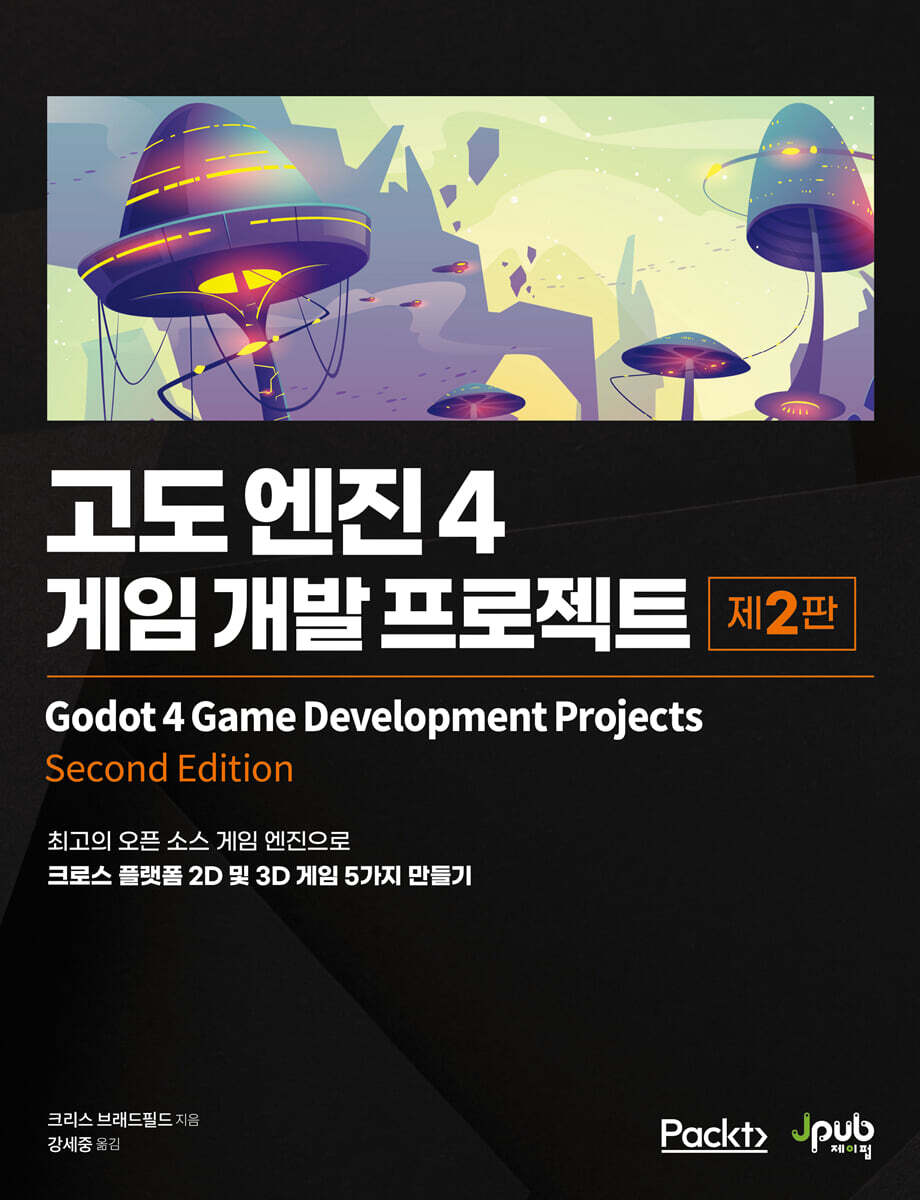 |
Description
Book Introduction
Meet Godot 4, a powerful free and open-source game engine.
An introduction to the feature-rich, high-end game engine version 4.
With its many new features, Godo 4 is a powerful alternative to expensive commercial game engines.
This book consists of five projects that faithfully utilize the 2D and 3D capabilities of the Godot engine.
By following the process of creating a small game project, you will understand the high-level inner workings and learn development techniques that you can apply to your own projects.
Covers everything from the basics to sophisticated game physics and animation, with a simple step-by-step approach and practical examples.
It was updated based on the Korean version 4.2 instead of the original version 4.1, and a description of the high-level engine editor menu was added as an appendix to the Korean version.
An introduction to the feature-rich, high-end game engine version 4.
With its many new features, Godo 4 is a powerful alternative to expensive commercial game engines.
This book consists of five projects that faithfully utilize the 2D and 3D capabilities of the Godot engine.
By following the process of creating a small game project, you will understand the high-level inner workings and learn development techniques that you can apply to your own projects.
Covers everything from the basics to sophisticated game physics and animation, with a simple step-by-step approach and practical examples.
It was updated based on the Korean version 4.2 instead of the original version 4.1, and a description of the high-level engine editor menu was added as an appendix to the Korean version.
- You can preview some of the book's contents.
Preview
index
Translator's Preface x
Recommendation xiii
Beta Reader Review xvi
About this book xix
Acknowledgments xxii
CHAPTER 1 Introduction to Altitude 4
1.1 Tips for Getting Started 2
__1.1.1 Effective Study Tips 3
1.2 What is a game engine? 4
1.3 What is altitude? 5
1.4 Altitude Download 6
__1.4.1 Other Installation Methods 7
1.5 Advanced UI Overview 9
__1.5.1 Project Manager 9
__1.5.2 Editor Window 11
1.6 Node and Scene 14
Scripting at Altitude 1.7 15
__1.7.1 GDScript 15
Summary 16
CHAPTER 2: COIN DASH: CREATING YOUR FIRST 2D GAME
2.1 Technical Requirements 18
2.2 Project Setup 19
2.3 Vectors and 2D Coordinate Systems 21
2.4 Step 1: Player Scene 22
__2.4.1 Scene Creation 23
__2.4.2 Sprite Animation 24
__2.4.3 Collision Shape 26
__2.4.4 Writing Player Scripts 28
__2.4.5 Player Movement 29
__2.4.6 Animation Selection 31
__2.4.7 Starting and ending player movement 32
__2.4.8 Preparing for a Collision 32
2.5 Step 2: Coin Scene 35
__2.5.1 Node Setup 35
__2.5.2 Coin Script 36
2.6 Step 3: Main Scene 37
__2.6.1 Node Setup 37
__2.6.2 Main Script 38
__2.6.3 Starting a New Game 39
2.7 Step 4: User Interface 41
__2.7.1 Node Setup 41
__2.7.2 Message Label 42
__2.7.3 Scoring and Time Display Overview 43
__2.7.4 Implementing score and time display 43
__2.7.5 UI Updates via GDScript 44
__2.7.6 Game Over 45
__2.7.7 Add HUD to main 46
2.8 Step 5: Finishing 47
__2.8.1 Visual Effects 47
__2.8.2 Sound 49
__2.8.3 Power Up 49
__2.8.4 Coin Animation 52
__2.8.5 Obstacle 53
Summary 54
CHAPTER 3 Space Rock: Creating a Classic 2D Arcade with a Physics Engine
3.1 Technical Requirements 56
3.2 Project Setup 56
__3.2.1 Rigid Body Physics 58
3.3 Player Spaceship 60
__3.3.1 Body and Physics Settings 60
__3.3.2 State Machine 62
__3.3.3 Added player controls 64
__3.3.4 Screen Wrap 66
__3.3.5 Shooting 68
3.4 Added Rock 71
__3.4.1 Scene Settings 71
__3.4.2 Rocks of various sizes 72
__3.4.3 Rock Instantiation 73
__3.4.4 Exploding Rock 76
3.5 UI Creation 80
__3.5.1 Layout 81
__3.5.2 UI Script 83
__3.5.3 UI code 84 of the main scene
__3.5.4 Player Code 86
3.6 Game End 88
__3.6.1 Collision Detection Between Rigid Bodies 89
3.7 Game Pause 90
3.8 enemy 92
__3.8.1 Follow the path 92
__3.8.2 Enemy Scene 94
__3.8.3 Enemy Movement 94
__3.8.4 Enemy Spawn 95
__3.8.5 Enemy Fire and Collision 96
3.9 Player Shield 99
3.10 Sound and Visual Effects 103
__3.10.1 Sound and Music 103
__3.10.2 Particle 104
__3.10.3 Enemy's Footsteps 107
Summary 108
CHAPTER 4 Jungle Jump: Running and Jumping in a 2D Platformer
4.1 Technical Requirements 110
4.2 Project Setup 110
4.3 Introducing Kinematic Bodies 112
__4.3.1 Collision Response 112
4.4 Creating a Player Scene 113
__4.4.1 Collision Layers and Masks 114
__4.4.2 About AnimationPlayer 114
__4.4.3 Animation 115
__4.4.4 Collision Shape 116
__4.4.5 Player Scene Finish 117
__4.4.6 Player Status 117
__4.4.7 Player Script 119
__4.4.8 Player Movement 120
__4.4.9 Player Health 122
4.5 Collectible Items 124
__4.5.1 Scene Settings 124
__4.5.2 Collectible Item Script 125
4.6 Level Design 126
__4.6.1 Using Tilemaps 127
__4.6.2 First Level Design 130
__4.6.3 Added dangerous objects 132
__4.6.4 Background Scroll 133
4.7 Added 136 enemies
__4.7.1 Scene Settings 136
__4.7.2 Enemy Script 137
__4.7.3 Dealing damage to enemies 138
__4.7.4 Player Script 140
4.8 Game UI 142
__4.8.1 Scene Settings 142
__4.8.2 HUD Script 144
__4.8.3 Attaching HUD 144
4.9 Title Screen 145
__4.9.1 Scene Settings 145
4.10 Main Scene Settings 147
4.11 Level Transition 149
__4.11.1 Door Scene 149
__4.11.2 Screen Settings 150
4.12 Finishing Work 151
__4.12.1 Sound Effects 151
__4.12.2 Double Jump 152
__4.12.3 Dust Particle 153
__4.12.4 Ladder 154
__4.12.5 Moving Platform 157
Summary 159
CHAPTER 5 3D Mini Golf: Dive into 3D by Creating a Mini Golf Course
5.1 Technical Requirements 162
5.2 Introduction to 3D 162
__5.2.1 Orientation in 3D Space 162
__5.2.2 Advanced 3D Editor 164
__5.2.3 Adding 3D Objects 165
__5.2.4 Global and Local Space 166
__5.2.5 Variant 166
__5.2.6 Message 167
__5.2.7 Camera 169
5.3 Project Settings 170
5.4 Creating a Course 171
__5.4.1 Understanding GridMap 172
__5.4.2 Drawing the first hole 172
__5.4.3 Environment and Lighting 174
__5.4.4 Adding a hole 175
5.5 Making a Ball 176
__5.5.1 Ball Test 176
__5.5.2 Ball Collision Improvements 177
5.6 Adding UI 178
__5.6.1 Aiming with an Arrow 178
__5.6.2 UI Display 181
5.7 Game Scripting 182
__5.7.1 UI Code 183
__5.7.2 Main Script 184
__5.7.3 Public Script 186
__5.7.4 Testing 187
__5.7.5 Targeting Improvement Option 1 188
__5.7.6 Targeting Improvement Option 2 189
__5.7.7 Camera Improvements 191
__5.7.8 Overall Course Design 193
5.8 Visual Effects 194
__5.8.1 Added material 195
5.9 Lighting and Environment 198
Summary 199
CHAPTER 6 Infinite Flyer
6.1 Technical Requirements 202
6.2 Project Setup 202
__6.2.1 Input 202
6.3 Airplane Scene 203
__6.3.1 Collision Shape 205
__6.3.2 Writing an Airplane Script 205
6.4 Creating a World 208
__6.4.1 World Object 209
__6.4.2 Chunk 212
6.5 Main Scene 216
__6.5.1 Spawning a New Chunk 218
__6.5.2 Difficulty Adjustment 219
__6.5.3 Collision 221
__6.5.4 Fuel and Score 223
6.6 Title Screen 226
6.7 Audio 228
6.8 Save High Score 228
__6.8.1 About file locations 229
__6.8.2 File Access 229
6.9 Suggestions for additional features 230
Summary 231
CHAPTER 7 NEXT STEPS AND ADDITIONAL RESOURCES
7.1 Using the Altitude Document 234
__7.1.1 Reading the API Documentation 235
7.2 Version Control: Using Git in Godot 236
7.3 Using Altitude and Blender Together 238
__7.3.1 Import Hint 238
__7.3.2 Using Blend Files 239
7.4 Exporting Projects 240
__7.4.1 Export Template 241
__7.4.2 Export Preset 241
__7.4.3 Export 242
__7.4.4 Exporting for Specific Platforms 243
7.5 Introduction to Shaders 244
__7.5.1 Creating a 2D Shader 245
__7.5.2 3D Shader 250
__7.5.3 Additional Learning 253
7.6 Using Other Programming Languages at Altitude 253
__7.6.1 C# 254
__7.6.2 Other Languages: GDExtension 256
7.7 Getting Help: Community Resources 257
__7.7.1 Altitude Recipe 257
7.8 Contribute to altitude 258
__7.8.1 Contribution to the engine 259
__7.8.2 Documentation 259
__7.8.3 Donation 260
Summary 260
APPENDIX A Korean Version Appendix: Description of the Advanced Engine Editor Menu Buttons
A.1 Editor Selection Menu 262
A.2 2D Editor Top Menu 263
A.3 3D Editor Top Menu and Perspective Button 266
A.4 Playtest Menu Bar 268
A.5 Reference Document for Using the Altitude Editor 269
In conclusion 271
Search 272
Recommendation xiii
Beta Reader Review xvi
About this book xix
Acknowledgments xxii
CHAPTER 1 Introduction to Altitude 4
1.1 Tips for Getting Started 2
__1.1.1 Effective Study Tips 3
1.2 What is a game engine? 4
1.3 What is altitude? 5
1.4 Altitude Download 6
__1.4.1 Other Installation Methods 7
1.5 Advanced UI Overview 9
__1.5.1 Project Manager 9
__1.5.2 Editor Window 11
1.6 Node and Scene 14
Scripting at Altitude 1.7 15
__1.7.1 GDScript 15
Summary 16
CHAPTER 2: COIN DASH: CREATING YOUR FIRST 2D GAME
2.1 Technical Requirements 18
2.2 Project Setup 19
2.3 Vectors and 2D Coordinate Systems 21
2.4 Step 1: Player Scene 22
__2.4.1 Scene Creation 23
__2.4.2 Sprite Animation 24
__2.4.3 Collision Shape 26
__2.4.4 Writing Player Scripts 28
__2.4.5 Player Movement 29
__2.4.6 Animation Selection 31
__2.4.7 Starting and ending player movement 32
__2.4.8 Preparing for a Collision 32
2.5 Step 2: Coin Scene 35
__2.5.1 Node Setup 35
__2.5.2 Coin Script 36
2.6 Step 3: Main Scene 37
__2.6.1 Node Setup 37
__2.6.2 Main Script 38
__2.6.3 Starting a New Game 39
2.7 Step 4: User Interface 41
__2.7.1 Node Setup 41
__2.7.2 Message Label 42
__2.7.3 Scoring and Time Display Overview 43
__2.7.4 Implementing score and time display 43
__2.7.5 UI Updates via GDScript 44
__2.7.6 Game Over 45
__2.7.7 Add HUD to main 46
2.8 Step 5: Finishing 47
__2.8.1 Visual Effects 47
__2.8.2 Sound 49
__2.8.3 Power Up 49
__2.8.4 Coin Animation 52
__2.8.5 Obstacle 53
Summary 54
CHAPTER 3 Space Rock: Creating a Classic 2D Arcade with a Physics Engine
3.1 Technical Requirements 56
3.2 Project Setup 56
__3.2.1 Rigid Body Physics 58
3.3 Player Spaceship 60
__3.3.1 Body and Physics Settings 60
__3.3.2 State Machine 62
__3.3.3 Added player controls 64
__3.3.4 Screen Wrap 66
__3.3.5 Shooting 68
3.4 Added Rock 71
__3.4.1 Scene Settings 71
__3.4.2 Rocks of various sizes 72
__3.4.3 Rock Instantiation 73
__3.4.4 Exploding Rock 76
3.5 UI Creation 80
__3.5.1 Layout 81
__3.5.2 UI Script 83
__3.5.3 UI code 84 of the main scene
__3.5.4 Player Code 86
3.6 Game End 88
__3.6.1 Collision Detection Between Rigid Bodies 89
3.7 Game Pause 90
3.8 enemy 92
__3.8.1 Follow the path 92
__3.8.2 Enemy Scene 94
__3.8.3 Enemy Movement 94
__3.8.4 Enemy Spawn 95
__3.8.5 Enemy Fire and Collision 96
3.9 Player Shield 99
3.10 Sound and Visual Effects 103
__3.10.1 Sound and Music 103
__3.10.2 Particle 104
__3.10.3 Enemy's Footsteps 107
Summary 108
CHAPTER 4 Jungle Jump: Running and Jumping in a 2D Platformer
4.1 Technical Requirements 110
4.2 Project Setup 110
4.3 Introducing Kinematic Bodies 112
__4.3.1 Collision Response 112
4.4 Creating a Player Scene 113
__4.4.1 Collision Layers and Masks 114
__4.4.2 About AnimationPlayer 114
__4.4.3 Animation 115
__4.4.4 Collision Shape 116
__4.4.5 Player Scene Finish 117
__4.4.6 Player Status 117
__4.4.7 Player Script 119
__4.4.8 Player Movement 120
__4.4.9 Player Health 122
4.5 Collectible Items 124
__4.5.1 Scene Settings 124
__4.5.2 Collectible Item Script 125
4.6 Level Design 126
__4.6.1 Using Tilemaps 127
__4.6.2 First Level Design 130
__4.6.3 Added dangerous objects 132
__4.6.4 Background Scroll 133
4.7 Added 136 enemies
__4.7.1 Scene Settings 136
__4.7.2 Enemy Script 137
__4.7.3 Dealing damage to enemies 138
__4.7.4 Player Script 140
4.8 Game UI 142
__4.8.1 Scene Settings 142
__4.8.2 HUD Script 144
__4.8.3 Attaching HUD 144
4.9 Title Screen 145
__4.9.1 Scene Settings 145
4.10 Main Scene Settings 147
4.11 Level Transition 149
__4.11.1 Door Scene 149
__4.11.2 Screen Settings 150
4.12 Finishing Work 151
__4.12.1 Sound Effects 151
__4.12.2 Double Jump 152
__4.12.3 Dust Particle 153
__4.12.4 Ladder 154
__4.12.5 Moving Platform 157
Summary 159
CHAPTER 5 3D Mini Golf: Dive into 3D by Creating a Mini Golf Course
5.1 Technical Requirements 162
5.2 Introduction to 3D 162
__5.2.1 Orientation in 3D Space 162
__5.2.2 Advanced 3D Editor 164
__5.2.3 Adding 3D Objects 165
__5.2.4 Global and Local Space 166
__5.2.5 Variant 166
__5.2.6 Message 167
__5.2.7 Camera 169
5.3 Project Settings 170
5.4 Creating a Course 171
__5.4.1 Understanding GridMap 172
__5.4.2 Drawing the first hole 172
__5.4.3 Environment and Lighting 174
__5.4.4 Adding a hole 175
5.5 Making a Ball 176
__5.5.1 Ball Test 176
__5.5.2 Ball Collision Improvements 177
5.6 Adding UI 178
__5.6.1 Aiming with an Arrow 178
__5.6.2 UI Display 181
5.7 Game Scripting 182
__5.7.1 UI Code 183
__5.7.2 Main Script 184
__5.7.3 Public Script 186
__5.7.4 Testing 187
__5.7.5 Targeting Improvement Option 1 188
__5.7.6 Targeting Improvement Option 2 189
__5.7.7 Camera Improvements 191
__5.7.8 Overall Course Design 193
5.8 Visual Effects 194
__5.8.1 Added material 195
5.9 Lighting and Environment 198
Summary 199
CHAPTER 6 Infinite Flyer
6.1 Technical Requirements 202
6.2 Project Setup 202
__6.2.1 Input 202
6.3 Airplane Scene 203
__6.3.1 Collision Shape 205
__6.3.2 Writing an Airplane Script 205
6.4 Creating a World 208
__6.4.1 World Object 209
__6.4.2 Chunk 212
6.5 Main Scene 216
__6.5.1 Spawning a New Chunk 218
__6.5.2 Difficulty Adjustment 219
__6.5.3 Collision 221
__6.5.4 Fuel and Score 223
6.6 Title Screen 226
6.7 Audio 228
6.8 Save High Score 228
__6.8.1 About file locations 229
__6.8.2 File Access 229
6.9 Suggestions for additional features 230
Summary 231
CHAPTER 7 NEXT STEPS AND ADDITIONAL RESOURCES
7.1 Using the Altitude Document 234
__7.1.1 Reading the API Documentation 235
7.2 Version Control: Using Git in Godot 236
7.3 Using Altitude and Blender Together 238
__7.3.1 Import Hint 238
__7.3.2 Using Blend Files 239
7.4 Exporting Projects 240
__7.4.1 Export Template 241
__7.4.2 Export Preset 241
__7.4.3 Export 242
__7.4.4 Exporting for Specific Platforms 243
7.5 Introduction to Shaders 244
__7.5.1 Creating a 2D Shader 245
__7.5.2 3D Shader 250
__7.5.3 Additional Learning 253
7.6 Using Other Programming Languages at Altitude 253
__7.6.1 C# 254
__7.6.2 Other Languages: GDExtension 256
7.7 Getting Help: Community Resources 257
__7.7.1 Altitude Recipe 257
7.8 Contribute to altitude 258
__7.8.1 Contribution to the engine 259
__7.8.2 Documentation 259
__7.8.3 Donation 260
Summary 260
APPENDIX A Korean Version Appendix: Description of the Advanced Engine Editor Menu Buttons
A.1 Editor Selection Menu 262
A.2 2D Editor Top Menu 263
A.3 3D Editor Top Menu and Perspective Button 266
A.4 Playtest Menu Bar 268
A.5 Reference Document for Using the Altitude Editor 269
In conclusion 271
Search 272
Detailed image
.jpg)
Into the book
As a game developer, there are many benefits to using altitude.
First of all, since you are not restricted by commercial licenses, you have complete control over how and where you distribute your game.
Most commercial game engines either limit the types of projects you can create or require significantly more expensive licenses for certain genres of games, such as gambling.
/ The fact that Godot is open source also means that it has a level of transparency that is incomparable to commercial game engines.
For example, if you find that a particular engine feature doesn't meet your needs, you can freely modify the engine itself to add the new feature you need, without needing permission.
It also gives you full access to the inner workings of the engine, which can be very useful when debugging large projects.
--- p.6
Like Python, GDScript is a dynamically typed language.
This means that there is no need to declare a type when creating a variable.
We also use spaces (indentation) to indicate blocks of code.
Overall, the advantage of using GDScript for game logic is that it is tightly integrated with the engine, requiring less code to be written.
This means that development is faster and there is less need to correct mistakes.
/ I have prepared the following example code to give you an idea of what GDScript looks like.
A short script that moves a sprite from left to right on the screen at a set speed.
--- pp.15-16
We need to detect when the player hits a coin or an obstacle, but we haven't created these objects yet.
But that's okay.
It can be created using advanced signal functions.
Signals are a way for nodes to send messages that other nodes can detect and react to.
Most nodes have built-in signals that notify them when an event occurs (such as a body colliding or a button being pressed).
You can also define custom signals to suit your purposes.
/ The signal is used by connecting it to the node that wants to receive this signal.
Connections can be made in the Inspector window or in code.
Later in this project, you will learn how to connect signals in two ways.
--- p.32
However, there is one problem when running the game now.
All nodes are paused, including Main.
That is, since we are no longer processing _input(), we cannot detect input again to unpause it.
To solve this problem, set the Process/Mode of the Main node to Always.
The pause function is very useful to know.
Since this technique can be used in any game, let's review the feature again and make sure you understand how it works.
--- p.91
When you replay the game, you will be fighting aggressive enemy aliens.
Let's make sure all collision combinations are processed (except when the player gets hit by an enemy bullet).
Also note that enemy bullets can be blocked by rocks.
So you can hide behind a rock and take cover.
/ Now that there are enemies in the game, it's much more challenging.
If it's still too easy, try increasing enemy attributes, such as their appearance frequency, damage dealt, and the number of shots required to destroy them.
--- p.99
Moving platforms are a fun addition to your level design toolkit.
In this section, we'll create a moving platform that can be placed anywhere on the level and have its movement and speed set.
/ Start a new scene and add Node2D as the root node and rename it MovingPlatform.
Save the scene and add TileMap as a child.
Drawing the platforms is easy, as the platform art is all in sprite sheets, already broken down into tiles and with collision added.
Add tiles_world.tres to the Tile Set.
The Collision Animatable box must also be checked for use.
This way, collisions work properly even while moving.
First of all, since you are not restricted by commercial licenses, you have complete control over how and where you distribute your game.
Most commercial game engines either limit the types of projects you can create or require significantly more expensive licenses for certain genres of games, such as gambling.
/ The fact that Godot is open source also means that it has a level of transparency that is incomparable to commercial game engines.
For example, if you find that a particular engine feature doesn't meet your needs, you can freely modify the engine itself to add the new feature you need, without needing permission.
It also gives you full access to the inner workings of the engine, which can be very useful when debugging large projects.
--- p.6
Like Python, GDScript is a dynamically typed language.
This means that there is no need to declare a type when creating a variable.
We also use spaces (indentation) to indicate blocks of code.
Overall, the advantage of using GDScript for game logic is that it is tightly integrated with the engine, requiring less code to be written.
This means that development is faster and there is less need to correct mistakes.
/ I have prepared the following example code to give you an idea of what GDScript looks like.
A short script that moves a sprite from left to right on the screen at a set speed.
--- pp.15-16
We need to detect when the player hits a coin or an obstacle, but we haven't created these objects yet.
But that's okay.
It can be created using advanced signal functions.
Signals are a way for nodes to send messages that other nodes can detect and react to.
Most nodes have built-in signals that notify them when an event occurs (such as a body colliding or a button being pressed).
You can also define custom signals to suit your purposes.
/ The signal is used by connecting it to the node that wants to receive this signal.
Connections can be made in the Inspector window or in code.
Later in this project, you will learn how to connect signals in two ways.
--- p.32
However, there is one problem when running the game now.
All nodes are paused, including Main.
That is, since we are no longer processing _input(), we cannot detect input again to unpause it.
To solve this problem, set the Process/Mode of the Main node to Always.
The pause function is very useful to know.
Since this technique can be used in any game, let's review the feature again and make sure you understand how it works.
--- p.91
When you replay the game, you will be fighting aggressive enemy aliens.
Let's make sure all collision combinations are processed (except when the player gets hit by an enemy bullet).
Also note that enemy bullets can be blocked by rocks.
So you can hide behind a rock and take cover.
/ Now that there are enemies in the game, it's much more challenging.
If it's still too easy, try increasing enemy attributes, such as their appearance frequency, damage dealt, and the number of shots required to destroy them.
--- p.99
Moving platforms are a fun addition to your level design toolkit.
In this section, we'll create a moving platform that can be placed anywhere on the level and have its movement and speed set.
/ Start a new scene and add Node2D as the root node and rename it MovingPlatform.
Save the scene and add TileMap as a child.
Drawing the platforms is easy, as the platform art is all in sprite sheets, already broken down into tiles and with collision added.
Add tiles_world.tres to the Tile Set.
The Collision Animatable box must also be checked for use.
This way, collisions work properly even while moving.
--- p.157
Publisher's Review
Get started developing games with Godo Engine, the rising star of the game engine world. The Korean version includes an appendix that explains the Godo Engine editor menu.
Since the Unity pricing policy issue, the free open source game engine Godot Engine has been gaining popularity.
The Godot engine is easy to use, lightweight, and free of complex licensing issues, making it easy to distribute commercial games worldwide.
Moreover, version 4.0 added a number of new features comparable to those of expensive commercial game engines, making it the world's third-largest engine.
This marks the beginning of an era where individuals or small teams can create their own games using free engines.
However, until now, there has been little domestic reference material on high-altitude engines.
Although Godo Editor supports Korean 100%, most of the Godo 4 documentation remains untranslated.
In this situation, a book has been published that explains everything from how to use the editor to how to actually develop a game in an easy and detailed manner.
The book's five cross-platform 2D and 3D game project examples will help you quickly become familiar with the Godot engine and gain a solid understanding of how to develop games.
Instead of the original version 4.1, you can update to the Korean version 4.2 to easily utilize the latest features.
Chapter 1 introduces the general concepts and characteristics of game engines, and explains how to download Godot and how to use this book effectively.
In Chapter 2, you'll learn how to create scenes and work with Godot's node system, how to use the Godot editor, and how to write scripts in GDScript while creating a small 2D game called Coin Dash.
In Chapter 3, we'll learn how to create an Asteroids-style space game using physics bodies, while building the classic 2D arcade game Space Rock.
In Chapter 4, we will create Jungle Jump, a horizontal scrolling platform game in the style of Super Mario Bros.
You will learn about level design using kinematic bodies, animation states, and tile maps.
In Chapter 5, we extend the previous concepts to 3D to create "3D Mini Golf" and learn about mesh, lighting, camera control, etc.
Chapter 6, "Infinite Flyer," continues our exploration of 3D development, covering dynamic content, procedural generation, and other 3D techniques.
Chapter 7 explores additional topics and resources that may be helpful to know.
Finally, for Korean readers, we have included an appendix with a description of the Advanced Engine Editor menu.
By the time we finish our final project, we will be able to actually develop and implement games and game systems using Godo 4.
Beginners looking to start their own development journey can easily learn game development skills and go on to create their own games, while teams considering using a free game engine and experienced developers can realize their vision with the powerful and customizable Godo engine.
I look forward to seeing many advanced engine projects that progress to production in the future.
Main contents
ㆍGet familiar with the game engine and editor along with the altitude.
ㆍExplore new features in Altitude 4
ㆍCreate 2D and 3D games using design and coding best practices.
ㆍCreate complex game systems using GDScript, a highly advanced embedded scripting language.
ㆍDisplay information by implementing an intuitive user interface
ㆍAdd flavor to the game with captivating visual effects
Publishing games to desktop and mobile platforms
Since the Unity pricing policy issue, the free open source game engine Godot Engine has been gaining popularity.
The Godot engine is easy to use, lightweight, and free of complex licensing issues, making it easy to distribute commercial games worldwide.
Moreover, version 4.0 added a number of new features comparable to those of expensive commercial game engines, making it the world's third-largest engine.
This marks the beginning of an era where individuals or small teams can create their own games using free engines.
However, until now, there has been little domestic reference material on high-altitude engines.
Although Godo Editor supports Korean 100%, most of the Godo 4 documentation remains untranslated.
In this situation, a book has been published that explains everything from how to use the editor to how to actually develop a game in an easy and detailed manner.
The book's five cross-platform 2D and 3D game project examples will help you quickly become familiar with the Godot engine and gain a solid understanding of how to develop games.
Instead of the original version 4.1, you can update to the Korean version 4.2 to easily utilize the latest features.
Chapter 1 introduces the general concepts and characteristics of game engines, and explains how to download Godot and how to use this book effectively.
In Chapter 2, you'll learn how to create scenes and work with Godot's node system, how to use the Godot editor, and how to write scripts in GDScript while creating a small 2D game called Coin Dash.
In Chapter 3, we'll learn how to create an Asteroids-style space game using physics bodies, while building the classic 2D arcade game Space Rock.
In Chapter 4, we will create Jungle Jump, a horizontal scrolling platform game in the style of Super Mario Bros.
You will learn about level design using kinematic bodies, animation states, and tile maps.
In Chapter 5, we extend the previous concepts to 3D to create "3D Mini Golf" and learn about mesh, lighting, camera control, etc.
Chapter 6, "Infinite Flyer," continues our exploration of 3D development, covering dynamic content, procedural generation, and other 3D techniques.
Chapter 7 explores additional topics and resources that may be helpful to know.
Finally, for Korean readers, we have included an appendix with a description of the Advanced Engine Editor menu.
By the time we finish our final project, we will be able to actually develop and implement games and game systems using Godo 4.
Beginners looking to start their own development journey can easily learn game development skills and go on to create their own games, while teams considering using a free game engine and experienced developers can realize their vision with the powerful and customizable Godo engine.
I look forward to seeing many advanced engine projects that progress to production in the future.
Main contents
ㆍGet familiar with the game engine and editor along with the altitude.
ㆍExplore new features in Altitude 4
ㆍCreate 2D and 3D games using design and coding best practices.
ㆍCreate complex game systems using GDScript, a highly advanced embedded scripting language.
ㆍDisplay information by implementing an intuitive user interface
ㆍAdd flavor to the game with captivating visual effects
Publishing games to desktop and mobile platforms
GOODS SPECIFICS
- Date of issue: March 21, 2024
- Page count, weight, size: 296 pages | 722g | 188*245*15mm
- ISBN13: 9791192987927
You may also like
카테고리
korean


korean

![GQ KOREA Mark (Monthly): December [2025]](http://librairie.coreenne.fr/cdn/shop/files/8ef265dbbfbf186523ed75ba7319009d.jpg?v=1765340328&width=3840)


