

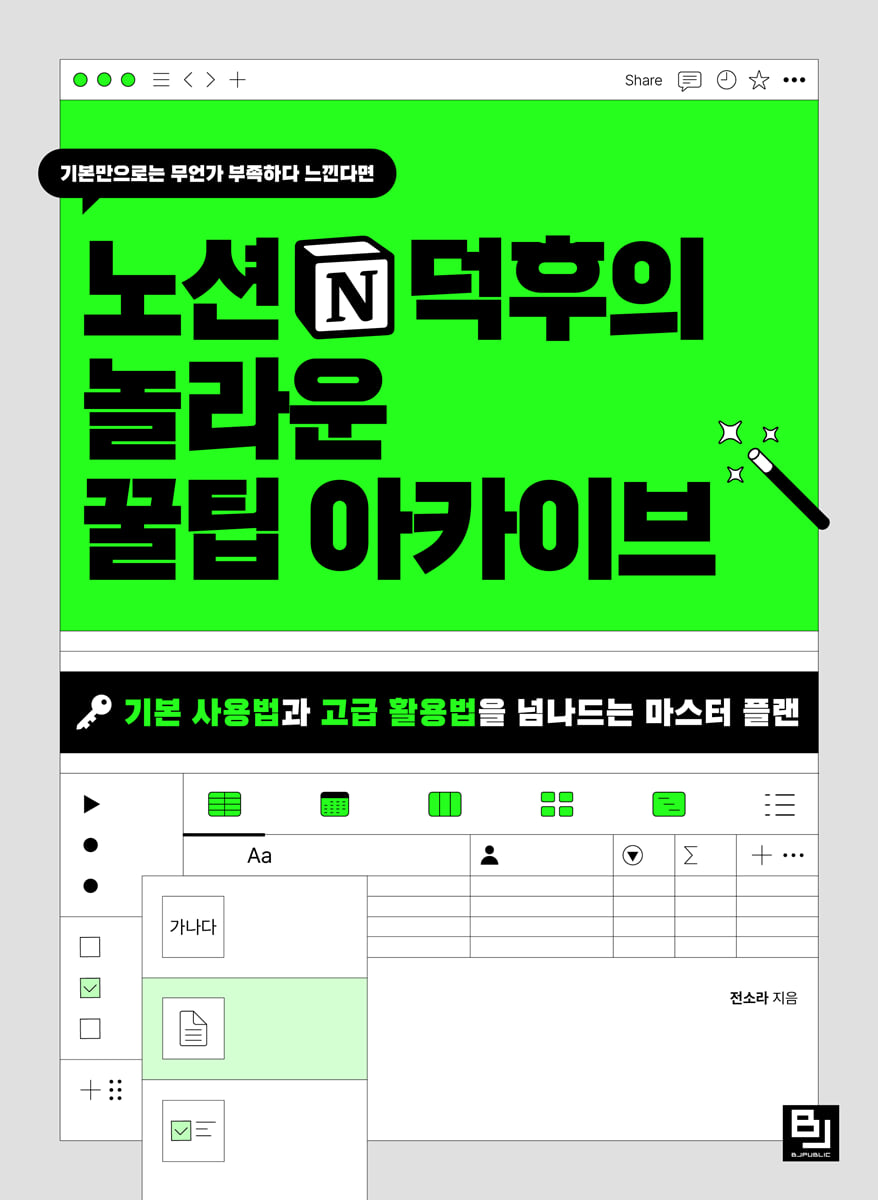
Notion Geek's Amazing Tip Archive
 |
Description
Book Introduction
Notion skills, didn't you jump to the middle level?
If you know the basics of Notion and can create templates, but feel like something is missing, it's because you skipped the intermediate step.
"Notion Geek's Amazing Tip Archive" systematically compiles Notion geeks' know-how to bridge the gap between basic and advanced Notion usage.
It's complicated and no one tells you about it, but it's packed with a ton of tips that you can easily use once you learn them.
This book does not simply follow a template, but rather introduces each part in four steps, linking the functions and practical exercises that can be completed with the function, so that you can utilize the functions appropriately.
From checking the useful yet sophisticated differences in basic settings and page organization to Notion AI and the ambitiously announced Notion Calendar, let's master everything.
If you know the basics of Notion and can create templates, but feel like something is missing, it's because you skipped the intermediate step.
"Notion Geek's Amazing Tip Archive" systematically compiles Notion geeks' know-how to bridge the gap between basic and advanced Notion usage.
It's complicated and no one tells you about it, but it's packed with a ton of tips that you can easily use once you learn them.
This book does not simply follow a template, but rather introduces each part in four steps, linking the functions and practical exercises that can be completed with the function, so that you can utilize the functions appropriately.
From checking the useful yet sophisticated differences in basic settings and page organization to Notion AI and the ambitiously announced Notion Calendar, let's master everything.
- You can preview some of the book's contents.
Preview
index
About the Author
Intro How long will you use Notion only as a notepad?
PART 01 Getting Started with Notion
_STEP 01 How to properly start using Notion
__1 Wait, I'll check the settings before we start.
__2, don't just create a Notion page.
__3 Gather them into one folder like you would organize a folder
__4 Learning Notion Terminology
_STEP 02 Tips Revealed - Basic Blocks
__1 Notion starts from the page
》 [Follow] Creating a new page
__2 Let's learn the most frequently used Notion shortcuts.
》 [Follow-up] Creating Basic Blocks
__3 Raise your hand if you've never done a callout line break
》 [Follow-up] Creating a Callout Block
__4 It's also easy to divide blocks
》 [Follow] Divide the block column
__5 My Notion page is 200 square meters
_STEP 03 Tip Release - Text Block Edition
__1 Now don't ask me what the red letters on the gray background are.
》 [Follow-up] Displaying and Editing Text with Code
__2 The background color is one point different
》 [Follow] Setting the text color and background color
__3 Text size is exactly 4, no more, no less
》 [Follow] Using the title block
__4 Complete the text alignment with one tab
__5 Text style is also nice
》 [Follow] Changing the text style
_STEP 04 Make it by following the instructions
__Example Page 1 - Self-Interview Page
__Example Page 2 - Weekly Review Page
__Example Page 3 - Work Experience Page
PART 02 Getting to Know Notion
_STEP 01 Tips Revealed - Media Block Edition
__1 Media block starts from image
__2 Don't just put in a link
》 [Follow] Adding a link as a bookmark
》 [Follow] Adding a link with Embed
__3 Embed the video
__4 Add a spoonful of files to Notion
》 [Follow-up] Uploading & Embedding Files
_STEP 02 Tips Revealed - Advanced Block Edition
__1 Table of Contents One Shot One Kill
》 [Follow] Creating a Table of Contents
__2 Just enter the coordinates and teleportation is complete
__3 Magic that syncs at once
__4 One-click completion button
》 [Follow] Creating a Routine Button
_STEP 03 Tips Revealed - Workspace Settings
__1 Workspace and domain are both my own
__2 Multiple workspaces per account
__3 There is no rule that says you have to use only one account
__4 Take advantage of the free upgrade
__5 Notion is more fun when used with multiple people
_STEP 04 Make it by following the instructions
__Example Page 1 - Birthday Party Invitation Page
__Example Page 2 - Fan Page
__Example Page 3 - Project Page
__Example Page 4 - Minutes Page
PART 03 The Core of Notion: Database
_STEP 01 Tips and Tricks - Database Part 1
__1 Let's go through the database in 1 minute
__2 Do you know inline and full page?
》 [Follow-up] Creating a database table
__3 You probably need one of these, database properties
》 [Follow] Adding basic properties
》 [Follow-up] Adding Relational and Rollup Properties
_STEP 02 Tips Revealed - Database Part 2
__1 If you know 3 points, the era of Notion success will open!
》 [Follow-up] Adding and displaying gallery properties
__2 Details make Notion shine!
》 [Follow] Changing the gallery layout settings
__3 Look at it this way and that way
__4 Attention with filter, focused on sorting
》 [Follow-up] Using Filters and Sorting
__5 The link between you and me, sub-items and dependencies
_STEP 03 Tips Revealed - Database Part 3
__1 If you know how to create a linked database view, you're a Notion expert!
__2 Is this a transforming robot or Notion?
__3 Do you really copy and paste every time?
》 [Follow-up] Create a meeting minutes template
__4 Using buttons in the database too
》 [Follow-up] Connecting a Button to a Database
__5 A new world of Notion opens up when you know the formula
_STEP 04 Make it by following the instructions
__Example Page 1 - Schedule and To-Do Management Page
__Example Page 2 - Daily Report Page
__Example Page 3 - New Year's Goals & Quarterly Plan Page
__Example Page 4 - Consumption Journal Page
PART 04 Notion Level Up!
_STEP 01 The Beginning of the Notion AI Era
__1 Notion AI is more useful than ChatGPT
__2 Boosting with Notion AI
__3 How to use ChatGPT and Notion together
_STEP 02 Useful Notion Tips You Should Know
__1 Am I the only one who feels uneasy when sharing links?
__2 Page security management completed with record and restore!
__3 How many people have viewed my page?
__4 Import to Notion & Export from Notion
__5 Page Customization and Locking Features
_STEP 03 Give wings to my Notion
__1 If you want to see Notion templates from around the world
__2 If you want to use Notion like a website, use Upi.
__3 Let's archive conveniently with the web clipping function.
Upgrade your Noku with the __4 widget
__5 Notion is also in the golden age of personal color
__6 Graphs and charts in no time!
_STEP 04 The ultimate calendar, Notion Calendar
__1 Getting Started with Notion Calendar
__2 Notion Calendar 5-Step Basic Settings
__3 Differences with Google Calendar
__4 Connecting to Notion Database
__5 The first way to schedule a collaboration: Share your availability
__6 Second way to schedule collaboration: Quick meetings
__7 Check the schedule from the menu bar too
__8 Selecting schedules using database views and filters
Outro: Notion, a smart tool to help me
Index
Intro How long will you use Notion only as a notepad?
PART 01 Getting Started with Notion
_STEP 01 How to properly start using Notion
__1 Wait, I'll check the settings before we start.
__2, don't just create a Notion page.
__3 Gather them into one folder like you would organize a folder
__4 Learning Notion Terminology
_STEP 02 Tips Revealed - Basic Blocks
__1 Notion starts from the page
》 [Follow] Creating a new page
__2 Let's learn the most frequently used Notion shortcuts.
》 [Follow-up] Creating Basic Blocks
__3 Raise your hand if you've never done a callout line break
》 [Follow-up] Creating a Callout Block
__4 It's also easy to divide blocks
》 [Follow] Divide the block column
__5 My Notion page is 200 square meters
_STEP 03 Tip Release - Text Block Edition
__1 Now don't ask me what the red letters on the gray background are.
》 [Follow-up] Displaying and Editing Text with Code
__2 The background color is one point different
》 [Follow] Setting the text color and background color
__3 Text size is exactly 4, no more, no less
》 [Follow] Using the title block
__4 Complete the text alignment with one tab
__5 Text style is also nice
》 [Follow] Changing the text style
_STEP 04 Make it by following the instructions
__Example Page 1 - Self-Interview Page
__Example Page 2 - Weekly Review Page
__Example Page 3 - Work Experience Page
PART 02 Getting to Know Notion
_STEP 01 Tips Revealed - Media Block Edition
__1 Media block starts from image
__2 Don't just put in a link
》 [Follow] Adding a link as a bookmark
》 [Follow] Adding a link with Embed
__3 Embed the video
__4 Add a spoonful of files to Notion
》 [Follow-up] Uploading & Embedding Files
_STEP 02 Tips Revealed - Advanced Block Edition
__1 Table of Contents One Shot One Kill
》 [Follow] Creating a Table of Contents
__2 Just enter the coordinates and teleportation is complete
__3 Magic that syncs at once
__4 One-click completion button
》 [Follow] Creating a Routine Button
_STEP 03 Tips Revealed - Workspace Settings
__1 Workspace and domain are both my own
__2 Multiple workspaces per account
__3 There is no rule that says you have to use only one account
__4 Take advantage of the free upgrade
__5 Notion is more fun when used with multiple people
_STEP 04 Make it by following the instructions
__Example Page 1 - Birthday Party Invitation Page
__Example Page 2 - Fan Page
__Example Page 3 - Project Page
__Example Page 4 - Minutes Page
PART 03 The Core of Notion: Database
_STEP 01 Tips and Tricks - Database Part 1
__1 Let's go through the database in 1 minute
__2 Do you know inline and full page?
》 [Follow-up] Creating a database table
__3 You probably need one of these, database properties
》 [Follow] Adding basic properties
》 [Follow-up] Adding Relational and Rollup Properties
_STEP 02 Tips Revealed - Database Part 2
__1 If you know 3 points, the era of Notion success will open!
》 [Follow-up] Adding and displaying gallery properties
__2 Details make Notion shine!
》 [Follow] Changing the gallery layout settings
__3 Look at it this way and that way
__4 Attention with filter, focused on sorting
》 [Follow-up] Using Filters and Sorting
__5 The link between you and me, sub-items and dependencies
_STEP 03 Tips Revealed - Database Part 3
__1 If you know how to create a linked database view, you're a Notion expert!
__2 Is this a transforming robot or Notion?
__3 Do you really copy and paste every time?
》 [Follow-up] Create a meeting minutes template
__4 Using buttons in the database too
》 [Follow-up] Connecting a Button to a Database
__5 A new world of Notion opens up when you know the formula
_STEP 04 Make it by following the instructions
__Example Page 1 - Schedule and To-Do Management Page
__Example Page 2 - Daily Report Page
__Example Page 3 - New Year's Goals & Quarterly Plan Page
__Example Page 4 - Consumption Journal Page
PART 04 Notion Level Up!
_STEP 01 The Beginning of the Notion AI Era
__1 Notion AI is more useful than ChatGPT
__2 Boosting with Notion AI
__3 How to use ChatGPT and Notion together
_STEP 02 Useful Notion Tips You Should Know
__1 Am I the only one who feels uneasy when sharing links?
__2 Page security management completed with record and restore!
__3 How many people have viewed my page?
__4 Import to Notion & Export from Notion
__5 Page Customization and Locking Features
_STEP 03 Give wings to my Notion
__1 If you want to see Notion templates from around the world
__2 If you want to use Notion like a website, use Upi.
__3 Let's archive conveniently with the web clipping function.
Upgrade your Noku with the __4 widget
__5 Notion is also in the golden age of personal color
__6 Graphs and charts in no time!
_STEP 04 The ultimate calendar, Notion Calendar
__1 Getting Started with Notion Calendar
__2 Notion Calendar 5-Step Basic Settings
__3 Differences with Google Calendar
__4 Connecting to Notion Database
__5 The first way to schedule a collaboration: Share your availability
__6 Second way to schedule collaboration: Quick meetings
__7 Check the schedule from the menu bar too
__8 Selecting schedules using database views and filters
Outro: Notion, a smart tool to help me
Index
Detailed image

Publisher's Review
The Brick Book of Notion has arrived!
Why? Because I want to share every little secret, hidden in every nook and cranny!
Don't you feel like the basics of Notion are lacking? Are you simply learning the basics and then blindly following templates with advanced features? Just because you can follow along doesn't mean you can master it.
Now, let's build up our skills by building a solid technical layer from the basics with Sojang, who teaches us easily.
The direct connection between technology and practice, along with the process of creating ready-to-use pages, will help you persistently integrate Notion into your self-directed life.
·PART 01 Getting Started with Notion
Check the difference between settings and page organization, as well as the use of basic blocks and text blocks.
Create a self-interview page, weekly review page, and work experience page
·PART 02 Getting to Know Notion
Make a follow-up page 》 Birthday party invitation page, fan page, project page, meeting minutes page
·PART 03 The Core of Notion: Database
Create a follow-up 》 Schedule and to-do management page, daily report page, New Year's goal & quarterly plan page, consumption diary page
·PART 04 Notion Level Up!
It's time to give wings to my Notion, and upgrade Nokku (Notion decoration) with great expandability!
"Am I the only one who feels uneasy when sharing links?", "Who has viewed my page?", and other questions answered!
Not only does it completely conquer Notion AI, but it also completely conquers Notion Calendar, which Notion ambitiously announced.
Why? Because I want to share every little secret, hidden in every nook and cranny!
Don't you feel like the basics of Notion are lacking? Are you simply learning the basics and then blindly following templates with advanced features? Just because you can follow along doesn't mean you can master it.
Now, let's build up our skills by building a solid technical layer from the basics with Sojang, who teaches us easily.
The direct connection between technology and practice, along with the process of creating ready-to-use pages, will help you persistently integrate Notion into your self-directed life.
·PART 01 Getting Started with Notion
Check the difference between settings and page organization, as well as the use of basic blocks and text blocks.
Create a self-interview page, weekly review page, and work experience page
·PART 02 Getting to Know Notion
Make a follow-up page 》 Birthday party invitation page, fan page, project page, meeting minutes page
·PART 03 The Core of Notion: Database
Create a follow-up 》 Schedule and to-do management page, daily report page, New Year's goal & quarterly plan page, consumption diary page
·PART 04 Notion Level Up!
It's time to give wings to my Notion, and upgrade Nokku (Notion decoration) with great expandability!
"Am I the only one who feels uneasy when sharing links?", "Who has viewed my page?", and other questions answered!
Not only does it completely conquer Notion AI, but it also completely conquers Notion Calendar, which Notion ambitiously announced.
GOODS SPECIFICS
- Date of issue: February 14, 2024
- Page count, weight, size: 456 pages | 188*257*30mm
- ISBN13: 9791165922689
- ISBN10: 1165922681
You may also like
카테고리
korean


korean

![GQ KOREA Mark (Monthly): December [2025]](http://librairie.coreenne.fr/cdn/shop/files/8ef265dbbfbf186523ed75ba7319009d.jpg?v=1765340328&width=3840)


