

Yalco's TOO MUCH friendly HTML+CSS+JavaScript
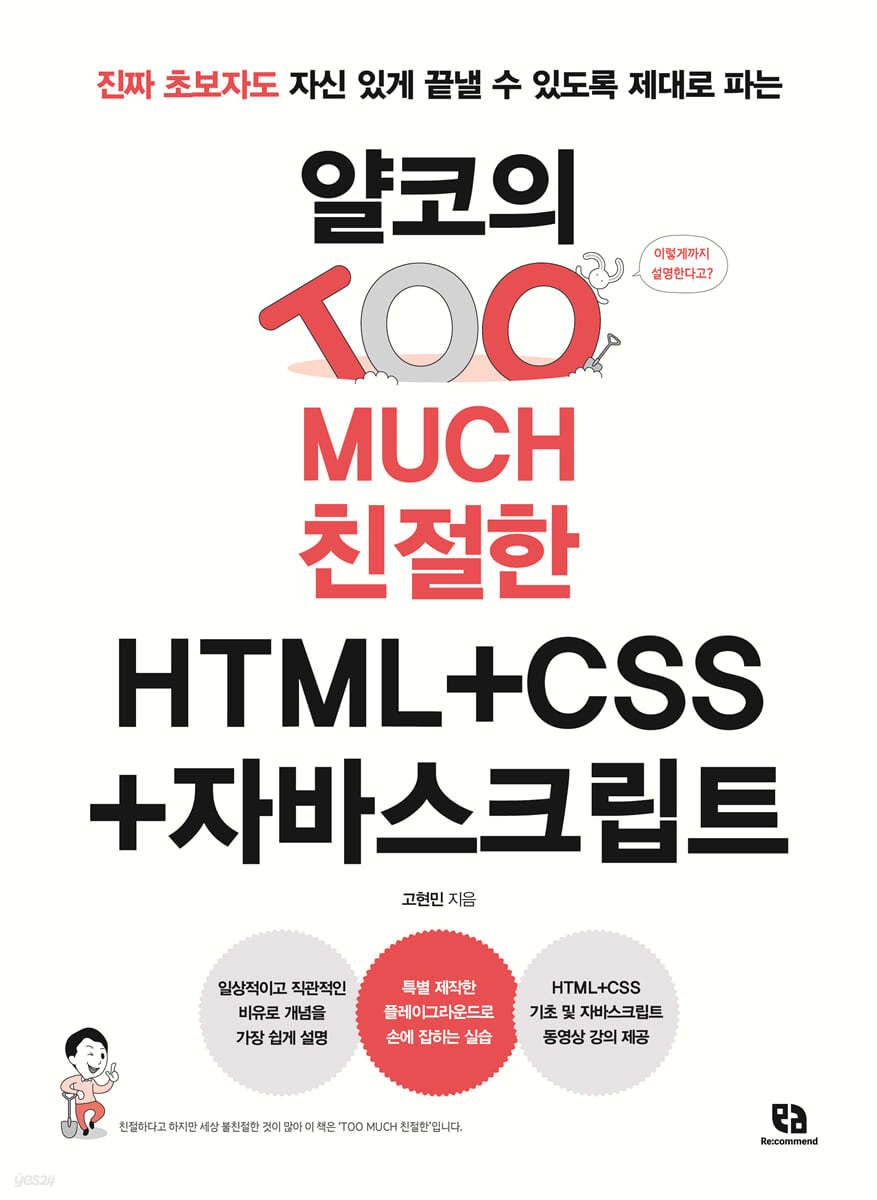 |
Description
Book Introduction
There has never been a textbook this friendly!
A web development guide that explains everything from Yalco, a true beginner, so even beginners can finish it with confidence.
Yalco (Yalpakhan Coding Dictionary), which has been praised by beginners for its clear explanations and effective lectures, has compiled the online lectures "HTML+CSS for Proper Digging" and "JavaScript for Newbies" into a single book.
We explain programming and web development using friendly and easy-to-understand analogies so that even beginners can easily approach it.
Yalco's unique and friendly explanations, which show and compare numerous screens for a function description that could be finished in one or two lines, go into detail about concepts that not only beginners but also developers in the field often overlook.
『Yalko's TOO MUCH Friendly HTML+CSS+JavaScript』 is structured to be optimized for studying the three technologies necessary for creating web pages in conjunction with each other.
Furthermore, it goes beyond simply visualizing the development and doesn't miss out on creating a "good" website that is considerate of various people and good for collaboration with other developers.
The primary goal of this book is to help busy readers experience the joy of coding easily and conveniently, with a total of 15 hours of video lectures.
A web development guide that explains everything from Yalco, a true beginner, so even beginners can finish it with confidence.
Yalco (Yalpakhan Coding Dictionary), which has been praised by beginners for its clear explanations and effective lectures, has compiled the online lectures "HTML+CSS for Proper Digging" and "JavaScript for Newbies" into a single book.
We explain programming and web development using friendly and easy-to-understand analogies so that even beginners can easily approach it.
Yalco's unique and friendly explanations, which show and compare numerous screens for a function description that could be finished in one or two lines, go into detail about concepts that not only beginners but also developers in the field often overlook.
『Yalko's TOO MUCH Friendly HTML+CSS+JavaScript』 is structured to be optimized for studying the three technologies necessary for creating web pages in conjunction with each other.
Furthermore, it goes beyond simply visualizing the development and doesn't miss out on creating a "good" website that is considerate of various people and good for collaboration with other developers.
The primary goal of this book is to help busy readers experience the joy of coding easily and conveniently, with a total of 15 hours of video lectures.
- You can preview some of the book's contents.
Preview
index
PART 01 HTML to be placed
CHAPTER 01 Before You Begin
_LESSON 01 What are HTML, CSS, and JavaScript?
__HTML to put it all together, CSS to decorate it, JavaScript to do the work
__Why are things written in HTML, CSS, etc. called 'documents'?
_LESSON 02 Setting up the environment
__Install a web browser
__Installing VS Code
__Setting options to make programming easier in VS Code
__Installing useful plugins in VS Code
__Yalko's Friendly HTML Notes
CHAPTER 02 Creating Your First Web Page with Basic Tags
_LESSON 03 Creating Your First Web Page
Create an __index.html file
__Enter the first web page element
__View page source
_LESSON 04 Using the First Tag
__Learn about tags
__Title tags and paragraph tags
__Text-related tags
Using the __tag attribute
_LESSON 05 Listing Multiple Elements with Tags
__Tag representing a list
__Tag listing terms and definitions
__Yalko's Friendly HTML Notes
CHAPTER 03 Inserting Various Elements into a Web Page
_LESSON 06 Using Image Tags
__Inserting images with absolute and relative paths
__Resize the image
_LESSON 07 Using Tables
__Basic table tag
__table area tag
__Cell Merge Tag
__column group tag
_LESSON 08 Linking to Other Places
Go to link with __a tag
Move to the desired location using the __id value
Linking contacts with __tags
__Yalko's Friendly HTML Notes
CHAPTER 04 Receiving Input from Users
_LESSON 09 Using the form tag
Attributes of the __form tag
Grouping elements within the __form tag
_LESSON 10 Using the input tag
__Text-related input tags
__Number-related input tags
__Check related input tags
__Other input tags
__input tag common attributes
_LESSON 11 Using Other Tags
__textarea tag
__Option selection related tags
Tags expressing __ degree
__pre tag
__iframe tag
Tags you should know
__Do nothing tag
__Yalko's Friendly HTML Notes
PART 02 Decorating CSS
CHAPTER 05 Understanding CSS Basics
_LESSON 12 How to apply CSS and selectors
__Three ways to apply CSS
__Default selector
__Tag Selector
__class selector
__id selector
__group selector
_LESSON 13 Combinators and Virtual Classes
__descendant combiner
__Brother Combiner
__virtual class
__Yalko's Friendly CSS Notes
CHAPTER 06 Applying Fonts and Text Styles
_LESSON 14 Font Styles
__Italics and bold
__Font size
__Decorate the text
_LESSON 15 Paragraph and List Styles
__Alignment and Spacing
__List Style
__Yalko's Friendly CSS Notes
CHAPTER 07 Understanding the Inline, Block, and Box Models
_LESSON 16 Inline and Block Elements
__Basic width and concept
__Adjust width and height
__occupy horizontal space
__Apply margins
_LESSON 17 Box Model
__size of element
__Outer margins and inner margins
__border attribute
__box shadow property
__Yalko's Friendly CSS Notes
CHAPTER 08 Decorating Web Pages with Color and Images
_LESSON 18 Expressing Colors
Four ways to express color
_LESSON 19 Decorating the Background
__Using an image as a background
__Add a gradient to the background
__Yalko's Friendly CSS Notes
CHAPTER 09 POSITIONING AND Layout
_LESSON 20 Positioning
__position attribute
__z-index property
_LESSON 21 Flex Layout
__Flex applied to parents
Flex applied to __children
_LESSON 22 How to hide elements
__Three ways to hide elements in CSS
__Change the mouse cursor shape
__Yalko's Friendly CSS Notes
PART 03 Dive Deeper into HTML
CHAPTER 10 Using Tags According to Their Purpose
_LESSON 23 Tags at the top
__DOCTYPE
__head tag
_LESSON 24 Semantic Tags
__Advantages of using semantic tags
__Types of semantic tags
_LESSON 25 Inserting Other Media
__SVG image
__Audio and Video
__Yalko's Friendly HTML Notes
CHAPTER 11 Creating a Website Accessible to Everyone
_LESSON 26 Web Accessibility
Describing images with the __alt attribute
__Explaining hidden elements
__aria-label attribute
__aria-hidden attribute and role attribute
__figure tag and figcaption tag
_LESSON 27 Naming for Readability
__Name based on tags
__Name it based on the class
Naming with __BEM
__Yalko's Friendly HTML Notes
PART 04 Dive Deeper into CSS
CHAPTER 12 A Sophisticated Way to Specify Elements
_LESSON 28 Repetition and Common Styles
__Importing another CSS file
__Using CSS variables
_LESSON 29 Selectors in Detail
__Attribute Selector
__virtual class
_LESSON 30 Inheritance and Reset
__Inherited properties, non-inherited properties
__Reset all properties
_LESSON 31 Vendor Prefixes
__Using vendor prefixes
__Yalko's Friendly CSS Notes
CHAPTER 13 Styling Fonts and Tables
_LESSON 32 Fonts and Web Fonts
__font-family property
__Applying web fonts
_LESSON 33 Text Deepening
__vertical-align property
__white-space attribute
__text-overflow property
_LESSON 34 Table Styling
__Table Style Attributes
__display property of table element
__Yalko's Friendly CSS Notes
CHAPTER 14 Creating Effects with Layout Transformations and Animations
_LESSON 35 float property
__float property and clear property
__Solving the Parent Size Problem
_LESSON 36 Grid Layout
__Grid applied to parent
Grid applied to __children
_LESSON 37 Transformations and Animation
__transform attribute
__transition attribute
__animation property
__Yalko's Friendly CSS Notes
CHAPTER 15: Learn More About Responsive Web Design and CSS
_LESSON 38 Responsive Web
__Adaptive Web vs. Responsive Web
__Creating a Responsive Web
_LESSON 39 Other properties you should know
__clip property and clip-path property
__scroll-snap property
__aspect-ratio attribute
__backdrop-filter property
_LESSON 40 Frameworks and Libraries
__Front-end framework
__Icon Library
__Yalko's Friendly CSS Notes
PART 05 Final Project Using HTML and CSS
CHAPTER 16: Creating a Coding Course Website
_LESSON 41 Project Installation and Environment Setup
__Installing the project
Completing the __style.css file
_LESSON 42 Top Intro
__intro.css
_LESSON 43 Headers and Menus
__header.css
_LESSON 44 Main and about
__main.css
__about.css
_LESSON 45 HTML & CSS Section
__html-css.css
_LESSON 46 Curriculum
__curriculum.css
_LESSON 47 Contact Us and Footer
__contact.css
__footer.css
PART 05 Ordering JavaScript
CHAPTER 17 Before You Begin
_LESSON 48 Building a Practice Environment
__Practice tools
_LESSON 49 Using the Console and Comments
__console
__annotation
__Yalko's Friendly JavaScript Notes
CHAPTER 18: Understanding JavaScript Basics
_LESSON 50 Storing Data in Variables and Constants
__variables and constants
__Identifier naming conventions
_LESSON 51 Basic Data Types and Operators
__data type
__operator
_LESSON 52 Objects and Arrays
__object
__arrangement
_LESSON 53 Conditional Statements
__if / else statement
__switch statement
_LESSON 54 Loops
__for statement
__while statement
_LESSON 55 Functions
Definition of __function
Utilization of __function
__Yalko's Friendly JavaScript Notes
CHAPTER 19 Adding JavaScript to HTML and CSS
_LESSON 56 Selecting and Manipulating HTML Elements
__DOM concept
How to select __elements
__How to manipulate selected elements
_LESSON 57 Adding an Event
__event
__Event Object
__Yalko's Friendly JavaScript Notes
CHAPTER 20: FINAL PROJECT SUPPLEMENT
_LESSON 58 Creating elements from existing data
__Navigation
__about
_LESSON 59 Creating Event Animations
__Curriculum
__Contact Us
__Mobile menu button
__Find
CHAPTER 01 Before You Begin
_LESSON 01 What are HTML, CSS, and JavaScript?
__HTML to put it all together, CSS to decorate it, JavaScript to do the work
__Why are things written in HTML, CSS, etc. called 'documents'?
_LESSON 02 Setting up the environment
__Install a web browser
__Installing VS Code
__Setting options to make programming easier in VS Code
__Installing useful plugins in VS Code
__Yalko's Friendly HTML Notes
CHAPTER 02 Creating Your First Web Page with Basic Tags
_LESSON 03 Creating Your First Web Page
Create an __index.html file
__Enter the first web page element
__View page source
_LESSON 04 Using the First Tag
__Learn about tags
__Title tags and paragraph tags
__Text-related tags
Using the __tag attribute
_LESSON 05 Listing Multiple Elements with Tags
__Tag representing a list
__Tag listing terms and definitions
__Yalko's Friendly HTML Notes
CHAPTER 03 Inserting Various Elements into a Web Page
_LESSON 06 Using Image Tags
__Inserting images with absolute and relative paths
__Resize the image
_LESSON 07 Using Tables
__Basic table tag
__table area tag
__Cell Merge Tag
__column group tag
_LESSON 08 Linking to Other Places
Go to link with __a tag
Move to the desired location using the __id value
Linking contacts with __tags
__Yalko's Friendly HTML Notes
CHAPTER 04 Receiving Input from Users
_LESSON 09 Using the form tag
Attributes of the __form tag
Grouping elements within the __form tag
_LESSON 10 Using the input tag
__Text-related input tags
__Number-related input tags
__Check related input tags
__Other input tags
__input tag common attributes
_LESSON 11 Using Other Tags
__textarea tag
__Option selection related tags
Tags expressing __ degree
__pre tag
__iframe tag
Tags you should know
__Do nothing tag
__Yalko's Friendly HTML Notes
PART 02 Decorating CSS
CHAPTER 05 Understanding CSS Basics
_LESSON 12 How to apply CSS and selectors
__Three ways to apply CSS
__Default selector
__Tag Selector
__class selector
__id selector
__group selector
_LESSON 13 Combinators and Virtual Classes
__descendant combiner
__Brother Combiner
__virtual class
__Yalko's Friendly CSS Notes
CHAPTER 06 Applying Fonts and Text Styles
_LESSON 14 Font Styles
__Italics and bold
__Font size
__Decorate the text
_LESSON 15 Paragraph and List Styles
__Alignment and Spacing
__List Style
__Yalko's Friendly CSS Notes
CHAPTER 07 Understanding the Inline, Block, and Box Models
_LESSON 16 Inline and Block Elements
__Basic width and concept
__Adjust width and height
__occupy horizontal space
__Apply margins
_LESSON 17 Box Model
__size of element
__Outer margins and inner margins
__border attribute
__box shadow property
__Yalko's Friendly CSS Notes
CHAPTER 08 Decorating Web Pages with Color and Images
_LESSON 18 Expressing Colors
Four ways to express color
_LESSON 19 Decorating the Background
__Using an image as a background
__Add a gradient to the background
__Yalko's Friendly CSS Notes
CHAPTER 09 POSITIONING AND Layout
_LESSON 20 Positioning
__position attribute
__z-index property
_LESSON 21 Flex Layout
__Flex applied to parents
Flex applied to __children
_LESSON 22 How to hide elements
__Three ways to hide elements in CSS
__Change the mouse cursor shape
__Yalko's Friendly CSS Notes
PART 03 Dive Deeper into HTML
CHAPTER 10 Using Tags According to Their Purpose
_LESSON 23 Tags at the top
__DOCTYPE
__head tag
_LESSON 24 Semantic Tags
__Advantages of using semantic tags
__Types of semantic tags
_LESSON 25 Inserting Other Media
__SVG image
__Audio and Video
__Yalko's Friendly HTML Notes
CHAPTER 11 Creating a Website Accessible to Everyone
_LESSON 26 Web Accessibility
Describing images with the __alt attribute
__Explaining hidden elements
__aria-label attribute
__aria-hidden attribute and role attribute
__figure tag and figcaption tag
_LESSON 27 Naming for Readability
__Name based on tags
__Name it based on the class
Naming with __BEM
__Yalko's Friendly HTML Notes
PART 04 Dive Deeper into CSS
CHAPTER 12 A Sophisticated Way to Specify Elements
_LESSON 28 Repetition and Common Styles
__Importing another CSS file
__Using CSS variables
_LESSON 29 Selectors in Detail
__Attribute Selector
__virtual class
_LESSON 30 Inheritance and Reset
__Inherited properties, non-inherited properties
__Reset all properties
_LESSON 31 Vendor Prefixes
__Using vendor prefixes
__Yalko's Friendly CSS Notes
CHAPTER 13 Styling Fonts and Tables
_LESSON 32 Fonts and Web Fonts
__font-family property
__Applying web fonts
_LESSON 33 Text Deepening
__vertical-align property
__white-space attribute
__text-overflow property
_LESSON 34 Table Styling
__Table Style Attributes
__display property of table element
__Yalko's Friendly CSS Notes
CHAPTER 14 Creating Effects with Layout Transformations and Animations
_LESSON 35 float property
__float property and clear property
__Solving the Parent Size Problem
_LESSON 36 Grid Layout
__Grid applied to parent
Grid applied to __children
_LESSON 37 Transformations and Animation
__transform attribute
__transition attribute
__animation property
__Yalko's Friendly CSS Notes
CHAPTER 15: Learn More About Responsive Web Design and CSS
_LESSON 38 Responsive Web
__Adaptive Web vs. Responsive Web
__Creating a Responsive Web
_LESSON 39 Other properties you should know
__clip property and clip-path property
__scroll-snap property
__aspect-ratio attribute
__backdrop-filter property
_LESSON 40 Frameworks and Libraries
__Front-end framework
__Icon Library
__Yalko's Friendly CSS Notes
PART 05 Final Project Using HTML and CSS
CHAPTER 16: Creating a Coding Course Website
_LESSON 41 Project Installation and Environment Setup
__Installing the project
Completing the __style.css file
_LESSON 42 Top Intro
__intro.css
_LESSON 43 Headers and Menus
__header.css
_LESSON 44 Main and about
__main.css
__about.css
_LESSON 45 HTML & CSS Section
__html-css.css
_LESSON 46 Curriculum
__curriculum.css
_LESSON 47 Contact Us and Footer
__contact.css
__footer.css
PART 05 Ordering JavaScript
CHAPTER 17 Before You Begin
_LESSON 48 Building a Practice Environment
__Practice tools
_LESSON 49 Using the Console and Comments
__console
__annotation
__Yalko's Friendly JavaScript Notes
CHAPTER 18: Understanding JavaScript Basics
_LESSON 50 Storing Data in Variables and Constants
__variables and constants
__Identifier naming conventions
_LESSON 51 Basic Data Types and Operators
__data type
__operator
_LESSON 52 Objects and Arrays
__object
__arrangement
_LESSON 53 Conditional Statements
__if / else statement
__switch statement
_LESSON 54 Loops
__for statement
__while statement
_LESSON 55 Functions
Definition of __function
Utilization of __function
__Yalko's Friendly JavaScript Notes
CHAPTER 19 Adding JavaScript to HTML and CSS
_LESSON 56 Selecting and Manipulating HTML Elements
__DOM concept
How to select __elements
__How to manipulate selected elements
_LESSON 57 Adding an Event
__event
__Event Object
__Yalko's Friendly JavaScript Notes
CHAPTER 20: FINAL PROJECT SUPPLEMENT
_LESSON 58 Creating elements from existing data
__Navigation
__about
_LESSON 59 Creating Event Animations
__Curriculum
__Contact Us
__Mobile menu button
__Find
Detailed image
.jpg)
Into the book
★ Author Interview ★
Q.
What special efforts have you made to explain coding easily?
A.
I originally came from a designer background.
I remember the times when I, as a non-major, was perplexed by unfamiliar IT concepts, and I have been consistently researching ways to explain concepts in an easy-to-understand way using everyday and intuitive analogies whenever possible.
The result of those worries is YouTube lectures and books.
Q. Why should I learn HTML, CSS, and JavaScript all at once?
A.
When learning to ride a bike, you don't learn how to pedal, how to turn the handlebars, and how to brake separately.
No. HTML, CSS, and JavaScript are also designed to be used together, so they are linked together and shared.
You must be rich.
Among them, HTML and CSS work closely together like a pair of chopsticks to create a website.
It consists of.
These two must be studied and practiced together to study each one more properly.
Q.
They say AI is better at coding than humans. Why is this book essential in this AI era?
A.
In the future, the number of times people directly input code will decrease significantly, and instead, the frequency of using AI-written code in appropriate places will increase.
To do this, you need the knowledge to understand and judge the code written by the computer.
This requires more fundamental and in-depth knowledge than when writing code directly.
Therefore, in the AI era, it is necessary to study programming languages from the basics to the advanced level, as in this book.
Q.
What special efforts have you made to explain coding easily?
A.
I originally came from a designer background.
I remember the times when I, as a non-major, was perplexed by unfamiliar IT concepts, and I have been consistently researching ways to explain concepts in an easy-to-understand way using everyday and intuitive analogies whenever possible.
The result of those worries is YouTube lectures and books.
Q. Why should I learn HTML, CSS, and JavaScript all at once?
A.
When learning to ride a bike, you don't learn how to pedal, how to turn the handlebars, and how to brake separately.
No. HTML, CSS, and JavaScript are also designed to be used together, so they are linked together and shared.
You must be rich.
Among them, HTML and CSS work closely together like a pair of chopsticks to create a website.
It consists of.
These two must be studied and practiced together to study each one more properly.
Q.
They say AI is better at coding than humans. Why is this book essential in this AI era?
A.
In the future, the number of times people directly input code will decrease significantly, and instead, the frequency of using AI-written code in appropriate places will increase.
To do this, you need the knowledge to understand and judge the code written by the computer.
This requires more fundamental and in-depth knowledge than when writing code directly.
Therefore, in the AI era, it is necessary to study programming languages from the basics to the advanced level, as in this book.
--- From the text
Publisher's Review
★ Popular lectures from YouTube and Inflearn have returned as upgraded books!
★ The optimal configuration for learning the three technologies required for creating web pages.
★ A comprehensive overview of the latest CSS technologies that even working developers can easily miss.
A friendly and easy explanation that even a coding novice can understand.
The easiest technologies to learn first for someone who knows nothing about coding are HTML and CSS.
Because the intuitive structure allows you to quickly check the results, it is ideal for understanding programming principles.
However, it is not common to find developers who study it in depth and use it ‘properly.’
This book is systematically organized to provide a wealth of knowledge for beginners in programming, from basic concepts to more complex concepts and detailed properties, making it a valuable resource for both working developers and publishers.
If you follow along step by step, you can learn HTML, CSS, and JavaScript in just one book!
This book is organized into parts according to difficulty.
First, learn the basics of HTML and CSS in PART 01~02.
If you're not satisfied with this and want to learn more, continue with Parts 3 and 4 to delve deeper into HTML and CSS. In Part 5, you'll quickly create a coding course website using only the HTML and CSS knowledge you've learned so far.
While you can build a website with just two languages, adding JavaScript takes it to the next level.
Therefore, in PART 06, we will use the basic JavaScript knowledge required for web page creation to upgrade the coding course website we created earlier and complete the final result.
[Readers who need this book]
- People who are just starting to learn coding
- Web designers who want to do their own publishing
- Developers who want to become more proficient in HTML, CSS, and JavaScript
- Developers who want to study the in-depth principles of HTML, CSS, and JavaScript.
- Developers who want to create a 'good website' that complies with web standards
[Recommendation]
My favorite part of this book is 'Yalko's Friendly Notes'.
I think it is a characteristic of Yalco to consider the reader by summarizing the concepts explained at length in the text into a single page to make it easy for the reader to learn what they have learned.
Also, despite the extensive content, I found it easier to read than other books, thanks to the emphasis placed throughout on key concepts.
Additionally, the process of experiencing real-world project-level examples is systematically structured, so beginners can follow along without any burden.
- Kim Bitna / YouTuber who teaches coding (@user-yu8so2ck1z)
This book is based on Yalko's popular lecture 'HTML CSS Selling Properly' on Infraon, adding more in-depth content.
I've written books based on lectures, but these days, people prefer short videos over long ones, so there were many times when I wanted to talk about it at length but couldn't.
While video offers a dynamic experience, books have the advantage of allowing you to open them anytime, anywhere and reflect calmly. I believe even those who have already attended the lecture will find the book to offer a different experience.
- Lee Kun-hee / YouTuber Gunny Coding (@gunnycoding)
As the title suggests, "TOO MUCH KIND," this book offers the friendliest and easiest approach to learning I've ever encountered.
I couldn't help but be impressed by how systematically it was organized to make it easy and fun to learn not only simple content but also complex and difficult-to-understand concepts, with various supplementary materials such as images, summaries, videos, and playgrounds.
This book will guide even those who jump in with minimal willpower into the true joy of coding with a friendly and clear guide that will leave no room for boredom.
- Jeon Byeong-woo / YouTuber To the J (@ttj)
This book thoroughly covers everything from the conceptual understanding of web development to practical application methods and finally, the final project, providing a high-quality project experience.
In particular, the two advantages of a hands-on environment called a playground and online lectures are the most attractive points for beginners in development.
If you want to find out if you have an aptitude for front-end development, or if you're already working in back-end development but lack a thorough understanding of front-end, I recommend this book to build a solid foundation.
- Jung Woo-hyun / YouTuber Comgong Senior (@comgongbro)
[A word from those who attended the lecture first]
* I liked how it explained how to set up a coding environment, gave me a lot of useful tips, and showed me how to further my studies on my own.
- H** -
* The final project was so good.
I don't have many opportunities to create my own website, but using what I've learned to create a website has been a huge help in my learning.
- river** -
* I was impressed by the meticulous and detailed composition, and the effort put into making it easy to understand and provide a lot of information about the functions and properties.
- k** -
* I felt like I was trying to convey the content effectively, so I learned a lot and it was a pleasant learning experience.
It was great to be able to practice using the various elements, but the simple input tips were also really helpful because I could memorize tags as I typed them.
- m** -
* It really helped me grasp the core knowledge of HTML and CSS. I didn't realize CSS had so many features.
- seaweed** -
* It was a worthwhile time to learn and organize the operating principles of things I had only used by feeling.
- Ky** -
* In web development, it was quite inconvenient to look up HTML and CSS at a superficial level from time to time, but it was good to be able to solidify the basics as well as the overall flow and understand the latest trends.
- article** -
★ The optimal configuration for learning the three technologies required for creating web pages.
★ A comprehensive overview of the latest CSS technologies that even working developers can easily miss.
A friendly and easy explanation that even a coding novice can understand.
The easiest technologies to learn first for someone who knows nothing about coding are HTML and CSS.
Because the intuitive structure allows you to quickly check the results, it is ideal for understanding programming principles.
However, it is not common to find developers who study it in depth and use it ‘properly.’
This book is systematically organized to provide a wealth of knowledge for beginners in programming, from basic concepts to more complex concepts and detailed properties, making it a valuable resource for both working developers and publishers.
If you follow along step by step, you can learn HTML, CSS, and JavaScript in just one book!
This book is organized into parts according to difficulty.
First, learn the basics of HTML and CSS in PART 01~02.
If you're not satisfied with this and want to learn more, continue with Parts 3 and 4 to delve deeper into HTML and CSS. In Part 5, you'll quickly create a coding course website using only the HTML and CSS knowledge you've learned so far.
While you can build a website with just two languages, adding JavaScript takes it to the next level.
Therefore, in PART 06, we will use the basic JavaScript knowledge required for web page creation to upgrade the coding course website we created earlier and complete the final result.
[Readers who need this book]
- People who are just starting to learn coding
- Web designers who want to do their own publishing
- Developers who want to become more proficient in HTML, CSS, and JavaScript
- Developers who want to study the in-depth principles of HTML, CSS, and JavaScript.
- Developers who want to create a 'good website' that complies with web standards
[Recommendation]
My favorite part of this book is 'Yalko's Friendly Notes'.
I think it is a characteristic of Yalco to consider the reader by summarizing the concepts explained at length in the text into a single page to make it easy for the reader to learn what they have learned.
Also, despite the extensive content, I found it easier to read than other books, thanks to the emphasis placed throughout on key concepts.
Additionally, the process of experiencing real-world project-level examples is systematically structured, so beginners can follow along without any burden.
- Kim Bitna / YouTuber who teaches coding (@user-yu8so2ck1z)
This book is based on Yalko's popular lecture 'HTML CSS Selling Properly' on Infraon, adding more in-depth content.
I've written books based on lectures, but these days, people prefer short videos over long ones, so there were many times when I wanted to talk about it at length but couldn't.
While video offers a dynamic experience, books have the advantage of allowing you to open them anytime, anywhere and reflect calmly. I believe even those who have already attended the lecture will find the book to offer a different experience.
- Lee Kun-hee / YouTuber Gunny Coding (@gunnycoding)
As the title suggests, "TOO MUCH KIND," this book offers the friendliest and easiest approach to learning I've ever encountered.
I couldn't help but be impressed by how systematically it was organized to make it easy and fun to learn not only simple content but also complex and difficult-to-understand concepts, with various supplementary materials such as images, summaries, videos, and playgrounds.
This book will guide even those who jump in with minimal willpower into the true joy of coding with a friendly and clear guide that will leave no room for boredom.
- Jeon Byeong-woo / YouTuber To the J (@ttj)
This book thoroughly covers everything from the conceptual understanding of web development to practical application methods and finally, the final project, providing a high-quality project experience.
In particular, the two advantages of a hands-on environment called a playground and online lectures are the most attractive points for beginners in development.
If you want to find out if you have an aptitude for front-end development, or if you're already working in back-end development but lack a thorough understanding of front-end, I recommend this book to build a solid foundation.
- Jung Woo-hyun / YouTuber Comgong Senior (@comgongbro)
[A word from those who attended the lecture first]
* I liked how it explained how to set up a coding environment, gave me a lot of useful tips, and showed me how to further my studies on my own.
- H** -
* The final project was so good.
I don't have many opportunities to create my own website, but using what I've learned to create a website has been a huge help in my learning.
- river** -
* I was impressed by the meticulous and detailed composition, and the effort put into making it easy to understand and provide a lot of information about the functions and properties.
- k** -
* I felt like I was trying to convey the content effectively, so I learned a lot and it was a pleasant learning experience.
It was great to be able to practice using the various elements, but the simple input tips were also really helpful because I could memorize tags as I typed them.
- m** -
* It really helped me grasp the core knowledge of HTML and CSS. I didn't realize CSS had so many features.
- seaweed** -
* It was a worthwhile time to learn and organize the operating principles of things I had only used by feeling.
- Ky** -
* In web development, it was quite inconvenient to look up HTML and CSS at a superficial level from time to time, but it was good to be able to solidify the basics as well as the overall flow and understand the latest trends.
- article** -
GOODS SPECIFICS
- Date of issue: February 1, 2024
- Page count, weight, size: 696 pages | 1,350g | 188*257*32mm
- ISBN13: 9791198364258
You may also like
카테고리
korean


korean

![GQ KOREA Mark (Monthly): December [2025]](http://librairie.coreenne.fr/cdn/shop/files/8ef265dbbfbf186523ed75ba7319009d.jpg?v=1765340328&width=3840)


