

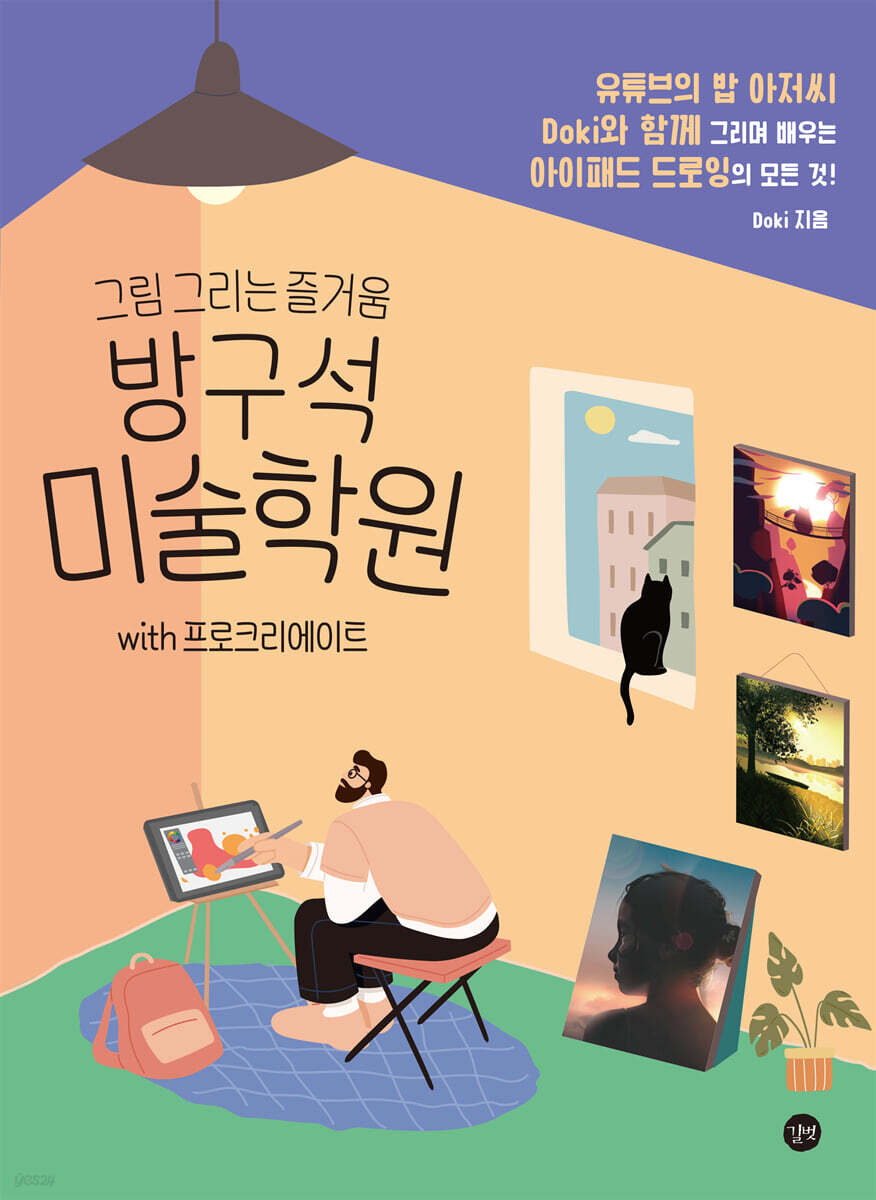
Banggu Seok Art Academy with Procreate
 |
Description
Book Introduction
Learn everything about iPad drawing with YouTube's Bob and Doki! If you've ever thought, 'I want to be good at drawing,' it's not difficult. You can do it by yourself. Welcome to Banggu Seok Art Academy, where you can enjoy drawing. Hasn't everyone thought, "Why can't I draw?" or "I want to be good at drawing?" This book is designed so even beginners can learn the basics of art, as well as the features of Procreate, at their own pace. Trust Doki, the YouTuber who runs Uncle Bob's art school, and start taking classes at Banggu Seok Art Academy. |
- You can preview some of the book's contents.
Preview
index
preface
Banggu Seok Art Academy Curriculum
How to view this book
1.
Welcome to Banggu Seok Art Academy
01 Preparation
[Orientation] Tablet PC
ㆍ iPad (required)
Accessories - Paper texture film (optional)
Accessories - Pen nib (optional)
Accessories - Stand (optional)
[Orientation] Apps for Digital Painting
02 Digital Painting, All You Need to Know
[All You Need to Know!] The Basics of Digital Painting
Canvas = Paper, Gallery = Sketchbook
ㆍ Brush = Paintbrush
ㆍEraser and rubbing
ㆍ Color = palette, paint
[All you need to know!] Procreate Basic Features
ㆍ Layer
Layer mode
ㆍ Gesture function
2.
Basic class where we learn by drawing together
01 Drawing a heart balloon
[Basic Functions 1] Color Drop and Pixel Fluidization
ㆍ Color Drop
ㆍ Pixel fluidization
[Basic Basic Functions 2] Clipping Mask and Transform Mode
ㆍ Clipping mask
ㆍ Transformation mode
02 Drawing a Cactus in the Desert
[Basic Skills 3] Quick Shape
Quick Shape
ㆍ Drawing a desert background
[Drawing Together 1] Drawing a Cactus
ㆍ Drawing the basic shape of a cactus
ㆍ Adding basic shading and shadows
ㆍ Expressing light
[Basic Functions 4] Adding Text
ㆍ Add text
ㆍ Decorate text
[Drawing Together 2] Effects and Finishing
03 Frog on a Blade of Grass
[Basic Functions 5] Layer Mode
[Drawing Together 1] Drawing Blades of Grass
[Drawing Together 2] Drawing a Frog
ㆍCapturing the basic frog shape
ㆍ Finish with a shadow effect
04 Drawing sunglasses
[Drawing Together 1] Drawing Basic Shapes
[Basic Functions 5] Alpha Channel Locking
[Drawing Together 2] Adding Shading
[Basic Functions 6] Selection Mode
[Drawing Together 3] Expressing Glass Material
[Drawing Together 4] Expressing Palm Tree Shadows
[Drawing Together 5] Expressing Light and Finishing
3.
Basic Completion Class
01 Drawing a Beach with a Papercut Effect
[Drawing Together 1] Drawing a Beach
ㆍ Drawing wave shapes
ㆍ Adding shadows to waves
ㆍ Drawing a beach
ㆍ Emphasize with paper cut effect
[Drawing Together 2] Drawing Beach Creatures Together
ㆍ Drawing the basic shape of a crab
ㆍ Adding crab shadows
ㆍ Draw a border and complete it
02 Drawing palm trees and the night sky
[Drawing Together 1] Drawing Hills and Palm Trees
ㆍ Drawing the background and palm trees
ㆍDuplicating a palm tree with the Transform tool
[Drawing Together 2] Reflecting and Finishing
4.
Upgrade your drawing knowledge! Intermediate class
01 Sketch
[Basic Art Lesson 1] Sketching
ㆍ About sketches
Knowing vs. Seeing
ㆍ Sketch Tip 1.
Spatial (3D) vs. Planar (2D)
ㆍ Sketch Tip 2.
Check relative position
ㆍ Sketch Tip 3.
Check the margins
[Basic Art Lesson 2] Light and Shadow
ㆍ Light and shade
Highlights
ㆍ Areas where light does not shine
ㆍLight and shade that changes depending on the shape
[Basic Art Lesson 3] Understanding Shadows
Casting Shadow vs. Form Shadow
ㆍ Changes in shadows depending on the distance between the object and the light
ㆍ Changes in shadow color depending on the surrounding environment
02 Applying Theory and Drawing Together 1
[Drawing Together 1] Drawing Basic Objects
[Drawing Together 2] Expressing Shade and Light in a Tennis Ball
[Drawing Together 3] Expressing Shadows
[Drawing Together 4] Increasing the Detail of a Tennis Ball
[Drawing Together 5] Expressing Background Shading
03 Coloring and finishing the tennis court
[Basic Art Lesson 4] The Three Elements of Color
ㆍ Color
ㆍ Saturation and brightness
[Basic Art Lesson 5] The Process of Finding Color
[Basic Art Lesson 6] Color Contrast
Color temperature (warm vs. cool colors)
ㆍ Complementary colors
[Level Up! Advanced Feature 1] Glazing Coloring
ㆍ Understanding glazing coloring methods
ㆍ Simple experience of glazing coloring method
ㆍ Differences in glazing coloring results depending on layer mode
ㆍUse of glazing coloring
04 Drawing Together by Applying Theory 2
[Drawing Together 6] Coloring with the Glazing Coloring Method
[Drawing Together 7] Increasing Sun Detail
[Drawing Together 8] Increasing the Detail of a Tennis Ball
[Drawing Together 9] Finishing with Effects
5.
Advanced class for drawing various materials
01 Drawing a three-dimensional valley
[Level Up! Advanced Feature 2] Gradient Map
ㆍ Change map
[Drawing Together 1] Drawing the Sketch
ㆍ Drawing basic elements
ㆍ How to draw a cute cat
[Drawing Together 2] Applying a Gradient Map
ㆍColoring with a change map
ㆍColor retouching and drawing additional elements
[Drawing Together 3] Finishing Up
ㆍ Organizing the layer list
Applying various effects
02 Landscape painting using perspective drawing
[Basic Art Lesson 7] Perspective Drawing
ㆍ Understanding perspective drawing, vanishing points
ㆍ One-point perspective
ㆍ Two-point perspective
ㆍ 3-point perspective
[Level Up! Advanced Feature 3] Drawing Guide
Drawing Guide
ㆍ Perspective
ㆍ 3-point perspective
[Drawing Together 1] Perspective Settings & Sketching
ㆍSetting the perspective and sketching
ㆍColoring basic elements
[Drawing Together 2] Expressing Light and Shade
[Drawing Together 3] Expressing Light
[Drawing Together 4] Finishing by adding decorative elements
03 Drawing a Neon Sign
[Basic Art Lesson 8] How to Express Light
ㆍ Light and shade, the secret of dazzling paintings
[Level Up! Advanced Feature 4] Expressing Light
ㆍUsing layer mode - Screen/Add
ㆍUsing Procreate features - Light scattering
ㆍ Brush usage
[Drawing Together 1] Drawing the Underdrawing and Background Lighting
ㆍ Setting up the perspective and working on the basic background
ㆍWorking with wall lights
[Drawing Together 2] Expressing a Glowing Neon Sign
[Drawing Together 3] Finishing Up
04 Drawing a cityscape reflected in a lake
[Level Up! Advanced Feature 5] Understanding Digital Brushes
ㆍ Criterion 1 - Line boundary
ㆍ Criterion 2 - Texture
ㆍ Additional criteria - Brush shape
ㆍ What is the best brush?
[Drawing Together 1] Drawing Basic Elements
[Drawing Together 2] Expressing Richness with a Texture Brush
[Drawing Together 3] Adding Shading
[Drawing Together 4] Expressing Lake Reflections
[Drawing Together 5] Increasing Bush Detail
[Drawing Together 6] Increasing Tree Details
[Drawing Together 7] Adding Additional Elements
05 Portrait Painting for Beginners
[Figure Painting for Beginners] A Guide to Figure Painting
Do I have to draw it exactly the same? - Don't be afraid.
ㆍ Approach to portraiture
ㆍ About copying portrait photos
[Level Up! Advanced Feature 6] Setting Up a Canvas for Photo Reproduction
ㆍ Grid settings
ㆍ Reference function
Seven Tips for Digital Portrait Painting
[Drawing Together 1] Background Work and Shape Refining
ㆍ Basic background work
ㆍ Shape refinement Coloring the shape in dark tones
[Drawing Together 2] Positioning Basic Shapes with Midtones
[Drawing Together 3] Bright-tone coloring
[Drawing Together 4] Expressing Clouds
[Drawing Together 5] Describing in Detail
[Drawing Together 6] Finishing by Adding Highlights
Highlights
ㆍ Organizing and merging canvases
ㆍ Finishing effect
6.
Doki's Knowhow
01 How to set up efficient Procreate work
[Efficient Work Setup] Everything About the Quick Menu
How to use the quick menu
ㆍ Recommended quick menu combinations
[Recommended settings by function] Setting up the interface
ㆍ Eyedropper tool
ㆍ Copy and paste
ㆍ Sidebar
ㆍ Palette
02 Recommended Free and Paid Digital Brush Sets
[Recommended Brush Set] Download and Load Brushes
[Recommended Brush Set] Professional Artist's Brush Set
Free Brushes - Mathias Zamecki
Free Brushes - Aaron Griffin
Paid Brush - Ayan Nag
ㆍ Concluding the introduction of the brush
Banggu Seok Art Academy Curriculum
How to view this book
1.
Welcome to Banggu Seok Art Academy
01 Preparation
[Orientation] Tablet PC
ㆍ iPad (required)
Accessories - Paper texture film (optional)
Accessories - Pen nib (optional)
Accessories - Stand (optional)
[Orientation] Apps for Digital Painting
02 Digital Painting, All You Need to Know
[All You Need to Know!] The Basics of Digital Painting
Canvas = Paper, Gallery = Sketchbook
ㆍ Brush = Paintbrush
ㆍEraser and rubbing
ㆍ Color = palette, paint
[All you need to know!] Procreate Basic Features
ㆍ Layer
Layer mode
ㆍ Gesture function
2.
Basic class where we learn by drawing together
01 Drawing a heart balloon
[Basic Functions 1] Color Drop and Pixel Fluidization
ㆍ Color Drop
ㆍ Pixel fluidization
[Basic Basic Functions 2] Clipping Mask and Transform Mode
ㆍ Clipping mask
ㆍ Transformation mode
02 Drawing a Cactus in the Desert
[Basic Skills 3] Quick Shape
Quick Shape
ㆍ Drawing a desert background
[Drawing Together 1] Drawing a Cactus
ㆍ Drawing the basic shape of a cactus
ㆍ Adding basic shading and shadows
ㆍ Expressing light
[Basic Functions 4] Adding Text
ㆍ Add text
ㆍ Decorate text
[Drawing Together 2] Effects and Finishing
03 Frog on a Blade of Grass
[Basic Functions 5] Layer Mode
[Drawing Together 1] Drawing Blades of Grass
[Drawing Together 2] Drawing a Frog
ㆍCapturing the basic frog shape
ㆍ Finish with a shadow effect
04 Drawing sunglasses
[Drawing Together 1] Drawing Basic Shapes
[Basic Functions 5] Alpha Channel Locking
[Drawing Together 2] Adding Shading
[Basic Functions 6] Selection Mode
[Drawing Together 3] Expressing Glass Material
[Drawing Together 4] Expressing Palm Tree Shadows
[Drawing Together 5] Expressing Light and Finishing
3.
Basic Completion Class
01 Drawing a Beach with a Papercut Effect
[Drawing Together 1] Drawing a Beach
ㆍ Drawing wave shapes
ㆍ Adding shadows to waves
ㆍ Drawing a beach
ㆍ Emphasize with paper cut effect
[Drawing Together 2] Drawing Beach Creatures Together
ㆍ Drawing the basic shape of a crab
ㆍ Adding crab shadows
ㆍ Draw a border and complete it
02 Drawing palm trees and the night sky
[Drawing Together 1] Drawing Hills and Palm Trees
ㆍ Drawing the background and palm trees
ㆍDuplicating a palm tree with the Transform tool
[Drawing Together 2] Reflecting and Finishing
4.
Upgrade your drawing knowledge! Intermediate class
01 Sketch
[Basic Art Lesson 1] Sketching
ㆍ About sketches
Knowing vs. Seeing
ㆍ Sketch Tip 1.
Spatial (3D) vs. Planar (2D)
ㆍ Sketch Tip 2.
Check relative position
ㆍ Sketch Tip 3.
Check the margins
[Basic Art Lesson 2] Light and Shadow
ㆍ Light and shade
Highlights
ㆍ Areas where light does not shine
ㆍLight and shade that changes depending on the shape
[Basic Art Lesson 3] Understanding Shadows
Casting Shadow vs. Form Shadow
ㆍ Changes in shadows depending on the distance between the object and the light
ㆍ Changes in shadow color depending on the surrounding environment
02 Applying Theory and Drawing Together 1
[Drawing Together 1] Drawing Basic Objects
[Drawing Together 2] Expressing Shade and Light in a Tennis Ball
[Drawing Together 3] Expressing Shadows
[Drawing Together 4] Increasing the Detail of a Tennis Ball
[Drawing Together 5] Expressing Background Shading
03 Coloring and finishing the tennis court
[Basic Art Lesson 4] The Three Elements of Color
ㆍ Color
ㆍ Saturation and brightness
[Basic Art Lesson 5] The Process of Finding Color
[Basic Art Lesson 6] Color Contrast
Color temperature (warm vs. cool colors)
ㆍ Complementary colors
[Level Up! Advanced Feature 1] Glazing Coloring
ㆍ Understanding glazing coloring methods
ㆍ Simple experience of glazing coloring method
ㆍ Differences in glazing coloring results depending on layer mode
ㆍUse of glazing coloring
04 Drawing Together by Applying Theory 2
[Drawing Together 6] Coloring with the Glazing Coloring Method
[Drawing Together 7] Increasing Sun Detail
[Drawing Together 8] Increasing the Detail of a Tennis Ball
[Drawing Together 9] Finishing with Effects
5.
Advanced class for drawing various materials
01 Drawing a three-dimensional valley
[Level Up! Advanced Feature 2] Gradient Map
ㆍ Change map
[Drawing Together 1] Drawing the Sketch
ㆍ Drawing basic elements
ㆍ How to draw a cute cat
[Drawing Together 2] Applying a Gradient Map
ㆍColoring with a change map
ㆍColor retouching and drawing additional elements
[Drawing Together 3] Finishing Up
ㆍ Organizing the layer list
Applying various effects
02 Landscape painting using perspective drawing
[Basic Art Lesson 7] Perspective Drawing
ㆍ Understanding perspective drawing, vanishing points
ㆍ One-point perspective
ㆍ Two-point perspective
ㆍ 3-point perspective
[Level Up! Advanced Feature 3] Drawing Guide
Drawing Guide
ㆍ Perspective
ㆍ 3-point perspective
[Drawing Together 1] Perspective Settings & Sketching
ㆍSetting the perspective and sketching
ㆍColoring basic elements
[Drawing Together 2] Expressing Light and Shade
[Drawing Together 3] Expressing Light
[Drawing Together 4] Finishing by adding decorative elements
03 Drawing a Neon Sign
[Basic Art Lesson 8] How to Express Light
ㆍ Light and shade, the secret of dazzling paintings
[Level Up! Advanced Feature 4] Expressing Light
ㆍUsing layer mode - Screen/Add
ㆍUsing Procreate features - Light scattering
ㆍ Brush usage
[Drawing Together 1] Drawing the Underdrawing and Background Lighting
ㆍ Setting up the perspective and working on the basic background
ㆍWorking with wall lights
[Drawing Together 2] Expressing a Glowing Neon Sign
[Drawing Together 3] Finishing Up
04 Drawing a cityscape reflected in a lake
[Level Up! Advanced Feature 5] Understanding Digital Brushes
ㆍ Criterion 1 - Line boundary
ㆍ Criterion 2 - Texture
ㆍ Additional criteria - Brush shape
ㆍ What is the best brush?
[Drawing Together 1] Drawing Basic Elements
[Drawing Together 2] Expressing Richness with a Texture Brush
[Drawing Together 3] Adding Shading
[Drawing Together 4] Expressing Lake Reflections
[Drawing Together 5] Increasing Bush Detail
[Drawing Together 6] Increasing Tree Details
[Drawing Together 7] Adding Additional Elements
05 Portrait Painting for Beginners
[Figure Painting for Beginners] A Guide to Figure Painting
Do I have to draw it exactly the same? - Don't be afraid.
ㆍ Approach to portraiture
ㆍ About copying portrait photos
[Level Up! Advanced Feature 6] Setting Up a Canvas for Photo Reproduction
ㆍ Grid settings
ㆍ Reference function
Seven Tips for Digital Portrait Painting
[Drawing Together 1] Background Work and Shape Refining
ㆍ Basic background work
ㆍ Shape refinement Coloring the shape in dark tones
[Drawing Together 2] Positioning Basic Shapes with Midtones
[Drawing Together 3] Bright-tone coloring
[Drawing Together 4] Expressing Clouds
[Drawing Together 5] Describing in Detail
[Drawing Together 6] Finishing by Adding Highlights
Highlights
ㆍ Organizing and merging canvases
ㆍ Finishing effect
6.
Doki's Knowhow
01 How to set up efficient Procreate work
[Efficient Work Setup] Everything About the Quick Menu
How to use the quick menu
ㆍ Recommended quick menu combinations
[Recommended settings by function] Setting up the interface
ㆍ Eyedropper tool
ㆍ Copy and paste
ㆍ Sidebar
ㆍ Palette
02 Recommended Free and Paid Digital Brush Sets
[Recommended Brush Set] Download and Load Brushes
[Recommended Brush Set] Professional Artist's Brush Set
Free Brushes - Mathias Zamecki
Free Brushes - Aaron Griffin
Paid Brush - Ayan Nag
ㆍ Concluding the introduction of the brush
Detailed image

Publisher's Review
Welcome to Banggu Seok Art Academy, where you can enjoy drawing.
You can learn things like this at Banggu Seok Art Academy.
-Basic Class/Basic Completion Class-
Let's take some time to get familiar with drawing by focusing on the basic functions of Procreate.
Learn how to create a variety of effects using the basic functions of digital drawing.
-Upgrade your drawing knowledge! Intermediate class-
Banggu Seok Art Academy's pride! We explain the fundamental art theory essential for drawing.
It is packed with theories and know-how that even experts might miss.
Don't miss out on glazing, an advanced digital painting technique.
-Advanced class for drawing various materials-
We've gathered all the knowledge and art theory of digital painting in one place to help you become a truly advanced user.
In the case of portraiture, we have organized it so that you can complete it on your own by presenting core methods so that you do not stop at passive copying.
This is how the Banggu Seok Art Academy is structured.
1.
To avoid tiring you out with a lot of theoretical explanations before you even start drawing, we've explained only the one or two essential functions, and organized them so that you can immediately use the functions you've learned in the following drawing together.
2.
From the beginning to the end of the drawing, we explain everything carefully so that no step is omitted or missed. Anyone can draw a satisfactory drawing by simply following the guided process.
3.
We've carefully selected examples so that even beginners can draw them easily, but avoid boring subjects and complete the drawing by drawing together until the end, so that the results will be better than even beginners'.
4.
In the final stage of the drawing we drew together, I presented a drawing that I had retouched to stimulate the desire for a better drawing, but without making a big difference to the final result.
5.
We provide an in-depth introduction to the fundamental art theories you need to know so that you don't just stop at completing a drawing together, and explain them so that you can immediately apply and understand them in the subsequent drawing together.
6.
We've compiled fragmented digital painting features, art fundamentals, and painting know-how of varying difficulty into a single, pre-existing book.
You can learn things like this at Banggu Seok Art Academy.
-Basic Class/Basic Completion Class-
Let's take some time to get familiar with drawing by focusing on the basic functions of Procreate.
Learn how to create a variety of effects using the basic functions of digital drawing.
-Upgrade your drawing knowledge! Intermediate class-
Banggu Seok Art Academy's pride! We explain the fundamental art theory essential for drawing.
It is packed with theories and know-how that even experts might miss.
Don't miss out on glazing, an advanced digital painting technique.
-Advanced class for drawing various materials-
We've gathered all the knowledge and art theory of digital painting in one place to help you become a truly advanced user.
In the case of portraiture, we have organized it so that you can complete it on your own by presenting core methods so that you do not stop at passive copying.
This is how the Banggu Seok Art Academy is structured.
1.
To avoid tiring you out with a lot of theoretical explanations before you even start drawing, we've explained only the one or two essential functions, and organized them so that you can immediately use the functions you've learned in the following drawing together.
2.
From the beginning to the end of the drawing, we explain everything carefully so that no step is omitted or missed. Anyone can draw a satisfactory drawing by simply following the guided process.
3.
We've carefully selected examples so that even beginners can draw them easily, but avoid boring subjects and complete the drawing by drawing together until the end, so that the results will be better than even beginners'.
4.
In the final stage of the drawing we drew together, I presented a drawing that I had retouched to stimulate the desire for a better drawing, but without making a big difference to the final result.
5.
We provide an in-depth introduction to the fundamental art theories you need to know so that you don't just stop at completing a drawing together, and explain them so that you can immediately apply and understand them in the subsequent drawing together.
6.
We've compiled fragmented digital painting features, art fundamentals, and painting know-how of varying difficulty into a single, pre-existing book.
GOODS SPECIFICS
- Date of issue: June 7, 2023
- Page count, weight, size: 468 pages | 1,146g | 188*257*19mm
- ISBN13: 9791140704712
You may also like
카테고리
korean


korean

![GQ KOREA Mark (Monthly): December [2025]](http://librairie.coreenne.fr/cdn/shop/files/8ef265dbbfbf186523ed75ba7319009d.jpg?v=1765340328&width=3840)


