

Google Tip Book
 |
Description
Book Introduction
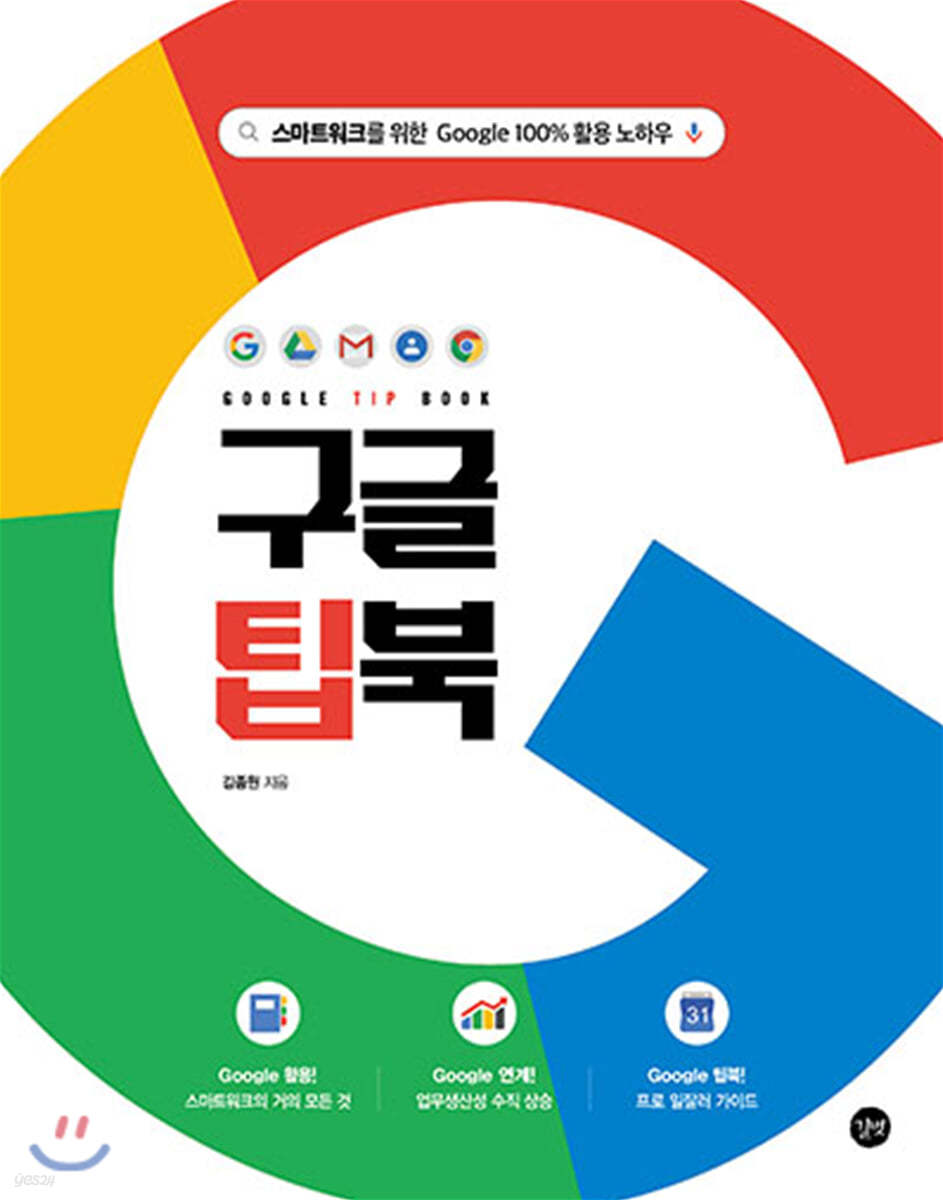
The Google Tip Book contains almost all of Google's cloud services for smart work, as well as a work+Google linked skill tree that will dramatically increase your work productivity.
This is a professional Google usage guide that you can't find even with a Google search.
This is a professional Google usage guide that you can't find even with a Google search.
- You can preview some of the book's contents.
Preview
index
PART 1 Why Google?
Why Google?
TIP 001 Why Google?
TIP 002 Google's Main Services
TIP 003 How to Increase Work Productivity with Google
Google Search
TIP 001 Explore Google Search
TIP 002 Image Search
TIP 003 Save search results to a collection
TIP 004 Turning SafeSearch On/Off
TIP 005 Changing Search Settings
TIP 006 Using search operators
TIP 007 Using Advanced Search
TIP 008 Setting up search notifications (Google Alerts)
Chrome
TIP 001 Download and Install Chrome
TIP 002 Check out Chrome
TIP 003 Setting Chrome as the default browser
TIP 004 Using Chrome Sync
TIP 005 Using Chrome Tab Browsing
TIP 006 Searching from the Chrome address bar
TIP 007 Setting the Default Search Engine
TIP 008 Setting the Start Page
TIP 009 Importing bookmarks and settings from other browsers
TIP 010 Managing Chrome Bookmarks
TIP 011 Zooming in and out on web pages
TIP 012 Translating Foreign Language Web Pages
TIP 013 Allow pop-ups
TIP 014 Using Adobe Flash Player
TIP 015 Sharing Web Pages Between Devices
TIP 016 Changing the Download Folder
TIP 017 Saving a Web Page
TIP 018 Creating a Webpage Shortcut
TIP 019 Using a Secret Window
TIP 020 Adding Multiple User Accounts
TIP 021 Managing Login Information
TIP 022 Using the Chrome Web Store
TIP 023 Managing your visit history
TIP 024 Deleting Internet Usage History
TIP 025 Deleting Harmful Software
TIP 026 Reset Chrome Settings
TIP 027 Troubleshooting Chrome Errors
TIP 028 Using Chrome Shortcuts
PART 2: Boosting Productivity with Google
Google Contacts
TIP 001 Check your Google Contacts
TIP 002 Registering Contacts in the Address Book
TIP 003 Exporting/Importing Contacts
TIP 004 Bulk registering contacts to the address book
TIP 005 Merging duplicate contacts in your address book
TIP 006 Applying Labels to Address Book Contacts
Gmail
TIP 001: Explore Gmail
TIP 002 Sending an Email ① Write an Email
TIP 003 Sending an Email ② Attaching a File
TIP 004 Sending Email ③ Adding Recipients/CCs
TIP 005 Sending an Email ④Sending an Email in Secret Mode
TIP 006 Importing External Emails
TIP 007 Using Mail Grouping
TIP 008 Various ways to manage email ① Email management menu
TIP 009 Various ways to manage email ② Labels
TIP 010 Various ways to manage email ③ Automatic sorting box
TIP 011 Various ways to manage email ④ Filter
TIP 012 Using Auto-Response
TIP 013 Checking Gmail Offline
TIP 014 Gmail Settings
TIP 015 Useful Gmail Error Messages to Know
Google Calendar
TIP 001: Explore Google Calendar
TIP 002 Changing the Calendar View
TIP 003 Adding/Deleting Events to the Calendar
TIP 004 Adding a Recurring Schedule
TIP 005 Adding a Calendar in Gmail
TIP 006 Creating a New Calendar
TIP 007 Exporting/Importing Calendars
TIP 008 Adding Attendees to an Event
TIP 009 Sharing a Calendar with Specific Users
TIP 010 Making Your Calendar Public and Published
TIP 011 Google Calendar Extension
Manage your Google Account
TIP 001 Creating a Google Account
TIP 002 Adding Multiple Accounts
TIP 003: Reviewing Google Account Management
TIP 004 Google Account Management ① Editing Your Profile
TIP 005 Google Account Management ② Activity Control and History
TIP 006 Google Account Management ③ Strengthening Security
TIP 007 Google Account Management ④ Dashboard
PART 3 Collaborating with Google
Google Drive
TIP 001 Explore Google Drive
TIP 002 Creating a Folder
TIP 003 Uploading to Google Drive
TIP 004 Sorting Items
TIP 005 View Details
TIP 006 Searching Google Drive
TIP 007 Deleting/Restoring Items
TIP 008 Converting PDF or photo files to text
TIP 009 Sharing Google Drive
TIP 010 Changing sharing settings
TIP 011 Using the Backup and Sync App
TIP 012 Changing Backup and Sync Settings
TIP 013 Version Management
TIP 014 Managing Google Drive Storage
Google Docs
TIP 001 Explore Google Docs
TIP 002 Adding Fonts to Google Docs
TIP 003 Google Docs Overview
TIP 004 Suggest a Change
TIP 005 Creating Documents with Voice Input
TIP 006 Translating in Google Docs
TIP 007 Downloading Google Docs
Google Spreadsheets
TIP 001: Exploring Google Spreadsheets
TIP 002 Importing Excel Files
TIP 003 Google Spreadsheet Functions
TIP 004 Setting up Google Sheets notifications
Google Presentations
TIP 001 Explore Google Presentations
TIP 002: Ask questions in real time during your presentation.
Google Forms
TIP 001: Explore Google Forms
TIP 002 Filling out the questionnaire
TIP 003 Move to the question section based on the response
TIP 004 Checking Survey Responses in a Spreadsheet
Features of Google Docs
TIP 001 Auto-save
TIP 002 Real-time collaboration
TIP 003 Share your opinions in the comments
TIP 004 Version History
Why Google?
TIP 001 Why Google?
TIP 002 Google's Main Services
TIP 003 How to Increase Work Productivity with Google
Google Search
TIP 001 Explore Google Search
TIP 002 Image Search
TIP 003 Save search results to a collection
TIP 004 Turning SafeSearch On/Off
TIP 005 Changing Search Settings
TIP 006 Using search operators
TIP 007 Using Advanced Search
TIP 008 Setting up search notifications (Google Alerts)
Chrome
TIP 001 Download and Install Chrome
TIP 002 Check out Chrome
TIP 003 Setting Chrome as the default browser
TIP 004 Using Chrome Sync
TIP 005 Using Chrome Tab Browsing
TIP 006 Searching from the Chrome address bar
TIP 007 Setting the Default Search Engine
TIP 008 Setting the Start Page
TIP 009 Importing bookmarks and settings from other browsers
TIP 010 Managing Chrome Bookmarks
TIP 011 Zooming in and out on web pages
TIP 012 Translating Foreign Language Web Pages
TIP 013 Allow pop-ups
TIP 014 Using Adobe Flash Player
TIP 015 Sharing Web Pages Between Devices
TIP 016 Changing the Download Folder
TIP 017 Saving a Web Page
TIP 018 Creating a Webpage Shortcut
TIP 019 Using a Secret Window
TIP 020 Adding Multiple User Accounts
TIP 021 Managing Login Information
TIP 022 Using the Chrome Web Store
TIP 023 Managing your visit history
TIP 024 Deleting Internet Usage History
TIP 025 Deleting Harmful Software
TIP 026 Reset Chrome Settings
TIP 027 Troubleshooting Chrome Errors
TIP 028 Using Chrome Shortcuts
PART 2: Boosting Productivity with Google
Google Contacts
TIP 001 Check your Google Contacts
TIP 002 Registering Contacts in the Address Book
TIP 003 Exporting/Importing Contacts
TIP 004 Bulk registering contacts to the address book
TIP 005 Merging duplicate contacts in your address book
TIP 006 Applying Labels to Address Book Contacts
Gmail
TIP 001: Explore Gmail
TIP 002 Sending an Email ① Write an Email
TIP 003 Sending an Email ② Attaching a File
TIP 004 Sending Email ③ Adding Recipients/CCs
TIP 005 Sending an Email ④Sending an Email in Secret Mode
TIP 006 Importing External Emails
TIP 007 Using Mail Grouping
TIP 008 Various ways to manage email ① Email management menu
TIP 009 Various ways to manage email ② Labels
TIP 010 Various ways to manage email ③ Automatic sorting box
TIP 011 Various ways to manage email ④ Filter
TIP 012 Using Auto-Response
TIP 013 Checking Gmail Offline
TIP 014 Gmail Settings
TIP 015 Useful Gmail Error Messages to Know
Google Calendar
TIP 001: Explore Google Calendar
TIP 002 Changing the Calendar View
TIP 003 Adding/Deleting Events to the Calendar
TIP 004 Adding a Recurring Schedule
TIP 005 Adding a Calendar in Gmail
TIP 006 Creating a New Calendar
TIP 007 Exporting/Importing Calendars
TIP 008 Adding Attendees to an Event
TIP 009 Sharing a Calendar with Specific Users
TIP 010 Making Your Calendar Public and Published
TIP 011 Google Calendar Extension
Manage your Google Account
TIP 001 Creating a Google Account
TIP 002 Adding Multiple Accounts
TIP 003: Reviewing Google Account Management
TIP 004 Google Account Management ① Editing Your Profile
TIP 005 Google Account Management ② Activity Control and History
TIP 006 Google Account Management ③ Strengthening Security
TIP 007 Google Account Management ④ Dashboard
PART 3 Collaborating with Google
Google Drive
TIP 001 Explore Google Drive
TIP 002 Creating a Folder
TIP 003 Uploading to Google Drive
TIP 004 Sorting Items
TIP 005 View Details
TIP 006 Searching Google Drive
TIP 007 Deleting/Restoring Items
TIP 008 Converting PDF or photo files to text
TIP 009 Sharing Google Drive
TIP 010 Changing sharing settings
TIP 011 Using the Backup and Sync App
TIP 012 Changing Backup and Sync Settings
TIP 013 Version Management
TIP 014 Managing Google Drive Storage
Google Docs
TIP 001 Explore Google Docs
TIP 002 Adding Fonts to Google Docs
TIP 003 Google Docs Overview
TIP 004 Suggest a Change
TIP 005 Creating Documents with Voice Input
TIP 006 Translating in Google Docs
TIP 007 Downloading Google Docs
Google Spreadsheets
TIP 001: Exploring Google Spreadsheets
TIP 002 Importing Excel Files
TIP 003 Google Spreadsheet Functions
TIP 004 Setting up Google Sheets notifications
Google Presentations
TIP 001 Explore Google Presentations
TIP 002: Ask questions in real time during your presentation.
Google Forms
TIP 001: Explore Google Forms
TIP 002 Filling out the questionnaire
TIP 003 Move to the question section based on the response
TIP 004 Checking Survey Responses in a Spreadsheet
Features of Google Docs
TIP 001 Auto-save
TIP 002 Real-time collaboration
TIP 003 Share your opinions in the comments
TIP 004 Version History
Detailed image
Publisher's Review
For smart work
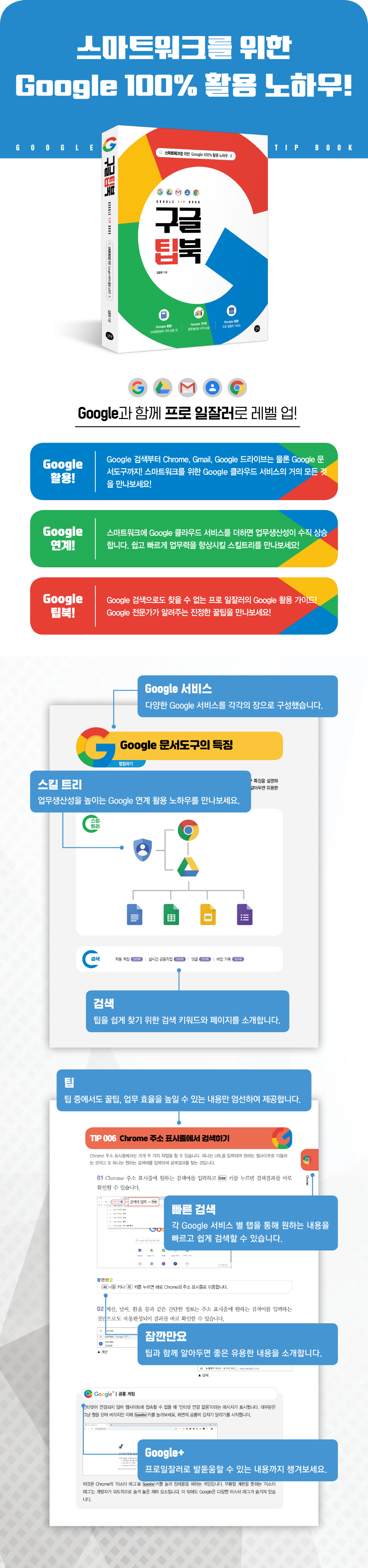
How to utilize Google 100%!
| Level up to become a professional with Google! |
Leverage Google!
From Google Search to Chrome, Gmail, Google Drive, and even Google Docs!
Discover almost everything Google Cloud has to offer for smart work!
Google Connect!
Adding Google Cloud services to SmartWork will dramatically increase your work productivity.
Discover the skill tree that will help you improve your work skills quickly and easily!
Google Tipbook!
A professional Google user guide that you can't find even with a Google search!
Discover real-world tips from Google experts!
How to utilize Google 100%!
| Level up to become a professional with Google! |
Leverage Google!
From Google Search to Chrome, Gmail, Google Drive, and even Google Docs!
Discover almost everything Google Cloud has to offer for smart work!
Google Connect!
Adding Google Cloud services to SmartWork will dramatically increase your work productivity.
Discover the skill tree that will help you improve your work skills quickly and easily!
Google Tipbook!
A professional Google user guide that you can't find even with a Google search!
Discover real-world tips from Google experts!
GOODS SPECIFICS
- Date of issue: July 2, 2020
- Page count, weight, size: 308 pages | 173*220*16mm
- ISBN13: 9791165212162
- ISBN10: 1165212161
You may also like
카테고리
korean


korean

![GQ KOREA Mark (Monthly): December [2025]](http://librairie.coreenne.fr/cdn/shop/files/8ef265dbbfbf186523ed75ba7319009d.jpg?v=1765340328&width=3840)


