

100 Days and 100 Drawings to Escape from Clumsy Hands
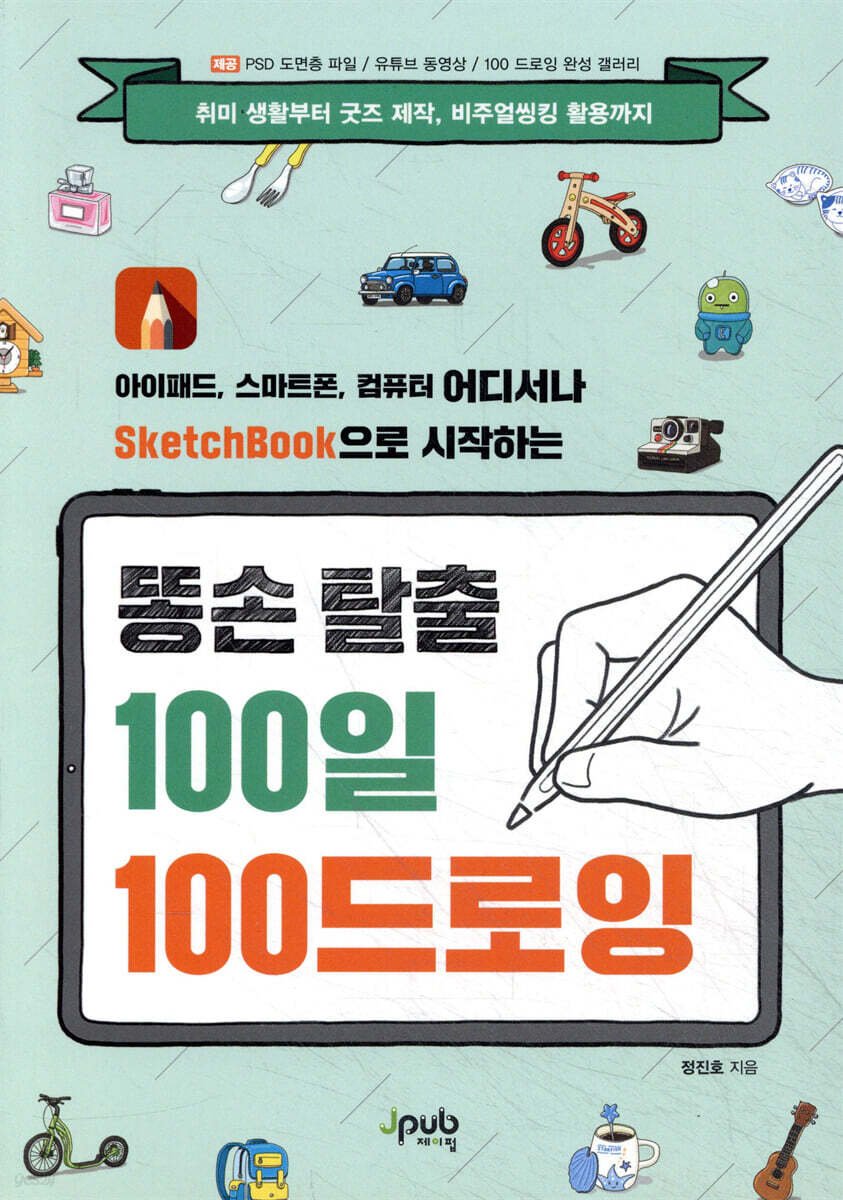 |
Description
Book Introduction
Wake up your sleeping digital devices!
SketchBook digital drawing for iPad, smartphone, and computer!
Everyone owns a smartphone, and many people buy iPads for productive use. How do they use them? Most likely, they use them as content consumption devices, such as game consoles or YouTube viewing devices.
Now, why not try using it as a more productive tool? Join the author, who transformed from an engineering student to a talented artist, from clumsy to talented, and challenged himself to achieve 100 digital drawings in 100 days.
SketchBook digital drawing for iPad, smartphone, and computer!
Everyone owns a smartphone, and many people buy iPads for productive use. How do they use them? Most likely, they use them as content consumption devices, such as game consoles or YouTube viewing devices.
Now, why not try using it as a more productive tool? Join the author, who transformed from an engineering student to a talented artist, from clumsy to talented, and challenged himself to achieve 100 digital drawings in 100 days.
- You can preview some of the book's contents.
Preview
index
[Chapter 1: Getting Started with Digital Drawing!] 013
_ Drawing for Beginners Step 3 014
Step 1: Drawing from the Picture 015
Step 2: Drawing from the Photo 015
Step 3: Drawing from the Real Thing 016
_ Pros and Cons of Digital Drawing 017
Advantages of Digital Drawing 017
Disadvantages of Digital Drawing 018
_ What tools should I use? 020
Digital Device Selection 020
Autodesk Sketchbook 022
[Chapter 2: Getting Started with Autodesk Sketchbook] 025
_ Brush Selection and Settings 026
Brush Selection 026
Brush Setting 029
Using Brush Pucks and Color Pucks 029
Using the Quick Conversion Tool 031
_ Using Color 032
Selecting Colors in the PC Version 032
Selecting Colors in the Mobile Version 035
_ Complete mastery of drawing layers 038
Using Drawing Layers on a PC 039
Using Drawing Layers in the Mobile Version 041
_ Easy coloring 045
Understanding Fill Styles 046
4 Rules for Easy and Fast Coloring 049
_ Using the symmetry function 051
Explore the Symmetry Function's submenu 053
_ Slow motion recording function 054
_ New painting on new canvas 056
Starting a New Canvas 056
Saving your completed work 058
Chapter 3 Challenge: 100 Drawings in 100 Days] 059
Advice for the 000-Day Clumsy Hand 060
001 Spoon and Fork 064
002 days milk 068
003 days hat 071
004 pencil case 076
005 glasses 079
006 Hand Sanitizer 083
007 Wallet 086
008 Credit Card 089
009 T-shirt 092
010 days fire extinguisher 095
011th plate 098
012 Toothbrush/Toothpaste 100
013 Wine Bottle 103
14 days snack 105
015 days gloves 107
016 Album/CD 110
017 Remote Control 112
018 Coin 115
019th banknote 118
020 days 120 leaves
021 Shoes 123
022 days doll 125
023 Snowball 128
024 days bicycle 130
025th Ride 132
026 Umbrella 134
027 Hairbrush 136
028 days stapler 138
029 Paper Bag 140
030 days Ladybug 142
031 days homesickness 145
032 days bread 147
033 days car keys 150
034 days sofa 153
035 days Oribae 156
036 days socks 158
037 days ramen 162
038 Day Mug 165
039 days cactus 167
040 days ukulele 170
041 days clock 173
042nd Party Flag 175
043 days Polaroid 178
044 Day Puzzle Game 180
045 Day Desk Light 182
Postbox 184 on the 46th
047 days vacuum cleaner 186
048 days Lego Superman 188
049 days nuts 190
050 days fish 192
051 Day Memories Toy 195
052 days Banana 197
053 Multipurpose Knife 199
054th Sign 201
Radio 203, 55 days ago
056th signboard 205
057 days bag 208
058 Submarine 210
059 The Wizard of Oz Character 212
060 days canned beverage 214
061 The Little Prince Novel Book 216
062 days cosmetics 218
063 days Kickboard 220
064 days tree 222
065 days Seesaw 225
066 Day Piece of Cake 227
067 Boat 229
068 days penguin 231
069 days hamburger 233
070 days handle 235
Day 71 Salad 237
072 days stroller 239
073 days car 241
074 Snowplow 243
075 days exercise equipment 245
076 Washbasin 247
077 Airplane Wings and Sky 249
078 Mandarin Ducks 251
079 days pet 253
080-day self-portrait 255
[Chapter 4: Getting Started with Digital Visual Thinking] 257
What is Visual Thinking? 258
_ Various Digital Visual Thinking Cases 261
_ Basic Expression Practice for Digital Visual Thinking 264
081 Basic Shapes 265
082 Day Speech Bubble 265
083 Day Banner 266
084 Arrow 266
Day 85 Behavior Expression 267
Day 86: Emotional Expression 267
087 days Caution/Warning 268
Day 088 Food 268
089 days furniture 269
090 Day Weather 269
091 days Electronics 270
092 days Hobby 270
Day 93 Body 271
094 days of transportation 271
095 days Animal 272
096 days of work life 272
_ Practical Digital Visual Thinking 273
Day 97: Items in Bag 274
098 Days of Photosynthesis in Plants 275
Day 99: Making Pancakes 276
100 Days of My Day 277
_ Drawing for Beginners Step 3 014
Step 1: Drawing from the Picture 015
Step 2: Drawing from the Photo 015
Step 3: Drawing from the Real Thing 016
_ Pros and Cons of Digital Drawing 017
Advantages of Digital Drawing 017
Disadvantages of Digital Drawing 018
_ What tools should I use? 020
Digital Device Selection 020
Autodesk Sketchbook 022
[Chapter 2: Getting Started with Autodesk Sketchbook] 025
_ Brush Selection and Settings 026
Brush Selection 026
Brush Setting 029
Using Brush Pucks and Color Pucks 029
Using the Quick Conversion Tool 031
_ Using Color 032
Selecting Colors in the PC Version 032
Selecting Colors in the Mobile Version 035
_ Complete mastery of drawing layers 038
Using Drawing Layers on a PC 039
Using Drawing Layers in the Mobile Version 041
_ Easy coloring 045
Understanding Fill Styles 046
4 Rules for Easy and Fast Coloring 049
_ Using the symmetry function 051
Explore the Symmetry Function's submenu 053
_ Slow motion recording function 054
_ New painting on new canvas 056
Starting a New Canvas 056
Saving your completed work 058
Chapter 3 Challenge: 100 Drawings in 100 Days] 059
Advice for the 000-Day Clumsy Hand 060
001 Spoon and Fork 064
002 days milk 068
003 days hat 071
004 pencil case 076
005 glasses 079
006 Hand Sanitizer 083
007 Wallet 086
008 Credit Card 089
009 T-shirt 092
010 days fire extinguisher 095
011th plate 098
012 Toothbrush/Toothpaste 100
013 Wine Bottle 103
14 days snack 105
015 days gloves 107
016 Album/CD 110
017 Remote Control 112
018 Coin 115
019th banknote 118
020 days 120 leaves
021 Shoes 123
022 days doll 125
023 Snowball 128
024 days bicycle 130
025th Ride 132
026 Umbrella 134
027 Hairbrush 136
028 days stapler 138
029 Paper Bag 140
030 days Ladybug 142
031 days homesickness 145
032 days bread 147
033 days car keys 150
034 days sofa 153
035 days Oribae 156
036 days socks 158
037 days ramen 162
038 Day Mug 165
039 days cactus 167
040 days ukulele 170
041 days clock 173
042nd Party Flag 175
043 days Polaroid 178
044 Day Puzzle Game 180
045 Day Desk Light 182
Postbox 184 on the 46th
047 days vacuum cleaner 186
048 days Lego Superman 188
049 days nuts 190
050 days fish 192
051 Day Memories Toy 195
052 days Banana 197
053 Multipurpose Knife 199
054th Sign 201
Radio 203, 55 days ago
056th signboard 205
057 days bag 208
058 Submarine 210
059 The Wizard of Oz Character 212
060 days canned beverage 214
061 The Little Prince Novel Book 216
062 days cosmetics 218
063 days Kickboard 220
064 days tree 222
065 days Seesaw 225
066 Day Piece of Cake 227
067 Boat 229
068 days penguin 231
069 days hamburger 233
070 days handle 235
Day 71 Salad 237
072 days stroller 239
073 days car 241
074 Snowplow 243
075 days exercise equipment 245
076 Washbasin 247
077 Airplane Wings and Sky 249
078 Mandarin Ducks 251
079 days pet 253
080-day self-portrait 255
[Chapter 4: Getting Started with Digital Visual Thinking] 257
What is Visual Thinking? 258
_ Various Digital Visual Thinking Cases 261
_ Basic Expression Practice for Digital Visual Thinking 264
081 Basic Shapes 265
082 Day Speech Bubble 265
083 Day Banner 266
084 Arrow 266
Day 85 Behavior Expression 267
Day 86: Emotional Expression 267
087 days Caution/Warning 268
Day 088 Food 268
089 days furniture 269
090 Day Weather 269
091 days Electronics 270
092 days Hobby 270
Day 93 Body 271
094 days of transportation 271
095 days Animal 272
096 days of work life 272
_ Practical Digital Visual Thinking 273
Day 97: Items in Bag 274
098 Days of Photosynthesis in Plants 275
Day 99: Making Pancakes 276
100 Days of My Day 277
Detailed image

Publisher's Review
What should I draw today?
We invite you to the world of digital drawing, where every day becomes more enjoyable.
The author, who went from being an engineering student who seemed completely unsuited to drawing to becoming an artist, reveals all of his know-how.
1.
Enjoy the fun of drawing and using digital devices all at once!
The author, who graduated from an engineering school rather than an art school and discovered how to enjoy drawing through consistent effort, has written several books to introduce how ordinary people without artistic talent can enjoy drawing.
In particular, this book is a two-birds-with-one-stone book that allows you to enjoy drawing while making more efficient use of the smart digital devices that everyone owns.
2.
The most important thing is to develop the habit of drawing every day!
The important thing when learning something is to challenge yourself every day.
Even something that seems easy can give you a sense of accomplishment when you complete it.
Therefore, the author says to challenge yourself every day so that it becomes a habit and you feel a sense of accomplishment.
Rather than giving up by challenging yourself with difficult pieces from the beginning, we guide you through 100 days of consistent practice, starting with easy pieces and working your way up.
3.
Let's make the most of SketchBook and digital devices!
The advantage of digital drawing over traditional paper drawing is that you can draw anytime, anywhere, and make changes freely.
Anyone can draw things around them whenever they have free time using a smartphone or iPad, which they all carry around with them.
You can edit it hundreds of times, so don't be afraid to practice repeatedly and perfect your own drawing style.
In particular, SketchBook, introduced in this book, is free to use and can be installed and used anywhere, including on smartphones, iPads, and computers, making it the perfect program for beginners in digital drawing.
4.
You can create your own goods with your completed work!
Although digital drawing started as a hobby, it would be even more rewarding if it could bring joy to those around me.
Don't just leave the digital works you've completed one by one as you build your skills. Instead, print them out and give them as gifts, or create design goods like stickers, cards, clothing, and smartphone cases.
Both the creator and the recipient can feel joy.
5.
Completed results gallery, PSD file with living layers, and YouTube video provided.
If you have any questions while reading the book or if you find something strange in the book, please visit our Reader Support page at any time (http://bit.ly/daydrawing).
You can immediately check out the author's completed 100 drawing results, the '100 Days 100 Drawing Challenge' that you can easily try without coloring, and a YouTube video that shows the author's drawing process.
Target audience for this book
● People who want to draw but think they can't draw
● People who only play games and watch videos using digital tools
● People who want to create something meaningful with their own hands
● People who are looking for a fun hobby to spice up their boring daily lives
We invite you to the world of digital drawing, where every day becomes more enjoyable.
The author, who went from being an engineering student who seemed completely unsuited to drawing to becoming an artist, reveals all of his know-how.
1.
Enjoy the fun of drawing and using digital devices all at once!
The author, who graduated from an engineering school rather than an art school and discovered how to enjoy drawing through consistent effort, has written several books to introduce how ordinary people without artistic talent can enjoy drawing.
In particular, this book is a two-birds-with-one-stone book that allows you to enjoy drawing while making more efficient use of the smart digital devices that everyone owns.
2.
The most important thing is to develop the habit of drawing every day!
The important thing when learning something is to challenge yourself every day.
Even something that seems easy can give you a sense of accomplishment when you complete it.
Therefore, the author says to challenge yourself every day so that it becomes a habit and you feel a sense of accomplishment.
Rather than giving up by challenging yourself with difficult pieces from the beginning, we guide you through 100 days of consistent practice, starting with easy pieces and working your way up.
3.
Let's make the most of SketchBook and digital devices!
The advantage of digital drawing over traditional paper drawing is that you can draw anytime, anywhere, and make changes freely.
Anyone can draw things around them whenever they have free time using a smartphone or iPad, which they all carry around with them.
You can edit it hundreds of times, so don't be afraid to practice repeatedly and perfect your own drawing style.
In particular, SketchBook, introduced in this book, is free to use and can be installed and used anywhere, including on smartphones, iPads, and computers, making it the perfect program for beginners in digital drawing.
4.
You can create your own goods with your completed work!
Although digital drawing started as a hobby, it would be even more rewarding if it could bring joy to those around me.
Don't just leave the digital works you've completed one by one as you build your skills. Instead, print them out and give them as gifts, or create design goods like stickers, cards, clothing, and smartphone cases.
Both the creator and the recipient can feel joy.
5.
Completed results gallery, PSD file with living layers, and YouTube video provided.
If you have any questions while reading the book or if you find something strange in the book, please visit our Reader Support page at any time (http://bit.ly/daydrawing).
You can immediately check out the author's completed 100 drawing results, the '100 Days 100 Drawing Challenge' that you can easily try without coloring, and a YouTube video that shows the author's drawing process.
Target audience for this book
● People who want to draw but think they can't draw
● People who only play games and watch videos using digital tools
● People who want to create something meaningful with their own hands
● People who are looking for a fun hobby to spice up their boring daily lives
GOODS SPECIFICS
- Date of publication: March 24, 2020
- Page count, weight, size: 280 pages | 152*215*16mm
- ISBN13: 9791190665032
- ISBN10: 1190665034
You may also like
카테고리
korean


korean

![GQ KOREA Mark (Monthly): December [2025]](http://librairie.coreenne.fr/cdn/shop/files/8ef265dbbfbf186523ed75ba7319009d.jpg?v=1765340328&width=3840)


