

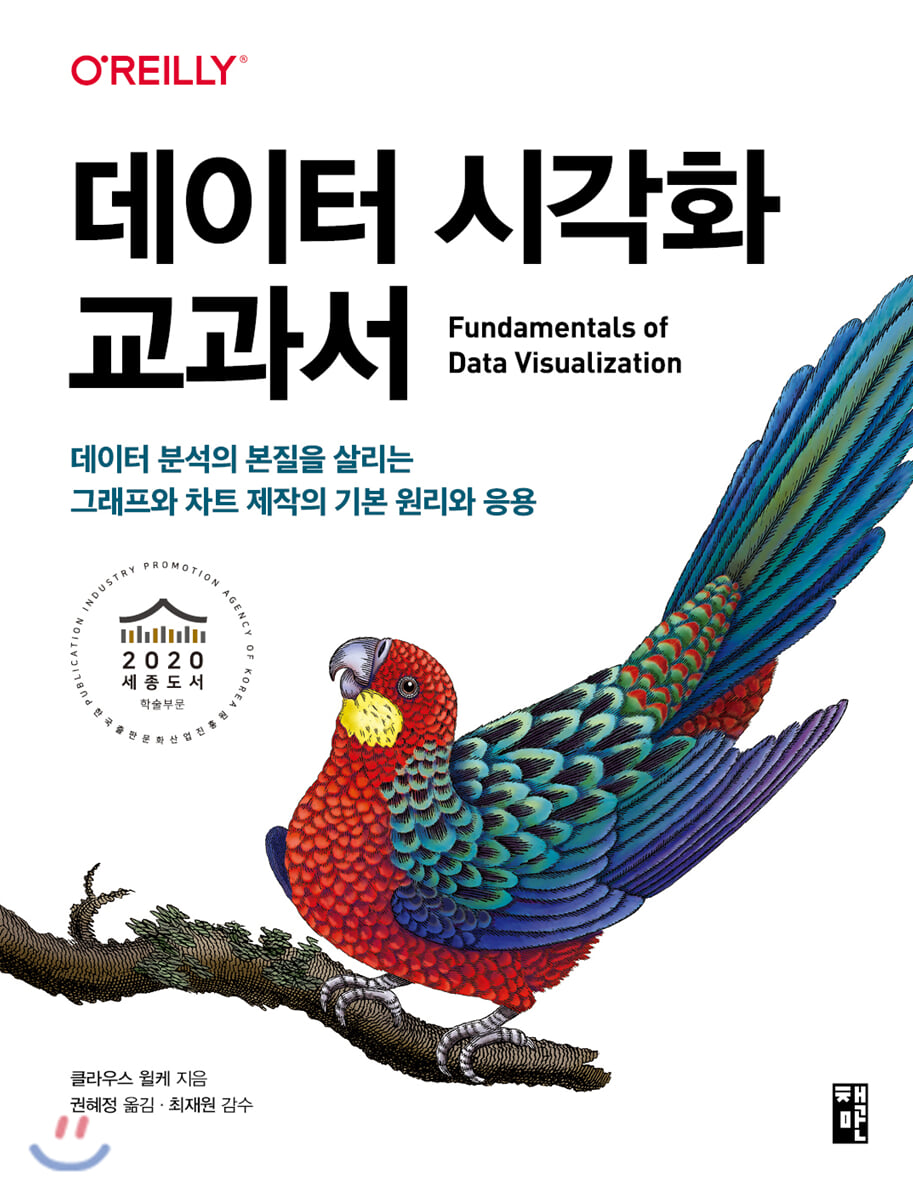
Data Visualization Textbook
 |
Description
Book Introduction
The bible of data visualization that combines accuracy and aesthetics!
All about data visualization, which effectively communicates data analysis results based on statistical principles.
Data visualization must, above all, convey data accurately.
"Data Visualization Textbook" explains in detail the basic principles and practical applications of creating graphs, charts, and diagrams that convey data analysis results truthfully, without distortion, and without cognitive burden to the viewer.
This book is useful for anyone interested in delivering accurate and correct information, including data scientists, designers, marketers, consultants, students, professors, doctors, journalists, office workers, and business leaders.
All about data visualization, which effectively communicates data analysis results based on statistical principles.
Data visualization must, above all, convey data accurately.
"Data Visualization Textbook" explains in detail the basic principles and practical applications of creating graphs, charts, and diagrams that convey data analysis results truthfully, without distortion, and without cognitive burden to the viewer.
This book is useful for anyone interested in delivering accurate and correct information, including data scientists, designers, marketers, consultants, students, professors, doctors, journalists, office workers, and business leaders.
- You can preview some of the book's contents.
Preview
index
Chapter 1_ Introduction: Contents and Structure of this Book
__How to understand the example graphs in this book
[Part 1] Data, Visualization, and Wings
Chapter 2: Data Visualization: From 'Reading' Data to 'Seeing' Data
__Meaning and data types of visual properties
__Convert data values into visual properties
Chapter 3_ Position Scale: Coordinates and Axes
__Cartesian coordinates
__nonlinear axis
__Coordinate system with curved axes
Chapter 4_ Color Scale
__Distinguishing data using color
Representing data values using __color
Emphasis using __color
Chapter 5: Various Visualization Methods
Visualization of quantity
Visualization of the __distribution
Visualization of __ ratios
Visualization of __x-y relationships
__Visualization of geospatial data
__Visualizing uncertainty
Chapter 6: Visualizing Quantitative Data
__Various uses of bar charts
__Bundled bars and stacked bars
__dot plots and heatmaps
Chapter 7: Visualizing Data Distributions: Histograms and Density Plots
__Visualization of a single distribution state
__Visualize multiple distribution states in a single diagram
Chapter 8: Visualizing Data Distributions: Empirical Cumulative Distribution Functions and QQ Plots
__Empirical cumulative distribution function
__Highly asymmetric distribution
__QQ chart
Chapter 9: Visualizing the Combination of Multiple Distribution States
__Visualization of distribution status based on the horizontal axis
__Visualization of distribution status based on the vertical axis
Chapter 10: Visualizing Ratio Data
__pie chart
__Parallel bar chart
__Stacked Bar and Cumulative Density Plots
__Expression of the proportion of a part to the whole
Chapter 11: Visualizing Embedded Ratio Data
__Incorrect example of visualizing inclusion ratios
__Mosaic diagrams and treemaps
__Nested pie chart
__parallel set
Chapter 12: Visualizing Relationships Between Multiple Quantitative Variables
__scatter plot
__correlation curve
__dimensional reduction
__pair data
Chapter 13: Visualizing Time Series Data and Functions of Independent Variables
__Single time series data
__Multiple time series data and dose-response curves
__Time series data containing two or more response variables
Chapter 14: Visualizing Trends
Data correction through __smoothing
__Visualizing trends in a defined function format
__Trend removal and time series data decomposition
Chapter 15: Visualizing Geospatial Data
__Projection
Map using __layers
__Step classification chart
__Simplified cartogram
Chapter 16: Visualizing Uncertainty
Visualizing probability using the concept of frequency
Visualizing uncertainty in point estimates
Visualizing uncertainty in curve fitting
__Hypothetical Results Chart
[Part 2] Basic Principles of Graph Design
Chapter 17: The Principle of Ink Volume Proportion
__Drawing a linear axis chart
__Drawing a chart with a logarithmic axis
__Represent data values as area
Chapter 18: Overplotting: How to Handle Overlapping Points
__Translucency values and jittering
__2D histogram
__Contour graph
Chapter 19: Tips for Effective Color Use
__Indiscriminate use of colors without purpose is prohibited
__Non-monotonic color scale configuration
__Let's be considerate of people with color blindness
Chapter 20: Unnecessary Symbolization
__Unnecessary symbolization ruins the legend design.
__A good chart even without a legend
Chapter 21: Diagrams with Multiple Panels
__small multi-panel
__Complex diagram
Chapter 22: Effective Use of Titles, Captions, and Tables
__Chart title and caption
__axis and legend title
__Table, make it right
Chapter 23: Elements surrounding visualization that help understand data
__Use appropriate levels of elements
__Background grid
__pair data__
Chapter 24_ The letters on the axis labels are large
Chapter 25: Avoid line drawings
Chapter 26: No more 3D graphics and charts
__Avoid unnecessary 3D graphics
__3D position scale is also enough now
__If you need 3D visualization
[Part 3] Tips for Leveling Up Your Visualization
Chapter 27_ The most commonly used image file formats
__Bitmap and vector graphics
__Bitmap graphics lossless and lossy compression
__Convert image format
Chapter 28: Choosing the Right Visualization Software
__Reproducibility and Repeatability
Exploratory analysis and data representation of data
__Let's separate content and design
Chapter 29: Storytelling and Getting the Point across
__What is a story?
Creating a Chart for the General
__A huge amount of information is presented in complex diagrams.
__Creating memorable charts
__Maintain consistency but avoid repetition
__How to understand the example graphs in this book
[Part 1] Data, Visualization, and Wings
Chapter 2: Data Visualization: From 'Reading' Data to 'Seeing' Data
__Meaning and data types of visual properties
__Convert data values into visual properties
Chapter 3_ Position Scale: Coordinates and Axes
__Cartesian coordinates
__nonlinear axis
__Coordinate system with curved axes
Chapter 4_ Color Scale
__Distinguishing data using color
Representing data values using __color
Emphasis using __color
Chapter 5: Various Visualization Methods
Visualization of quantity
Visualization of the __distribution
Visualization of __ ratios
Visualization of __x-y relationships
__Visualization of geospatial data
__Visualizing uncertainty
Chapter 6: Visualizing Quantitative Data
__Various uses of bar charts
__Bundled bars and stacked bars
__dot plots and heatmaps
Chapter 7: Visualizing Data Distributions: Histograms and Density Plots
__Visualization of a single distribution state
__Visualize multiple distribution states in a single diagram
Chapter 8: Visualizing Data Distributions: Empirical Cumulative Distribution Functions and QQ Plots
__Empirical cumulative distribution function
__Highly asymmetric distribution
__QQ chart
Chapter 9: Visualizing the Combination of Multiple Distribution States
__Visualization of distribution status based on the horizontal axis
__Visualization of distribution status based on the vertical axis
Chapter 10: Visualizing Ratio Data
__pie chart
__Parallel bar chart
__Stacked Bar and Cumulative Density Plots
__Expression of the proportion of a part to the whole
Chapter 11: Visualizing Embedded Ratio Data
__Incorrect example of visualizing inclusion ratios
__Mosaic diagrams and treemaps
__Nested pie chart
__parallel set
Chapter 12: Visualizing Relationships Between Multiple Quantitative Variables
__scatter plot
__correlation curve
__dimensional reduction
__pair data
Chapter 13: Visualizing Time Series Data and Functions of Independent Variables
__Single time series data
__Multiple time series data and dose-response curves
__Time series data containing two or more response variables
Chapter 14: Visualizing Trends
Data correction through __smoothing
__Visualizing trends in a defined function format
__Trend removal and time series data decomposition
Chapter 15: Visualizing Geospatial Data
__Projection
Map using __layers
__Step classification chart
__Simplified cartogram
Chapter 16: Visualizing Uncertainty
Visualizing probability using the concept of frequency
Visualizing uncertainty in point estimates
Visualizing uncertainty in curve fitting
__Hypothetical Results Chart
[Part 2] Basic Principles of Graph Design
Chapter 17: The Principle of Ink Volume Proportion
__Drawing a linear axis chart
__Drawing a chart with a logarithmic axis
__Represent data values as area
Chapter 18: Overplotting: How to Handle Overlapping Points
__Translucency values and jittering
__2D histogram
__Contour graph
Chapter 19: Tips for Effective Color Use
__Indiscriminate use of colors without purpose is prohibited
__Non-monotonic color scale configuration
__Let's be considerate of people with color blindness
Chapter 20: Unnecessary Symbolization
__Unnecessary symbolization ruins the legend design.
__A good chart even without a legend
Chapter 21: Diagrams with Multiple Panels
__small multi-panel
__Complex diagram
Chapter 22: Effective Use of Titles, Captions, and Tables
__Chart title and caption
__axis and legend title
__Table, make it right
Chapter 23: Elements surrounding visualization that help understand data
__Use appropriate levels of elements
__Background grid
__pair data__
Chapter 24_ The letters on the axis labels are large
Chapter 25: Avoid line drawings
Chapter 26: No more 3D graphics and charts
__Avoid unnecessary 3D graphics
__3D position scale is also enough now
__If you need 3D visualization
[Part 3] Tips for Leveling Up Your Visualization
Chapter 27_ The most commonly used image file formats
__Bitmap and vector graphics
__Bitmap graphics lossless and lossy compression
__Convert image format
Chapter 28: Choosing the Right Visualization Software
__Reproducibility and Repeatability
Exploratory analysis and data representation of data
__Let's separate content and design
Chapter 29: Storytelling and Getting the Point across
__What is a story?
Creating a Chart for the General
__A huge amount of information is presented in complex diagrams.
__Creating memorable charts
__Maintain consistency but avoid repetition
Detailed image

Publisher's Review
This book is divided into three parts.
Part 1, "Data, Give Wings with Visualization," explains types of diagrams and charts, such as bar graphs, scatter plots, and pie charts.
It focuses particularly on the scientific principles of visualization.
Rather than listing every visualization technique in the world like an encyclopedia, we'll introduce key visual effects that are often used in presentations or when creating your own diagrams.
In Part 1, we categorize and explain visualizations based on the type of message you want to convey, rather than the type of data you want to visualize.
Part 2, "Principles of Graph Design," addresses various design issues that arise when combining diagrams.
We focus primarily on the aesthetic aspects of data visualization, but of course that's not all.
Once you've chosen the right type of chart or diagram for your given dataset, you need to configure its visual elements, such as color, symbols, and font size, to make them visually appealing.
This way, the meaning is clearly conveyed and the results are pleasing to the eye.
Each chapter in Part 2 addresses various issues I have repeatedly encountered in my practice.
Part 3, 'Level Up Visualization Know-How', covers other topics that do not fit into Parts 1 and 2.
Describes the file formats commonly chosen when saving images and graphs, criteria for selecting visualization software, and methods for arranging graphs in light of the context of the entire document.
The book unfolds in a logical order, but each chapter is self-contained, so you don't have to read it in order, starting from the first chapter.
Feel free to skip through the pages and find the part that interests you or covers the topic you're thinking about.
Rather than reading it all at once, you'll get the most out of this book if you keep it close at hand and read it little by little, experimenting with a few concepts each time you create a visualization diagram, and then either reading a chapter with a different concept or reviewing a chapter you've already read.
If you reread a chapter you read a few months ago, you may gain different insights from the same content.
Most of the visualizations in this book were created using R's ggplot2 package.
However, the book itself is not limited to the R language, but covers principles applicable to creating visualization charts.
What software you use is only a secondary factor.
The diagrams in this book can be created using any visualization software.
However, the functions used in this book are implemented much more conveniently in packages like Jijiplot2 and similar packages than in other visualization libraries.
First of all, this book is not a textbook for the R language, so it does not explain code or programming techniques.
So let's focus on the concept of the diagram itself rather than the coding.
If you're curious about how to create visualization charts, you can check out the book's source code on GitHub (https://github.com/clauswilke/dataviz).
Additionally, the related package installation environment and method can be found on the book information page of this book (https://www.onlybook.co.kr/entry/dataviz).
■ Basic concepts for highlighting, distinguishing, and expressing data using color
■ Desirable symbolization methods for expressing important information in various ways
■ Rich graphical material showing common types of data visualization
■ Various examples of good and bad graphs
■ How to use charts to effectively convey a story in documents or reports
Part 1, "Data, Give Wings with Visualization," explains types of diagrams and charts, such as bar graphs, scatter plots, and pie charts.
It focuses particularly on the scientific principles of visualization.
Rather than listing every visualization technique in the world like an encyclopedia, we'll introduce key visual effects that are often used in presentations or when creating your own diagrams.
In Part 1, we categorize and explain visualizations based on the type of message you want to convey, rather than the type of data you want to visualize.
Part 2, "Principles of Graph Design," addresses various design issues that arise when combining diagrams.
We focus primarily on the aesthetic aspects of data visualization, but of course that's not all.
Once you've chosen the right type of chart or diagram for your given dataset, you need to configure its visual elements, such as color, symbols, and font size, to make them visually appealing.
This way, the meaning is clearly conveyed and the results are pleasing to the eye.
Each chapter in Part 2 addresses various issues I have repeatedly encountered in my practice.
Part 3, 'Level Up Visualization Know-How', covers other topics that do not fit into Parts 1 and 2.
Describes the file formats commonly chosen when saving images and graphs, criteria for selecting visualization software, and methods for arranging graphs in light of the context of the entire document.
The book unfolds in a logical order, but each chapter is self-contained, so you don't have to read it in order, starting from the first chapter.
Feel free to skip through the pages and find the part that interests you or covers the topic you're thinking about.
Rather than reading it all at once, you'll get the most out of this book if you keep it close at hand and read it little by little, experimenting with a few concepts each time you create a visualization diagram, and then either reading a chapter with a different concept or reviewing a chapter you've already read.
If you reread a chapter you read a few months ago, you may gain different insights from the same content.
Most of the visualizations in this book were created using R's ggplot2 package.
However, the book itself is not limited to the R language, but covers principles applicable to creating visualization charts.
What software you use is only a secondary factor.
The diagrams in this book can be created using any visualization software.
However, the functions used in this book are implemented much more conveniently in packages like Jijiplot2 and similar packages than in other visualization libraries.
First of all, this book is not a textbook for the R language, so it does not explain code or programming techniques.
So let's focus on the concept of the diagram itself rather than the coding.
If you're curious about how to create visualization charts, you can check out the book's source code on GitHub (https://github.com/clauswilke/dataviz).
Additionally, the related package installation environment and method can be found on the book information page of this book (https://www.onlybook.co.kr/entry/dataviz).
■ Basic concepts for highlighting, distinguishing, and expressing data using color
■ Desirable symbolization methods for expressing important information in various ways
■ Rich graphical material showing common types of data visualization
■ Various examples of good and bad graphs
■ How to use charts to effectively convey a story in documents or reports
GOODS SPECIFICS
- Date of issue: February 20, 2020
- Page count, weight, size: 376 pages | 710g | 185*240*30mm
- ISBN13: 9791189909109
- ISBN10: 1189909103
You may also like
카테고리
korean


korean

![GQ KOREA Mark (Monthly): December [2025]](http://librairie.coreenne.fr/cdn/shop/files/8ef265dbbfbf186523ed75ba7319009d.jpg?v=1765340328&width=3840)


