

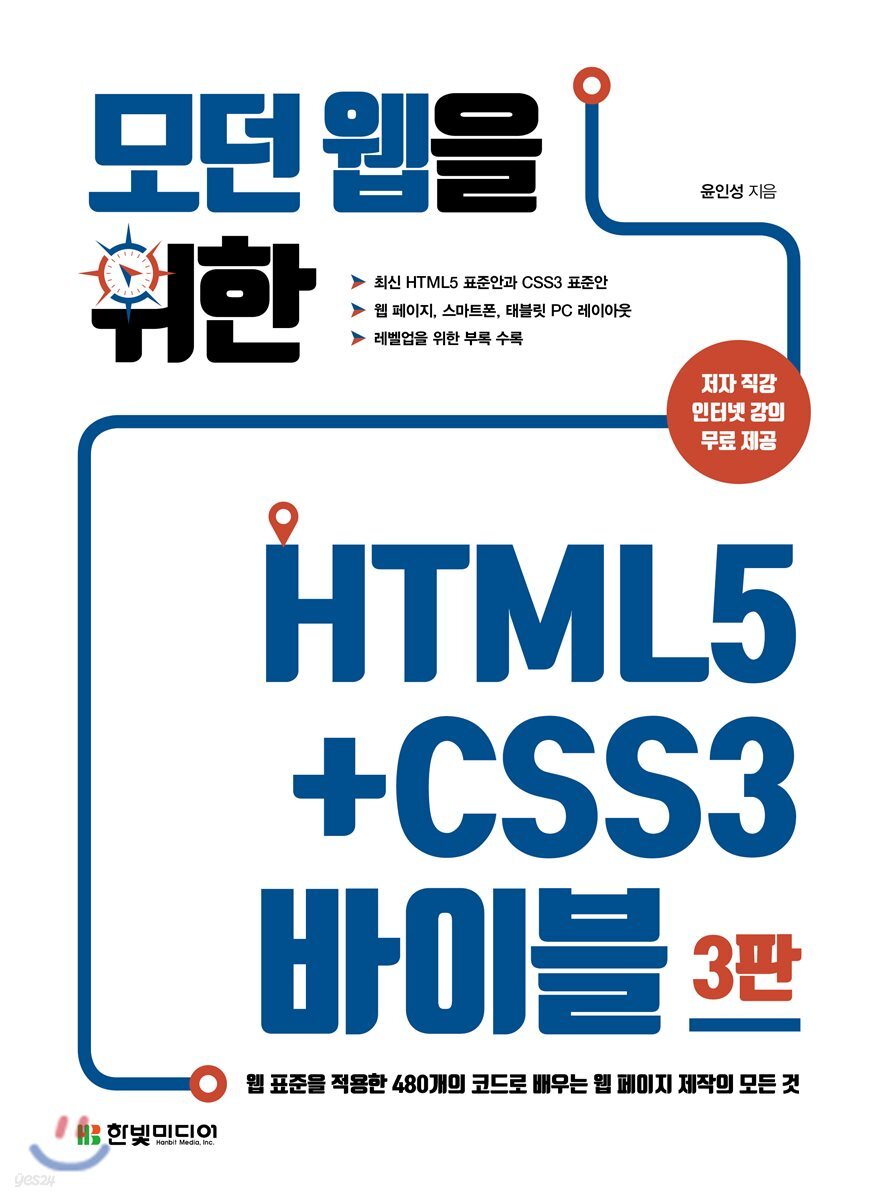
The HTML5+CSS3 Bible for the Modern Web
 |
Description
Book Introduction
More important than learning HTML5 and CSS3 is implementing web pages using them. This book focuses on how to implement web pages using the HTML5 and CSS3 standards. It contains web page layouts, smartphone layouts, tablet PC layouts, and social commerce main page layouts. |
- You can preview some of the book's contents.
Preview
index
PART 1. HTML5+CSS3 Basics
____CHAPTER 1. HTML5 Overview
________1.1 History of the Web
________1.2 Why you should study HTML5
________1.3 Install Google Chrome
________1.4 Installing Visual Studio Code
________1.5 Creating and Running an HTML Page
____CHAPTER 2. HTML5 Tag Basics
________2.1 HTML5 basic terminology
________2.2 HTML5 Page Structure
________2.3 Character tags
________2.4 List Tags
________2.5 Table Tags
________2.6 Image Tags
________2.7 Audio Tags
________2.8 Video Tags
________2.9 Input form tags
________2.10 Spatial Partitioning Tags
____CHAPTER 3. CSS3 Selector Basics
________3.1 What are CSS selectors?
________3.2 Overview of Selector Types
________3.3 Full Selector
________3.4 Tag Selector
________3.5 ID Selectors and Class Selectors
________3.6 Attribute Selectors
________3.7 Descendant Selectors and Descendant Selectors
________3.8 Sibling Selectors
________3.9 Response Selector
________3.10 State Selector
________3.11 Structural Selectors
________3.12 Character Selectors
________3.13 Link Selector
________3.14 Negative Selector
____CHAPTER 4. CSS3 Style Property Basics
________4.1 When studying style properties
________4.2 CSS3 Units
________4.3 Visibility Attributes
________4.4 Box Properties
________4.5 Border Properties
________4.6 Background Properties
________4.7 Font Properties
________4.8 Location Attributes
________4.9 float property
________4.10 Layout using clear: both
________4.11 Shadow Properties
________4.12 Gradient
________4.13 Vendor Prefix
PART 2. Layout configuration using HTML5+CSS3
____CHAPTER 5.
Web page layout
________5.1 Web Page Overview
________5.2 Layout distinction
________5.3 Initialization
________5.4 Creating a Header Structure
________5.5 Web Fonts
________5.6 Horizontal Menu
________5.7 Content Composition
________5.8 Body Structure
________5.9 Configuring the Side Tab Bar
________5.10 List Composition
________5.11 Footer Configuration
________5.12 Summary
____CHAPTER 6.
Smartphone layout
________6.1 Smartphone Overview
________6.2 Viewport meta tag
________6.3 Initialization
________6.4 Header Structure Configuration
________6.5 Sprite Image
________6.6 Configuring the Toggle List
________6.7 Navigation Configuration (1)
________6.8 Navigation Configuration (2)
________6.9 Body Structure
________6.10 Footer Configuration
________6.11 Summary
________6.12 Fullscreen
________6.13 Hide text
____CHAPTER 7.
Tablet PC layout
________7.1 Initialization
________7.2 Header Configuration
________7.3 Navigation Configuration
________7.4 Content Composition
________7.5 Vertical List Structure
________7.6 Body Structure
________7.7 Footer Configuration
________7.8 Summary
________7.9 Fixed Bar
____CHAPTER 8.
Social Commerce Main Page
________8.1 Initialization
________8.2 Header Configuration
________8.3 Side Configuration
________8.4 Navigation Configuration (1)
________8.5 Navigation Configuration (2)
________8.6 List Composition
________8.7 Content Composition
________8.8 Final Summary
PART 3. HTML5+CSS3 Advanced
____CHAPTER 9. CSS3 Transforms and Animations
________9.1 Transformation Attribute Basics
________9.2 Transformation properties
________9.3 Key Frames and Animation Properties
____CHAPTER 10. CSS3 Transformations
________10.1 What is conversion?
________10.2 Two-dimensional transformation
________10.4 Perspective
________10.5 Carousel
____CHAPTER 11. Additional CSS Rules and Responsive Web
________11.1 What is a rule (@ - rule)?
________11.2 @import Rule
________11.3 @font -face rule
________11.4 @media Rules
________11.5 Responsive Web
________11.6 Changing screen orientation
____CHAPTER 12.
grid system
________12.1 Static Grid System
________12.2 Dynamic Grid System
________12.3 Responsive Grid System
________12.4 CSS3 Grid Layout
____Appendix A Bootstrap
____Appendix B Less Stylesheet
____Appendix C: Developing Web Pages Using JavaScript
____Appendix D SVG Tags
____CHAPTER 1. HTML5 Overview
________1.1 History of the Web
________1.2 Why you should study HTML5
________1.3 Install Google Chrome
________1.4 Installing Visual Studio Code
________1.5 Creating and Running an HTML Page
____CHAPTER 2. HTML5 Tag Basics
________2.1 HTML5 basic terminology
________2.2 HTML5 Page Structure
________2.3 Character tags
________2.4 List Tags
________2.5 Table Tags
________2.6 Image Tags
________2.7 Audio Tags
________2.8 Video Tags
________2.9 Input form tags
________2.10 Spatial Partitioning Tags
____CHAPTER 3. CSS3 Selector Basics
________3.1 What are CSS selectors?
________3.2 Overview of Selector Types
________3.3 Full Selector
________3.4 Tag Selector
________3.5 ID Selectors and Class Selectors
________3.6 Attribute Selectors
________3.7 Descendant Selectors and Descendant Selectors
________3.8 Sibling Selectors
________3.9 Response Selector
________3.10 State Selector
________3.11 Structural Selectors
________3.12 Character Selectors
________3.13 Link Selector
________3.14 Negative Selector
____CHAPTER 4. CSS3 Style Property Basics
________4.1 When studying style properties
________4.2 CSS3 Units
________4.3 Visibility Attributes
________4.4 Box Properties
________4.5 Border Properties
________4.6 Background Properties
________4.7 Font Properties
________4.8 Location Attributes
________4.9 float property
________4.10 Layout using clear: both
________4.11 Shadow Properties
________4.12 Gradient
________4.13 Vendor Prefix
PART 2. Layout configuration using HTML5+CSS3
____CHAPTER 5.
Web page layout
________5.1 Web Page Overview
________5.2 Layout distinction
________5.3 Initialization
________5.4 Creating a Header Structure
________5.5 Web Fonts
________5.6 Horizontal Menu
________5.7 Content Composition
________5.8 Body Structure
________5.9 Configuring the Side Tab Bar
________5.10 List Composition
________5.11 Footer Configuration
________5.12 Summary
____CHAPTER 6.
Smartphone layout
________6.1 Smartphone Overview
________6.2 Viewport meta tag
________6.3 Initialization
________6.4 Header Structure Configuration
________6.5 Sprite Image
________6.6 Configuring the Toggle List
________6.7 Navigation Configuration (1)
________6.8 Navigation Configuration (2)
________6.9 Body Structure
________6.10 Footer Configuration
________6.11 Summary
________6.12 Fullscreen
________6.13 Hide text
____CHAPTER 7.
Tablet PC layout
________7.1 Initialization
________7.2 Header Configuration
________7.3 Navigation Configuration
________7.4 Content Composition
________7.5 Vertical List Structure
________7.6 Body Structure
________7.7 Footer Configuration
________7.8 Summary
________7.9 Fixed Bar
____CHAPTER 8.
Social Commerce Main Page
________8.1 Initialization
________8.2 Header Configuration
________8.3 Side Configuration
________8.4 Navigation Configuration (1)
________8.5 Navigation Configuration (2)
________8.6 List Composition
________8.7 Content Composition
________8.8 Final Summary
PART 3. HTML5+CSS3 Advanced
____CHAPTER 9. CSS3 Transforms and Animations
________9.1 Transformation Attribute Basics
________9.2 Transformation properties
________9.3 Key Frames and Animation Properties
____CHAPTER 10. CSS3 Transformations
________10.1 What is conversion?
________10.2 Two-dimensional transformation
________10.4 Perspective
________10.5 Carousel
____CHAPTER 11. Additional CSS Rules and Responsive Web
________11.1 What is a rule (@ - rule)?
________11.2 @import Rule
________11.3 @font -face rule
________11.4 @media Rules
________11.5 Responsive Web
________11.6 Changing screen orientation
____CHAPTER 12.
grid system
________12.1 Static Grid System
________12.2 Dynamic Grid System
________12.3 Responsive Grid System
________12.4 CSS3 Grid Layout
____Appendix A Bootstrap
____Appendix B Less Stylesheet
____Appendix C: Developing Web Pages Using JavaScript
____Appendix D SVG Tags
Detailed image

Into the book
The revised 3rd edition of "Introduction to HTML5 + CSS3 for Modern Web Design" has been published.
The book title has been changed to HTML5 + CSS3 Bible for the Modern Web.
When I first wrote this book in 2011, it was a time when older versions of Internet Explorer were absolutely unavoidable, so I included a lot of information about them in the appendix.
However, as of 2019, the usage of PNG-related issues in Internet Explorer 6 and star hacks used in Internet Explorer 8 and lower has decreased significantly, so these contents have been removed.
In this third edition, we've updated the content and made many changes to make the book easier to read for those new to HTML.
For example, in previous versions, vendor prefix handling had to be handled in detail, so a huge program called Visual Studio was installed to use the Prefix Free plugin, and HTML files were run using the server provided built-in.
Of course, this may be helpful later on, but for those who are new to HTML, these settings may seem difficult.
However, in this third edition, we no longer use the Prefix Free plugin, so you don't need to install a heavy program like Visual Studio (we use the lightweight Visual Studio Code).
I would like to express my gratitude to Im I-hyang and Song Seong-geun for their help in revising the book.
I would also like to express my gratitude to all the previous staff members who worked on the first and second editions.
I would also like to express my gratitude to all the readers who have read the book.
__Yoon In-seong
The book title has been changed to HTML5 + CSS3 Bible for the Modern Web.
When I first wrote this book in 2011, it was a time when older versions of Internet Explorer were absolutely unavoidable, so I included a lot of information about them in the appendix.
However, as of 2019, the usage of PNG-related issues in Internet Explorer 6 and star hacks used in Internet Explorer 8 and lower has decreased significantly, so these contents have been removed.
In this third edition, we've updated the content and made many changes to make the book easier to read for those new to HTML.
For example, in previous versions, vendor prefix handling had to be handled in detail, so a huge program called Visual Studio was installed to use the Prefix Free plugin, and HTML files were run using the server provided built-in.
Of course, this may be helpful later on, but for those who are new to HTML, these settings may seem difficult.
However, in this third edition, we no longer use the Prefix Free plugin, so you don't need to install a heavy program like Visual Studio (we use the lightweight Visual Studio Code).
I would like to express my gratitude to Im I-hyang and Song Seong-geun for their help in revising the book.
I would also like to express my gratitude to all the previous staff members who worked on the first and second editions.
I would also like to express my gratitude to all the readers who have read the book.
__Yoon In-seong
--- From the author's writings
Publisher's Review
What kind of readers is this book for?
-. Beginners and web designers who are new to HTML5 and CSS3
-.
Web programmers who want to learn web page, smartphone, and tablet PC layout all at once.
-.
Web programmers who want to learn the latest versions of HTML5, CSS3, and ECMAScript 2019 and apply them to web standard layouts.
The goal is not just to learn HTML5 and CSS3,
This book is for you, whose goal is to implement web pages using it.
If you know all the HTML5 tag names but don't know how to use them,
You know all the CSS3 style property names, but you don't know how to use them to structure your layout.
Can I say that I learned HTML5+CSS3?
The important thing is not to learn HTML5 and CSS3.
It is important to implement web pages using it.
This book focuses on how to implement web pages using the HTML5 and CSS3 standards.
Contains web page layouts, smartphone layouts, tablet PC layouts, and social commerce main page layouts.
From HTML5+CSS3 to Javascript and Node.js
Get started with web development with the "For the Modern Web" series.
-. Beginners and web designers who are new to HTML5 and CSS3
-.
Web programmers who want to learn web page, smartphone, and tablet PC layout all at once.
-.
Web programmers who want to learn the latest versions of HTML5, CSS3, and ECMAScript 2019 and apply them to web standard layouts.
The goal is not just to learn HTML5 and CSS3,
This book is for you, whose goal is to implement web pages using it.
If you know all the HTML5 tag names but don't know how to use them,
You know all the CSS3 style property names, but you don't know how to use them to structure your layout.
Can I say that I learned HTML5+CSS3?
The important thing is not to learn HTML5 and CSS3.
It is important to implement web pages using it.
This book focuses on how to implement web pages using the HTML5 and CSS3 standards.
Contains web page layouts, smartphone layouts, tablet PC layouts, and social commerce main page layouts.
From HTML5+CSS3 to Javascript and Node.js
Get started with web development with the "For the Modern Web" series.
GOODS SPECIFICS
- Date of issue: May 1, 2019
- Page count, weight, size: 632 pages | 188*257*35mm
- ISBN13: 9791162241585
- ISBN10: 1162241586
You may also like
카테고리
korean


korean

![GQ KOREA Mark (Monthly): December [2025]](http://librairie.coreenne.fr/cdn/shop/files/8ef265dbbfbf186523ed75ba7319009d.jpg?v=1765340328&width=3840)


