

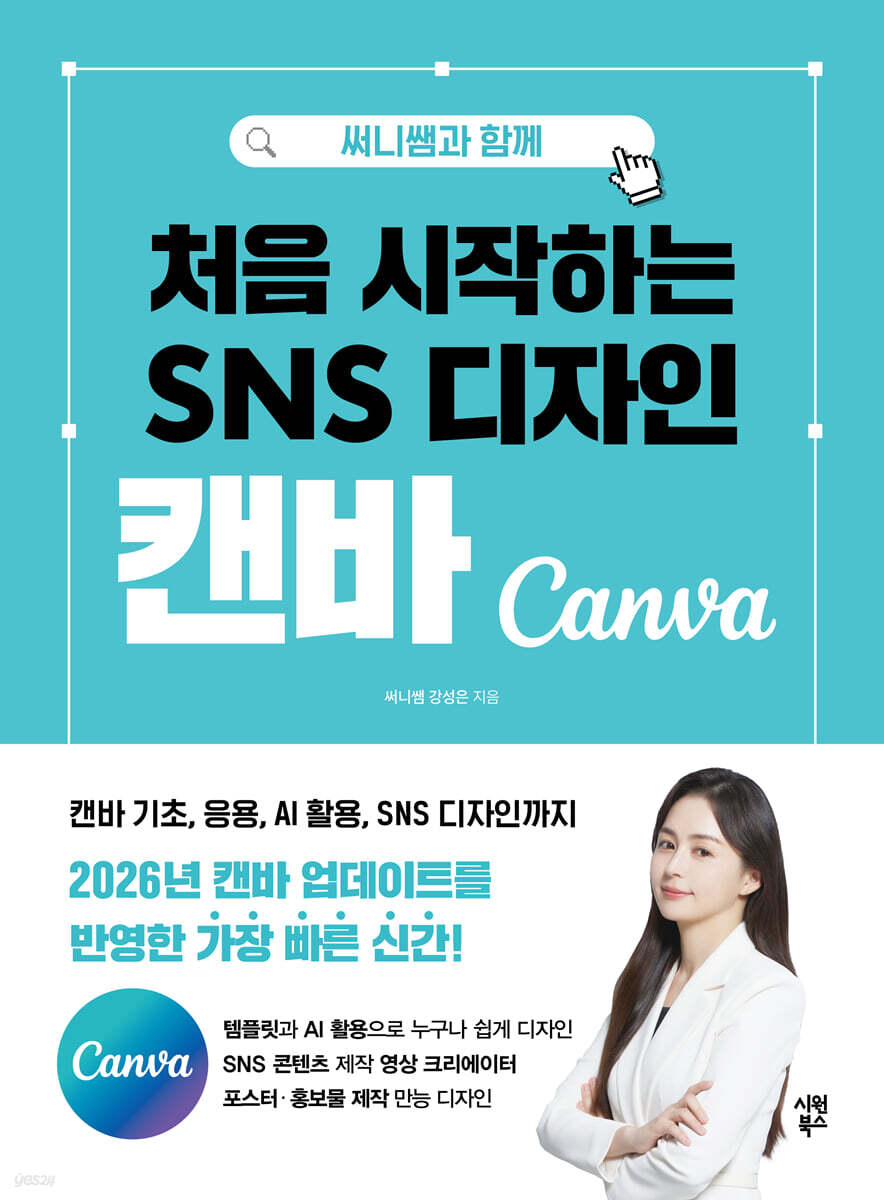
Getting started with SNS design canvas with Sunny
 |
Description
Book Introduction
A true Canva textbook, proven by reviews! With a reader score of 10 out of 10, it's recognized by the most reviews.
《Starting SNS Design Canvas with Sunny Teacher》
We're back with the latest revision, the first to reflect the new updates.
From the revamped home screen to AI design, everything about Canva in 2026 in one book!
"Sunny's Masterpiece: SNS Design with Canva," a masterpiece by the world's top instructor, has finally been revised and released! This updated edition covers Canva's latest updates, step-by-step explaining the redesigned home screen layout and how to leverage AI to create more consistent designs.
In particular, it provides detailed information on how to make full use of the service for free users by distinguishing between paid and free usage methods.
For those who still feel a high barrier to design, or are beginners who have never used Canva before, try completing your own design with the revised version.
With detailed guidance from 'Sunny Teacher', even beginners can experience the best practical training process to produce their first results within 30 minutes.
《Starting SNS Design Canvas with Sunny Teacher》
We're back with the latest revision, the first to reflect the new updates.
From the revamped home screen to AI design, everything about Canva in 2026 in one book!
"Sunny's Masterpiece: SNS Design with Canva," a masterpiece by the world's top instructor, has finally been revised and released! This updated edition covers Canva's latest updates, step-by-step explaining the redesigned home screen layout and how to leverage AI to create more consistent designs.
In particular, it provides detailed information on how to make full use of the service for free users by distinguishing between paid and free usage methods.
For those who still feel a high barrier to design, or are beginners who have never used Canva before, try completing your own design with the revised version.
With detailed guidance from 'Sunny Teacher', even beginners can experience the best practical training process to produce their first results within 30 minutes.
- You can preview some of the book's contents.
Preview
index
Chapter 1: Getting Started with Canvas
1.1 What is Canvas?
1.2 Understanding Canvas Copyright
1.3 Learn about Canva's pricing plans
1.4 Sign up for Canva membership
1.5 Try Canva Pro for free
1.6 Explore the Canva home screen
1.7 Explore the different types of Canva templates
1.8 Using Canva Templates
Chapter 2: Understanding the Main Menu of Canva
2.1 Overview of the Design Editor Screen
2.2 Take a closer look at the top menu
2.3 Take a closer look at the left menu
Chapter 3: Discovering Canva AI and Useful Apps
3.1 Background Remover - Pro Version / Background Erasesr - Free Version
3.2 Magic Expand - Pro version
3.3 Magic Edit - Pro Version
3.4 Text Extraction - Pro Version
3.5 Magic Grab - Pro version
3.6 Magic Eraser - Pro Version
3.7 Background Creation - Pro Version
3.8 Automatic Translation - Pro Version
3.9 Mockups - Free to Use
3.10 Magic Media - Free to use
3.11 Magic Write - Free to Use
3.12 Voiceover AI - Free to Use
3.13 Pexels - Free to use
3.14 QR code - Free to use
3.15 YouTube - Free to use
3.16 Google Photos - Free to use
3.17 Brandfetch - Free to use
3.18 Easy Reflections - Free to use
3.19 Character Builder - Free to use
3.20 Fontframe - Free to use
Chapter 4: Designing Social Media with Canva
4.1 Becoming an Instagram Creator
Instagram feed
Instagram profile
Highlight Cover
Instagram Reels
Instagram Reels Cover
4.2 Becoming a Blog Creator
Blog Profile
Blog thumbnail
Moving thumbnails
Blog Card News
Homepage-type blog
4.3 Becoming a YouTube Creator
YouTube thumbnail
YouTube Channel Art
Intro/Outro
1.1 What is Canvas?
1.2 Understanding Canvas Copyright
1.3 Learn about Canva's pricing plans
1.4 Sign up for Canva membership
1.5 Try Canva Pro for free
1.6 Explore the Canva home screen
1.7 Explore the different types of Canva templates
1.8 Using Canva Templates
Chapter 2: Understanding the Main Menu of Canva
2.1 Overview of the Design Editor Screen
2.2 Take a closer look at the top menu
2.3 Take a closer look at the left menu
Chapter 3: Discovering Canva AI and Useful Apps
3.1 Background Remover - Pro Version / Background Erasesr - Free Version
3.2 Magic Expand - Pro version
3.3 Magic Edit - Pro Version
3.4 Text Extraction - Pro Version
3.5 Magic Grab - Pro version
3.6 Magic Eraser - Pro Version
3.7 Background Creation - Pro Version
3.8 Automatic Translation - Pro Version
3.9 Mockups - Free to Use
3.10 Magic Media - Free to use
3.11 Magic Write - Free to Use
3.12 Voiceover AI - Free to Use
3.13 Pexels - Free to use
3.14 QR code - Free to use
3.15 YouTube - Free to use
3.16 Google Photos - Free to use
3.17 Brandfetch - Free to use
3.18 Easy Reflections - Free to use
3.19 Character Builder - Free to use
3.20 Fontframe - Free to use
Chapter 4: Designing Social Media with Canva
4.1 Becoming an Instagram Creator
Instagram feed
Instagram profile
Highlight Cover
Instagram Reels
Instagram Reels Cover
4.2 Becoming a Blog Creator
Blog Profile
Blog thumbnail
Moving thumbnails
Blog Card News
Homepage-type blog
4.3 Becoming a YouTube Creator
YouTube thumbnail
YouTube Channel Art
Intro/Outro
Detailed image

Publisher's Review
With over 160 reviews from three online bookstores, it has the most reviews and a perfect overall score among Canva books.
The representative work of Sunny, the best Canvas instructor recognized by readers through reviews and overall scores.
Published as a 2026 revised edition with the latest updates reflected as quickly as possible!
This book could almost be called a Canvas textbook! - ID: y******r
A book like art that turns even the most clumsy hands into golden hands - ID: m*******6
It's very detailed and easy to read - ID: ge********************
I bought this book because I wanted to learn about SNS design for the first time, and I am very satisfied with it. - ID: y******g
Helps readers learn by hand through various examples and practical exercises - ID: s****6
Since its first publication in December 2024, "Starting SNS Design with Sunny Teacher: Canva" has earned a perfect score of 10 points and the most customer reviews from three major online bookstores, establishing itself as the best Canva introductory book directly recognized by readers.
Although various Canva books have appeared since its publication, it is still loved and called a 'Canva textbook' due to its practical structure and easy-to-follow explanations.
In October 2025, the latest revised edition was published, reflecting the new UI overhaul and AI feature updates as quickly as possible.
This revised edition includes everything from a revamped home screen to 20 app usage tips, AI-powered automatic correction, and design guides, helping even beginners complete their first design in just 30 minutes.
If you want to learn the new Canva quickly and accurately, this revised edition will be the perfect guide.
You can easily design by simply searching for keywords.
Canva's millions of templates remove design barriers.
All you have to do is search for the type of template you need and choose from among them, and you're practically halfway there.
In this sense, you can design almost anything you use in your daily life, such as store logos, menus, banners, and brochures, with Canva.
To demonstrate this convenience, the author included in the book a list of search keywords based on how to search and utilize templates and their intended use.
Readers can create their own designs by simply modifying the template's content and images, using the author's knowledge and know-how.
Canva's AI features and editing app that lets you create your dream design in just five words.
Searching for templates but not finding a design you like? Canva has enhanced its AI capabilities to address this issue, allowing you to simply enter a description of your desired design and have it delivered.
The revised edition faithfully explains Canva's AI capabilities.
It explains in detail various ways to use it and real-world examples, including 'Magic Write', which generates text with a few keywords, 'Magic Media', an AI-based tool that helps users easily create desired images, graphics, or videos, 'Magic Expand', which supplements cropped images with AI, and 'Voiceover AI', an AI-based voice generation tool that converts input text into narration voice.
Canva also offers a number of editing apps to help you create your own designs.
Editing apps have a variety of features, such as transforming specific parts of an image or adding effects to text.
The author selects the most useful apps among them and explains their functions and usage to the readers.
In the era of one-person brands, design social media content that strengthens your brand with Canva.
Now, we live in an era where not only companies but also individuals are creating their own brands through social media.
How you present the content, or in other words, the power of design, has become more important than what content you upload.
Even if it's the same message, if the design changes, the response and impact will be completely different.
However, many people still stop at SNS design, saying, “I want to make it well, but I don’t know how.”
This revised edition is for those people, and contains practical know-how to complete all your social media content with just one Canva.
This is the most user-friendly guide to complete your own brand design in one volume, from Instagram profiles, posts, and reels to blog profiles, skins, card news, YouTube thumbnails, channel art, and intros/outros.
I hope you can create your own design with Sunny's kind and accurate explanations.
The author has taught Canva design to countless people so far.
Creating a book trailer with an elementary school student who had never taken a design class before, and completing promotional materials with a senior citizen who was new to Canva, convinced me that “anyone can design for their own needs with Canva.”
Based on that experience, the author wrote this book to share the joy and possibilities of design and the power of Canvas with more people.
The 2026 revised edition is filled with the author's sincerity, warm encouragement, and practical know-how.
I sincerely hope that every reader of this book will gain new confidence by designing their own content using Canva.
- Special features of the book -
1.
Reflects the latest updates to Canva
2. Optimized guide for each SNS platform
3.
Step-by-step, practical tutorials
4. Maximize efficiency with AI!
The representative work of Sunny, the best Canvas instructor recognized by readers through reviews and overall scores.
Published as a 2026 revised edition with the latest updates reflected as quickly as possible!
This book could almost be called a Canvas textbook! - ID: y******r
A book like art that turns even the most clumsy hands into golden hands - ID: m*******6
It's very detailed and easy to read - ID: ge********************
I bought this book because I wanted to learn about SNS design for the first time, and I am very satisfied with it. - ID: y******g
Helps readers learn by hand through various examples and practical exercises - ID: s****6
Since its first publication in December 2024, "Starting SNS Design with Sunny Teacher: Canva" has earned a perfect score of 10 points and the most customer reviews from three major online bookstores, establishing itself as the best Canva introductory book directly recognized by readers.
Although various Canva books have appeared since its publication, it is still loved and called a 'Canva textbook' due to its practical structure and easy-to-follow explanations.
In October 2025, the latest revised edition was published, reflecting the new UI overhaul and AI feature updates as quickly as possible.
This revised edition includes everything from a revamped home screen to 20 app usage tips, AI-powered automatic correction, and design guides, helping even beginners complete their first design in just 30 minutes.
If you want to learn the new Canva quickly and accurately, this revised edition will be the perfect guide.
You can easily design by simply searching for keywords.
Canva's millions of templates remove design barriers.
All you have to do is search for the type of template you need and choose from among them, and you're practically halfway there.
In this sense, you can design almost anything you use in your daily life, such as store logos, menus, banners, and brochures, with Canva.
To demonstrate this convenience, the author included in the book a list of search keywords based on how to search and utilize templates and their intended use.
Readers can create their own designs by simply modifying the template's content and images, using the author's knowledge and know-how.
Canva's AI features and editing app that lets you create your dream design in just five words.
Searching for templates but not finding a design you like? Canva has enhanced its AI capabilities to address this issue, allowing you to simply enter a description of your desired design and have it delivered.
The revised edition faithfully explains Canva's AI capabilities.
It explains in detail various ways to use it and real-world examples, including 'Magic Write', which generates text with a few keywords, 'Magic Media', an AI-based tool that helps users easily create desired images, graphics, or videos, 'Magic Expand', which supplements cropped images with AI, and 'Voiceover AI', an AI-based voice generation tool that converts input text into narration voice.
Canva also offers a number of editing apps to help you create your own designs.
Editing apps have a variety of features, such as transforming specific parts of an image or adding effects to text.
The author selects the most useful apps among them and explains their functions and usage to the readers.
In the era of one-person brands, design social media content that strengthens your brand with Canva.
Now, we live in an era where not only companies but also individuals are creating their own brands through social media.
How you present the content, or in other words, the power of design, has become more important than what content you upload.
Even if it's the same message, if the design changes, the response and impact will be completely different.
However, many people still stop at SNS design, saying, “I want to make it well, but I don’t know how.”
This revised edition is for those people, and contains practical know-how to complete all your social media content with just one Canva.
This is the most user-friendly guide to complete your own brand design in one volume, from Instagram profiles, posts, and reels to blog profiles, skins, card news, YouTube thumbnails, channel art, and intros/outros.
I hope you can create your own design with Sunny's kind and accurate explanations.
The author has taught Canva design to countless people so far.
Creating a book trailer with an elementary school student who had never taken a design class before, and completing promotional materials with a senior citizen who was new to Canva, convinced me that “anyone can design for their own needs with Canva.”
Based on that experience, the author wrote this book to share the joy and possibilities of design and the power of Canvas with more people.
The 2026 revised edition is filled with the author's sincerity, warm encouragement, and practical know-how.
I sincerely hope that every reader of this book will gain new confidence by designing their own content using Canva.
- Special features of the book -
1.
Reflects the latest updates to Canva
2. Optimized guide for each SNS platform
3.
Step-by-step, practical tutorials
4. Maximize efficiency with AI!
GOODS SPECIFICS
- Date of issue: October 28, 2025
- Page count, weight, size: 368 pages | 188*255*30mm
- ISBN13: 9791175500198
- ISBN10: 1175500194
You may also like
카테고리
korean


korean

![GQ KOREA Mark (Monthly): December [2025]](http://librairie.coreenne.fr/cdn/shop/files/8ef265dbbfbf186523ed75ba7319009d.jpg?v=1765340328&width=3840)


