

Padlet for Teachers
 |
Description
Book Introduction
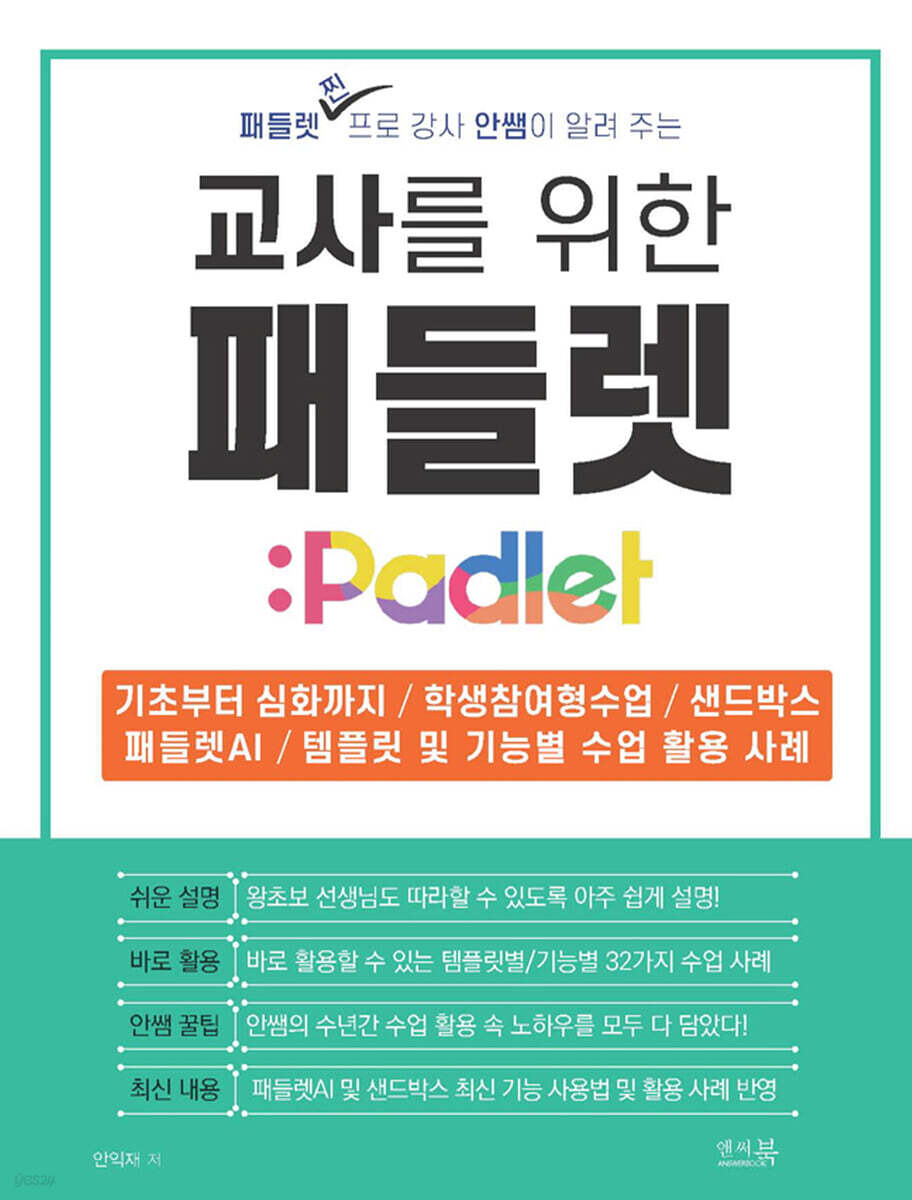
"Padlet for Teachers" is a practical guide that introduces methods for using Padlet in classes that kindergarten, daycare, and elementary, middle, and high school teachers can immediately apply in their classes.
From the basic functions of Padlet to advanced functions that teachers should know, we cover everything from A to Z of Padlet.
It contains 32 templates and case studies of class use cases by function, including the latest features such as Sandbox and Padlet AI.
This book is written by Teacher Ahn, a Padlet expert instructor and current teacher who has been verified through many years of training, and explains it step by step so that even beginners can easily follow it.
By presenting specific examples of various curriculum cases utilized in actual classes by template and function, as well as Teacher Ahn's vivid examples of class utilization, it is organized so that readers can immediately apply it in the classroom.
This book is not just a simple guide to Padlet features.
This is a must-read edutech book for teachers that covers Teacher Ahn's accumulated know-how on using Padlet and utilizing it in class over the years.
We've carefully selected templates with high usability by topic and organized them so that they can be immediately applied in any educational setting, and even novice teachers unfamiliar with Padlet can easily follow along.
From the basic functions of Padlet to advanced functions that teachers should know, we cover everything from A to Z of Padlet.
It contains 32 templates and case studies of class use cases by function, including the latest features such as Sandbox and Padlet AI.
This book is written by Teacher Ahn, a Padlet expert instructor and current teacher who has been verified through many years of training, and explains it step by step so that even beginners can easily follow it.
By presenting specific examples of various curriculum cases utilized in actual classes by template and function, as well as Teacher Ahn's vivid examples of class utilization, it is organized so that readers can immediately apply it in the classroom.
This book is not just a simple guide to Padlet features.
This is a must-read edutech book for teachers that covers Teacher Ahn's accumulated know-how on using Padlet and utilizing it in class over the years.
We've carefully selected templates with high usability by topic and organized them so that they can be immediately applied in any educational setting, and even novice teachers unfamiliar with Padlet can easily follow along.
index
Chapter 1: Entering Padlet
1-01 Nice to meet you, Padlet
- Examining examples of classes using Padlet
1-02 Padlet, Why Teachers Use It So Much
1-03 Getting Started with Padlet
1-04 Take a look at the Padlet home screen
1-05 Creating a Super-Easy Classroom Padlet Bulletin Board
Teacher Ahn's Mini-Special Lecture: Understanding the Format and Sections
1-06 Learn the Super Simple Bulletin Board Menu and Basic Settings
Chapter 2: Designing Lessons Using Padlet's Basic Features
2-01 Writing a Reading Report for Our Class
Class Practice 01 - Writing a Reading Review Using the 'Title' and 'Content' Input
2-02 Creating a Safety Map for Our Town
Lesson 02: Creating a Safety Map for Our Village
Teacher Ahn's Mini Special Lecture_ Uploading Class Play Video Materials
2-03 Expressing My Feelings
Practical Use of Class 03 - Expressing My Feelings
2-04 Introducing my favorite song
Lesson 04: Introducing My Favorite Song
Practical Use of Class 05 _ Class Using Video Examples of Regional Exchanges
2-05 Expressing Proverbs with Pictures
Lesson 06: Expressing Proverbs with Pictures
2-06 Create a problem using what you learned today
I used it like this in the classroom!
Practical Use of Class 07 - Creating and Solving Problems
2-07 Drawing with Artificial Intelligence
Lesson 08: Creating Images from English Sentences
Chapter 3: Padlet features that help you teach effectively
3-01 Create a QR Code for Quick and Easy Class Preparation
I used it like this in the classroom!
Practical Classroom Use 09 _ Creating a Class Padlet Bulletin Board with a QR Code
3-02 Increase focus while viewing the work with a slideshow
I used it like this in the classroom!
3-03 Creating Classes Safe from Anonymity
Practical Use of Class 10 _ Collecting the Results of the Club Logo Creation Contest Privately
Lesson 11: Creative Photography Contest
3-04 Share only the sections you want on the bulletin board
I used it like this in the classroom!
Teacher Ahn's Mini-Special Lecture: How to Quickly Create a QR Code for a Link Created in a Small Conference Room
3-05 Easily collect data
Classroom Practical Application 12 _ Dream Show Presentation Video Collection
3-06 Provide copies of Padlet to students
3-07 Rate posts written by friends
Chapter 4: Using Various Templates to Give Your Classes Wings
4-01 Find various triangles in the classroom (using the wall template)
Classroom Practice 13 - Find the Triangles in Our Classroom
Teacher Ahn's Mini-Special Lecture: A Case Study of Using Wall Templates
4-02 Organizing various posts by topic (using sections)
Practical Use of Class 14 - Organizing Sections by Group and Collecting Materials
Practical Use of Classroom 15 - Organizing Sections by Student Name or Number and Collecting Materials
Practical Use of Class 16 - Organizing Sections by Topic and Gathering Materials
4-03 Display books that impressed you (using a timeline template)
I used it like this in the classroom!
Lesson 17: Introducing a Book You've Read with Interest
Lesson 18: Displaying Students' Writings in a Timeline
4-04 Conducting Discussion Classes Smartly (Using Canvas Templates)
Lesson 19: Conducting Smart Discussion Classes with Padlet Canvas
Lesson 20: Asking Questions to People Using Canvas
Practical Use of Classrooms 21 - Making Secret Santa Activities Meaningful
4-05 Where Do the Goods Around Us Come From? (Using a Map Template)
Classroom Practice 22 - Where do the products around us come from?
Lesson 23: Researching Festivals in Your Area
Lesson 24: Introducing Local Cultural Heritage
Chapter 5: Creating a Student-Participatory Class with a Sandbox
5-01 Learn about the Sandbox
Teacher Ahn's Mini Special Lecture_What should I do if students edit or delete other friends' posts without permission?
5-02 Designing Classes with Sandbox
I used it like this in the classroom!
Lesson 25: Designing Sandbox Slides
Lesson 26: Learning How to Solve Urban Problems
Classroom Practice 27 - Peer Evaluation with Sandbox
Teacher Ahn's Mini Special Lecture_If the student's work is blurry, try this.
Lesson 28: Understanding the Changing Face of Society through Information Technology
Practical Class Application 29 - Discussion Class with Sandbox
Practical Classroom Use 30 - Using Sandbox for Class Meetings
Chapter 6: Easily and Quickly Use Padlet AI in Classes
6-01 What is 'AI Recommended Recipe'?
6-02 How to Use 'AI Recommended Recipes'
Lesson 31: Creating a Post about the 10 Most Influential Events in Modern History
Lesson 32: Creating a Bulletin Board to Find Out Each Country's Capital and Population
1-01 Nice to meet you, Padlet
- Examining examples of classes using Padlet
1-02 Padlet, Why Teachers Use It So Much
1-03 Getting Started with Padlet
1-04 Take a look at the Padlet home screen
1-05 Creating a Super-Easy Classroom Padlet Bulletin Board
Teacher Ahn's Mini-Special Lecture: Understanding the Format and Sections
1-06 Learn the Super Simple Bulletin Board Menu and Basic Settings
Chapter 2: Designing Lessons Using Padlet's Basic Features
2-01 Writing a Reading Report for Our Class
Class Practice 01 - Writing a Reading Review Using the 'Title' and 'Content' Input
2-02 Creating a Safety Map for Our Town
Lesson 02: Creating a Safety Map for Our Village
Teacher Ahn's Mini Special Lecture_ Uploading Class Play Video Materials
2-03 Expressing My Feelings
Practical Use of Class 03 - Expressing My Feelings
2-04 Introducing my favorite song
Lesson 04: Introducing My Favorite Song
Practical Use of Class 05 _ Class Using Video Examples of Regional Exchanges
2-05 Expressing Proverbs with Pictures
Lesson 06: Expressing Proverbs with Pictures
2-06 Create a problem using what you learned today
I used it like this in the classroom!
Practical Use of Class 07 - Creating and Solving Problems
2-07 Drawing with Artificial Intelligence
Lesson 08: Creating Images from English Sentences
Chapter 3: Padlet features that help you teach effectively
3-01 Create a QR Code for Quick and Easy Class Preparation
I used it like this in the classroom!
Practical Classroom Use 09 _ Creating a Class Padlet Bulletin Board with a QR Code
3-02 Increase focus while viewing the work with a slideshow
I used it like this in the classroom!
3-03 Creating Classes Safe from Anonymity
Practical Use of Class 10 _ Collecting the Results of the Club Logo Creation Contest Privately
Lesson 11: Creative Photography Contest
3-04 Share only the sections you want on the bulletin board
I used it like this in the classroom!
Teacher Ahn's Mini-Special Lecture: How to Quickly Create a QR Code for a Link Created in a Small Conference Room
3-05 Easily collect data
Classroom Practical Application 12 _ Dream Show Presentation Video Collection
3-06 Provide copies of Padlet to students
3-07 Rate posts written by friends
Chapter 4: Using Various Templates to Give Your Classes Wings
4-01 Find various triangles in the classroom (using the wall template)
Classroom Practice 13 - Find the Triangles in Our Classroom
Teacher Ahn's Mini-Special Lecture: A Case Study of Using Wall Templates
4-02 Organizing various posts by topic (using sections)
Practical Use of Class 14 - Organizing Sections by Group and Collecting Materials
Practical Use of Classroom 15 - Organizing Sections by Student Name or Number and Collecting Materials
Practical Use of Class 16 - Organizing Sections by Topic and Gathering Materials
4-03 Display books that impressed you (using a timeline template)
I used it like this in the classroom!
Lesson 17: Introducing a Book You've Read with Interest
Lesson 18: Displaying Students' Writings in a Timeline
4-04 Conducting Discussion Classes Smartly (Using Canvas Templates)
Lesson 19: Conducting Smart Discussion Classes with Padlet Canvas
Lesson 20: Asking Questions to People Using Canvas
Practical Use of Classrooms 21 - Making Secret Santa Activities Meaningful
4-05 Where Do the Goods Around Us Come From? (Using a Map Template)
Classroom Practice 22 - Where do the products around us come from?
Lesson 23: Researching Festivals in Your Area
Lesson 24: Introducing Local Cultural Heritage
Chapter 5: Creating a Student-Participatory Class with a Sandbox
5-01 Learn about the Sandbox
Teacher Ahn's Mini Special Lecture_What should I do if students edit or delete other friends' posts without permission?
5-02 Designing Classes with Sandbox
I used it like this in the classroom!
Lesson 25: Designing Sandbox Slides
Lesson 26: Learning How to Solve Urban Problems
Classroom Practice 27 - Peer Evaluation with Sandbox
Teacher Ahn's Mini Special Lecture_If the student's work is blurry, try this.
Lesson 28: Understanding the Changing Face of Society through Information Technology
Practical Class Application 29 - Discussion Class with Sandbox
Practical Classroom Use 30 - Using Sandbox for Class Meetings
Chapter 6: Easily and Quickly Use Padlet AI in Classes
6-01 What is 'AI Recommended Recipe'?
6-02 How to Use 'AI Recommended Recipes'
Lesson 31: Creating a Post about the 10 Most Influential Events in Modern History
Lesson 32: Creating a Bulletin Board to Find Out Each Country's Capital and Population
Detailed image

Publisher's Review
This book is a comprehensive introduction to Padlet, covering everything from the basics of Padlet to 32 practical classroom examples that can be used immediately in the classroom.
The main features of this book are as follows:
First, it provides very friendly instructions so that even novice teachers can immediately apply Padlet features to their classes.
Second, we provide 32 practical teaching examples, categorized by template and function, that can be immediately applied in the classroom.
Third, Teacher Ahn reveals his wealth of Padlet usage tips and class utilization know-how, gleaned from years of teaching experience.
Fourth, it includes not only the basic functions of Padlet, but also the latest features of Padlet AI and Sandbox, along with examples of class application.
The knowledge you will gain from this book is as follows:
First, you can learn about the basic functions of Padlet and classes on utilizing Padlet.
Second, you can learn how to use Padlet and use it to teach edutech classes that integrate with various subjects.
Third, it can be applied to all educational settings from kindergarten to elementary school to suit the purpose of the class.
Fourth, you can experience the effectiveness of various classes utilizing Padlet and gain confidence in edutech classes through classes utilizing Padlet.
Highly recommended for these types of people!
- Teachers and educators at daycare centers, kindergartens, elementary, middle, and high schools who are new to Padlet
- Teachers who want to start using Padlet in their classes right away
- Anyone curious about how to utilize Padlet's latest features, such as Sandbox and Padlet AI, in class
- Teachers interested in teaching methods that encourage student participation through edutech (student-participatory classes)
- Teachers who want to create various class contents using Padlet templates.
These are some testimonials from teachers who have experienced the classroom applications contained in this book.
"I learned how to use Padlet features in class."
"Before reading the book, my knowledge of Padlet was really only a fraction of what I knew."
"We were able to create a much more diverse range of student-participatory class content, and preparation became much easier!"
"A new world opened up for me as I encountered examples of classes using Padlet!"
"I really enjoyed the many examples of classes utilizing Padlet AI's new features, such as small meeting rooms and sandboxes!"
The main features of this book are as follows:
First, it provides very friendly instructions so that even novice teachers can immediately apply Padlet features to their classes.
Second, we provide 32 practical teaching examples, categorized by template and function, that can be immediately applied in the classroom.
Third, Teacher Ahn reveals his wealth of Padlet usage tips and class utilization know-how, gleaned from years of teaching experience.
Fourth, it includes not only the basic functions of Padlet, but also the latest features of Padlet AI and Sandbox, along with examples of class application.
The knowledge you will gain from this book is as follows:
First, you can learn about the basic functions of Padlet and classes on utilizing Padlet.
Second, you can learn how to use Padlet and use it to teach edutech classes that integrate with various subjects.
Third, it can be applied to all educational settings from kindergarten to elementary school to suit the purpose of the class.
Fourth, you can experience the effectiveness of various classes utilizing Padlet and gain confidence in edutech classes through classes utilizing Padlet.
Highly recommended for these types of people!
- Teachers and educators at daycare centers, kindergartens, elementary, middle, and high schools who are new to Padlet
- Teachers who want to start using Padlet in their classes right away
- Anyone curious about how to utilize Padlet's latest features, such as Sandbox and Padlet AI, in class
- Teachers interested in teaching methods that encourage student participation through edutech (student-participatory classes)
- Teachers who want to create various class contents using Padlet templates.
These are some testimonials from teachers who have experienced the classroom applications contained in this book.
"I learned how to use Padlet features in class."
"Before reading the book, my knowledge of Padlet was really only a fraction of what I knew."
"We were able to create a much more diverse range of student-participatory class content, and preparation became much easier!"
"A new world opened up for me as I encountered examples of classes using Padlet!"
"I really enjoyed the many examples of classes utilizing Padlet AI's new features, such as small meeting rooms and sandboxes!"
GOODS SPECIFICS
- Date of issue: March 30, 2025
- Page count, weight, size: 197 pages | 416g | 170*225*10mm
- ISBN13: 9791193059494
- ISBN10: 1193059496
You may also like
카테고리
korean


korean

![GQ KOREA Mark (Monthly): December [2025]](http://librairie.coreenne.fr/cdn/shop/files/8ef265dbbfbf186523ed75ba7319009d.jpg?v=1765340328&width=3840)


