

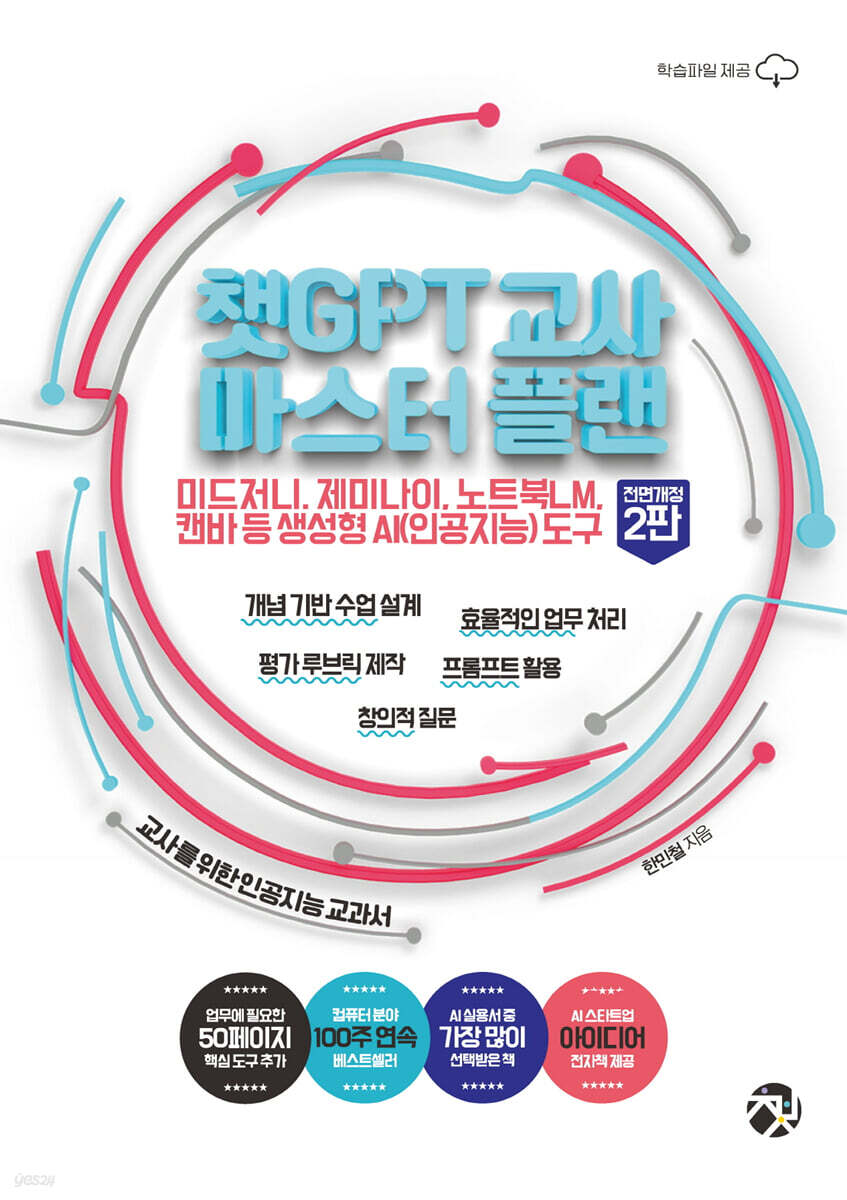
ChatGPT Teacher Master Plan
 |
Description
Book Introduction
The ChatGPT Teacher Master Plan is back with a completely revised edition!
A lot of new content has been added, including useful prompt writing methods that you can actually use, the web version of Midjourney, and how to use Google Gemini and Google Notebook LM, which are currently receiving a lot of attention.
The book is longer than previous versions and introduces new generative AI tools that are useful when used with ChatGPT.
The ChatGPT Teacher Master Plan book has been a bestseller in the computer field for 100 consecutive weeks, receiving much love and attention from readers. This completely revised edition, updated after two years, will also provide readers with new insights into using ChatGPT.
As generative AI becomes a natural part of our lives, this book will serve as a solid guide for utilizing generative AI tools, including ChatGPT.
A lot of new content has been added, including useful prompt writing methods that you can actually use, the web version of Midjourney, and how to use Google Gemini and Google Notebook LM, which are currently receiving a lot of attention.
The book is longer than previous versions and introduces new generative AI tools that are useful when used with ChatGPT.
The ChatGPT Teacher Master Plan book has been a bestseller in the computer field for 100 consecutive weeks, receiving much love and attention from readers. This completely revised edition, updated after two years, will also provide readers with new insights into using ChatGPT.
As generative AI becomes a natural part of our lives, this book will serve as a solid guide for utilizing generative AI tools, including ChatGPT.
- You can preview some of the book's contents.
Preview
index
prolog
Recommendation
PART 01 ChatGPT, Getting Started Without a Plan
01.
Hello, ChatGPT
Connect to ChatGPT without any plan
Sign up easily
ChatGPT is different from existing search engines.
Tip: Does ChatGPT have trouble connecting when there are a lot of users?
Using ChatGPT on your smartphone
Tip: What smartphone services are available based on ChatGPT?
The educational potential of ChatGPT
02.
Should I study? ChatGPT
How does ChatGPT work?
Understanding the Concept of ChatGPT
Mastering ChatGPT Models from GPT-4o to o1 Pro
How ChatGPT Works
The limitations of ChatGPT that are becoming an issue
ChatGPT model that cannot learn real-time information
ChatGPT creates plausible false information
Limit on the number of characters that can be processed at one time
ChatGPT without providing source
Pre-trained language model based on English data
ChatGPT! Be careful with this!
Beware of personal information and security leaks
Understanding Age of Use
ChatGPT information that may be biased
Differences between the paid and free versions of ChatGPT
Sign up for ChatGPT Plus (paid version)
Tip: Detailed features available only to ChatGPT paid users.
Cancel ChatGPT Plus (paid version) subscription
03.
Raising ChatGPT's Basics by 200%
Get 200% out of ChatGPT's free features
Get 200% out of your search function
Tip: Install the ChatGPT Search feature extension.
Leverage the power of inference to its full potential
Tip: How to regenerate answers from generated answers using a different model
Use the Advanced Voice Mode (AVM) feature to its full potential
Use Canvas features 200%
Tip: Create multiple Google accounts to maximize access to Canvas features.
Take full advantage of our in-depth research features
Tip: Use ChatGPT's free in-depth research alternative site.
Tip: How to run HTML-formatted code source files on a webpage
Get 200% Out of ChatGPT's Paid Features
Tip: Creating Web Apps with Canvas
Tip: Creating Visualizations with Canvas
Using the GPT-4.1 model
Use the work function 200%
Get 200% of the paid inference features
Use advanced inference models for free
Create and edit images
Create your own custom GPT
Using Sora 200%, a paid video production AI
04.
This is the real ChatGPT prompt
Mastering the basics of prompt input
Talk about one topic per conversation list
Prompts are specific and easy to type
Ask follow-up questions while maintaining the context of the conversation
For unwanted responses, please enter in English
How to Write Prompts Smartly
Increase the visibility of your answers with Markdown
Remember the formula role-target-purpose-outcome + number
ChatGPT generates different answers to the same question
Create additional prompts for generated answers
Edit a question for an answer you don't like
Presenting the answer length using the number of tokens
A useful prompt writing technique that you can actually try
Generating mail merge source files using tables
Easily process the results of short-answer survey responses
Extracting text from captured images
Capture a table to generate similar style answers
Tip: How to Write Prompts Using Examples
Tip: Does ChatGPT have shortcuts?
Asking questions indirectly that ChatGPT avoids
PART 02: Using ChatGPT Properly in Class
05.
Designing Concept-Based Inquiry Lessons
Using ChatGPT to Analyze Key Lesson Ideas
Creating Key Questions with ChatGPT
Developing Tasks Using ChatGPT
06.
Creating teaching materials
Creating class questions
Get ideas for creating questions
Creating different types of questions
Creating questions using example texts
Creating sample class materials
Prompts for creating sample materials for each subject
Get ideas for creating sample lesson materials
Creating fake news and criticizing it
Creating teaching materials that connect with life
07.
Writing a lesson plan
Setting the direction for ChatGPT classes
Creating a Concept-Based Inquiry Lesson Plan
08.
Analyzing class content
Checking misconceptions
Analyzing Internet Articles
Entering interactive prompts
09.
Creating virtual classroom materials
Creating a Virtual Tour
Creating fictional interviews with historical figures
10.
Use it in your writing classes
Create a list of writing ideas
Practice writing outlines
Complete the text
11.
Applying it to programming classes
Writing Code with ChatGPT
Using Google Colab
Analyzing Code with ChatGPT
12.
Use it in English classes
Creating English vocabulary learning materials
Write English dialogues and create related questions
Practice English conversation in voice chat mode
Correcting English Grammar
English learning websites for free learning
13.
Creating a rubric to use for assessment
Understanding the rubric properly
Creating a Rubric with ChatGPT
PART 03 ChatGPT: Expanding Productivity
14.
All About Image Generation AI
Get started easily with the web version of Midjourney.
Tip: Creating a Storybook with Midjourney
Sign up for Midjourney Web Version
Tip: How to Make a Video in Midjourney
Understanding the key features of each menu in the Midjourney web version
Using Midjourney as a photo editing tool
Create a consistent image style with a mood board
Creating a children's book using ChatGPT and Midjourney
Creating a fairy tale story with ChatGPT
Creating illustrations with Midjourney (MJ)
Tip: How to view hidden images in Midjourney again
Entering Storybook Content Using Canva
Creating an e-book using Book Creator
Learn about useful image-generating AI
Google ImageFX lets you create high-quality images for free
Animate Drawing, which animates images
Google Whisk based on image prompts
Playground revamped with template-based image tools
Creating images using Adobe Firefly
Leonardo AI with a newly renewed image model
Idiogram, a leading image generation AI with significantly improved performance
15.
Useful Google services when used with ChatGPT
Using Google Gemini for its scalability
Unlike ChatGPT, the Canvas feature can be used without any restrictions on the number of times.
Gems, a simple yet powerful customizable chatbot
Tip: Capture images with shortcuts and easily analyze them with Gemini.
Deep Research feature that allows even free users to easily create reports
Vibe Coding with Gemini
Using Gemini with Google Services
Creating a Google Apps Script Service with Google Gemini
Useful Tips for Using Google Notebook LM
How to access Google Notebook LM and upload sources
Google Notebook LM note creation and mind map creation features
Analyzing content using multiple sources
Generate different types of notes based on source files
Create a podcast based on source files
16.
Other useful AI tools
Summarizing YouTube videos or audio files with a release
View the summarized content as a mind map
Tip: Share or export your summary
Take full advantage of Canva's newly revamped AI features.
Tip: How to keep working without waiting when writing code with Canva AI
AI features in Canvas sheets
Tip: How teachers can set permissions for Canva
Tuning for webtoon production
ClovaNote, an easy-to-use tool for organizing meeting notes
PART 04: Using ChatGPT Properly for Work
17.
How to write a super simple official document
Drafting an official document
18.
Creating a household newsletter
Creating a household newsletter using ChatGPT
19.
Apply to various school events
Get event activity ideas
Writing an event scenario
Writing a promotional article for a school event
Writing an event banner text
20.
Setting the direction of school education at the beginning of the semester
Organizing the thoughts of school members
Applying Thinking Techniques to Embody Your School Vision
21.
Creating student and parent counseling materials
Creating a basic questionnaire for student counseling
Creating student counseling aids on specific topics
Creating supplementary materials for parent-teacher conferences
22.
Drafting a Job Interview Questionnaire
Creating a Recruitment Interview Questionnaire Using ChatGPT
23.
Use for foreign language translation work
Writing to a Native Speaker Teacher
Creating teaching materials for multicultural students
24.
Easily Use Excel with ChatGPT
How to use basic Excel functions
How to use Excel functions you don't know
How to use advanced Excel features
25.
Workflow with ChatGPT integrated into Google Spreadsheets
Understanding API Concepts
Generating an API key for ChatGPT
Connecting APIs to Google Spreadsheets
How to use key Google Spreadsheet functions linked to the API
Writing sample sentences for reference to the life history
Tip: How to Reduce Unnecessary API Usage in Google Sheets
PART 05 ChatGPT: The Teacher's Role in Education
26.
Issues to consider when applying ChatGPT to education
Issues Teachers Should Be Aware of About ChatGPT
Things to consider when using ChatGPT in class
27.
Understanding and applying knowledge-centered education
The need for knowledge-centered education
Misconceptions about knowledge-centered education
28.
Fostering Digital Citizenship
Why Digital Citizenship is Back in the Spotlight
The Teacher's Role in Fostering Students' Digital Citizenship
Recommendation
PART 01 ChatGPT, Getting Started Without a Plan
01.
Hello, ChatGPT
Connect to ChatGPT without any plan
Sign up easily
ChatGPT is different from existing search engines.
Tip: Does ChatGPT have trouble connecting when there are a lot of users?
Using ChatGPT on your smartphone
Tip: What smartphone services are available based on ChatGPT?
The educational potential of ChatGPT
02.
Should I study? ChatGPT
How does ChatGPT work?
Understanding the Concept of ChatGPT
Mastering ChatGPT Models from GPT-4o to o1 Pro
How ChatGPT Works
The limitations of ChatGPT that are becoming an issue
ChatGPT model that cannot learn real-time information
ChatGPT creates plausible false information
Limit on the number of characters that can be processed at one time
ChatGPT without providing source
Pre-trained language model based on English data
ChatGPT! Be careful with this!
Beware of personal information and security leaks
Understanding Age of Use
ChatGPT information that may be biased
Differences between the paid and free versions of ChatGPT
Sign up for ChatGPT Plus (paid version)
Tip: Detailed features available only to ChatGPT paid users.
Cancel ChatGPT Plus (paid version) subscription
03.
Raising ChatGPT's Basics by 200%
Get 200% out of ChatGPT's free features
Get 200% out of your search function
Tip: Install the ChatGPT Search feature extension.
Leverage the power of inference to its full potential
Tip: How to regenerate answers from generated answers using a different model
Use the Advanced Voice Mode (AVM) feature to its full potential
Use Canvas features 200%
Tip: Create multiple Google accounts to maximize access to Canvas features.
Take full advantage of our in-depth research features
Tip: Use ChatGPT's free in-depth research alternative site.
Tip: How to run HTML-formatted code source files on a webpage
Get 200% Out of ChatGPT's Paid Features
Tip: Creating Web Apps with Canvas
Tip: Creating Visualizations with Canvas
Using the GPT-4.1 model
Use the work function 200%
Get 200% of the paid inference features
Use advanced inference models for free
Create and edit images
Create your own custom GPT
Using Sora 200%, a paid video production AI
04.
This is the real ChatGPT prompt
Mastering the basics of prompt input
Talk about one topic per conversation list
Prompts are specific and easy to type
Ask follow-up questions while maintaining the context of the conversation
For unwanted responses, please enter in English
How to Write Prompts Smartly
Increase the visibility of your answers with Markdown
Remember the formula role-target-purpose-outcome + number
ChatGPT generates different answers to the same question
Create additional prompts for generated answers
Edit a question for an answer you don't like
Presenting the answer length using the number of tokens
A useful prompt writing technique that you can actually try
Generating mail merge source files using tables
Easily process the results of short-answer survey responses
Extracting text from captured images
Capture a table to generate similar style answers
Tip: How to Write Prompts Using Examples
Tip: Does ChatGPT have shortcuts?
Asking questions indirectly that ChatGPT avoids
PART 02: Using ChatGPT Properly in Class
05.
Designing Concept-Based Inquiry Lessons
Using ChatGPT to Analyze Key Lesson Ideas
Creating Key Questions with ChatGPT
Developing Tasks Using ChatGPT
06.
Creating teaching materials
Creating class questions
Get ideas for creating questions
Creating different types of questions
Creating questions using example texts
Creating sample class materials
Prompts for creating sample materials for each subject
Get ideas for creating sample lesson materials
Creating fake news and criticizing it
Creating teaching materials that connect with life
07.
Writing a lesson plan
Setting the direction for ChatGPT classes
Creating a Concept-Based Inquiry Lesson Plan
08.
Analyzing class content
Checking misconceptions
Analyzing Internet Articles
Entering interactive prompts
09.
Creating virtual classroom materials
Creating a Virtual Tour
Creating fictional interviews with historical figures
10.
Use it in your writing classes
Create a list of writing ideas
Practice writing outlines
Complete the text
11.
Applying it to programming classes
Writing Code with ChatGPT
Using Google Colab
Analyzing Code with ChatGPT
12.
Use it in English classes
Creating English vocabulary learning materials
Write English dialogues and create related questions
Practice English conversation in voice chat mode
Correcting English Grammar
English learning websites for free learning
13.
Creating a rubric to use for assessment
Understanding the rubric properly
Creating a Rubric with ChatGPT
PART 03 ChatGPT: Expanding Productivity
14.
All About Image Generation AI
Get started easily with the web version of Midjourney.
Tip: Creating a Storybook with Midjourney
Sign up for Midjourney Web Version
Tip: How to Make a Video in Midjourney
Understanding the key features of each menu in the Midjourney web version
Using Midjourney as a photo editing tool
Create a consistent image style with a mood board
Creating a children's book using ChatGPT and Midjourney
Creating a fairy tale story with ChatGPT
Creating illustrations with Midjourney (MJ)
Tip: How to view hidden images in Midjourney again
Entering Storybook Content Using Canva
Creating an e-book using Book Creator
Learn about useful image-generating AI
Google ImageFX lets you create high-quality images for free
Animate Drawing, which animates images
Google Whisk based on image prompts
Playground revamped with template-based image tools
Creating images using Adobe Firefly
Leonardo AI with a newly renewed image model
Idiogram, a leading image generation AI with significantly improved performance
15.
Useful Google services when used with ChatGPT
Using Google Gemini for its scalability
Unlike ChatGPT, the Canvas feature can be used without any restrictions on the number of times.
Gems, a simple yet powerful customizable chatbot
Tip: Capture images with shortcuts and easily analyze them with Gemini.
Deep Research feature that allows even free users to easily create reports
Vibe Coding with Gemini
Using Gemini with Google Services
Creating a Google Apps Script Service with Google Gemini
Useful Tips for Using Google Notebook LM
How to access Google Notebook LM and upload sources
Google Notebook LM note creation and mind map creation features
Analyzing content using multiple sources
Generate different types of notes based on source files
Create a podcast based on source files
16.
Other useful AI tools
Summarizing YouTube videos or audio files with a release
View the summarized content as a mind map
Tip: Share or export your summary
Take full advantage of Canva's newly revamped AI features.
Tip: How to keep working without waiting when writing code with Canva AI
AI features in Canvas sheets
Tip: How teachers can set permissions for Canva
Tuning for webtoon production
ClovaNote, an easy-to-use tool for organizing meeting notes
PART 04: Using ChatGPT Properly for Work
17.
How to write a super simple official document
Drafting an official document
18.
Creating a household newsletter
Creating a household newsletter using ChatGPT
19.
Apply to various school events
Get event activity ideas
Writing an event scenario
Writing a promotional article for a school event
Writing an event banner text
20.
Setting the direction of school education at the beginning of the semester
Organizing the thoughts of school members
Applying Thinking Techniques to Embody Your School Vision
21.
Creating student and parent counseling materials
Creating a basic questionnaire for student counseling
Creating student counseling aids on specific topics
Creating supplementary materials for parent-teacher conferences
22.
Drafting a Job Interview Questionnaire
Creating a Recruitment Interview Questionnaire Using ChatGPT
23.
Use for foreign language translation work
Writing to a Native Speaker Teacher
Creating teaching materials for multicultural students
24.
Easily Use Excel with ChatGPT
How to use basic Excel functions
How to use Excel functions you don't know
How to use advanced Excel features
25.
Workflow with ChatGPT integrated into Google Spreadsheets
Understanding API Concepts
Generating an API key for ChatGPT
Connecting APIs to Google Spreadsheets
How to use key Google Spreadsheet functions linked to the API
Writing sample sentences for reference to the life history
Tip: How to Reduce Unnecessary API Usage in Google Sheets
PART 05 ChatGPT: The Teacher's Role in Education
26.
Issues to consider when applying ChatGPT to education
Issues Teachers Should Be Aware of About ChatGPT
Things to consider when using ChatGPT in class
27.
Understanding and applying knowledge-centered education
The need for knowledge-centered education
Misconceptions about knowledge-centered education
28.
Fostering Digital Citizenship
Why Digital Citizenship is Back in the Spotlight
The Teacher's Role in Fostering Students' Digital Citizenship
Detailed image

GOODS SPECIFICS
- Date of issue: September 9, 2025
- Page count, weight, size: 476 pages | 827g | 171*236*30mm
- ISBN13: 9791194000112
- ISBN10: 1194000118
You may also like
카테고리
korean


korean

![GQ KOREA Mark (Monthly): December [2025]](http://librairie.coreenne.fr/cdn/shop/files/8ef265dbbfbf186523ed75ba7319009d.jpg?v=1765340328&width=3840)


