

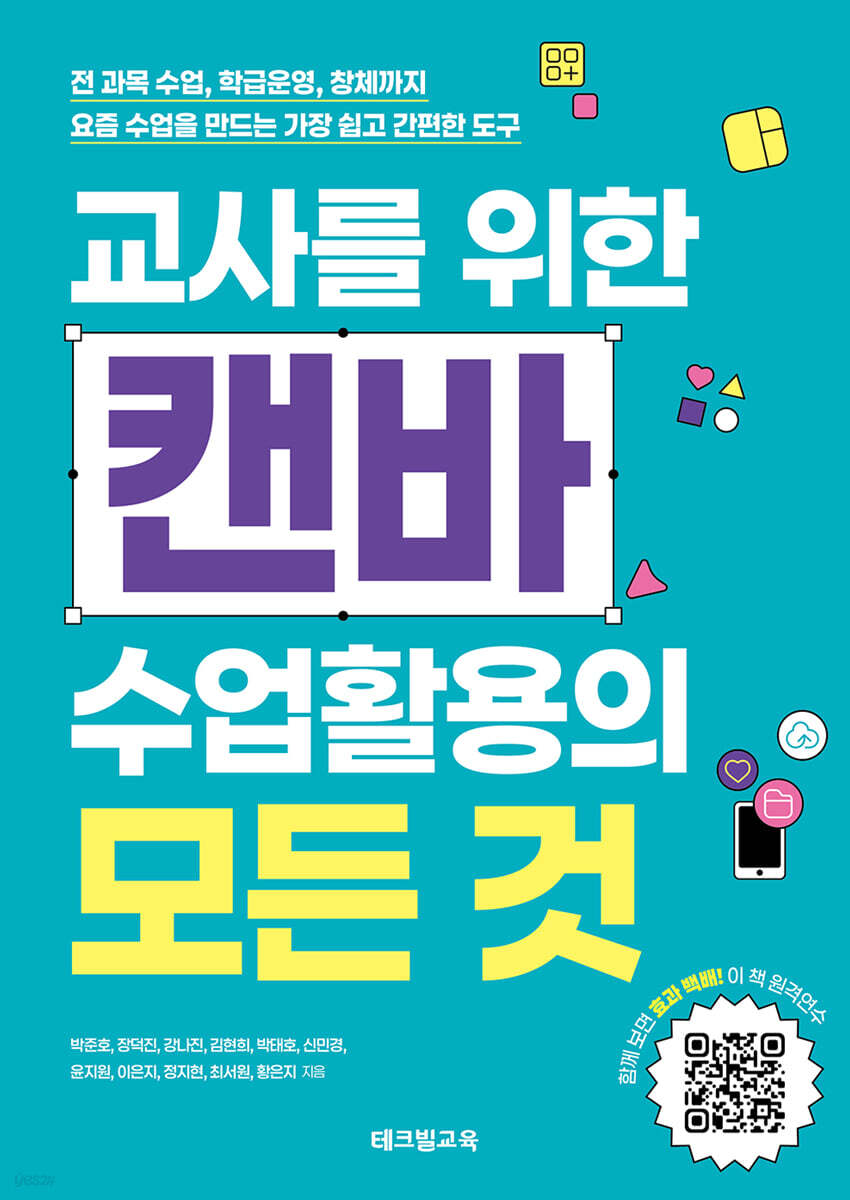
Everything You Need to Know About Using Canva in Your Classroom for Teachers
 |
Description
Book Introduction
Complete your classes with Canvas! Forget other edtech tools—the one essential tool.
From logging in to using Canva in all subjects, a complete guide for teachers.
What if there was a tool that could design not just lesson materials, but the entire "learning experience"? Canva is now a digital classroom tool more powerful than any other edtech tool.
This book covers every feature you can use right away in your classroom, from teacher account authentication to real-time collaborative editing and the use of templates and elements.
It is filled with practical classroom examples that will engage children, from how to utilize all subjects including physical education, Korean language, science, art, and music to classroom rule posters, interactive discussions, class newspapers, digital collages, and music video production.
This book, which condenses the experiences of 11 current teachers, including the official Canvaser instructor of Canvas Korea, is organized in an easy-to-follow manner so that even beginners can follow along, and focuses on practicality that can be applied to classes right away.
If you are a teacher who has decided to create a class these days, this book is enough.
From logging in to using Canva in all subjects, a complete guide for teachers.
What if there was a tool that could design not just lesson materials, but the entire "learning experience"? Canva is now a digital classroom tool more powerful than any other edtech tool.
This book covers every feature you can use right away in your classroom, from teacher account authentication to real-time collaborative editing and the use of templates and elements.
It is filled with practical classroom examples that will engage children, from how to utilize all subjects including physical education, Korean language, science, art, and music to classroom rule posters, interactive discussions, class newspapers, digital collages, and music video production.
This book, which condenses the experiences of 11 current teachers, including the official Canvaser instructor of Canvas Korea, is organized in an easy-to-follow manner so that even beginners can follow along, and focuses on practicality that can be applied to classes right away.
If you are a teacher who has decided to create a class these days, this book is enough.
- You can preview some of the book's contents.
Preview
index
Introduction_ We invite teachers to Canva, a learning experience design tool!
1. Canva: An Essential Tool for AI and Digital Classroom Innovation
go.
Digital Transformation and Education
me.
The 2022 Revised Curriculum and Digital-Based Education Innovation
all.
Canva, the best edtech to support the digital transformation
la.
Sign up for Canva
2.
Canva Certification and Basic Settings for Teachers
go.
Verified your educational account
me.
Create a class and invite students
3.
Explore the basic features of Canva's home screen.
go.
Get to know Canva Home
me.
Explore Canva projects
all.
Browse Canva templates
la.
Create a Canva design
mind.
Understanding the basic terms of the Canva editor
bar.
Understanding the Canva Editor's Top Menu
buy.
Understanding the Canvas Editor's Toolbar
ah.
Understanding the Canva Editor's Bottom Menu
ruler.
Understanding the Canva Editor's Side Panel
4.
Explore the Canva editor screen menu
go.
Design Menu
me.
Elements menu
all.
Text menu
5.
Creative experiential activities + taking classes during school hours
go.
Create a class logo and class rules image
me.
Writing a diary and field experience report
all.
Creating a character for instrument education and creating card news
la.
Early Semester Activity: Create Creative Typography Name Tags
mind.
Career Activity: Design a Business Card and Create a QR Code
bar.
Share your thoughts on a Canva whiteboard
6.
Utilizing Korean language classes
go.
Interactive traffic light discussion class with whiteboard
me.
Whiteboard Utilization Value Vertical Line Discussion Class
all.
Collaborative Poetry Creation
la.
Our class newspaper we all create together
7.
Making the most of English classes
go.
Creating a Multimedia English Dictionary
me.
Creating presentation materials using translation features
all.
Create a quiz using the image generator
8.
Using Math Classes
- Create a digital statistics poster
9.
Utilizing Social Studies Classes
go.
Project Class: Creating World Travel Project Materials
me.
Collection of History Class Activities
10.
Using Science Classes
go.
Writing an Exploration Report
me.
Making Science Comics
all.
Making a Moving Science Storybook
11.
Making the most of art classes
go.
Creating a digital collage
me.
Designing Home Appliances with Mockups
all.
Make a design
12.
Taking advantage of music lessons
go.
Making an album jacket
me.
Conduct an appreciation class
all.
Creating music videos and thumbnails
1. Canva: An Essential Tool for AI and Digital Classroom Innovation
go.
Digital Transformation and Education
me.
The 2022 Revised Curriculum and Digital-Based Education Innovation
all.
Canva, the best edtech to support the digital transformation
la.
Sign up for Canva
2.
Canva Certification and Basic Settings for Teachers
go.
Verified your educational account
me.
Create a class and invite students
3.
Explore the basic features of Canva's home screen.
go.
Get to know Canva Home
me.
Explore Canva projects
all.
Browse Canva templates
la.
Create a Canva design
mind.
Understanding the basic terms of the Canva editor
bar.
Understanding the Canva Editor's Top Menu
buy.
Understanding the Canvas Editor's Toolbar
ah.
Understanding the Canva Editor's Bottom Menu
ruler.
Understanding the Canva Editor's Side Panel
4.
Explore the Canva editor screen menu
go.
Design Menu
me.
Elements menu
all.
Text menu
5.
Creative experiential activities + taking classes during school hours
go.
Create a class logo and class rules image
me.
Writing a diary and field experience report
all.
Creating a character for instrument education and creating card news
la.
Early Semester Activity: Create Creative Typography Name Tags
mind.
Career Activity: Design a Business Card and Create a QR Code
bar.
Share your thoughts on a Canva whiteboard
6.
Utilizing Korean language classes
go.
Interactive traffic light discussion class with whiteboard
me.
Whiteboard Utilization Value Vertical Line Discussion Class
all.
Collaborative Poetry Creation
la.
Our class newspaper we all create together
7.
Making the most of English classes
go.
Creating a Multimedia English Dictionary
me.
Creating presentation materials using translation features
all.
Create a quiz using the image generator
8.
Using Math Classes
- Create a digital statistics poster
9.
Utilizing Social Studies Classes
go.
Project Class: Creating World Travel Project Materials
me.
Collection of History Class Activities
10.
Using Science Classes
go.
Writing an Exploration Report
me.
Making Science Comics
all.
Making a Moving Science Storybook
11.
Making the most of art classes
go.
Creating a digital collage
me.
Designing Home Appliances with Mockups
all.
Make a design
12.
Taking advantage of music lessons
go.
Making an album jacket
me.
Conduct an appreciation class
all.
Creating music videos and thumbnails
GOODS SPECIFICS
- Date of issue: September 30, 2025
- Page count, weight, size: 308 pages | 170*240*30mm
- ISBN13: 9791163462033
- ISBN10: 1163462039
You may also like
카테고리
korean


korean

![GQ KOREA Mark (Monthly): December [2025]](http://librairie.coreenne.fr/cdn/shop/files/8ef265dbbfbf186523ed75ba7319009d.jpg?v=1765340328&width=3840)


