

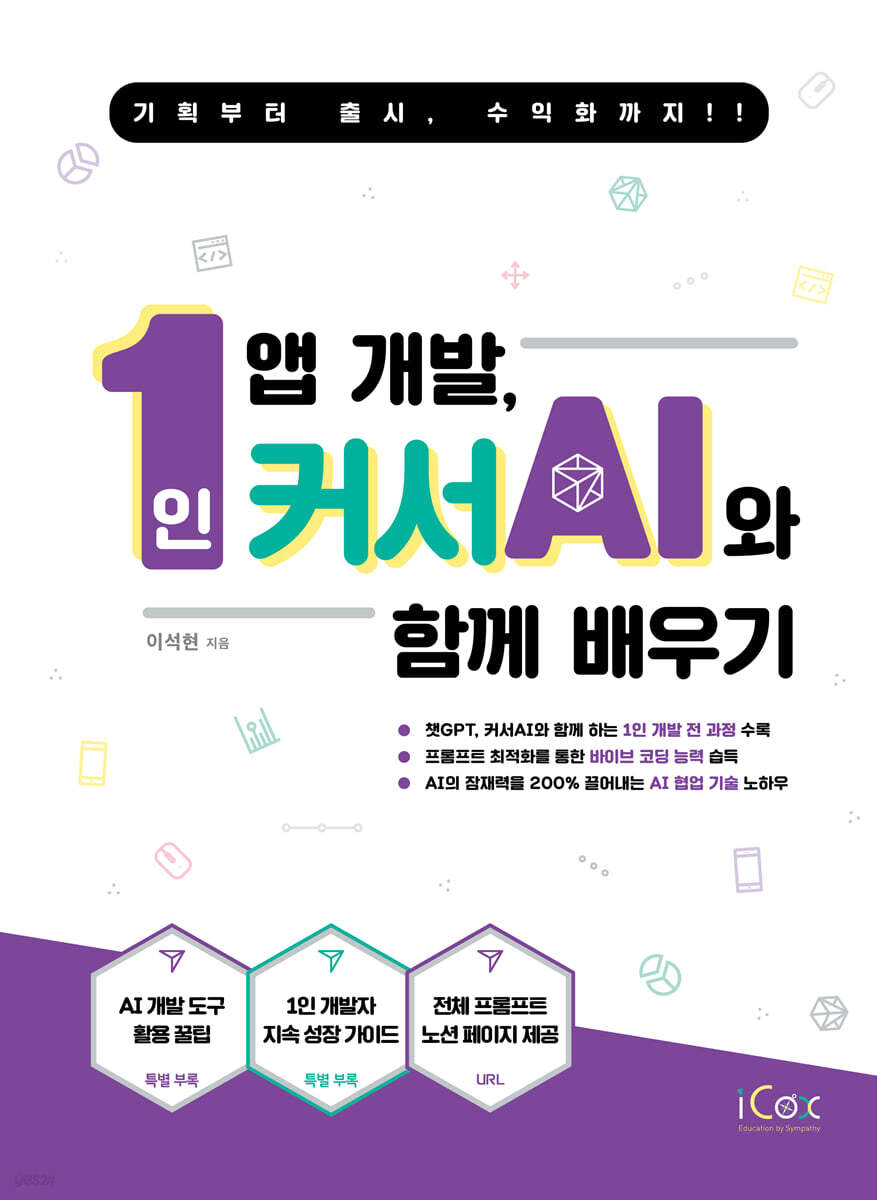
Learn how to develop apps with Cursor AI.
 |
Description
Book Introduction
Plan with Chat GPT and develop with Cursor AI.
From launching on the Google Play Store to monetizing with ads… .
A practical guidebook covering the entire process of one-person development.
Even if you're not a coding expert, an era has opened where you can develop on your own as long as you have an idea.
This book covers in detail all the core concepts and usage methods required to develop Flutter apps using Cursor AI, and accompanies the entire app development process from A to Z, from setting up a development environment using Android Studio to registering and launching on the Google Play Store, and even monetizing with in-app advertising.
We will take the Pomodoro Timer app as our core project and expand its functions one by one by developing it directly with Flutter together with Cursor AI.
In the ideation stage, novel features are conceived through conversations with generative AI such as ChatGPT, and development requirements are organized based on this.
And then, with all these preparations in hand, we move on to AI and start coding in Flutter and Dart languages.
From launching on the Google Play Store to monetizing with ads… .
A practical guidebook covering the entire process of one-person development.
Even if you're not a coding expert, an era has opened where you can develop on your own as long as you have an idea.
This book covers in detail all the core concepts and usage methods required to develop Flutter apps using Cursor AI, and accompanies the entire app development process from A to Z, from setting up a development environment using Android Studio to registering and launching on the Google Play Store, and even monetizing with in-app advertising.
We will take the Pomodoro Timer app as our core project and expand its functions one by one by developing it directly with Flutter together with Cursor AI.
In the ideation stage, novel features are conceived through conversations with generative AI such as ChatGPT, and development requirements are organized based on this.
And then, with all these preparations in hand, we move on to AI and start coding in Flutter and Dart languages.
- You can preview some of the book's contents.
Preview
index
PART 01. The Prelude to the Era of AI-Based One-Person Development
Chapter 1: Turning Dreams into Reality: Starting a Solo Development with Cursor AI
__01 The Reality and Opportunities of 'One-Person Indie Development'
__02 Before AI vs. After AI: A Shift in the Development Paradigm
__03 Vibe Coding: Let's code through conversation, without coding.
__04 Flutter? What is it?
PART 02.
Taking the First Step: Preparing Your Development Environment and Welcoming AI Partners
Chapter 2.
Setting up a development environment
__01 The Importance of a Development Environment: Getting the First Button Right
__02 Installing the Flutter SDK (Windows)
__03 Android Studio Installation and Basic Settings
__04 Installing the Flutter & Dart plugin (IDE integration)
Chapter 3.
Running My First Flutter App, the "Counter App" and Peeking at the Project Structure
__01 Creating Your First Flutter Project (Using Android Studio)
__02 Running the Basic Counter App: "My Code Comes to Life!" (Emulator/Real Device)
__03 Anatomy of the project folder: The role of the lib, pubspec.yaml, and android directories
__04 First Impressions of Flutter UI: What is a Widget? (Introducing Basic Widgets)
Chapter 4. Welcoming AI Code Colleagues, Cursor AI Settings, and Effective Collaboration Principles
__01 What is Cursor AI?
__02 Cursor AI Membership Registration
__03 Cursor AI Download
__04 Running the cursor AI and setting the initial screen
__05 Creating a Cursor AI Project
__06 Setting rules to maintain code consistency
__07 Demonstration of basic usage of Cursor AI: Generating code, requesting explanations, and asking questions
__08 Cursor AI Effective Prompt Engineering: The Art of Communicating with AI
__09 Taming AI with Project Rules (.mdc) Settings
PART 03.
Building Blocks: Building a Toy App and Learning Flutter Fundamentals
Chapter 5.
Preparing for Flutter Programming
__01 Understanding the structure of a Flutter project
__02 Efficient version control and collaboration for solo developers (using Git)
Chapter 6.
Learning the basics while creating a mini app
__01 Flutter UI First Steps: Creating a 'Digital Business Card' with Widgets and Layouts
__02 Bringing the UI to Life: A 'Multi-Tab Counter' Created with StatefulWidget and Event Handling
__03 Navigation and Data Transfer: Creating a 'Two-Screen Information App'
__04 Listening to Users - Handling Forms and Text Input: Creating a 'Simple Greeting App'
__05 Remembering Data - Creating a 'Settings Toggle App' that Remains Even When You Turn the App Off and On
__06 Interactive UI with AI - Mastering Touch Events and State Management
__07 Experience Material 3 UI Design: Creating a Material 3 Component Showcase
__08 Random Number Generation and Animation: Creating a 'Dice Roll'
__09 Grid and Multiple Button Event Handling: Creating a 'Simple Calculator'
__10 Dynamically Managing User Input Lists: Creating a 'Decision Roulette'
PART 04.
Real-World! Pomodoro Timer App Development (From Planning to Implementation)
Chapter 7.
Turning Ideas into Reality with ChatGPT: Defining and Designing Pomodoro App Features
__01 Defining the MVP (Minimum Viable Product) concept and the core functions of the Pomodoro timer
__02 Choosing the Right Technology for Your App: Reviewing Your Tech Stack with ChatGPT
__03 Coloring Your App: Building a Design System Foundation with ChatGPT
__04 Screen Sketching: Designing Key Screen Wireframes with ChatGPT
__05 Creating User Flows
__06 Defining App Identity: Outlining Your App's Overview and Features with ChatGPT
Chapter 8.
Implementing core features: Timer logic and basic UI completed (supporting AI development)
__01 Focuslet App Development: Flutter Project Settings, State Management Structure Design
__02 Focuslet App Development: Implementing the Main Timer UI and Core Logic
__03 Focuslet app feature expansion: tag input and background music implementation
__04 Implementing retrospective functions, storing/retrieving data, finalizing UI, fixing bugs, and QA
Chapter 9.
Adding value to your app: Implementing settings, notifications, and statistics features.
__01 Implementing the settings screen
__02 Added background operation function
__03 Implementing simple statistics functions
Chapter 10.
Improving Quality: Testing, Debugging, and Refactoring (Supporting AI Code Improvement)
__01 How to use basic debugging tools (breakpoints, log output)
__02 Manual Testing and Bug Finding
__03 Improving Code Readability: The Importance of Refactoring
__04 AI Code Review and Improvement Suggestion Request
PART 05.
Showcasing Your App to the World: Launching on the App Store
Chapter 11.
Getting Ready for Release: Creating Assets
__01 Prepare required assets: app icon, screenshot
Chapter 12.
Putting it Out in the World: Building Your App and Launching It in the Store
__01 Understanding the release build concept
__02 Android Release Build (.aab) and App Signing
__03 Google Play Store registration process
__04 Build and submit the final app, including in-app ads
__05 Connecting with the World: Start Promoting Your App
Appendix A: Tips for Using AI Development Tools
__01 Project Preparation and Setup
__02 Effective Communication with AI (Prompt Engineering)
__03 Code Writing and Management
__04 Maximizing AI Functionality
__05 Continuous learning and improvement
Appendix B.
Next Steps as an Indie Developer
__01 Beyond the Book: Introducing the Ongoing Flutter Learning Resources and Community
__02 Next learning roadmap suggestion (advanced state management, networking, Supabase, etc.)
Chapter 1: Turning Dreams into Reality: Starting a Solo Development with Cursor AI
__01 The Reality and Opportunities of 'One-Person Indie Development'
__02 Before AI vs. After AI: A Shift in the Development Paradigm
__03 Vibe Coding: Let's code through conversation, without coding.
__04 Flutter? What is it?
PART 02.
Taking the First Step: Preparing Your Development Environment and Welcoming AI Partners
Chapter 2.
Setting up a development environment
__01 The Importance of a Development Environment: Getting the First Button Right
__02 Installing the Flutter SDK (Windows)
__03 Android Studio Installation and Basic Settings
__04 Installing the Flutter & Dart plugin (IDE integration)
Chapter 3.
Running My First Flutter App, the "Counter App" and Peeking at the Project Structure
__01 Creating Your First Flutter Project (Using Android Studio)
__02 Running the Basic Counter App: "My Code Comes to Life!" (Emulator/Real Device)
__03 Anatomy of the project folder: The role of the lib, pubspec.yaml, and android directories
__04 First Impressions of Flutter UI: What is a Widget? (Introducing Basic Widgets)
Chapter 4. Welcoming AI Code Colleagues, Cursor AI Settings, and Effective Collaboration Principles
__01 What is Cursor AI?
__02 Cursor AI Membership Registration
__03 Cursor AI Download
__04 Running the cursor AI and setting the initial screen
__05 Creating a Cursor AI Project
__06 Setting rules to maintain code consistency
__07 Demonstration of basic usage of Cursor AI: Generating code, requesting explanations, and asking questions
__08 Cursor AI Effective Prompt Engineering: The Art of Communicating with AI
__09 Taming AI with Project Rules (.mdc) Settings
PART 03.
Building Blocks: Building a Toy App and Learning Flutter Fundamentals
Chapter 5.
Preparing for Flutter Programming
__01 Understanding the structure of a Flutter project
__02 Efficient version control and collaboration for solo developers (using Git)
Chapter 6.
Learning the basics while creating a mini app
__01 Flutter UI First Steps: Creating a 'Digital Business Card' with Widgets and Layouts
__02 Bringing the UI to Life: A 'Multi-Tab Counter' Created with StatefulWidget and Event Handling
__03 Navigation and Data Transfer: Creating a 'Two-Screen Information App'
__04 Listening to Users - Handling Forms and Text Input: Creating a 'Simple Greeting App'
__05 Remembering Data - Creating a 'Settings Toggle App' that Remains Even When You Turn the App Off and On
__06 Interactive UI with AI - Mastering Touch Events and State Management
__07 Experience Material 3 UI Design: Creating a Material 3 Component Showcase
__08 Random Number Generation and Animation: Creating a 'Dice Roll'
__09 Grid and Multiple Button Event Handling: Creating a 'Simple Calculator'
__10 Dynamically Managing User Input Lists: Creating a 'Decision Roulette'
PART 04.
Real-World! Pomodoro Timer App Development (From Planning to Implementation)
Chapter 7.
Turning Ideas into Reality with ChatGPT: Defining and Designing Pomodoro App Features
__01 Defining the MVP (Minimum Viable Product) concept and the core functions of the Pomodoro timer
__02 Choosing the Right Technology for Your App: Reviewing Your Tech Stack with ChatGPT
__03 Coloring Your App: Building a Design System Foundation with ChatGPT
__04 Screen Sketching: Designing Key Screen Wireframes with ChatGPT
__05 Creating User Flows
__06 Defining App Identity: Outlining Your App's Overview and Features with ChatGPT
Chapter 8.
Implementing core features: Timer logic and basic UI completed (supporting AI development)
__01 Focuslet App Development: Flutter Project Settings, State Management Structure Design
__02 Focuslet App Development: Implementing the Main Timer UI and Core Logic
__03 Focuslet app feature expansion: tag input and background music implementation
__04 Implementing retrospective functions, storing/retrieving data, finalizing UI, fixing bugs, and QA
Chapter 9.
Adding value to your app: Implementing settings, notifications, and statistics features.
__01 Implementing the settings screen
__02 Added background operation function
__03 Implementing simple statistics functions
Chapter 10.
Improving Quality: Testing, Debugging, and Refactoring (Supporting AI Code Improvement)
__01 How to use basic debugging tools (breakpoints, log output)
__02 Manual Testing and Bug Finding
__03 Improving Code Readability: The Importance of Refactoring
__04 AI Code Review and Improvement Suggestion Request
PART 05.
Showcasing Your App to the World: Launching on the App Store
Chapter 11.
Getting Ready for Release: Creating Assets
__01 Prepare required assets: app icon, screenshot
Chapter 12.
Putting it Out in the World: Building Your App and Launching It in the Store
__01 Understanding the release build concept
__02 Android Release Build (.aab) and App Signing
__03 Google Play Store registration process
__04 Build and submit the final app, including in-app ads
__05 Connecting with the World: Start Promoting Your App
Appendix A: Tips for Using AI Development Tools
__01 Project Preparation and Setup
__02 Effective Communication with AI (Prompt Engineering)
__03 Code Writing and Management
__04 Maximizing AI Functionality
__05 Continuous learning and improvement
Appendix B.
Next Steps as an Indie Developer
__01 Beyond the Book: Introducing the Ongoing Flutter Learning Resources and Community
__02 Next learning roadmap suggestion (advanced state management, networking, Supabase, etc.)
Detailed image

Publisher's Review
'Can I make an app by myself?'
AI has provided an answer to this question that everyone has probably thought about at least once.
The era of one-person development has arrived, where even non-experts with no coding experience can manage everything from planning to development, store launch, and even advertising revenue generation on their own, as long as they have an idea.
A book has been published that presents a detailed roadmap from planning to launch.
In the past, app development was often frustrated by technological barriers such as Java, Kotlin, React, Flutter, and Firebase.
However, the emergence of generative AI tools such as Cursor AI and ChatGPT is completely changing the development paradigm.
What matters now is not the complexity of the technology, but how actively we collaborate with AI to quickly turn ideas into reality.
This book accurately captures these changes of the times.
Readers will learn 'Vibe Coding', a new development method for the AI era, by creating their own Pomodoro timer app, 'Focuslet'.
'Vibe Coding' is an innovative development method that allows users to request AI in human language, such as "create this function," and obtain code without having to know any programming concepts.
The book's journey begins with the planning stage of defining the MVP (Minimum Viable Product) of the 'Pomodoro Timer' with ChatGPT.
Afterwards, we set up a development environment including Flutter SDK and Android Studio, and begin full-scale coding with the AI code editor, ‘Cursor AI.’
In this process, readers learn the principles of collaboration, using AI not as a simple code generator that quickly creates the results humans want, but as an "AI pair programmer" and "personal tutor" that helps solve problems and completes the results together.
AI is no longer an option, but a necessity.
This book proves that anyone can become a "creator" through collaboration with AI, and is expected to be a significant turning point leading to the popularization of individual development.
AI has provided an answer to this question that everyone has probably thought about at least once.
The era of one-person development has arrived, where even non-experts with no coding experience can manage everything from planning to development, store launch, and even advertising revenue generation on their own, as long as they have an idea.
A book has been published that presents a detailed roadmap from planning to launch.
In the past, app development was often frustrated by technological barriers such as Java, Kotlin, React, Flutter, and Firebase.
However, the emergence of generative AI tools such as Cursor AI and ChatGPT is completely changing the development paradigm.
What matters now is not the complexity of the technology, but how actively we collaborate with AI to quickly turn ideas into reality.
This book accurately captures these changes of the times.
Readers will learn 'Vibe Coding', a new development method for the AI era, by creating their own Pomodoro timer app, 'Focuslet'.
'Vibe Coding' is an innovative development method that allows users to request AI in human language, such as "create this function," and obtain code without having to know any programming concepts.
The book's journey begins with the planning stage of defining the MVP (Minimum Viable Product) of the 'Pomodoro Timer' with ChatGPT.
Afterwards, we set up a development environment including Flutter SDK and Android Studio, and begin full-scale coding with the AI code editor, ‘Cursor AI.’
In this process, readers learn the principles of collaboration, using AI not as a simple code generator that quickly creates the results humans want, but as an "AI pair programmer" and "personal tutor" that helps solve problems and completes the results together.
AI is no longer an option, but a necessity.
This book proves that anyone can become a "creator" through collaboration with AI, and is expected to be a significant turning point leading to the popularization of individual development.
GOODS SPECIFICS
- Date of issue: September 15, 2025
- Page count, weight, size: 372 pages | 188*257*30mm
- ISBN13: 9791164262724
- ISBN10: 1164262726
You may also like
카테고리
korean


korean

![GQ KOREA Mark (Monthly): December [2025]](http://librairie.coreenne.fr/cdn/shop/files/8ef265dbbfbf186523ed75ba7319009d.jpg?v=1765340328&width=3840)


