

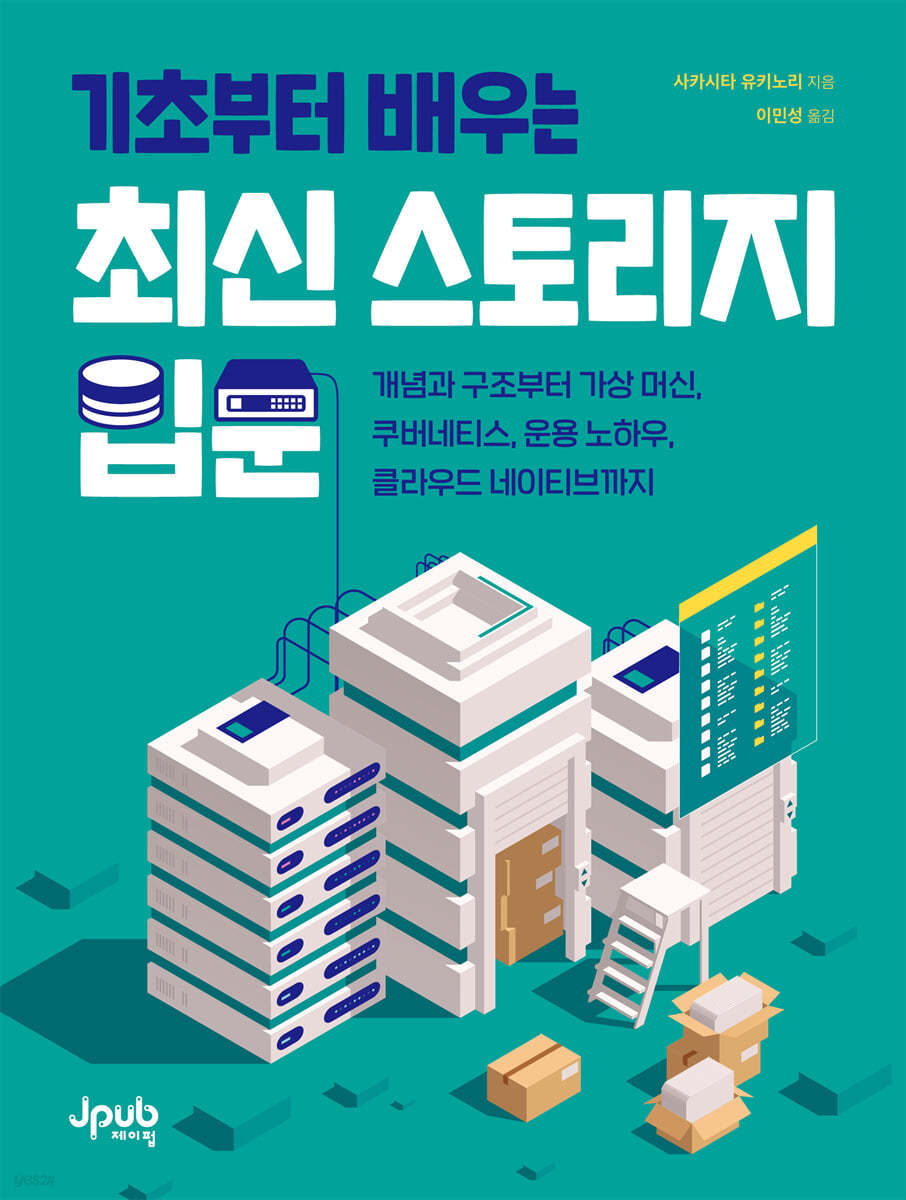
Introduction to the latest storage from the basics
 |
Description
Book Introduction
Learn only the essentials and easily understand storage.
With the advent of virtual machines, cloud services, container technology, and Kubernetes, new options have been added to the traditional block storage, file storage, and object storage: bare metal servers, virtual machines, containers, and Kubernetes.
As a result, storage provision and operation has become easier and can now be used as a service.
This book starts with the basic concepts of storage and examines the types and structures of storage.
Additionally, we will generously share our storage operation know-how, including how to set up storage on bare metal servers/virtual machines, how to utilize it in containers/Kubernetes, essential storage monitoring and costs, and encryption management.
With the advent of virtual machines, cloud services, container technology, and Kubernetes, new options have been added to the traditional block storage, file storage, and object storage: bare metal servers, virtual machines, containers, and Kubernetes.
As a result, storage provision and operation has become easier and can now be used as a service.
This book starts with the basic concepts of storage and examines the types and structures of storage.
Additionally, we will generously share our storage operation know-how, including how to set up storage on bare metal servers/virtual machines, how to utilize it in containers/Kubernetes, essential storage monitoring and costs, and encryption management.
- You can preview some of the book's contents.
Preview
index
Translator's Preface ix
Beta Reader Review x
Beginning xii
CHAPTER 1 What is storage?
1.1 Storage History 3
1.2 Storage Types 6
__1.2.1 Block Storage 7
__1.2.2 File Storage 7
__1.2.3 Object Storage 7
1.3 Storage Format 9
__1.3.1 Appliance Storage 9
__1.3.2 SDS 10
1.4 Media used for storage 12
__1.4.1 HDD 12
__1.4.2 SSD 13
1.5 Connection Interface 15
__1.5.1 SATA and SAS 15
__1.5.2 NVMe 16
1.6 Protocols used in communication between servers and storage 17
__1.6.1 Data Plane Protocol 18
__1.6.2 Control Plane Protocol 20
CHAPTER 2 Storage Structure
2.1 Block Storage Structure 25
__2.1.1 Storage Pools and Data Protection 26
__2.1.2 Volume 32
__2.1.3 Path Setting 37
__2.1.4 replication 41
2.2 File Storage 51
__2.2.1 File System 53
__2.2.2 File Sharing and Locks 54
2.2 Object Storage 57
__2.3.1 Key-Value Storage Method 59
CHAPTER 3: Usage on Bare Metal Servers/Virtual Machines
3.1 How to use on bare metal servers 63
__3.1.1 Example of using block storage (iSCSI) 65
__3.1.2 Example of using file storage (NFS, SMB) 74
3.2 How to use in a virtual machine 79
__3.2.1 Passthrough Mode and Virtual Disk Mode 80
__3.2.2 Configuration Flow 82
__3.2.3 Example of volume allocation using OpenStack Cinder (block) 84
__3.2.4 Example of Volume Allocation Using OpenStack Manila 88
CHAPTER 4 How to Use Containers/Kubernetes
4.1 Containers and Kubernetes 93
4.2 Container Storage Interface 96
4.3 Kubernetes Storage Model 100
__4.3.1 Resource Scope and Permissions 100
__4.3.2 Access Mode 102
__4.3.3 Return Policy 104
4.4 Assigning Volumes to Pads 105
4.5 Kubernetes Storage Features Available with CSI 110
__4.5.1 Volume Expansion 110
__4.5.2 Raw Block Volume 112
__4.5.3 Volume Cloning 115
__4.5.4 Volume Snapshot & Restore 115
__4.5.5 Topology 119
__4.5.6 Generic Ephemeral Inline Volumes 121
CHAPTER 5 Storage Management and Design
5.1 How to Choose Storage 127
__5.1.1 Storage Types and Considerations 127
__5.1.2 Appliance Storage vs. SDS 130
__5.1.3 Bare Metal Server vs.
Virtual Machine vs.
Container 133
__5.1.4 Closed Cloud vs.
Public Cloud 136
5.2 Storage Intensive and Multi-Tenant Design 140
5.3 Designing a Resilient Configuration 145
__5.3.1 Drive Failure Countermeasures 145
__5.3.2 Controller Failure Countermeasures 146
__5.3.3 Storage Server Failure Countermeasures 147
__5.3.4 Site Failure Countermeasures 148
5.4 Backup 150
__5.4.1 Determining RPO/RTO 150
__5.4.2 Backup Method 152
__5.4.3 Backup Plan Example 155
__5.4.4 Backup Flow 156
__5.4.5 Restore Flow 158
5.5 Monitoring Design 160
__5.5.1 Status Monitoring 163
__5.5.2 Performance Monitoring 163
__5.5.3 Capacity/Cost Monitoring 166
__5.5.4 Monitoring Design from a User Perspective 167
__5.5.5 Monitoring Design from a Storage Administrator's Perspective 168
5.6 Cryptographic Design 171
__5.6.1 Communication Channel Encryption 171
__5.6.2 Encrypting Saved Data 174
__5.6.3 Backup Encryption 177
5.7 Design for Mission-Critical Systems 181
CHAPTER 6: Cloud Native and Storage
6.1 What is Cloud Native? 187
6.2 Changes in Perception of Service Levels 190
6.3 The proliferation of stateful applications 192
6.4 Cloud-Ready Storage and Cloud-Native Storage 194
6.5 Typical Cloud Native Storage Structures 197
__6.5.1 Containerized Storage 197
__6.5.2 Kubernetes Native Storage 199
In conclusion 202
Search 204
Beta Reader Review x
Beginning xii
CHAPTER 1 What is storage?
1.1 Storage History 3
1.2 Storage Types 6
__1.2.1 Block Storage 7
__1.2.2 File Storage 7
__1.2.3 Object Storage 7
1.3 Storage Format 9
__1.3.1 Appliance Storage 9
__1.3.2 SDS 10
1.4 Media used for storage 12
__1.4.1 HDD 12
__1.4.2 SSD 13
1.5 Connection Interface 15
__1.5.1 SATA and SAS 15
__1.5.2 NVMe 16
1.6 Protocols used in communication between servers and storage 17
__1.6.1 Data Plane Protocol 18
__1.6.2 Control Plane Protocol 20
CHAPTER 2 Storage Structure
2.1 Block Storage Structure 25
__2.1.1 Storage Pools and Data Protection 26
__2.1.2 Volume 32
__2.1.3 Path Setting 37
__2.1.4 replication 41
2.2 File Storage 51
__2.2.1 File System 53
__2.2.2 File Sharing and Locks 54
2.2 Object Storage 57
__2.3.1 Key-Value Storage Method 59
CHAPTER 3: Usage on Bare Metal Servers/Virtual Machines
3.1 How to use on bare metal servers 63
__3.1.1 Example of using block storage (iSCSI) 65
__3.1.2 Example of using file storage (NFS, SMB) 74
3.2 How to use in a virtual machine 79
__3.2.1 Passthrough Mode and Virtual Disk Mode 80
__3.2.2 Configuration Flow 82
__3.2.3 Example of volume allocation using OpenStack Cinder (block) 84
__3.2.4 Example of Volume Allocation Using OpenStack Manila 88
CHAPTER 4 How to Use Containers/Kubernetes
4.1 Containers and Kubernetes 93
4.2 Container Storage Interface 96
4.3 Kubernetes Storage Model 100
__4.3.1 Resource Scope and Permissions 100
__4.3.2 Access Mode 102
__4.3.3 Return Policy 104
4.4 Assigning Volumes to Pads 105
4.5 Kubernetes Storage Features Available with CSI 110
__4.5.1 Volume Expansion 110
__4.5.2 Raw Block Volume 112
__4.5.3 Volume Cloning 115
__4.5.4 Volume Snapshot & Restore 115
__4.5.5 Topology 119
__4.5.6 Generic Ephemeral Inline Volumes 121
CHAPTER 5 Storage Management and Design
5.1 How to Choose Storage 127
__5.1.1 Storage Types and Considerations 127
__5.1.2 Appliance Storage vs. SDS 130
__5.1.3 Bare Metal Server vs.
Virtual Machine vs.
Container 133
__5.1.4 Closed Cloud vs.
Public Cloud 136
5.2 Storage Intensive and Multi-Tenant Design 140
5.3 Designing a Resilient Configuration 145
__5.3.1 Drive Failure Countermeasures 145
__5.3.2 Controller Failure Countermeasures 146
__5.3.3 Storage Server Failure Countermeasures 147
__5.3.4 Site Failure Countermeasures 148
5.4 Backup 150
__5.4.1 Determining RPO/RTO 150
__5.4.2 Backup Method 152
__5.4.3 Backup Plan Example 155
__5.4.4 Backup Flow 156
__5.4.5 Restore Flow 158
5.5 Monitoring Design 160
__5.5.1 Status Monitoring 163
__5.5.2 Performance Monitoring 163
__5.5.3 Capacity/Cost Monitoring 166
__5.5.4 Monitoring Design from a User Perspective 167
__5.5.5 Monitoring Design from a Storage Administrator's Perspective 168
5.6 Cryptographic Design 171
__5.6.1 Communication Channel Encryption 171
__5.6.2 Encrypting Saved Data 174
__5.6.3 Backup Encryption 177
5.7 Design for Mission-Critical Systems 181
CHAPTER 6: Cloud Native and Storage
6.1 What is Cloud Native? 187
6.2 Changes in Perception of Service Levels 190
6.3 The proliferation of stateful applications 192
6.4 Cloud-Ready Storage and Cloud-Native Storage 194
6.5 Typical Cloud Native Storage Structures 197
__6.5.1 Containerized Storage 197
__6.5.2 Kubernetes Native Storage 199
In conclusion 202
Search 204
Detailed image

Into the book
The data plane is a group of controllers that handle read/write operations for reading and writing data.
A network connected to this data plane is also called in-band.
Meanwhile, the control plane is a group of controllers that manipulate and configure storage resources, such as creating or deleting volumes.
Networks that connect to the control plane are also called out-of-band.
--- p.17
Many storage systems offer different remote replication features depending on the distance, such as within the same data center or over a long distance of 100 kilometers or more.
In the case of long-distance replication, compression or deduplication is sometimes performed before transmission to reduce the amount of data flowing from the source to the target.
/ For ultra-long distance replication, it may exceed the storage's remote replication support distance.
In that case, it is configured as a multihop.
Multi-hop achieves remote replication by deploying storage that acts as a relay.
--- p.44
Communication between storage and virtual machine management software uses the manufacturer's proprietary protocol or SMI-S, a storage management standard interface, as a control plane API.
Unfortunately, however, there are no standard specifications or standards for virtual machine management software, and each supports different storage management functions and operating methods.
Additionally, the virtual machine management software only provides management functions, and the actual data reading and writing is done through data plane protocols such as iSCSI and NFS.
--- p.79
Because VolumeSnapshot calls a snapshot of storage, only the differences in actually updated data are stored, enabling backups that consume less capacity.
However, depending on the storage, if the original volume (PV) is deleted, it may not be recoverable.
On the other hand, if a snapshot is created, there are storages that can restore the target volume without deleting it even if the PV is deleted.
/ As restoration conditions vary depending on the storage used, be sure to check in advance.
--- p.119
As a countermeasure against controller failure, the controller must first be made redundant.
Most appliance storage systems feature multiple controllers, enabling high availability (HA) configurations. SDS configures HA by installing components that perform each controller function on multiple servers.
/ The high availability configuration of the controller includes Active-Active configuration and Active-Standby configuration.
Which one is available varies depending on the product, so check the product's technical documentation and set it up.
Also, if possible, it would be a good idea to power each controller from a separate power source.
--- p.146
Kubernetes native storage is, as the name suggests, storage that operates on Kubernetes.
Kubernetes native storage runs containerized storage as pods on Kubernetes.
This allows you to manage storage using Kubernetes' features, such as version upgrades through rolling updates, self-healing, and scale capabilities.
/ Another feature is that many storages can be executed with Kubernetes commands without having to memorize storage-specific commands for basic operations such as version upgrades.
A network connected to this data plane is also called in-band.
Meanwhile, the control plane is a group of controllers that manipulate and configure storage resources, such as creating or deleting volumes.
Networks that connect to the control plane are also called out-of-band.
--- p.17
Many storage systems offer different remote replication features depending on the distance, such as within the same data center or over a long distance of 100 kilometers or more.
In the case of long-distance replication, compression or deduplication is sometimes performed before transmission to reduce the amount of data flowing from the source to the target.
/ For ultra-long distance replication, it may exceed the storage's remote replication support distance.
In that case, it is configured as a multihop.
Multi-hop achieves remote replication by deploying storage that acts as a relay.
--- p.44
Communication between storage and virtual machine management software uses the manufacturer's proprietary protocol or SMI-S, a storage management standard interface, as a control plane API.
Unfortunately, however, there are no standard specifications or standards for virtual machine management software, and each supports different storage management functions and operating methods.
Additionally, the virtual machine management software only provides management functions, and the actual data reading and writing is done through data plane protocols such as iSCSI and NFS.
--- p.79
Because VolumeSnapshot calls a snapshot of storage, only the differences in actually updated data are stored, enabling backups that consume less capacity.
However, depending on the storage, if the original volume (PV) is deleted, it may not be recoverable.
On the other hand, if a snapshot is created, there are storages that can restore the target volume without deleting it even if the PV is deleted.
/ As restoration conditions vary depending on the storage used, be sure to check in advance.
--- p.119
As a countermeasure against controller failure, the controller must first be made redundant.
Most appliance storage systems feature multiple controllers, enabling high availability (HA) configurations. SDS configures HA by installing components that perform each controller function on multiple servers.
/ The high availability configuration of the controller includes Active-Active configuration and Active-Standby configuration.
Which one is available varies depending on the product, so check the product's technical documentation and set it up.
Also, if possible, it would be a good idea to power each controller from a separate power source.
--- p.146
Kubernetes native storage is, as the name suggests, storage that operates on Kubernetes.
Kubernetes native storage runs containerized storage as pods on Kubernetes.
This allows you to manage storage using Kubernetes' features, such as version upgrades through rolling updates, self-healing, and scale capabilities.
/ Another feature is that many storages can be executed with Kubernetes commands without having to memorize storage-specific commands for basic operations such as version upgrades.
--- p.199
Publisher's Review
Technology and management know-how for efficient storage operation, Storage A to Z
Rapid changes in the IT environment have led to the emergence of new infrastructure structures centered on cloud services and virtualization technologies.
Amid these changes, storage technology is also evolving significantly, and companies no longer rely on traditional storage methods.
Instead, you need a storage solution optimized for modern technologies like virtual machines, cloud services, container technology, and Kubernetes.
This book presents storage management methods that reflect the flow of change.
The author, who is active in the Japan and US branches of the Storage Networking Industry Association (SNIA), shares his extensive experience in Kubernetes-based storage management and cloud technologies, providing practical, hands-on, and up-to-date storage operation and management know-how.
It provides a practical approach to understanding the fundamental concepts of storage and how they can be utilized in various technical environments.
Chapter 1 introduces the history and key keywords of storage, and Chapter 2 explains the structure of storage, including block storage, file storage, and object storage, to help you understand it more deeply.
Chapters 3 and 4 cover specific storage usage in bare metal servers, virtual machines, containers, and Kubernetes, while Chapter 5 shares storage operation and management know-how, including failures, monitoring, and backup.
Finally, Chapter 6 describes storage operations in a cloud-native environment.
This book presents storage selection and efficient management methods suitable for various environments, and provides management knowledge optimized for IT infrastructure and cloud services. It will be a very useful guide for DevOps engineers, system administrators, and developers utilizing Kubernetes and cloud-native environments.
Key Contents
● History and basic concepts of storage
● Types and structures of storage
● How to use storage in bare metal servers/virtual machines, containers/Kubernetes
● Storage management and operation know-how
● Cloud Native Concept and Structure
Rapid changes in the IT environment have led to the emergence of new infrastructure structures centered on cloud services and virtualization technologies.
Amid these changes, storage technology is also evolving significantly, and companies no longer rely on traditional storage methods.
Instead, you need a storage solution optimized for modern technologies like virtual machines, cloud services, container technology, and Kubernetes.
This book presents storage management methods that reflect the flow of change.
The author, who is active in the Japan and US branches of the Storage Networking Industry Association (SNIA), shares his extensive experience in Kubernetes-based storage management and cloud technologies, providing practical, hands-on, and up-to-date storage operation and management know-how.
It provides a practical approach to understanding the fundamental concepts of storage and how they can be utilized in various technical environments.
Chapter 1 introduces the history and key keywords of storage, and Chapter 2 explains the structure of storage, including block storage, file storage, and object storage, to help you understand it more deeply.
Chapters 3 and 4 cover specific storage usage in bare metal servers, virtual machines, containers, and Kubernetes, while Chapter 5 shares storage operation and management know-how, including failures, monitoring, and backup.
Finally, Chapter 6 describes storage operations in a cloud-native environment.
This book presents storage selection and efficient management methods suitable for various environments, and provides management knowledge optimized for IT infrastructure and cloud services. It will be a very useful guide for DevOps engineers, system administrators, and developers utilizing Kubernetes and cloud-native environments.
Key Contents
● History and basic concepts of storage
● Types and structures of storage
● How to use storage in bare metal servers/virtual machines, containers/Kubernetes
● Storage management and operation know-how
● Cloud Native Concept and Structure
GOODS SPECIFICS
- Date of issue: December 19, 2024
- Page count, weight, size: 224 pages | 170*225*13mm
- ISBN13: 9791193926802
You may also like
카테고리
korean


korean

![GQ KOREA Mark (Monthly): December [2025]](http://librairie.coreenne.fr/cdn/shop/files/8ef265dbbfbf186523ed75ba7319009d.jpg?v=1765340328&width=3840)


