

Blender 3D
 |
Description
Book Introduction
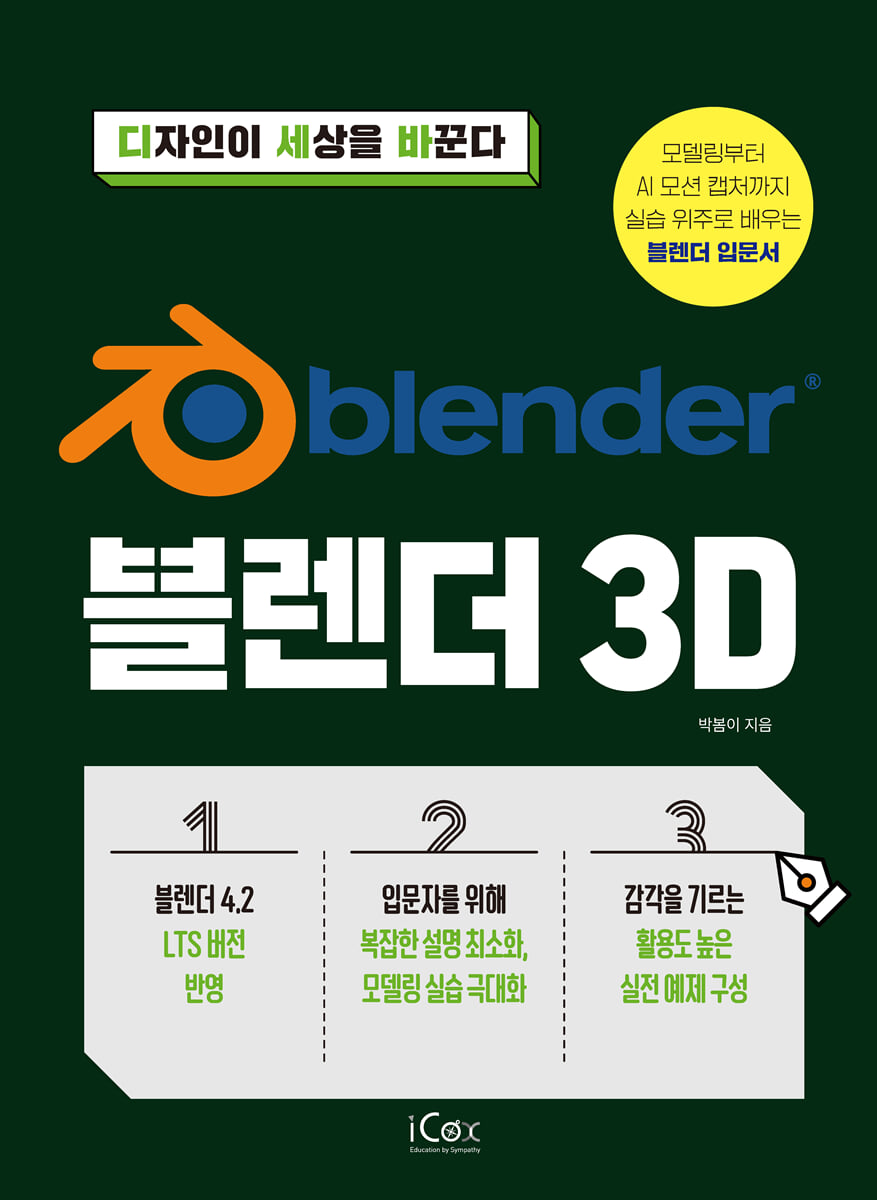
A hands-on introduction to Blender, from modeling to AI motion capture!
Blender 3D: Quickly master it with easy examples instead of complex explanations!
Blender 4.2 LTS latest version reflected!
Among Blender's vast features, we've selected the basic and core functions, briefly explained the concepts, and organized them so that you can learn the functions through examples.
It contains the author's unique know-how to highlight key points, allowing you to effectively learn concepts and practices.
With this one book, you can not only solidify your foundation in Blender, but also experience everything from 3D modeling to animation and AI motion capture through 21 highly practical examples.
Blender 3D: Quickly master it with easy examples instead of complex explanations!
Blender 4.2 LTS latest version reflected!
Among Blender's vast features, we've selected the basic and core functions, briefly explained the concepts, and organized them so that you can learn the functions through examples.
It contains the author's unique know-how to highlight key points, allowing you to effectively learn concepts and practices.
With this one book, you can not only solidify your foundation in Blender, but also experience everything from 3D modeling to animation and AI motion capture through 21 highly practical examples.
- You can preview some of the book's contents.
Preview
index
CHAPTER 01 Learning Blender Basics
LESSON 01 Installing Blender
LESSON 02: Exploring the Interface
LESSON 03 Managing 3D Viewports
CHAPTER 02 Creating Objects CHAPTER
LESSON 01 Creating Objects
LESSON 02 Managing Objects
LESSON 03: Understanding Shade Smooth
___Duplicate the EXAMPLE object and apply Shade Smooth
LESSON 04: Understanding Properties and Imports
___EXAMPLE Arranging and coloring imported objects
CHAPTER 03 Saving and Rendering Your Project
LESSON 01 Saving project source files together
LESSON 02 Rendering
___EXAMPLE Saving the rendered image
CHAPTER 04 Using the Snap Feature
LESSON 01 Snapping Objects
___EXAMPLE Building a Desk
___EXAMPLE Building a Bookshelf
CHAPTER 05 Editing Objects in Edit Mode
LESSON 01 Understanding Select Mode in Edit Mode
LESSON 02 Dividing a Polygon with Subdivide
LESSON 03 Extending Elements with Extrude
LESSON 04 Creating a New Face with an Inset
___Creating an EXAMPLE TV Table
LESSON 05 Smoothing with a Bevel
___Creating EXAMPLE TV
___Creating an EXAMPLE book
LESSON 06 Dividing the Face with a Loop Cut and Knife
___EXAMPLE Making a beer mug
LESSON 07 Connecting Distant Edges/Faces with Bridges
___EXAMPLE MUG MAKING
LESSON 08 Creating Elements with New Faces/Edges from Vertices
___EXAMPLE Making a Heart Cushion
CHAPTER 06 Understanding Origin
LESSON 01 Understanding the Concept of Origin
___EXAMPLE Making a Wall Clock
CHAPTER 07 BINDING OBJECTS
LESSON 01: Merging Objects with Join
LESSON 02 Transforming Objects with Parent
___EXAMPLE Applying Parent to a Wall Clock
CHAPTER 08 Using Proportional Editing
LESSON 01: Smoothly Editing Surrounding Elements with Proportional Editing
___EXAMPLE Making apples
CHAPTER 09 Expressing Objects with Various Textures
LESSON 01 Expressing an object's texture as an image file
___EXAMPLE Making a Dice
LESSON 02 Setting Object Surface Reflection with Metallic and Roughness
___EXAMPLE Creating a Mirror
LESSON 03 Setting up object surface projection with Transmission
___EXAMPLE Applying Transmission to a Beer Mug
LESSON 04: Emitting Light from an Object with Emission
___Applying Emission to EXAMPLE TV
LESSON 05 Expressing Curvature on Object Surfaces with Normal
___EXAMPLE Making a Carpet
LESSON 06: Making Object Surfaces Transparent with Alpha
___EXAMPLE Making a flower pot
LESSON 07: Expressing Object Surface Color in the Texture Paint Workspace
___Example: Expressing Apple Surface Color in the Texture Paint Workspace
LESSON 08: Expressing Object Surface Textures in the UV Editing Workspace
___Expressing book cover texture in the EXAMPLE UV Editing Workspace
CHAPTER 10 Modifying Objects in Various Ways with Modifiers
LESSON 01 Fine-tuning objects with subdivision surfaces
___EXAMPLE Making Curtains
LESSON 02 Setting up a set of objects with Boolean
___EXAMPLE Creating a duplex room
LESSON 03 Transforming objects into various shapes with Simple Deform
___EXAMPLE Building a Stand
LESSON 04 Regularly replicating objects with an array
___EXAMPLE Building a second-floor railing
LESSON 05 Creating an object with a consistent spacing using a screw
___EXAMPLE Creating a Circular Staircase
LESSON 06 Mirroring an Object
___EXAMPLE Making a Sofa
CHAPTER 11 Using Light Objects
LESSON 01 Expressing Lighting with Light Objects
___EXAMPLE Adding a Point Light to a Stand
___EXAMPLE Adding an Area Light to a Duplex Room
CHAPTER 12 Using the Camera
LESSON 01 Adjusting the angle of view
LESSON 02 Adjusting Focus and Depth of Field
CHAPTER 13 Creating Animation with Keyframes
LESSON 01 Handling Keyframes
___EXAMPLE Adding animation to the curtains in a duplex room
___EXAMPLE Creating a camera rotation animation
CHAPTER 14 Using Cloth Simulation
LESSON 01: Expressing Fabric Materials with Cloth Simulation
Create the ___EXAMPLE table
___EXAMPLE Making a Bed
CHAPTER 15 Importing and Placing Objects
LESSON 01: Learn the Precautions for Importing Objects
___EXAMPLE Import and place the objects created so far in the duplex room
CHAPTER 16 Rigging
LESSON 01 Handling Armature
___EXAMPLE Rigging a Plant Object
___EXAMPLE Rigging a Character Object
CHAPTER 17 Leveraging AI Motion Capture Data
LESSON 01: Capturing AI Motion with DeepMotion
___EXAMPLE Applying motion data
___EXAMPLE Rendering the final animation
LESSON 01 Installing Blender
LESSON 02: Exploring the Interface
LESSON 03 Managing 3D Viewports
CHAPTER 02 Creating Objects CHAPTER
LESSON 01 Creating Objects
LESSON 02 Managing Objects
LESSON 03: Understanding Shade Smooth
___Duplicate the EXAMPLE object and apply Shade Smooth
LESSON 04: Understanding Properties and Imports
___EXAMPLE Arranging and coloring imported objects
CHAPTER 03 Saving and Rendering Your Project
LESSON 01 Saving project source files together
LESSON 02 Rendering
___EXAMPLE Saving the rendered image
CHAPTER 04 Using the Snap Feature
LESSON 01 Snapping Objects
___EXAMPLE Building a Desk
___EXAMPLE Building a Bookshelf
CHAPTER 05 Editing Objects in Edit Mode
LESSON 01 Understanding Select Mode in Edit Mode
LESSON 02 Dividing a Polygon with Subdivide
LESSON 03 Extending Elements with Extrude
LESSON 04 Creating a New Face with an Inset
___Creating an EXAMPLE TV Table
LESSON 05 Smoothing with a Bevel
___Creating EXAMPLE TV
___Creating an EXAMPLE book
LESSON 06 Dividing the Face with a Loop Cut and Knife
___EXAMPLE Making a beer mug
LESSON 07 Connecting Distant Edges/Faces with Bridges
___EXAMPLE MUG MAKING
LESSON 08 Creating Elements with New Faces/Edges from Vertices
___EXAMPLE Making a Heart Cushion
CHAPTER 06 Understanding Origin
LESSON 01 Understanding the Concept of Origin
___EXAMPLE Making a Wall Clock
CHAPTER 07 BINDING OBJECTS
LESSON 01: Merging Objects with Join
LESSON 02 Transforming Objects with Parent
___EXAMPLE Applying Parent to a Wall Clock
CHAPTER 08 Using Proportional Editing
LESSON 01: Smoothly Editing Surrounding Elements with Proportional Editing
___EXAMPLE Making apples
CHAPTER 09 Expressing Objects with Various Textures
LESSON 01 Expressing an object's texture as an image file
___EXAMPLE Making a Dice
LESSON 02 Setting Object Surface Reflection with Metallic and Roughness
___EXAMPLE Creating a Mirror
LESSON 03 Setting up object surface projection with Transmission
___EXAMPLE Applying Transmission to a Beer Mug
LESSON 04: Emitting Light from an Object with Emission
___Applying Emission to EXAMPLE TV
LESSON 05 Expressing Curvature on Object Surfaces with Normal
___EXAMPLE Making a Carpet
LESSON 06: Making Object Surfaces Transparent with Alpha
___EXAMPLE Making a flower pot
LESSON 07: Expressing Object Surface Color in the Texture Paint Workspace
___Example: Expressing Apple Surface Color in the Texture Paint Workspace
LESSON 08: Expressing Object Surface Textures in the UV Editing Workspace
___Expressing book cover texture in the EXAMPLE UV Editing Workspace
CHAPTER 10 Modifying Objects in Various Ways with Modifiers
LESSON 01 Fine-tuning objects with subdivision surfaces
___EXAMPLE Making Curtains
LESSON 02 Setting up a set of objects with Boolean
___EXAMPLE Creating a duplex room
LESSON 03 Transforming objects into various shapes with Simple Deform
___EXAMPLE Building a Stand
LESSON 04 Regularly replicating objects with an array
___EXAMPLE Building a second-floor railing
LESSON 05 Creating an object with a consistent spacing using a screw
___EXAMPLE Creating a Circular Staircase
LESSON 06 Mirroring an Object
___EXAMPLE Making a Sofa
CHAPTER 11 Using Light Objects
LESSON 01 Expressing Lighting with Light Objects
___EXAMPLE Adding a Point Light to a Stand
___EXAMPLE Adding an Area Light to a Duplex Room
CHAPTER 12 Using the Camera
LESSON 01 Adjusting the angle of view
LESSON 02 Adjusting Focus and Depth of Field
CHAPTER 13 Creating Animation with Keyframes
LESSON 01 Handling Keyframes
___EXAMPLE Adding animation to the curtains in a duplex room
___EXAMPLE Creating a camera rotation animation
CHAPTER 14 Using Cloth Simulation
LESSON 01: Expressing Fabric Materials with Cloth Simulation
Create the ___EXAMPLE table
___EXAMPLE Making a Bed
CHAPTER 15 Importing and Placing Objects
LESSON 01: Learn the Precautions for Importing Objects
___EXAMPLE Import and place the objects created so far in the duplex room
CHAPTER 16 Rigging
LESSON 01 Handling Armature
___EXAMPLE Rigging a Plant Object
___EXAMPLE Rigging a Character Object
CHAPTER 17 Leveraging AI Motion Capture Data
LESSON 01: Capturing AI Motion with DeepMotion
___EXAMPLE Applying motion data
___EXAMPLE Rendering the final animation
Detailed image

Publisher's Review
Experience the entire 3D modeling process in one book!
When you first launch any software, you're presented with a confusing array of menus and tools.
There are only a few features that are actually used, but if you don't know how something is used, you can't help but feel intimidated and give up on learning.
But what if you could learn the essential and frequently used menus and tools in just one book, then gain hands-on experience with 3D modeling? And what if you could also experience motion creation, arguably the most challenging part of 3D modeling, made easy even for beginners using AI? That's exactly what "Design Changes the World: Blender 3D" is all about.
With this book, you'll be inspired to explore 3D modeling and even create your own! This book is designed for beginners who are interested in 3D modeling but want to learn Blender without any prior knowledge.
[Core Blender features covered in this book]
- Create objects, modify them in various ways, and express them with various textures.
- Snap function.
Using Origin and Proportional Editing
- Setting up lighting effects and using the camera
- Importing and placing objects
- Saving and rendering the project
- Using Cloth Simulation
- Rigging, utilizing AI motion capture data
- Creating animations
[3D Modeling in This Book]
Mirror, beer mug, mug, wall clock,
Duplex room, sofa, stand, circular staircase,
Dice, books, bookshelf, desk, bed,
Carpets, curtains, tables, heart cushions,
Flower pot, TV table, TV, second floor railing
[You should read this book!]
- Beginners in graphics who want to learn through creation rather than studying complex theories.
- Graphics professionals looking for a program that can handle 3D work easily.
When you first launch any software, you're presented with a confusing array of menus and tools.
There are only a few features that are actually used, but if you don't know how something is used, you can't help but feel intimidated and give up on learning.
But what if you could learn the essential and frequently used menus and tools in just one book, then gain hands-on experience with 3D modeling? And what if you could also experience motion creation, arguably the most challenging part of 3D modeling, made easy even for beginners using AI? That's exactly what "Design Changes the World: Blender 3D" is all about.
With this book, you'll be inspired to explore 3D modeling and even create your own! This book is designed for beginners who are interested in 3D modeling but want to learn Blender without any prior knowledge.
[Core Blender features covered in this book]
- Create objects, modify them in various ways, and express them with various textures.
- Snap function.
Using Origin and Proportional Editing
- Setting up lighting effects and using the camera
- Importing and placing objects
- Saving and rendering the project
- Using Cloth Simulation
- Rigging, utilizing AI motion capture data
- Creating animations
[3D Modeling in This Book]
Mirror, beer mug, mug, wall clock,
Duplex room, sofa, stand, circular staircase,
Dice, books, bookshelf, desk, bed,
Carpets, curtains, tables, heart cushions,
Flower pot, TV table, TV, second floor railing
[You should read this book!]
- Beginners in graphics who want to learn through creation rather than studying complex theories.
- Graphics professionals looking for a program that can handle 3D work easily.
GOODS SPECIFICS
- Date of issue: September 25, 2024
- Page count, weight, size: 496 pages | 1,034g | 188*257*21mm
- ISBN13: 9791164262526
- ISBN10: 1164262521
You may also like
카테고리
korean


korean

![GQ KOREA Mark (Monthly): December [2025]](http://librairie.coreenne.fr/cdn/shop/files/8ef265dbbfbf186523ed75ba7319009d.jpg?v=1765340328&width=3840)


