

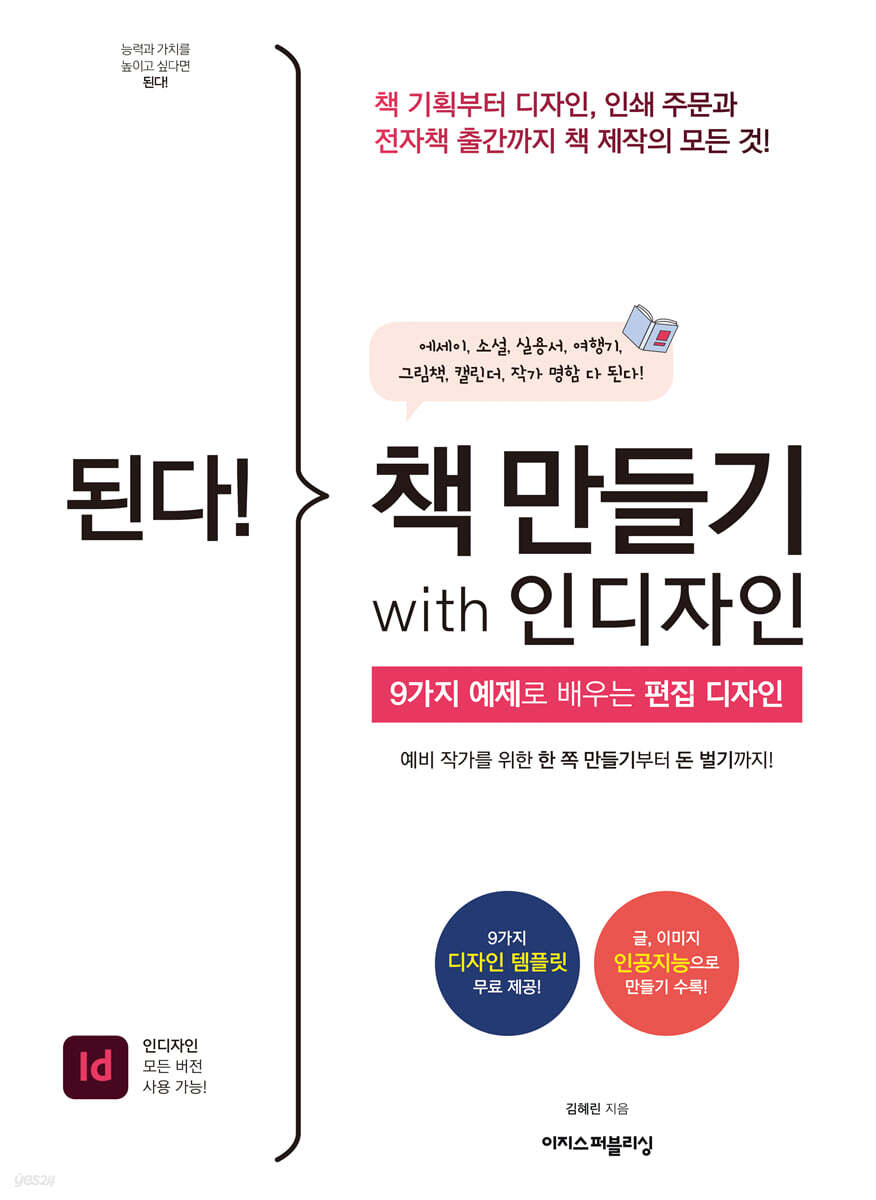
Make a book with InDesign!
 |
Description
Book Introduction
Design your own story and turn it into a book!
As I was making a book, I learned how to use InDesign and editorial design!
Essays, novels, practical guides, picture books, business cards... Learn editing design with nine examples!
This book covers everything from the planning and designing of a book to the distribution process, including printing and sales.
First, we introduce the basic principles of editorial design, such as format, font, and color scheme, along with practical training in establishing the concept of book design and composing the layout.
Next, you can create text-centered designs for essays and novels, image-centered designs for practical books and picture books, and cover designs that match the mood of the book and catch the reader's eye.
We've also prepared a guide to creating business cards while imagining yourself as an author.
We also introduce the process of converting a designed file into a physical book and sending it to printing.
We have compiled a checklist to help you prevent printing accidents, including information on the types of paper and post-processing used to print books, and binding information.
Not only that, it also tells you what to consider and what to revise if you want to publish it as an e-book.
We've included various sales methods, such as opening a store in an independent bookstore or seeking funding, so we hope you'll take on the challenge of creating your own book, telling your own story, with this one book.
As you create books, you will find yourself growing beyond recognition, developing your editing and design skills.
As I was making a book, I learned how to use InDesign and editorial design!
Essays, novels, practical guides, picture books, business cards... Learn editing design with nine examples!
This book covers everything from the planning and designing of a book to the distribution process, including printing and sales.
First, we introduce the basic principles of editorial design, such as format, font, and color scheme, along with practical training in establishing the concept of book design and composing the layout.
Next, you can create text-centered designs for essays and novels, image-centered designs for practical books and picture books, and cover designs that match the mood of the book and catch the reader's eye.
We've also prepared a guide to creating business cards while imagining yourself as an author.
We also introduce the process of converting a designed file into a physical book and sending it to printing.
We have compiled a checklist to help you prevent printing accidents, including information on the types of paper and post-processing used to print books, and binding information.
Not only that, it also tells you what to consider and what to revise if you want to publish it as an e-book.
We've included various sales methods, such as opening a store in an independent bookstore or seeking funding, so we hope you'll take on the challenge of creating your own book, telling your own story, with this one book.
As you create books, you will find yourself growing beyond recognition, developing your editing and design skills.
- You can preview some of the book's contents.
Preview
index
First Yard * Getting Started! The Basics of Editorial Design
01 What kind of book do you want to create?
01-1 Planning a book design
01-2 Choosing a book format
01-3 Various elements that make up a book
01-4 Basics of Typography
01-5 How to choose a color
[Bonus 01] 4 Things to Consider When Planning a Book
02 Book creation tool, InDesign
02-1 Getting Started with InDesign
02-2 Customizing InDesign
02-3 Manuscript, Image Loading
[Bonus 02] Free Image Sites That Bring Your Emotions to Life
[Bonus 03] Generating Manuscripts and Illustrations with AI
Second Yard * Practice! Bookmaking
03 Text-centered interior design
03-1 The Aesthetics of Margins! Essay Design
03-2 Novel design with a classic feel
03-3 Creating a frontispiece introducing the book
03-4 Applying GREP Style
04 Image-centric interior design
04-1 Practical book design that conveys information
04-2 Travelogue Design that Leaves Memories
04-3 Picture book design for children
Calendar design for 04-4 year
[Bonus 04] How to manipulate tables freely
05 Eye-catching cover design
05-1 Simple style cover design
05-2 Cover design using famous paintings
[Bonus 05] How to cut out a transparent background
05-3 Cover design using a photo taken directly
Third Yard * Completed! Publishing a Book
06 Create a printable file
06-1 Exporting files for printing
06-2 11 Things to Keep in Mind to Prevent Printing Accidents
06-3 Printing Paper and Post-Processing
06-4 Ordering small quantities online
[Bonus 06] Create a PDF eBook
07 Marketing Your Book
07-1 Promote on SNS
07-2 Contact an independent bookstore for inquiries
07-3 Another way to publish, funding!
07-4 Creating Business Cards
Search
01 What kind of book do you want to create?
01-1 Planning a book design
01-2 Choosing a book format
01-3 Various elements that make up a book
01-4 Basics of Typography
01-5 How to choose a color
[Bonus 01] 4 Things to Consider When Planning a Book
02 Book creation tool, InDesign
02-1 Getting Started with InDesign
02-2 Customizing InDesign
02-3 Manuscript, Image Loading
[Bonus 02] Free Image Sites That Bring Your Emotions to Life
[Bonus 03] Generating Manuscripts and Illustrations with AI
Second Yard * Practice! Bookmaking
03 Text-centered interior design
03-1 The Aesthetics of Margins! Essay Design
03-2 Novel design with a classic feel
03-3 Creating a frontispiece introducing the book
03-4 Applying GREP Style
04 Image-centric interior design
04-1 Practical book design that conveys information
04-2 Travelogue Design that Leaves Memories
04-3 Picture book design for children
Calendar design for 04-4 year
[Bonus 04] How to manipulate tables freely
05 Eye-catching cover design
05-1 Simple style cover design
05-2 Cover design using famous paintings
[Bonus 05] How to cut out a transparent background
05-3 Cover design using a photo taken directly
Third Yard * Completed! Publishing a Book
06 Create a printable file
06-1 Exporting files for printing
06-2 11 Things to Keep in Mind to Prevent Printing Accidents
06-3 Printing Paper and Post-Processing
06-4 Ordering small quantities online
[Bonus 06] Create a PDF eBook
07 Marketing Your Book
07-1 Promote on SNS
07-2 Contact an independent bookstore for inquiries
07-3 Another way to publish, funding!
07-4 Creating Business Cards
Search
Detailed image

Publisher's Review
From sensational book cover designs to business cards!
Even those of you unfamiliar with InDesign can create it all on your own!
Many people put 'creating their own book' on their bucket list.
If you've ever thought, "I should try making a book!", you've probably heard that you need to know how to use the program "InDesign."
If you are new to bookmaking, this program may be unfamiliar, but by reading this book, you can learn all the 'InDesign' skills you need to create a book.
The author also incorporated the worries and mistakes he experienced as a new designer into his know-how.
Whenever you get lost on how to design, this book will help you.
Above all, I hope that through this book, many people will be able to design their own books that tell their own stories. This is why I organized the book with examples of trendy styles that are often seen these days.
For those new to book design, you need a reference you can apply right away.
If you play around with the examples in the book to your liking, you'll be able to create designs that reflect your own individuality.
You will be able to design proactively without thinking, "Examples are just examples, and my skills are separate!"
Complete mastery of the basics of editorial design, including format, font, and color scheme!
Create a book without any problems, even if you're new to InDesign! Customize the settings!
“How do I decide on the format, which indicates the size of the book, such as national edition, 46x edition, etc.?”, “What font and color scheme should I use to make the book look stylish?”, “I created it as a PDF, but how do I contact the printer?” When creating a book for the first time, you need to understand the principles of editorial design and basic printing knowledge to avoid getting lost.
I hope that even designers who are just starting out in editorial design can use this book to build a foundation in design and apply it in their future work.
We'll walk you through essential editorial design theory, walk you through examples, and show you how to apply it in practice.
In Chapter 1, you will learn essential terminology and color schemes that are essential for those who find editorial design difficult.
In Chapter 2, you will learn the basic functions of InDesign and useful settings.
We'll also show you how to create text and images with generative AI, so if you don't have a manuscript to practice with, give it a try.
Essays and novels centered on text, as well as image-centered practical books, travelogues, and picture books are all OK!
You can make it in just one day!
From the second yard, we begin design classes in earnest.
In Chapter 3, we will look at text-centric interior design, which is often used in essays and novels, and in Chapter 4, we will look at interior design that uses a lot of images, such as practical books, travel books, and picture books, as well as monthly calendar design.
You can choose the one that best suits the book you want to create.
If you have the text and images ready, you can easily complete the book in a day.
In Chapter 5, you'll learn how to create simple-style covers using simple graphics, classic-style covers using famous paintings, and cover design methods using photos you've taken yourself. Take the time to practice a variety of methods!
Turn PDF files into physical books!
How to contact a printing company, bookstore openings, and marketing!
It would be a great memory to give an essay containing your bike story to someone you know or to give a picture book with cute illustrations to a child.
Not only that, wouldn't it be wonderful if your novel could be published and enjoyed by a wider audience? Chapter 6 will cover precautions to avoid printing errors when handing your painstakingly designed document over to the printer, explain post-processing methods for covers, and even discuss how to communicate with the printer.
If you want to create an e-book, you can design it according to the format and publish it online.
Just because you've made a book doesn't mean you're done.
You can make a physical book and put it in a bookstore, raise funds, or sell it through marketing on social media.
Master the marketing, store opening, and funding methods covered in Chapter 7 to share your story with the world!
For readers who are new to this and find it difficult to make it
Sample design files provided for free!
If you're new to InDesign or want to quickly create a book with just a few changes, try using the free sample design files.
However, rather than making it with the exact same design, I hope you will try to reconstruct it into a design that matches the original.
· Go to the Easy Publishing website (easyspub.co.kr) and search for 'Book Creation' in [Data Room].
“Meet readers who grow through books!”
"Do it! Study Room": Learn, Share, and Grow Together
Meet readers studying with this book in the 'Do it! Study Room'.
Even if you start alone, you can finish together.
If you join the 'Do It Study Group' and read the book completely and get it certified, you can receive the book as a gift!
I recommend this to these people!
- Aspiring writers dreaming of independent publishing
- A travel recorder who wants to compile memories into a book
- Moms and dads who want to give their children a picture book with illustrations.
- New designer starting out in editorial design
- Job seekers preparing for employment at publishing companies
- Anyone who wants to learn InDesign easily!
Even those of you unfamiliar with InDesign can create it all on your own!
Many people put 'creating their own book' on their bucket list.
If you've ever thought, "I should try making a book!", you've probably heard that you need to know how to use the program "InDesign."
If you are new to bookmaking, this program may be unfamiliar, but by reading this book, you can learn all the 'InDesign' skills you need to create a book.
The author also incorporated the worries and mistakes he experienced as a new designer into his know-how.
Whenever you get lost on how to design, this book will help you.
Above all, I hope that through this book, many people will be able to design their own books that tell their own stories. This is why I organized the book with examples of trendy styles that are often seen these days.
For those new to book design, you need a reference you can apply right away.
If you play around with the examples in the book to your liking, you'll be able to create designs that reflect your own individuality.
You will be able to design proactively without thinking, "Examples are just examples, and my skills are separate!"
Complete mastery of the basics of editorial design, including format, font, and color scheme!
Create a book without any problems, even if you're new to InDesign! Customize the settings!
“How do I decide on the format, which indicates the size of the book, such as national edition, 46x edition, etc.?”, “What font and color scheme should I use to make the book look stylish?”, “I created it as a PDF, but how do I contact the printer?” When creating a book for the first time, you need to understand the principles of editorial design and basic printing knowledge to avoid getting lost.
I hope that even designers who are just starting out in editorial design can use this book to build a foundation in design and apply it in their future work.
We'll walk you through essential editorial design theory, walk you through examples, and show you how to apply it in practice.
In Chapter 1, you will learn essential terminology and color schemes that are essential for those who find editorial design difficult.
In Chapter 2, you will learn the basic functions of InDesign and useful settings.
We'll also show you how to create text and images with generative AI, so if you don't have a manuscript to practice with, give it a try.
Essays and novels centered on text, as well as image-centered practical books, travelogues, and picture books are all OK!
You can make it in just one day!
From the second yard, we begin design classes in earnest.
In Chapter 3, we will look at text-centric interior design, which is often used in essays and novels, and in Chapter 4, we will look at interior design that uses a lot of images, such as practical books, travel books, and picture books, as well as monthly calendar design.
You can choose the one that best suits the book you want to create.
If you have the text and images ready, you can easily complete the book in a day.
In Chapter 5, you'll learn how to create simple-style covers using simple graphics, classic-style covers using famous paintings, and cover design methods using photos you've taken yourself. Take the time to practice a variety of methods!
Turn PDF files into physical books!
How to contact a printing company, bookstore openings, and marketing!
It would be a great memory to give an essay containing your bike story to someone you know or to give a picture book with cute illustrations to a child.
Not only that, wouldn't it be wonderful if your novel could be published and enjoyed by a wider audience? Chapter 6 will cover precautions to avoid printing errors when handing your painstakingly designed document over to the printer, explain post-processing methods for covers, and even discuss how to communicate with the printer.
If you want to create an e-book, you can design it according to the format and publish it online.
Just because you've made a book doesn't mean you're done.
You can make a physical book and put it in a bookstore, raise funds, or sell it through marketing on social media.
Master the marketing, store opening, and funding methods covered in Chapter 7 to share your story with the world!
For readers who are new to this and find it difficult to make it
Sample design files provided for free!
If you're new to InDesign or want to quickly create a book with just a few changes, try using the free sample design files.
However, rather than making it with the exact same design, I hope you will try to reconstruct it into a design that matches the original.
· Go to the Easy Publishing website (easyspub.co.kr) and search for 'Book Creation' in [Data Room].
“Meet readers who grow through books!”
"Do it! Study Room": Learn, Share, and Grow Together
Meet readers studying with this book in the 'Do it! Study Room'.
Even if you start alone, you can finish together.
If you join the 'Do It Study Group' and read the book completely and get it certified, you can receive the book as a gift!
I recommend this to these people!
- Aspiring writers dreaming of independent publishing
- A travel recorder who wants to compile memories into a book
- Moms and dads who want to give their children a picture book with illustrations.
- New designer starting out in editorial design
- Job seekers preparing for employment at publishing companies
- Anyone who wants to learn InDesign easily!
GOODS SPECIFICS
- Date of issue: September 25, 2023
- Page count, weight, size: 340 pages | 720g | 188*257*13mm
- ISBN13: 9791163035084
- ISBN10: 1163035084
You may also like
카테고리
korean


korean

![ELLE 엘르 스페셜 에디션 A형 : 12월 [2025]](http://librairie.coreenne.fr/cdn/shop/files/b8e27a3de6c9538896439686c6b0e8fb.jpg?v=1766436872&width=3840)


