

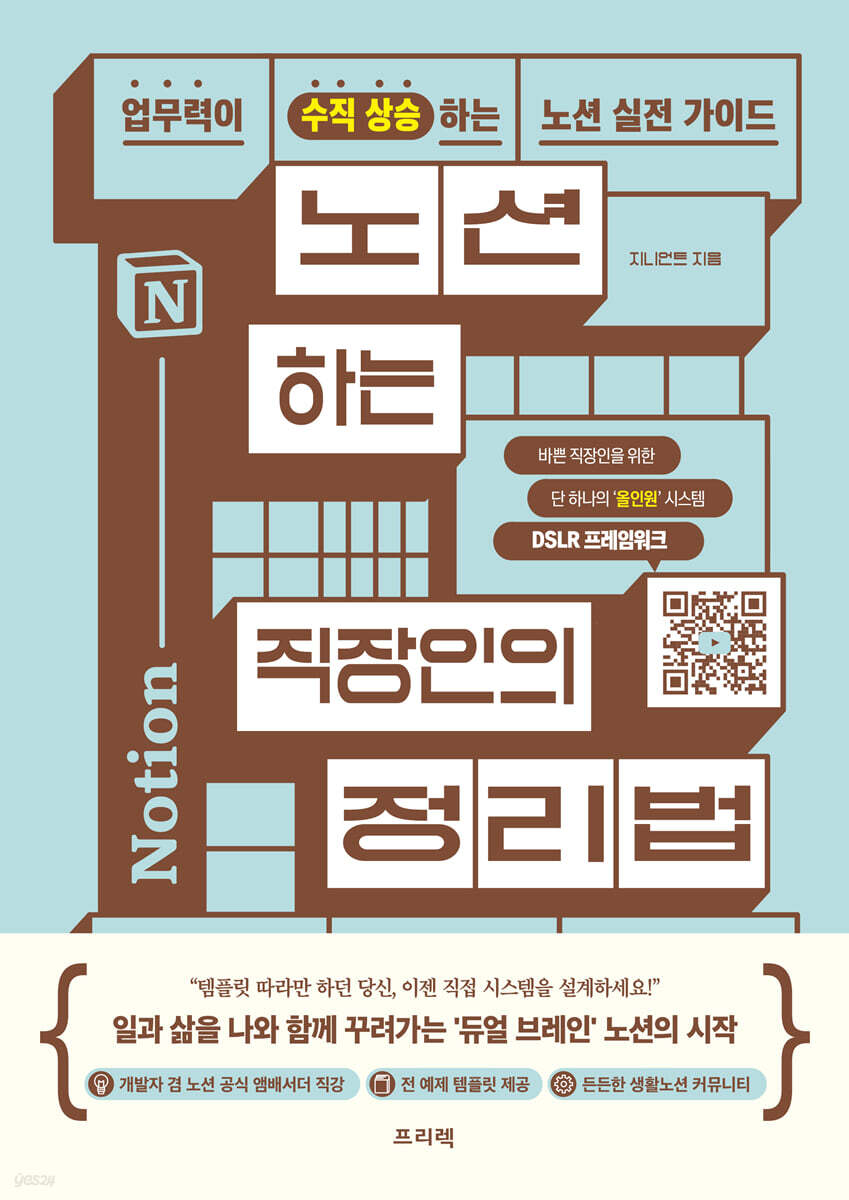
The Notion-using Office Worker's Organization Method
 |
Description
Book Introduction
A practical Notion guide exclusively for "office workers" and "professionals"! Notion Everything as a work management system.
Leave your packed schedule and complex information to Notion and get the dual brainpower of a "workaholic"!
Work is hectic today too.
There's a mountain of things to pack, but not enough time.
I often find myself searching through my mailbox, searching for things on the other side of my memory, and I can't find the materials I've scraped up, so I can't use them at all.
Most problems arise from a lack of systematic organizing tools and organizational skills.
To solve this problem, the author recommends the digital organizing tool 'Notion'.
Notion organizes various types of data systematically, synchronizes in real time, facilitates collaboration, and is free to use.
With Notion, you'll be able to manage knowledge and information efficiently, as if you had two brains, and focus on important tasks.
However, in reality, Notion, a 'digital paper' with a high degree of freedom, is confusing in terms of content and functions.
The author, a 10-year veteran of a large corporation and an official Notion ambassador, wrote this book based on the trials and errors he experienced at work and in lectures.
It is largely divided into two parts so that anyone can build a 'Notion work management system' themselves.
The first half provides a proven curriculum that allows you to master Notion step by step, from basic concepts like blocks and pages to core database views and structuring.
The second half introduces the 'DSLR Framework', a systematic recording system that turns all workplace experiences into expertise and assets.
By efficiently organizing your job descriptions, schedules, resumes, and materials in one place, you can avoid memory loss, wasted time, and lost data.
This is not a template that can be vaguely copied and used.
We impart all the principles and know-how to create a living dual-brain system that can be modified and reconfigured according to your specific work area and needs.
Let's follow the author and organize time and information in Notion.
Your work productivity will improve, you will have more free time, and your work-life balance will become more integrated, streamlining your life.
Invest just two weeks and you'll have 10 years of comfortable work ahead of you.
When you get stuck, you can always get help from the 'Life Notion' Naver Cafe and KakaoTalk chat room.
The lectures on the 'Life Notion' YouTube channel will also be useful.
Don't hesitate, start learning 'The Notion Worker's Unique Organization Method' right now.
Leave your packed schedule and complex information to Notion and get the dual brainpower of a "workaholic"!
Work is hectic today too.
There's a mountain of things to pack, but not enough time.
I often find myself searching through my mailbox, searching for things on the other side of my memory, and I can't find the materials I've scraped up, so I can't use them at all.
Most problems arise from a lack of systematic organizing tools and organizational skills.
To solve this problem, the author recommends the digital organizing tool 'Notion'.
Notion organizes various types of data systematically, synchronizes in real time, facilitates collaboration, and is free to use.
With Notion, you'll be able to manage knowledge and information efficiently, as if you had two brains, and focus on important tasks.
However, in reality, Notion, a 'digital paper' with a high degree of freedom, is confusing in terms of content and functions.
The author, a 10-year veteran of a large corporation and an official Notion ambassador, wrote this book based on the trials and errors he experienced at work and in lectures.
It is largely divided into two parts so that anyone can build a 'Notion work management system' themselves.
The first half provides a proven curriculum that allows you to master Notion step by step, from basic concepts like blocks and pages to core database views and structuring.
The second half introduces the 'DSLR Framework', a systematic recording system that turns all workplace experiences into expertise and assets.
By efficiently organizing your job descriptions, schedules, resumes, and materials in one place, you can avoid memory loss, wasted time, and lost data.
This is not a template that can be vaguely copied and used.
We impart all the principles and know-how to create a living dual-brain system that can be modified and reconfigured according to your specific work area and needs.
Let's follow the author and organize time and information in Notion.
Your work productivity will improve, you will have more free time, and your work-life balance will become more integrated, streamlining your life.
Invest just two weeks and you'll have 10 years of comfortable work ahead of you.
When you get stuck, you can always get help from the 'Life Notion' Naver Cafe and KakaoTalk chat room.
The lectures on the 'Life Notion' YouTube channel will also be useful.
Don't hesitate, start learning 'The Notion Worker's Unique Organization Method' right now.
- You can preview some of the book's contents.
Preview
index
prolog
Study Guide
[Notion for Beginners] Notion, from Blocks to Databases
__Notion, we'll teach you the basics first.
Part I | Inside Notion
Section 01.
First Steps with Notion
Page 1 | Create a Notion Account
Page 2 | Notion Screen Configuration
Page 3 | Notion Preferences
Section 02.
Handling Pages
Page 1 | Page Tree and Page Creation
Page 2 | Page-by-Page Settings
Bonus Page 1 | Nokku Technique ① Even Bear Paws Can Do
Section 03.
Handling blocks
Page 1 | Creating and Modifying Basic Blocks
Page 2 | Using Various Blocks
Section 04.
Page and Block Practice
Page 1 | Bangkok Travel Planning Page
Page 2 | Simple Weekly Planner Page
Bonus Page 2 | Nokku Technique ② Even Bear Paws Can Do
Part II | Database
Section 05.
Database Basics: Book DB
Page 1 | What is a database?
Page 2 | Databases and Properties
Page 3 | Different Attribute Types and Their Usage
Bonus Page 3 | Nokku Technique ③ Even Bear Paws Can Do
Section 06.
Complete your own reading notes with templates
Page 1 | What is a Template?
Page 2 | Customize the Layout
Bonus Page 4 | Nokku Technique ④ Even Bear Paws Can Do
Section 07.
My own perspective designed to look
Page 1 | What is a view?
Page 2 | View more powerfully with [Filter] and [Sort]
Page 3 | View anywhere, [Linked View]
Bonus Page 5 | Nokku Techniques Even Bear Paws Can Do ⑤
Section 08.
Database and View Practice
Page 1 | Notion Practice Guide
Page 2 | Diary DB
Page 3 | Routine Tracker DB
Page 4 | Household Account DB
Bonus Page 6 | A Database Different from Excel
Part III | Database Structuring
Section 09.
Connecting databases with relational and rollup
Page 1 | Building a Reading Note System: Action Item DB
Page 2 | Add Action Item: Relationship
Page 3 | Action Item Aggregation: Rollup
Section 10.
Linked View Automation and Structure Upgrades
Page 1 | Template Upgrade
Page 2 | Reading Note System Upgrade
Part IV | Notion, One Step Further
Section 11.
[Page+] Notion, Write and Share Together
Page 1 | Invite and Collaborate with Others
Page 2 | Page Internet Posting
Section 12.
[View+] Notion charts made just the way you like them
Page 1 | Notion Chart Types
Page 2 | Decorating and Reading Notion Charts
Section 13.
[View+] Easy Survey System, Notion Forms
Page 1 | [Form] View and Create a Survey
Page 2 | [Chart] View and Analyze Survey Results
Notion for Office Workers: Notion, a DSLR Framework that Integrates Work and Life
Meet Notion as a task management tool
Part V | The Office Worker's Secret Weapon: The DSLR System
Section 14.
[Description] ① Notion's job description that works accurately
Page 1 | Notion Job Description (Job Description DB)
Page 2 | 〈Job Description DB〉 In-Depth: Page Linking & Hierarchy Management
Section 15.
[Schedule] How to manage your schedule by getting off work early
Page 1 | Schedule and To-Do Management (Schedule DB)
Page 2 | View Design Deep Dive: Priority Matrix | Schedule Dashboard
Bonus Page 7 | Repetitive Task Management Ideas
Section 16.
[Log] Work history where experience becomes an asset
Page 1 | Work Issues and History Management (History DB)
Page 2 | View Design and History Search
Section 17.
[Resource] Data management that maximizes Notion's strengths
Page 1 | Integrated Data Management (Data DB)
Page 2 | Mobile and PC Data Collection
Page 3 | Data Classification and Utilization
Bonus Page 8 | Data Management Ideas
Section 18.
[Description] ② Complete organization of business processes
Page 1 | Process Summary: Utilizing Mermaid
Page 2 | Project Management: 〈Project DB〉
Part VI | Structuring Your DSLR
Section 19. DSLR Integration
Page 1 | DSLR System Architecture Analysis and Integration Strategy
Page 2 | DSLR Integration: Relational
Page 3 | DSLR Cameras by Job
Bonus Page 9 | Precautions When Using Relational Forms
Section 20. DSLR Extensions
Page 1 | Expanding Your DSLR Recording Realm: From Work to Life
Page 2 | DSLR System Expansion: 〈Target DB〉
Part VII | DSLR, One Step Further
Section 21.
Notion Calendar & Home Dashboard
Page 1 | Notion Calendar with Google Calendar
Page 2 | Configuring and Using the Home Dashboard
Section 22.
Formula Basics: No Excel Knowledge Required
Page 1 | What is a formula?
Page 2 | What is a function?
Page 3 | 〈Date〉 Attribute Function
Bonus Page 10 | How to Write Equations Neatly
Section 23.
Advanced Formulas: Using Functions for Analysis
Page 1 | Domestic Sales Calculation
Page 2 | Creating a Chart with Formula Properties
Bonus Page 11 | What to Do When Notion Is Too Slow
Section 24.
Boost your productivity with buttons and automation.
Page 1 | Button Automation
Page 2 | Database Automation
Bonus Page 12 | Various Automation Ideas
Section 25.
A business assistant completed with Notion AI
Page 1 | Notion AI: Using Pages
Page 2 | Notion AI: Leveraging Databases
Epilogue
Search
Study Guide
[Notion for Beginners] Notion, from Blocks to Databases
__Notion, we'll teach you the basics first.
Part I | Inside Notion
Section 01.
First Steps with Notion
Page 1 | Create a Notion Account
Page 2 | Notion Screen Configuration
Page 3 | Notion Preferences
Section 02.
Handling Pages
Page 1 | Page Tree and Page Creation
Page 2 | Page-by-Page Settings
Bonus Page 1 | Nokku Technique ① Even Bear Paws Can Do
Section 03.
Handling blocks
Page 1 | Creating and Modifying Basic Blocks
Page 2 | Using Various Blocks
Section 04.
Page and Block Practice
Page 1 | Bangkok Travel Planning Page
Page 2 | Simple Weekly Planner Page
Bonus Page 2 | Nokku Technique ② Even Bear Paws Can Do
Part II | Database
Section 05.
Database Basics: Book DB
Page 1 | What is a database?
Page 2 | Databases and Properties
Page 3 | Different Attribute Types and Their Usage
Bonus Page 3 | Nokku Technique ③ Even Bear Paws Can Do
Section 06.
Complete your own reading notes with templates
Page 1 | What is a Template?
Page 2 | Customize the Layout
Bonus Page 4 | Nokku Technique ④ Even Bear Paws Can Do
Section 07.
My own perspective designed to look
Page 1 | What is a view?
Page 2 | View more powerfully with [Filter] and [Sort]
Page 3 | View anywhere, [Linked View]
Bonus Page 5 | Nokku Techniques Even Bear Paws Can Do ⑤
Section 08.
Database and View Practice
Page 1 | Notion Practice Guide
Page 2 | Diary DB
Page 3 | Routine Tracker DB
Page 4 | Household Account DB
Bonus Page 6 | A Database Different from Excel
Part III | Database Structuring
Section 09.
Connecting databases with relational and rollup
Page 1 | Building a Reading Note System: Action Item DB
Page 2 | Add Action Item: Relationship
Page 3 | Action Item Aggregation: Rollup
Section 10.
Linked View Automation and Structure Upgrades
Page 1 | Template Upgrade
Page 2 | Reading Note System Upgrade
Part IV | Notion, One Step Further
Section 11.
[Page+] Notion, Write and Share Together
Page 1 | Invite and Collaborate with Others
Page 2 | Page Internet Posting
Section 12.
[View+] Notion charts made just the way you like them
Page 1 | Notion Chart Types
Page 2 | Decorating and Reading Notion Charts
Section 13.
[View+] Easy Survey System, Notion Forms
Page 1 | [Form] View and Create a Survey
Page 2 | [Chart] View and Analyze Survey Results
Notion for Office Workers: Notion, a DSLR Framework that Integrates Work and Life
Meet Notion as a task management tool
Part V | The Office Worker's Secret Weapon: The DSLR System
Section 14.
[Description] ① Notion's job description that works accurately
Page 1 | Notion Job Description (Job Description DB)
Page 2 | 〈Job Description DB〉 In-Depth: Page Linking & Hierarchy Management
Section 15.
[Schedule] How to manage your schedule by getting off work early
Page 1 | Schedule and To-Do Management (Schedule DB)
Page 2 | View Design Deep Dive: Priority Matrix | Schedule Dashboard
Bonus Page 7 | Repetitive Task Management Ideas
Section 16.
[Log] Work history where experience becomes an asset
Page 1 | Work Issues and History Management (History DB)
Page 2 | View Design and History Search
Section 17.
[Resource] Data management that maximizes Notion's strengths
Page 1 | Integrated Data Management (Data DB)
Page 2 | Mobile and PC Data Collection
Page 3 | Data Classification and Utilization
Bonus Page 8 | Data Management Ideas
Section 18.
[Description] ② Complete organization of business processes
Page 1 | Process Summary: Utilizing Mermaid
Page 2 | Project Management: 〈Project DB〉
Part VI | Structuring Your DSLR
Section 19. DSLR Integration
Page 1 | DSLR System Architecture Analysis and Integration Strategy
Page 2 | DSLR Integration: Relational
Page 3 | DSLR Cameras by Job
Bonus Page 9 | Precautions When Using Relational Forms
Section 20. DSLR Extensions
Page 1 | Expanding Your DSLR Recording Realm: From Work to Life
Page 2 | DSLR System Expansion: 〈Target DB〉
Part VII | DSLR, One Step Further
Section 21.
Notion Calendar & Home Dashboard
Page 1 | Notion Calendar with Google Calendar
Page 2 | Configuring and Using the Home Dashboard
Section 22.
Formula Basics: No Excel Knowledge Required
Page 1 | What is a formula?
Page 2 | What is a function?
Page 3 | 〈Date〉 Attribute Function
Bonus Page 10 | How to Write Equations Neatly
Section 23.
Advanced Formulas: Using Functions for Analysis
Page 1 | Domestic Sales Calculation
Page 2 | Creating a Chart with Formula Properties
Bonus Page 11 | What to Do When Notion Is Too Slow
Section 24.
Boost your productivity with buttons and automation.
Page 1 | Button Automation
Page 2 | Database Automation
Bonus Page 12 | Various Automation Ideas
Section 25.
A business assistant completed with Notion AI
Page 1 | Notion AI: Using Pages
Page 2 | Notion AI: Leveraging Databases
Epilogue
Search
Detailed image
.jpg)
Publisher's Review
How's your work? If you don't have all your information in one place, things won't get done.
Solving office workers' work problems starts with systematic organization.
If you're an office worker in the 21st century, everyone manages their schedule.
At work, there are different things to do every day, week, month, and quarter, and there are also many events in private life.
I'll probably use a desk calendar, work diary, or calendar app.
I have to look at three calendars to find an open day, but it's okay since I only have to look at three.
When collaborating with other teams or clients, records become even more important.
As much as possible, we put the promises and information we exchange into writing.
Well, I clearly promised to do something on a certain date, but I can't remember. Where is that promise still sitting among the three Messenger chat rooms, five meeting minutes, ten recorded calls, and a crowded mailbox? Fortunately, it happened about a month ago, so I diligently searched for it and resolved it.
When working, you often find yourself searching for reference materials for your work.
Internet browser bookmarks and messenger chatroom scrolling with 'me' are about to explode, but I can roughly solve it by relying on memory.
There are some tasks that are done very rarely, if ever.
I don't remember very well, so I have to spend about half a day looking for the work manual every time, but it's only once a year, so that's acceptable.
However, as the number of projects you're involved in grows, the number of people you collaborate with and clients you work with grows, and your responsibilities grow, old-fashioned records and fragmented information become insufficient.
For today's knowledge workers, these kinds of things are a common occurrence.
#Jang Sa-won, who is just starting out: Jang Sa-won, who has been with the company for 6 months.
I am learning things step by step from my senior, but it is difficult to understand and I tend to forget things quickly.
After asking the same question two or three times, you end up getting scolded.
No matter what I do, my skills remain stagnant and I end up just doing what I'm told.
#Manager Kim, who needs to manage his schedule: He started taking on important tasks one by one, and the company demands greater responsibility and expertise.
Even if you do your best to handle the tasks that come your way, you will soon lose control as more and more tasks pile up.
In the end, I had to work overtime as a punishment for not taking care of my own work because I was so busy with work and people.
#Manager Cheon, whose job changed to PM: Manager Cheon recently stepped down from his practical work and became PM.
There's so much to take care of.
Every Monday, I spend the whole day tracking my team members' work and preparing reports.
There is a desperate need for a way to systematically manage and understand work, people, goals, and schedules at a glance.
To avoid mistakes, leave work on time, and balance work and life, you absolutely must have a proper record-keeping and organization system.
You need to gather your resume and schedule in one place.
Our brains have a lot of work to do to keep track of scattered records based solely on memory.
As the domain shifts to materials or work manuals, a separate organization system becomes even more essential.
How many times have you spent time retrieving previously found data, or never been able to find it again? Which of the countless report versions is the most recent? Where should you record the changes that need to be taken care of three months from now, so they don't get missed?
I highly recommend 'Notion' to you.
"Everything is Notion!"
Dual Brains for Office Workers: DSLR Framework
You, no matter how much you work, your skills seem to be stagnant. You have too much work to do, but you don't know where to start.
You desperately need a way to manage your data systematically.
I confidently recommend Notion to every working person.
Notion can systematically store various data.
Real-time synchronization across all devices and even simultaneous collaboration with colleagues.
Your data is automatically saved to the server and your modifications are continuously backed up.
Above all, it is so easy to integrate and connect information.
You can connect all your tasks, schedules, and data.
And as this data and information accumulates, it becomes more powerful and increases work productivity.
Enjoy the convenience of managing a large amount of information in one system and the peace of mind of never having to worry about losing your records—all for free.
But you might not be able to get a feel for what a 'business Notion' is.
This book focuses on the 'DSLR Framework', a work management and organization system built with Notion.
This could be said to be the strongest point of this book.
According to the author, to become a business expert, you need just four skills and four types of data.
Work organization skills, schedule management skills, resume management skills, and data management skills.
These four form the four axes of the DSLR framework.
There are four databases: Description (job description), Schedule (schedule), Log (history), and Resource (data).
● Job description management: Manage the descriptions and job knowledge required while working.
● Schedule Management: Integrated management of schedules required for work and clear priorities for tasks.
● History Management: You can record and track events and history that occur at work in one place.
● Data Management: Manage various types of data in one place as one data.
And it helps you distribute and utilize it appropriately for each task.
It's a system that lets you see your work more clearly, zoom in as much as you want, keep records, and manage it intuitively, just like a digital camera.
It's not just about setting up a database.
We've unified everything from collecting data to connecting it to work.
Once you learn this technique, you can jot down your thoughts and ideas anywhere—whether on your smartphone, PC, or Notion—and collect them all in one place.
I systematically connect all of this collected information to my work and life.
In other words, it is a dual brain, a knowledge system that can be utilized at any time for work.
I am confident that your messy and complicated work and life will become simpler.
Hello, your Notion! Pretty templates aren't the essence of Notion.
A truly 'for me' and 'like me' system cannot be achieved with a few roughly created pages or copy-and-paste.
However, this system is not something that can be created by simply filling in the values.
That can't be, and it shouldn't be.
The author also says:
I wish I could say, "I'll give you the form, show you how to use it, and use it well."
But Notion is not that kind of tool.
Your Notion should constantly evolve to fit your work and life.
A system that cannot be changed is a dead system.
To do this, you need to clearly understand not only how to use it, but also its structure and form."
The true value of Notion, often likened to "digital paper," comes from filling it with information yourself and carefully considering its structure and layout.
The excellence of this book lies precisely at this point.
The essence of Notion cannot be reached through simple page creation and writing.
The author's arrangement and know-how to help you utilize it properly are abundant throughout.
His 'DSLR Framework', which he completed after working as a developer for 10 years at a large corporation, experiencing firsthand experience and making countless improvements and modifications, clearly has a unique 'perspective' on Notion as a 'business tool' that cannot be found anywhere else.
The DSLR framework, which considers functionality, usability, and structure, is truly useful for business, and is flexible and open enough for anyone to optimize it for their own work.
For Notion to evolve from a notepad to a system, it must be able to be personalized by users themselves.
Simply using the DSLR framework the author uses as a template does not guarantee that all capabilities will be demonstrated (of course, the DSLR framework template is provided as is!) The 'Notion Learning' curriculum, which the author has refined while meeting thousands of Inflearn students and over 5,000 'Life Notion' YouTube subscribers as an 'Official Notion Ambassador', is also useful.
To offset Notion's obvious learning barrier, a "learning curve," we've adopted a gently sloping, level-based structure.
By focusing on practical training and providing only practical know-how that can be applied in the workplace, we help anyone implement their own version of the DSLR framework.
[6 Strengths of "Organizing for the Notion Worker"]
1.
An explanation from Notion's official ambassador that's easy to understand even for first-time users.
Anyone can learn Notion, even if you've just signed up.
We will provide you with friendly and systematic guidance on everything from your first connection to basic functions and usage methods.
Learn from the curriculum of Notion's official ambassador, Genieant.
2.
[Note] & [Notice] to highlight the point once more
I get a lot of questions during my lectures and on YouTube.
We've compiled frequently confusing features and questions in advance so you don't have to ask.
*[Notice]: Full of useful tips, such as other methods and precautions!
*[Note]: Good to know concepts, make sure to check what you learned before!
3.
Specialized in database construction
We've structured it so that anyone can learn it, even if it's their first time hearing the word "database."
We've shown you where to click and how to move, down to the smallest details and actions.
You can easily follow the exercises just by looking at the pictures.
Not only that, you can also see the big picture with the database design diagram and the finished version [Notion Sample].
4.
More useful examples and tips for office workers
From schedules to documents, resumes, and projects! There's so much to manage at work.
It's packed with work know-how and Notion usage tips from a 10-year veteran.
Now I can be a successful person too.
5.
Just one thing is missing! A quick look at the bonus page when you're done.
Are you envious of Notion's beautiful and clean design? Curious about other tips to boost your work efficiency? We'll reveal all the unique and useful Notion tips on the bonus page!
6.
Have any questions? Visit the Living Notion Community
If you have any questions or want to learn more about how to use it, join the Living Notion community.
Everyone is welcome.
We run YouTube, Naver Cafe, and KakaoTalk chatrooms.
*Naver Cafe: https://cafe.naver.com/dailynotion
*YouTube: https://www.youtube.com/channel/UCBkgLmb-L7PwFZAdJVbOY4g
*KakaoTalk room link: https://geniant-class.notion.site/2d249f7154324ee9a0a5bfffc393e593
Solving office workers' work problems starts with systematic organization.
If you're an office worker in the 21st century, everyone manages their schedule.
At work, there are different things to do every day, week, month, and quarter, and there are also many events in private life.
I'll probably use a desk calendar, work diary, or calendar app.
I have to look at three calendars to find an open day, but it's okay since I only have to look at three.
When collaborating with other teams or clients, records become even more important.
As much as possible, we put the promises and information we exchange into writing.
Well, I clearly promised to do something on a certain date, but I can't remember. Where is that promise still sitting among the three Messenger chat rooms, five meeting minutes, ten recorded calls, and a crowded mailbox? Fortunately, it happened about a month ago, so I diligently searched for it and resolved it.
When working, you often find yourself searching for reference materials for your work.
Internet browser bookmarks and messenger chatroom scrolling with 'me' are about to explode, but I can roughly solve it by relying on memory.
There are some tasks that are done very rarely, if ever.
I don't remember very well, so I have to spend about half a day looking for the work manual every time, but it's only once a year, so that's acceptable.
However, as the number of projects you're involved in grows, the number of people you collaborate with and clients you work with grows, and your responsibilities grow, old-fashioned records and fragmented information become insufficient.
For today's knowledge workers, these kinds of things are a common occurrence.
#Jang Sa-won, who is just starting out: Jang Sa-won, who has been with the company for 6 months.
I am learning things step by step from my senior, but it is difficult to understand and I tend to forget things quickly.
After asking the same question two or three times, you end up getting scolded.
No matter what I do, my skills remain stagnant and I end up just doing what I'm told.
#Manager Kim, who needs to manage his schedule: He started taking on important tasks one by one, and the company demands greater responsibility and expertise.
Even if you do your best to handle the tasks that come your way, you will soon lose control as more and more tasks pile up.
In the end, I had to work overtime as a punishment for not taking care of my own work because I was so busy with work and people.
#Manager Cheon, whose job changed to PM: Manager Cheon recently stepped down from his practical work and became PM.
There's so much to take care of.
Every Monday, I spend the whole day tracking my team members' work and preparing reports.
There is a desperate need for a way to systematically manage and understand work, people, goals, and schedules at a glance.
To avoid mistakes, leave work on time, and balance work and life, you absolutely must have a proper record-keeping and organization system.
You need to gather your resume and schedule in one place.
Our brains have a lot of work to do to keep track of scattered records based solely on memory.
As the domain shifts to materials or work manuals, a separate organization system becomes even more essential.
How many times have you spent time retrieving previously found data, or never been able to find it again? Which of the countless report versions is the most recent? Where should you record the changes that need to be taken care of three months from now, so they don't get missed?
I highly recommend 'Notion' to you.
"Everything is Notion!"
Dual Brains for Office Workers: DSLR Framework
You, no matter how much you work, your skills seem to be stagnant. You have too much work to do, but you don't know where to start.
You desperately need a way to manage your data systematically.
I confidently recommend Notion to every working person.
Notion can systematically store various data.
Real-time synchronization across all devices and even simultaneous collaboration with colleagues.
Your data is automatically saved to the server and your modifications are continuously backed up.
Above all, it is so easy to integrate and connect information.
You can connect all your tasks, schedules, and data.
And as this data and information accumulates, it becomes more powerful and increases work productivity.
Enjoy the convenience of managing a large amount of information in one system and the peace of mind of never having to worry about losing your records—all for free.
But you might not be able to get a feel for what a 'business Notion' is.
This book focuses on the 'DSLR Framework', a work management and organization system built with Notion.
This could be said to be the strongest point of this book.
According to the author, to become a business expert, you need just four skills and four types of data.
Work organization skills, schedule management skills, resume management skills, and data management skills.
These four form the four axes of the DSLR framework.
There are four databases: Description (job description), Schedule (schedule), Log (history), and Resource (data).
● Job description management: Manage the descriptions and job knowledge required while working.
● Schedule Management: Integrated management of schedules required for work and clear priorities for tasks.
● History Management: You can record and track events and history that occur at work in one place.
● Data Management: Manage various types of data in one place as one data.
And it helps you distribute and utilize it appropriately for each task.
It's a system that lets you see your work more clearly, zoom in as much as you want, keep records, and manage it intuitively, just like a digital camera.
It's not just about setting up a database.
We've unified everything from collecting data to connecting it to work.
Once you learn this technique, you can jot down your thoughts and ideas anywhere—whether on your smartphone, PC, or Notion—and collect them all in one place.
I systematically connect all of this collected information to my work and life.
In other words, it is a dual brain, a knowledge system that can be utilized at any time for work.
I am confident that your messy and complicated work and life will become simpler.
Hello, your Notion! Pretty templates aren't the essence of Notion.
A truly 'for me' and 'like me' system cannot be achieved with a few roughly created pages or copy-and-paste.
However, this system is not something that can be created by simply filling in the values.
That can't be, and it shouldn't be.
The author also says:
I wish I could say, "I'll give you the form, show you how to use it, and use it well."
But Notion is not that kind of tool.
Your Notion should constantly evolve to fit your work and life.
A system that cannot be changed is a dead system.
To do this, you need to clearly understand not only how to use it, but also its structure and form."
The true value of Notion, often likened to "digital paper," comes from filling it with information yourself and carefully considering its structure and layout.
The excellence of this book lies precisely at this point.
The essence of Notion cannot be reached through simple page creation and writing.
The author's arrangement and know-how to help you utilize it properly are abundant throughout.
His 'DSLR Framework', which he completed after working as a developer for 10 years at a large corporation, experiencing firsthand experience and making countless improvements and modifications, clearly has a unique 'perspective' on Notion as a 'business tool' that cannot be found anywhere else.
The DSLR framework, which considers functionality, usability, and structure, is truly useful for business, and is flexible and open enough for anyone to optimize it for their own work.
For Notion to evolve from a notepad to a system, it must be able to be personalized by users themselves.
Simply using the DSLR framework the author uses as a template does not guarantee that all capabilities will be demonstrated (of course, the DSLR framework template is provided as is!) The 'Notion Learning' curriculum, which the author has refined while meeting thousands of Inflearn students and over 5,000 'Life Notion' YouTube subscribers as an 'Official Notion Ambassador', is also useful.
To offset Notion's obvious learning barrier, a "learning curve," we've adopted a gently sloping, level-based structure.
By focusing on practical training and providing only practical know-how that can be applied in the workplace, we help anyone implement their own version of the DSLR framework.
[6 Strengths of "Organizing for the Notion Worker"]
1.
An explanation from Notion's official ambassador that's easy to understand even for first-time users.
Anyone can learn Notion, even if you've just signed up.
We will provide you with friendly and systematic guidance on everything from your first connection to basic functions and usage methods.
Learn from the curriculum of Notion's official ambassador, Genieant.
2.
[Note] & [Notice] to highlight the point once more
I get a lot of questions during my lectures and on YouTube.
We've compiled frequently confusing features and questions in advance so you don't have to ask.
*[Notice]: Full of useful tips, such as other methods and precautions!
*[Note]: Good to know concepts, make sure to check what you learned before!
3.
Specialized in database construction
We've structured it so that anyone can learn it, even if it's their first time hearing the word "database."
We've shown you where to click and how to move, down to the smallest details and actions.
You can easily follow the exercises just by looking at the pictures.
Not only that, you can also see the big picture with the database design diagram and the finished version [Notion Sample].
4.
More useful examples and tips for office workers
From schedules to documents, resumes, and projects! There's so much to manage at work.
It's packed with work know-how and Notion usage tips from a 10-year veteran.
Now I can be a successful person too.
5.
Just one thing is missing! A quick look at the bonus page when you're done.
Are you envious of Notion's beautiful and clean design? Curious about other tips to boost your work efficiency? We'll reveal all the unique and useful Notion tips on the bonus page!
6.
Have any questions? Visit the Living Notion Community
If you have any questions or want to learn more about how to use it, join the Living Notion community.
Everyone is welcome.
We run YouTube, Naver Cafe, and KakaoTalk chatrooms.
*Naver Cafe: https://cafe.naver.com/dailynotion
*YouTube: https://www.youtube.com/channel/UCBkgLmb-L7PwFZAdJVbOY4g
*KakaoTalk room link: https://geniant-class.notion.site/2d249f7154324ee9a0a5bfffc393e593
GOODS SPECIFICS
- Date of issue: June 18, 2025
- Page count, weight, size: 416 pages | 656g | 170*240*30mm
- ISBN13: 9788965404149
- ISBN10: 8965404142
You may also like
카테고리
korean


korean

![GQ KOREA Mark (Monthly): December [2025]](http://librairie.coreenne.fr/cdn/shop/files/8ef265dbbfbf186523ed75ba7319009d.jpg?v=1765340328&width=3840)


