

FastAPI Development White Paper: From Planning to Launch
 |
Description
Book Introduction
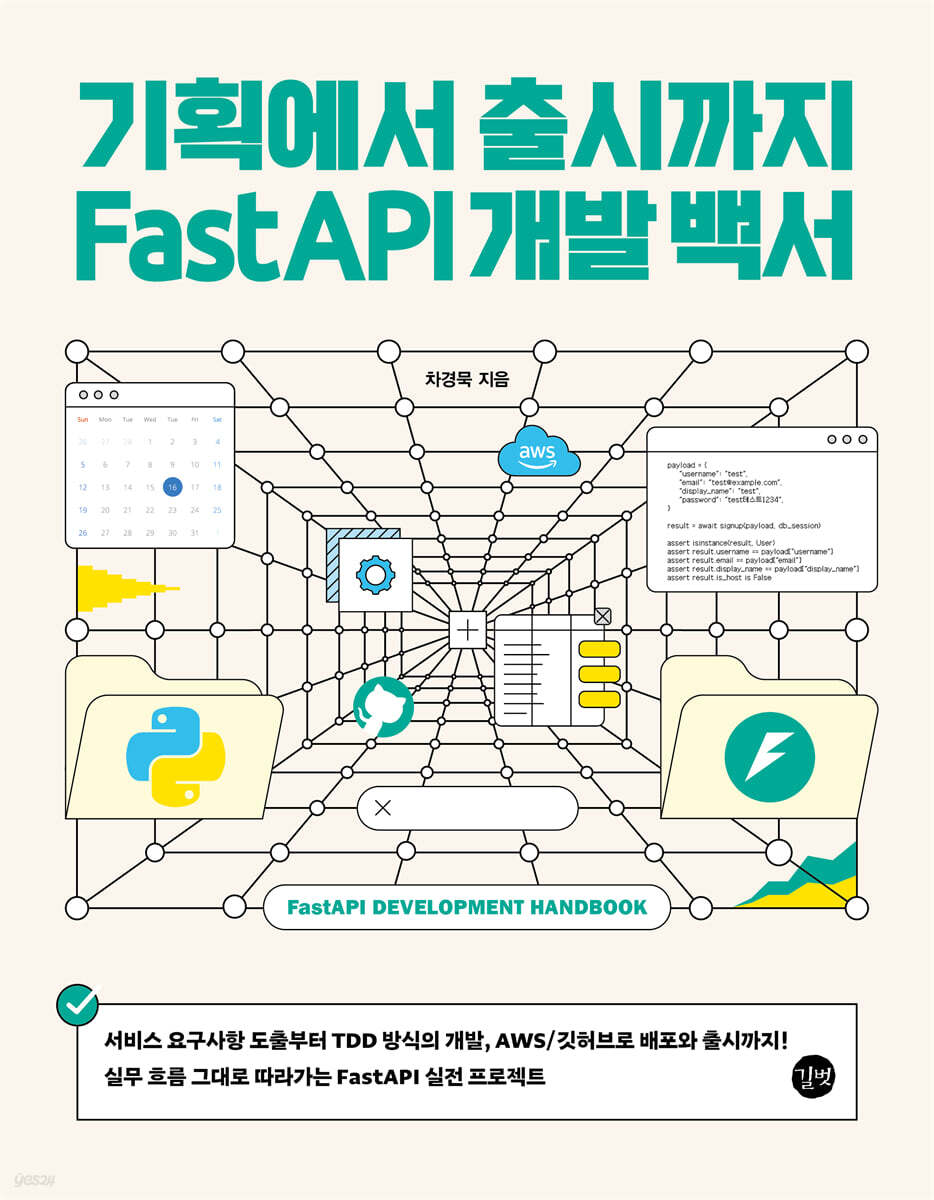
From planning to launch! Experience the entire process of real-world projects with FastAPI!
Let's create an 'appointment-making web service' by following the practical flow.
Service development is not simply about writing code; it involves understanding and experiencing the entire process from planning to deployment.
This book follows the practical development flow step by step, utilizing FastAPI while creating an 'appointment-making web service'.
Starting with defining service requirements, we will implement the backend using the test-driven development (TDD) method, and also cover integration with the pre-implemented frontend and external services such as Google Calendar.
You can actually deploy the developed service using AWS and GitHub Actions, and experience domain setup and operation.
This is a practical development guide that goes beyond simply learning FastAPI and teaches you how to create real services. It includes not only explanations for beginners but also deployment/operation necessary for those with practical experience.
Let's create an 'appointment-making web service' by following the practical flow.
Service development is not simply about writing code; it involves understanding and experiencing the entire process from planning to deployment.
This book follows the practical development flow step by step, utilizing FastAPI while creating an 'appointment-making web service'.
Starting with defining service requirements, we will implement the backend using the test-driven development (TDD) method, and also cover integration with the pre-implemented frontend and external services such as Google Calendar.
You can actually deploy the developed service using AWS and GitHub Actions, and experience domain setup and operation.
This is a practical development guide that goes beyond simply learning FastAPI and teaches you how to create real services. It includes not only explanations for beginners but also deployment/operation necessary for those with practical experience.
- You can preview some of the book's contents.
Preview
index
Chapter 1: Understanding the Project and Tools We'll Be Building
1.1 Why should I create and run a project?
__1.1.1? Creating a project for portfolio purposes?
__1.1.2? Creating a project for learning purposes?
__1.1.3? Let's set the project goal to operate after launch!?
1.2?Why Use FastAPI?
__1.2.1?What is FastAPI?
__1.2.2?FastAPI Features
1.3?What are the goals and plans for the project we will create?
__1.3.1? Goal?
__1.3.2?Project Plan?
1.4? What tools do you use for appointment scheduling projects?
__1.4.1?Development tools?
__1.4.2?Operational Tools
Chapter 2: Learning Basic Shell Functions
2.1? What is a shell?
__2.1.1? Types of shell interfaces
2.2? Path and directory?
__2.2.1?path
__2.2.2? directory ?
2.3? File Handling
Chapter 3: Preparing the Practice Environment
3.1? Install Visual Studio Code?
__3.1.1?Download Visual Studio Code?
__3.1.2? Installing on macOS?
__3.1.3? Installing on Windows?
3.2? Visual Studio Code Screen Layout?
3.3? Basic usage of Visual Studio Code?
__3.3.1?Specifying the working directory?
__3.3.2?Command Palette?
__3.3.3? File navigation and status display?
3.4?Visual Studio Code Extension?
__3.4.1?What is an extension?
__3.4.2?Change appearance?
__3.4.3? Installing Python Extensions?
Try using the __3.4.4? shell
3.5?Python virtual environment?
__3.5.1?What is a Python virtual environment?
__3.5.2? Handling Virtual Environments?
3.6? Install FastAPI and try it out
__3.6.1?Installing FastAPI?
__3.6.2? Using the package manager, Poetry?
__3.6.3?Web application server: Starlette, Uvicorn?
__3.6.4?Hello World
Chapter 4: Appointment-Making Service Planning
4.1? Planning an appointment-making service function?
__4.1.1?Service Overview?
4.2? Main features?
__4.2.1?Calendar implementation: Selecting the desired date?
__4.2.2?Creating a Booking: Registering an Itinerary
__4.2.3? View calendars by user separately?
__4.2.4? How to sync Google Calendar?
__4.2.5? Implementing social login?
4.3? Planning User Interface Elements?
__4.3.1?Default screen?
__4.3.2?Time slot area?
__4.3.3? A screen to enter information to make an appointment?
__4.3.4?Appointment application completion screen?
__4.3.5? What if there is no date to apply for an appointment?
4.4?Data Design?
__4.4.1? Do you know some concepts?
__4.4.2?User Object?
__4.4.3?User Social Account Object?
__4.4.4?User Calendar Object?
__4.4.5?Timeslot object?
__4.4.6? Booking Object?
__4.4.7? Drawing an entity relationship diagram of the appointment-making service
Chapter 5 Data Modeling
5.1? How to use a database in Python: SQLModel?
__5.1.1?SQL and ORM?
__5.1.2?SQLAlchemy?
__5.1.3?Pydantic?
__5.1.4?SQLModel?
5.2?Modeling?
__5.2.1?User Object: User Model?
__5.2.2?User Social Account Object: OAuthAccount Model ?
__5.2.3?User Calendar Object: Calendar Model ?
__5.2.4?TimeSlot Object: TimeSlot Model?
__5.2.5? Booking Object: Booking Model ?
5.3? Setting up a database connection?
__5.3.1?What is SQLite?
__5.3.2? How to connect to a database with SQLAlchemy?
__5.3.3? How to create a session with SQLAlchemy?
__5.3.4? Setting up a database connection?
5.4?Migrate database using Alembic?
__5.4.1?Alembic Key Concepts?
__5.4.2? Installing and initializing Alembic?
__5.4.3? Setting up Alembic?
__5.4.4? Generating a migration script?
__5.4.5? Try setting up auto-migration (autogenerate)?
__5.4.6? Using the migration script template?
__5.4.7? Verifying that the migration script works: Apply and revert?
Chapter 6: Code Testing
6.1?Testing Overview?
__6.1.1?What is testing?
__6.1.2? Testing type?
__6.1.3?Test Double?
__6.1.4? Testing with pytest?
6.2? Unit Testing Practice?
__6.2.1? Unit Testing Practice?
__6.2.2?Learn about documentation tests?
6.3?Integrated Testing Practice?
__6.3.1? Implementing an API to download user information?
__6.3.2? Testing the API with a test client?
__6.3.3? Creating and testing a user in the database?
6.4? Testing using pytest's fixture feature?
__6.4.1? Using fixtures in test code?
__6.4.2? Injecting session dependencies into implementation code?
__6.4.3? Unifying test clients into fixtures as well
Chapter 7: Implementing Membership Registration and User Authentication
7.1?Write a test code for membership registration?
__7.1.1?(1) An account is created when all input items are entered with valid values?
__7.1.2?(2) If the username is invalid, an error message is raised saying that the username is invalid.
__7.1.3?(3) If the account ID (username) is duplicated, a duplicate account ID error occurs?
__7.1.4?(4) If an email address is duplicated, an error occurs that contains a duplicate message?
__7.1.5?(5) If you do not enter a display name, it will be replaced with a random 8-character string.
7.2?Implementing the membership registration API?
__7.2.1?(1) Validating Formdata with Pydantic
__7.2.2?(2) Applying SignupPayload schema to signup API?
__7.2.3?(3) Only username, display_name, and is_host are printed in the response result?
7.3? Login implementation?
__7.3.1?Technology required to implement login?
__7.3.2? Implementing the login API?
7.4? Implementing an API to retrieve your own information?
__7.4.1?What is FastAPI dependency injection?
__7.4.2?API scenario for retrieving own information?
__7.4.3?Get authentication token from cookie and check authentication?
__7.4.4?Verifying implementation with failing test code?
7.5? Implementing FastAPI Calendar and Account Settings Page?
__7.5.1?Change account information?
__7.5.2? Implementing logout?
__7.5.3?Implementing member withdrawal
Chapter 8: Implementing User-Specific Calendar and Reservation Management
8.1? Import calendars by host?
__8.1.1?User Scenario?
__8.1.2? Get calendar information by host user's username?
__8.1.3? Returning a 404 response when trying to retrieve calendar information with a non-existent username?
__8.1.4? Returning a 404 response when trying to retrieve calendar information with a non-host username?
Testing __8.1.5?host_calendar_detail(?) with API
8.2? Create and change the host's calendar?
__8.2.1? Host users can create calendars by submitting valid calendar information?
__8.2.2? When trying to create an additional calendar while it already exists, it returns a 422 response?
__8.2.3? Returning a 403 response when a guest user attempts to create a calendar
__8.2.4? Only the items that the user changes are changed, and the rest keep their original values?
8.3?Time slot management?
__8.3.1? A host user can create a timeslot by submitting valid timeslot information?
__8.3.2? Respond with HTTP 422 when trying to create with invalid timeslot information?
__8.3.3? Respond with HTTP 422 if there are overlapping time zones?
8.4? Reservation?
__8.4.1? When requesting reservation creation with valid reservation request details, respond with HTTP 201 containing the reservation details?
__8.4.2? Respond to HTTP 404 when creating a reservation for a non-host user?
__8.4.3? Responding to HTTP 404 when creating a reservation in a non-existent time zone?
8.5? Import calendar reservations?
__8.5.1? Implementing an API that allows the host to receive reservation details?
__8.5.2? Guests receive monthly calendar reservations from hosts?
__8.5.3? Guests receive their calendar reservations page by page?
__8.5.4?Users receive specific reservation details data?
8.6?FastAPI Calendar, Reservation Management?
__8.6.1? Can a host change the date and timeslot of a booking requested by him/her?
__8.6.2?Guest and host cannot change to another host's timeslot?
__8.6.3? Guests can change the subject, description, date, and timeslot of their booking?
__8.6.4? A little suggestion for you?
8.7? Handling attendance status information in bookings?
__8.7.1? Add Attendance Status field to Booking Model, Enum data type?
__8.7.2?Database Migration?
__8.7.3? Hosts can change the attendance status of bookings they have requested.
8.8? File upload?
__8.8.1?HTTP File Upload?
__8.8.2?How does FastAPI handle file uploads?
__8.8.3? Guests can upload files to their bookings: Practice?
__8.8.4?Using fastapi-storages?
__8.8.5? Guests can upload files to their bookings: Try it out?
__8.8.6? Generate upload-related migration scripts?
__8.8.7?Using the unique(?) method when handling SQLAlchemy's Result object
Chapter 9: Managing Data on the Operator Page
9.1? Operator Page and SQLAdmin?
__9.1.1?Admin Page?
__9.1.2?What is SQLAdmin?
__9.1.3?SQLAdmin Installation and Configuration?
9.2?Basic usage of SQLAdmin?
__9.2.1?Metadata?
__9.2.2?List page
__9.2.3?Details page?
__9.2.4?Pagination options?
__9.2.5?General Options?
__9.2.6?form options?
__9.2.7?Export Options?
__9.2.8?Adjusting the display of individual model objects?
__9.2.9? Defining admin pages corresponding to models?
9.3? Extending and modifying functionality using method overriding?
__9.3.1? on_model_change(self, data: dict, model: Any, is_created: bool, request: Request)?
__9.3.2?insert_model(self, request: Request, data: dict)
__9.3.3?update_model(self, request: Request, pk: str, data: dict)?
__9.3.4? after_model_change(self, data: dict, model: Any, is_created: bool, request: Request)?
__9.3.5? Add a status model field to the User model?
__9.3.6?on_model_delete(self, model: Any, request: Request)
__9.3.7? after_model_delete(self, model: Any, request: Request)?
__9.3.8?delete_model(self, request: Request, pk: Any)?
__9.3.9?scaffold_form(?)?
__9.3.10?list_query(self, request: Request)
__9.3.11?hybrid_property and expression
__9.3.12?search_query(self, stmt: Select, term: str)?
9.4?SQLAdmin User Authentication Scheme?
__9.4.1? Implementing an authentication backend?
__9.4.2? Applying the authentication backend
Chapter 10: Integrating the Front End into the Appointment Booking Project
10.1?Static files?
__10.1.1?Web server and web application server?
__10.1.2? Serving static files in FastAPI?
10.2? Run the implemented result as a Python web server?
10.3?CORS handling?
10.4?Host List API?
10.5? Clear response when authentication token is not present
__10.5.1? How to handle the absence of an authentication token?
__10.5.2?Handling Clear Authentication Exception Errors in SQLAdmin
10.6? Calendar flow?
__10.6.1?Host list?
__10.6.2? Show calendar?
__10.6.3?Create Booking?
__10.6.4?Guest booking details?
__10.6.5?View booking details?
10.7?Web Front-End Development Specification?
__10.7.1? What technology stack are you using?
__10.7.2?Directory structure?
__10.7.3?Configuring the development environment
Chapter 11: SQLAlchemy Lazy Loading Strategies
11.1? What is lazy loading?
11.2? What type of lazy loading is it?
__11.2.1? Instant loading?
__11.2.2?Lazy loading?
__11.2.3?No lazy loading (no load)
__11.2.4? What's the difference?
__11.2.5? Points to note?
11.3? Apply SQLAlchemy lazy loading?
__11.3.1?(1) Applying lazy loading to the User model?
__11.3.2?(2) Applying lazy loading to the OAuthAccount model
__11.3.3?(3) Applying lazy loading to the Calendar model?
__11.3.4?(4) Applying lazy loading to the TimeSlot model?
__11.3.5?(5) Applying lazy loading to the Booking model?
__11.3.6?(6) Applying lazy loading to the BookingFile model
Chapter 12 Google Calendar Integration
12.1?Google Cloud API?
__12.1.1?What is Google Cloud API?
__12.1.2? Key elements and concepts of Google Cloud API?
__12.1.3? Preparing the Google Cloud Console
__12.1.4?Sharing Calendars and Granting Permissions?
12.2? Create an event in Google Calendar?
__12.2.1? Installing the Google Cloud API Python Client?
__12.2.2?Google Calendar Service Definition?
__12.2.3? Create a schedule (event)?
__12.2.4? Implementing the Test
__12.2.5? Defining a schema?
12.3? Managing events in Google Calendar?
__12.3.1? Defining a Test Fixture?
__12.3.2?Delete schedule?
__12.3.3?Get a specific schedule?
__12.3.4? Edit schedule?
__12.3.5?Get schedule list?
12.4? Implementing Google Calendar integration into the appointment scheduling implementation?
__12.4.1? Defining Google Calendar Service Dependencies
__12.4.2? Registering to Google Calendar when creating a booking?
__12.4.3? Reflecting changes to bookings in Google Calendar
__12.4.4? Reflect Google Calendar events in the host booking list?
12.5?FastAPI background tasks?
__12.5.1?BackgroundTasks?
__12.5.2?StreamResponse
Chapter 13 Error Recording, Observation, and Management
13.1?Error log system?
13.2?What is Sentry?
13.3?Creating an account and project?
13.4? Reflecting Sentry in the Appointment Making Project?
__13.4.1?Initialization arguments?
__13.4.2?Integration tool arguments
13.5? Error log test?
13.6? Manually logging
Chapter 14 Deploying to Amazon Web Services
14.1? Dependency Package Management?
__14.1.1?Package Manager?
__14.1.2? Freeze dependent packages?
__14.1.3? Install faster with uv?
14.2?Configure a server with AWS Lightsail?
__14.2.1?What is AWS Lightsail?
__14.2.2?Lightsail service?
__14.2.3?Configuring a Server in Lightsail
14.3?Configure environment on instance server?
__14.3.1?SSH and SSH authentication keys?
__14.3.2?apt package manager?
__14.3.3? Installing build tools?
__14.3.4?Nginx?
__14.3.5? Setting up a Python virtual environment?
__14.3.6?Writing a FastAPI app for Hello World?
__14.3.7?Writing a script to run a web application?
__14.3.8?Managing Services with Systemd?
__14.3.9? Proxying to Nginx?
__14.3.10?Serving static files with Nginx
14.4?Automating deployments using GitHub Actions?
__14.4.1? What is GitHub Actions?
__14.4.2? Understanding the Basic Concepts
__14.4.3? Writing a GitHub Workflow
1.1 Why should I create and run a project?
__1.1.1? Creating a project for portfolio purposes?
__1.1.2? Creating a project for learning purposes?
__1.1.3? Let's set the project goal to operate after launch!?
1.2?Why Use FastAPI?
__1.2.1?What is FastAPI?
__1.2.2?FastAPI Features
1.3?What are the goals and plans for the project we will create?
__1.3.1? Goal?
__1.3.2?Project Plan?
1.4? What tools do you use for appointment scheduling projects?
__1.4.1?Development tools?
__1.4.2?Operational Tools
Chapter 2: Learning Basic Shell Functions
2.1? What is a shell?
__2.1.1? Types of shell interfaces
2.2? Path and directory?
__2.2.1?path
__2.2.2? directory ?
2.3? File Handling
Chapter 3: Preparing the Practice Environment
3.1? Install Visual Studio Code?
__3.1.1?Download Visual Studio Code?
__3.1.2? Installing on macOS?
__3.1.3? Installing on Windows?
3.2? Visual Studio Code Screen Layout?
3.3? Basic usage of Visual Studio Code?
__3.3.1?Specifying the working directory?
__3.3.2?Command Palette?
__3.3.3? File navigation and status display?
3.4?Visual Studio Code Extension?
__3.4.1?What is an extension?
__3.4.2?Change appearance?
__3.4.3? Installing Python Extensions?
Try using the __3.4.4? shell
3.5?Python virtual environment?
__3.5.1?What is a Python virtual environment?
__3.5.2? Handling Virtual Environments?
3.6? Install FastAPI and try it out
__3.6.1?Installing FastAPI?
__3.6.2? Using the package manager, Poetry?
__3.6.3?Web application server: Starlette, Uvicorn?
__3.6.4?Hello World
Chapter 4: Appointment-Making Service Planning
4.1? Planning an appointment-making service function?
__4.1.1?Service Overview?
4.2? Main features?
__4.2.1?Calendar implementation: Selecting the desired date?
__4.2.2?Creating a Booking: Registering an Itinerary
__4.2.3? View calendars by user separately?
__4.2.4? How to sync Google Calendar?
__4.2.5? Implementing social login?
4.3? Planning User Interface Elements?
__4.3.1?Default screen?
__4.3.2?Time slot area?
__4.3.3? A screen to enter information to make an appointment?
__4.3.4?Appointment application completion screen?
__4.3.5? What if there is no date to apply for an appointment?
4.4?Data Design?
__4.4.1? Do you know some concepts?
__4.4.2?User Object?
__4.4.3?User Social Account Object?
__4.4.4?User Calendar Object?
__4.4.5?Timeslot object?
__4.4.6? Booking Object?
__4.4.7? Drawing an entity relationship diagram of the appointment-making service
Chapter 5 Data Modeling
5.1? How to use a database in Python: SQLModel?
__5.1.1?SQL and ORM?
__5.1.2?SQLAlchemy?
__5.1.3?Pydantic?
__5.1.4?SQLModel?
5.2?Modeling?
__5.2.1?User Object: User Model?
__5.2.2?User Social Account Object: OAuthAccount Model ?
__5.2.3?User Calendar Object: Calendar Model ?
__5.2.4?TimeSlot Object: TimeSlot Model?
__5.2.5? Booking Object: Booking Model ?
5.3? Setting up a database connection?
__5.3.1?What is SQLite?
__5.3.2? How to connect to a database with SQLAlchemy?
__5.3.3? How to create a session with SQLAlchemy?
__5.3.4? Setting up a database connection?
5.4?Migrate database using Alembic?
__5.4.1?Alembic Key Concepts?
__5.4.2? Installing and initializing Alembic?
__5.4.3? Setting up Alembic?
__5.4.4? Generating a migration script?
__5.4.5? Try setting up auto-migration (autogenerate)?
__5.4.6? Using the migration script template?
__5.4.7? Verifying that the migration script works: Apply and revert?
Chapter 6: Code Testing
6.1?Testing Overview?
__6.1.1?What is testing?
__6.1.2? Testing type?
__6.1.3?Test Double?
__6.1.4? Testing with pytest?
6.2? Unit Testing Practice?
__6.2.1? Unit Testing Practice?
__6.2.2?Learn about documentation tests?
6.3?Integrated Testing Practice?
__6.3.1? Implementing an API to download user information?
__6.3.2? Testing the API with a test client?
__6.3.3? Creating and testing a user in the database?
6.4? Testing using pytest's fixture feature?
__6.4.1? Using fixtures in test code?
__6.4.2? Injecting session dependencies into implementation code?
__6.4.3? Unifying test clients into fixtures as well
Chapter 7: Implementing Membership Registration and User Authentication
7.1?Write a test code for membership registration?
__7.1.1?(1) An account is created when all input items are entered with valid values?
__7.1.2?(2) If the username is invalid, an error message is raised saying that the username is invalid.
__7.1.3?(3) If the account ID (username) is duplicated, a duplicate account ID error occurs?
__7.1.4?(4) If an email address is duplicated, an error occurs that contains a duplicate message?
__7.1.5?(5) If you do not enter a display name, it will be replaced with a random 8-character string.
7.2?Implementing the membership registration API?
__7.2.1?(1) Validating Formdata with Pydantic
__7.2.2?(2) Applying SignupPayload schema to signup API?
__7.2.3?(3) Only username, display_name, and is_host are printed in the response result?
7.3? Login implementation?
__7.3.1?Technology required to implement login?
__7.3.2? Implementing the login API?
7.4? Implementing an API to retrieve your own information?
__7.4.1?What is FastAPI dependency injection?
__7.4.2?API scenario for retrieving own information?
__7.4.3?Get authentication token from cookie and check authentication?
__7.4.4?Verifying implementation with failing test code?
7.5? Implementing FastAPI Calendar and Account Settings Page?
__7.5.1?Change account information?
__7.5.2? Implementing logout?
__7.5.3?Implementing member withdrawal
Chapter 8: Implementing User-Specific Calendar and Reservation Management
8.1? Import calendars by host?
__8.1.1?User Scenario?
__8.1.2? Get calendar information by host user's username?
__8.1.3? Returning a 404 response when trying to retrieve calendar information with a non-existent username?
__8.1.4? Returning a 404 response when trying to retrieve calendar information with a non-host username?
Testing __8.1.5?host_calendar_detail(?) with API
8.2? Create and change the host's calendar?
__8.2.1? Host users can create calendars by submitting valid calendar information?
__8.2.2? When trying to create an additional calendar while it already exists, it returns a 422 response?
__8.2.3? Returning a 403 response when a guest user attempts to create a calendar
__8.2.4? Only the items that the user changes are changed, and the rest keep their original values?
8.3?Time slot management?
__8.3.1? A host user can create a timeslot by submitting valid timeslot information?
__8.3.2? Respond with HTTP 422 when trying to create with invalid timeslot information?
__8.3.3? Respond with HTTP 422 if there are overlapping time zones?
8.4? Reservation?
__8.4.1? When requesting reservation creation with valid reservation request details, respond with HTTP 201 containing the reservation details?
__8.4.2? Respond to HTTP 404 when creating a reservation for a non-host user?
__8.4.3? Responding to HTTP 404 when creating a reservation in a non-existent time zone?
8.5? Import calendar reservations?
__8.5.1? Implementing an API that allows the host to receive reservation details?
__8.5.2? Guests receive monthly calendar reservations from hosts?
__8.5.3? Guests receive their calendar reservations page by page?
__8.5.4?Users receive specific reservation details data?
8.6?FastAPI Calendar, Reservation Management?
__8.6.1? Can a host change the date and timeslot of a booking requested by him/her?
__8.6.2?Guest and host cannot change to another host's timeslot?
__8.6.3? Guests can change the subject, description, date, and timeslot of their booking?
__8.6.4? A little suggestion for you?
8.7? Handling attendance status information in bookings?
__8.7.1? Add Attendance Status field to Booking Model, Enum data type?
__8.7.2?Database Migration?
__8.7.3? Hosts can change the attendance status of bookings they have requested.
8.8? File upload?
__8.8.1?HTTP File Upload?
__8.8.2?How does FastAPI handle file uploads?
__8.8.3? Guests can upload files to their bookings: Practice?
__8.8.4?Using fastapi-storages?
__8.8.5? Guests can upload files to their bookings: Try it out?
__8.8.6? Generate upload-related migration scripts?
__8.8.7?Using the unique(?) method when handling SQLAlchemy's Result object
Chapter 9: Managing Data on the Operator Page
9.1? Operator Page and SQLAdmin?
__9.1.1?Admin Page?
__9.1.2?What is SQLAdmin?
__9.1.3?SQLAdmin Installation and Configuration?
9.2?Basic usage of SQLAdmin?
__9.2.1?Metadata?
__9.2.2?List page
__9.2.3?Details page?
__9.2.4?Pagination options?
__9.2.5?General Options?
__9.2.6?form options?
__9.2.7?Export Options?
__9.2.8?Adjusting the display of individual model objects?
__9.2.9? Defining admin pages corresponding to models?
9.3? Extending and modifying functionality using method overriding?
__9.3.1? on_model_change(self, data: dict, model: Any, is_created: bool, request: Request)?
__9.3.2?insert_model(self, request: Request, data: dict)
__9.3.3?update_model(self, request: Request, pk: str, data: dict)?
__9.3.4? after_model_change(self, data: dict, model: Any, is_created: bool, request: Request)?
__9.3.5? Add a status model field to the User model?
__9.3.6?on_model_delete(self, model: Any, request: Request)
__9.3.7? after_model_delete(self, model: Any, request: Request)?
__9.3.8?delete_model(self, request: Request, pk: Any)?
__9.3.9?scaffold_form(?)?
__9.3.10?list_query(self, request: Request)
__9.3.11?hybrid_property and expression
__9.3.12?search_query(self, stmt: Select, term: str)?
9.4?SQLAdmin User Authentication Scheme?
__9.4.1? Implementing an authentication backend?
__9.4.2? Applying the authentication backend
Chapter 10: Integrating the Front End into the Appointment Booking Project
10.1?Static files?
__10.1.1?Web server and web application server?
__10.1.2? Serving static files in FastAPI?
10.2? Run the implemented result as a Python web server?
10.3?CORS handling?
10.4?Host List API?
10.5? Clear response when authentication token is not present
__10.5.1? How to handle the absence of an authentication token?
__10.5.2?Handling Clear Authentication Exception Errors in SQLAdmin
10.6? Calendar flow?
__10.6.1?Host list?
__10.6.2? Show calendar?
__10.6.3?Create Booking?
__10.6.4?Guest booking details?
__10.6.5?View booking details?
10.7?Web Front-End Development Specification?
__10.7.1? What technology stack are you using?
__10.7.2?Directory structure?
__10.7.3?Configuring the development environment
Chapter 11: SQLAlchemy Lazy Loading Strategies
11.1? What is lazy loading?
11.2? What type of lazy loading is it?
__11.2.1? Instant loading?
__11.2.2?Lazy loading?
__11.2.3?No lazy loading (no load)
__11.2.4? What's the difference?
__11.2.5? Points to note?
11.3? Apply SQLAlchemy lazy loading?
__11.3.1?(1) Applying lazy loading to the User model?
__11.3.2?(2) Applying lazy loading to the OAuthAccount model
__11.3.3?(3) Applying lazy loading to the Calendar model?
__11.3.4?(4) Applying lazy loading to the TimeSlot model?
__11.3.5?(5) Applying lazy loading to the Booking model?
__11.3.6?(6) Applying lazy loading to the BookingFile model
Chapter 12 Google Calendar Integration
12.1?Google Cloud API?
__12.1.1?What is Google Cloud API?
__12.1.2? Key elements and concepts of Google Cloud API?
__12.1.3? Preparing the Google Cloud Console
__12.1.4?Sharing Calendars and Granting Permissions?
12.2? Create an event in Google Calendar?
__12.2.1? Installing the Google Cloud API Python Client?
__12.2.2?Google Calendar Service Definition?
__12.2.3? Create a schedule (event)?
__12.2.4? Implementing the Test
__12.2.5? Defining a schema?
12.3? Managing events in Google Calendar?
__12.3.1? Defining a Test Fixture?
__12.3.2?Delete schedule?
__12.3.3?Get a specific schedule?
__12.3.4? Edit schedule?
__12.3.5?Get schedule list?
12.4? Implementing Google Calendar integration into the appointment scheduling implementation?
__12.4.1? Defining Google Calendar Service Dependencies
__12.4.2? Registering to Google Calendar when creating a booking?
__12.4.3? Reflecting changes to bookings in Google Calendar
__12.4.4? Reflect Google Calendar events in the host booking list?
12.5?FastAPI background tasks?
__12.5.1?BackgroundTasks?
__12.5.2?StreamResponse
Chapter 13 Error Recording, Observation, and Management
13.1?Error log system?
13.2?What is Sentry?
13.3?Creating an account and project?
13.4? Reflecting Sentry in the Appointment Making Project?
__13.4.1?Initialization arguments?
__13.4.2?Integration tool arguments
13.5? Error log test?
13.6? Manually logging
Chapter 14 Deploying to Amazon Web Services
14.1? Dependency Package Management?
__14.1.1?Package Manager?
__14.1.2? Freeze dependent packages?
__14.1.3? Install faster with uv?
14.2?Configure a server with AWS Lightsail?
__14.2.1?What is AWS Lightsail?
__14.2.2?Lightsail service?
__14.2.3?Configuring a Server in Lightsail
14.3?Configure environment on instance server?
__14.3.1?SSH and SSH authentication keys?
__14.3.2?apt package manager?
__14.3.3? Installing build tools?
__14.3.4?Nginx?
__14.3.5? Setting up a Python virtual environment?
__14.3.6?Writing a FastAPI app for Hello World?
__14.3.7?Writing a script to run a web application?
__14.3.8?Managing Services with Systemd?
__14.3.9? Proxying to Nginx?
__14.3.10?Serving static files with Nginx
14.4?Automating deployments using GitHub Actions?
__14.4.1? What is GitHub Actions?
__14.4.2? Understanding the Basic Concepts
__14.4.3? Writing a GitHub Workflow
Detailed image

Into the book
This book will help you implement, deploy, and release a web application server.
If you have no experience launching a project, it is more important than anything else to gain experience launching something, even if it is small.
Here, the word 'even if small' refers not only to the scale of the project, but also to the willpower I put into it.
For example, if the tools you use to create your project are too difficult or complex, there's a very good chance it won't ever make it to market.
In that respect, FastAPI fits the bill as it doesn't have a steep learning curve.
In other words, this book explains FastAPI, but it also treats FastAPI as a practical tool and learning material suitable for developing, launching, and operating projects.
The content covered in this book is knowledge and technology that can be used in tools other than FastAPI, but it is easier and more intuitive to experience and learn with FastAPI.
I guess the following readers have been waiting for this book:
● Those who have never used Python primarily, but have experience with other languages and want to quickly develop a web application server
● I have used Django or Flask and want to learn FastAPI practically.
is a developer
● Data scientists, data engineers, or AI engineers who use Python and want to properly develop and deploy web application servers
Also, this book is not about test-driven development or agile methodologies.
However, we do leverage some elements of test-driven development or agile methodologies as activities necessary for effective learning and project execution.
Therefore, you can gain experience in designing, planning, or writing practical test code, or in converting plans or requirements into development work from this book.
If you're unsure how to apply these development methodologies to your work, this hands-on experience will be beneficial.
If you have no experience launching a project, it is more important than anything else to gain experience launching something, even if it is small.
Here, the word 'even if small' refers not only to the scale of the project, but also to the willpower I put into it.
For example, if the tools you use to create your project are too difficult or complex, there's a very good chance it won't ever make it to market.
In that respect, FastAPI fits the bill as it doesn't have a steep learning curve.
In other words, this book explains FastAPI, but it also treats FastAPI as a practical tool and learning material suitable for developing, launching, and operating projects.
The content covered in this book is knowledge and technology that can be used in tools other than FastAPI, but it is easier and more intuitive to experience and learn with FastAPI.
I guess the following readers have been waiting for this book:
● Those who have never used Python primarily, but have experience with other languages and want to quickly develop a web application server
● I have used Django or Flask and want to learn FastAPI practically.
is a developer
● Data scientists, data engineers, or AI engineers who use Python and want to properly develop and deploy web application servers
Also, this book is not about test-driven development or agile methodologies.
However, we do leverage some elements of test-driven development or agile methodologies as activities necessary for effective learning and project execution.
Therefore, you can gain experience in designing, planning, or writing practical test code, or in converting plans or requirements into development work from this book.
If you're unsure how to apply these development methodologies to your work, this hands-on experience will be beneficial.
--- From the text
Publisher's Review
From service development to launch using FastAPI
Learn and experience more easily and efficiently!
Planning and creating a service is not easy, but actually launching and operating it requires even more trial and error and know-how.
Issues that were not apparent when running on a local host may surface during the release process, leading to increased failures and complexity.
So, this book goes beyond just implementing a web application server, and covers the process of launching an actual service.
If the tools used at this time are too difficult or complicated, it is difficult to complete the project to the end. In this respect, FastAPI is easy to learn and allows you to quickly see results, making it suitable for experiencing real-world projects.
This book takes an appointment-making web service as a project and follows the entire process from planning to implementation and deployment.
Chapters 1 to 6 lay the foundation for development, including requirements definition, design, and environment configuration. Chapters 7 to 12 cover full-scale feature implementation and integration with the front-end and external services (Google Calendar).
Chapters 13 and 14 examine deployment and operation methods using GitHub and AWS.
Throughout the entire process, we apply elements of test-driven development (TDD) and agile development methods to follow a flow close to actual development sites, and increase the level of completion through testing after each function is completed.
With this one book, you can fully experience the entire process of developing and launching a web service using FastAPI, focusing on hands-on practice.
Learn and experience more easily and efficiently!
Planning and creating a service is not easy, but actually launching and operating it requires even more trial and error and know-how.
Issues that were not apparent when running on a local host may surface during the release process, leading to increased failures and complexity.
So, this book goes beyond just implementing a web application server, and covers the process of launching an actual service.
If the tools used at this time are too difficult or complicated, it is difficult to complete the project to the end. In this respect, FastAPI is easy to learn and allows you to quickly see results, making it suitable for experiencing real-world projects.
This book takes an appointment-making web service as a project and follows the entire process from planning to implementation and deployment.
Chapters 1 to 6 lay the foundation for development, including requirements definition, design, and environment configuration. Chapters 7 to 12 cover full-scale feature implementation and integration with the front-end and external services (Google Calendar).
Chapters 13 and 14 examine deployment and operation methods using GitHub and AWS.
Throughout the entire process, we apply elements of test-driven development (TDD) and agile development methods to follow a flow close to actual development sites, and increase the level of completion through testing after each function is completed.
With this one book, you can fully experience the entire process of developing and launching a web service using FastAPI, focusing on hands-on practice.
GOODS SPECIFICS
- Date of issue: November 7, 2025
- Page count, weight, size: 640 pages | 183*235*27mm
- ISBN13: 9791140716418
You may also like
카테고리
korean


korean

![GQ KOREA Mark (Monthly): December [2025]](http://librairie.coreenne.fr/cdn/shop/files/8ef265dbbfbf186523ed75ba7319009d.jpg?v=1765340328&width=3840)


