

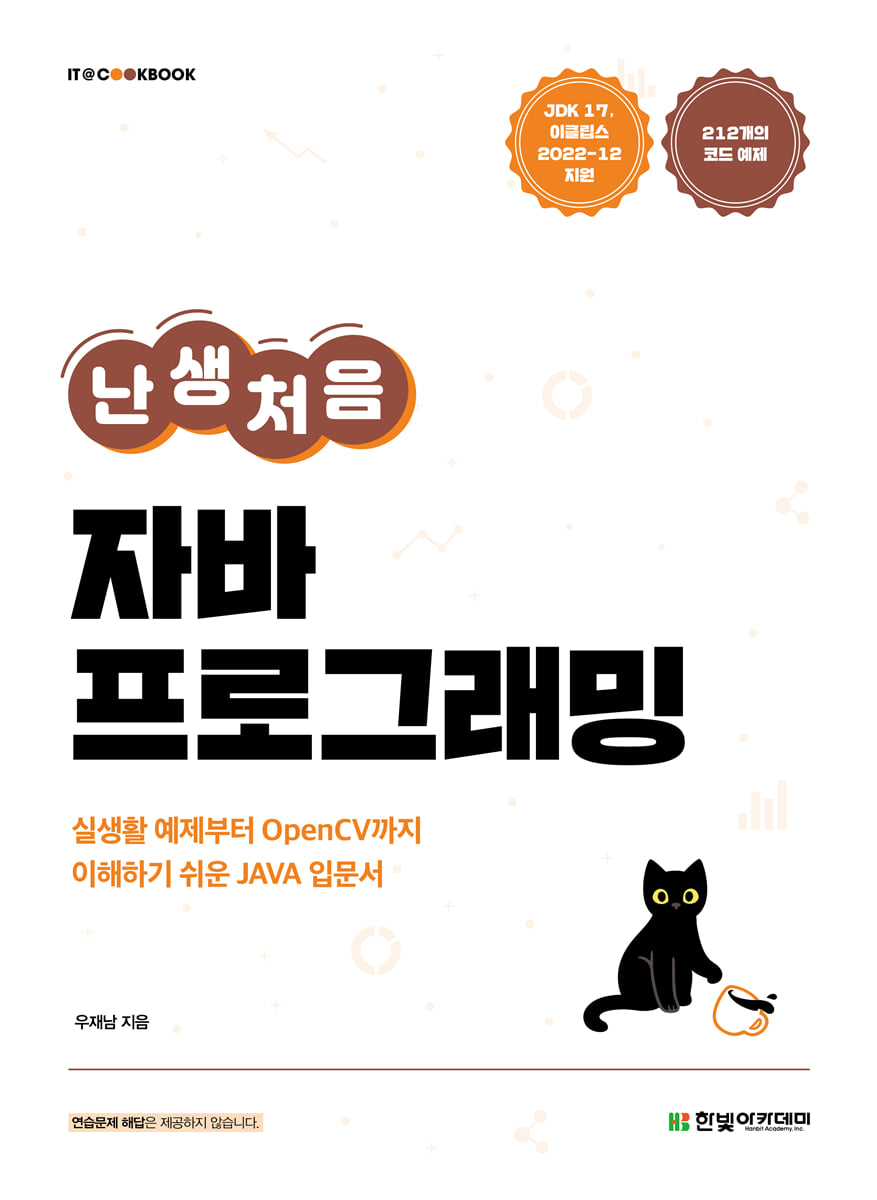
My first time programming in Java
 |
Description
Book Introduction
A Java introductory book for non-majors that teaches the basics of coding step by step.
This book visually explains difficult Java concepts for beginners through various illustrations and diagrams, making it easy for non-experts to understand.
Additionally, you can develop your Java skills as well as problem-solving abilities through real-life examples [LAB] and [Practical Examples] included in each chapter.
You can gain practical experience by experiencing a high-quality image processing project using the OpenCV library.
※ This book was developed as a textbook for university lectures, so it does not provide answers to practice problems.
This book visually explains difficult Java concepts for beginners through various illustrations and diagrams, making it easy for non-experts to understand.
Additionally, you can develop your Java skills as well as problem-solving abilities through real-life examples [LAB] and [Practical Examples] included in each chapter.
You can gain practical experience by experiencing a high-quality image processing project using the OpenCV library.
※ This book was developed as a textbook for university lectures, so it does not provide answers to practice problems.
- You can preview some of the book's contents.
Preview
index
Chapter 01 Java Begins
1.1 Overview of Programming Languages
1.2 Overview of Java
1.3 Setting up a Java development environment
1.4 Installing and Using Eclipse
Summary/Practice Questions
Chapter 02 Variables
2.1 Review of creating a simple Java project
2.2 Variables
2.3 How to write variable names
2.4 Scanner class that receives values
[LAB] Entering delivery information
[LAB] Creating a Calculator that Inputs Numbers
[Practical Example] Program with a Turtle
Summary/Practice Questions
Chapter 03 Operators
3.1 Arithmetic Operators
[LAB] Converting Pounds of Dumbbells to Kilograms
3.2 Assignment Operators
[LAB] Calculating Daily Convenience Store Sales
3.3 Comparison Operators and Logical Operators
3.4 Operator Precedence
[LAB] Calculating Final Grade Average
[Practical Example] Changing the Turtle's Pen
[Practical Example] Moving the turtle by the input value
Summary/Practice Questions
Chapter 04 Data Types and Strings
4.1 Overview of Data Types
4.2 Types of data types
4.3 Formatting the System.out.printf() method
4.4 Strings
[LAB] Reverse printing of strings
[LAB] Converting between uppercase and lowercase letters
[Practical Example] A turtle stamping a travel destination
Summary/Practice Questions
Chapter 05 Conditional Statements
5.1 Overview of Conditional Statements
5.2 if statement
[LAB] Checking the Age of PC Room Users
[LAB] Playing Rock-Paper-Scissors with a Computer
5.3 switch~case statement
[LAB] Check your zodiac sign based on your year of birth
[Practical Example] Coaching a Turtle in Adolescence
Summary/Practice Questions
Chapter 06 Loops
6.1 Overview of loops
[LAB] Students lining up
6.2 for loop
[LAB] Making a Multiplication Table Calculator
6.3 while loop
[LAB] Rolling the dice until the same number appears
[LAB] Playing a Number Matching Game with a Computer
[Practical Example] Creating Turtle-Patterned Wallpaper
Summary/Practice Questions
Chapter 07 Object-Oriented Programming I: Classes and Objects
7.1 Overview of Object-Oriented Programming
7.2 Classes and Objects
[LAB] Jumping Rabbit
7.3 Constructor
7.4 Access Restriction Directive
[LAB] Rolling dice until the same number appears (object-oriented version)
[Practical Example] A turtle carrying a rabbit
Summary/Practice Questions
Chapter 08 Object-Oriented Programming II: Inheritance and Interfaces
8.1 Instance Variables and Class Variables
8.2 Inheritance
[LAB] A sports car and a school bus inherited from a car
8.3 Abstract Classes
8.4 Interface
[LAB] Creating a Super Turtle that Inherits a Turtle
[Practical Example] Creating a Drawing Turtle
Summary/Practice Questions
Chapter 09 Array
9.1 Array
[LAB] Print Today's Quote
[LAB] Obtaining Judge Score Results
9.2 Two-dimensional arrays
[LAB] Creating an Array of Rock-Paper-Scissors Results
[Practical Example] A Show by Turtles
Summary/Practice Questions
Chapter 10 Advanced Programming Using Methods
10.1 Method Overview
[LAB] Implementing a Calculator with Methods
10.2 Method return values and parameters
[LAB] Lotto Draw
10.3 Variable Scope
[LAB] Creating a Password
[Practical Example] A Turtle Drawing Lotto Numbers
Summary/Practice Questions
Chapter 11 Reading and Writing Files and Exception Handling
11.1 The Need for Files
11.2 Reading files
[LAB] Numbering rows
11.3 Writing a File
[LAB] Copying files
[LAB] Encrypting Text Messages to Spy
11.4 Exception Handling
[Practical Example] A turtle retrace its steps
Summary/Practice Questions
Chapter 12 GUI Programming
12.1 GUI screen configuration
[LAB] Filling in the dice numbers in the grid layout
12.2 Handling Mouse Events
[LAB] Drawing lines with the mouse
12.3 Menus, Toolbars, and Message Boxes
[Practical Example] Creating a Simple Drawing Board Using Radio Buttons
Summary/Practice Questions
Chapter 13 [Project] Photo Editor
13.1 External Libraries
13.2 Basic configuration of 'Photo Editor'
13.3 Implementing the 'Photo Editor' feature
1.1 Overview of Programming Languages
1.2 Overview of Java
1.3 Setting up a Java development environment
1.4 Installing and Using Eclipse
Summary/Practice Questions
Chapter 02 Variables
2.1 Review of creating a simple Java project
2.2 Variables
2.3 How to write variable names
2.4 Scanner class that receives values
[LAB] Entering delivery information
[LAB] Creating a Calculator that Inputs Numbers
[Practical Example] Program with a Turtle
Summary/Practice Questions
Chapter 03 Operators
3.1 Arithmetic Operators
[LAB] Converting Pounds of Dumbbells to Kilograms
3.2 Assignment Operators
[LAB] Calculating Daily Convenience Store Sales
3.3 Comparison Operators and Logical Operators
3.4 Operator Precedence
[LAB] Calculating Final Grade Average
[Practical Example] Changing the Turtle's Pen
[Practical Example] Moving the turtle by the input value
Summary/Practice Questions
Chapter 04 Data Types and Strings
4.1 Overview of Data Types
4.2 Types of data types
4.3 Formatting the System.out.printf() method
4.4 Strings
[LAB] Reverse printing of strings
[LAB] Converting between uppercase and lowercase letters
[Practical Example] A turtle stamping a travel destination
Summary/Practice Questions
Chapter 05 Conditional Statements
5.1 Overview of Conditional Statements
5.2 if statement
[LAB] Checking the Age of PC Room Users
[LAB] Playing Rock-Paper-Scissors with a Computer
5.3 switch~case statement
[LAB] Check your zodiac sign based on your year of birth
[Practical Example] Coaching a Turtle in Adolescence
Summary/Practice Questions
Chapter 06 Loops
6.1 Overview of loops
[LAB] Students lining up
6.2 for loop
[LAB] Making a Multiplication Table Calculator
6.3 while loop
[LAB] Rolling the dice until the same number appears
[LAB] Playing a Number Matching Game with a Computer
[Practical Example] Creating Turtle-Patterned Wallpaper
Summary/Practice Questions
Chapter 07 Object-Oriented Programming I: Classes and Objects
7.1 Overview of Object-Oriented Programming
7.2 Classes and Objects
[LAB] Jumping Rabbit
7.3 Constructor
7.4 Access Restriction Directive
[LAB] Rolling dice until the same number appears (object-oriented version)
[Practical Example] A turtle carrying a rabbit
Summary/Practice Questions
Chapter 08 Object-Oriented Programming II: Inheritance and Interfaces
8.1 Instance Variables and Class Variables
8.2 Inheritance
[LAB] A sports car and a school bus inherited from a car
8.3 Abstract Classes
8.4 Interface
[LAB] Creating a Super Turtle that Inherits a Turtle
[Practical Example] Creating a Drawing Turtle
Summary/Practice Questions
Chapter 09 Array
9.1 Array
[LAB] Print Today's Quote
[LAB] Obtaining Judge Score Results
9.2 Two-dimensional arrays
[LAB] Creating an Array of Rock-Paper-Scissors Results
[Practical Example] A Show by Turtles
Summary/Practice Questions
Chapter 10 Advanced Programming Using Methods
10.1 Method Overview
[LAB] Implementing a Calculator with Methods
10.2 Method return values and parameters
[LAB] Lotto Draw
10.3 Variable Scope
[LAB] Creating a Password
[Practical Example] A Turtle Drawing Lotto Numbers
Summary/Practice Questions
Chapter 11 Reading and Writing Files and Exception Handling
11.1 The Need for Files
11.2 Reading files
[LAB] Numbering rows
11.3 Writing a File
[LAB] Copying files
[LAB] Encrypting Text Messages to Spy
11.4 Exception Handling
[Practical Example] A turtle retrace its steps
Summary/Practice Questions
Chapter 12 GUI Programming
12.1 GUI screen configuration
[LAB] Filling in the dice numbers in the grid layout
12.2 Handling Mouse Events
[LAB] Drawing lines with the mouse
12.3 Menus, Toolbars, and Message Boxes
[Practical Example] Creating a Simple Drawing Board Using Radio Buttons
Summary/Practice Questions
Chapter 13 [Project] Photo Editor
13.1 External Libraries
13.2 Basic configuration of 'Photo Editor'
13.3 Implementing the 'Photo Editor' feature
Detailed image

Publisher's Review
This book is structured as follows so that even coding beginners can learn Java easily and without burden.
- For readers who are new to coding, we have reduced the burden of learning by focusing on the basics and essentials that they need to know.
- We proceed step by step from very easy basics to application.
- It is composed of content that can be encountered in the real world.
- Contains various application examples.
- Includes practice problems to help you check what you've learned.
- For readers who are new to coding, we have reduced the burden of learning by focusing on the basics and essentials that they need to know.
- We proceed step by step from very easy basics to application.
- It is composed of content that can be encountered in the real world.
- Contains various application examples.
- Includes practice problems to help you check what you've learned.
GOODS SPECIFICS
- Date of issue: June 30, 2023
- Page count, weight, size: 568 pages | 188*257*35mm
- ISBN13: 9791156646624
- ISBN10: 1156646626
You may also like
카테고리
korean


korean

![GQ KOREA Mark (Monthly): December [2025]](http://librairie.coreenne.fr/cdn/shop/files/8ef265dbbfbf186523ed75ba7319009d.jpg?v=1765340328&width=3840)


