

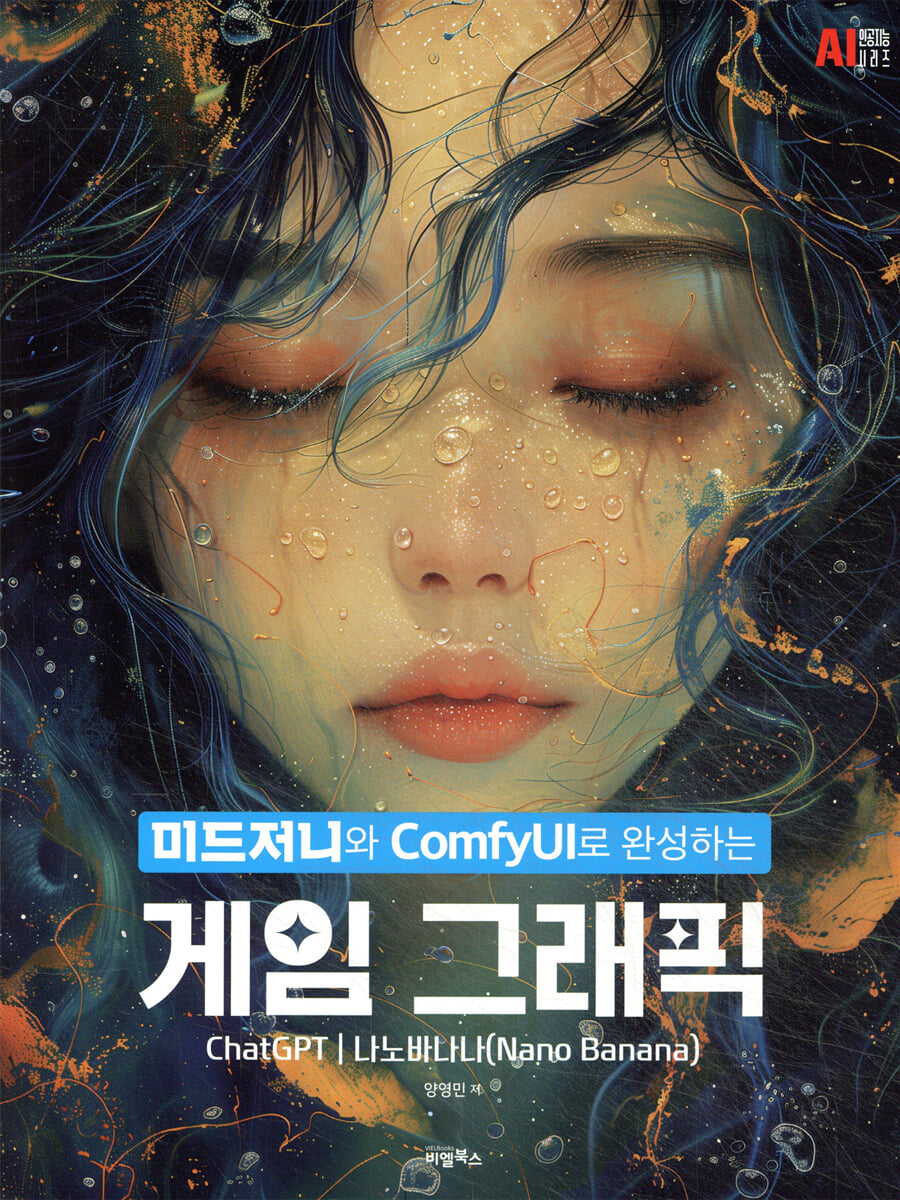
Game graphics completed with Midjourney and ComfyUI
 |
Description
Book Introduction
Generative AI contributes to improving work efficiency and increasing the quantity of output, but it also reminds us of the importance of fundamentals and theory.
Anyone can simply create an image, but to properly control it and understand and modify the results requires knowledge and skills in image management and correction.
By being exposed to different styles, you can discover your preferred expressions and develop unexpected ideas into concrete visuals.
AI is now completely changing the flow of visual graphics.
The field of game graphics, in particular, is a cutting-edge stage that blurs the boundaries between technology and art, and is where innovation first begins.
In the past, this was a task that required a lot of time and manpower, but now, the advancement of generative AI technology has completely changed the creative environment.
This book focuses on Midjourney and ComfyUI, and covers how to easily and efficiently create various resources required for game development using the latest AI graphics production techniques.
Anyone can simply create an image, but to properly control it and understand and modify the results requires knowledge and skills in image management and correction.
By being exposed to different styles, you can discover your preferred expressions and develop unexpected ideas into concrete visuals.
AI is now completely changing the flow of visual graphics.
The field of game graphics, in particular, is a cutting-edge stage that blurs the boundaries between technology and art, and is where innovation first begins.
In the past, this was a task that required a lot of time and manpower, but now, the advancement of generative AI technology has completely changed the creative environment.
This book focuses on Midjourney and ComfyUI, and covers how to easily and efficiently create various resources required for game development using the latest AI graphics production techniques.
index
Entering
Part01.
Start Midjourney
1.
Midjourney Installation and Basic Usage
- The beginning of Midjourney
- Establishing a Midjourney personal server
- Note on text prompts
- Image prompt notes
- How to use image prompts
2.
Midjourney Key Features
- Key features of Midjourney
- Parameters parameters
- Other commands
3.
Using the Midjourney Web UI Version
- How to create an image in the web UI
Part02.
Using Midjourney
1.
Using Midjourney's Edit/Retexture
- Create game illustrations using the Edit function
- Change the style with the Retexture function
2.
Using Midjourney's personalized profile feature
3.
Learn game styles with mood boards
4.
How to create images while maintaining consistency
- How to maintain the mid-journey style
- Understanding and applying the oref (Object Reference) function
- Practical Midjourney image analysis and prompt optimization
- Quickly sketch out your concept with the Draft feature.
- How to use the Korean prompt and multilingual options in Midjourney
Part03.
Create character art/illustrations in Midjourney
1.
Create game item/weapon/armor images
2.
Production of character illustrations
3.
Create a three-sided character
4.
Creating a three-dimensional character face
5.
Changes in realism/semi-realism/casual style
6.
Change character expressions
7.
Change character hairstyle
8.
Change character costume
9.
Change character pose
10.
Change the character's age
11.
Change your character's weight
12.
Creating game character illustrations with Midjourney
13. Creating SD-style characters/dot characters
Part04.
The Importance of Lighting in Midjourney
- Types of lighting and prompts
- Line of sight processing using lighting
- Adjusting depth of field DOF
- Changes in mood, time, and season
Part05.
Background art/illustration/resource production in Midjourney
1.
Production of prop concepts for each worldview
- Production of a post-apocalyptic prop concept
- Making old drums
- Expression of old and broken buildings
- Understanding detail prompts for prop creation
- Mana Potion
-Creating crystals inside the cave
- Rock expression with a Zbrush sculpting feel
- Production of the Grimoire
- Production of siege weapons
2.
Creation of broken props
3.
Change the background to a realistic/casual/dot painting style
4.
Adjusting the background camera angle
5.
Creating a Game Screenshot Style
6.
Creating a 2D game tile map source code
7.
Creating a tiling texture
8.
Creating an alpha texture
Part06.
Creating UI Resources in Midjourney
1.
Creating consistent game tier images
2.
Create a grade alphabet evaluation sheet
3.
Create a set of minimal flat icons
4.
How to create text images and logos
- How to create a logo with text
- How to create a game title with Midjourney
- Import font styles
- Create a logo with only an image
- Detail photo
5.
Adding effects to logo images
6.
Creating a game button UI
7.
Create game icons at once
8.
Implementing skill images with blend
Part07.
Using Midjourney's video features
1.
What is Midjourney Animate?
2.
Creating a character three-sided view/expression animation in a Midjourney video
3.
Creating Moving Game Illustrations from Midjourney Videos
4.
Creating Game Cinematics from Midjourney Videos
5.
Animate icon promotion in Midjourney video
Part08.
Using ComfyUI
1.
Preparing to run ComfyUI
- What about ComfyUI?
- Install and run ComfyUI desktop
- Install and run ComfyUI Portable (local)
- Install Python
2.
The beginning of ComfyUI
- How to integrate with the existing Stable diffusion WebUI
- How to run ComfyUI after installation
- Understanding ComfyUI's structure and interface
- Install ComfyUI Manager
- Managing ComfyUI
- Understanding Model/Laura
3.
How to use ComfyUI
- Using ComfyUI nodes
- Try ComfyUI Upscale
- Try Lora
- Extracting prompts with ComfyUI images
4.
Installing and Using ControlNet with ComfyUI
[Tutorial 1] Turning a Sketch into a Concept Art
[Tutorial 2] Creating a Three-Sided Character
[Tutorial 3] Creating a Character Face Turntable
5.
Let's make Laura
6.
How to learn Laura with one image
7.
Remove image background with ComfyUI
8.
Creating a character/effect sprite sheet that actually works
Part09.
Creating Game Resources with ChatGPT
1.
Getting started with ChatGPT
- Getting started with ChatGPT
- Creating and managing project windows
- Introducing the image creation function
- Prompt writing basics
2.
ChatGPT Game Planning and Resource Setup
- Creating a worldview
- Creating characters and jobs
- Item, skill, and monster composition
- Organizing planning documents
3.
Change image styles and create emoticons
- Change image style
- Create emotional emoticons
- Turn real photos or doodles into emoticons
4.
Creating a three-sided drawing of a game character
- How to request a three-sided drawing
- Tips for maintaining character style
5.
Dress up your character
6.
Creating a game texture source
7.
Adding texture to the logo
8.
Remove image background (create alpha texture)
9.
Extracting patterns from photos and images
10.
Applying a pattern to an item
11.
Try placing game assets in the background
12.
Creating a game UI
Part 10.
Using Gemini 2.5 Flash (Nano Banana)
1.
Learn about Gemini 2.5 Flash (Nano Banana)
2.
How to Use Gemini 2.5 Flash
3.
Image Compositing/Editing with Gemini 2.5
4.
Character expression/pose/part change and multi-purpose application
5.
Background position and changes and creation and application of items
6.
Remove unnecessary textures, watermarks, and resources
Part 11.
Image processing using Photoshop
1.
Dot transition
2.
How to Use Photoshop Actions
3.
Saving and Managing Images
Part01.
Start Midjourney
1.
Midjourney Installation and Basic Usage
- The beginning of Midjourney
- Establishing a Midjourney personal server
- Note on text prompts
- Image prompt notes
- How to use image prompts
2.
Midjourney Key Features
- Key features of Midjourney
- Parameters parameters
- Other commands
3.
Using the Midjourney Web UI Version
- How to create an image in the web UI
Part02.
Using Midjourney
1.
Using Midjourney's Edit/Retexture
- Create game illustrations using the Edit function
- Change the style with the Retexture function
2.
Using Midjourney's personalized profile feature
3.
Learn game styles with mood boards
4.
How to create images while maintaining consistency
- How to maintain the mid-journey style
- Understanding and applying the oref (Object Reference) function
- Practical Midjourney image analysis and prompt optimization
- Quickly sketch out your concept with the Draft feature.
- How to use the Korean prompt and multilingual options in Midjourney
Part03.
Create character art/illustrations in Midjourney
1.
Create game item/weapon/armor images
2.
Production of character illustrations
3.
Create a three-sided character
4.
Creating a three-dimensional character face
5.
Changes in realism/semi-realism/casual style
6.
Change character expressions
7.
Change character hairstyle
8.
Change character costume
9.
Change character pose
10.
Change the character's age
11.
Change your character's weight
12.
Creating game character illustrations with Midjourney
13. Creating SD-style characters/dot characters
Part04.
The Importance of Lighting in Midjourney
- Types of lighting and prompts
- Line of sight processing using lighting
- Adjusting depth of field DOF
- Changes in mood, time, and season
Part05.
Background art/illustration/resource production in Midjourney
1.
Production of prop concepts for each worldview
- Production of a post-apocalyptic prop concept
- Making old drums
- Expression of old and broken buildings
- Understanding detail prompts for prop creation
- Mana Potion
-Creating crystals inside the cave
- Rock expression with a Zbrush sculpting feel
- Production of the Grimoire
- Production of siege weapons
2.
Creation of broken props
3.
Change the background to a realistic/casual/dot painting style
4.
Adjusting the background camera angle
5.
Creating a Game Screenshot Style
6.
Creating a 2D game tile map source code
7.
Creating a tiling texture
8.
Creating an alpha texture
Part06.
Creating UI Resources in Midjourney
1.
Creating consistent game tier images
2.
Create a grade alphabet evaluation sheet
3.
Create a set of minimal flat icons
4.
How to create text images and logos
- How to create a logo with text
- How to create a game title with Midjourney
- Import font styles
- Create a logo with only an image
- Detail photo
5.
Adding effects to logo images
6.
Creating a game button UI
7.
Create game icons at once
8.
Implementing skill images with blend
Part07.
Using Midjourney's video features
1.
What is Midjourney Animate?
2.
Creating a character three-sided view/expression animation in a Midjourney video
3.
Creating Moving Game Illustrations from Midjourney Videos
4.
Creating Game Cinematics from Midjourney Videos
5.
Animate icon promotion in Midjourney video
Part08.
Using ComfyUI
1.
Preparing to run ComfyUI
- What about ComfyUI?
- Install and run ComfyUI desktop
- Install and run ComfyUI Portable (local)
- Install Python
2.
The beginning of ComfyUI
- How to integrate with the existing Stable diffusion WebUI
- How to run ComfyUI after installation
- Understanding ComfyUI's structure and interface
- Install ComfyUI Manager
- Managing ComfyUI
- Understanding Model/Laura
3.
How to use ComfyUI
- Using ComfyUI nodes
- Try ComfyUI Upscale
- Try Lora
- Extracting prompts with ComfyUI images
4.
Installing and Using ControlNet with ComfyUI
[Tutorial 1] Turning a Sketch into a Concept Art
[Tutorial 2] Creating a Three-Sided Character
[Tutorial 3] Creating a Character Face Turntable
5.
Let's make Laura
6.
How to learn Laura with one image
7.
Remove image background with ComfyUI
8.
Creating a character/effect sprite sheet that actually works
Part09.
Creating Game Resources with ChatGPT
1.
Getting started with ChatGPT
- Getting started with ChatGPT
- Creating and managing project windows
- Introducing the image creation function
- Prompt writing basics
2.
ChatGPT Game Planning and Resource Setup
- Creating a worldview
- Creating characters and jobs
- Item, skill, and monster composition
- Organizing planning documents
3.
Change image styles and create emoticons
- Change image style
- Create emotional emoticons
- Turn real photos or doodles into emoticons
4.
Creating a three-sided drawing of a game character
- How to request a three-sided drawing
- Tips for maintaining character style
5.
Dress up your character
6.
Creating a game texture source
7.
Adding texture to the logo
8.
Remove image background (create alpha texture)
9.
Extracting patterns from photos and images
10.
Applying a pattern to an item
11.
Try placing game assets in the background
12.
Creating a game UI
Part 10.
Using Gemini 2.5 Flash (Nano Banana)
1.
Learn about Gemini 2.5 Flash (Nano Banana)
2.
How to Use Gemini 2.5 Flash
3.
Image Compositing/Editing with Gemini 2.5
4.
Character expression/pose/part change and multi-purpose application
5.
Background position and changes and creation and application of items
6.
Remove unnecessary textures, watermarks, and resources
Part 11.
Image processing using Photoshop
1.
Dot transition
2.
How to Use Photoshop Actions
3.
Saving and Managing Images
Detailed image

Publisher's Review
We cover practical examples that can be used right away in real-world settings, such as items, character artwork, background props, triptychs, illustrations, and UI designs using Midjourney. We go beyond simple image creation and explain in detail how to control the results you want.
Additionally, you will learn advanced techniques for applying ControlNet and LoRA models using ComfyUI, and implement methods for converting sketch images into concept art, creating character triptychs, and implementing face turntable effects.
ChatGPT also covers how to create game graphic resources such as character styles, emoticons, alpha and tile textures, and teaches powerful image compositing and editing techniques through Gemini 2.5 Flash, made famous by nano bananas.
Using this, you can learn how to create various game graphic resources, such as character expressions, poses, parts, watermarks, and removing unnecessary elements.
AI is not simply a tool, but a partner that expands creative possibilities.
This book goes beyond simply "creating images," focusing on building practical workflows that leverage AI and simultaneously achieve efficiency and creativity.
Through this book, you will learn how to utilize AI based on fundamentals and complete game graphics in a more free creative environment.
Additionally, you will learn advanced techniques for applying ControlNet and LoRA models using ComfyUI, and implement methods for converting sketch images into concept art, creating character triptychs, and implementing face turntable effects.
ChatGPT also covers how to create game graphic resources such as character styles, emoticons, alpha and tile textures, and teaches powerful image compositing and editing techniques through Gemini 2.5 Flash, made famous by nano bananas.
Using this, you can learn how to create various game graphic resources, such as character expressions, poses, parts, watermarks, and removing unnecessary elements.
AI is not simply a tool, but a partner that expands creative possibilities.
This book goes beyond simply "creating images," focusing on building practical workflows that leverage AI and simultaneously achieve efficiency and creativity.
Through this book, you will learn how to utilize AI based on fundamentals and complete game graphics in a more free creative environment.
GOODS SPECIFICS
- Date of issue: August 25, 2025
- Page count, weight, size: 368 pages | 188*247*30mm
- ISBN13: 9791186573822
- ISBN10: 1186573821
You may also like
카테고리
korean


korean

![GQ KOREA Mark (Monthly): December [2025]](http://librairie.coreenne.fr/cdn/shop/files/8ef265dbbfbf186523ed75ba7319009d.jpg?v=1765340328&width=3840)


