

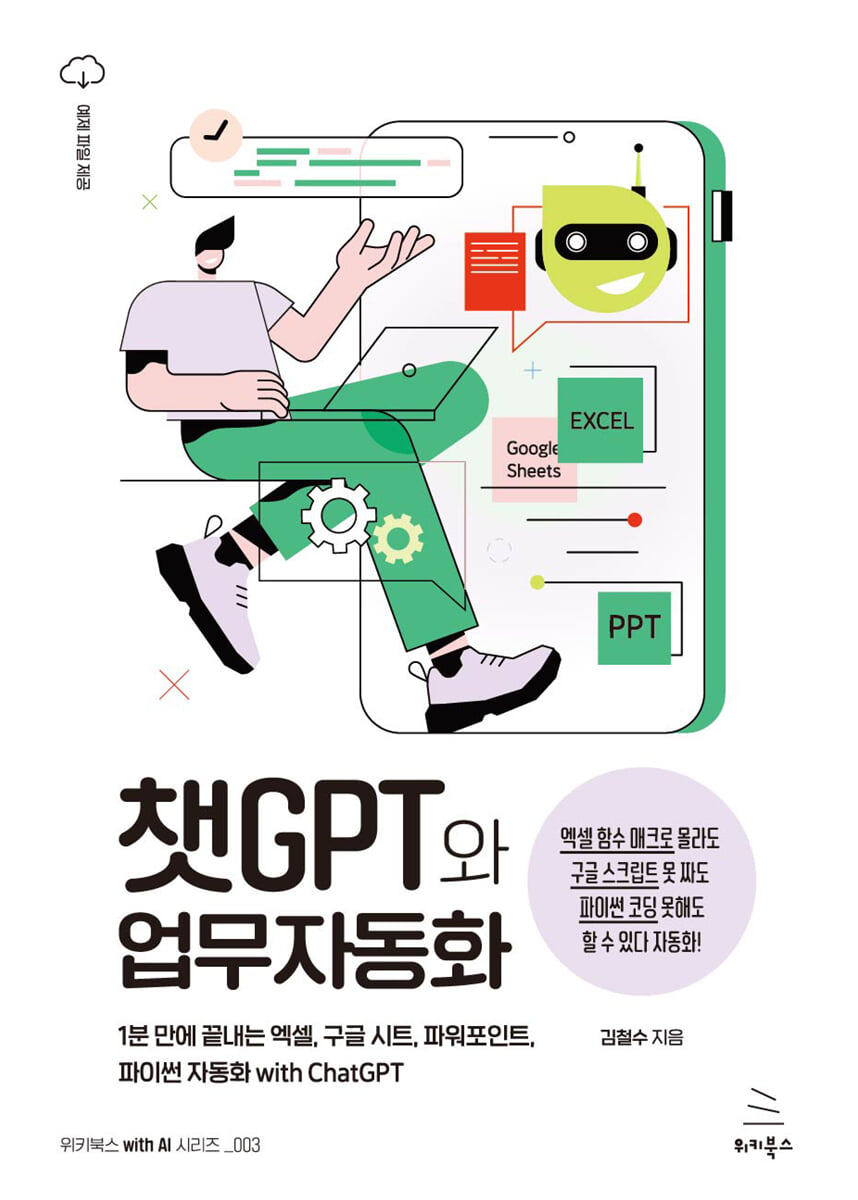
ChatGPT and Business Automation
 |
Description
Book Introduction
Automate Excel, Google Spreadsheets, and PowerPoint tasks in just one minute—without knowing a single line of code!
We can ask ChatGPT for code, and use the code it writes to automate anything, whether it's Excel, PowerPoint, or Google Sheets.
Simple, repetitive tasks that used to take all day to complete with Ctrl+C and Ctrl+V can now be completed in just one minute with ChatGPT.
Don't believe me? This book will free you from the slavery of Ctrl+C and Ctrl+V.
ChatGPT does not replace human jobs.
It simply replaces simple, repetitive tasks or helps people get things done very quickly so that everyone can focus on their original tasks.
As you become familiar with AI like ChatGPT, you'll notice a significant increase in work efficiency and more free time.
We can ask ChatGPT for code, and use the code it writes to automate anything, whether it's Excel, PowerPoint, or Google Sheets.
Simple, repetitive tasks that used to take all day to complete with Ctrl+C and Ctrl+V can now be completed in just one minute with ChatGPT.
Don't believe me? This book will free you from the slavery of Ctrl+C and Ctrl+V.
ChatGPT does not replace human jobs.
It simply replaces simple, repetitive tasks or helps people get things done very quickly so that everyone can focus on their original tasks.
As you become familiar with AI like ChatGPT, you'll notice a significant increase in work efficiency and more free time.
- You can preview some of the book's contents.
Preview
index
Chapter 1: ChatGPT Instead of a Sub-Tracker
1.
One ChatGPT is better than ten new employees?
___3rd year youngest manager Kim Joo-rim gets a new assistant manager.
___A new employee quits immediately after joining the company.
___Manager Kim, learning ChatGPT for the first time
2.
Log in to ChatGPT and sign up
Sign up with ___email
___Sign up with a Google account
3.
How to use ChatGPT
___How to ask and request
___Korean? English?
___There is also a paid service
4.
How to ask and request questions to ChatGPT
___Three Characteristics of ChatGPT You Should Know and Use
4 Tips for Writing Prompts Well
Chapter 2: Getting Started with Excel Automation with ChatGPT - No More Memorizing Functions
5.
ChatGPT will do all the Excel file review for you?
___Automation is free?
___Review the projected sales data
6.
Cross-check salesperson codes
___Salesperson code contains the code of a retired employee.
___If you don't know which function to use, ask ChatGPT
___Solved with the VLOOKUP function taught by ChatGPT
Solving VLOOKUP's #N/A with ___IFERROR
If you want to count only the number of sales reps with the code ___?
___What if I want to color only the cells without a sales representative code yellow?
7.
Change the incorrect date in the business start date to today's date
___There is a strange date on the opening day of business
___Find and change dates after today using conditional formatting?
Let's change the wrong date and the date after a specific date at once with the ___ function.
8.
Finding strange numbers in the offer amount
___There are strange numbers in the offer amount.
___Finding strangely small numbers with conditional formatting
___Various ways to find outliers
___Finding outliers using mean and standard deviation
9.
Finding discrepancies between the order probability and the current situation
___Find the relationship between two columns
___Change the values of one column depending on the values of another column
___Is this really automation?
Chapter 3: Using VBA - You can use macros and VBA even if you can't code.
10.
I can't program, but I can use VBA?
___One smart ChatGPT, not jealous of ten new employees
___VBA? Macro? Function?
___Functions and Conditional Formatting, all in one with VBA!
11. How to use the VBA editor
___What if I don't see the VBA shortcut menu?
___VBA editor screen configuration
___Running VBA code
Excel Macro with ___ChatGPT
12.
Finding data that does not match the order probability and current status using VBA
___VBA code that makes the probability of winning an order 100% when the current situation is contract completion
___ChatGPT does it all, but it's better to know the meaning of the code
13.
Cross-checking sales rep codes with VBA
Let's cross-check the ___salesperson code
___Let's ask ChatGPT to write some VBA code for us.
___Let's run the code provided by ChatGPT
14.
Find and Replace Invalid Dates and Strange Numbers with VBA
___Let's find a date with an odd business start date and change it.
___Let's find and replace any odd numbers in the suggested amount.
15. Merging the contents of multiple files into one using VBA
___We still have 120 files left to merge
___Let's merge multiple Excel files into one.
Let's fix the ___runtime error
Let's stop adding ___ column titles continuously
16.
Split the integrated sheet into files by branch
___ Divide the integrated sheet into branch-specific sheets
___Create each sheet as a new Excel file
Chapter 4: Automating Google Sheets with ChatGPT - Fixing Messy Survey Results
17.
Can Google Sheets be automated too?
Manager Kim, known as an office expert
___A mess of survey results sheet
___Can I automate this in Google Sheets as well as Excel?
18.
Unifying mobile phone number formats
___Your phone number is strange.
___Let's try using Google Apps Script
Let's take a look at the ___code
___Running Apps Script
___Let's also standardize the mobile phone number format
___The function has been removed?
___Google Apps Script is similar to VBA.
19_ Extract only emails
___There are a lot of strange characters in the email.
___How do I fix typos in Korean?
___Let's remove Korean or special characters
___Let's find cells that are not in email format and color them yellow.
___When you are not satisfied with the results, ask for it 'exactly'
20.
Unify date format
___The date is completely random
___ChatGPT doesn't know what day it is today
___Give ChatGPT a sample date and ask it to code it for you.
If the ___date doesn't change properly, change it to plain text.
21.
Extracting name, phone number, and email from a single cell
___To untangle the jumble of information…
___You must carefully check for empty cells, empty rows, and empty columns.
How do I find ___ people's names?
22.
Separate course names into columns
___Separate comma-separated data in one cell
___If an error occurs, please notify ChatGPT of the error message.
23.
Find zip code by address
___Looking for a zip code on Naver?
___How to extract only the zip code from a web page?
Let's use the zip code finder function we just created in the ___ sheet.
24.
Send personalized emails to applicants
___Can I send a custom email directly to an email list in Google Sheets?
Just tell me the exact name of the ___ sheet
___To change the email subject and body
Chapter 5: Automating Other Office Tools - You Can Automate Anything
25.
You want me to do a seminar on office automation?
Manager Kim, renowned as a business automation expert
Manager Kim ___ is summoned to the president's office.
___Warrior Preparing a Seminar on Using ChatGPT
26.
Extracting Data from Gmail and Google Calendar
___Import Gmail data into Google Sheets
___Import Google Calendar data into Google Sheets
27.
Unifying Title Designs in PowerPoint
___Let's unify the color and size of the slide titles.
___Let's also unify the position of the slide titles.
28.
Unifying table design in PowerPoint
___Let's unify the table design in PowerPoint
___Design codes must be requested carefully from ChatGPT.
Change the font size in the ___ table
___Every cell has four borders
29.
Creating a Slide Photo Album with PowerPoint
Insert hundreds of photos, one per PowerPoint slide.
30.
Extracting news titles from portal sites using Python
___Collecting news with Python?
___Use Python in your browser without installing it
___Modify the code
___Extract news from the next page as well
31.
Creating a simple event information web page (html)
___Create a web page
___Edit HTML
32.
Visualizing Data on Web Pages (D3)
___D3 for visualizing data on web pages
Creating a Racing Chart Web Page with ___D3
33.
Using the ChatGPT function in Google Sheets
___Can I embed ChatGPT in Google Sheets?
Let's install the ___GPT for Google Sheets and Docs extension.
___You need to get an API key from OpenAI
___You can use the GPT function in cells in Google Sheets.
Appendix: Collection of Prompts
1.
One ChatGPT is better than ten new employees?
___3rd year youngest manager Kim Joo-rim gets a new assistant manager.
___A new employee quits immediately after joining the company.
___Manager Kim, learning ChatGPT for the first time
2.
Log in to ChatGPT and sign up
Sign up with ___email
___Sign up with a Google account
3.
How to use ChatGPT
___How to ask and request
___Korean? English?
___There is also a paid service
4.
How to ask and request questions to ChatGPT
___Three Characteristics of ChatGPT You Should Know and Use
4 Tips for Writing Prompts Well
Chapter 2: Getting Started with Excel Automation with ChatGPT - No More Memorizing Functions
5.
ChatGPT will do all the Excel file review for you?
___Automation is free?
___Review the projected sales data
6.
Cross-check salesperson codes
___Salesperson code contains the code of a retired employee.
___If you don't know which function to use, ask ChatGPT
___Solved with the VLOOKUP function taught by ChatGPT
Solving VLOOKUP's #N/A with ___IFERROR
If you want to count only the number of sales reps with the code ___?
___What if I want to color only the cells without a sales representative code yellow?
7.
Change the incorrect date in the business start date to today's date
___There is a strange date on the opening day of business
___Find and change dates after today using conditional formatting?
Let's change the wrong date and the date after a specific date at once with the ___ function.
8.
Finding strange numbers in the offer amount
___There are strange numbers in the offer amount.
___Finding strangely small numbers with conditional formatting
___Various ways to find outliers
___Finding outliers using mean and standard deviation
9.
Finding discrepancies between the order probability and the current situation
___Find the relationship between two columns
___Change the values of one column depending on the values of another column
___Is this really automation?
Chapter 3: Using VBA - You can use macros and VBA even if you can't code.
10.
I can't program, but I can use VBA?
___One smart ChatGPT, not jealous of ten new employees
___VBA? Macro? Function?
___Functions and Conditional Formatting, all in one with VBA!
11. How to use the VBA editor
___What if I don't see the VBA shortcut menu?
___VBA editor screen configuration
___Running VBA code
Excel Macro with ___ChatGPT
12.
Finding data that does not match the order probability and current status using VBA
___VBA code that makes the probability of winning an order 100% when the current situation is contract completion
___ChatGPT does it all, but it's better to know the meaning of the code
13.
Cross-checking sales rep codes with VBA
Let's cross-check the ___salesperson code
___Let's ask ChatGPT to write some VBA code for us.
___Let's run the code provided by ChatGPT
14.
Find and Replace Invalid Dates and Strange Numbers with VBA
___Let's find a date with an odd business start date and change it.
___Let's find and replace any odd numbers in the suggested amount.
15. Merging the contents of multiple files into one using VBA
___We still have 120 files left to merge
___Let's merge multiple Excel files into one.
Let's fix the ___runtime error
Let's stop adding ___ column titles continuously
16.
Split the integrated sheet into files by branch
___ Divide the integrated sheet into branch-specific sheets
___Create each sheet as a new Excel file
Chapter 4: Automating Google Sheets with ChatGPT - Fixing Messy Survey Results
17.
Can Google Sheets be automated too?
Manager Kim, known as an office expert
___A mess of survey results sheet
___Can I automate this in Google Sheets as well as Excel?
18.
Unifying mobile phone number formats
___Your phone number is strange.
___Let's try using Google Apps Script
Let's take a look at the ___code
___Running Apps Script
___Let's also standardize the mobile phone number format
___The function has been removed?
___Google Apps Script is similar to VBA.
19_ Extract only emails
___There are a lot of strange characters in the email.
___How do I fix typos in Korean?
___Let's remove Korean or special characters
___Let's find cells that are not in email format and color them yellow.
___When you are not satisfied with the results, ask for it 'exactly'
20.
Unify date format
___The date is completely random
___ChatGPT doesn't know what day it is today
___Give ChatGPT a sample date and ask it to code it for you.
If the ___date doesn't change properly, change it to plain text.
21.
Extracting name, phone number, and email from a single cell
___To untangle the jumble of information…
___You must carefully check for empty cells, empty rows, and empty columns.
How do I find ___ people's names?
22.
Separate course names into columns
___Separate comma-separated data in one cell
___If an error occurs, please notify ChatGPT of the error message.
23.
Find zip code by address
___Looking for a zip code on Naver?
___How to extract only the zip code from a web page?
Let's use the zip code finder function we just created in the ___ sheet.
24.
Send personalized emails to applicants
___Can I send a custom email directly to an email list in Google Sheets?
Just tell me the exact name of the ___ sheet
___To change the email subject and body
Chapter 5: Automating Other Office Tools - You Can Automate Anything
25.
You want me to do a seminar on office automation?
Manager Kim, renowned as a business automation expert
Manager Kim ___ is summoned to the president's office.
___Warrior Preparing a Seminar on Using ChatGPT
26.
Extracting Data from Gmail and Google Calendar
___Import Gmail data into Google Sheets
___Import Google Calendar data into Google Sheets
27.
Unifying Title Designs in PowerPoint
___Let's unify the color and size of the slide titles.
___Let's also unify the position of the slide titles.
28.
Unifying table design in PowerPoint
___Let's unify the table design in PowerPoint
___Design codes must be requested carefully from ChatGPT.
Change the font size in the ___ table
___Every cell has four borders
29.
Creating a Slide Photo Album with PowerPoint
Insert hundreds of photos, one per PowerPoint slide.
30.
Extracting news titles from portal sites using Python
___Collecting news with Python?
___Use Python in your browser without installing it
___Modify the code
___Extract news from the next page as well
31.
Creating a simple event information web page (html)
___Create a web page
___Edit HTML
32.
Visualizing Data on Web Pages (D3)
___D3 for visualizing data on web pages
Creating a Racing Chart Web Page with ___D3
33.
Using the ChatGPT function in Google Sheets
___Can I embed ChatGPT in Google Sheets?
Let's install the ___GPT for Google Sheets and Docs extension.
___You need to get an API key from OpenAI
___You can use the GPT function in cells in Google Sheets.
Appendix: Collection of Prompts
Detailed image

Publisher's Review
Structure of this book
- ChatGPT concept and simple usage
- How to automate Excel using ChatGPT
- How to use the VBA code provided by ChatGPT in Excel
- Google Spreadsheet Automation with ChatGPT
- Various uses of ChatGPT - News gathering with Python, D3 visualization, web page creation, etc.
- ChatGPT concept and simple usage
- How to automate Excel using ChatGPT
- How to use the VBA code provided by ChatGPT in Excel
- Google Spreadsheet Automation with ChatGPT
- Various uses of ChatGPT - News gathering with Python, D3 visualization, web page creation, etc.
GOODS SPECIFICS
- Date of issue: March 21, 2023
- Page count, weight, size: 272 pages | 470g | 152*220*15mm
- ISBN13: 9791158394288
- ISBN10: 1158394284
You may also like
카테고리
korean


korean

![GQ KOREA Mark (Monthly): December [2025]](http://librairie.coreenne.fr/cdn/shop/files/8ef265dbbfbf186523ed75ba7319009d.jpg?v=1765340328&width=3840)


