

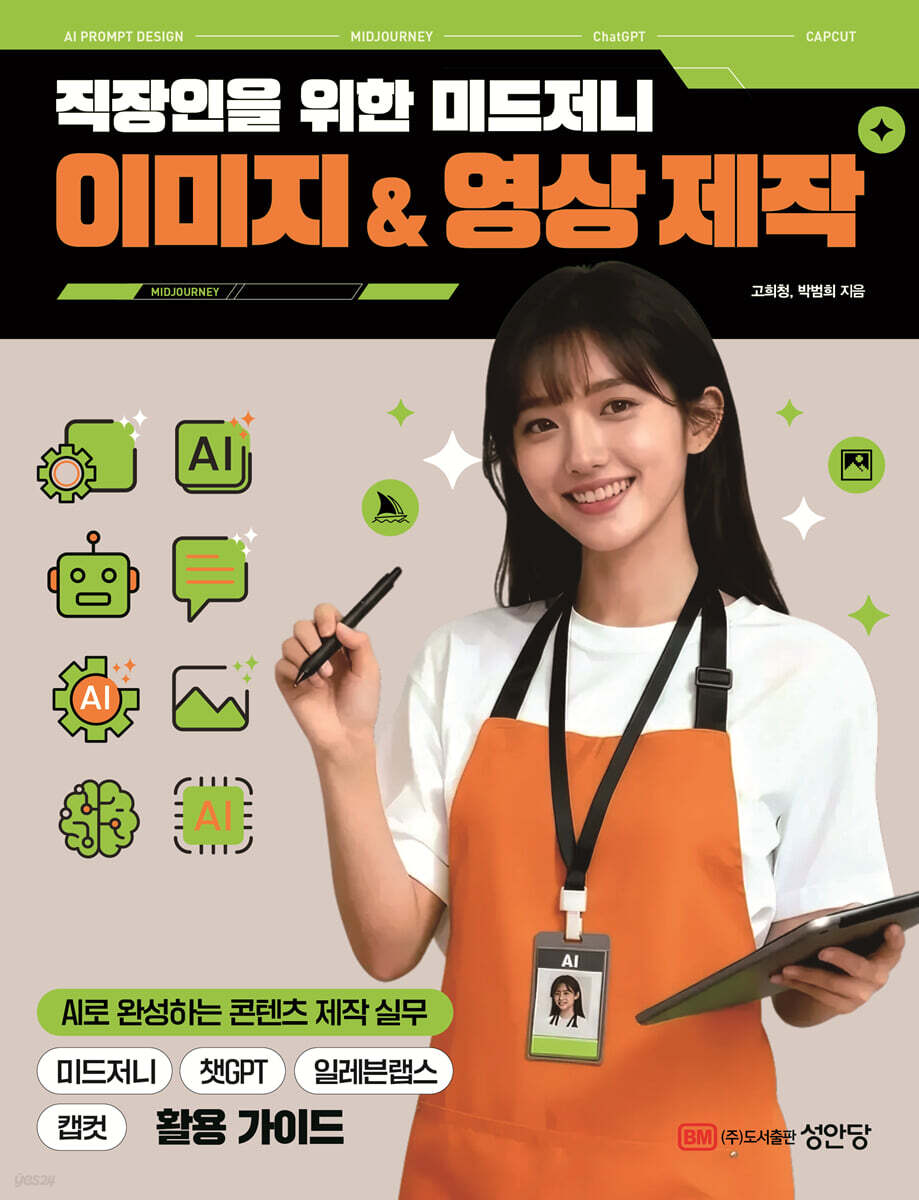
Midjourney Image & Video Production for Office Workers
 |
Description
Book Introduction
Images and videos at once!
Enhance your content business competitiveness with the latest Midjourney!
Content creation for office workers is no longer an option but a necessity.
This book is a practical guide for busy professionals. It goes beyond simply listing tool features and presents practical know-how with abundant examples that can be applied directly to real-world situations.
It can be immediately utilized in a variety of business situations, including advertising visuals, product visualizations, social media content, brand campaigns, presentation materials, and video storyboards.
In particular, by utilizing the latest mid-journey, the work flow of image creation and video production is unified, and with this as the center, it provides complete guidance from the principles of generative AI to its practical application.
Even without design experience, you can create your desired content with Prompt. You can also learn an integrated workflow that integrates with ChatGPT, Capcut, and ElevenLabs to create videos for your work. Anyone, from beginners new to AI tools to professionals seeking to improve their work efficiency, can easily follow along and create their own unique visual content.
Enhance your content business competitiveness with the latest Midjourney!
Content creation for office workers is no longer an option but a necessity.
This book is a practical guide for busy professionals. It goes beyond simply listing tool features and presents practical know-how with abundant examples that can be applied directly to real-world situations.
It can be immediately utilized in a variety of business situations, including advertising visuals, product visualizations, social media content, brand campaigns, presentation materials, and video storyboards.
In particular, by utilizing the latest mid-journey, the work flow of image creation and video production is unified, and with this as the center, it provides complete guidance from the principles of generative AI to its practical application.
Even without design experience, you can create your desired content with Prompt. You can also learn an integrated workflow that integrates with ChatGPT, Capcut, and ElevenLabs to create videos for your work. Anyone, from beginners new to AI tools to professionals seeking to improve their work efficiency, can easily follow along and create their own unique visual content.
- You can preview some of the book's contents.
Preview
index
preface
Preview
1
PART 1: The Basics of Creating Images for Work
01 What is Image-Generating AI? Introducing Midjourney
How does Midjourney work?
Why should we pay attention to Midjourney?
? Practical Application of Midjourney
02 Discover Midjourney's Strengths Midjourney's Image Expression Ability
? emotion
? Style by era
? Expression of various media and materials
? Specify the main color of the color palette
? Rich background expression
03 Use Midjourney with a Discord account Join Discord
04 Link your account and run Midjourney. Sign up for Midjourney.
05 Creating a Personal Server with Discord Midjourney Opening a Personal Discord Server
06 Find the Midjourney plan that's right for you. Check and subscribe to the Midjourney plan.
07 Midjourney Screen Overview Basic Interface Overview
? Command input window
Special Page 01 How to use the Midjourney website?
08 What is a Midjourney Prompt? The Basic Structure of a Prompt
? Image Prompt
? text prompt
? Parameter
09 Easy prompt writing method if you know the structure. Basic prompt writing method.
? Length of prompt
? Choosing the right words
? Detailed image description
Is there anything you'd like to emphasize among the 10 prompts? How to use multiple prompts (::)
11 Want to transform your photos into different styles? How to use the Style Prompt.
How to create 12 age-specific images of a person simultaneously? Using style references.
? Add age-related keywords to the text prompt
? Using the Remix feature
? Combining image links and text prompts (style reference feature)
13 Creating an image from text Text to image function
14 Transform images into new styles [V], [RE-ROLL] function
15. [Vary (Strong)], [Vary (Subtle)] function to transform the selected image into various versions
16 Partially modifying the image result [Vary (Region)] function
17 [Zoom], [Pan] function to expand the image in the desired direction
18 Using Remix Mode to Edit Prompts Remix mode feature
19 Creating an image using the attached image Image to image function
20 Create high-resolution images with Midjourney [U] feature
21 How to merge two uploaded images? How to use image URLs?
22. What if I want to synthesize an image I searched for? How to Use Image URLs ②
? Landscape images and surreal composites
Combination of product images and marketing visuals
23 Find images created directly on Midjourney Search the Midjourney website
24 Well-Made Image Prompts Reference Midjourney Showcase Exploration
PART 2: Midjourney Skills for Creating Essential Images
01 Understanding Midjourney's Slash Commands Slash Command Functions and Types
? Midjourney Slash Command List
02 Blending two images using the blend function /blend function
03 Check the prompt for an existing image file /describe function
04 Set frequently used prompts and commands with your own /prefer option set function
Special Page 02 Want to check the list of options you have set?
05 /shorten function to effectively reduce the number of prompts
06 Adjusting Midjourney settings with the command /settings function
07 Understanding parameters that change the results of an image Understanding the concept of parameters
? Key parameters
? So, how do you use parameters?
08 How to adjust the image aspect ratio? Using the --ar(aspect) parameter
09 What if the image style is a bit bland? Use the --s(stylize) parameter.
10 Want to create intuitive and realistic images? Use the --style raw parameter.
11. Is there a part you want to exclude from the image? How to use the parameter --no
12. Want to receive results in different styles? Use the parameter --c(chaos).
13 Want to create images with a unique concept? How to use the --w(weird) parameter.
14. Want to create an image in a repeating pattern? Use the --tile parameter.
15. Want to make it look similar to the previous image? Using the --seed parameter.
16. Want to composite with the attached image? How to use the parameter --iw
17 Want to duplicate an image style? Use the --sref parameter.
18 Can you adjust the level of image duplication? How to use the parameter --sw
19. If you want to use the same person repeatedly, use the --cref, --cw parameters.
20 Want to receive multiple designs at once? Use the --r(repeat) parameter.
21 How to express in Japanese animation style? Using parameters --niji
22. Want to create an image that reflects your tastes? How to use parameters --p
23 Want to create a video of the image generation process? How to use the parameters --video
24. What if you prefer a more painterly style over a realistic image? How to use the --v(version) parameter.
25. How to stop image creation at a specific stage? Use the --stop parameter.
26 Want to control image quality and rendering time? Use the parameter --q(quality)
PART 3: Using Generative Image Creation for Business and Design
01 Designing a Mockup Image and Using It as a Mockup
02 Calligraphy is possible in Midjourney? Create a calligraphy.
? The Limitations and Advantages of Calligraphy
? Various attempts using text styling
03 Want to design a striking brand emblem? Create a brand emblem.
04 Want to create a mascot that captures your brand's personality? Create a Mascot
05 How would you apply a famous artist's style to an image? Reference the artist's style.
06 Want to create a variety of illustrations to design your products? Designing Product Packaging
07 Creating a webtoon-style image using Midjourney Creating an illustration image
Designing Webtoon Characters with Midjourney
? Easy webtoon background illustration creation
? Webtoon scene direction and emotional expression
08 Want to create product photos without going to a studio? Replace product images.
? Various backgrounds and styles can be created
? Save time and money
Save time and stop worrying about costs!
09 Free advertising model fees with Midjourney? Create a virtual character.
? Custom model settings and creative production
? Resolving portrait rights issues
10 Creating Advertising Images Using ChatGPT Using ChatGPT
? Prompts starting with ChatGPT
? Process of modifying prompts with ChatGPT
Utilizing Midjourney and ChatGPT
11 Expressing realistic movie images Creating cinematic images
? Adding realistic expression elements to text prompts
? Describing lighting and atmosphere
? Expressing camera angles and composition
12. Can you create marketing content images without a designer? How to Use Marketing Images
? Social Media Advertising & Promotional Images
? Email campaign and newsletter visuals
? Website and landing page background images
? Presentation and report design
13 Create a simple 3D icon and use it in your UI Create a 3D icon
? Glassmorphism
? Plasticine Style
? Neon/High Tech Style
? Isometric Style
14 Want to design a trendy book cover? Use these tips for cover design.
From newsletters to reports, use Midjourney for practical documents.
? Key Principles You Must Know in Book Cover Design
? Notes on creating images for printing and editing with Midjourney
PART 4: Using Midjourney to Create a Promotional Video
01 Creating a video ad using cosmetics advertising images using Eleven Labs and Capcut
? Creating advertising concepts and stories
? Making a video with Midjourney
Generating Natural AI Voices and Sound Effects with ElevenLabs
? Complete the video with CapCut
02 Creating a Trendy Shorts Video with Midjourney: Using Midjourney's Video Features ①
An effective way to identify trends
Create a miniature video of making a strawberry cake.
? Create a video of a cooking animal character
Editing a single video with CapCut
03 Creating a Pet Cafe Promotional Video That Stimulates Emotions Using Midjourney's Video Features ②
? Create style images for videos
? Converting images to video
Generating AI Voices and Background Sounds with ElevenLabs
? Complete the entire video with CapCut
Index
Preview
1
PART 1: The Basics of Creating Images for Work
01 What is Image-Generating AI? Introducing Midjourney
How does Midjourney work?
Why should we pay attention to Midjourney?
? Practical Application of Midjourney
02 Discover Midjourney's Strengths Midjourney's Image Expression Ability
? emotion
? Style by era
? Expression of various media and materials
? Specify the main color of the color palette
? Rich background expression
03 Use Midjourney with a Discord account Join Discord
04 Link your account and run Midjourney. Sign up for Midjourney.
05 Creating a Personal Server with Discord Midjourney Opening a Personal Discord Server
06 Find the Midjourney plan that's right for you. Check and subscribe to the Midjourney plan.
07 Midjourney Screen Overview Basic Interface Overview
? Command input window
Special Page 01 How to use the Midjourney website?
08 What is a Midjourney Prompt? The Basic Structure of a Prompt
? Image Prompt
? text prompt
? Parameter
09 Easy prompt writing method if you know the structure. Basic prompt writing method.
? Length of prompt
? Choosing the right words
? Detailed image description
Is there anything you'd like to emphasize among the 10 prompts? How to use multiple prompts (::)
11 Want to transform your photos into different styles? How to use the Style Prompt.
How to create 12 age-specific images of a person simultaneously? Using style references.
? Add age-related keywords to the text prompt
? Using the Remix feature
? Combining image links and text prompts (style reference feature)
13 Creating an image from text Text to image function
14 Transform images into new styles [V], [RE-ROLL] function
15. [Vary (Strong)], [Vary (Subtle)] function to transform the selected image into various versions
16 Partially modifying the image result [Vary (Region)] function
17 [Zoom], [Pan] function to expand the image in the desired direction
18 Using Remix Mode to Edit Prompts Remix mode feature
19 Creating an image using the attached image Image to image function
20 Create high-resolution images with Midjourney [U] feature
21 How to merge two uploaded images? How to use image URLs?
22. What if I want to synthesize an image I searched for? How to Use Image URLs ②
? Landscape images and surreal composites
Combination of product images and marketing visuals
23 Find images created directly on Midjourney Search the Midjourney website
24 Well-Made Image Prompts Reference Midjourney Showcase Exploration
PART 2: Midjourney Skills for Creating Essential Images
01 Understanding Midjourney's Slash Commands Slash Command Functions and Types
? Midjourney Slash Command List
02 Blending two images using the blend function /blend function
03 Check the prompt for an existing image file /describe function
04 Set frequently used prompts and commands with your own /prefer option set function
Special Page 02 Want to check the list of options you have set?
05 /shorten function to effectively reduce the number of prompts
06 Adjusting Midjourney settings with the command /settings function
07 Understanding parameters that change the results of an image Understanding the concept of parameters
? Key parameters
? So, how do you use parameters?
08 How to adjust the image aspect ratio? Using the --ar(aspect) parameter
09 What if the image style is a bit bland? Use the --s(stylize) parameter.
10 Want to create intuitive and realistic images? Use the --style raw parameter.
11. Is there a part you want to exclude from the image? How to use the parameter --no
12. Want to receive results in different styles? Use the parameter --c(chaos).
13 Want to create images with a unique concept? How to use the --w(weird) parameter.
14. Want to create an image in a repeating pattern? Use the --tile parameter.
15. Want to make it look similar to the previous image? Using the --seed parameter.
16. Want to composite with the attached image? How to use the parameter --iw
17 Want to duplicate an image style? Use the --sref parameter.
18 Can you adjust the level of image duplication? How to use the parameter --sw
19. If you want to use the same person repeatedly, use the --cref, --cw parameters.
20 Want to receive multiple designs at once? Use the --r(repeat) parameter.
21 How to express in Japanese animation style? Using parameters --niji
22. Want to create an image that reflects your tastes? How to use parameters --p
23 Want to create a video of the image generation process? How to use the parameters --video
24. What if you prefer a more painterly style over a realistic image? How to use the --v(version) parameter.
25. How to stop image creation at a specific stage? Use the --stop parameter.
26 Want to control image quality and rendering time? Use the parameter --q(quality)
PART 3: Using Generative Image Creation for Business and Design
01 Designing a Mockup Image and Using It as a Mockup
02 Calligraphy is possible in Midjourney? Create a calligraphy.
? The Limitations and Advantages of Calligraphy
? Various attempts using text styling
03 Want to design a striking brand emblem? Create a brand emblem.
04 Want to create a mascot that captures your brand's personality? Create a Mascot
05 How would you apply a famous artist's style to an image? Reference the artist's style.
06 Want to create a variety of illustrations to design your products? Designing Product Packaging
07 Creating a webtoon-style image using Midjourney Creating an illustration image
Designing Webtoon Characters with Midjourney
? Easy webtoon background illustration creation
? Webtoon scene direction and emotional expression
08 Want to create product photos without going to a studio? Replace product images.
? Various backgrounds and styles can be created
? Save time and money
Save time and stop worrying about costs!
09 Free advertising model fees with Midjourney? Create a virtual character.
? Custom model settings and creative production
? Resolving portrait rights issues
10 Creating Advertising Images Using ChatGPT Using ChatGPT
? Prompts starting with ChatGPT
? Process of modifying prompts with ChatGPT
Utilizing Midjourney and ChatGPT
11 Expressing realistic movie images Creating cinematic images
? Adding realistic expression elements to text prompts
? Describing lighting and atmosphere
? Expressing camera angles and composition
12. Can you create marketing content images without a designer? How to Use Marketing Images
? Social Media Advertising & Promotional Images
? Email campaign and newsletter visuals
? Website and landing page background images
? Presentation and report design
13 Create a simple 3D icon and use it in your UI Create a 3D icon
? Glassmorphism
? Plasticine Style
? Neon/High Tech Style
? Isometric Style
14 Want to design a trendy book cover? Use these tips for cover design.
From newsletters to reports, use Midjourney for practical documents.
? Key Principles You Must Know in Book Cover Design
? Notes on creating images for printing and editing with Midjourney
PART 4: Using Midjourney to Create a Promotional Video
01 Creating a video ad using cosmetics advertising images using Eleven Labs and Capcut
? Creating advertising concepts and stories
? Making a video with Midjourney
Generating Natural AI Voices and Sound Effects with ElevenLabs
? Complete the video with CapCut
02 Creating a Trendy Shorts Video with Midjourney: Using Midjourney's Video Features ①
An effective way to identify trends
Create a miniature video of making a strawberry cake.
? Create a video of a cooking animal character
Editing a single video with CapCut
03 Creating a Pet Cafe Promotional Video That Stimulates Emotions Using Midjourney's Video Features ②
? Create style images for videos
? Converting images to video
Generating AI Voices and Background Sounds with ElevenLabs
? Complete the entire video with CapCut
Index
Detailed image

GOODS SPECIFICS
- Date of issue: November 19, 2025
- Page count, weight, size: 392 pages | 180*235*30mm
- ISBN13: 9788931571608
- ISBN10: 8931571607
You may also like
카테고리
korean


korean

![GQ KOREA Mark (Monthly): December [2025]](http://librairie.coreenne.fr/cdn/shop/files/8ef265dbbfbf186523ed75ba7319009d.jpg?v=1765340328&width=3840)


