

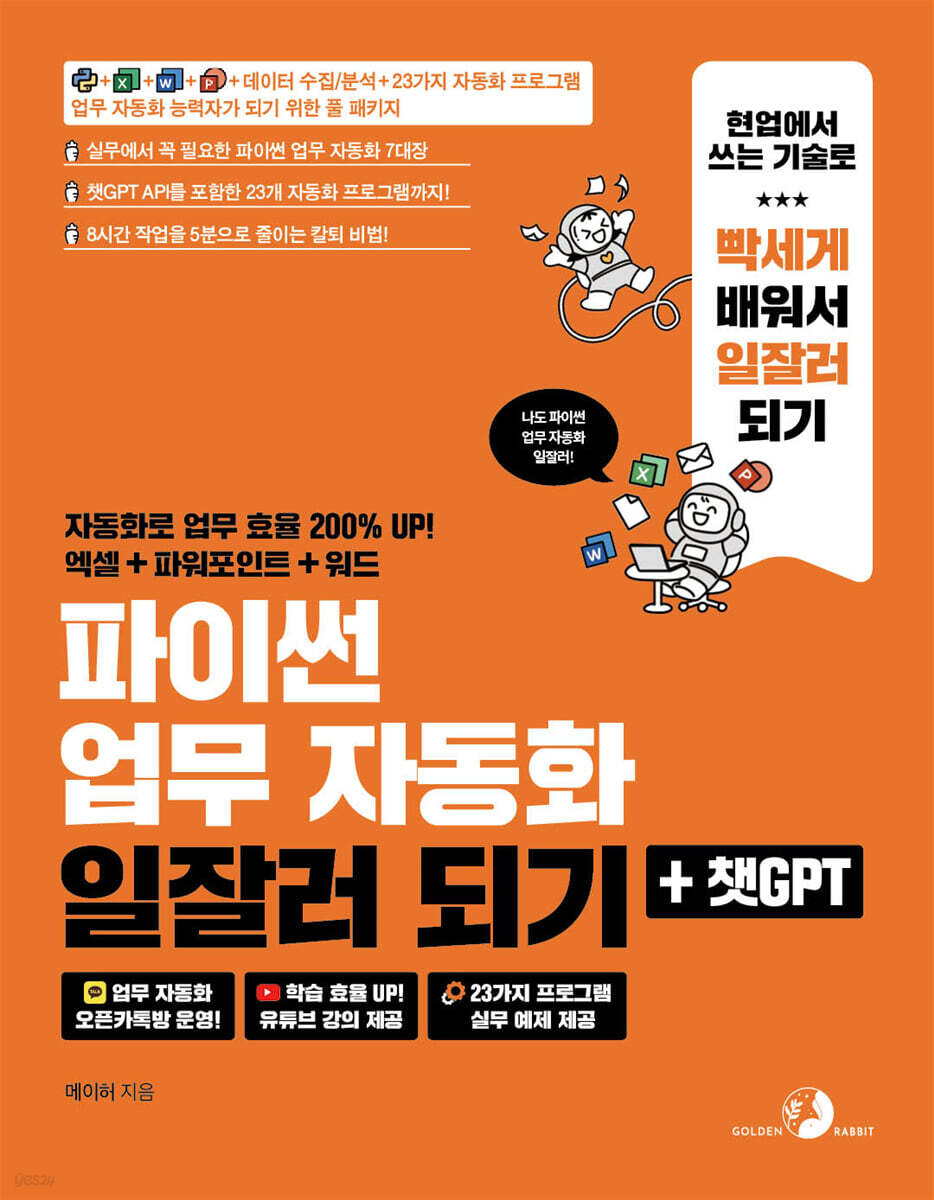
Become a Python Task Automation Expert + ChatGPT
 |
Description
Book Introduction
Do you want to become a workaholic who can increase work efficiency by 200% with just a few lines of code?
Make task automation your own, quickly and easily, using Python and ChatGPT!
23 practical automation programs for office automation, PDF file processing, web crawling, and more!
If you know how to code, you can automate tasks.
But most people still carry out repetitive tasks, thinking, "How can I code now? That's something only good people do!"
Here's a book that'll give you wings! With just a basic understanding of Python, you can automate countless tasks.
We'll introduce 23 programs, ranging from practical tools for organizing files and folders, processing PDF files, bulk generating QR codes, checking stock prices, and checking exchange rates, to programs that utilize ChatGPT to create advertising text, video subtitles, and even logo designs! Now, leave repetitive tasks to automation software and focus on your creative work!
Make task automation your own, quickly and easily, using Python and ChatGPT!
23 practical automation programs for office automation, PDF file processing, web crawling, and more!
If you know how to code, you can automate tasks.
But most people still carry out repetitive tasks, thinking, "How can I code now? That's something only good people do!"
Here's a book that'll give you wings! With just a basic understanding of Python, you can automate countless tasks.
We'll introduce 23 programs, ranging from practical tools for organizing files and folders, processing PDF files, bulk generating QR codes, checking stock prices, and checking exchange rates, to programs that utilize ChatGPT to create advertising text, video subtitles, and even logo designs! Now, leave repetitive tasks to automation software and focus on your creative work!
- You can preview some of the book's contents.
Preview
index
[Level 1 Basic Task Automation Practice]
Chapter 1: Handling Files
_01.0 Preparing for the Lab
_01.1 Using Jupyter Notebook
_01.2 Handling Folders
_01.3 File Handling
_01.4 Reading and writing text files
_01.5 Handling CSV files
__Learning completion
__Practice Problems
Chapter 2 Handling Excel Files
_02.1 Using Excel data
_02.2 Reading Excel data
_02.3 Setting the Excel format
_02.4 [Practice] Selecting data that meets certain conditions and reclassifying it according to specific criteria
_02.5 [Practice] Merging Multiple Excel Files
__Learning completion
__Practice Problems
Chapter 3 Handling Word Files
_03.1 Creating a Word file and entering data
_03.2 Setting the Word file format
_03.3 Reading Word files
_03.4 [Practice] Automatically Generating Invoice Files
__Learning completion
__Practice Problems
Chapter 4: Handling PowerPoint Files
_04.1 Creating a PowerPoint file and adding text
_04.2 Adding graphic elements to a PowerPoint file
_04.3 Reading PowerPoint files
_04.4 [Practice] Creating PowerPoint using Excel
__Learning completion
__Practice Problems
[Level 2 Practical Work Automation Practice]
Chapter 5: Pandas: Making Data Work Easier
_05.1 Understanding Pandas' Core Data Structures - Basics
_05.2 Handling DataFrames with Pandas - Advanced
__Learning completion
__Practice Problems
Chapter 6: Collecting Data from the Internet: Web Scraping
_06.0 Things to know before learning web scraping
_06.1 Understanding Web Scraping
_06.2 Understanding Web Pages
_06.3 Web Scraping with Beautiful Soup
_06.4 Web crawling for Beautiful Soup news articles
_06.5 Web scraping of real-time exchange rate information with Beautiful Soup
__Learning completion
__Practice Problems
Chapter 7: Web Scraping from Dynamic Websites
_07.1 Setting up the Selenium environment
_07.2 Controlling Web Browsers with Selenium - Basics
_07.3 Understanding XPath, finding elements, and outputting text
_07.4 Waiting
_07.5 Controlling Web Browsers with Selenium - Advanced
_07.6 Scraping real estate rankings
__Learning completion
__Practice Problems
Chapter 8: Automating Work with the ChatGPT API
_08.1 Introducing ChatGPT API
_08.2 Trying the ChatGPT API
_08.3 Extracting only the necessary information from large amounts of text with ChatGPT
__Learning completion
__Practice Problems
[Building a Level 3 23 Task Automation Program]
[Automation Program 01] Creating an Automated File Classification Program
[Automation Program 02] Creating a Batch File Renaming Program
[Automation Program 03] Creating a program that finds files containing specific strings
[Automation Program 04] Creating a Backup Automation Program
[Automation Program 05] Creating a Program to Automatically Convert JPG to PNG
[Automation Program 06] Creating a Batch Image File Resizing Program
[Automation Program 07] Creating a QR Code Generator
[Automation Program 08] Creating a Text-to-Speech Program
[Automation Program 09] Creating a YouTube Video and Audio Download Program
[Automation Program 10] Creating a Program to Extract YouTube Video Information
[Automation Program 11] Creating an Automatic Video Converter with PowerPoint
[Automation Program 12] Creating a PDF File Merge and Split Program
[Automation Program 13] Creating a Program to Automatically Extract Text from PDF Files
[Automation Program 14] Creating an Automatic Currency Conversion Program
[Automation Program 15] Creating a Bitcoin Price Inquiry Program
[Automation Program 16] Creating an Automatic Email Sending Program
[Automation Program 17] Creating a Personal Schedule Reminder Program
[Automation Program 18] Creating a Stock Data Analysis and Visualization Program
[Automation Program 19] Handling Google Spreadsheet Data
[Automation Program 20] Creating a News Article Search Web Application with Streamlet
[Automation Program 21] Creating a Web Application that Generates Advertising Text with AI
[Automation Program 22] Creating a Web Application that Generates Logo Designs with AI
[Automation Program 23] Creating a Web Application that Automatically Generates Video Subtitles with AI
[supplement]
Writing A Code
Explaining the B code
Commenting C code
D Identifying the cause of the error
Optimizing E code
Chapter 1: Handling Files
_01.0 Preparing for the Lab
_01.1 Using Jupyter Notebook
_01.2 Handling Folders
_01.3 File Handling
_01.4 Reading and writing text files
_01.5 Handling CSV files
__Learning completion
__Practice Problems
Chapter 2 Handling Excel Files
_02.1 Using Excel data
_02.2 Reading Excel data
_02.3 Setting the Excel format
_02.4 [Practice] Selecting data that meets certain conditions and reclassifying it according to specific criteria
_02.5 [Practice] Merging Multiple Excel Files
__Learning completion
__Practice Problems
Chapter 3 Handling Word Files
_03.1 Creating a Word file and entering data
_03.2 Setting the Word file format
_03.3 Reading Word files
_03.4 [Practice] Automatically Generating Invoice Files
__Learning completion
__Practice Problems
Chapter 4: Handling PowerPoint Files
_04.1 Creating a PowerPoint file and adding text
_04.2 Adding graphic elements to a PowerPoint file
_04.3 Reading PowerPoint files
_04.4 [Practice] Creating PowerPoint using Excel
__Learning completion
__Practice Problems
[Level 2 Practical Work Automation Practice]
Chapter 5: Pandas: Making Data Work Easier
_05.1 Understanding Pandas' Core Data Structures - Basics
_05.2 Handling DataFrames with Pandas - Advanced
__Learning completion
__Practice Problems
Chapter 6: Collecting Data from the Internet: Web Scraping
_06.0 Things to know before learning web scraping
_06.1 Understanding Web Scraping
_06.2 Understanding Web Pages
_06.3 Web Scraping with Beautiful Soup
_06.4 Web crawling for Beautiful Soup news articles
_06.5 Web scraping of real-time exchange rate information with Beautiful Soup
__Learning completion
__Practice Problems
Chapter 7: Web Scraping from Dynamic Websites
_07.1 Setting up the Selenium environment
_07.2 Controlling Web Browsers with Selenium - Basics
_07.3 Understanding XPath, finding elements, and outputting text
_07.4 Waiting
_07.5 Controlling Web Browsers with Selenium - Advanced
_07.6 Scraping real estate rankings
__Learning completion
__Practice Problems
Chapter 8: Automating Work with the ChatGPT API
_08.1 Introducing ChatGPT API
_08.2 Trying the ChatGPT API
_08.3 Extracting only the necessary information from large amounts of text with ChatGPT
__Learning completion
__Practice Problems
[Building a Level 3 23 Task Automation Program]
[Automation Program 01] Creating an Automated File Classification Program
[Automation Program 02] Creating a Batch File Renaming Program
[Automation Program 03] Creating a program that finds files containing specific strings
[Automation Program 04] Creating a Backup Automation Program
[Automation Program 05] Creating a Program to Automatically Convert JPG to PNG
[Automation Program 06] Creating a Batch Image File Resizing Program
[Automation Program 07] Creating a QR Code Generator
[Automation Program 08] Creating a Text-to-Speech Program
[Automation Program 09] Creating a YouTube Video and Audio Download Program
[Automation Program 10] Creating a Program to Extract YouTube Video Information
[Automation Program 11] Creating an Automatic Video Converter with PowerPoint
[Automation Program 12] Creating a PDF File Merge and Split Program
[Automation Program 13] Creating a Program to Automatically Extract Text from PDF Files
[Automation Program 14] Creating an Automatic Currency Conversion Program
[Automation Program 15] Creating a Bitcoin Price Inquiry Program
[Automation Program 16] Creating an Automatic Email Sending Program
[Automation Program 17] Creating a Personal Schedule Reminder Program
[Automation Program 18] Creating a Stock Data Analysis and Visualization Program
[Automation Program 19] Handling Google Spreadsheet Data
[Automation Program 20] Creating a News Article Search Web Application with Streamlet
[Automation Program 21] Creating a Web Application that Generates Advertising Text with AI
[Automation Program 22] Creating a Web Application that Generates Logo Designs with AI
[Automation Program 23] Creating a Web Application that Automatically Generates Video Subtitles with AI
[supplement]
Writing A Code
Explaining the B code
Commenting C code
D Identifying the cause of the error
Optimizing E code
Detailed image

Publisher's Review
★ WikiDocs' popular book, "Python Task Automation," is back in a more powerful format!
★ With 23 work automation examples that can be 100% applied in real practice.
★ Get started now and start working on time! Even Python beginners can do it!
If you're an office worker who's busy with repetitive Excel work, document creation, and data organization every day, you've probably thought to yourself at least once, "I want to stop doing repetitive tasks..."
Renaming hundreds of files, then moving them to the appropriate folders, repeatedly editing a massive amount of input data that was frantically organized in Excel...
If you're tired of repetitive tasks and massive data processing, this book is for you! From automating file and folder organization to automatically creating Excel, Word, and PowerPoint files, to web crawling for stock, exchange rate, and Bitcoin data collection, and even leveraging the ChatGPT API, become a master of task automation with 23 practical automation programs you can immediately apply to your work!
★ Who should read this book?
● Office workers who are stressed due to repetitive tasks such as Excel, Word, and PowerPoint
● Anyone who has experienced that work speed slows down as data increases
● People who want to maximize work efficiency with the latest technology
● People who want to focus on creative work instead of simple repetitive tasks
● Beginners who want to learn Python but are unsure where to start
● People who want to expand automation beyond work and use it in various fields
This book contains practical examples and fundamentals of successful work automation, based on the author's own experience in the field, to resolve work-related difficulties and achieve more efficient work processes.
We provide examples that can be used immediately in your work, from document work like Excel, Word, and PowerPoint to PDF file processing, web crawling, and API utilization.
Chapters 1 through 8 will walk you through creating and running small programs to understand how libraries frequently used in Python automation work, and then guide you through the process of creating larger-scale automation programs.
At the end of each chapter, we provide practice problems and a learning wrap-up to help you review and reinforce the material.
23 automation programs help you improve your practical skills through practical, immediately applicable projects, such as file classification, data analysis, automatic slide generation, web crawling, and AI application development.
[Level 1: Practice Basic Task Automation_ Handling Excel, Word, PowerPoint, and Documents]
For office workers tired of repetitive Excel work, this book starts with the basics of reading and writing Excel data.
It also includes practical examples of automatically merging multiple files or reclassifying data based on conditions, allowing you to easily automate tasks that used to be done manually.
Document tasks like creating and formatting Word files and creating invoices can also be easily accomplished with just a few lines of code.
From automatically generating graphs and charts with PowerPoint to creating slides using Excel data, this course provides practical tools and know-how that can be immediately applied to the workplace.
[Level 2: Getting Started with Practical Task Automation - Data Work, Web Scraping, and ChatGPT API Handling]
Pandas, Python's representative data analysis tool, allows you to efficiently organize and analyze large-scale data.
We guide you step-by-step through data processing techniques that go beyond Excel, providing hands-on examples that can be immediately applied in practice.
We also cover web scraping techniques, using BeautifulSoup and Selenium to automatically collect and organize data needed for practical purposes, such as news articles, real-time exchange rates, and real estate information.
Going a step further, we also include task automation using the ChatGPT API. AI technology can be used to extract necessary information from large amounts of text, generate code to replace repetitive tasks, and create a smarter work environment.
[Building a Level 3 23 Task Automation Program]
Learn by creating 23 automation programs that can be applied directly to your work.
It can be used in a variety of fields, including automating file classification, batch renaming, merging and splitting PDFs, generating QR codes, automatically sending emails, scheduling reminders, converting videos, visualizing stock data, and checking exchange rates and Bitcoin prices.
And these days, it's also a good idea to learn about AI-based task automation.
Explore AI-powered web applications like generating ad copy, designing logos, and generating video captions using the ChatGPT API and Streamlet.
[Appendix_Writing Python Code Using ChatGPT]
The appendix covers how to efficiently support the entire process, from writing Python code to optimizing it, using ChatGPT.
Even if you're not proficient in Python, ChatGPT provides detailed tips on how to use it effectively, from code generation to explanations, commenting, error analysis, and optimization.
Author's Note
According to one survey, office workers spend 3-4 hours a day on simple, repetitive tasks.
An innovative approach to solving these problems is task automation using Python and ChatGPT.
Automating simple, repetitive tasks frees you up to focus on creative and strategic work, dramatically increasing individual and organizational productivity.
But the reality is that the words 'code' and 'automation' make it difficult to readily take on the challenge of automating work.
The author wrote this book from a beginner's perspective so that even liberal arts students can easily follow it, in order to alleviate such difficulties for beginners.
For those looking to achieve results quickly with minimal investment, we offer practical, immediately applicable examples, from basic automation using Excel, Word, and PowerPoint to web scraping and automated report generation.
Also, instead of difficult programming terms or concepts, we focus on practical examples with easy-to-understand explanations.
Anyone who uses the 23 automation examples provided in this book will be able to free themselves from repetitive tasks and build a foundation for becoming a successful worker, freed from the burden of routine tasks and focused on more valuable work.
In modern work life, efficiency is not an option, it's a necessity.
Through this book, I hope you'll become more familiar with Python and generative AI, and automate real-world tasks to take your daily work to the next level of efficiency.
Introducing the "Becoming" series
The "Becoming" series, as the name suggests, is a book prepared for those who want to grow in the IT field.
We present carefully selected IT technologies along with a roadmap and guide you through practical study.
We will support you to quickly grow into a practitioner in your field.
★ With 23 work automation examples that can be 100% applied in real practice.
★ Get started now and start working on time! Even Python beginners can do it!
If you're an office worker who's busy with repetitive Excel work, document creation, and data organization every day, you've probably thought to yourself at least once, "I want to stop doing repetitive tasks..."
Renaming hundreds of files, then moving them to the appropriate folders, repeatedly editing a massive amount of input data that was frantically organized in Excel...
If you're tired of repetitive tasks and massive data processing, this book is for you! From automating file and folder organization to automatically creating Excel, Word, and PowerPoint files, to web crawling for stock, exchange rate, and Bitcoin data collection, and even leveraging the ChatGPT API, become a master of task automation with 23 practical automation programs you can immediately apply to your work!
★ Who should read this book?
● Office workers who are stressed due to repetitive tasks such as Excel, Word, and PowerPoint
● Anyone who has experienced that work speed slows down as data increases
● People who want to maximize work efficiency with the latest technology
● People who want to focus on creative work instead of simple repetitive tasks
● Beginners who want to learn Python but are unsure where to start
● People who want to expand automation beyond work and use it in various fields
This book contains practical examples and fundamentals of successful work automation, based on the author's own experience in the field, to resolve work-related difficulties and achieve more efficient work processes.
We provide examples that can be used immediately in your work, from document work like Excel, Word, and PowerPoint to PDF file processing, web crawling, and API utilization.
Chapters 1 through 8 will walk you through creating and running small programs to understand how libraries frequently used in Python automation work, and then guide you through the process of creating larger-scale automation programs.
At the end of each chapter, we provide practice problems and a learning wrap-up to help you review and reinforce the material.
23 automation programs help you improve your practical skills through practical, immediately applicable projects, such as file classification, data analysis, automatic slide generation, web crawling, and AI application development.
[Level 1: Practice Basic Task Automation_ Handling Excel, Word, PowerPoint, and Documents]
For office workers tired of repetitive Excel work, this book starts with the basics of reading and writing Excel data.
It also includes practical examples of automatically merging multiple files or reclassifying data based on conditions, allowing you to easily automate tasks that used to be done manually.
Document tasks like creating and formatting Word files and creating invoices can also be easily accomplished with just a few lines of code.
From automatically generating graphs and charts with PowerPoint to creating slides using Excel data, this course provides practical tools and know-how that can be immediately applied to the workplace.
[Level 2: Getting Started with Practical Task Automation - Data Work, Web Scraping, and ChatGPT API Handling]
Pandas, Python's representative data analysis tool, allows you to efficiently organize and analyze large-scale data.
We guide you step-by-step through data processing techniques that go beyond Excel, providing hands-on examples that can be immediately applied in practice.
We also cover web scraping techniques, using BeautifulSoup and Selenium to automatically collect and organize data needed for practical purposes, such as news articles, real-time exchange rates, and real estate information.
Going a step further, we also include task automation using the ChatGPT API. AI technology can be used to extract necessary information from large amounts of text, generate code to replace repetitive tasks, and create a smarter work environment.
[Building a Level 3 23 Task Automation Program]
Learn by creating 23 automation programs that can be applied directly to your work.
It can be used in a variety of fields, including automating file classification, batch renaming, merging and splitting PDFs, generating QR codes, automatically sending emails, scheduling reminders, converting videos, visualizing stock data, and checking exchange rates and Bitcoin prices.
And these days, it's also a good idea to learn about AI-based task automation.
Explore AI-powered web applications like generating ad copy, designing logos, and generating video captions using the ChatGPT API and Streamlet.
[Appendix_Writing Python Code Using ChatGPT]
The appendix covers how to efficiently support the entire process, from writing Python code to optimizing it, using ChatGPT.
Even if you're not proficient in Python, ChatGPT provides detailed tips on how to use it effectively, from code generation to explanations, commenting, error analysis, and optimization.
Author's Note
According to one survey, office workers spend 3-4 hours a day on simple, repetitive tasks.
An innovative approach to solving these problems is task automation using Python and ChatGPT.
Automating simple, repetitive tasks frees you up to focus on creative and strategic work, dramatically increasing individual and organizational productivity.
But the reality is that the words 'code' and 'automation' make it difficult to readily take on the challenge of automating work.
The author wrote this book from a beginner's perspective so that even liberal arts students can easily follow it, in order to alleviate such difficulties for beginners.
For those looking to achieve results quickly with minimal investment, we offer practical, immediately applicable examples, from basic automation using Excel, Word, and PowerPoint to web scraping and automated report generation.
Also, instead of difficult programming terms or concepts, we focus on practical examples with easy-to-understand explanations.
Anyone who uses the 23 automation examples provided in this book will be able to free themselves from repetitive tasks and build a foundation for becoming a successful worker, freed from the burden of routine tasks and focused on more valuable work.
In modern work life, efficiency is not an option, it's a necessity.
Through this book, I hope you'll become more familiar with Python and generative AI, and automate real-world tasks to take your daily work to the next level of efficiency.
Introducing the "Becoming" series
The "Becoming" series, as the name suggests, is a book prepared for those who want to grow in the IT field.
We present carefully selected IT technologies along with a roadmap and guide you through practical study.
We will support you to quickly grow into a practitioner in your field.
GOODS SPECIFICS
- Date of issue: January 10, 2025
- Page count, weight, size: 608 pages | 183*235*29mm
- ISBN13: 9791194383130
You may also like
카테고리
korean


korean

![GQ KOREA Mark (Monthly): December [2025]](http://librairie.coreenne.fr/cdn/shop/files/8ef265dbbfbf186523ed75ba7319009d.jpg?v=1765340328&width=3840)


