

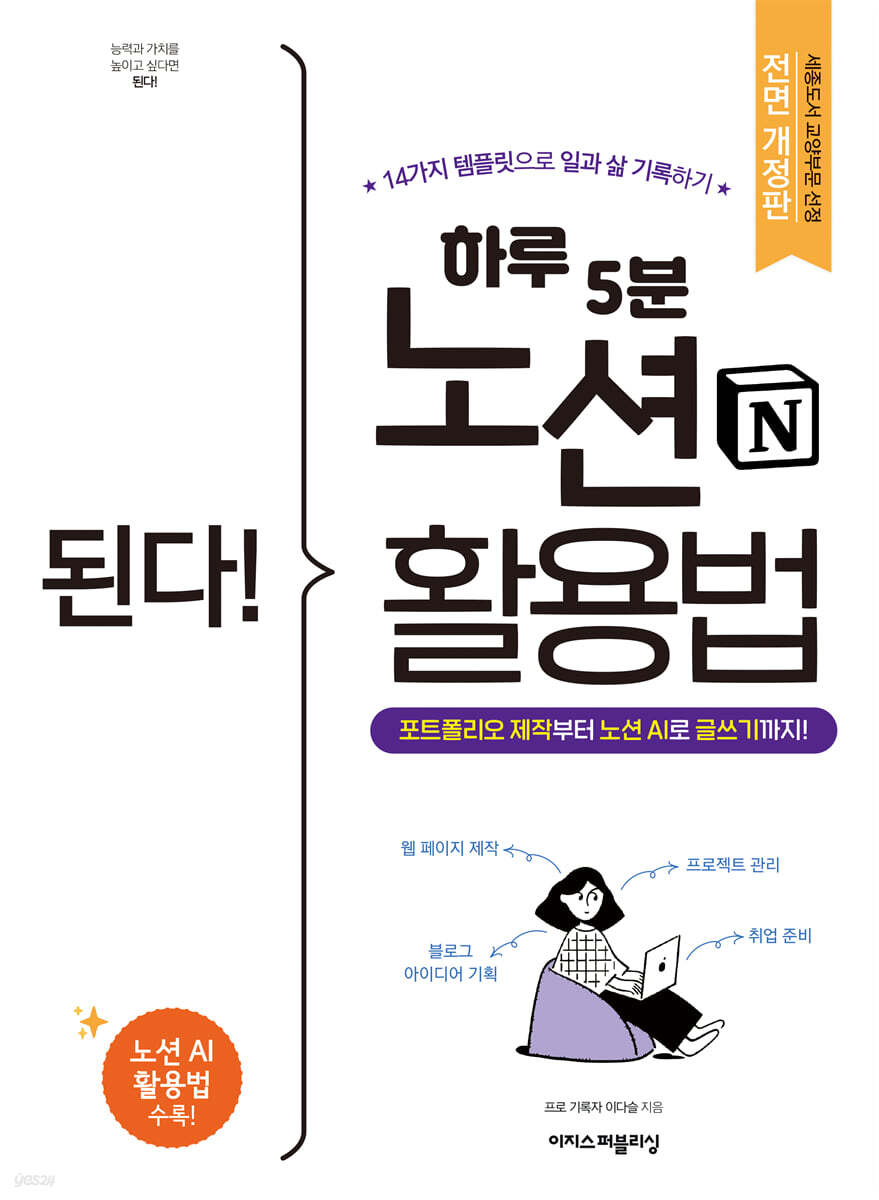
It works! How to use Notion in 5 minutes a day
 |
Description
Book Introduction
A completely revised edition of "It Works! How to Use Notion in 5 Minutes a Day," selected by Sejong Books in the liberal arts category!
Use Notion AI for habit management, grade management, web page creation, and project management! "5 minutes a day! Become the master of time as it flows through your records!" "It Works! How to Use Notion in 5 Minutes a Day," selected for the Sejong Books' General Education category, has been fully revised and updated, incorporating the latest Notion AI technology! This book features Notion templates from professional recorder Dasul, whose Notion portfolio attracts 4,000 daily visitors. From habit management to grade management, resumes, portfolios, and even Kanban boards for work collaboration! Create every page you need with Notion in this one book. Investing and applying just one day can change your life. The simpler the start, the better, right? After familiarizing yourself with Notion by creating a simple notepad, move on to creating a personal webpage, a portfolio. It is also useful for those who want to create event pages or team pages, as it allows you to easily create web pages without having to do separate hosting or coding. If you're looking for a remote work tool, take note! From project management to meeting minutes templates, we've compiled a wealth of information based on our experience collaborating with others using Notion. In addition, we'll introduce you to how to use and modify Notion's extensive templates, as well as the API that helps enrich your Notion experience. Finally, we'll help you leverage Notion AI to lay the groundwork for staying ahead in the age of artificial intelligence. Meet Notion, your daily companion, and create a habit of recording, becoming the master of your time! |
- You can preview some of the book's contents.
Preview
index
01 Hello, Notion!
01-1 You can do a lot with Notion
01-2 Sign up for Notion
01-3 Create the first page with your own hands
01-4 Collection of frequently used shortcuts and settings
02 How to Use Notion Features
02-1 Creating a Database
02-2 Adding Images, Videos, URLs, and Source Code
02-3 Specifying title level, text color, and background color
02-4 Embedding Google Drive, Google Maps, and PDFs
03 Create a personal web page and portfolio
03-1 Why Creating a Portfolio in Notion is a Good Idea
03-2 Let's create a portfolio together
03-3 Adding Wings to Your Portfolio with Upi
04 Self-management with Notion
04-1 Creating a Main Dashboard
04-2 Creating a To-Do Management Page
04-3 Creating a Habit Management Page
04-4 Creating a Reading and Movie Review Page
04-5 You can organize things like this with Notion.
05 Creating a collaborative dashboard for multiple users
05-1 Creating a Collaborative Workspace and Inviting Team Members
05-2 Creating a Kanban Board for a Work Timeline
05-3 All your files in one place! Creating a database
05-4 Managing Meetings Efficiently
05-5 Leveraging Collaboration Features 200%
06 Using Notion's Extensive Templates
06-1 Importing someone else's template
06-2 Modifying the imported template
06-3 Share my template
07 Using the Notion API
07-1 How to Use Notion More Richly
07-2 Features that are useful for portfolios
07-3 Features that are useful for personal dashboards
07-4 Features that are useful for collaboration dashboards
08 Notion AI, your personal assistant!
08-1 Notion AI? What is it?
08-2 How to Ask Notion AI Questions
08-3 Organizing a daily routine to create habits
08-4 Translation and planning functions that reduce work time
Search
01-1 You can do a lot with Notion
01-2 Sign up for Notion
01-3 Create the first page with your own hands
01-4 Collection of frequently used shortcuts and settings
02 How to Use Notion Features
02-1 Creating a Database
02-2 Adding Images, Videos, URLs, and Source Code
02-3 Specifying title level, text color, and background color
02-4 Embedding Google Drive, Google Maps, and PDFs
03 Create a personal web page and portfolio
03-1 Why Creating a Portfolio in Notion is a Good Idea
03-2 Let's create a portfolio together
03-3 Adding Wings to Your Portfolio with Upi
04 Self-management with Notion
04-1 Creating a Main Dashboard
04-2 Creating a To-Do Management Page
04-3 Creating a Habit Management Page
04-4 Creating a Reading and Movie Review Page
04-5 You can organize things like this with Notion.
05 Creating a collaborative dashboard for multiple users
05-1 Creating a Collaborative Workspace and Inviting Team Members
05-2 Creating a Kanban Board for a Work Timeline
05-3 All your files in one place! Creating a database
05-4 Managing Meetings Efficiently
05-5 Leveraging Collaboration Features 200%
06 Using Notion's Extensive Templates
06-1 Importing someone else's template
06-2 Modifying the imported template
06-3 Share my template
07 Using the Notion API
07-1 How to Use Notion More Richly
07-2 Features that are useful for portfolios
07-3 Features that are useful for personal dashboards
07-4 Features that are useful for collaboration dashboards
08 Notion AI, your personal assistant!
08-1 Notion AI? What is it?
08-2 How to Ask Notion AI Questions
08-3 Organizing a daily routine to create habits
08-4 Translation and planning functions that reduce work time
Search
Detailed image

Publisher's Review
A completely revised edition of "It Works! How to Use Notion in 5 Minutes a Day"!
Back with the latest Notion AI technology! Plus, two additional special templates from the author!
The much-loved "It Works! How to Use Notion in 5 Minutes a Day" has been completely revised and updated to reflect Notion's latest features, including Notion AI! Here are the changes in this edition.
First, we've updated the screen to reflect all the latest features.
Second, we've carefully organized everything from the basics of using "Notion AI," which is no exaggeration to call a hot potato, to practical examples of its use.
Third, we've improved the existing templates to make them more attractive and efficient, covering personal dashboards, portfolios, and collaborative dashboards so that you can use the book as a Notion textbook.
We'll provide links to 14 templates, including a portfolio that has reached 4,000 daily visitors, so you can import them into your Notion.
Fourth, to commemorate the publication of the revised edition, we created a template with a new layout.
Discover our most popular portfolio templates and easy-to-use personal dashboard templates!
Notion, a diary that can be used for a lifetime
5 minutes a day! Record your daily life!
Where do you record your daily life? A diary? A notebook? A notepad on your phone? Every year, at the end of the year, my heart races.
Because it's the season to choose next year's diary.
It was everyone's annual ritual to open a new diary on January 1st with a devout heart and write down their goals for the year on the first page.
This time, I'm definitely going to fill this diary to the brim!
But who came up with the saying, "Three days of determination"? When you look back, there are many times when you get tired of decorating and don't even open it for a few days, or end up forgetting where you put it.
We needed a convenient recording tool that we could easily open and jot down whenever a thought occurred to us, and easily look back on later.
Notion lets you take notes anytime, anywhere, and it's available for life. Even if you fail after three days, you can always start over! Record your daily life and become the master of your time.
The Secret of Notion Portfolio, Visited by 4,000 People!
Create a web page in just one hour without coding.
Chapters 1-3 cover the basics of Notion.
Since this is your first introduction to Notion, we'll guide you through each screen, starting with the first time you log in after creating an account.
We'll use blocks to take notes and add images.
Creating a personal website or portfolio with Notion sounds daunting, doesn't it? Not at all! Follow along step by step, and you'll be able to create a clean, personalized website using only basic blocks.
All of them are introduced in chapters 1 to 3.
Schedule and habit management, lecture notes, job scheduling…
All my scattered records in one place!
Chapter 4 guides you through using Notion as your personal dashboard.
A dashboard is a main screen that combines several components.
Just like putting frequently used folders on your computer's desktop, we'll link detailed pages like schedule management, reading history management, and account management to this dashboard.
Sounds difficult? Don't worry! Let's follow along, and we've also provided a template so you can replicate the results.
This dashboard will help you organize your life more neatly.
Non-face-to-face collaboration is possible!
From project management using Kanban boards to meeting minutes templates!
Chapter 5 covers what you need to know if you want to use Notion for business.
You can invite team members to your Notion to manage team projects.
Notion, in particular, is an excellent collaboration tool because it allows multiple people to edit content simultaneously and keeps a record of which team members accessed which pages and when.
From a Kanban board for your work timeline to a meeting minutes template that efficiently records and manages meeting content, let's improve your work efficiency with templates I'll create together so you can focus solely on your work!
Once you know this, you're a Notion master!
14 templates, introducing APIs that work well together.
Chapters 6 and 7 introduce how to use Notion to its full potential by utilizing its template and API features, respectively.
It's a convenient service that helps you become best friends with Notion.
You can transfer pretty Notion templates you see on the Internet to your Notion and use them right away.
You can also add a widget so that people who visit your Notion portfolio can request a meeting with you directly.
In addition to the 12 templates you can create in the book, we're also providing two secret author templates to celebrate the release of the revised edition!
If you're dealing with repetitive, small tasks, Notion AI is a must-have!
Experience artificial intelligence on par with ChatGPT!
In Chapter 8, we'll learn about Notion AI.
If you use Notion AI well, you can use it as a personal assistant that can cut your work time in half.
We help you create routines that are difficult to create on your own, and we also provide translation services that allow you to quickly send English emails.
Not only that, it is also a great help in planning various ideas.
Use Notion AI for a variety of purposes!
Share your Notion page!
This book will help you create your own unique Notion templates.
I'm really curious to see what the results will be.
Ideas become more powerful the more they are collected! We're collecting your various Notion pages in the "Notion Gallery for Readers."
Please share your Notion page by clicking the 'Application Link' below.
If you go to the 'Reader Gallery' link, you can also see Notion pages created by other readers.
Application link: bit.ly/easys_notion_gallery
ㆍView the reader gallery: daseul.me/notionlife
I recommend this to these people!
ㆍBeginners who want to learn Notion very quickly
ㆍOffice workers who need to create a team collaboration page at work
Job seekers who want to create a personal portfolio
ㆍCollege students who want to manage their habits, lecture notes, grades, etc. in one place
ㆍExisting Notion users who want to actively utilize Notion's AI features
Back with the latest Notion AI technology! Plus, two additional special templates from the author!
The much-loved "It Works! How to Use Notion in 5 Minutes a Day" has been completely revised and updated to reflect Notion's latest features, including Notion AI! Here are the changes in this edition.
First, we've updated the screen to reflect all the latest features.
Second, we've carefully organized everything from the basics of using "Notion AI," which is no exaggeration to call a hot potato, to practical examples of its use.
Third, we've improved the existing templates to make them more attractive and efficient, covering personal dashboards, portfolios, and collaborative dashboards so that you can use the book as a Notion textbook.
We'll provide links to 14 templates, including a portfolio that has reached 4,000 daily visitors, so you can import them into your Notion.
Fourth, to commemorate the publication of the revised edition, we created a template with a new layout.
Discover our most popular portfolio templates and easy-to-use personal dashboard templates!
Notion, a diary that can be used for a lifetime
5 minutes a day! Record your daily life!
Where do you record your daily life? A diary? A notebook? A notepad on your phone? Every year, at the end of the year, my heart races.
Because it's the season to choose next year's diary.
It was everyone's annual ritual to open a new diary on January 1st with a devout heart and write down their goals for the year on the first page.
This time, I'm definitely going to fill this diary to the brim!
But who came up with the saying, "Three days of determination"? When you look back, there are many times when you get tired of decorating and don't even open it for a few days, or end up forgetting where you put it.
We needed a convenient recording tool that we could easily open and jot down whenever a thought occurred to us, and easily look back on later.
Notion lets you take notes anytime, anywhere, and it's available for life. Even if you fail after three days, you can always start over! Record your daily life and become the master of your time.
The Secret of Notion Portfolio, Visited by 4,000 People!
Create a web page in just one hour without coding.
Chapters 1-3 cover the basics of Notion.
Since this is your first introduction to Notion, we'll guide you through each screen, starting with the first time you log in after creating an account.
We'll use blocks to take notes and add images.
Creating a personal website or portfolio with Notion sounds daunting, doesn't it? Not at all! Follow along step by step, and you'll be able to create a clean, personalized website using only basic blocks.
All of them are introduced in chapters 1 to 3.
Schedule and habit management, lecture notes, job scheduling…
All my scattered records in one place!
Chapter 4 guides you through using Notion as your personal dashboard.
A dashboard is a main screen that combines several components.
Just like putting frequently used folders on your computer's desktop, we'll link detailed pages like schedule management, reading history management, and account management to this dashboard.
Sounds difficult? Don't worry! Let's follow along, and we've also provided a template so you can replicate the results.
This dashboard will help you organize your life more neatly.
Non-face-to-face collaboration is possible!
From project management using Kanban boards to meeting minutes templates!
Chapter 5 covers what you need to know if you want to use Notion for business.
You can invite team members to your Notion to manage team projects.
Notion, in particular, is an excellent collaboration tool because it allows multiple people to edit content simultaneously and keeps a record of which team members accessed which pages and when.
From a Kanban board for your work timeline to a meeting minutes template that efficiently records and manages meeting content, let's improve your work efficiency with templates I'll create together so you can focus solely on your work!
Once you know this, you're a Notion master!
14 templates, introducing APIs that work well together.
Chapters 6 and 7 introduce how to use Notion to its full potential by utilizing its template and API features, respectively.
It's a convenient service that helps you become best friends with Notion.
You can transfer pretty Notion templates you see on the Internet to your Notion and use them right away.
You can also add a widget so that people who visit your Notion portfolio can request a meeting with you directly.
In addition to the 12 templates you can create in the book, we're also providing two secret author templates to celebrate the release of the revised edition!
If you're dealing with repetitive, small tasks, Notion AI is a must-have!
Experience artificial intelligence on par with ChatGPT!
In Chapter 8, we'll learn about Notion AI.
If you use Notion AI well, you can use it as a personal assistant that can cut your work time in half.
We help you create routines that are difficult to create on your own, and we also provide translation services that allow you to quickly send English emails.
Not only that, it is also a great help in planning various ideas.
Use Notion AI for a variety of purposes!
Share your Notion page!
This book will help you create your own unique Notion templates.
I'm really curious to see what the results will be.
Ideas become more powerful the more they are collected! We're collecting your various Notion pages in the "Notion Gallery for Readers."
Please share your Notion page by clicking the 'Application Link' below.
If you go to the 'Reader Gallery' link, you can also see Notion pages created by other readers.
Application link: bit.ly/easys_notion_gallery
ㆍView the reader gallery: daseul.me/notionlife
I recommend this to these people!
ㆍBeginners who want to learn Notion very quickly
ㆍOffice workers who need to create a team collaboration page at work
Job seekers who want to create a personal portfolio
ㆍCollege students who want to manage their habits, lecture notes, grades, etc. in one place
ㆍExisting Notion users who want to actively utilize Notion's AI features
GOODS SPECIFICS
- Date of issue: August 21, 2023
- Page count, weight, size: 224 pages | 188*257*14mm
- ISBN13: 9791163034933
You may also like
카테고리
korean


korean

![GQ KOREA Mark (Monthly): December [2025]](http://librairie.coreenne.fr/cdn/shop/files/8ef265dbbfbf186523ed75ba7319009d.jpg?v=1765340328&width=3840)


