

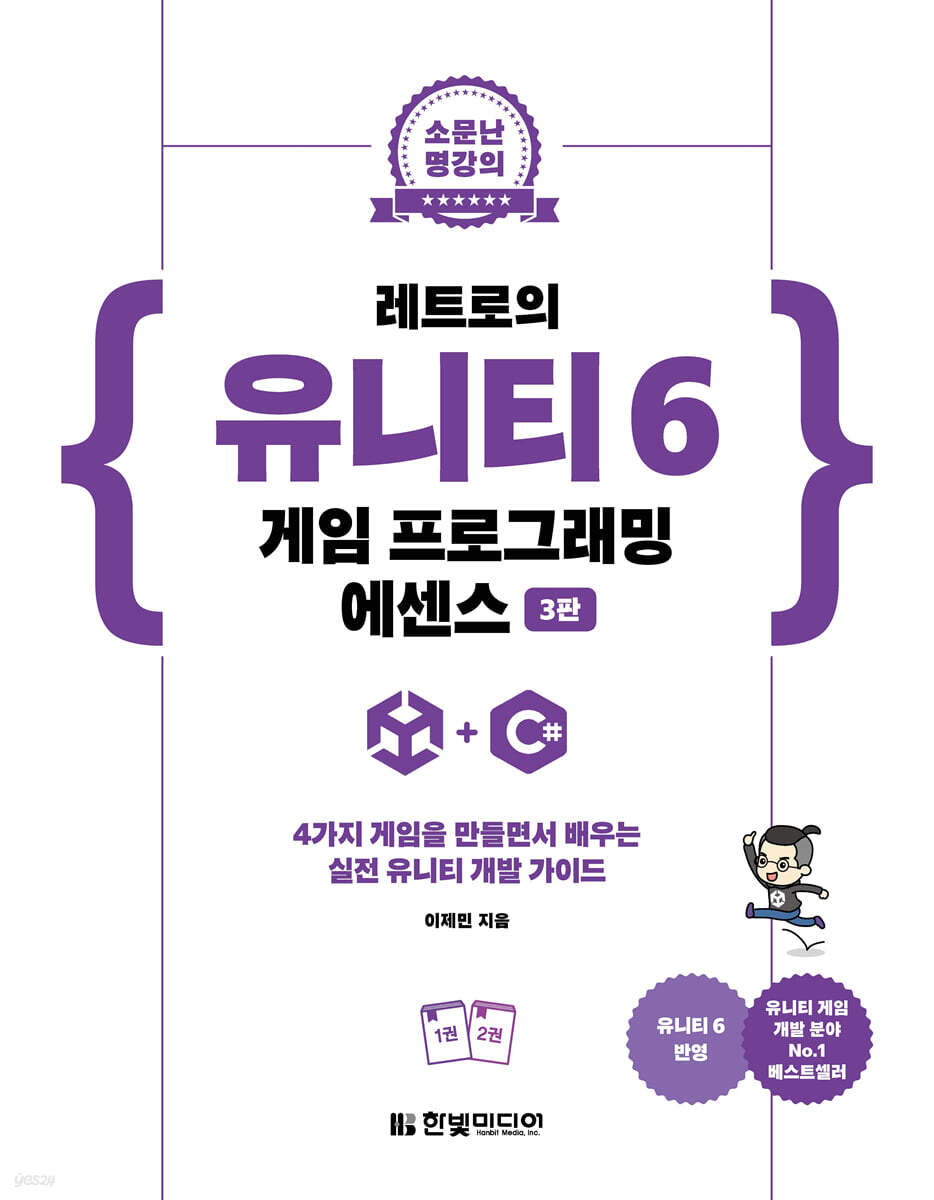
Retro Unity 6 Game Programming Essence
 |
Description
Book Introduction
The most user-friendly Unity game development tutorial from the best Unity master Retro.
The absolute powerhouse of Unity's introductory book, "Essence of Retro Unity Game Programming," has returned in a 3rd edition, even more powerful than before, tailored to Unity 6.
This book is designed to systematically cover the entire process of game development, from Unity's core concepts to practical projects.
It contains friendly explanations and abundant examples so that even beginners can easily understand it.
Rather than simply learning Unity's features, you can naturally learn the Unity engine and C# programming while creating games of various genres.
In addition to the essential basic concepts, it also covers core technologies used in practice, such as animation, networking, and mobile building, to help you develop solid development skills and practical experience.
If you want to learn Unity properly and create your own game, start game development with 『Retro's Unity 6 Game Programming Essence 3rd Edition』.
The absolute powerhouse of Unity's introductory book, "Essence of Retro Unity Game Programming," has returned in a 3rd edition, even more powerful than before, tailored to Unity 6.
This book is designed to systematically cover the entire process of game development, from Unity's core concepts to practical projects.
It contains friendly explanations and abundant examples so that even beginners can easily understand it.
Rather than simply learning Unity's features, you can naturally learn the Unity engine and C# programming while creating games of various genres.
In addition to the essential basic concepts, it also covers core technologies used in practice, such as animation, networking, and mobile building, to help you develop solid development skills and practical experience.
If you want to learn Unity properly and create your own game, start game development with 『Retro's Unity 6 Game Programming Essence 3rd Edition』.
- You can preview some of the book's contents.
Preview
index
Part 1: Preparing for Unity
Chapter 1: Preparing Unity
1.1 What is the Unity Engine?
1.2 Configuring the Development Environment
1.3 Creating your first project
1.4 In conclusion
Chapter 2: Exploring the Unity Interface
2.1 Opening an existing project
2.2 Changing the layout
2.3 Main Window
2.4 Scene Editing Tool
2.5 Editing Game Objects
2.6 Scene Gizmo
2.7 Scene Play Button
2.8 Unity Cloud Button
2.9 In conclusion
Chapter 3: How the Unity Engine Works
3.1 Inheritance and Reuse
3.2 Component Pattern: Assembling Game Worlds
3.3 Components in the Unity Editor
3.4 Messages and Broadcasting
3.5 In conclusion
Part 2 C# Programming
Chapter 4: Getting Started with C# Programming
4.1 Understanding the concept of variables
4.2 Understanding the concept of functions (methods)
4.3 Writing Your First Script
4.4 Coding Basic Rules
4.5 Practicing variables
4.6 Practicing the Method
4.7 Control Statements
4.8 Array
4.9 In conclusion
Chapter 5: Controlling Game Objects
5.1 Classes and Objects
5.2 Creating a C# Class
5.3 Reference Types
5.4 Using Components as Variables
5.5 In conclusion
Part 3 Bullet Hell Shooting Game_Dodge
Chapter 6 Dodge: Player Creation
6.1 Configuring the Scene
6.2 Setting up the camera
6.3 Player Creation
6.4 Creating a Player Script
6.5 Detecting User Input
6.6 Player Death Handling
6.7 Improving the PlayerController script
6.8 Input Manager
6.9 In conclusion
Chapter 7 Dodge: Crafting Bullets
7.1 Preparing the Bullet Game Object
7.2 Preparing the Bullet Script
7.3 Bullet Collision Handling
7.4 Prepare the bullet generator
7.5 Creating a Bullet Generator Script
7.6 In conclusion
Chapter 8: Dodge: Game Manager and UI, Final Completion
8.1 Project Summary
8.2 Floor Rotation
8.3 Creating a Game UI
8.4 Creating a Game Manager
Building 8.5
8.6 In conclusion
Part 4 Space
Chapter 9 Orientation, Scale, and Rotation
9.1 Vector Mathematics
9.2 Unity C# Vectors
9.3 Quaternions
9.4 In conclusion
Chapter 10 Space and Movement
10.1 Unity Space
10.2 Moving and Rotating Objects
10.3 Implementing Parallel Translation with Vector Operations
10.4 In conclusion
Part 5 2D Runner Game_UniRun
Chapter 11: Unirun: Player Creation
11.1 Opening a Unity 2D Project
11.2 Creating a Starting Point
11.3 Editing Character Sprites
11.4 Preparing the 2D Character Game Object
11.5 Preparing Character Animation
11.6 PlayerController Script
11.7 In conclusion
Chapter 12: Unirun: Background Scrolling and Game Manager
12.1 Adding a Background
12.2 Moving Backgrounds and Platforms
12.3 Creating a Game UI
12.4 Creating a Game Manager
12.5 In conclusion
Chapter 13: Unirun: Repeatedly Creating a Foothold and Completing the Game
13.1 Creating a Foothold
13.2 Creating a foothold generator
13.3 Building
13.4 In conclusion
Part 6 Top-Down Shooter Game_Zombie Survivor
Chapter 14: Zombie Survivor: Level Art and Player Preparation
14.1 Project Structure
14.2 Universal Render Pipeline
14.3 Level Art and Lighting Settings
14.4 Player Character and Animation Composition
14.5 Implementing character movement
14.6 Configuring the Cinemachine Tracking Camera
14.7 In conclusion
Chapter 15 Zombie Survivor: Guns and Shooters
15.1 Interface
15.2 Preparing the Total Game Objects
15.3 GunData Script
15.4 Gun Script
15.5 Creating a Shooter
15.6 In conclusion
Chapter 16: Zombie Survivor: Life and Zombie AI
16.1 Polymorphism
16.2 LivingEntity-based classes
16.3 Player Health UI
16.4 PlayerHealth Script
16.5 Navigation System and Zombie Preparation
16.6 Zombie Script
16.7 In conclusion
Chapter 17: Zombie Survivor: Final Finishing and Post-Processing
17.1 HUD Canvas and UI Manager
17.2 Game Manager
17.3 Zombie Spawner
17.4 Item Creation
17.5 Post Processing
17.6 Final Build
17.7 In conclusion
Part 7 Network Game_Pong
Chapter 18: Pong: Network Theory and Menu Implementation
18.1 Network Synchronization
18.2 Types of Game Servers
18.3 Network Privilege Separation
18.4 Preparing the Project
18.5 Configuring the Initialization Scene
18.6 Configuring the Menu
18.7 In conclusion
Chapter 19: Pong: Implementing a Network Lobby
19.1 Network Object Components
19.2 Lobby Implementation
19.3 In conclusion
Chapter 20 Pong: Implementing Network Gameplay
20.1 In-game scene
20.2 Location Synchronization Component
20.3 Implementing the Player Paddle
20.4 Implementing the ball
20.5 Implementing a Game Manager
20.6 Building and Testing
20.7 In conclusion
Appendix A Android Build
A.1 Activating Developer Mode on Your Android Device
A.2 Preparing the Android SDK
A.3 Verifying Unity and Android SDK Integration
A.4 Android Build Settings
Building A.5
Appendix B iOS Build
B.1 Preparing the Development Environment
B.2 Unity iOS Build Settings
B.3 Building iOS in Xcode
Appendix C Addressable System
C.1 What is an addressable system?
C.2 Enabling the Addressable System
C.3 Addressable Profile
C.4 Designating Assets as Addressable
C.5 Specifying Asset Groups and Addressables
C.6 Addressable Settings
C.7 Coding the Addressable System
C.8 Building Addressable Content
C.9 Other
Chapter 1: Preparing Unity
1.1 What is the Unity Engine?
1.2 Configuring the Development Environment
1.3 Creating your first project
1.4 In conclusion
Chapter 2: Exploring the Unity Interface
2.1 Opening an existing project
2.2 Changing the layout
2.3 Main Window
2.4 Scene Editing Tool
2.5 Editing Game Objects
2.6 Scene Gizmo
2.7 Scene Play Button
2.8 Unity Cloud Button
2.9 In conclusion
Chapter 3: How the Unity Engine Works
3.1 Inheritance and Reuse
3.2 Component Pattern: Assembling Game Worlds
3.3 Components in the Unity Editor
3.4 Messages and Broadcasting
3.5 In conclusion
Part 2 C# Programming
Chapter 4: Getting Started with C# Programming
4.1 Understanding the concept of variables
4.2 Understanding the concept of functions (methods)
4.3 Writing Your First Script
4.4 Coding Basic Rules
4.5 Practicing variables
4.6 Practicing the Method
4.7 Control Statements
4.8 Array
4.9 In conclusion
Chapter 5: Controlling Game Objects
5.1 Classes and Objects
5.2 Creating a C# Class
5.3 Reference Types
5.4 Using Components as Variables
5.5 In conclusion
Part 3 Bullet Hell Shooting Game_Dodge
Chapter 6 Dodge: Player Creation
6.1 Configuring the Scene
6.2 Setting up the camera
6.3 Player Creation
6.4 Creating a Player Script
6.5 Detecting User Input
6.6 Player Death Handling
6.7 Improving the PlayerController script
6.8 Input Manager
6.9 In conclusion
Chapter 7 Dodge: Crafting Bullets
7.1 Preparing the Bullet Game Object
7.2 Preparing the Bullet Script
7.3 Bullet Collision Handling
7.4 Prepare the bullet generator
7.5 Creating a Bullet Generator Script
7.6 In conclusion
Chapter 8: Dodge: Game Manager and UI, Final Completion
8.1 Project Summary
8.2 Floor Rotation
8.3 Creating a Game UI
8.4 Creating a Game Manager
Building 8.5
8.6 In conclusion
Part 4 Space
Chapter 9 Orientation, Scale, and Rotation
9.1 Vector Mathematics
9.2 Unity C# Vectors
9.3 Quaternions
9.4 In conclusion
Chapter 10 Space and Movement
10.1 Unity Space
10.2 Moving and Rotating Objects
10.3 Implementing Parallel Translation with Vector Operations
10.4 In conclusion
Part 5 2D Runner Game_UniRun
Chapter 11: Unirun: Player Creation
11.1 Opening a Unity 2D Project
11.2 Creating a Starting Point
11.3 Editing Character Sprites
11.4 Preparing the 2D Character Game Object
11.5 Preparing Character Animation
11.6 PlayerController Script
11.7 In conclusion
Chapter 12: Unirun: Background Scrolling and Game Manager
12.1 Adding a Background
12.2 Moving Backgrounds and Platforms
12.3 Creating a Game UI
12.4 Creating a Game Manager
12.5 In conclusion
Chapter 13: Unirun: Repeatedly Creating a Foothold and Completing the Game
13.1 Creating a Foothold
13.2 Creating a foothold generator
13.3 Building
13.4 In conclusion
Part 6 Top-Down Shooter Game_Zombie Survivor
Chapter 14: Zombie Survivor: Level Art and Player Preparation
14.1 Project Structure
14.2 Universal Render Pipeline
14.3 Level Art and Lighting Settings
14.4 Player Character and Animation Composition
14.5 Implementing character movement
14.6 Configuring the Cinemachine Tracking Camera
14.7 In conclusion
Chapter 15 Zombie Survivor: Guns and Shooters
15.1 Interface
15.2 Preparing the Total Game Objects
15.3 GunData Script
15.4 Gun Script
15.5 Creating a Shooter
15.6 In conclusion
Chapter 16: Zombie Survivor: Life and Zombie AI
16.1 Polymorphism
16.2 LivingEntity-based classes
16.3 Player Health UI
16.4 PlayerHealth Script
16.5 Navigation System and Zombie Preparation
16.6 Zombie Script
16.7 In conclusion
Chapter 17: Zombie Survivor: Final Finishing and Post-Processing
17.1 HUD Canvas and UI Manager
17.2 Game Manager
17.3 Zombie Spawner
17.4 Item Creation
17.5 Post Processing
17.6 Final Build
17.7 In conclusion
Part 7 Network Game_Pong
Chapter 18: Pong: Network Theory and Menu Implementation
18.1 Network Synchronization
18.2 Types of Game Servers
18.3 Network Privilege Separation
18.4 Preparing the Project
18.5 Configuring the Initialization Scene
18.6 Configuring the Menu
18.7 In conclusion
Chapter 19: Pong: Implementing a Network Lobby
19.1 Network Object Components
19.2 Lobby Implementation
19.3 In conclusion
Chapter 20 Pong: Implementing Network Gameplay
20.1 In-game scene
20.2 Location Synchronization Component
20.3 Implementing the Player Paddle
20.4 Implementing the ball
20.5 Implementing a Game Manager
20.6 Building and Testing
20.7 In conclusion
Appendix A Android Build
A.1 Activating Developer Mode on Your Android Device
A.2 Preparing the Android SDK
A.3 Verifying Unity and Android SDK Integration
A.4 Android Build Settings
Building A.5
Appendix B iOS Build
B.1 Preparing the Development Environment
B.2 Unity iOS Build Settings
B.3 Building iOS in Xcode
Appendix C Addressable System
C.1 What is an addressable system?
C.2 Enabling the Addressable System
C.3 Addressable Profile
C.4 Designating Assets as Addressable
C.5 Specifying Asset Groups and Addressables
C.6 Addressable Settings
C.7 Coding the Addressable System
C.8 Building Addressable Content
C.9 Other
Detailed image

Publisher's Review
What's changed in the 3rd edition
1.
Unity version update
- Changed from Unity 2021 to Unity 2023.2 & Unity 6 Beta
- Completely revised screenshots and code (reflecting Unity 6's new UI/features)
2.
Added multiplayer game (Pong)
- Added network multiplayer game implementation that was not available in the previous revision.
- Learn RPC, synchronization, and client-server architecture using Unity Netcode.
3.
Added Asset Addressables & Patch System
- Added method to implement content update and remote distribution system
- Includes a previously unavailable patch system guide for advanced users (explaining how to update the game)
4. Enhanced AI and navigation systems
- Added zombie AI, navigation system, and raycast-based hit detection features that were not previously available.
- Detailed description of enemy AI implementation (enemy movement, attack patterns, etc.)
5. UI (UGUI) Improvements & Post-Processing Added
- Reflects the latest version of the Unity UI system (UGUI reorganization)
- Added post-processing techniques → Improved game graphic quality
★ Features of this book
A progression plan tailored to beginners and non-majors
This book is intended for beginners, non-majors, and artists who have no knowledge of programming, let alone Unity.
Therefore, it is organized in a way that non-majors can easily understand.
Mathematical content uses examples that are easy for non-majors to understand, rather than technical words.
Numerous examples and illustrations
Difficult concepts are replaced with analogies and examples, and complex descriptions are replaced with illustrations.
With over 700 illustrations, you can follow along without missing a beat.
All-in-one package
It covers everything you need for game development, from basic to advanced, including how Unity works, C# programming, object-oriented programming, linear algebra, UI, mobile, post-processing, networking, and programming.
We also provide an appendix of the Addressable Complete Guide for advanced users who want to implement a patching system.
This one book can replace both an introductory book on C# programming and an introductory book on game engines.
★ Structure of this book
This book is divided into seven parts.
In Parts 1 and 2, you'll quickly learn the most essential core concepts to understand Unity and coding right away.
Parts 3, 5, 6, and 7, which involve hands-on projects, will help you understand the theory through practice by completing one game per genre.
Practical projects are conducted by finding new ways to overcome problems that are difficult to solve with existing knowledge alone.
Part 4 covers the mathematical foundations of game development from a non-major perspective, and the appendix covers mobile builds and content management using Addressable.
Part 1: Preparing for Unity
Prepare for Unity and learn how it works and its interface.
Prepare your Unity development environment and create a sample project.
Principles of game objects and components
and understand the movements.
Understand the structure and development methods of game engines.
Part 2: C# Programming
Learn C# programming and object orientation from a beginner's perspective.
Coding principles and object orientation are explained with graphical examples that can be immediately understood.
You will learn most of the C# syntax you need by writing your own C# scripts.
Understand how the Unity principles discussed in Part 1 mesh with C#'s object-oriented approach and how scripts can control game objects and components.
Part 3: Bullet Hell Shooter - Dodge
Create a 3D bullet dodge game.
Starting with a small example of rolling a ball with keyboard controls, we'll create bullets, a UI, a game manager, and everything else needed to complete the game, all the way to the final build.
You will also learn how to periodically repeat bullet creation and how to save your score.
Learn how to control force and speed based on player input.
We'll use real-world examples to illustrate why basic concepts like input managers and time intervals are essential.
Part 4: Space
Learn linear algebra to control space, velocity, and rotation.
You will learn vector mathematics, local and global spaces, and quaternions used for rotations.
For non-majors and developers who don't have time to study linear algebra separately, the complex proof process has been replaced with intuitive and concise diagrams.
Additionally, you will quickly understand mathematical knowledge through practical use, rather than theory.
Part 5: 2D Runner Game - Unirun
We develop a 2D runner game with infinite randomly generated platforms.
Learn how to create 2D animations and how to play appropriate animations depending on the character's situation.
Learn how to implement object pooling to place backgrounds and obstacles infinitely and repeatedly.
We also directly implement and use Singleton, one of the design patterns.
Part 6: Top-Down Shooter Game - Zombie Survivor
We're creating a top-down shooter game where you shoot AI zombies that are coming at you.
Implement IK and animated masks.
Create a scoring and AI enemy summoning system and in-game UI.
We use Unity's navigation system to implement AI, and raycast to implement accurate bullet collisions.
You'll learn how to use C# interfaces, events, and lambda expressions to succinctly reduce damage handling code for players and AI enemies.
Use post-processing to achieve video beauty.
Part 7: Network Games - Pong
We're making famous classic games into 2-player network multiplayer games.
Learn the theories common to all types of network games, regardless of API.
Implements lobbies, position synchronization, RPCs, etc. through Netcode, the Unity network library.
Learn about synchronization procedures, clients and hosts, local and remote, and manipulation permissions.
supplement
Learn how to build Unity games for Android and iOS.
Learn how to manage and remotely distribute content using the Addressable Asset System.
1.
Unity version update
- Changed from Unity 2021 to Unity 2023.2 & Unity 6 Beta
- Completely revised screenshots and code (reflecting Unity 6's new UI/features)
2.
Added multiplayer game (Pong)
- Added network multiplayer game implementation that was not available in the previous revision.
- Learn RPC, synchronization, and client-server architecture using Unity Netcode.
3.
Added Asset Addressables & Patch System
- Added method to implement content update and remote distribution system
- Includes a previously unavailable patch system guide for advanced users (explaining how to update the game)
4. Enhanced AI and navigation systems
- Added zombie AI, navigation system, and raycast-based hit detection features that were not previously available.
- Detailed description of enemy AI implementation (enemy movement, attack patterns, etc.)
5. UI (UGUI) Improvements & Post-Processing Added
- Reflects the latest version of the Unity UI system (UGUI reorganization)
- Added post-processing techniques → Improved game graphic quality
★ Features of this book
A progression plan tailored to beginners and non-majors
This book is intended for beginners, non-majors, and artists who have no knowledge of programming, let alone Unity.
Therefore, it is organized in a way that non-majors can easily understand.
Mathematical content uses examples that are easy for non-majors to understand, rather than technical words.
Numerous examples and illustrations
Difficult concepts are replaced with analogies and examples, and complex descriptions are replaced with illustrations.
With over 700 illustrations, you can follow along without missing a beat.
All-in-one package
It covers everything you need for game development, from basic to advanced, including how Unity works, C# programming, object-oriented programming, linear algebra, UI, mobile, post-processing, networking, and programming.
We also provide an appendix of the Addressable Complete Guide for advanced users who want to implement a patching system.
This one book can replace both an introductory book on C# programming and an introductory book on game engines.
★ Structure of this book
This book is divided into seven parts.
In Parts 1 and 2, you'll quickly learn the most essential core concepts to understand Unity and coding right away.
Parts 3, 5, 6, and 7, which involve hands-on projects, will help you understand the theory through practice by completing one game per genre.
Practical projects are conducted by finding new ways to overcome problems that are difficult to solve with existing knowledge alone.
Part 4 covers the mathematical foundations of game development from a non-major perspective, and the appendix covers mobile builds and content management using Addressable.
Part 1: Preparing for Unity
Prepare for Unity and learn how it works and its interface.
Prepare your Unity development environment and create a sample project.
Principles of game objects and components
and understand the movements.
Understand the structure and development methods of game engines.
Part 2: C# Programming
Learn C# programming and object orientation from a beginner's perspective.
Coding principles and object orientation are explained with graphical examples that can be immediately understood.
You will learn most of the C# syntax you need by writing your own C# scripts.
Understand how the Unity principles discussed in Part 1 mesh with C#'s object-oriented approach and how scripts can control game objects and components.
Part 3: Bullet Hell Shooter - Dodge
Create a 3D bullet dodge game.
Starting with a small example of rolling a ball with keyboard controls, we'll create bullets, a UI, a game manager, and everything else needed to complete the game, all the way to the final build.
You will also learn how to periodically repeat bullet creation and how to save your score.
Learn how to control force and speed based on player input.
We'll use real-world examples to illustrate why basic concepts like input managers and time intervals are essential.
Part 4: Space
Learn linear algebra to control space, velocity, and rotation.
You will learn vector mathematics, local and global spaces, and quaternions used for rotations.
For non-majors and developers who don't have time to study linear algebra separately, the complex proof process has been replaced with intuitive and concise diagrams.
Additionally, you will quickly understand mathematical knowledge through practical use, rather than theory.
Part 5: 2D Runner Game - Unirun
We develop a 2D runner game with infinite randomly generated platforms.
Learn how to create 2D animations and how to play appropriate animations depending on the character's situation.
Learn how to implement object pooling to place backgrounds and obstacles infinitely and repeatedly.
We also directly implement and use Singleton, one of the design patterns.
Part 6: Top-Down Shooter Game - Zombie Survivor
We're creating a top-down shooter game where you shoot AI zombies that are coming at you.
Implement IK and animated masks.
Create a scoring and AI enemy summoning system and in-game UI.
We use Unity's navigation system to implement AI, and raycast to implement accurate bullet collisions.
You'll learn how to use C# interfaces, events, and lambda expressions to succinctly reduce damage handling code for players and AI enemies.
Use post-processing to achieve video beauty.
Part 7: Network Games - Pong
We're making famous classic games into 2-player network multiplayer games.
Learn the theories common to all types of network games, regardless of API.
Implements lobbies, position synchronization, RPCs, etc. through Netcode, the Unity network library.
Learn about synchronization procedures, clients and hosts, local and remote, and manipulation permissions.
supplement
Learn how to build Unity games for Android and iOS.
Learn how to manage and remotely distribute content using the Addressable Asset System.
GOODS SPECIFICS
- Date of issue: February 17, 2025
- Page count, weight, size: 1,276 pages | 2,086g | 183*235*46mm
- ISBN13: 9791169213394
- ISBN10: 1169213391
You may also like
카테고리
korean


korean

![GQ KOREA Mark (Monthly): December [2025]](http://librairie.coreenne.fr/cdn/shop/files/8ef265dbbfbf186523ed75ba7319009d.jpg?v=1765340328&width=3840)


