

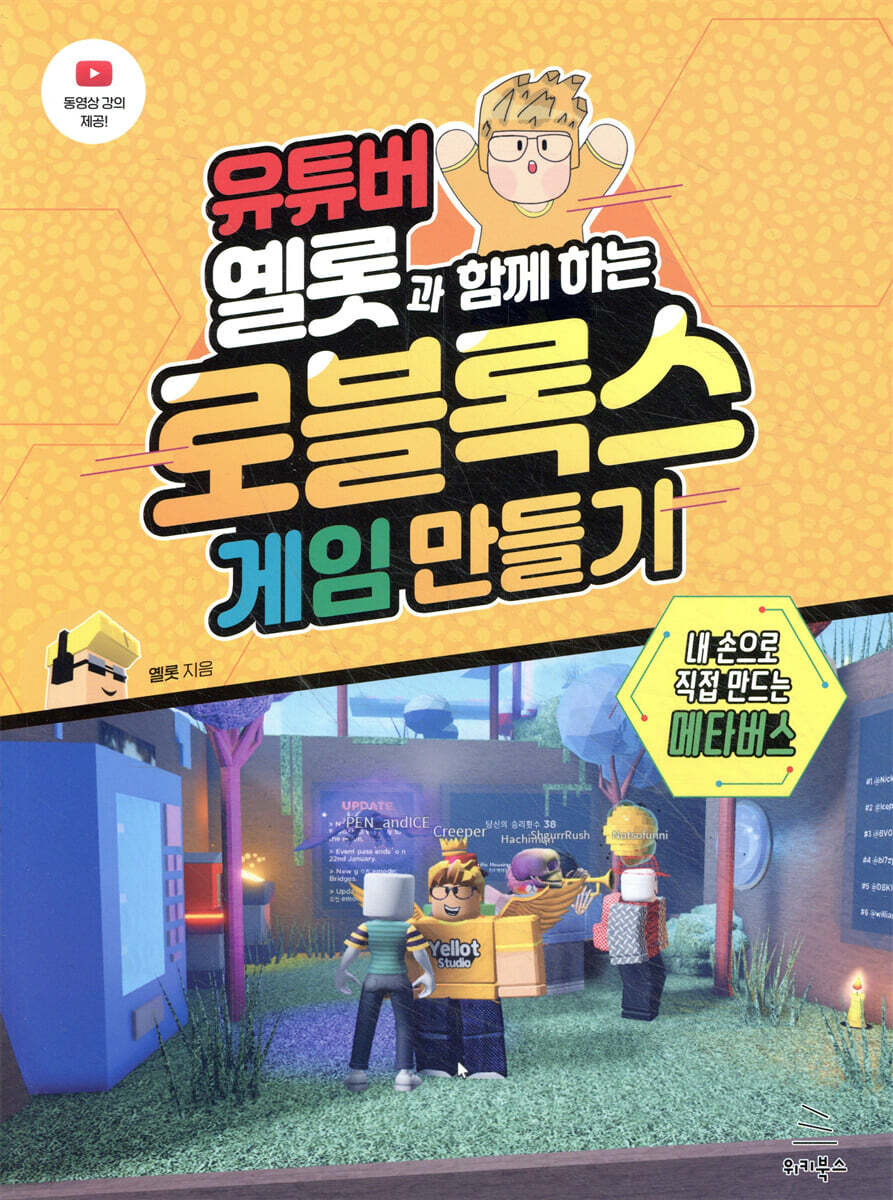
Creating Roblox Games with YouTuber Yellow
 |
Description
Book Introduction
Let's play a Roblox game you created yourself with the help of YouTuber Yellow!
This book is a compilation of Roblox game creation tutorials from Yellow's YouTube channel.
Go beyond just playing games on Roblox and enjoy the games you create with your friends and fellow Roblox players around the world.
This book is a compilation of Roblox game creation tutorials from Yellow's YouTube channel.
Go beyond just playing games on Roblox and enjoy the games you create with your friends and fellow Roblox players around the world.
- You can preview some of the book's contents.
Preview
index
Chapter 1: Getting Started with Roblox
1.1 Sign up for Roblox
1.2 Roblox Overview
1.3 Customizing your avatar
1.4 Currency and How to Use It in Roblox
1.5 Adding Friends
1.6 How to create and join a group
1.7 Playing Roblox Games
Chapter 2: Getting Started with Roblox Studio
2.1 How to install Roblox Studio and basic controls
2.2 Roblox Studio Screen Overview
2.3 Importing and Handling Various Parts
2.4 Changing part color and material
2.5 Easy copy and paste of parts
2.6 Creating transparent and opaque parts
2.7 Creating a passable part
2.8 Creating a kill part and a part that gradually drains stamina
2.9 Creating a Rideable Rotating Part
2.10 Drilling and cutting out parts
Chapter 3: Game Planning
3.1 Deciding on the game genre and story
3.2 Determine the elements needed for the game
Chapter 4: Creating a Game
4.1 Installing a Spawn Point
4.2 Getting to Know the Toolbox
4.3 Changing the game background
4.4 Setting Day and Night
4.5 Pressing shift makes you run faster
4.6 Changing the game atmosphere
4.7 Removing Shadows from the Game
4.8 Adding background music to the game
4.9 Providing basic items
4.10 Erecting Player Statues
4.11 Erecting a moving player statue
4.12 Creating a Teleport Part
4.13 Create a game with your friends
4.14 Testing the Game
4.15 Saving the Game
Chapter 5: Lua Scripts
5.1 What is a Lua script?
5.2 Variables
5.3 Operators
5.4 Notes
5.5 Conditional statements
5.6 Loops
5.7 Functions
5.8 Creating a part that disappears and reappears
5.9 Creating a part that changes color randomly
5.10 Creating a Stamina Recovery Part
Chapter 6: Customizing the Screen with GUI
6.1 What is Gui?
6.2 Basic GUI Usage
6.3 Creating a Store with a GUI
Inserting an image into part 6.4
Inserting a video into part 6.5
Chapter 7: Launching Your Game
7.1 How to upload a game
7.2 Updating and Rolling Back Game Updates
7.3 Advertising your game
Chapter 8: Making Money Making Games
8.1 Selling Items
8.2 Creating a Sponsor Button
8.3 Premium Payouts
8.4 Earn money by selling t-shirts
1.1 Sign up for Roblox
1.2 Roblox Overview
1.3 Customizing your avatar
1.4 Currency and How to Use It in Roblox
1.5 Adding Friends
1.6 How to create and join a group
1.7 Playing Roblox Games
Chapter 2: Getting Started with Roblox Studio
2.1 How to install Roblox Studio and basic controls
2.2 Roblox Studio Screen Overview
2.3 Importing and Handling Various Parts
2.4 Changing part color and material
2.5 Easy copy and paste of parts
2.6 Creating transparent and opaque parts
2.7 Creating a passable part
2.8 Creating a kill part and a part that gradually drains stamina
2.9 Creating a Rideable Rotating Part
2.10 Drilling and cutting out parts
Chapter 3: Game Planning
3.1 Deciding on the game genre and story
3.2 Determine the elements needed for the game
Chapter 4: Creating a Game
4.1 Installing a Spawn Point
4.2 Getting to Know the Toolbox
4.3 Changing the game background
4.4 Setting Day and Night
4.5 Pressing shift makes you run faster
4.6 Changing the game atmosphere
4.7 Removing Shadows from the Game
4.8 Adding background music to the game
4.9 Providing basic items
4.10 Erecting Player Statues
4.11 Erecting a moving player statue
4.12 Creating a Teleport Part
4.13 Create a game with your friends
4.14 Testing the Game
4.15 Saving the Game
Chapter 5: Lua Scripts
5.1 What is a Lua script?
5.2 Variables
5.3 Operators
5.4 Notes
5.5 Conditional statements
5.6 Loops
5.7 Functions
5.8 Creating a part that disappears and reappears
5.9 Creating a part that changes color randomly
5.10 Creating a Stamina Recovery Part
Chapter 6: Customizing the Screen with GUI
6.1 What is Gui?
6.2 Basic GUI Usage
6.3 Creating a Store with a GUI
Inserting an image into part 6.4
Inserting a video into part 6.5
Chapter 7: Launching Your Game
7.1 How to upload a game
7.2 Updating and Rolling Back Game Updates
7.3 Advertising your game
Chapter 8: Making Money Making Games
8.1 Selling Items
8.2 Creating a Sponsor Button
8.3 Premium Payouts
8.4 Earn money by selling t-shirts
Detailed image

Publisher's Review
★ What this book covers ★
◎ Roblox/Roblox Studio Installation and Basic Operation Instructions
◎ Creating parts that can be used in various ways in the game
◎ Plan your own game
◎ Various technologies required to create a game
◎ Setting the game background
◎ Lua script basics and how to use scripts
◎ How to use GUI and create a store
◎ Launching and advertising a Roblox game
◎ Various ways to earn money on Roblox
◎ Roblox/Roblox Studio Installation and Basic Operation Instructions
◎ Creating parts that can be used in various ways in the game
◎ Plan your own game
◎ Various technologies required to create a game
◎ Setting the game background
◎ Lua script basics and how to use scripts
◎ How to use GUI and create a store
◎ Launching and advertising a Roblox game
◎ Various ways to earn money on Roblox
GOODS SPECIFICS
- Publication date: March 15, 2022
- Page count, weight, size: 260 pages | 188*240*14mm
- ISBN13: 9791158393144
- ISBN10: 1158393148
You may also like
카테고리
korean


korean

![GQ KOREA Mark (Monthly): December [2025]](http://librairie.coreenne.fr/cdn/shop/files/8ef265dbbfbf186523ed75ba7319009d.jpg?v=1765340328&width=3840)


