

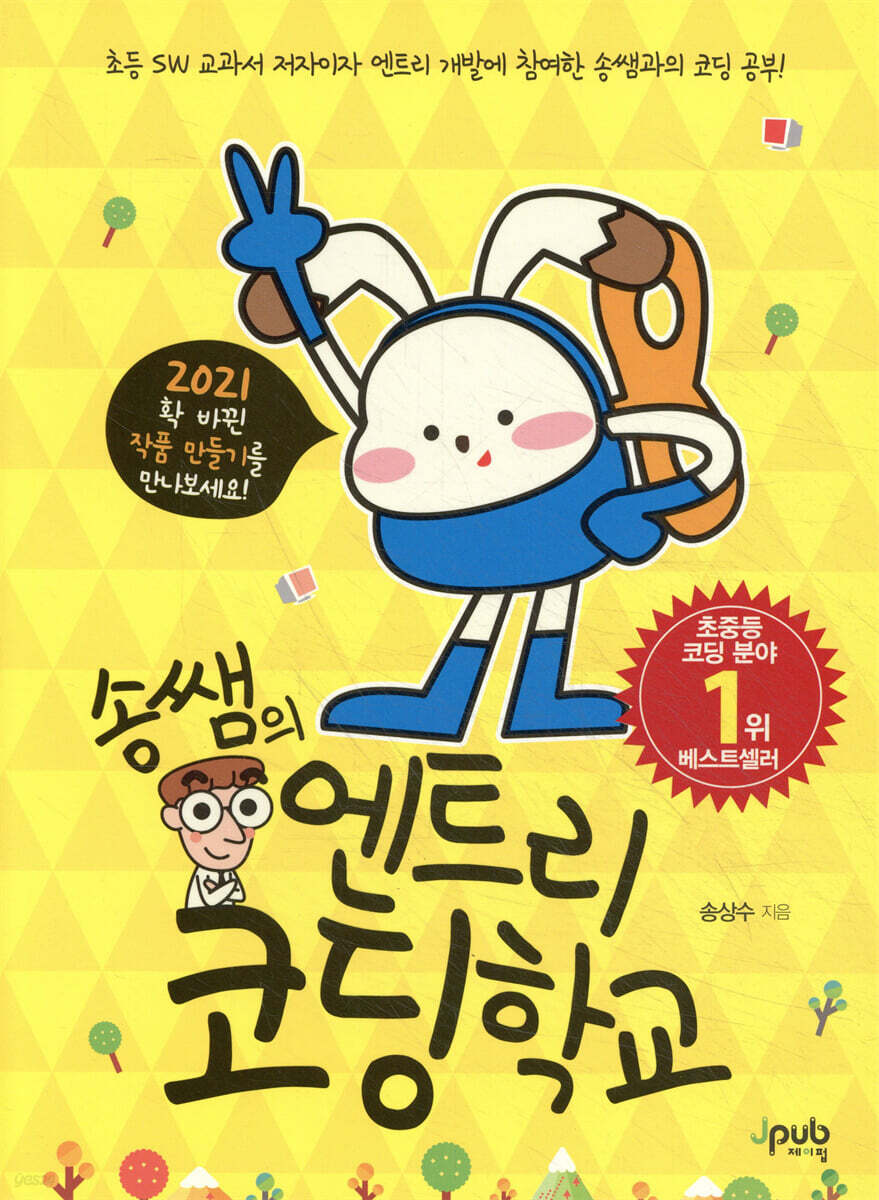
Song's Entry Coding School
 |
Description
Book Introduction
The first step to software education that is fun to learn and easy to teach!
This book kindly teaches you the various works that can be created with entries, just like you would learn in school.
It helps you learn on your own by dividing the software development steps into 'thinking, refining your thinking, creating an algorithm, programming, and reviewing', and it is explained in a friendly way so that you can study on your own even without someone to teach you.
This book kindly teaches you the various works that can be created with entries, just like you would learn in school.
It helps you learn on your own by dividing the software development steps into 'thinking, refining your thinking, creating an algorithm, programming, and reviewing', and it is explained in a friendly way so that you can study on your own even without someone to teach you.
- You can preview some of the book's contents.
Preview
index
PART 1 Introduction 1
CHAPTER 01 The Amazing Power of Software 3
1.1 How do computers work?_3
1.2 Software and Life_4
1.3 Software-Centric Society_5
1.4 What is software development?_5
1.5 Software Creation Process_6
CHAPTER 02 Introducing the Entry 9
2.1 What is an entry?_9
2.2 Sign up for entry_10
2.3 Entry Screen Configuration_13
2.4 How Entry Works_18
CHAPTER 03 My First Programming 19
3.1 Thinking_19
3.2 Refine Your Thoughts_20
3.3 Creating an Algorithm_21
3.4 Programming_22
3.5 Review_27
PART 2 BASICS 31
CHAPTER 04 The Bear Who Found the Honey Pot 33
4.1 Thinking_33
4.2 Refine Your Thoughts_34
4.3 Concept Building_35
4.4 Creating an Algorithm_40
4.5 Programming_41
4.6 Review_45
CHAPTER 05 The Bear Who Met the Bees 46
5.1 Thinking_46
5.2 Refine Your Thoughts_47
5.3 Concept Building_48
5.4 Creating an Algorithm_51
5.5 Programming_52
5.6 Review_56
CHAPTER 06 The Bear Stung by a Bee 57
6.1 Thinking_57
6.2 Refine Your Thoughts_58
6.3 Concept Building_59
6.4 Creating an Algorithm_61
6.5 Programming_62
6.6 Review_66
CHAPTER 07 Avoiding Sharks 67
7.1 Thinking_67
7.2 Refine Your Thoughts_68
7.3 Concept Building_69
7.4 Creating an Algorithm_75
7.5 Programming_76
7.6 Review_80
CHAPTER 08 The Growing Shark 81
8.1 Thinking_81
8.2 Refine Your Thoughts_82
8.3 Concept Building_83
8.4 Creating an Algorithm_87
8.5 Programming_89
8.6 Review_94
CHAPTER 09 Completing the Shark Avoidance Game 96
9.1 Thinking_96
9.2 Refine Your Thoughts_97
9.3 Concept Building_98
9.4 Creating Algorithms_103
9.5 Programming_106
9.6 Review_115
CHAPTER 10 GIFT DRAWING PROGRAM 118
10.1 Thinking_118
10.2 Refine Your Thoughts_119
10.3 Concept Building_120
10.4 Creating Algorithms_123
10.5 Programming_124
10.6 Review_128
CHAPTER 11 Presenter Lottery Program 129
11.1 Thinking_129
11.2 Refine Your Thoughts_130
11.3 Concept Building_131
11.4 Creating Algorithms_132
11.5 Programming_133
11.6 Review_138
CHAPTER 12 Story-Creating Program 139
12.1 Thinking_139
12.2 Refine Your Thoughts_140
12.3 Concept Building_141
12.4 Creating Algorithms_142
12.5 Programming_144
12.6 Review_149
CHAPTER 13 DRAWING POLYGONS 150
13.1 Thinking_150
13.2 Refine Your Thoughts_151
13.3 Concept Building_152
13.4 Creating an Algorithm_156
13.5 Programming_157
13.6 Review_162
CHAPTER 14 Drawing Polygonal Patterns 163
14.1 Thinking_163
14.2 Refine Your Thoughts_164
14.3 Concept Building_165
14.4 Creating an Algorithm_167
14.5 Programming_169
14.6 Review_173
CHAPTER 15 Drawing Various Polygonal Patterns 174
15.1 Thinking_174
15.2 Refine Your Thoughts_175
15.3 Concept Building_176
15.4 Creating an Algorithm_179
15.5 Programming_181
15.6 Review_187
CHAPTER 16 The Lion and the Squirrel 188
16.1 Thinking_188
16.2 Refine Your Thoughts_189
16.3 Concept Building_190
16.4 Creating Algorithms_192
16.5 Programming_194
16.6 Review_198
CHAPTER 17 Creating Simple Artworks 199
17.1 Thinking_199
17.2 Refine Your Thoughts_200
17.3 Concept Building_201
17.4 Creating Algorithms_202
17.5 Programming_203
17.6 Review_206
PART 3 APPLICATIONS 207
CHAPTER 18: Whack-a-Mole Game 209
18.1 Thinking_209
18.2 Creating an Algorithm_210
18.3 Programming_212
18.4 Review_217
CHAPTER 19: Save the Soccer Ball! 218
19.1 Thinking_218
19.2 Creating an Algorithm_219
19.3 Programming_221
19.4 Review_226
CHAPTER 20 Running Game 228
20.1 Thinking_228
20.2 Creating an Algorithm_229
20.3 Programming_231
20.4 Review_236
CHAPTER 21 Creating a Paint Board 238
21.1 Thinking_238
21.2 Creating an Algorithm_239
21.3 Programming_241
21.4 Review_245
CHAPTER 22 Change Calculation Program 246
22.1 Thinking_246
22.2 Creating an Algorithm_247
22.3 Programming_249
22.4 Review_254
CHAPTER 23 Creating Problems 255
23.1 Thinking_255
23.2 Creating an Algorithm_256
23.3 Programming_257
23.4 Review_261
PART 4 EXERCISE 263
CHAPTER 24 Introducing Myself 265
24.1 Thinking_265
24.2 Refine Your Thoughts_266
24.3 Modifying Code_267
24.4 Checking the Code_269
CHAPTER 25 Fun Media Art 271
25.1 Thinking_271
25.2 Refine Your Thoughts_272
25.3 Modifying Code_273
25.4 Checking the Code_274
CHAPTER 26 Penalty Shootout Game 276
26.1 Thinking_276
26.2 Refine Your Thoughts_277
26.3 Modifying Code_278
26.4 Checking the Code_279
CHAPTER 27: Banana Eating Game 282
27.1 Thinking_282
27.2 Refine Your Thoughts_283
27.3 Modifying Code_284
27.4 Checking the Code_286
CHAPTER 28: The Dancing Game Without the Teacher's Knowledge 290
28.1 Thinking_290
28.2 Refine Your Thoughts_291
28.3 Modifying Code_292
28.4 Checking the Code_294
CHAPTER 29 Math Quiz 296
29.1 Thinking_296
29.2 Refine Your Thoughts_297
29.3 Modifying Code_298
29.4 Checking the Code_299
CHAPTER 30 Creating Your Own Work 301
30.1 The Process of Creating a Work_301
30.2 Creating Your Own Work_302
Search 304
CHAPTER 01 The Amazing Power of Software 3
1.1 How do computers work?_3
1.2 Software and Life_4
1.3 Software-Centric Society_5
1.4 What is software development?_5
1.5 Software Creation Process_6
CHAPTER 02 Introducing the Entry 9
2.1 What is an entry?_9
2.2 Sign up for entry_10
2.3 Entry Screen Configuration_13
2.4 How Entry Works_18
CHAPTER 03 My First Programming 19
3.1 Thinking_19
3.2 Refine Your Thoughts_20
3.3 Creating an Algorithm_21
3.4 Programming_22
3.5 Review_27
PART 2 BASICS 31
CHAPTER 04 The Bear Who Found the Honey Pot 33
4.1 Thinking_33
4.2 Refine Your Thoughts_34
4.3 Concept Building_35
4.4 Creating an Algorithm_40
4.5 Programming_41
4.6 Review_45
CHAPTER 05 The Bear Who Met the Bees 46
5.1 Thinking_46
5.2 Refine Your Thoughts_47
5.3 Concept Building_48
5.4 Creating an Algorithm_51
5.5 Programming_52
5.6 Review_56
CHAPTER 06 The Bear Stung by a Bee 57
6.1 Thinking_57
6.2 Refine Your Thoughts_58
6.3 Concept Building_59
6.4 Creating an Algorithm_61
6.5 Programming_62
6.6 Review_66
CHAPTER 07 Avoiding Sharks 67
7.1 Thinking_67
7.2 Refine Your Thoughts_68
7.3 Concept Building_69
7.4 Creating an Algorithm_75
7.5 Programming_76
7.6 Review_80
CHAPTER 08 The Growing Shark 81
8.1 Thinking_81
8.2 Refine Your Thoughts_82
8.3 Concept Building_83
8.4 Creating an Algorithm_87
8.5 Programming_89
8.6 Review_94
CHAPTER 09 Completing the Shark Avoidance Game 96
9.1 Thinking_96
9.2 Refine Your Thoughts_97
9.3 Concept Building_98
9.4 Creating Algorithms_103
9.5 Programming_106
9.6 Review_115
CHAPTER 10 GIFT DRAWING PROGRAM 118
10.1 Thinking_118
10.2 Refine Your Thoughts_119
10.3 Concept Building_120
10.4 Creating Algorithms_123
10.5 Programming_124
10.6 Review_128
CHAPTER 11 Presenter Lottery Program 129
11.1 Thinking_129
11.2 Refine Your Thoughts_130
11.3 Concept Building_131
11.4 Creating Algorithms_132
11.5 Programming_133
11.6 Review_138
CHAPTER 12 Story-Creating Program 139
12.1 Thinking_139
12.2 Refine Your Thoughts_140
12.3 Concept Building_141
12.4 Creating Algorithms_142
12.5 Programming_144
12.6 Review_149
CHAPTER 13 DRAWING POLYGONS 150
13.1 Thinking_150
13.2 Refine Your Thoughts_151
13.3 Concept Building_152
13.4 Creating an Algorithm_156
13.5 Programming_157
13.6 Review_162
CHAPTER 14 Drawing Polygonal Patterns 163
14.1 Thinking_163
14.2 Refine Your Thoughts_164
14.3 Concept Building_165
14.4 Creating an Algorithm_167
14.5 Programming_169
14.6 Review_173
CHAPTER 15 Drawing Various Polygonal Patterns 174
15.1 Thinking_174
15.2 Refine Your Thoughts_175
15.3 Concept Building_176
15.4 Creating an Algorithm_179
15.5 Programming_181
15.6 Review_187
CHAPTER 16 The Lion and the Squirrel 188
16.1 Thinking_188
16.2 Refine Your Thoughts_189
16.3 Concept Building_190
16.4 Creating Algorithms_192
16.5 Programming_194
16.6 Review_198
CHAPTER 17 Creating Simple Artworks 199
17.1 Thinking_199
17.2 Refine Your Thoughts_200
17.3 Concept Building_201
17.4 Creating Algorithms_202
17.5 Programming_203
17.6 Review_206
PART 3 APPLICATIONS 207
CHAPTER 18: Whack-a-Mole Game 209
18.1 Thinking_209
18.2 Creating an Algorithm_210
18.3 Programming_212
18.4 Review_217
CHAPTER 19: Save the Soccer Ball! 218
19.1 Thinking_218
19.2 Creating an Algorithm_219
19.3 Programming_221
19.4 Review_226
CHAPTER 20 Running Game 228
20.1 Thinking_228
20.2 Creating an Algorithm_229
20.3 Programming_231
20.4 Review_236
CHAPTER 21 Creating a Paint Board 238
21.1 Thinking_238
21.2 Creating an Algorithm_239
21.3 Programming_241
21.4 Review_245
CHAPTER 22 Change Calculation Program 246
22.1 Thinking_246
22.2 Creating an Algorithm_247
22.3 Programming_249
22.4 Review_254
CHAPTER 23 Creating Problems 255
23.1 Thinking_255
23.2 Creating an Algorithm_256
23.3 Programming_257
23.4 Review_261
PART 4 EXERCISE 263
CHAPTER 24 Introducing Myself 265
24.1 Thinking_265
24.2 Refine Your Thoughts_266
24.3 Modifying Code_267
24.4 Checking the Code_269
CHAPTER 25 Fun Media Art 271
25.1 Thinking_271
25.2 Refine Your Thoughts_272
25.3 Modifying Code_273
25.4 Checking the Code_274
CHAPTER 26 Penalty Shootout Game 276
26.1 Thinking_276
26.2 Refine Your Thoughts_277
26.3 Modifying Code_278
26.4 Checking the Code_279
CHAPTER 27: Banana Eating Game 282
27.1 Thinking_282
27.2 Refine Your Thoughts_283
27.3 Modifying Code_284
27.4 Checking the Code_286
CHAPTER 28: The Dancing Game Without the Teacher's Knowledge 290
28.1 Thinking_290
28.2 Refine Your Thoughts_291
28.3 Modifying Code_292
28.4 Checking the Code_294
CHAPTER 29 Math Quiz 296
29.1 Thinking_296
29.2 Refine Your Thoughts_297
29.3 Modifying Code_298
29.4 Checking the Code_299
CHAPTER 30 Creating Your Own Work 301
30.1 The Process of Creating a Work_301
30.2 Creating Your Own Work_302
Search 304
Detailed image

Into the book
An algorithm is like a blueprint for creating software.
An algorithm is a specific solution that expresses in order how to create each function conceived as software.
By expressing the ideas that were only in your head concretely through algorithms, you can discover things you hadn't thought of or things you were thinking wrong, and create more accurate software.
--- p.7
Characters, backgrounds, text boxes, etc. that can be moved through commands are called objects.
Objects have information such as name, location, size, orientation, direction of movement, and rotation.
This information can be changed using the object handler (the object's point) or entered directly by pressing the pencil-shaped edit button.
Additionally, all objects used in the work are listed in the object list.
--- p.16
In Chapter 4, 'The Bear Who Found the Honey Pot', we had to create repeating blocks.
It is very cumbersome to keep attaching the same blocks.
If you have to attach 1000 identical blocks, it will take a very long time.
The block that can be used at this time is the 'Repeat' block.
This block repeatedly executes the block it encloses.
When writing code, if you come across something that needs to be repeated, it is a good idea to group it using a repeat block.
--- p.48
How can we make objects behave differently depending on the situation? In this project, we'll learn how to make each object behave differently in specific situations, such as when a bear and a bee encounter each other.
At this time, the 'situation where a bear and a bee meet' is called a condition.
Conditions must be clearly distinguishable as either 'true' or 'false'.
Selectively executing a command based on these conditions is called selection.
Conditional blocks allow you to make objects perform different actions based on conditions (situations).
As shown below, a conditional block consists of a 'condition block' and a 'block to be executed if the condition is true (factual)'.
Additionally, you can place various judgment blocks in the 'true' part of the condition block to perform different actions depending on the situation.
--- p.59
We created variables to store and use information above.
If you need to create a program to find the average age of 300 people, you need to create 300 variables.
Moreover, it takes a lot of time to store values one by one in 300 variables.
This is when the 'list' is used.
A list is a collection of similar types of data.
A list represents multiple pieces of information within a single name, represented by numbered items.
Creating a list allows you to store and use multiple pieces of information under it, making it effective when handling large amounts of information.
An algorithm is a specific solution that expresses in order how to create each function conceived as software.
By expressing the ideas that were only in your head concretely through algorithms, you can discover things you hadn't thought of or things you were thinking wrong, and create more accurate software.
--- p.7
Characters, backgrounds, text boxes, etc. that can be moved through commands are called objects.
Objects have information such as name, location, size, orientation, direction of movement, and rotation.
This information can be changed using the object handler (the object's point) or entered directly by pressing the pencil-shaped edit button.
Additionally, all objects used in the work are listed in the object list.
--- p.16
In Chapter 4, 'The Bear Who Found the Honey Pot', we had to create repeating blocks.
It is very cumbersome to keep attaching the same blocks.
If you have to attach 1000 identical blocks, it will take a very long time.
The block that can be used at this time is the 'Repeat' block.
This block repeatedly executes the block it encloses.
When writing code, if you come across something that needs to be repeated, it is a good idea to group it using a repeat block.
--- p.48
How can we make objects behave differently depending on the situation? In this project, we'll learn how to make each object behave differently in specific situations, such as when a bear and a bee encounter each other.
At this time, the 'situation where a bear and a bee meet' is called a condition.
Conditions must be clearly distinguishable as either 'true' or 'false'.
Selectively executing a command based on these conditions is called selection.
Conditional blocks allow you to make objects perform different actions based on conditions (situations).
As shown below, a conditional block consists of a 'condition block' and a 'block to be executed if the condition is true (factual)'.
Additionally, you can place various judgment blocks in the 'true' part of the condition block to perform different actions depending on the situation.
--- p.59
We created variables to store and use information above.
If you need to create a program to find the average age of 300 people, you need to create 300 variables.
Moreover, it takes a lot of time to store values one by one in 300 variables.
This is when the 'list' is used.
A list is a collection of similar types of data.
A list represents multiple pieces of information within a single name, represented by numbered items.
Creating a list allows you to store and use multiple pieces of information under it, making it effective when handling large amounts of information.
--- p.121
Publisher's Review
The first step to software education that is fun to learn and easy to teach!
A coding textbook written by an entry researcher and instructor of "EBS Software, Let's Play"!
Entry is an educational programming language created in our country.
Entry is a block-based programming language that allows anyone to easily enter the world of programming by fitting blocks together.
You can create your own programs by sequentially assembling blocks of commands made up of everyday language.
This book kindly teaches you the various works that can be created with entries, just like you would learn in school.
It helps you learn on your own by dividing the software development steps into 'thinking, refining your thinking, creating an algorithm, programming, and reviewing', and it is explained in a friendly way so that you can study on your own even without someone to teach you.
A coding textbook written by an entry researcher and instructor of "EBS Software, Let's Play"!
Entry is an educational programming language created in our country.
Entry is a block-based programming language that allows anyone to easily enter the world of programming by fitting blocks together.
You can create your own programs by sequentially assembling blocks of commands made up of everyday language.
This book kindly teaches you the various works that can be created with entries, just like you would learn in school.
It helps you learn on your own by dividing the software development steps into 'thinking, refining your thinking, creating an algorithm, programming, and reviewing', and it is explained in a friendly way so that you can study on your own even without someone to teach you.
GOODS SPECIFICS
- Date of issue: September 21, 2017
- Page count, weight, size: 320 pages | 188*256*16mm
- ISBN13: 9791185890647
- ISBN10: 1185890645
You may also like
카테고리
korean


korean

![GQ KOREA Mark (Monthly): December [2025]](http://librairie.coreenne.fr/cdn/shop/files/8ef265dbbfbf186523ed75ba7319009d.jpg?v=1765340328&width=3840)


